Document ID# 1206231
1998 Saturn SL2/SC2/SW2
 

Instrument Panel Cluster (IPC) Replacement Left Hand Drive

Removal Procedure

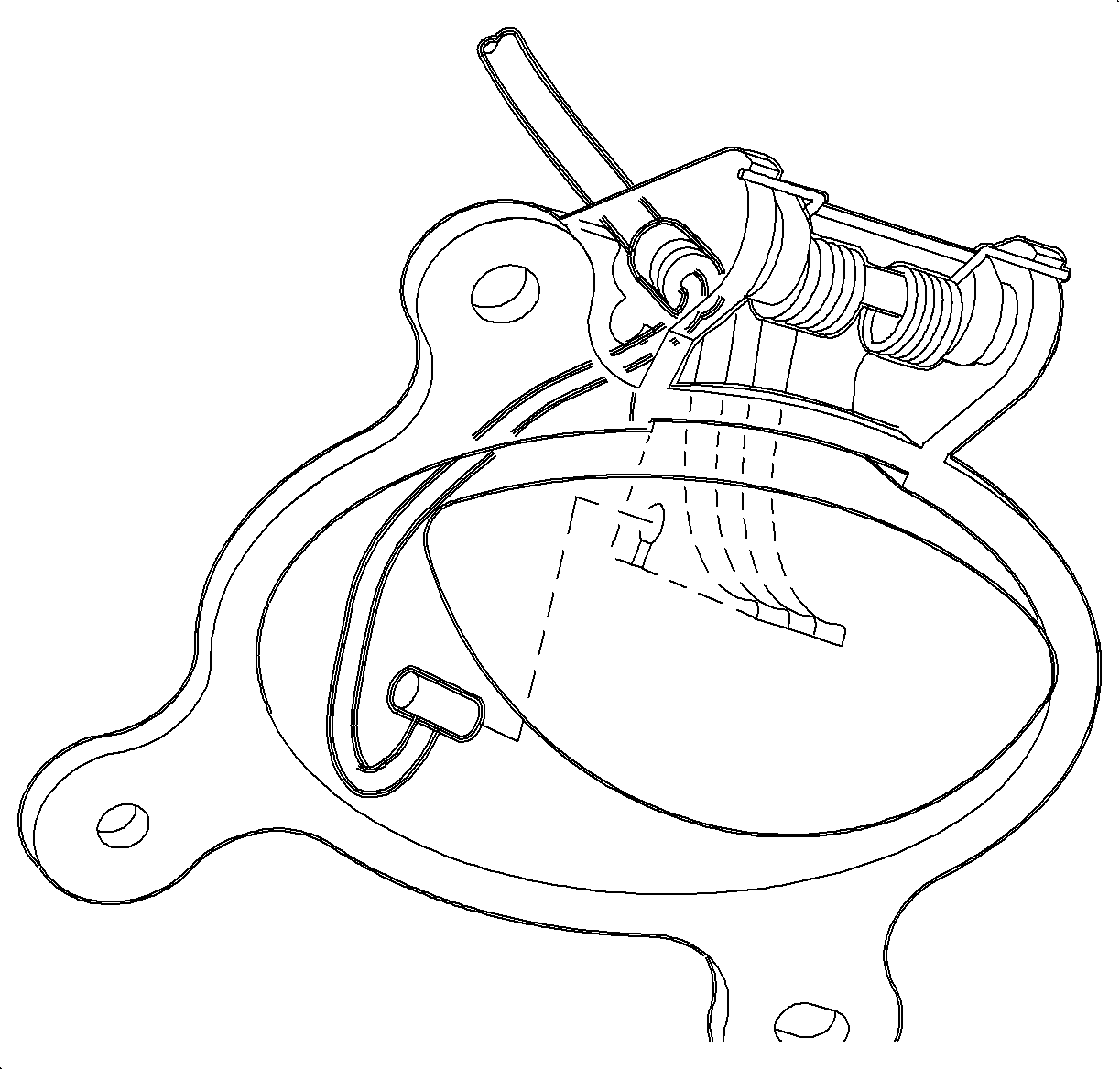
    Object Number: 878779  Size: SH
    Click here for detailed picture of above image.
  1. Disable the SIR System.
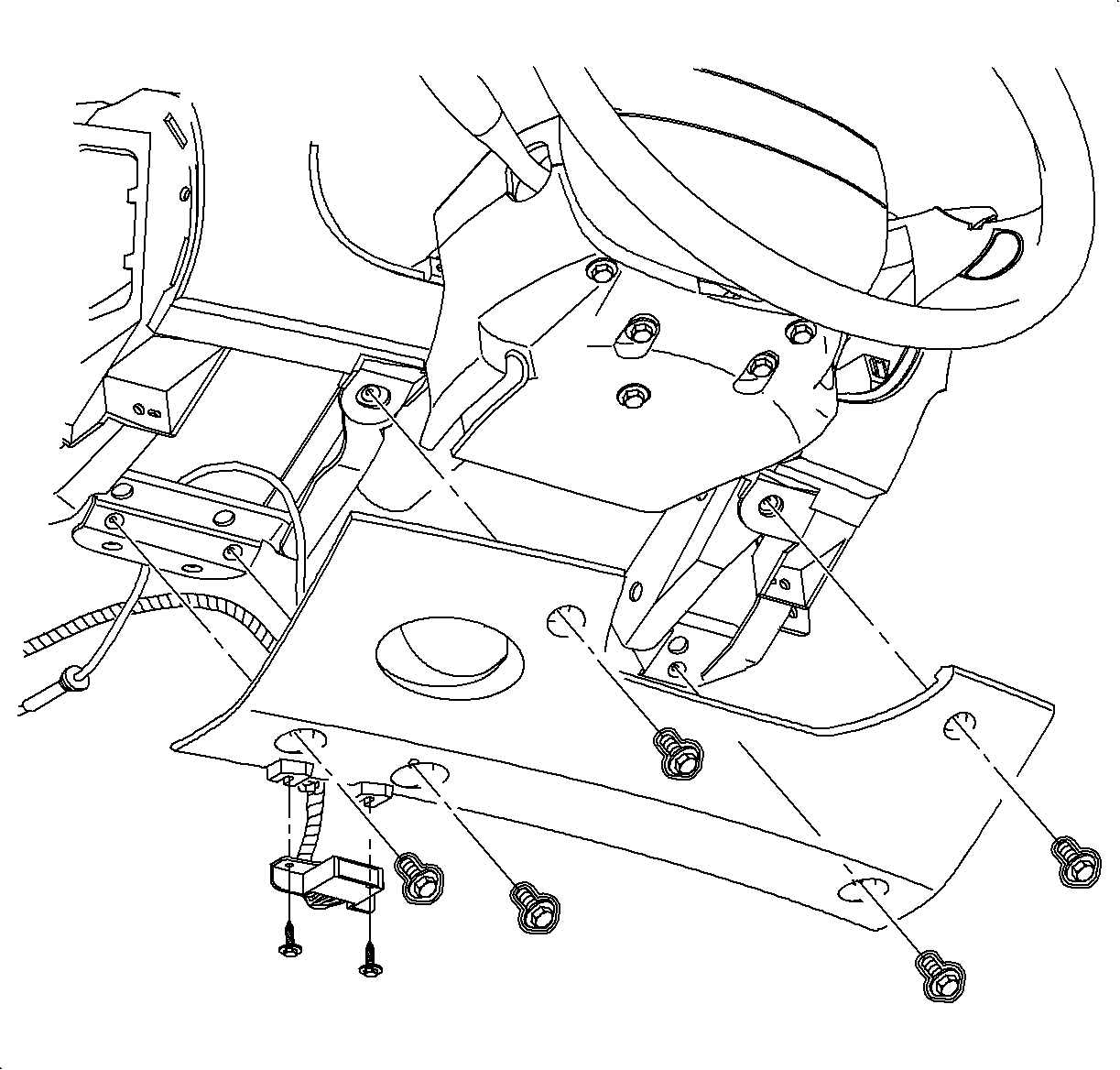
  2. Remove the screws from the DLC connector and steering filler panel.

  3. Object Number: 866299  Size: SH
    Click here for detailed picture of above image.
  4. Remove hood release cable from lever.
  5. Remove steering column filler panel.

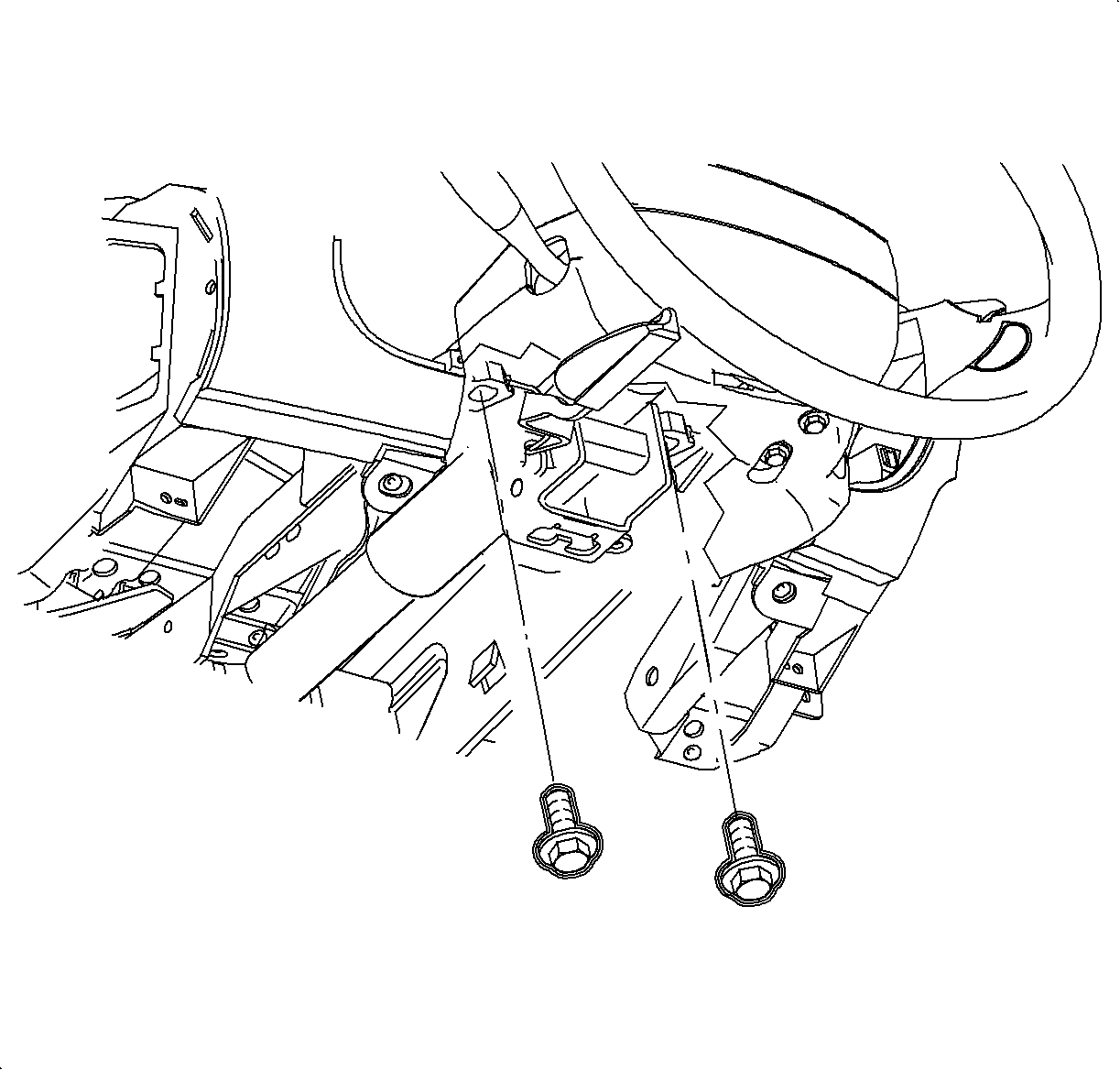
  6. Object Number: 903722  Size: SH
    Click here for detailed picture of above image.
  7. Disconnect ignition switch electrical connector at right steering column bolt.
  8. Remove steering column bolts and lower column on front seat.

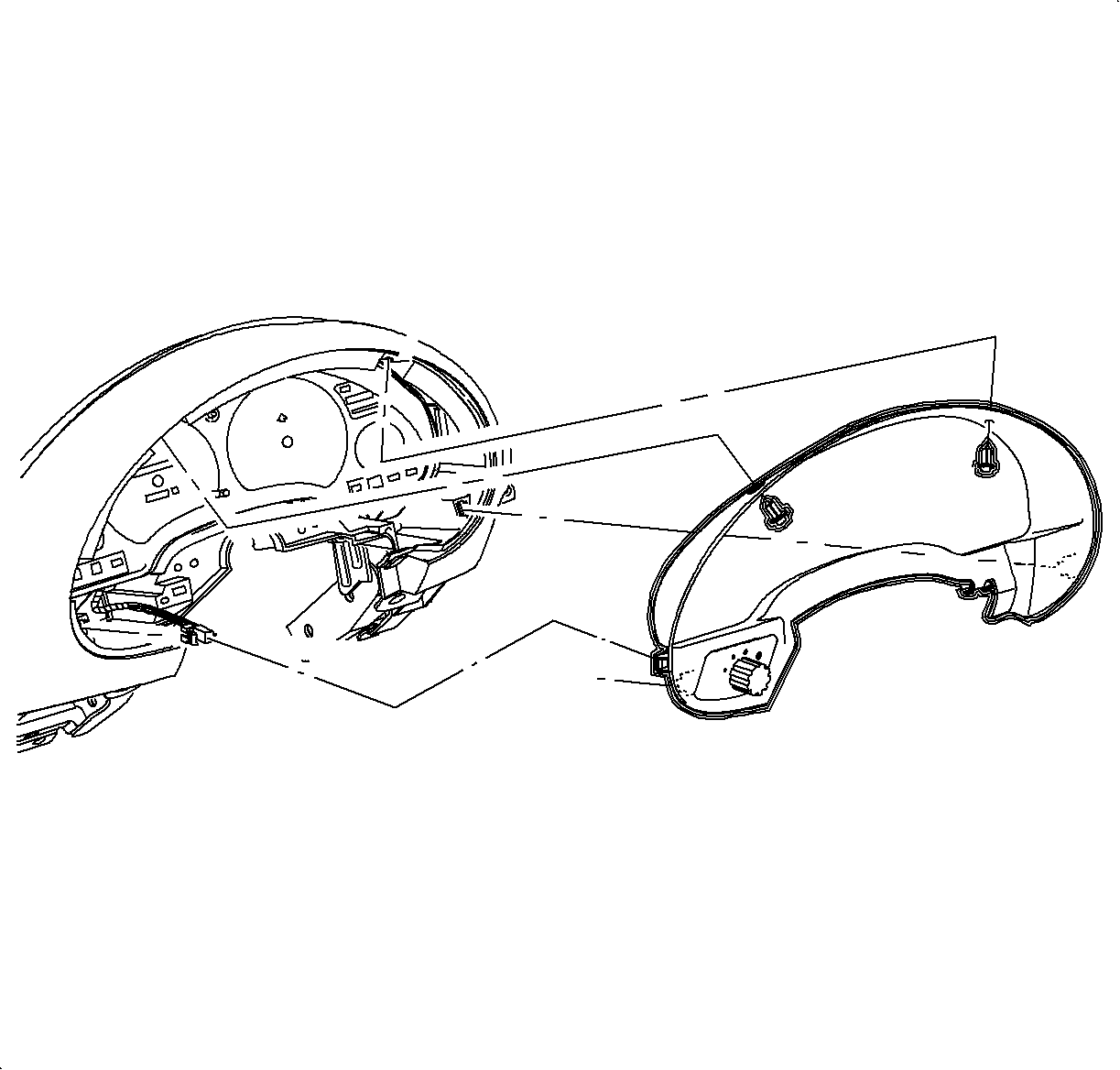
  9. Object Number: 904866  Size: SH
    Click here for detailed picture of above image.
  10. Remove fasteners and pull instrument cluster trim bezel rearward at clip locations.
  11. Disconnect electrical connector from instrument panel dimmer switch.

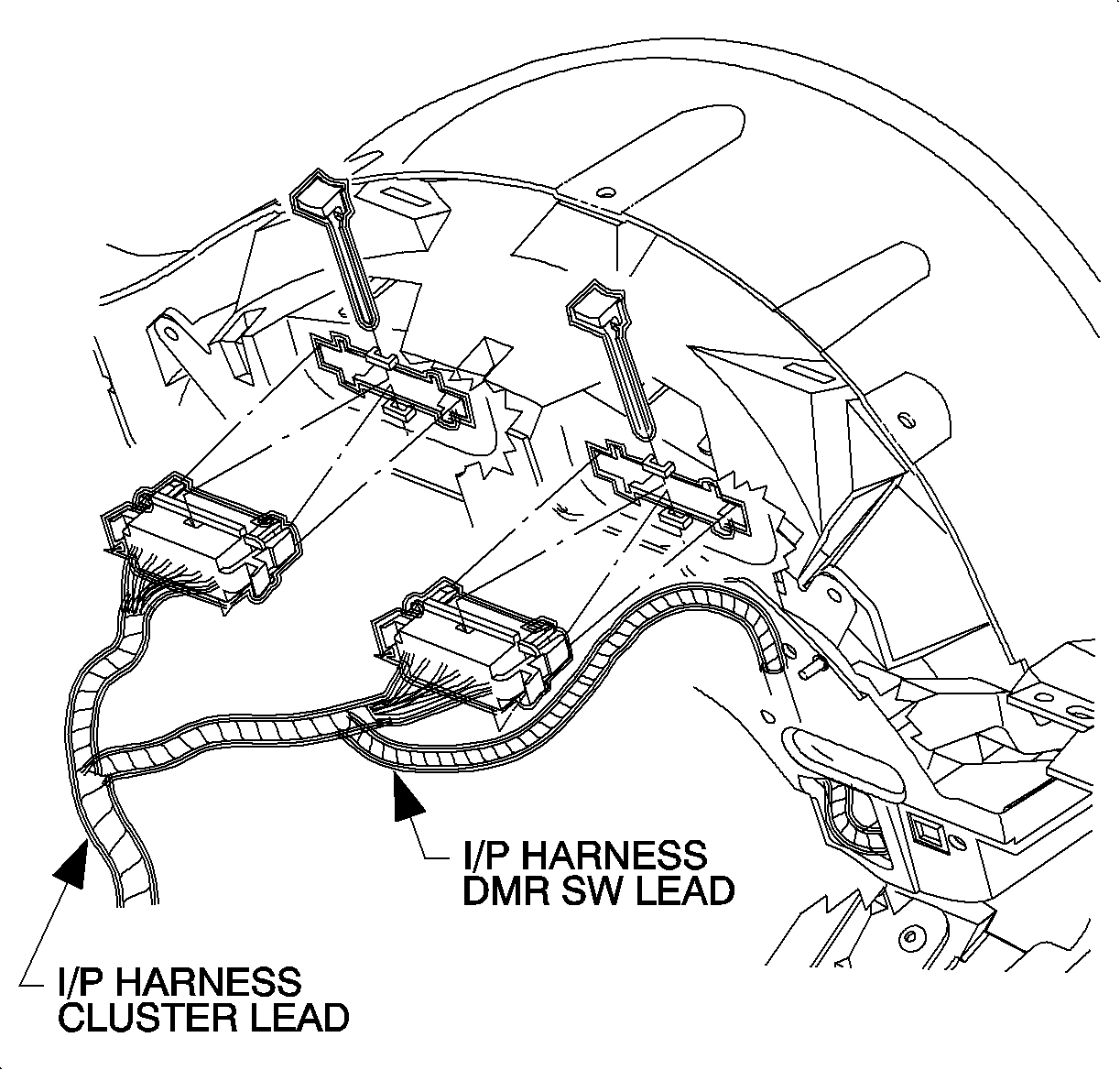
  12. Object Number: 904867  Size: SH
    Click here for detailed picture of above image.
  13. Remove connector position assurance (CPA) devices and disconnect electrical connectors from instrument panel cluster assembly by squeezing tabs on each side of connector.

  14. Object Number: 904869  Size: SH
    Click here for detailed picture of above image.
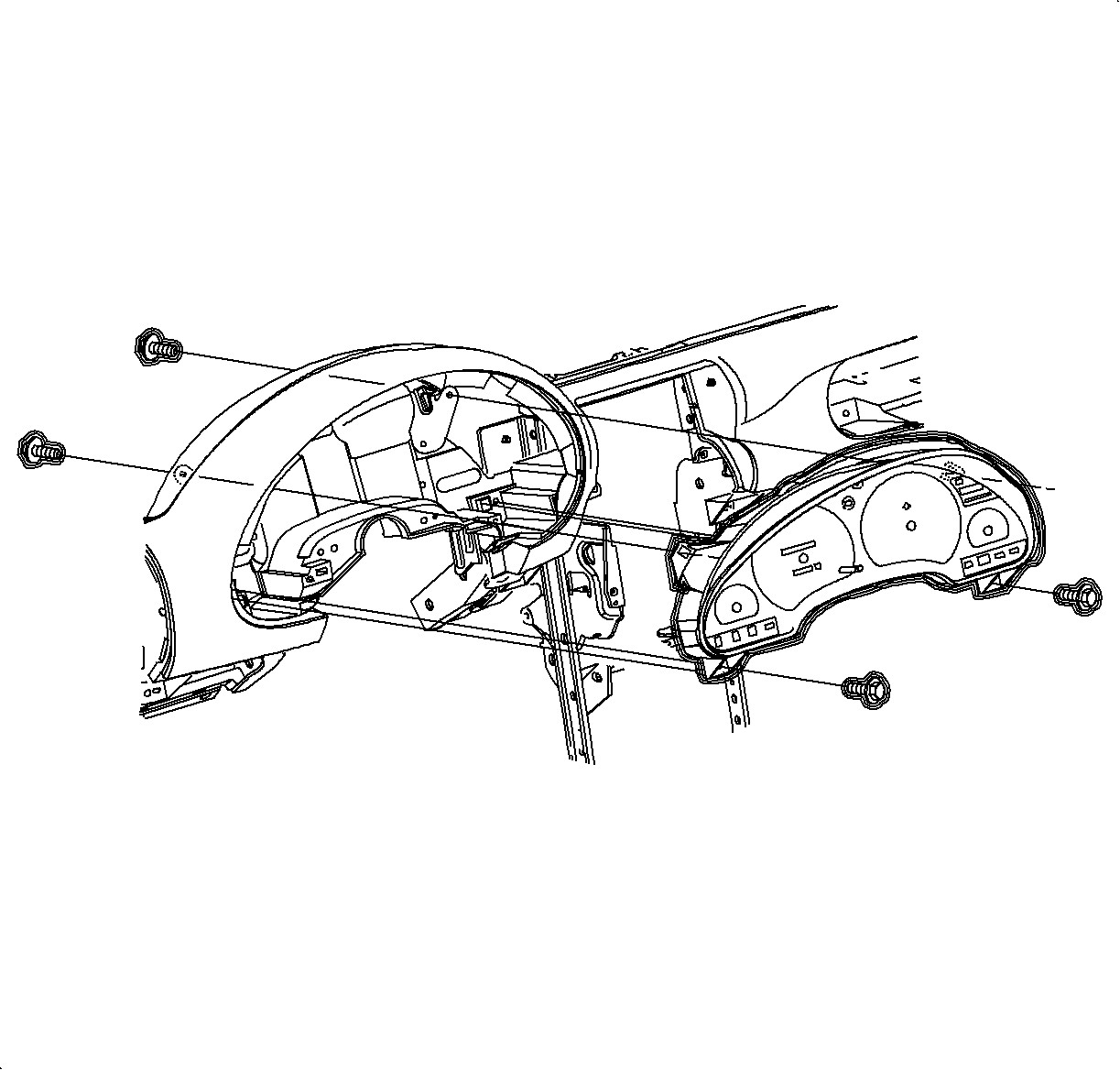
  15. Remove front and rear instrument panel cluster assembly screws.
  16. Remove instrument panel cluster assembly.
Installation Procedure
  1. Install instrument panel cluster assembly.
  2. Install and tighten instrument panel cluster assembly screws.

  3. Object Number: 904867  Size: SH
    Click here for detailed picture of above image.
  4. Connect electrical connectors to I/P cluster assembly.
  5. Install CPA devices.

  6. Object Number: 904866  Size: SH
    Click here for detailed picture of above image.
  7. Connect electrical connector to I/P dimmer switch.
  8. Install instrument cluster trim bezel. Push in at clip locations.
  9. Install push pin fasteners.

  10. Object Number: 903722  Size: SH
    Click here for detailed picture of above image.
  11. Raise steering column into position.
  12. Install and torque bolts.
  13. Tighten

    Tighten bolts to 35 N·m (26 lb ft)

  14. Connect ignition switch electrical connector at right steering column bolt.

  15. Object Number: 866299  Size: SH
    Click here for detailed picture of above image.
  16. Install hood release cable to lever.

  17. Object Number: 878779  Size: SH
    Click here for detailed picture of above image.
  18. Install steering column filler panel and DLC connector.
  19. Install and tighten screws.
  20. Enable the SIR System.

  Document ID# 1206231
1998 Saturn SL2/SC2/SW2