Safety precautions must be followed when handling a deployed inflator module
(air bag). After deployment, the inflator module (air bag) surface may contain a small
amount of sodium hydroxide, a by-product of the deployment reaction, that is irritating
to the skin and eyes. Most of the powder on the inflator module (air bag) is harmless.
as a precaution, wear gloves and safety glasses when handling a deployed inflator
module (air bag), and wash your hands with mild soap and water afterwards.
Caution
When you are carrying an undeployed inflator module:
Do not carry the inflator module by the wires or connector on
the inflator module
Make sure the bag opening points away from you
When you are storing an undeployed inflator module, make sure the bag
opening points away from the surface on which the inflator module rests.
When you are storing a steering column, do not rest the column with the bag
opening facing down and the column vertical. Provide free space for the
air bag to expand in case of an accidental deployment. Otherwise, personal
injury may result.
Caution
Never rest a steering column assembly on the steering wheel with the inflator
module (air bag) face down and column vertical. This is necessary so that a free space
is provided to allow the inflator module (air bag) to expand in the unlikely event
of accidental deployment. Otherwise, personal injury could result.
Notice
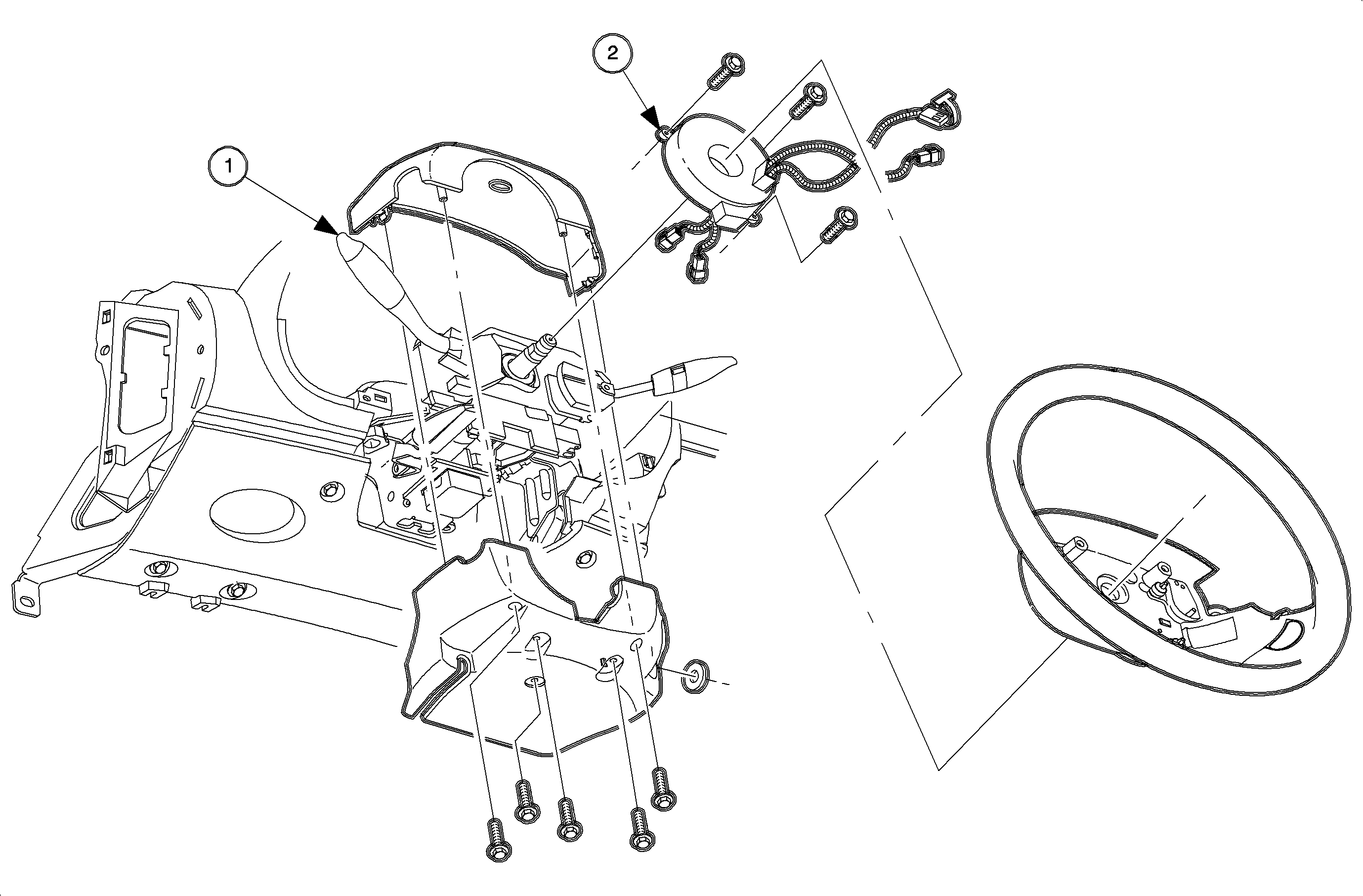
In the event deployment has occurred, inspect coil assembly wire and driver
inflator module for any signs of scorching, melting or other damage due to excessive
heat. If the coil or inflator module has been damaged, replace it.
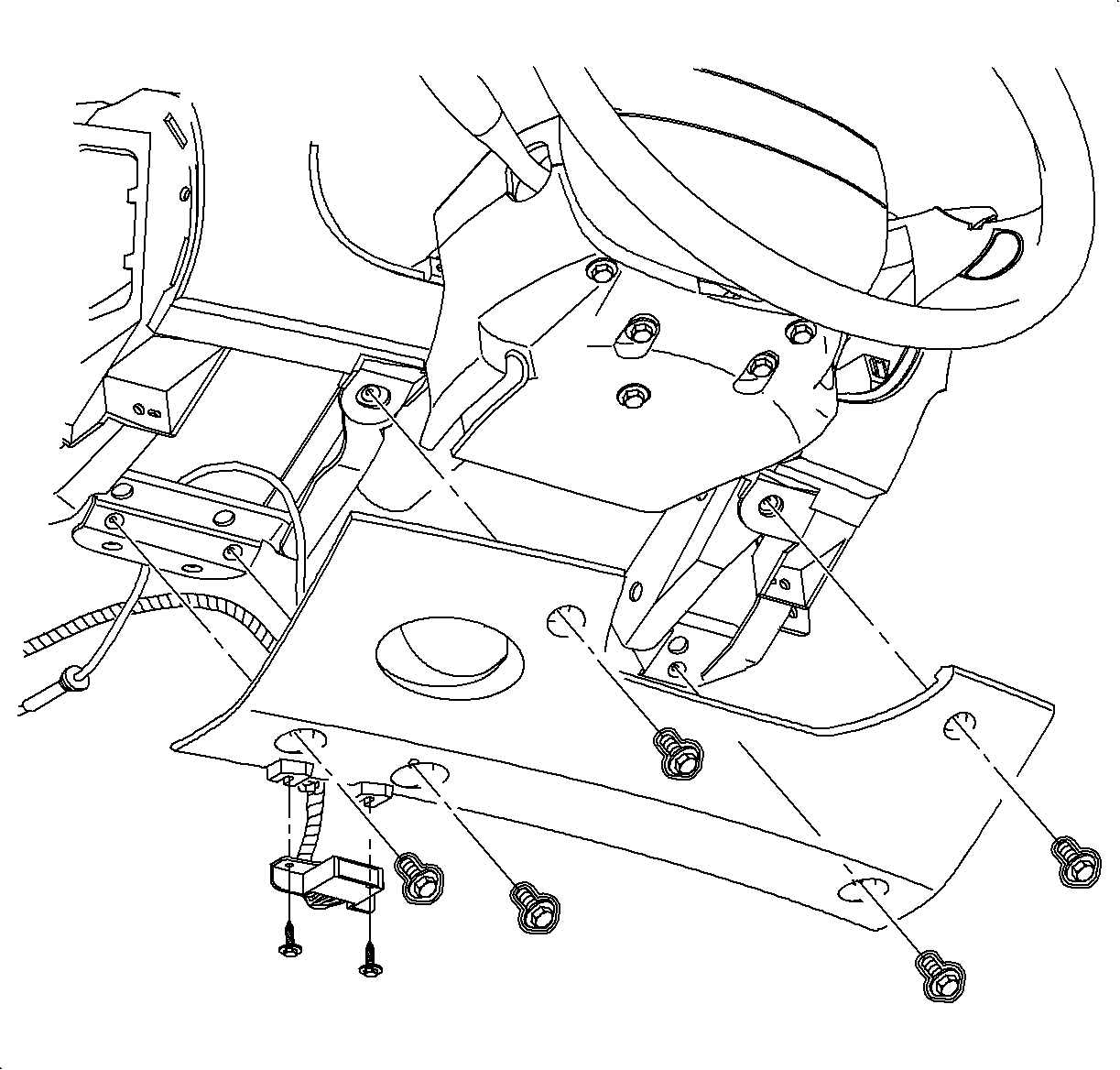
Protect front of console from being damaged
by steering column filler panel.
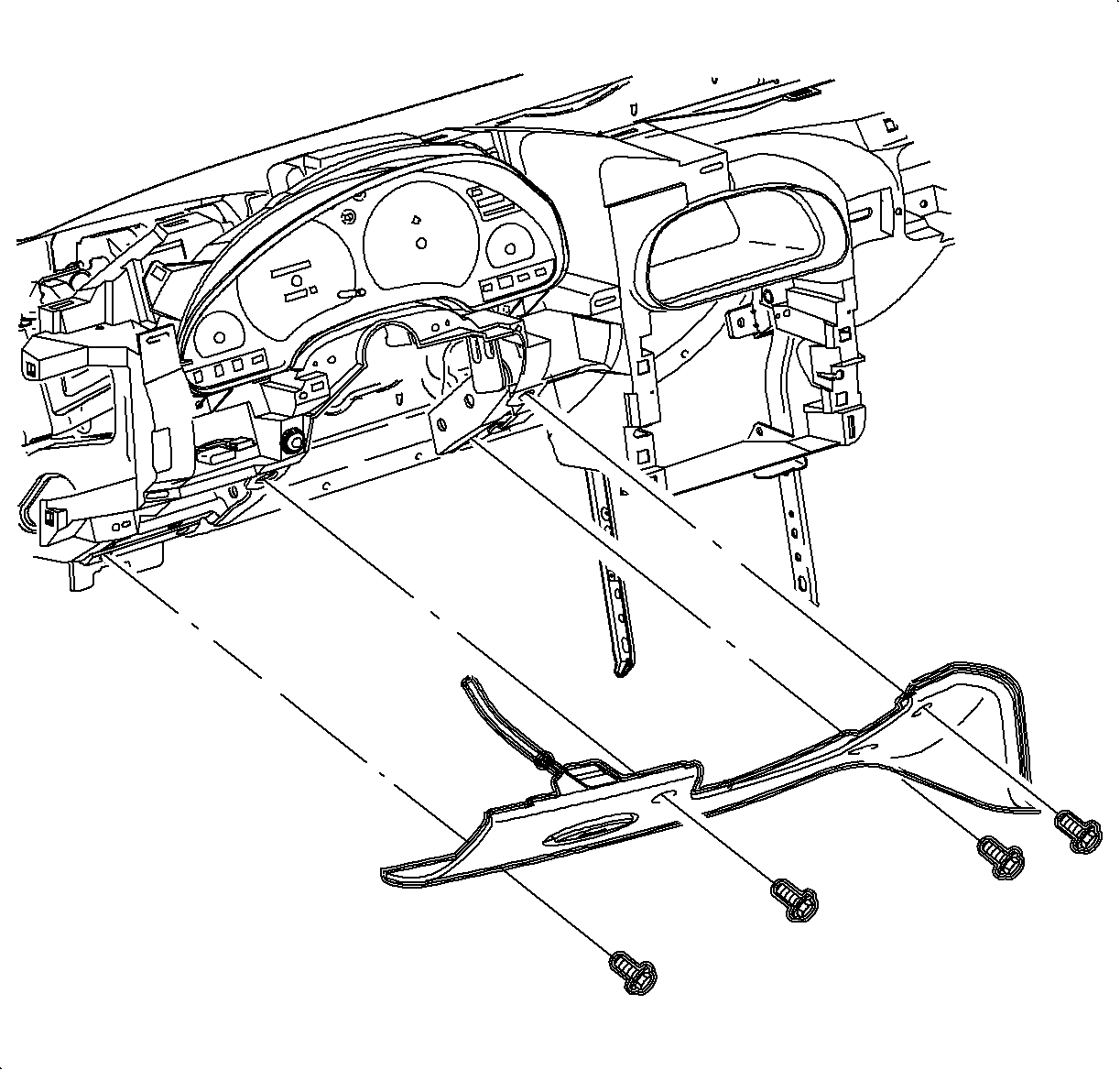
Remove screws and loosen screws holding data link connector near the bottom
of steering column filler panel assembly. Pull steering column filler panel assembly
forward and set down.
Disconnect cable from filler panel. Pull
hood release handle forward. Feed cable under hood release handle and slide pin
out. Remove steering column filler panel.
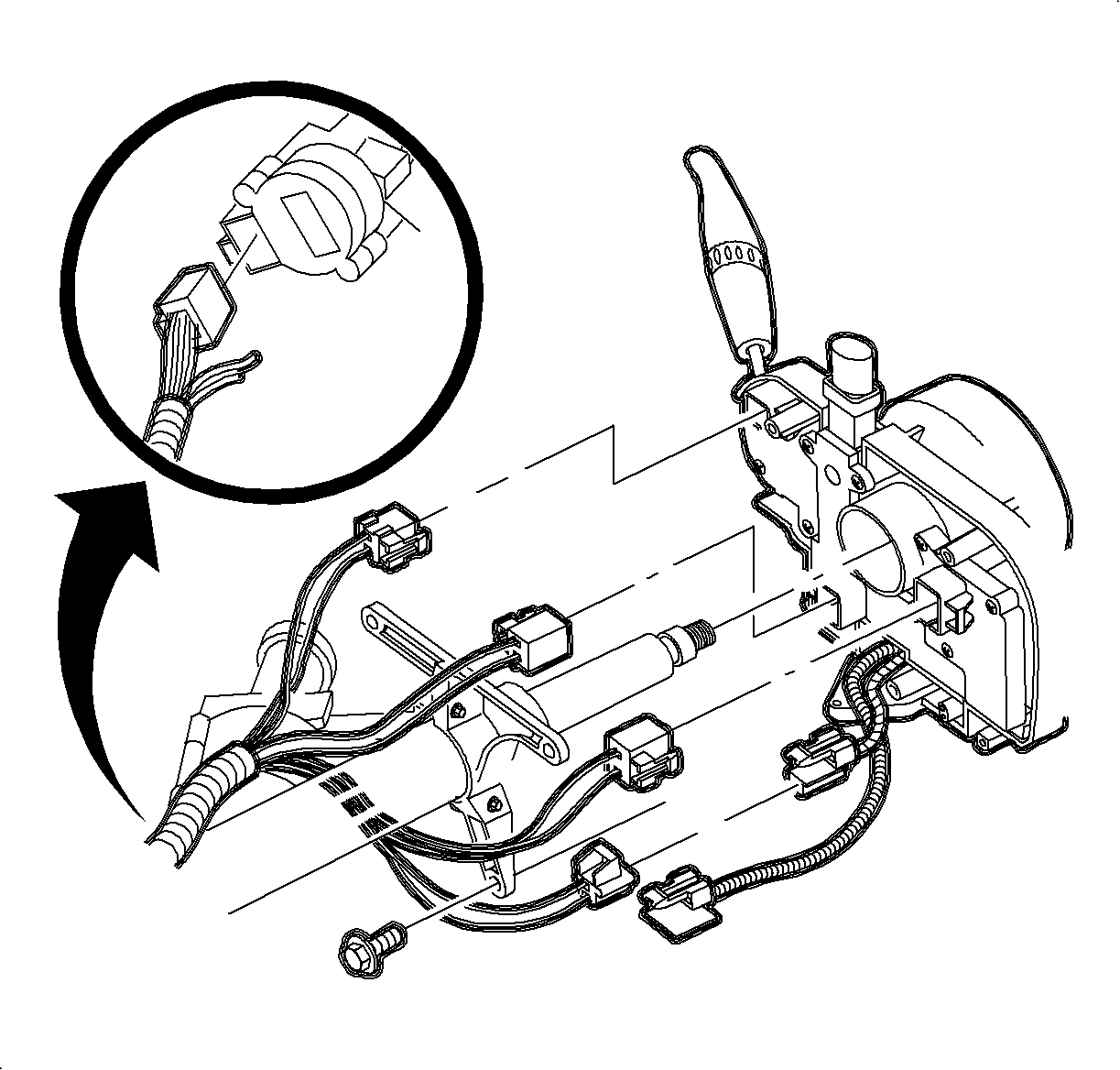
Remove connector position assurance (CPA) device and disconnect connectors
from lever control switch.
With SIR system disabled, remove lever control switch.
Disconnect ignition switch electrical connector at right steering column
upper support bracket.
On vehicles with automatic transmissions, disconnect park lock cable from
ignition module.
Remove bolt from intermediate shaft and disconnect shaft from column.
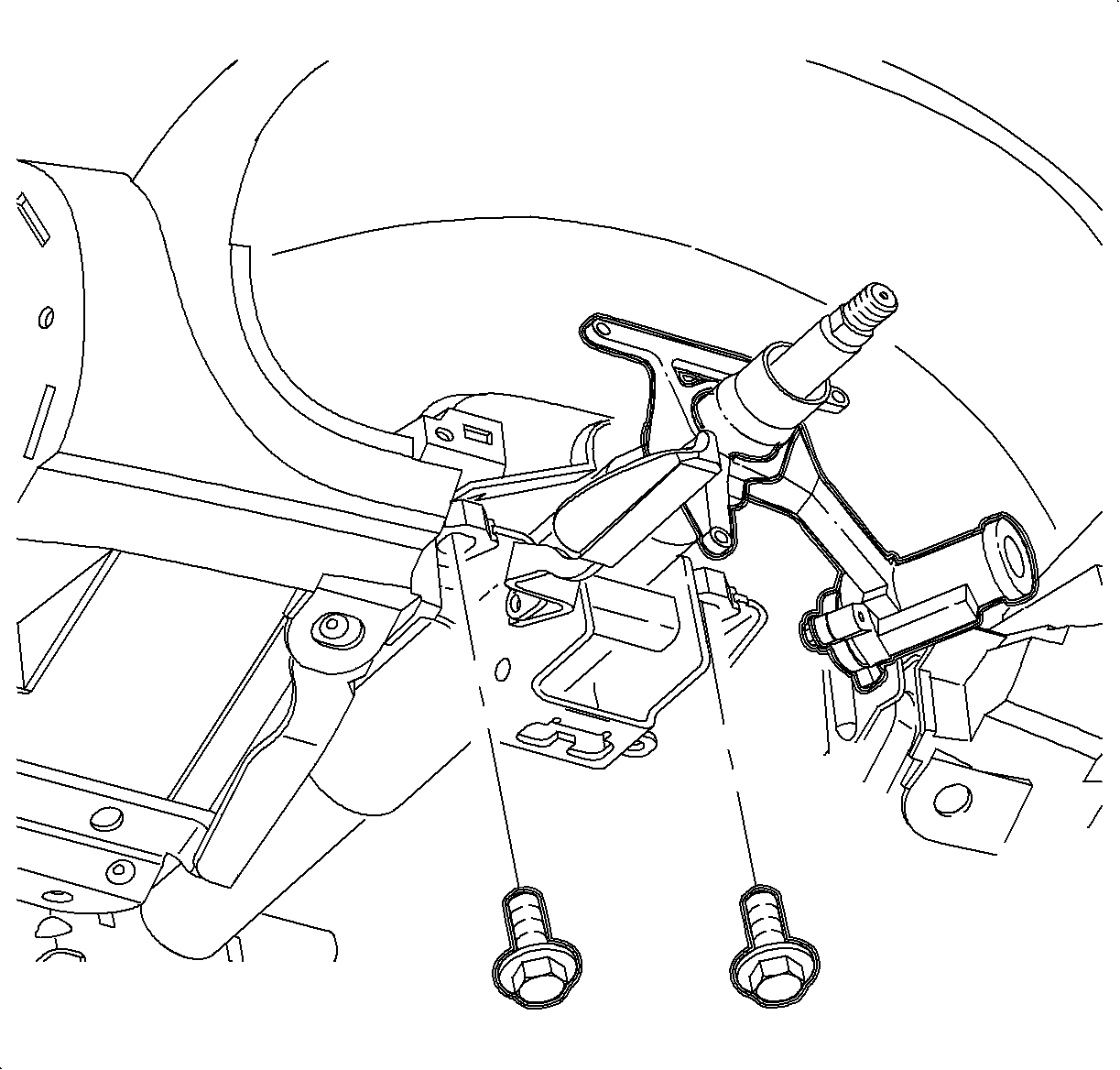
Remove steering column lower support bracket nuts and bolts.
Remove steering column upper support bracket bolts and lower column.
Disconnect harness clamps from steering column.
Remove steering column from vehicle.
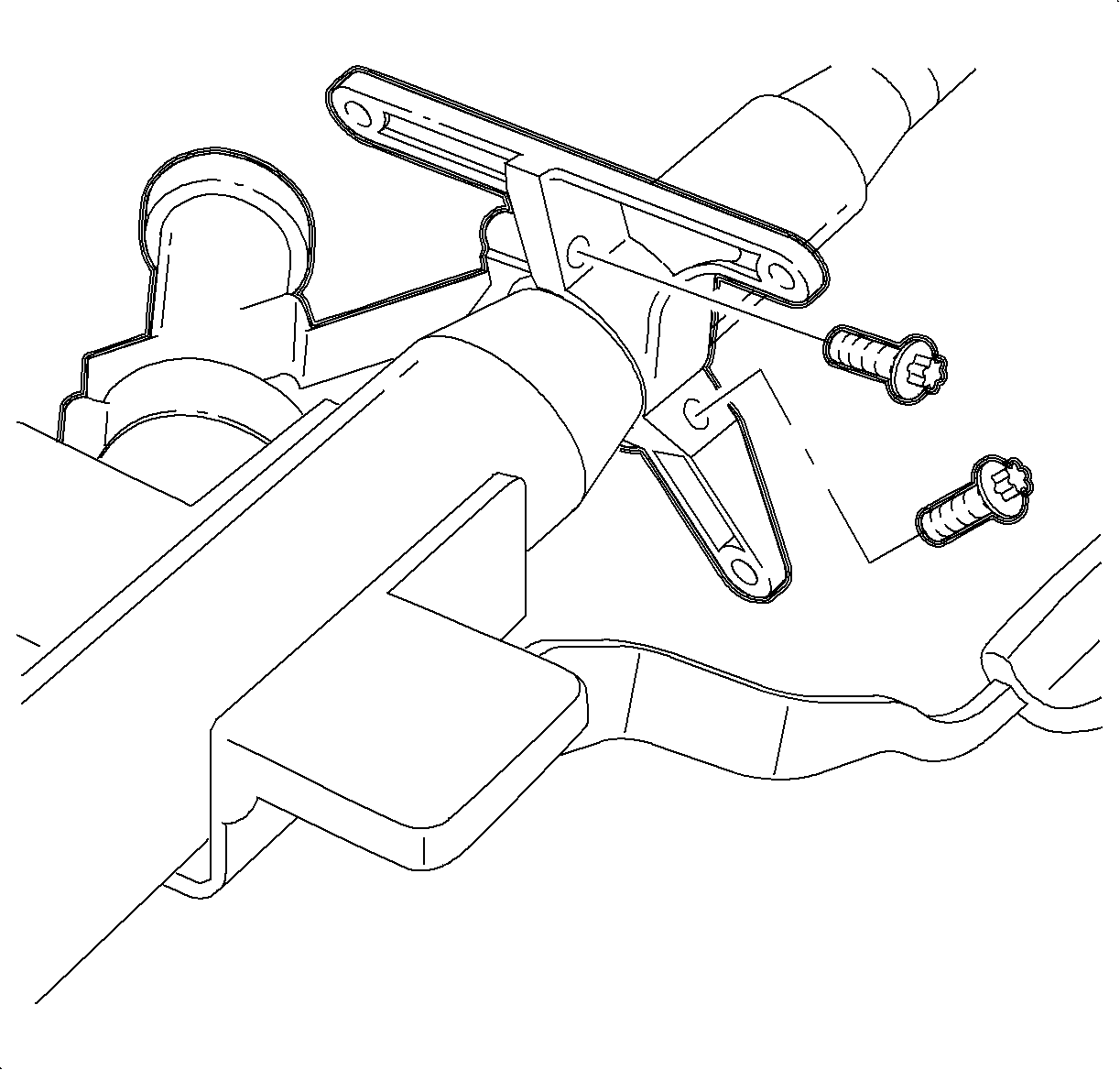
Position steering column in a vise at the upper bracket. Using a center,
mark the center of the shear bolts on ignition module assembly.
Drill a small hole (1/8 in. drill bit) in the shear bolts
at the center mark. Remove the shear bolts with a screw extractor, and remove the
igntion module assembly fromt he column.