Symptom | Procedure |
|---|---|
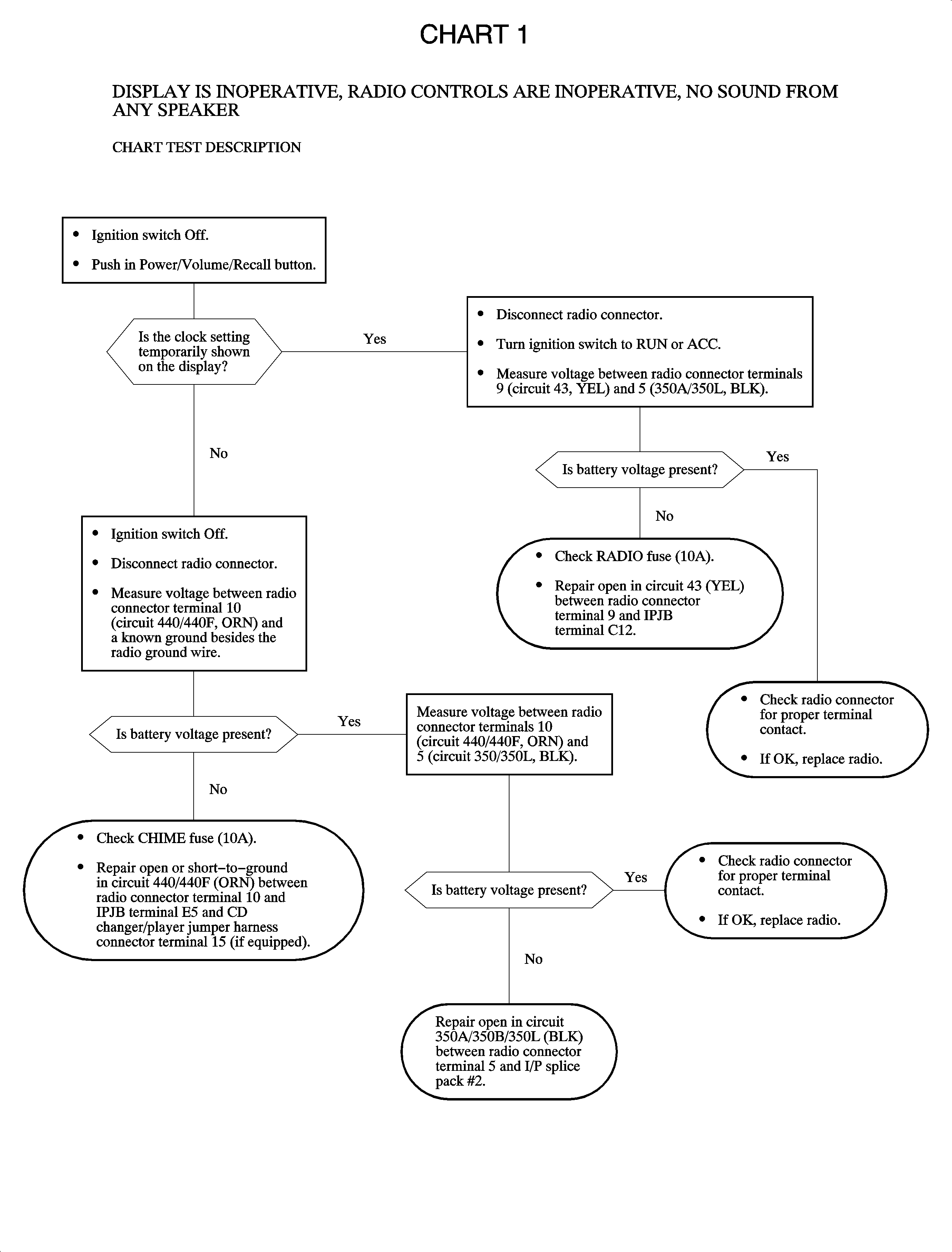
Radio display is inoperative, radio controls are inoperative, all speakers are inoperative. | Chart 1 |
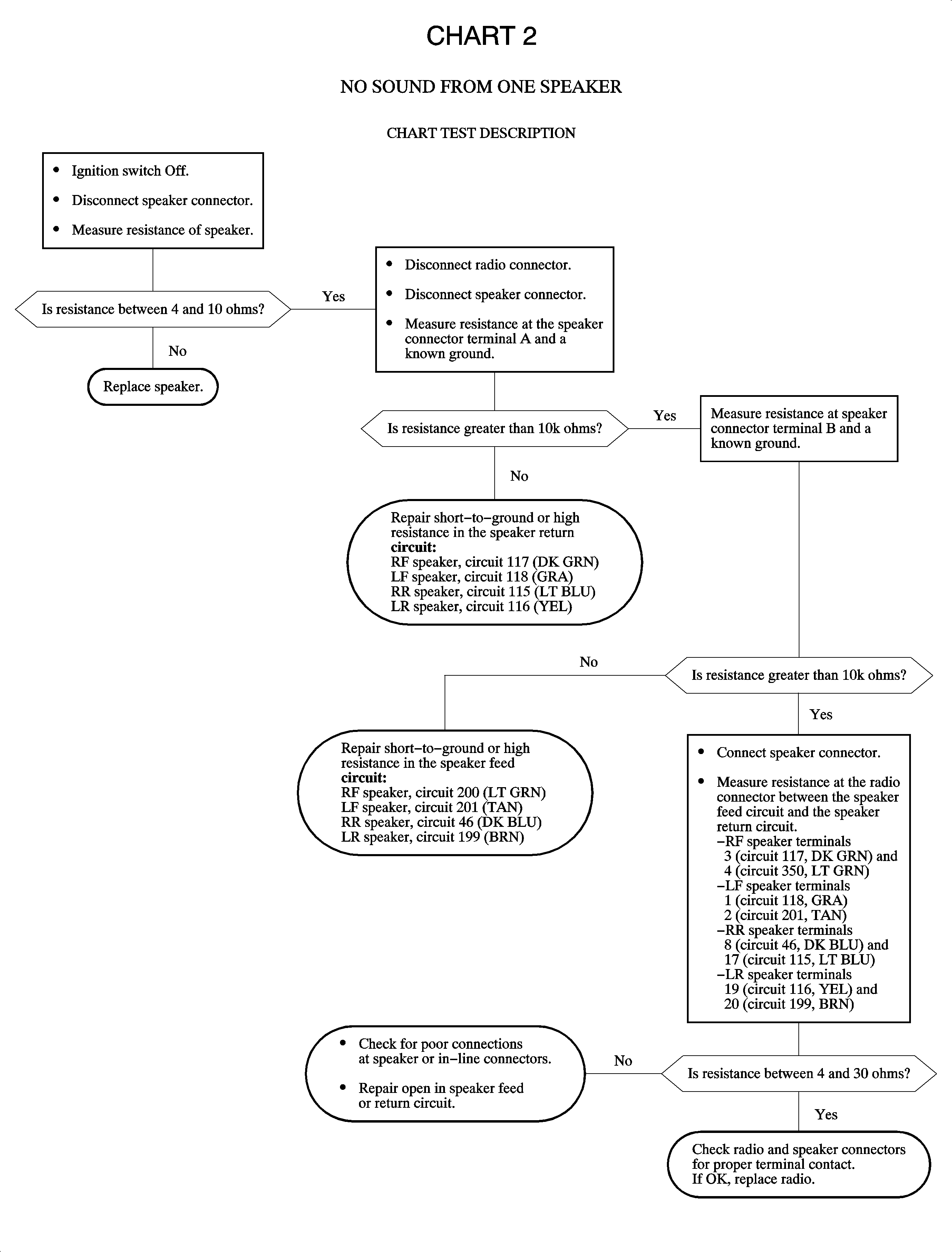
No sound from One speaker | Chart 2 |
No sound from any speaker; display seems OK. |
|
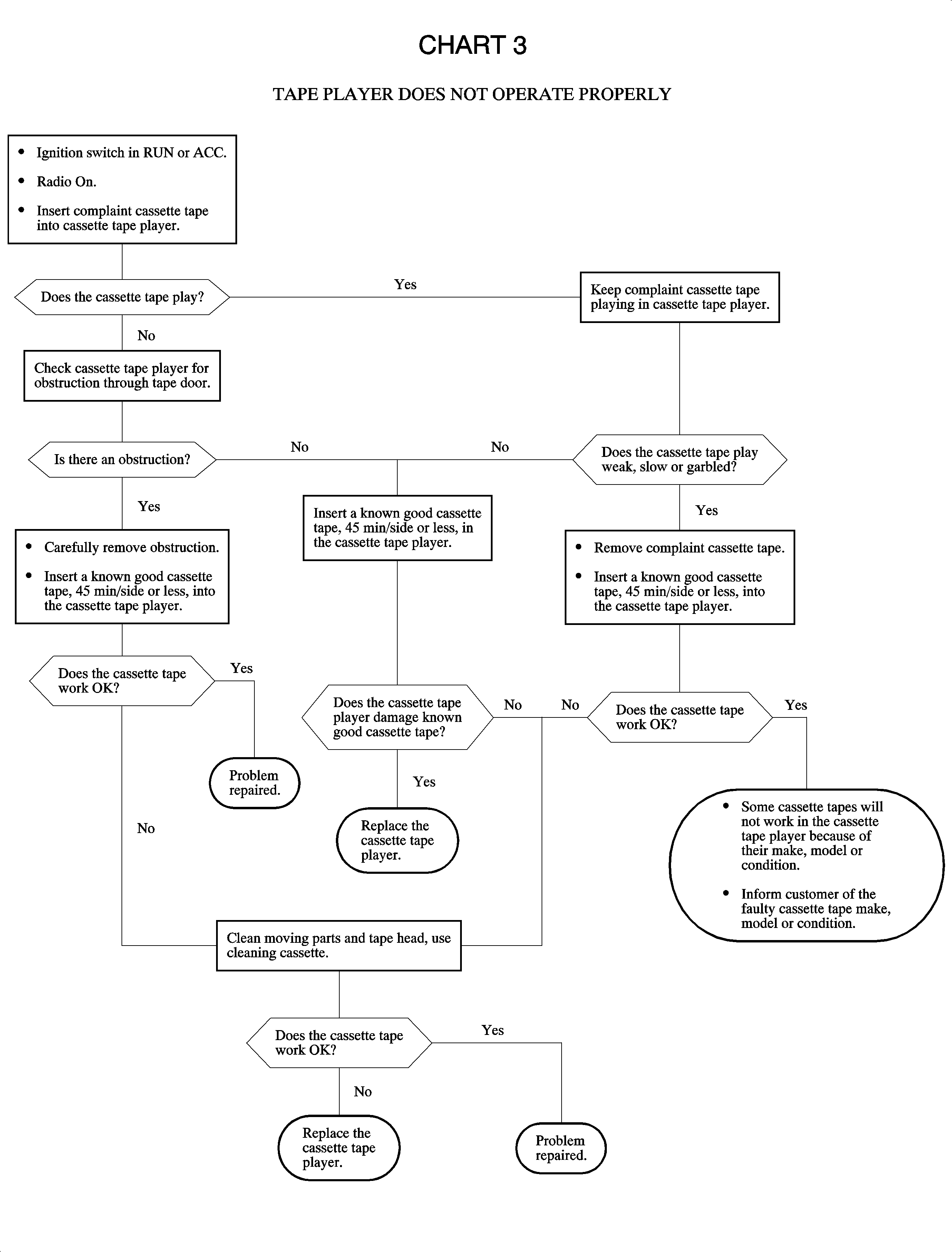
Tape player does not operate properly.
| Chart 3 |
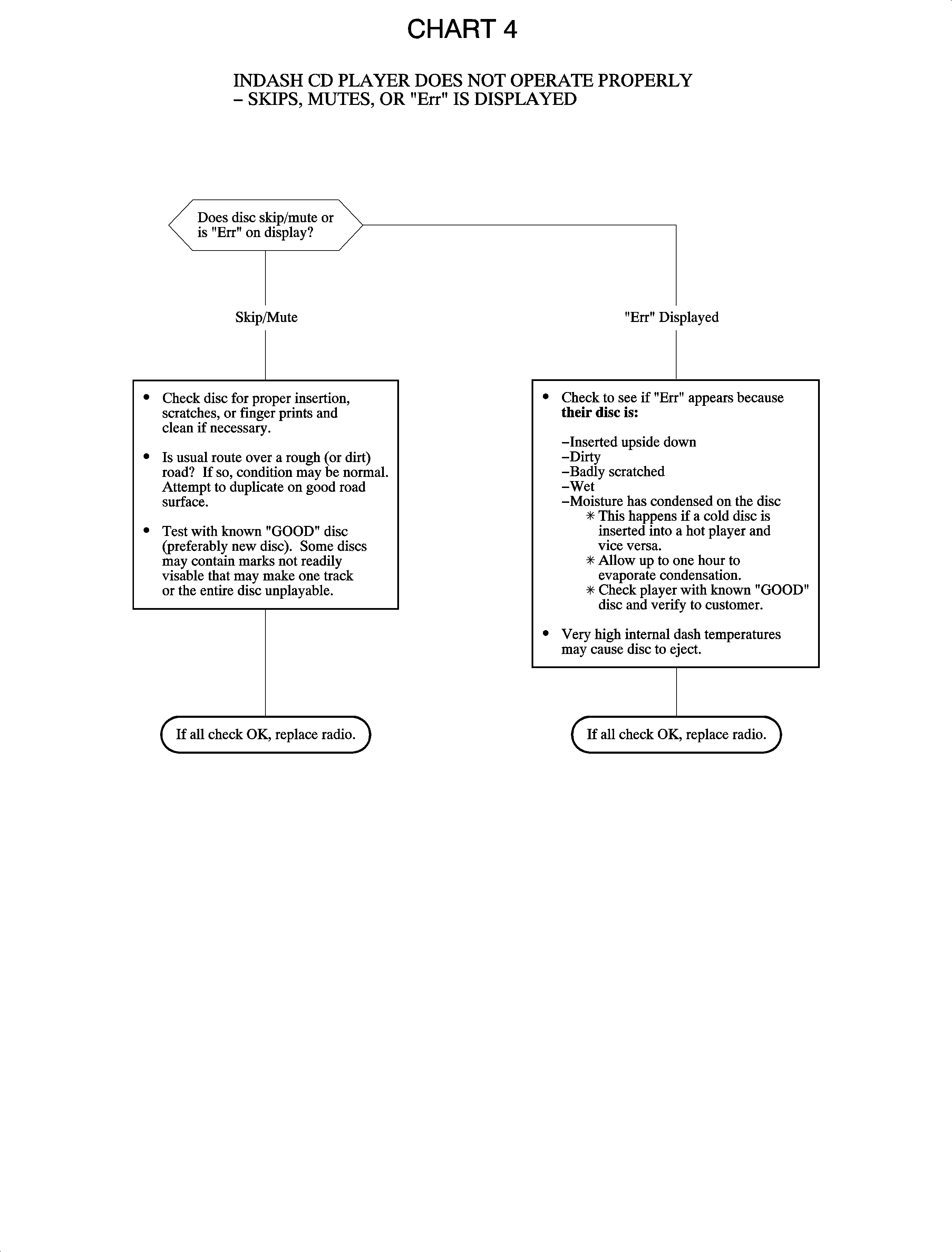
In-dash CD player does not operate properly - skips/mutes, ejects, or "Err" is displayed. | Chart 4 |
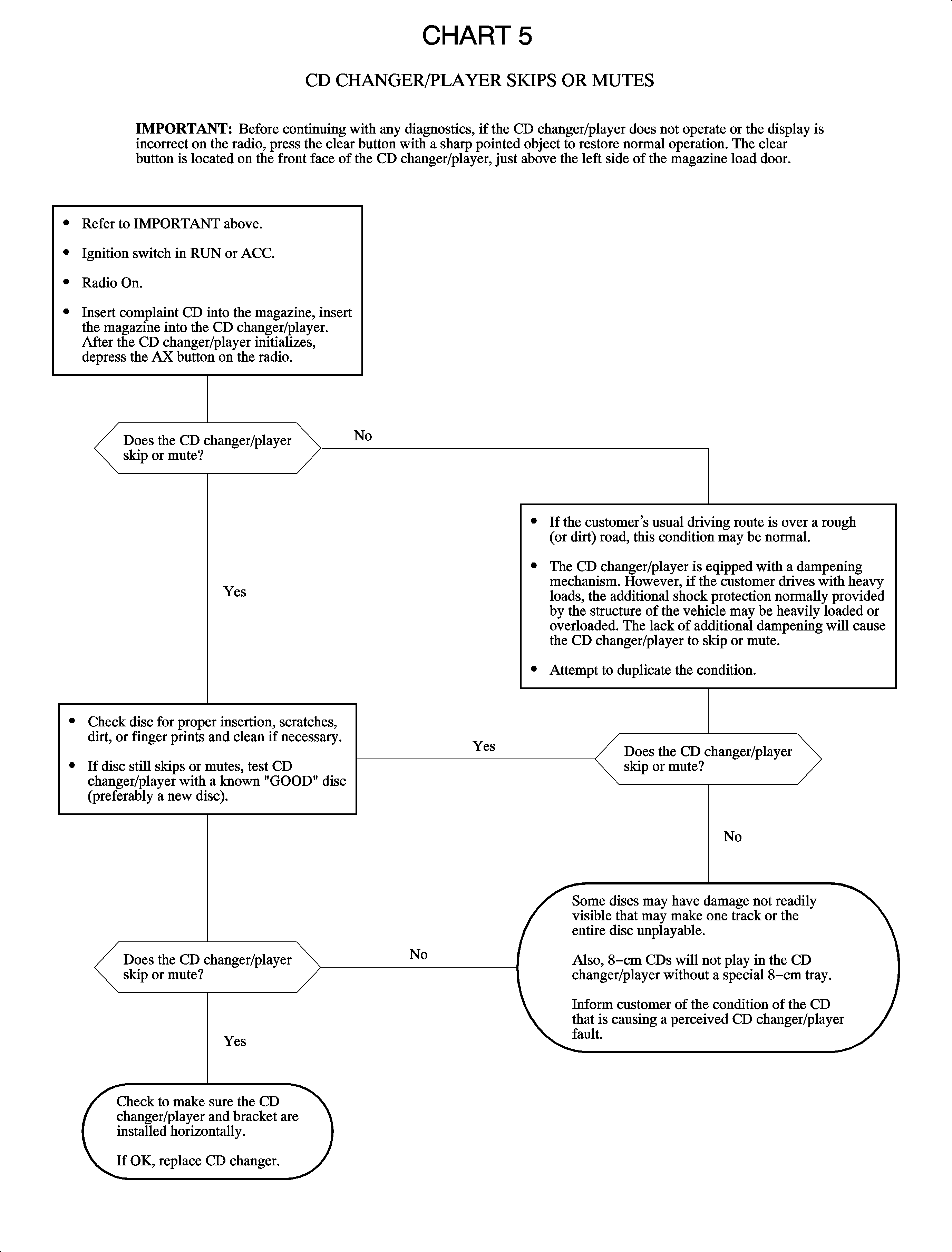
CD changer/player skips or mutes. | Chart 5 |
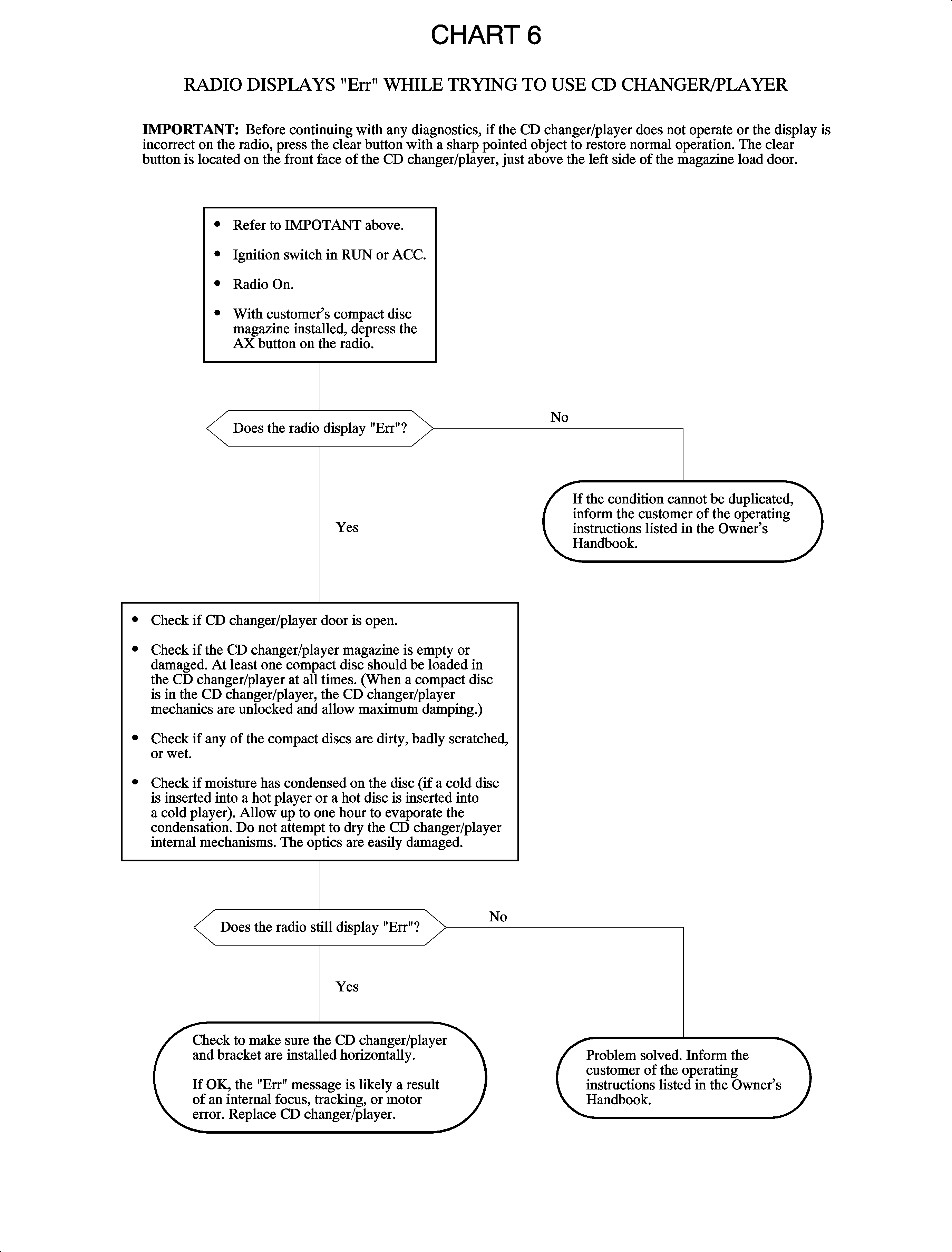
CD changer/player - Radio displays "Err" while trying to use CD changer/player. | Chart 6 |
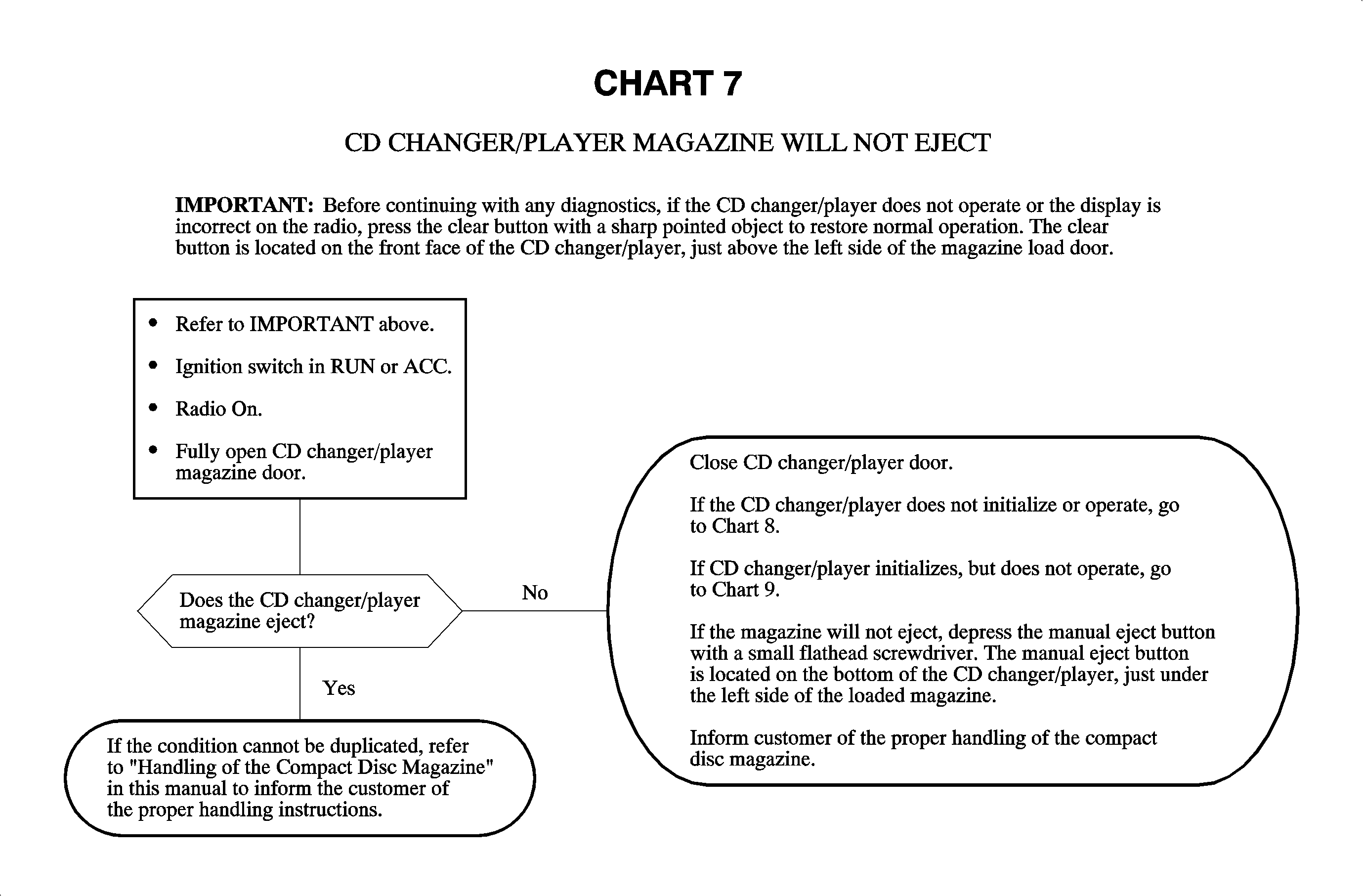
CD changer/player magazine will not eject. | Chart 7 |
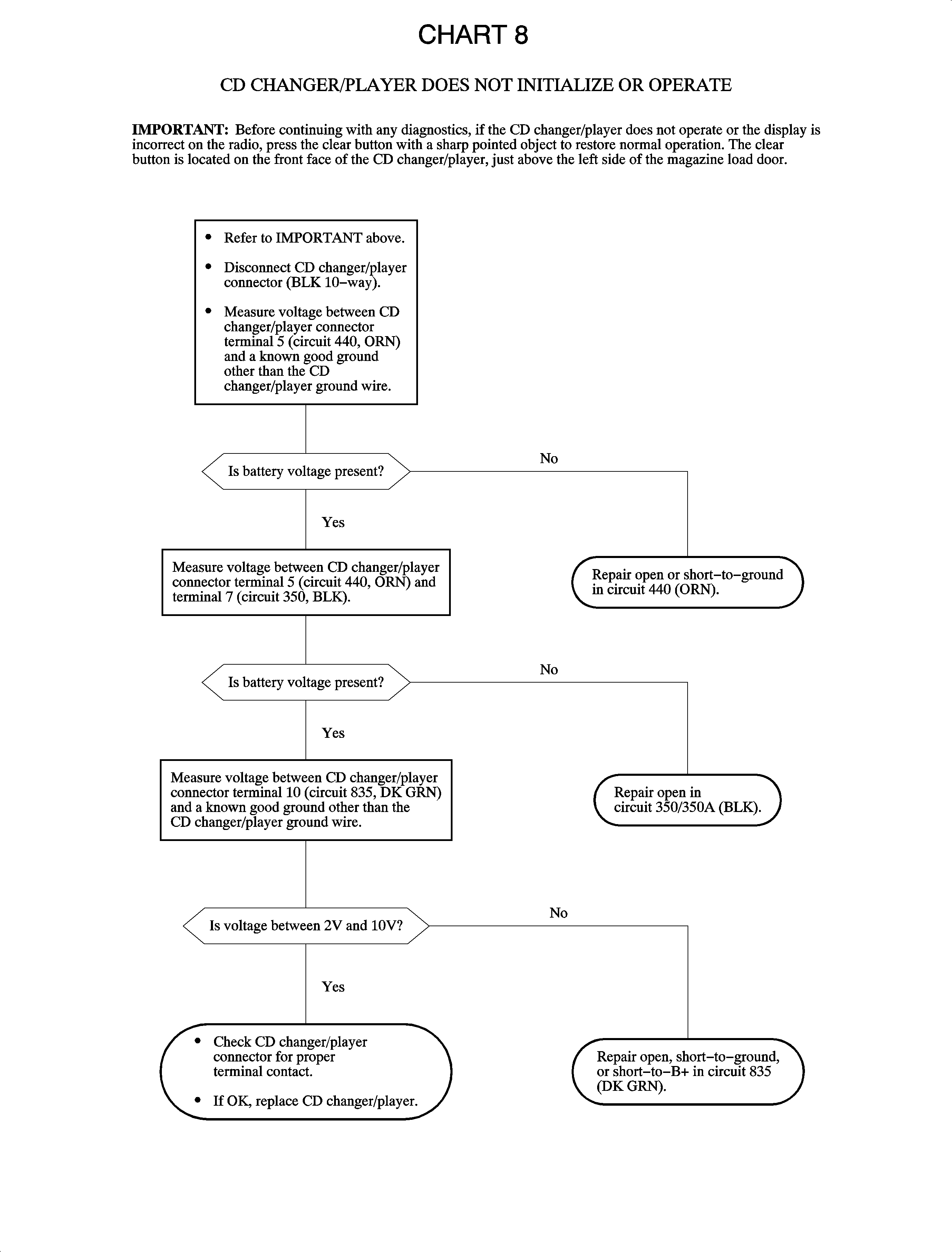
CD changer/player does not initialize or operate. | Chart 8 |
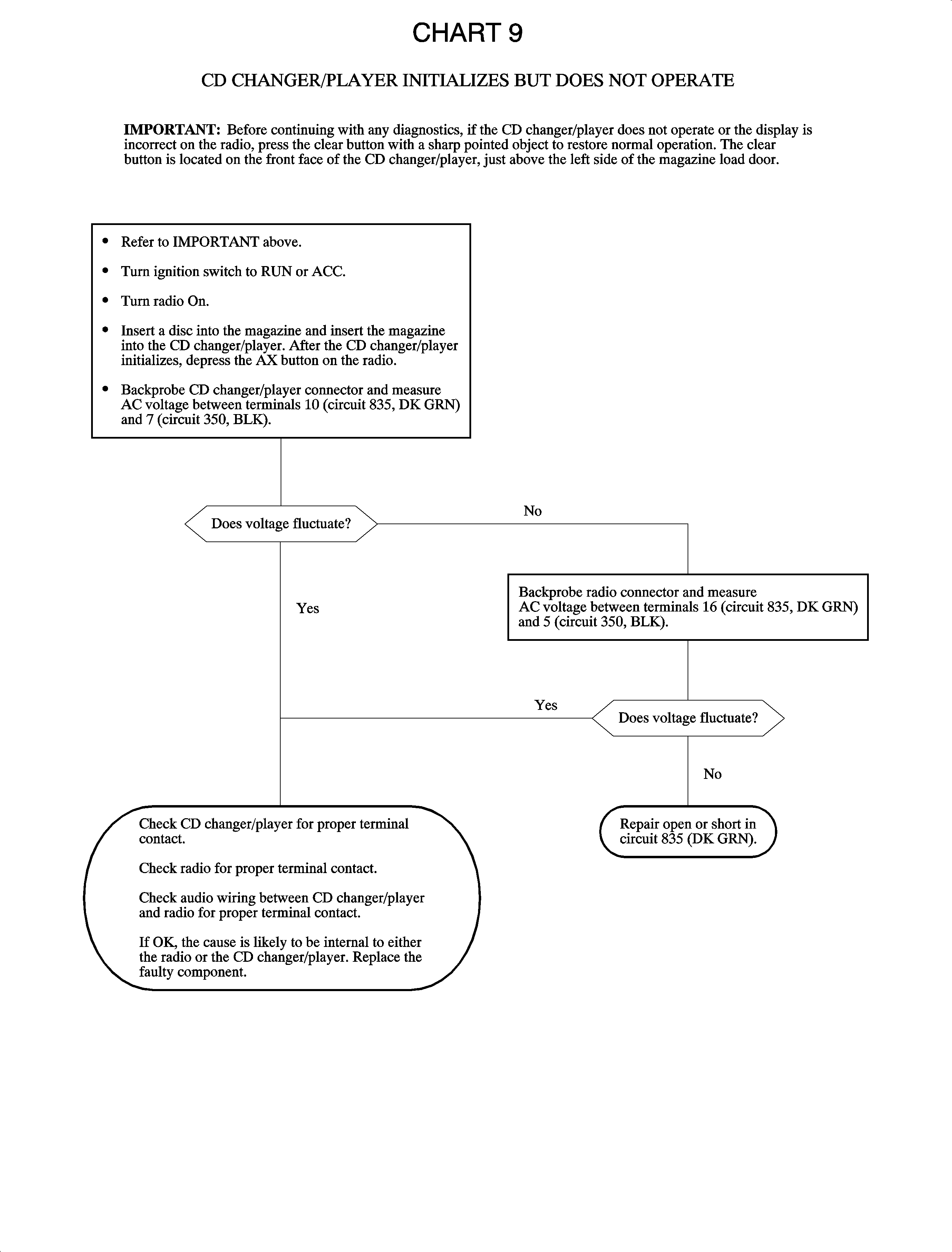
CD changer/player initializes, but does not operate. | Chart 9 |
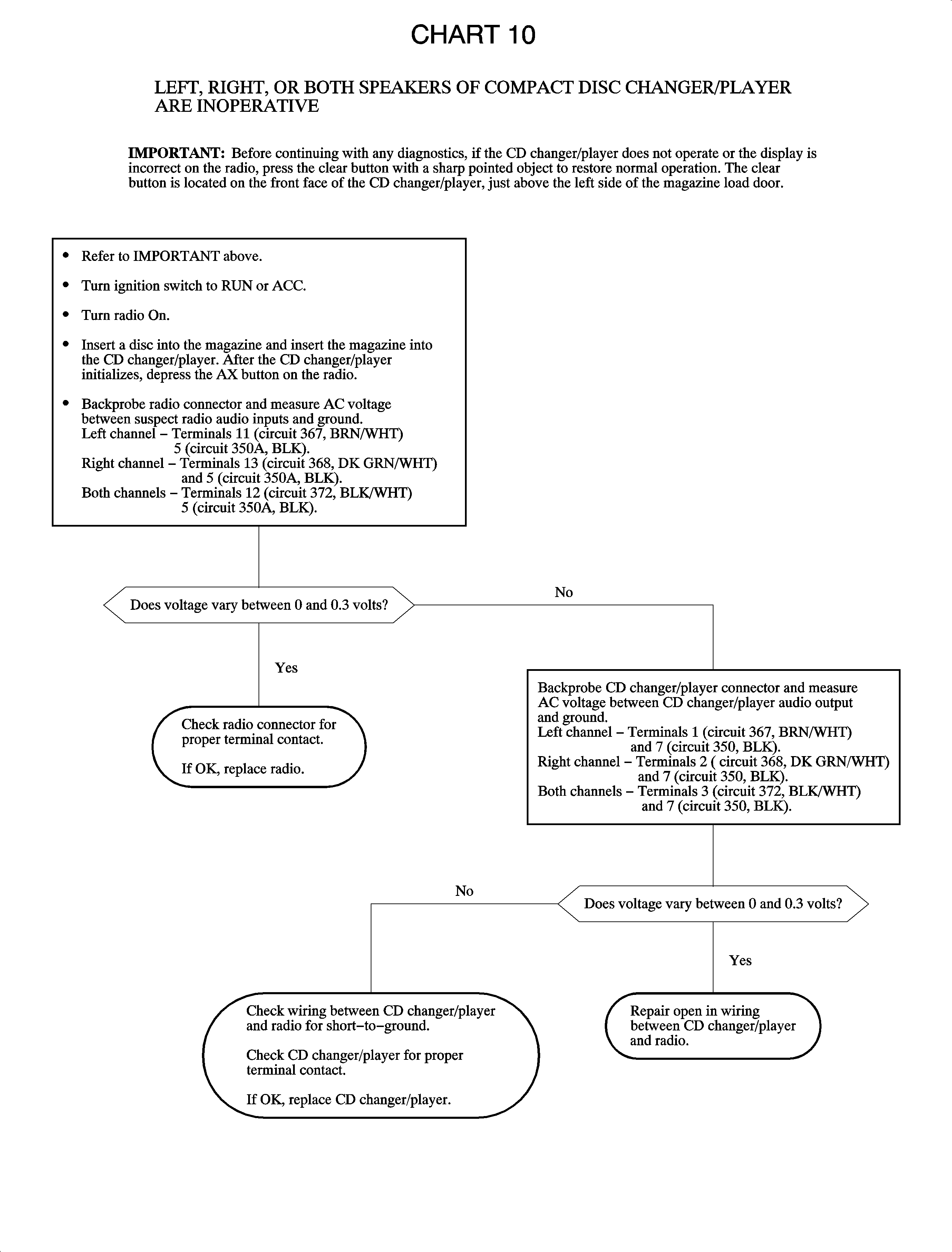
Left, right, or both speakers of CD changer/player are inoperative. | Chart 10 |
Cassette-type portable CD adapter will not play. | Some cassette-type portable CD adapters will not play. Saturn stereos are equipped with software that senses cut, broken, or binding tapes. Some CD adapters are sensed as being cut, broken, or binding, therefore the stereo will eject the cartridge. The cassette-type portable CD adapters that will work must be constructed with either a "tape loop" or "resistance wheel" to simulate normal tape drag. An example of this is the Sony CPA-8 type, or equivalent. |
Radio controls are inoperative. | Replace the radio. |
Radio display does not dim with I/P dimmer switch. | Check for an open or high resistance:
|
Radio display does not dim and/or radio face and buttons do not illuminate with park lights ON. |
|
Radio displays LOC. | If the radio displays LOC, refer to Unlocking Radio After Power Loss. |
Radio displays Err9. | If any tampering is detected by the radio, the radio will display Err9, and the radio will be permanently locked. If the display cannot be cleared by removing and reconnecting all power, the radio must be returned to an authorized repair center for service. |