
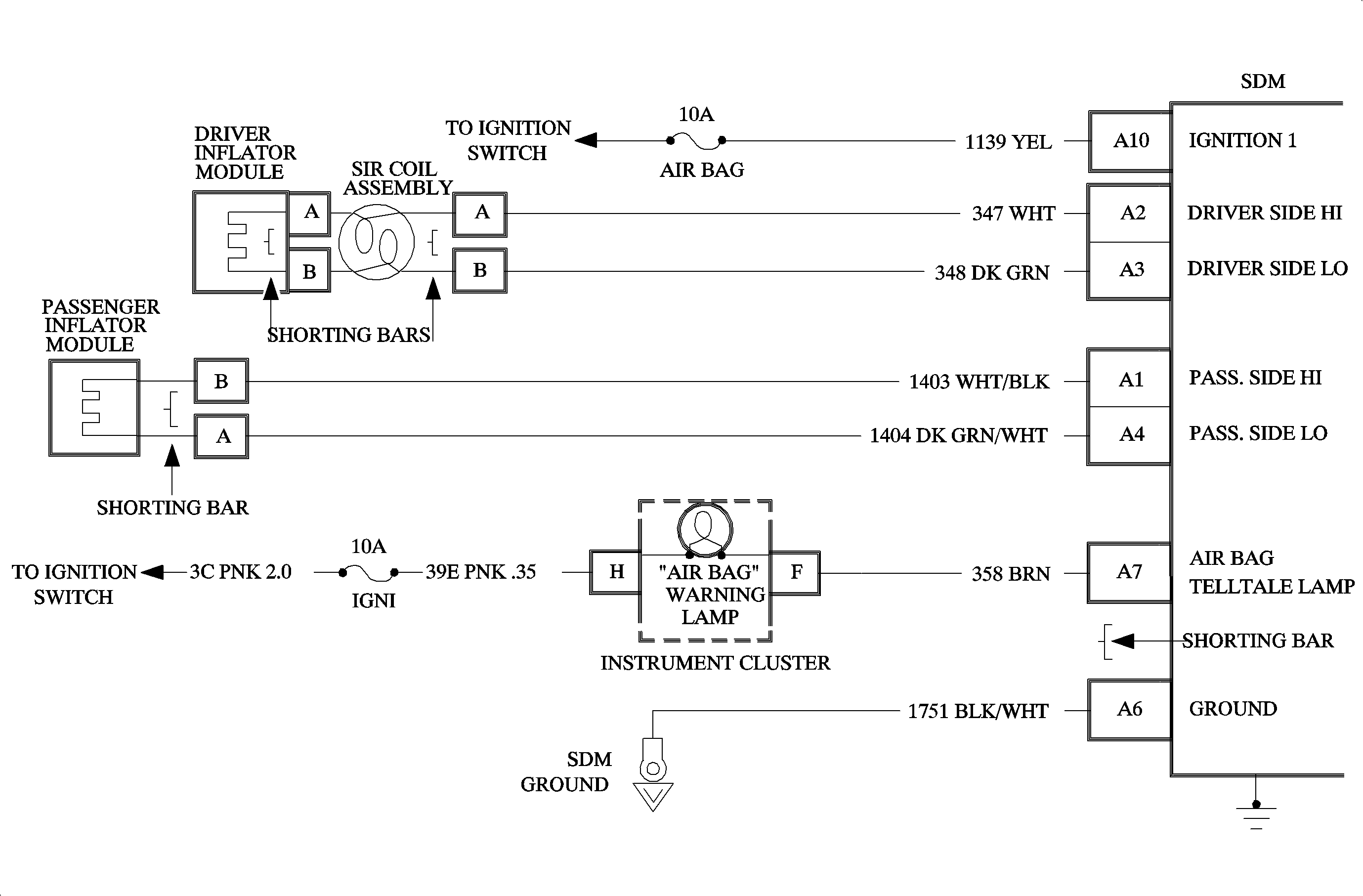
Be careful when you handle a sensing and diagnostic module (SDM). Do not strike
or jolt the SDM. Before applying power to the SDM: Failure to follow the correct procedures could cause air bag deployment, personal
injury, or unnecessary SIR system repairs.Caution
This chart assumes that the "SIR Diagnostic System Check" and either a symptom chart or a diagnostic trouble code chart diagnosis have been performed. When all circuitry outside the SDM has been found to operate properly, as indicated by the appropriate diagnostic chart, and the symptom or DTC remains current, the following diagnostic procedures must be performed to verify the need for SDM replacement.
When the SDM recognizes Ignition 1 voltage, applied to terminal A10 is greater than approximately 9 volts, the AIR BAG telltale lamp is flashed seven times to verify operation. During this time the SDM performs "turn-on" tests (including current source diagnostics) followed by "continuous monitoring" tests. When a malfunction is detected the SDM sets an active diagnostic trouble code and illuminates the AIR BAG telltale lamp. At power-up with the existing current DTC code, the AIR BAG telltale lamp will flash more than seven times and then remain on steady. The SDM will clear active diagnostic trouble codes and move them to a history file when a malfunction is no longer detected and/or the ignition switch is cycled, except for DTC B1018, B1024, B1051, B1053, and B1071. If any of these DTCs are set, the SDM must be replaced.
The numbers below refer to the step numbers on the diagnostic table.
This step verifies that the fault is still occurring.
This step verifies that the trouble codes have not changed.
This step checks if codes reset after being cleared.
Step | Action | Yes | No |
|---|---|---|---|
1 | Did you perform the SIR diagnostic system check? | Go to Step 2 | |
Does the AIR BAG telltale lamp flash seven times then go off? | Go to Step 4 | Go to Step 3 | |
Using a scan tool, request the diagnostic trouble code display. Is the same symptom or DTC occurring as when the SIR diagnostic system check was first performed? | Go to Step 5 | Go to Step 6 | |
| -- | -- | |
5 |
Does the AIR BAG telltale lamp flash seven times and then go OFF? | Go to Step 7 | Go to Step 8 |
6 |
| -- | -- |
7 | The SIR system is functional and free of malfunctions. No further diagnosis is required. | -- | -- |
8 |
| -- | -- |