Document ID# 879154
1998 Saturn SL2/SC2/SW2
 

Drive Belt Replacement

Removal Procedure

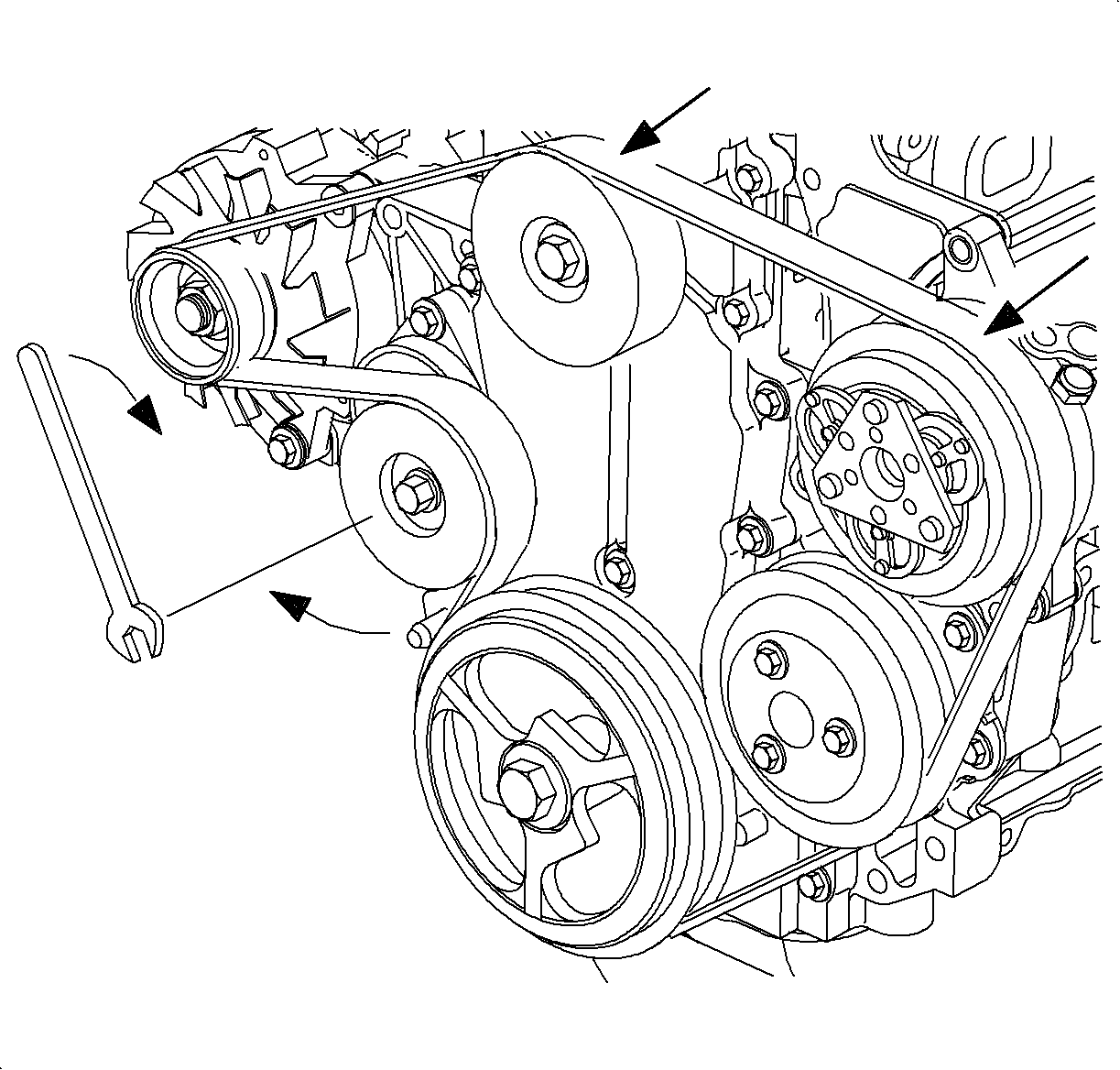
    Object Number: 870821  Size: SH
    Click here for detailed picture of above image.
  1. Depress the tensioner arm using a 14 mm (9/16 in) wrench or Snap-on® tool S8190, or equivalent.
  2. Remove the belt assembly off the idler or A/C compressor pulley.
  3. Remove the accessory drive belt.
Installation Procedure

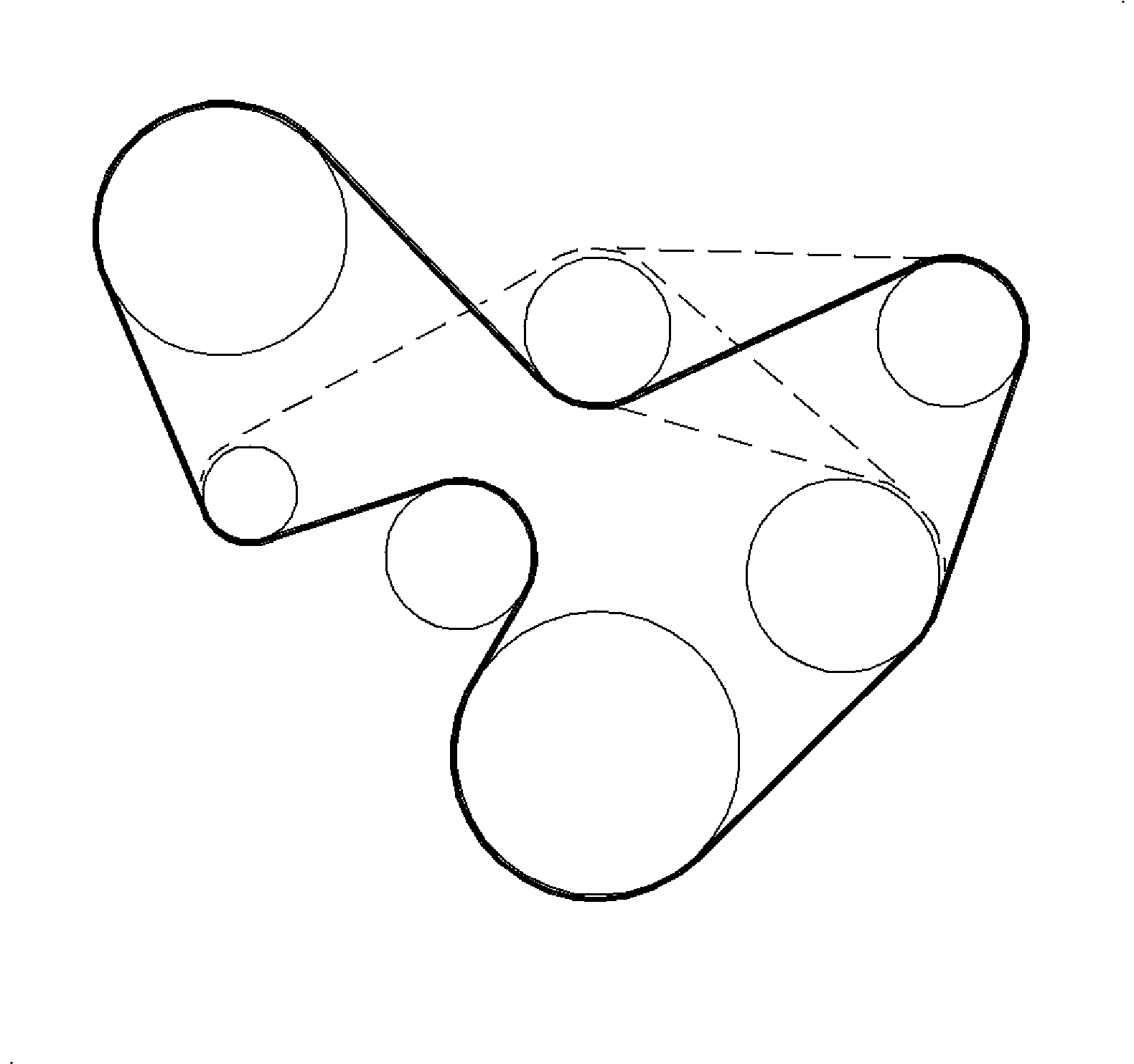
    Object Number: 876878  Size: SH
    Click here for detailed picture of above image.
  1. Route the belt around all pulleys, except the front cover idler or A/C compressor pulley.
  2. Depress the tensioner arm using a 14 mm (9/16 in) wrench.
  3. Important

    Ensure the belt is properly aligned on the pulleys.

    Important

    If the tensioner idler pulley attachment bolt is loosened, remove the bolt and apply Saturn P/N 21485277 Loctite 242® , or equivalent to threads. Torque the bolt.

  4. Slip the belt over the front cover idler or A/C compressor pulley.
  5. Tighten

    Tighten the belt tensioner-to-block 30 N·m (22 lb ft).


  Document ID# 879154
1998 Saturn SL2/SC2/SW2