Document ID# 878154
1998 Saturn SL2/SC2/SW2
 

Body Lock Pillar Upper Molding Replacement Wagon

Removal Procedure

    Object Number: 866919  Size: SH
    Click here for detailed picture of above image.
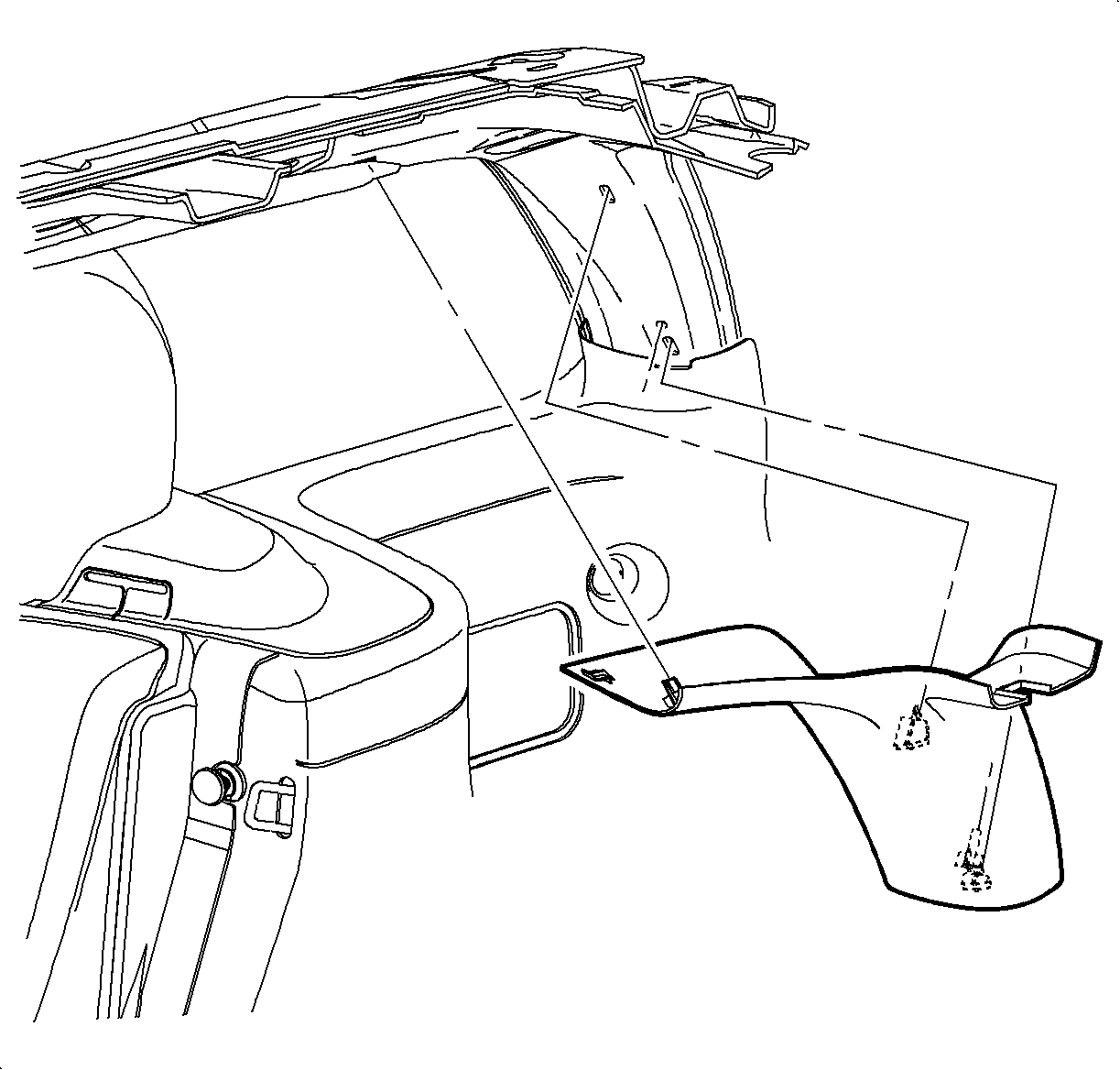
  1. Remove the rear header trim panel by pulling at the clip locations to disengage the attaching clips.

  2. Object Number: 867189  Size: SH
    Click here for detailed picture of above image.
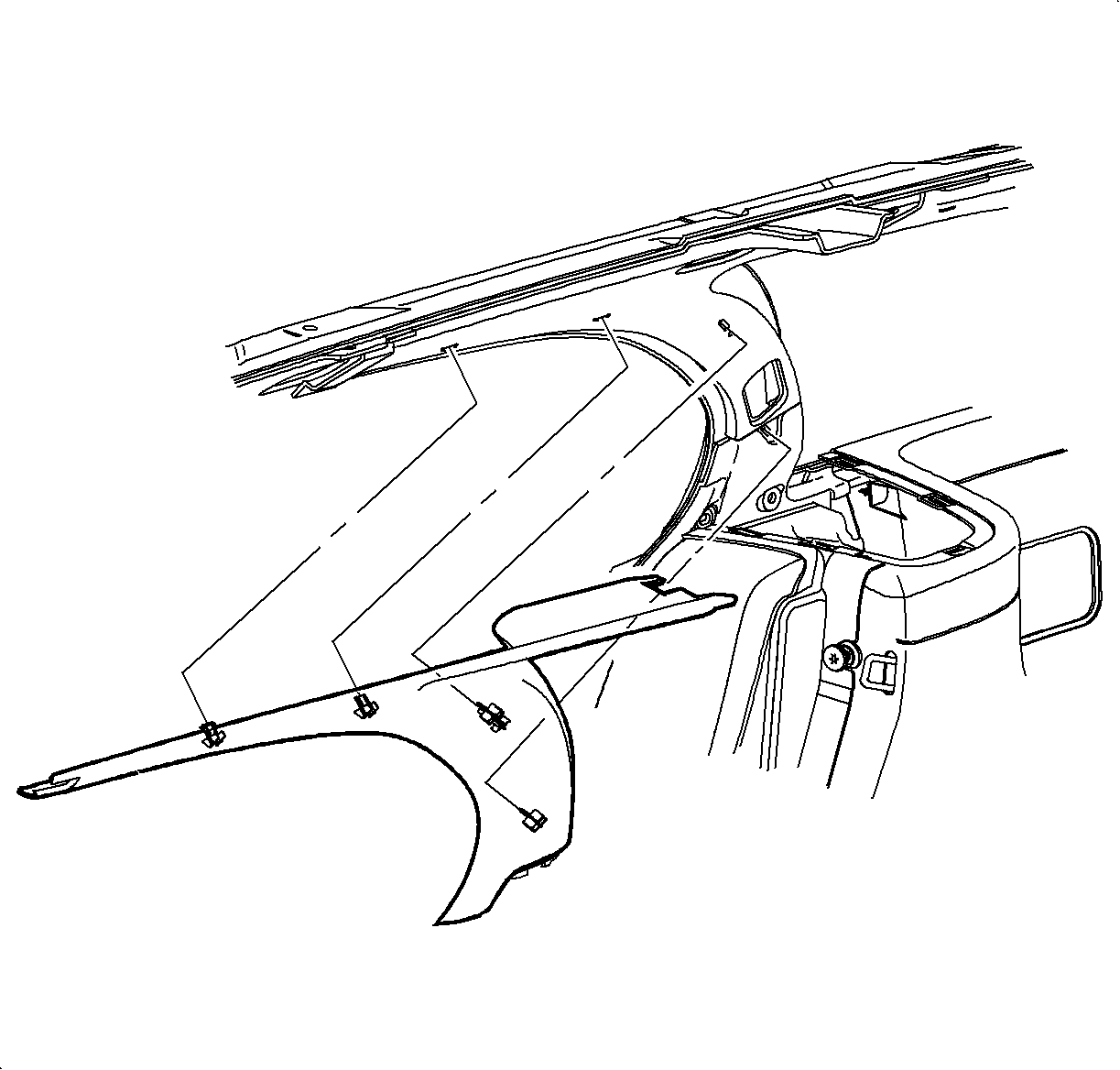
  3. Remove the body rear corner trim panel assembly by pulling at the clip locations to disengage the attaching clips.

  4. Object Number: 879824  Size: SH
    Click here for detailed picture of above image.
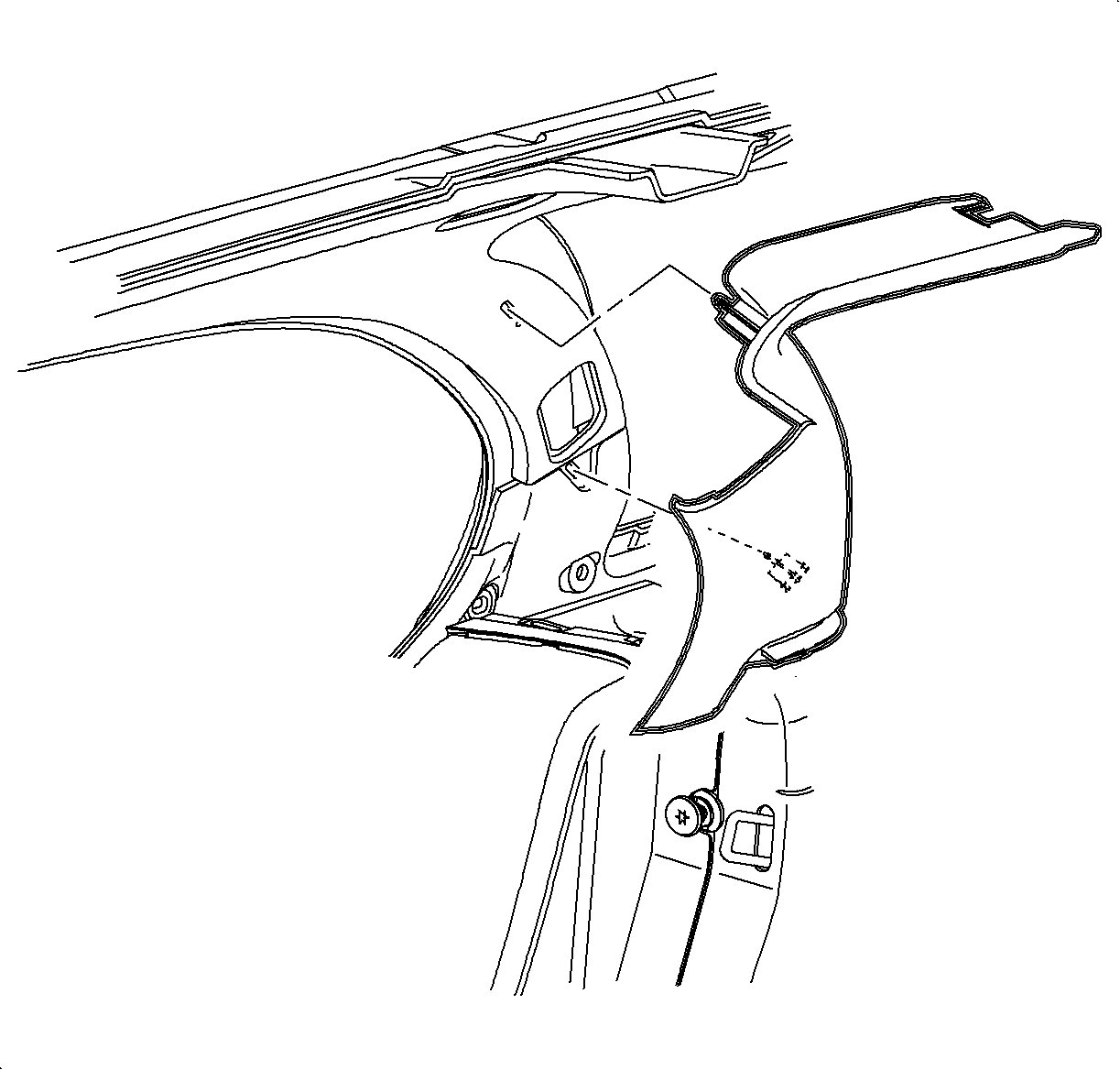
  5. For 1st design vehicles, starting at the rear of the body lock pillar molding, pull at the clip locations to disengage.
  6. Slide the molding out from under the front upper garnish molding to remove.

  7. Object Number: 869300  Size: SH
    Click here for detailed picture of above image.

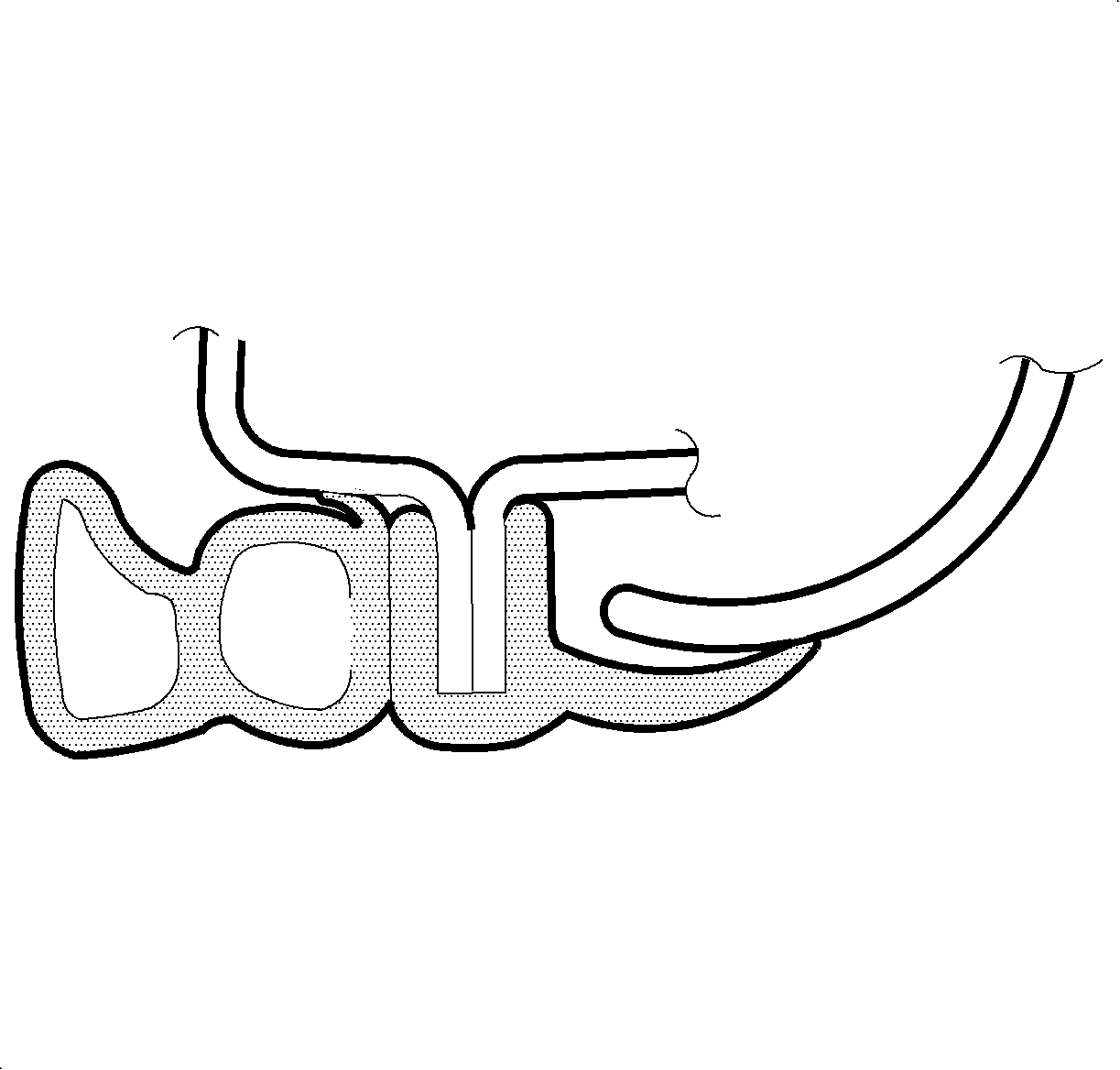
    Important

    Before removing, note the position of the door weatherstrip over the molding edge.
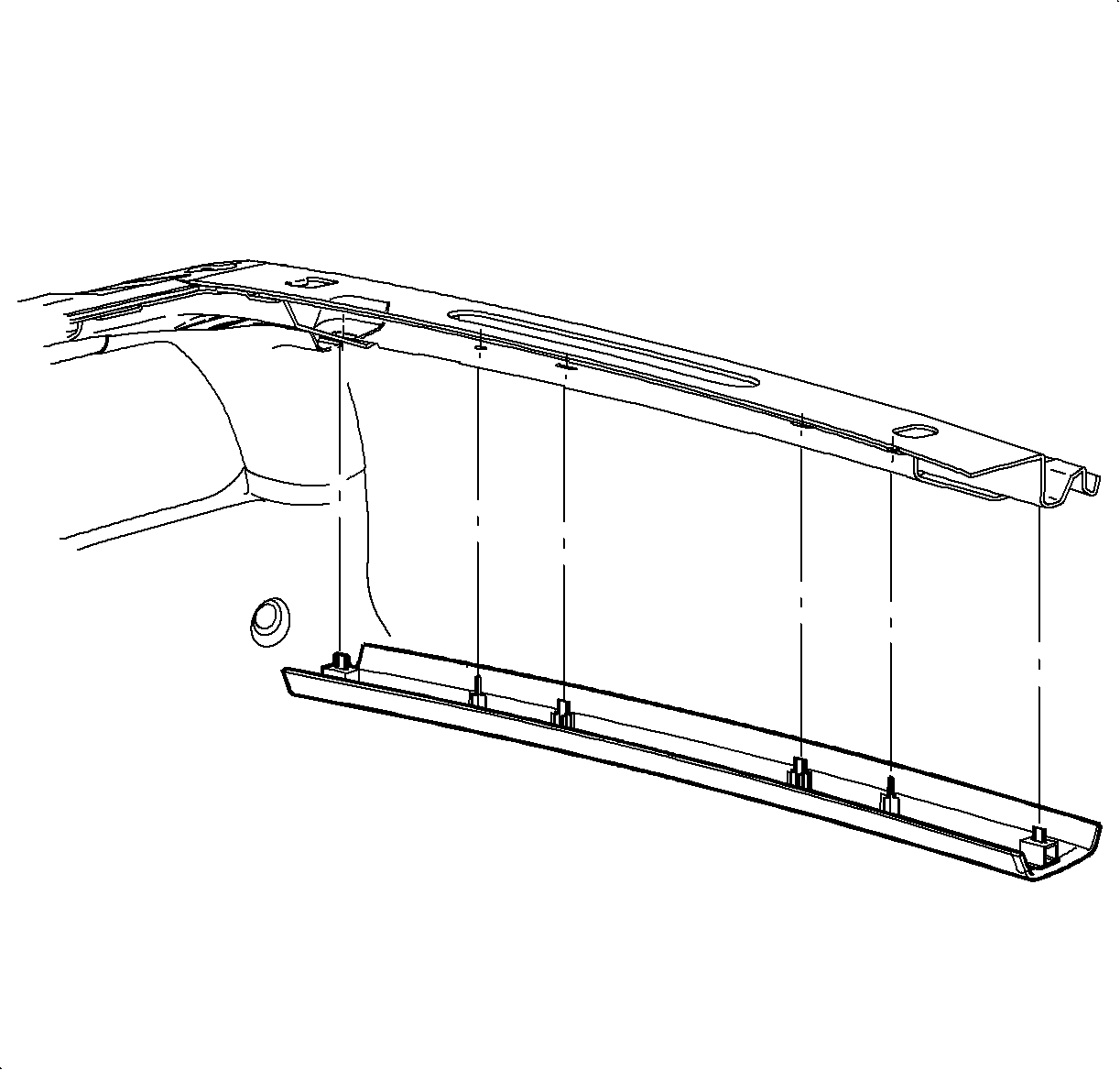
  8. For 2nd design vehicles, pull at the clip locations to disengage.
Installation Procedure

    Object Number: 879824  Size: SH
    Click here for detailed picture of above image.
  1. For 1st design vehicles, do the following:
    1. Slide the body lock pillar molding under the front upper garnish molding
    2. Align the attaching clips and push to engage.

    Object Number: 869344  Size: SH
    Click here for detailed picture of above image.
  2. For 2nd design vehicles, do the following:
    1. Align the molding clips and push to engage.
    2. Reposition the door weatherstrip over the edge of body lock pillar upper molding.

    Object Number: 867189  Size: SH
    Click here for detailed picture of above image.
  3. Position the body rear corner trim panel and push at the clip locations to engage.

  4. Object Number: 866919  Size: SH
    Click here for detailed picture of above image.
  5. Position the rear header trim panel and push at the clip locations to install.

  Document ID# 878154
1998 Saturn SL2/SC2/SW2