Document ID# 877448
1998 Saturn SL2/SC2/SW2
 

Garnish Molding Replacement - Body Lock Pillar Upper Sedan 1st Design

Removal Procedure

    Object Number: 867917  Size: SH
    Click here for detailed picture of above image.
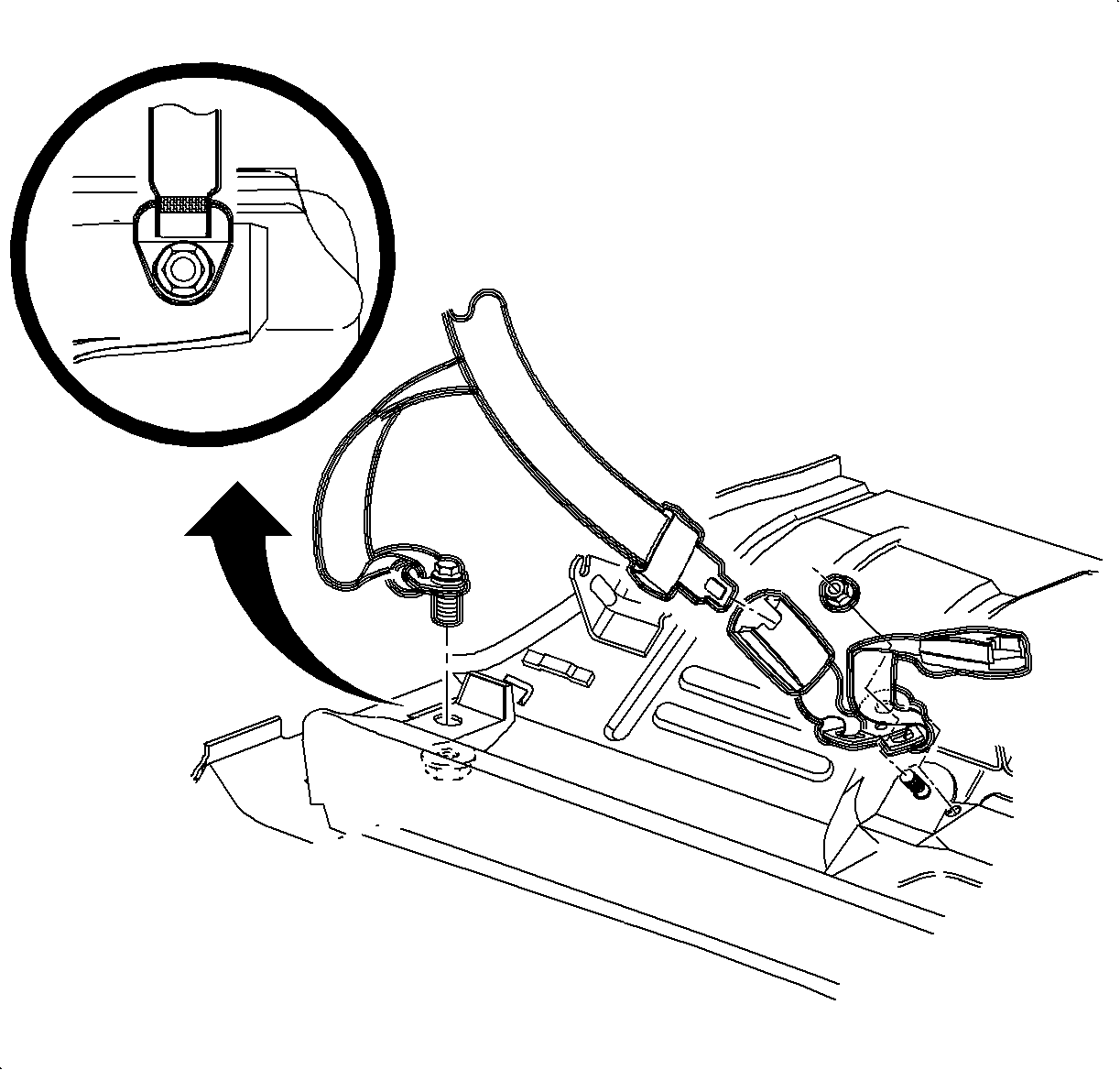
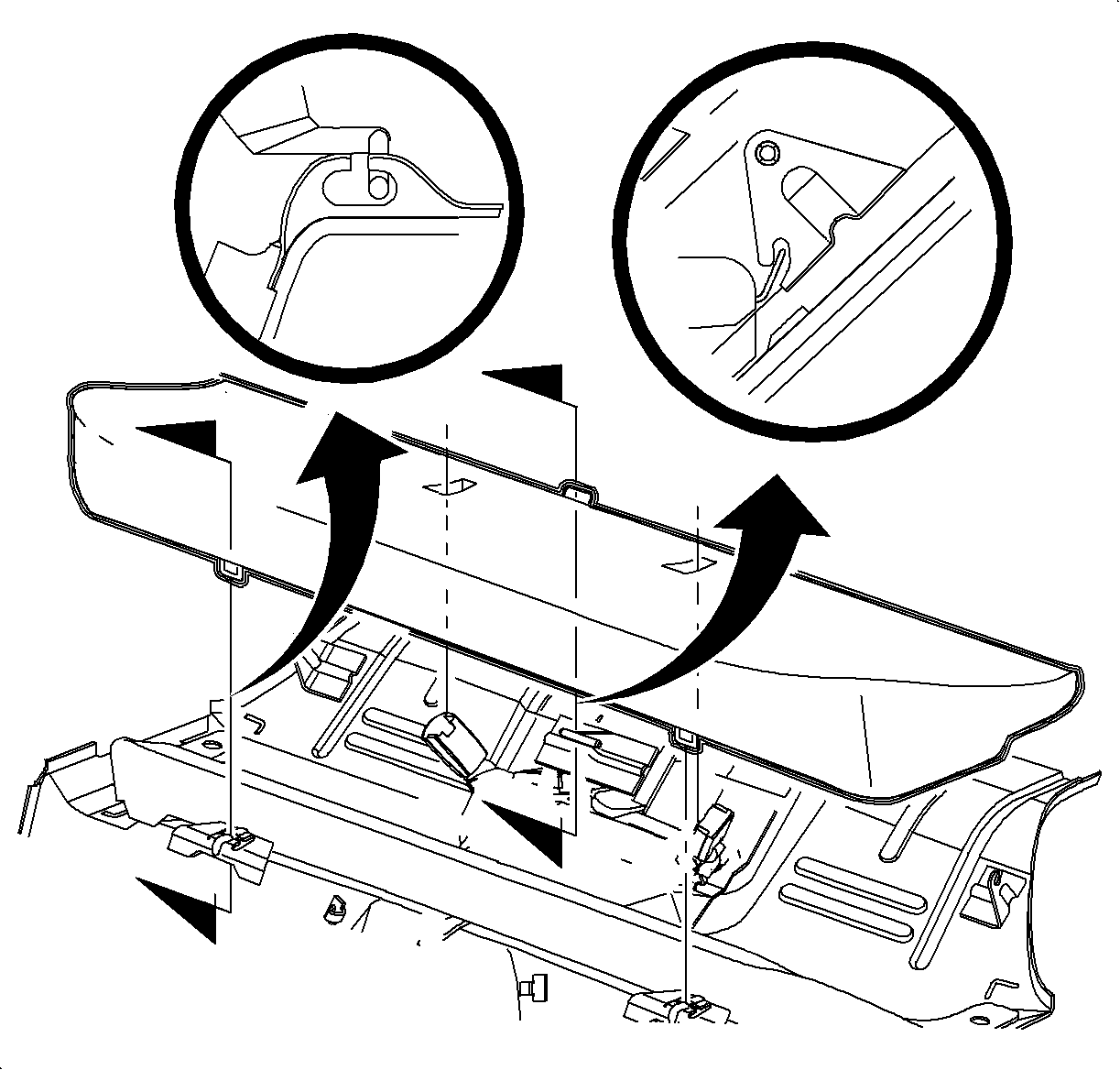
  1. Remove the rear seat cushion. Refer to Seat Cushion Replacement - Rear in Seats.

  2. Object Number: 867305  Size: SH
    Click here for detailed picture of above image.
  3. Remove the shoulder belt anchor fastener.

  4. Object Number: 867259  Size: SH
    Click here for detailed picture of above image.
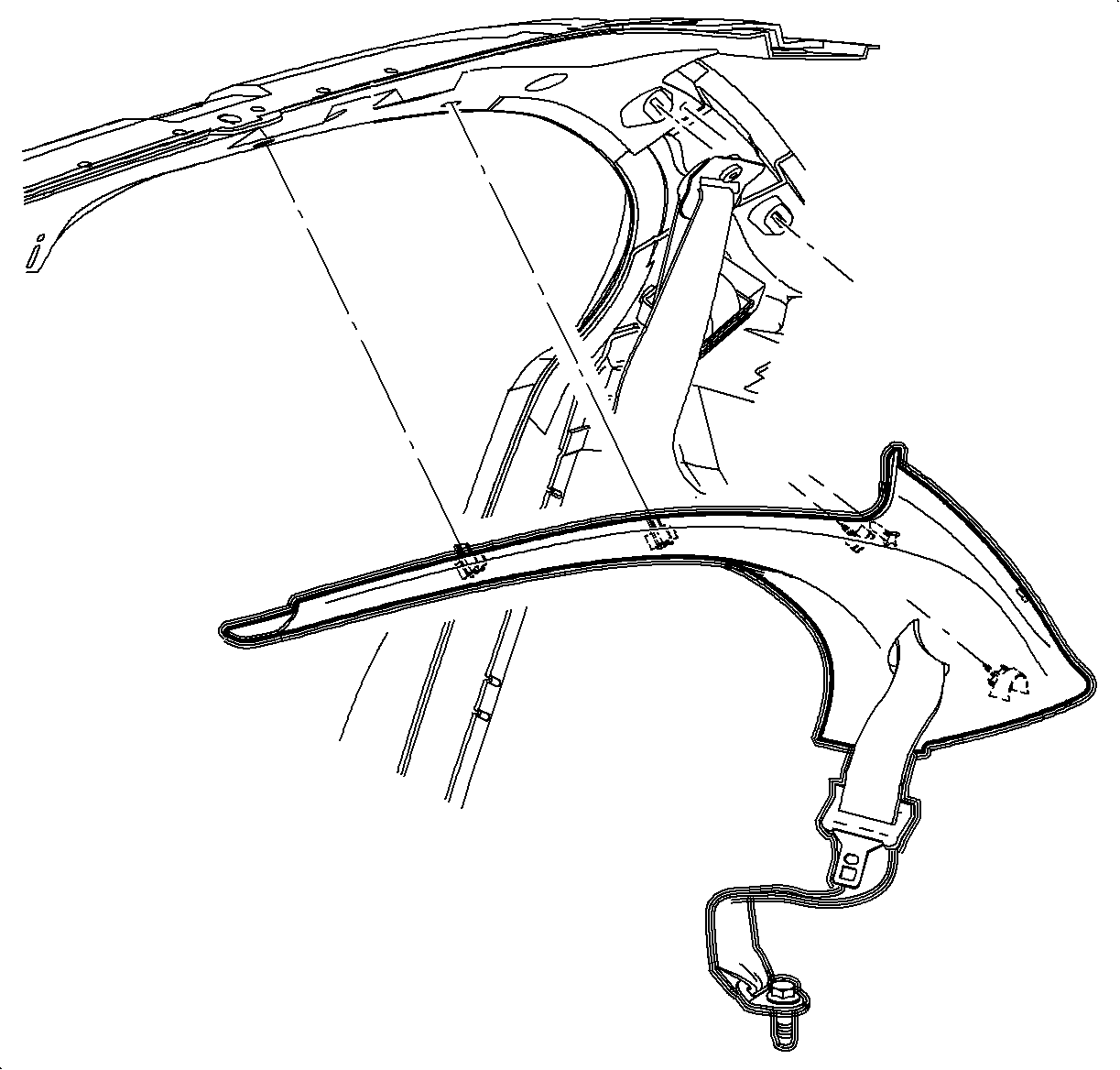
  5. Partially remove the rearward most section of the front upper garnish molding to expose the lock pillar upper garnish molding.
  6. Starting at the front, pull firmly at the body lock pillar upper garnish molding clip locations to disengage the clips.
  7. Slide the shoulder belt unit out of the opening in the molding and remove the molding.
Installation Procedure

    Object Number: 867305  Size: SH
    Click here for detailed picture of above image.
  1. Route shoulder belt through opening in the lock pillar upper garnish molding ensuring the belt is not twisted.
  2. Align lock pillar upper garnish molding clips and push firmly at clip locations to secure lock pillar garnish molding to vehicle.
  3. Snap in front upper garnish molding at rearward location.
  4. Notice

    Refer to Fastener Notice in Cautions and Notices.

    Caution

    Apply Loctite 242® Threadlocker US P/N 12345382 (Canadian P/N 10953489), or equivalent, on all restraint bolts/nuts before installation. Failure to use such threadlocker correctly may result in personal injury.

  5. Route shoulder belt to floor and install shoulder belt anchor fastener.
  6. Tighten

    Tighten Shoulder Belt Anchor Fastener to 50 N·m (37 lb ft).

    Object Number: 867917  Size: SH
    Click here for detailed picture of above image.
  7. Install rear seat cushion. Refer to Seat Cushion Replacement - Rear in Seats.
  Document ID# 877448
1998 Saturn SL2/SC2/SW2