Document ID# 881290
1998 Saturn SL2/SC2/SW2
 

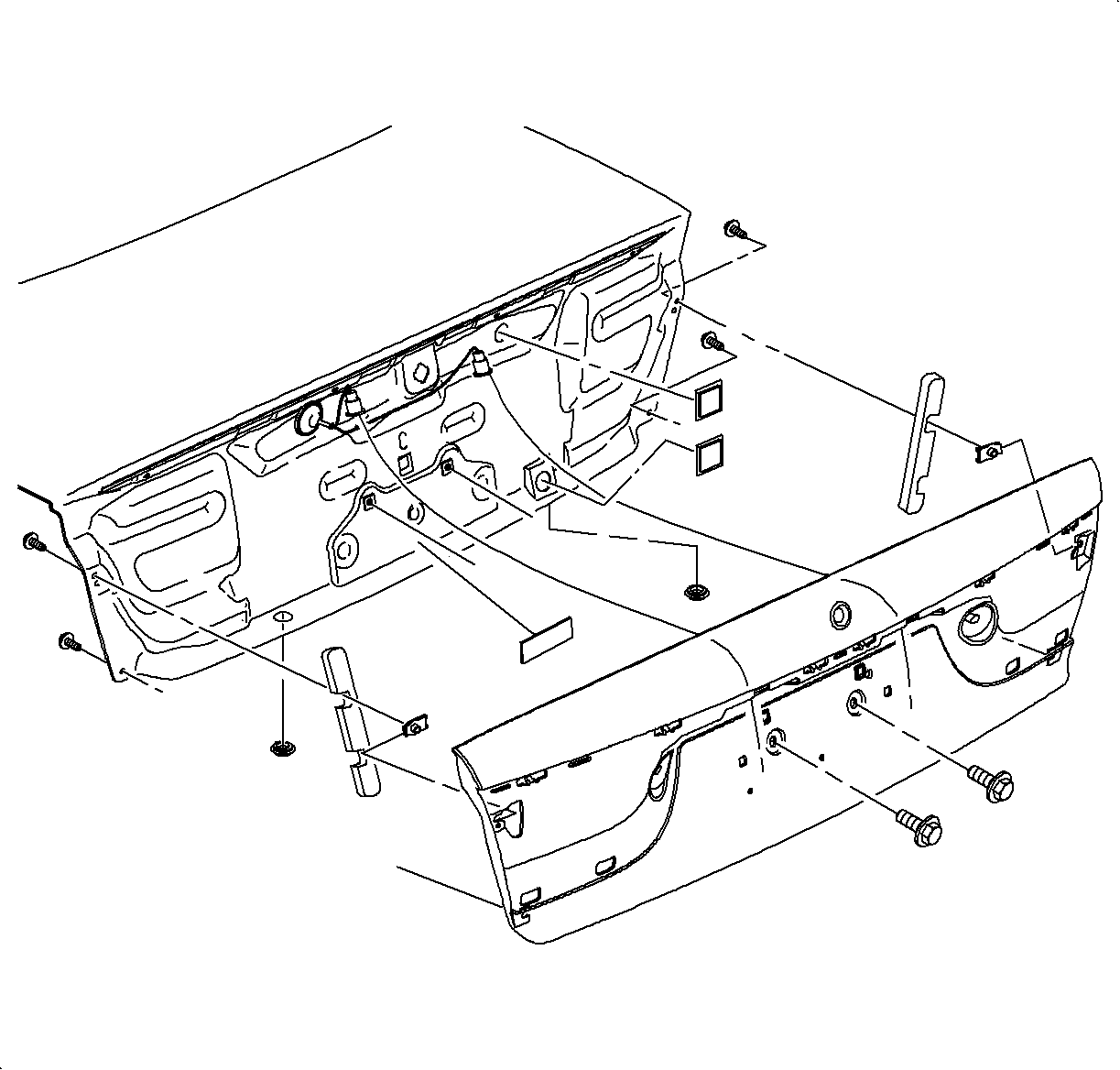
Compartment Lid Outer Panel - Rear Sedan

Removal Procedure

    Object Number: 864702  Size: SH
    Click here for detailed picture of above image.
  1. Remove the rear license plate.
  2. Open the rear compartment lid.
  3. Remove the 4 bolts inside the lid.
  4. Remove the 2 outside bolts located behind where the license plate was removed.
  5. Slide the outer panel upward to disengage from the compartment lid.
  6. Disconnect the license plate bulb socket from the lamps.
Installation Procedure
  1. Connect the license plate bulb sockets to the license plate lamps.
  2. Position the outer panel on the compartment so that the top edge of the outer panel locks onto the lip on the compartment lid.
  3. Loosely install the attachment bolts.
  4. Important

    If using existing fasteners, ensure that the sealing feature is adequate. If questionable, apply a body caulking compound or its equivalent to ensure against water intrusion.

  5. Inspect the panel alignment to the surrounding components and align as required.
  6. Tighten the attachment bolts.

  Document ID# 881290
1998 Saturn SL2/SC2/SW2