Document ID# 883678
1998 Saturn SL2/SC2/SW2
 

Throttle Position (TP) Sensor Replacement SOHC

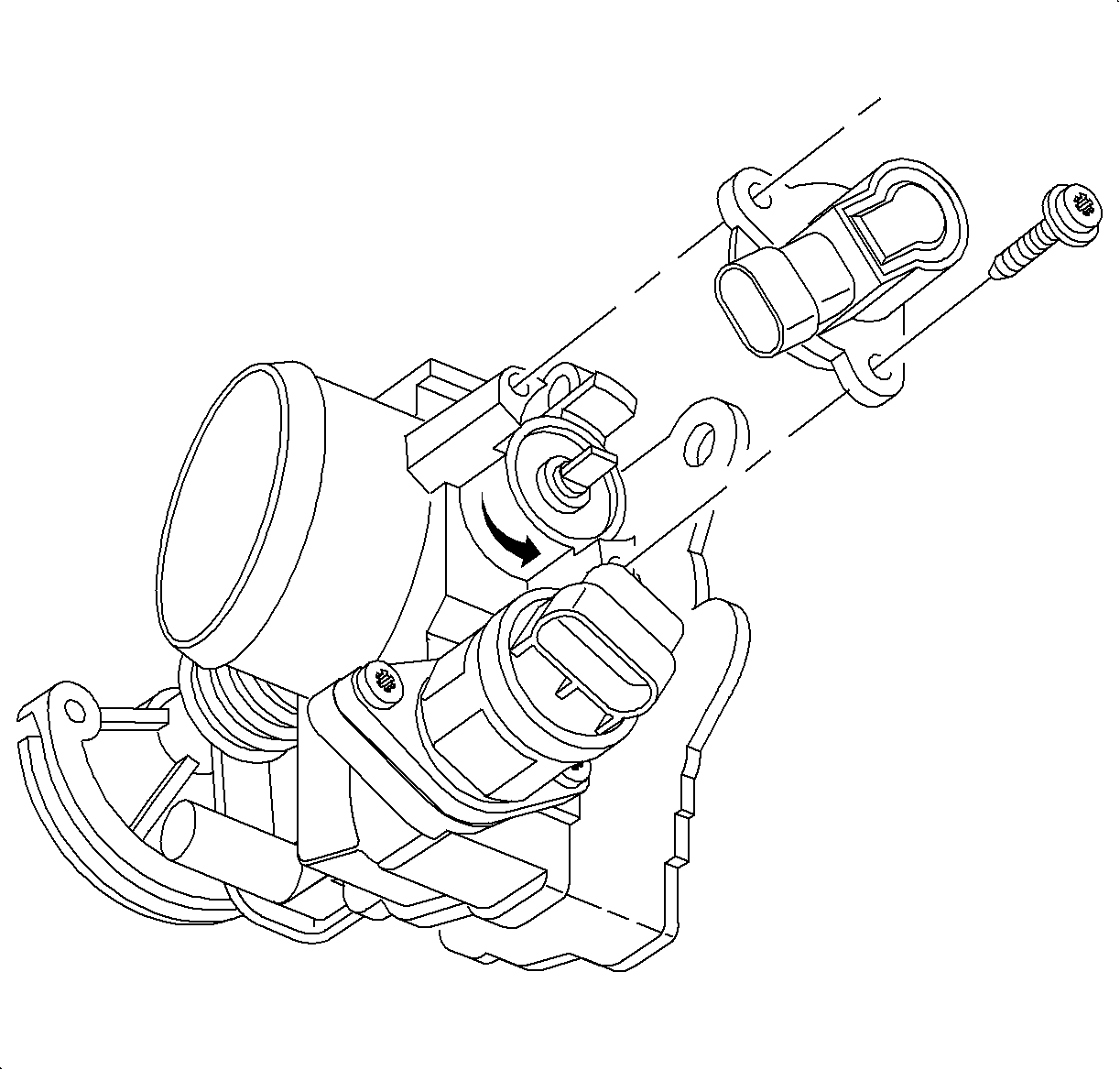
richpin06a Removing TPS

RoadWarrior72 1996 Saturn SC1 Throttle Position Sensor Replacement

Removal Procedure

    Object Number: 872433  Size: SH
    Click here for detailed picture of above image.

    Notice

    The throttle position (TP) sensor is an electrical component, and must NOT be soaked in any liquid solvent or damage may occur.

  1. Remove the throttle body. Refer to Throttle Body Assembly Replacement .
  2. Remove the TP sensor attachment screws and the TP sensor.
Installation Procedure

    Object Number: 872433  Size: SH
    Click here for detailed picture of above image.
  1. Clean the O-ring sealing surface and the throttle shaft.
  2. Install the O-ring to the TP sensor.
  3. With the throttle body valve closed, install the TP sensor over the throttle shaft. Install the TP sensor to the throttle shaft at a slight counterclockwise angle to the mounting bolts. Rotate the sensor clockwise to seat the alignment pin and align the mounting holes.
  4. Notice

    Refer to Fastener Notice in Cautions and Notices.

  5. Apply LOCTITE 242® Threadlocker (GM P/N 21485277) or equivalent to the attachment screw threads. Install the TP sensor attachment screws.
  6. Tighten

    Tighten the throttle position sensor to 2 N·m (18 lb in).

  7. Assemble the throttle body to the intake manifold. Refer to Throttle Body Assembly Replacement .

  Document ID# 883678
1998 Saturn SL2/SC2/SW2