Document ID# 1229861
1998 Saturn SL2/SC2/SW2
 

Console Replacement

Removal Procedure

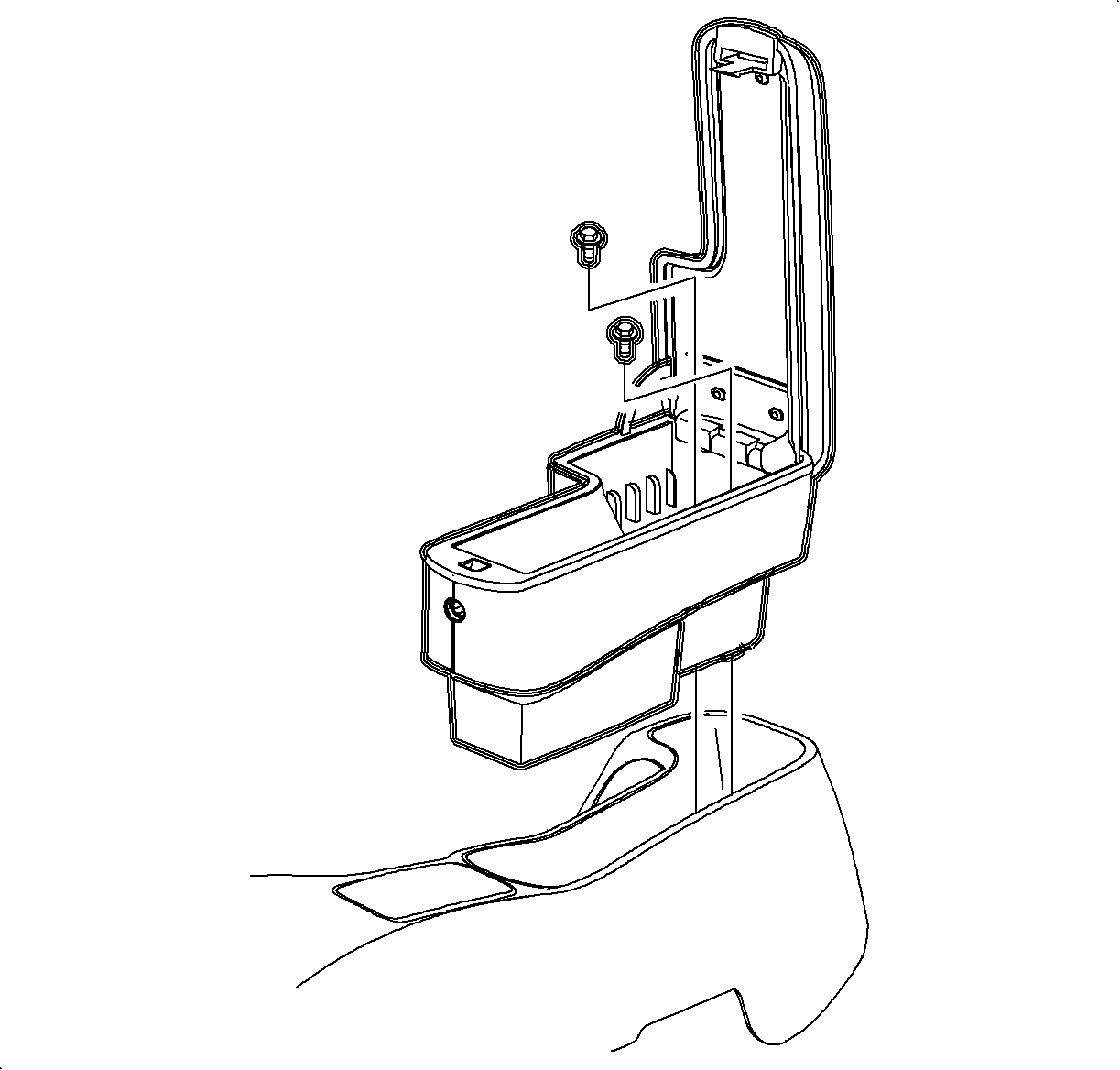
    Object Number: 905220  Size: SH
    Click here for detailed picture of above image.

    Important

    LHD illustrations are shown; RHD illustrations are similar.

  1. Disable the SIR System. Refer to Disabling the SIR System.
  2. Remove the screws and remove the arm rest, if equipped.

  3. Object Number: 904104  Size: SH
    Click here for detailed picture of above image.
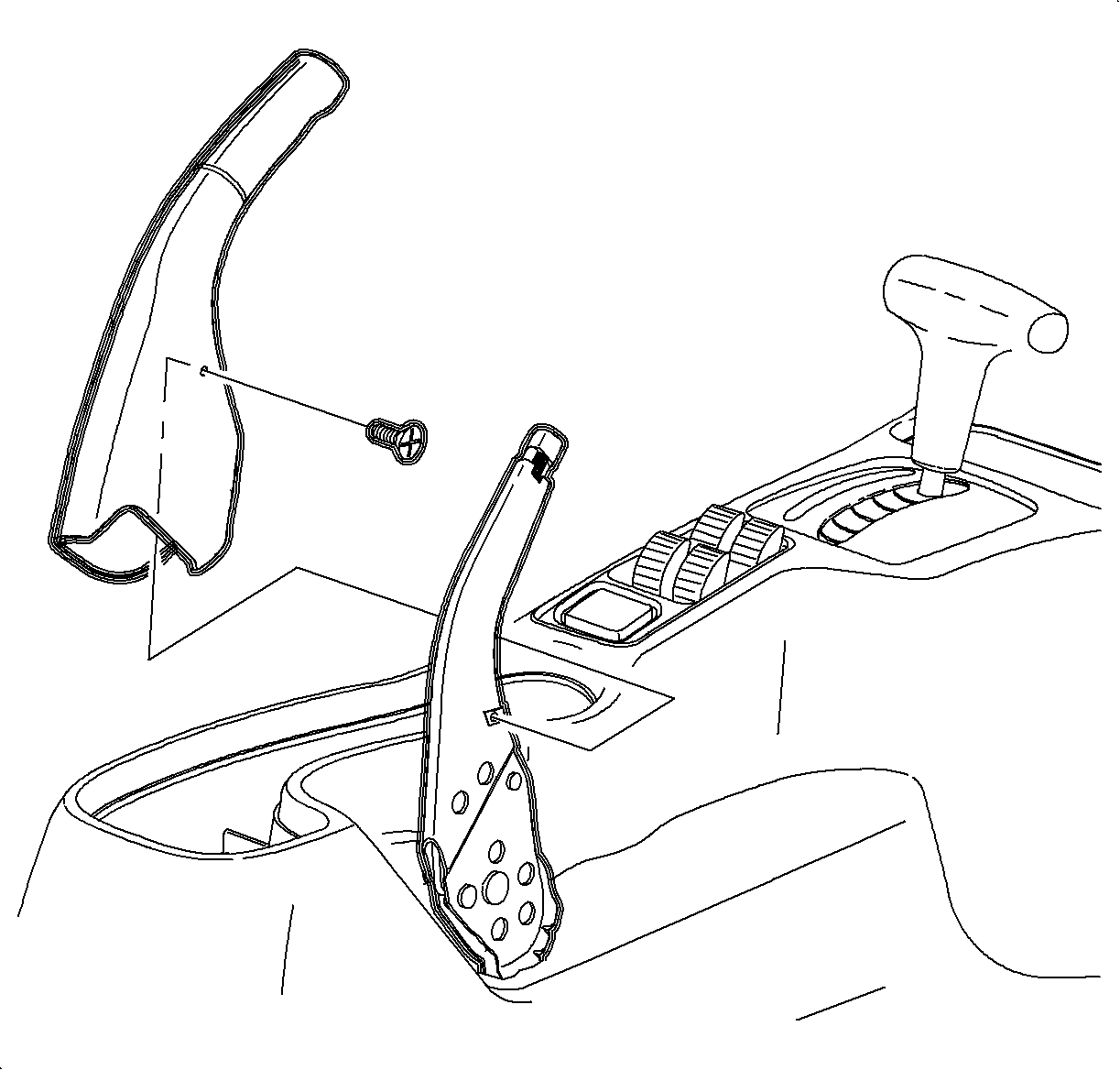
  4. Lift the parking brake lever.
  5. Remove the screw.
  6. Remove the parking brake cover by lifting it straight off the lever.

  7. Object Number: 903885  Size: SH
    Click here for detailed picture of above image.
  8. Move the shifter to neutral. Remove the ashtray from the cup holder by lifting it straight out.
  9. Remove the cup holder from the console by pulling it upwards starting at the rear edge.

  10. Object Number: 903988  Size: SH
    Click here for detailed picture of above image.
  11. Remove the ashtray bulb socket by lifting the tab while sliding the socket forward. Then pull the socket straight out.
  12. Remove the wiring harness from the cup holder.

  13. Object Number: 903887  Size: SH
    Click here for detailed picture of above image.
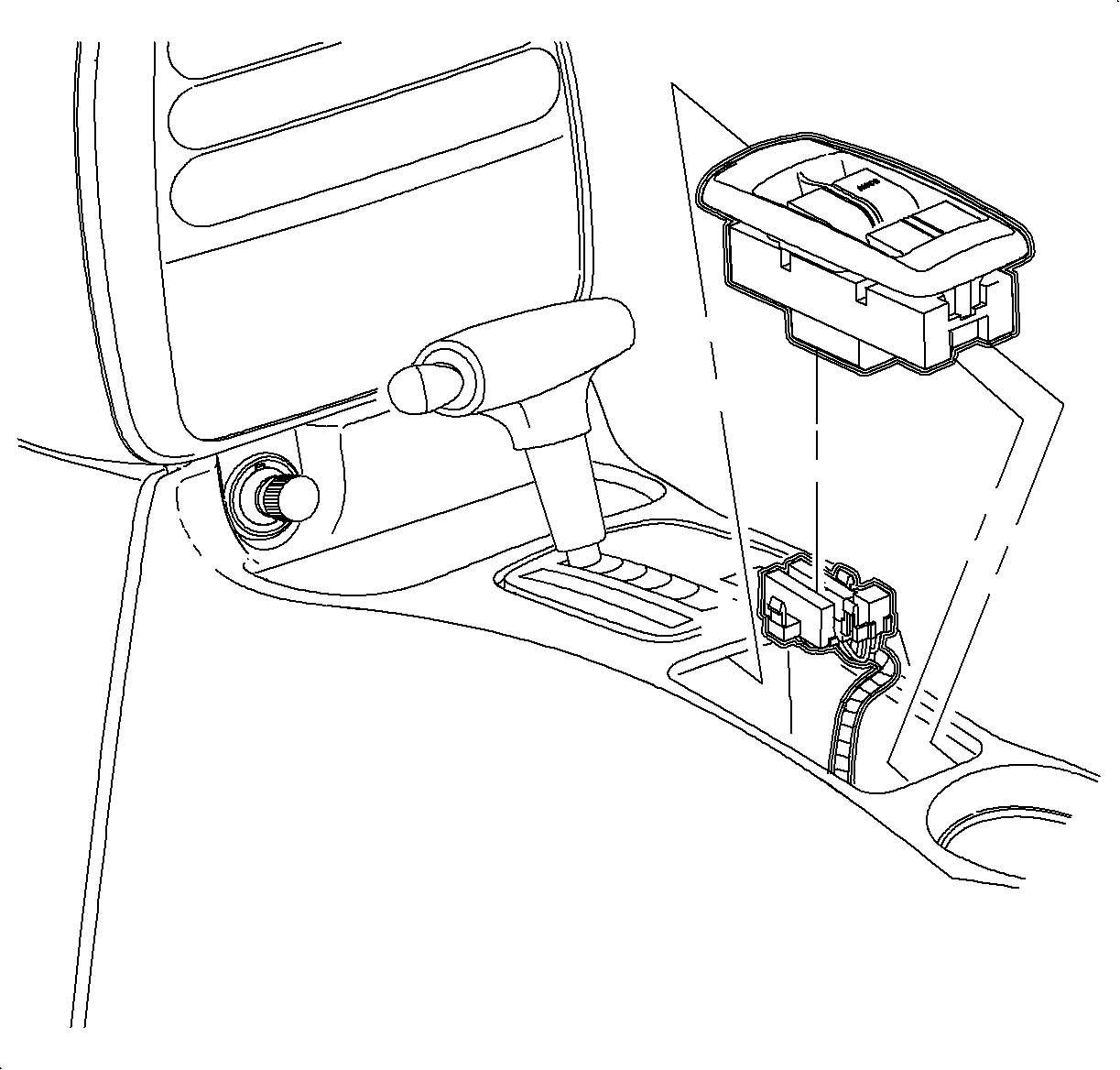
  14. Remove the window/mirror switch, if equipped, by sliding the switch forward then lifting at the rear edge. Disconnect the electrical connectors.

  15. Object Number: 903985  Size: SH
    Click here for detailed picture of above image.
  16. If the vehicle does not have an arm rest, remove the rear screw cover by lifting at the cut out.
  17. Remove the rear console screws.

  18. Object Number: 878799  Size: SH
    Click here for detailed picture of above image.
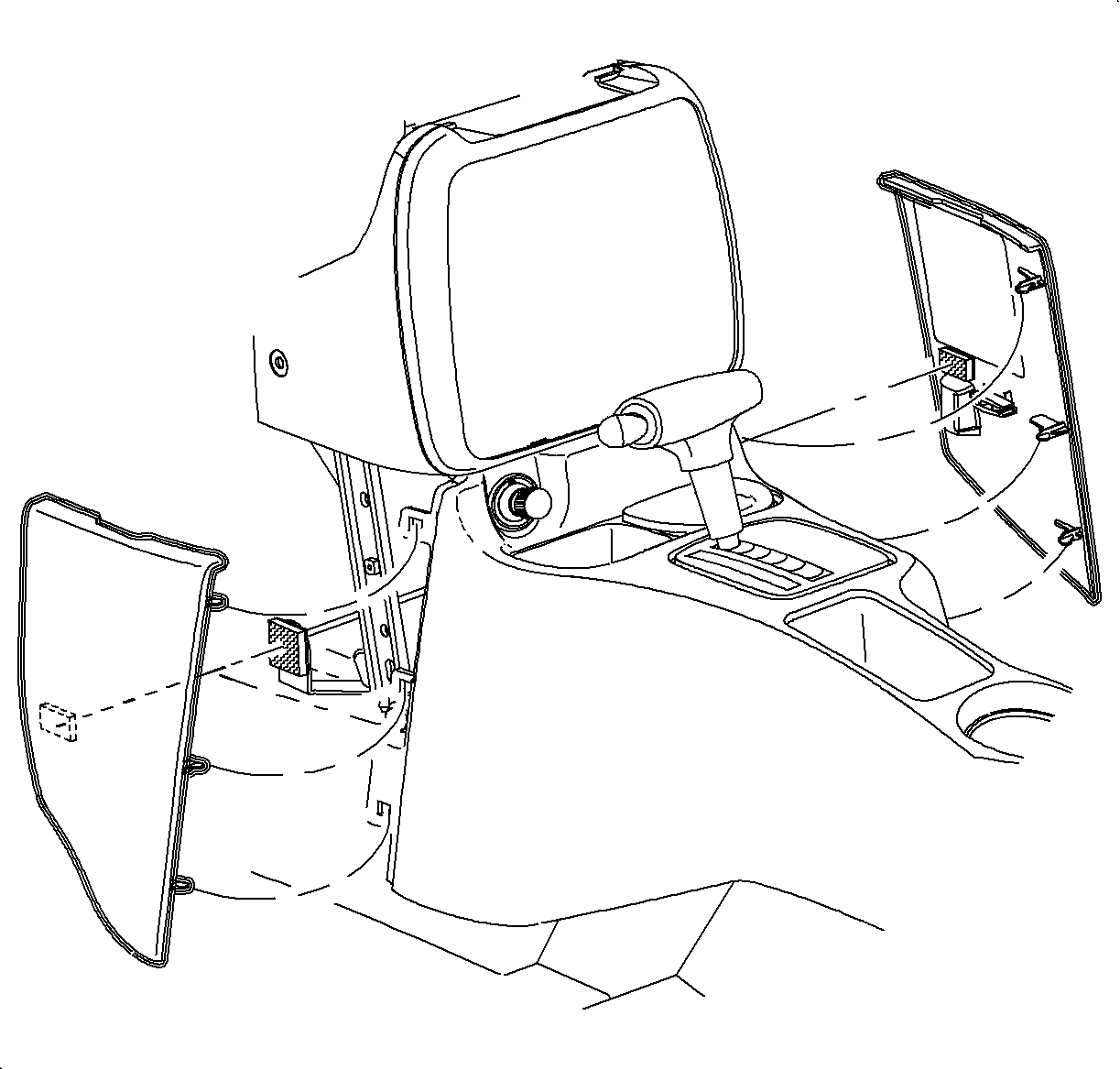
  19. Remove the left and the right lower trim panel extensions by pulling outward at the dual lock locations. Then rotate the panels outward to disengage the hinges from the console.

  20. Object Number: 903286  Size: SH
    Click here for detailed picture of above image.
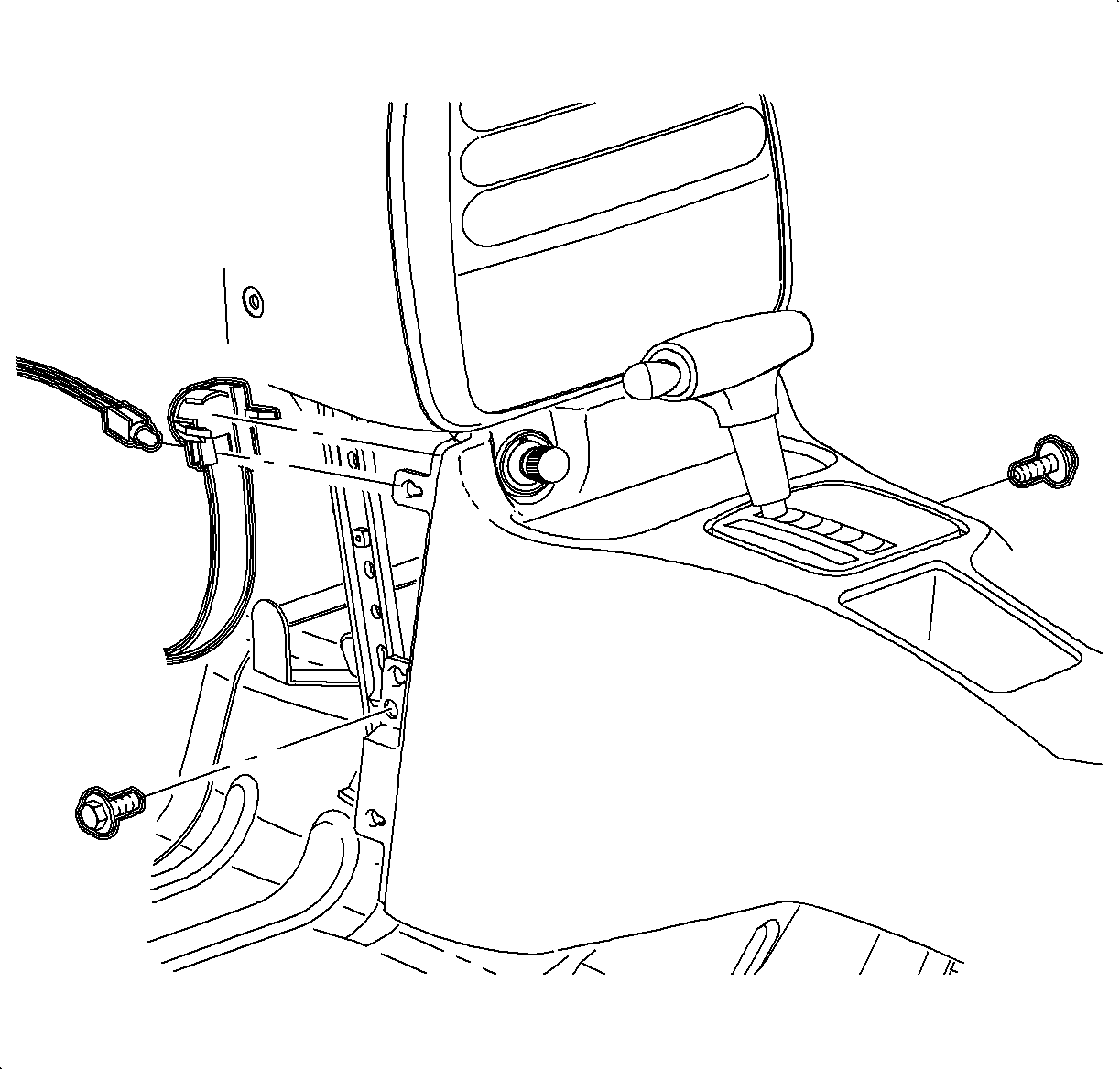
  21. Remove the front console screws.
  22. Move the console rearward.
  23. Disconnect the cigarette lighter electrical connector.
  24. Remove the bulb socket from the cigarette lighter by rotating clockwise and pulling it straight out.

  25. Object Number: 903992  Size: SH
    Click here for detailed picture of above image.
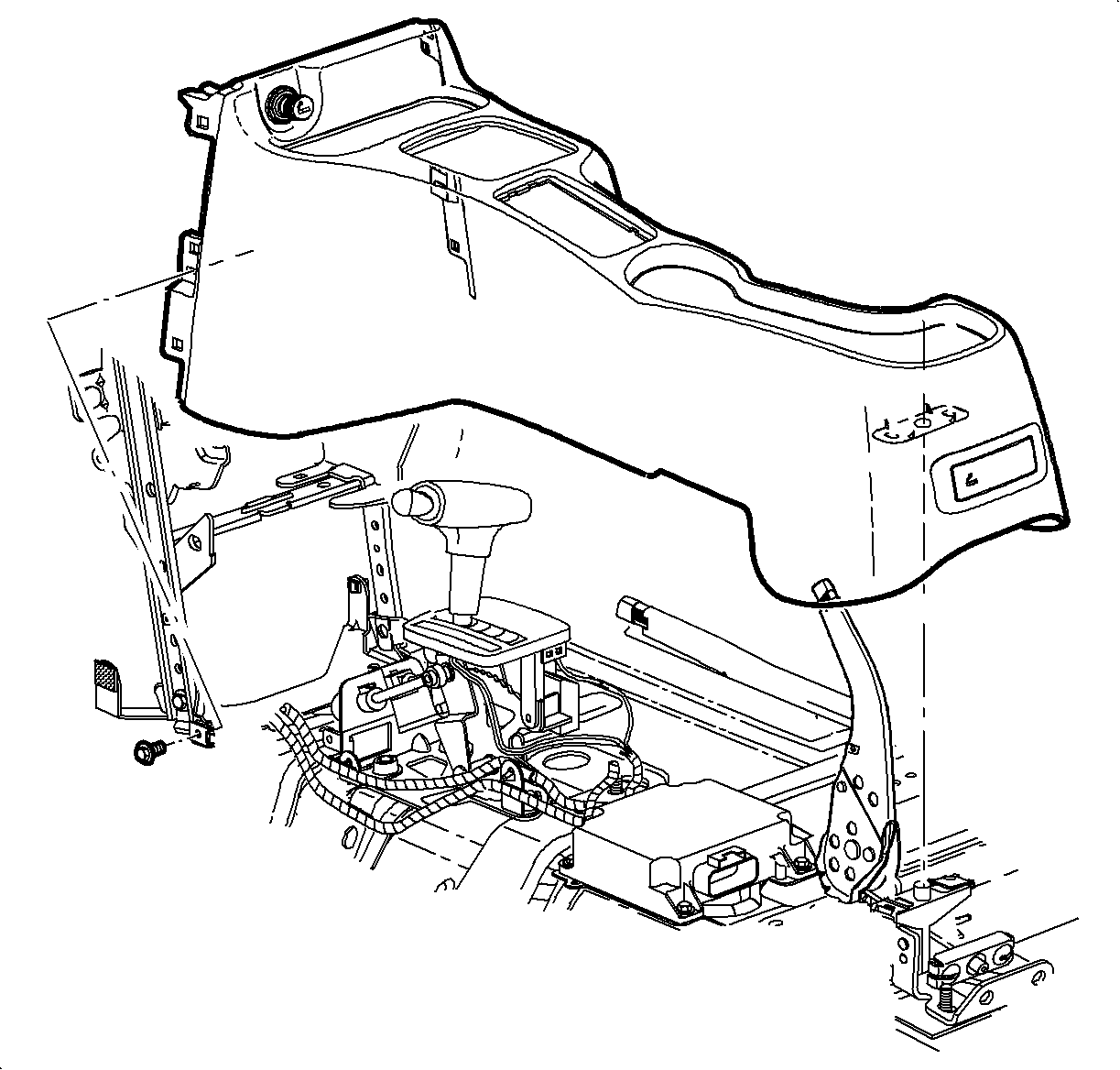
  26. On the automatic transmission equipped vehicles, tape the shifter button in to clear the shifter opening.
  27. Lift the console at the rear. Slide the console rearward and lift it straight up to remove.
Installation Procedure

    Object Number: 903992  Size: SH
    Click here for detailed picture of above image.
  1. Place the sifter in neutral.
  2. Important

    Make sure to place the window/mirror and the ashtray light connectors through the console openings into position.

  3. Lower the front of the console over the shifter.
  4. Lower the rear of the console over the parking brake lever onto the rear mounting pad.
  5. Object Number: 903286  Size: SH
    Click here for detailed picture of above image.
  6. Move the console rearward.
  7. Install the cigarette lighter bulb through the opening and rotate counterclockwise.
  8. Connect the cigarette lighter electrical connector.
  9. Important

    Make sure the upper tabs on the front of the console engage the sheet metal on the lower I/P brace.

  10. Move the console forward into position.
  11. Notice

    Refer to Fastener Notice in Cautions and Notices.

  12. Install and tighten the front console screws.
  13. Tighten

    Tighten the screws to 1.2 N·m (11 lb in).

    Object Number: 878799  Size: SH
    Click here for detailed picture of above image.
  14. Install the left and the right lower trim panel extensions by inserting the hinges into the console openings. Then rotate closed and push in at the dual lock locations.
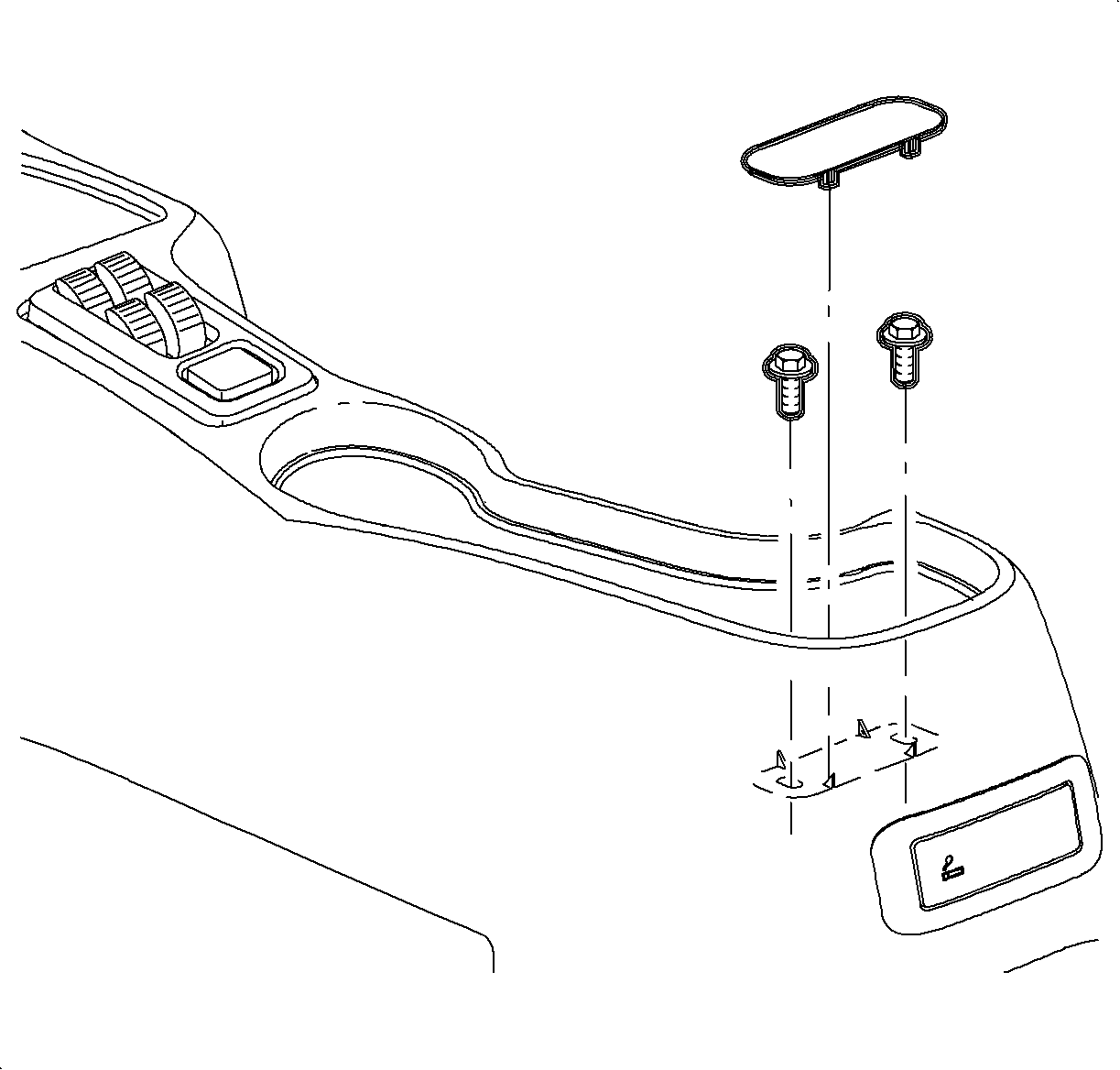
  15. Object Number: 903985  Size: SH
    Click here for detailed picture of above image.
  16. For vehicles without console armrest:

  17. Object Number: 903887  Size: SH
    Click here for detailed picture of above image.
  18. Connect the window/mirror switch electrical connectors.
  19. Install the window/mirror switch by inserting the front edge into the opening. Then push the rear edger down into position.
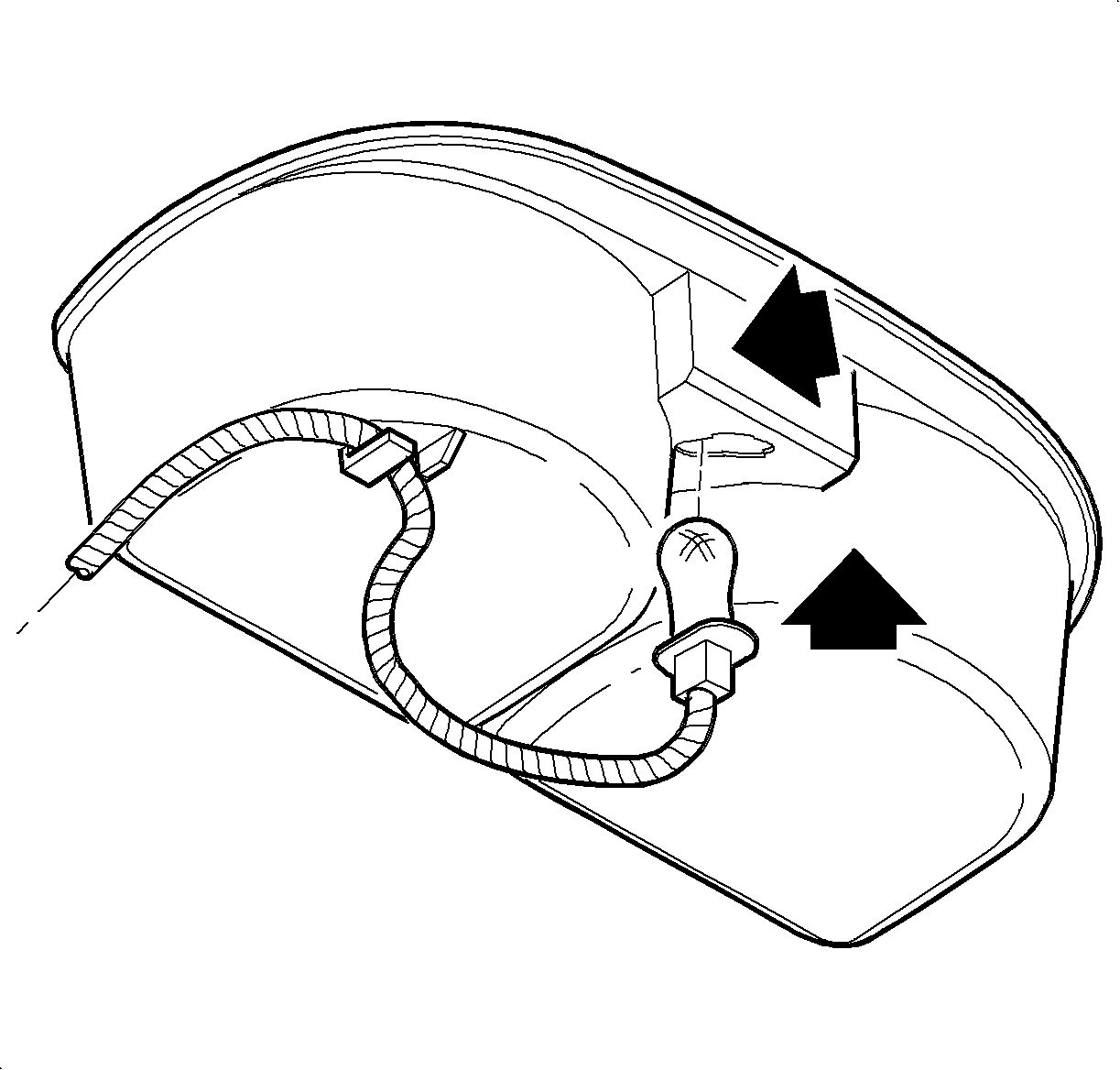
  20. Object Number: 903990  Size: SH
    Click here for detailed picture of above image.
  21. Insert the bulb through the opening until the bulb socket is flush with the cup holder. Push the socket down to engage the lock tab.
  22. Install the wiring harness to the cup holder.
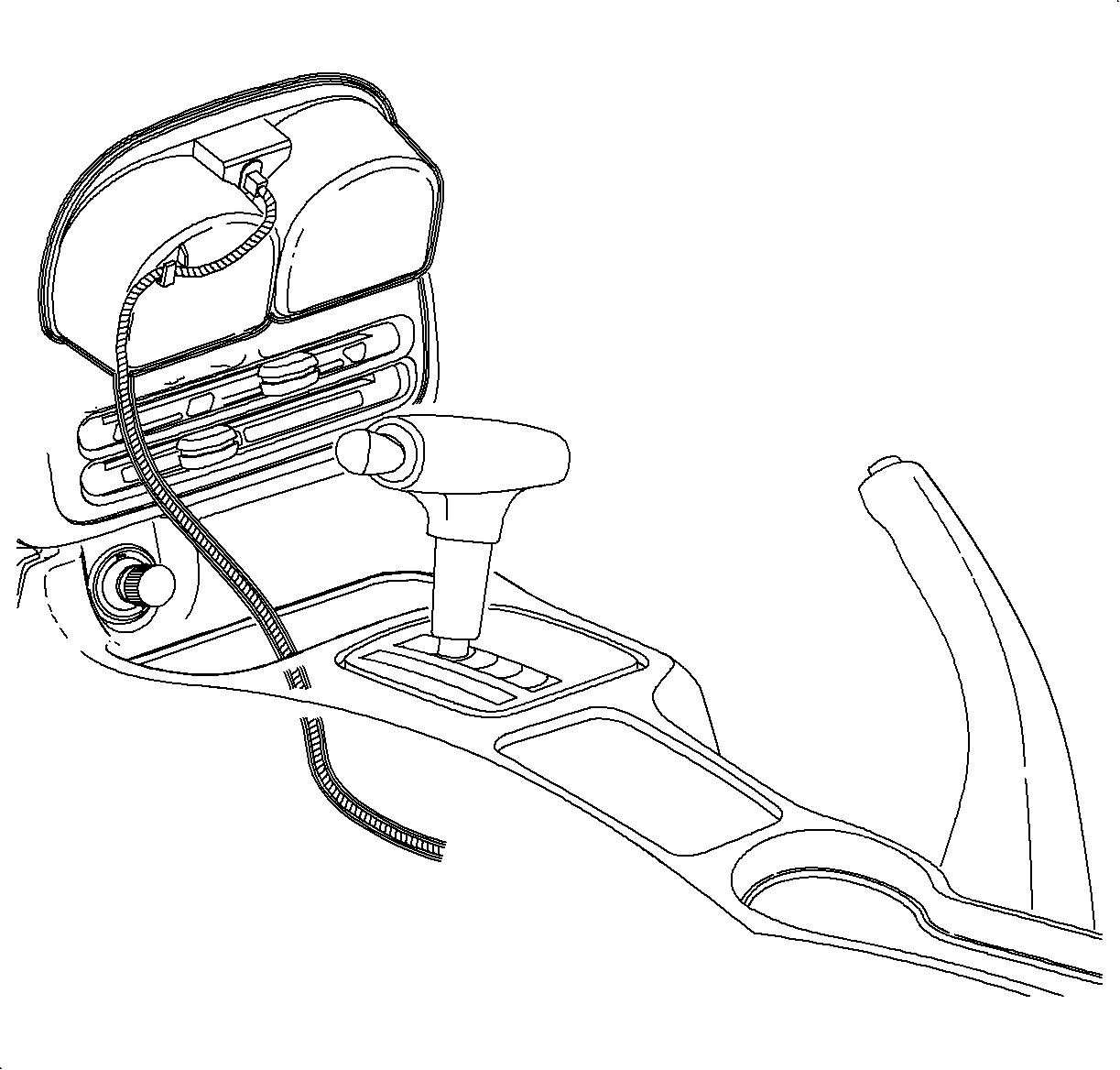
  23. Object Number: 903885  Size: SH
    Click here for detailed picture of above image.
  24. Install the cupholder by inserting it through the console opening and pushing it straight down.
  25. Object Number: 904104  Size: SH
    Click here for detailed picture of above image.
  26. Install the parking brake cover over the lever.
  27. Notice

    Do not overtighten screw or it may pull through cover.

  28. Install and tighten the screw.
  29. Tighten

    Tighten the screw to 1.6 N·m (14 lb in).

    Object Number: 905220  Size: SH
    Click here for detailed picture of above image.
  30. Install the arm rest unit into the console, if equipped. Install and tighten the screws.
  31. Tighten

    Tighten the screws to 1.6 N·m (14 lb in).

  32. Enable the SIR system. Refer to Enabling the SIR System.
  Document ID# 1229861
1998 Saturn SL2/SC2/SW2