Document ID# 1229842
1998 Saturn SL2/SC2/SW2
Steering Column Filler Replacement Right Hand Drive Domestic
Removal Procedure
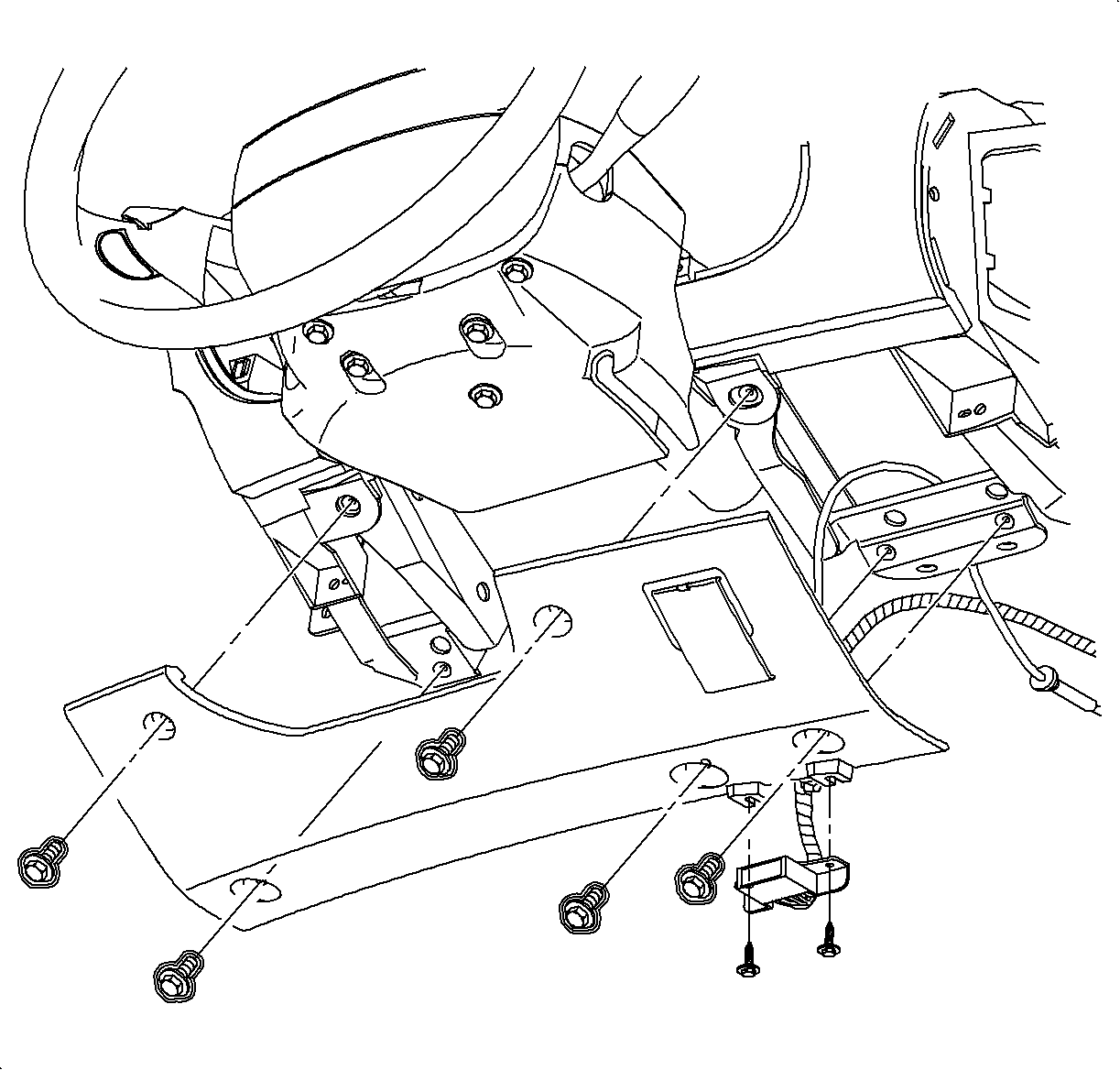
Remove the screws from the data link connector (DLC) and the steering column filler panel.
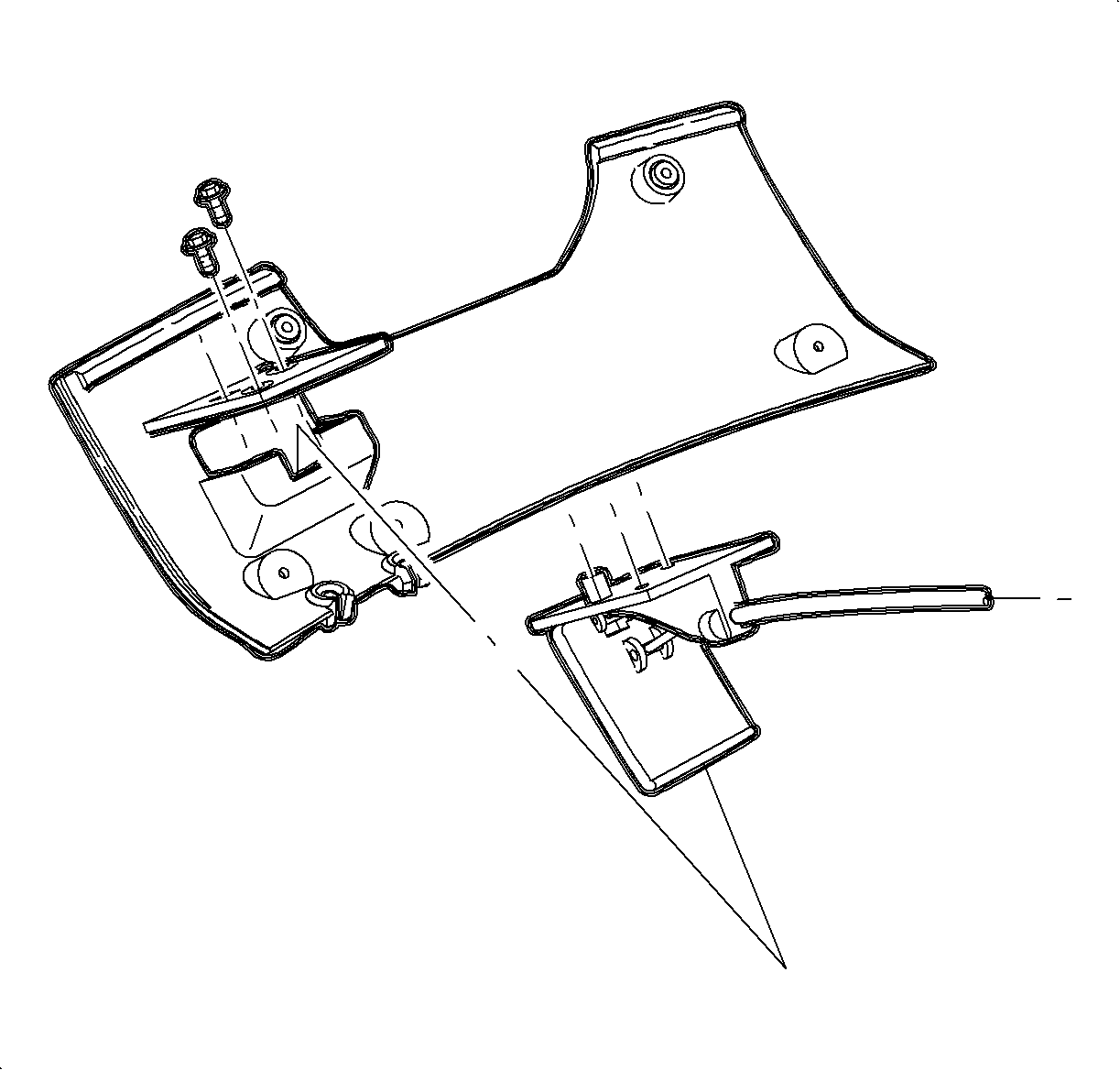
Lower the steering column filler panel and remove the hood release handle assembly.
Remove the steering column filler panel.
Installation Procedure
Install the hood release handle assembly to the steering column filler panel screws.
Install the steering column filler panel and the DLC.
Notice
Refer to
Fastener Notice
in Cautions and Notices.
Install and tighten the bolts.
Tighten
Tighten the bolts to 2.2 N·m (20 lb in).
Document ID# 1229842
1998 Saturn SL2/SC2/SW2