Document ID# 874843
1998 Saturn SL2/SC2/SW2
 

Wiper Motor Replacement - Rear

Removal Procedure

    Object Number: 867600  Size: SH
    Click here for detailed picture of above image.
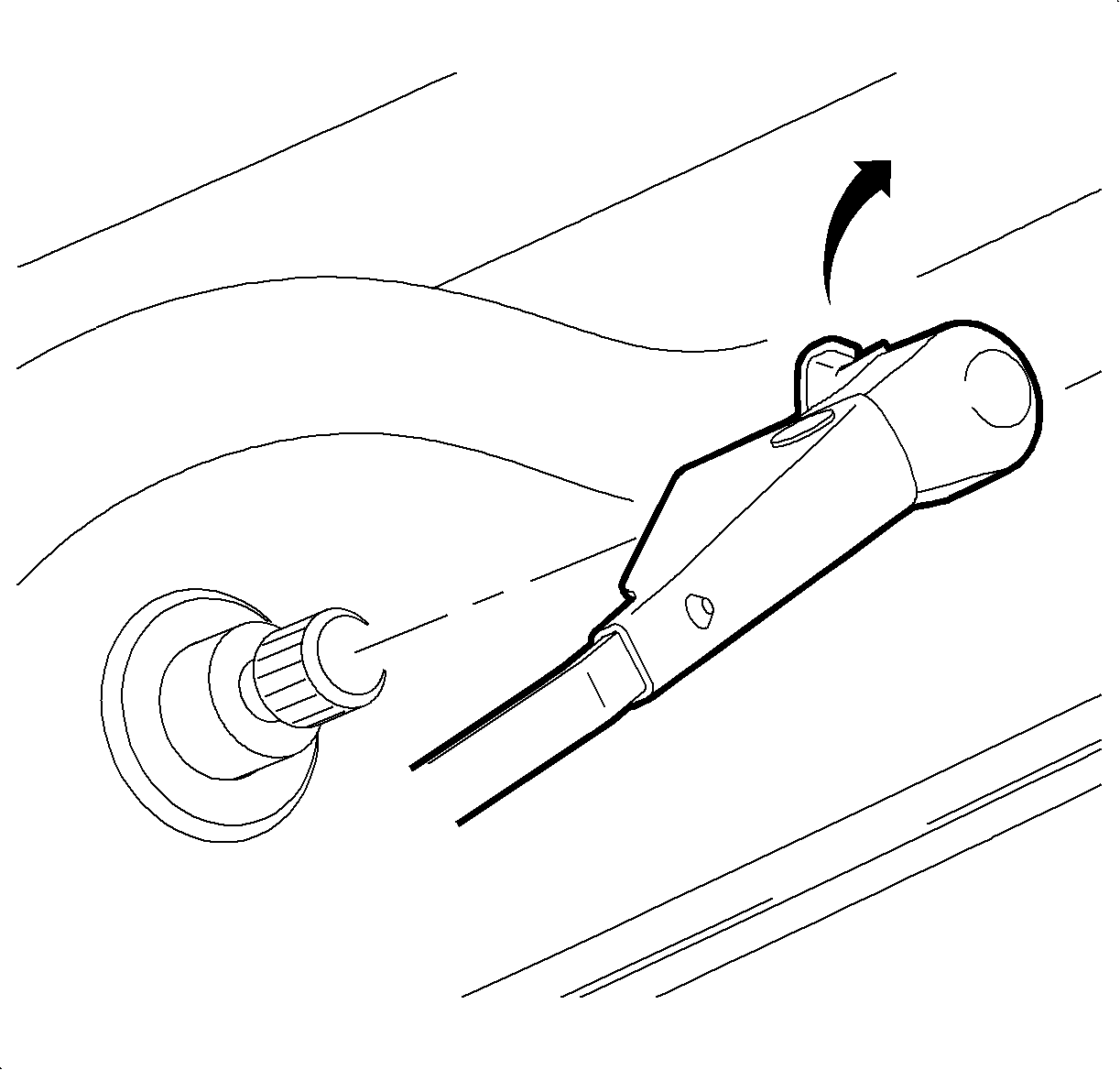
  1. Remove the wiper arm by disengaging the wiper arm retaining latch.

  2. Object Number: 866921  Size: SH
    Click here for detailed picture of above image.
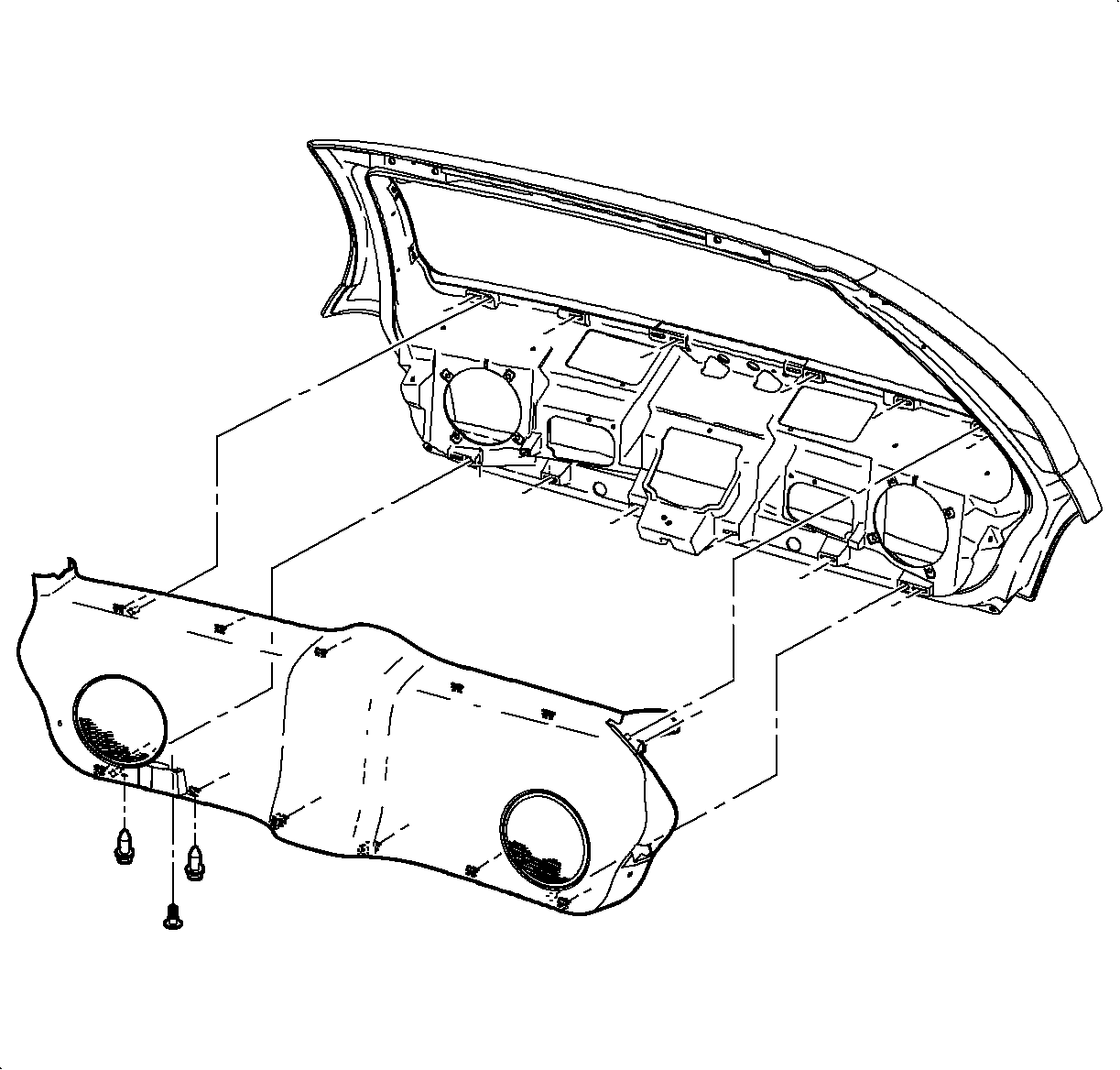
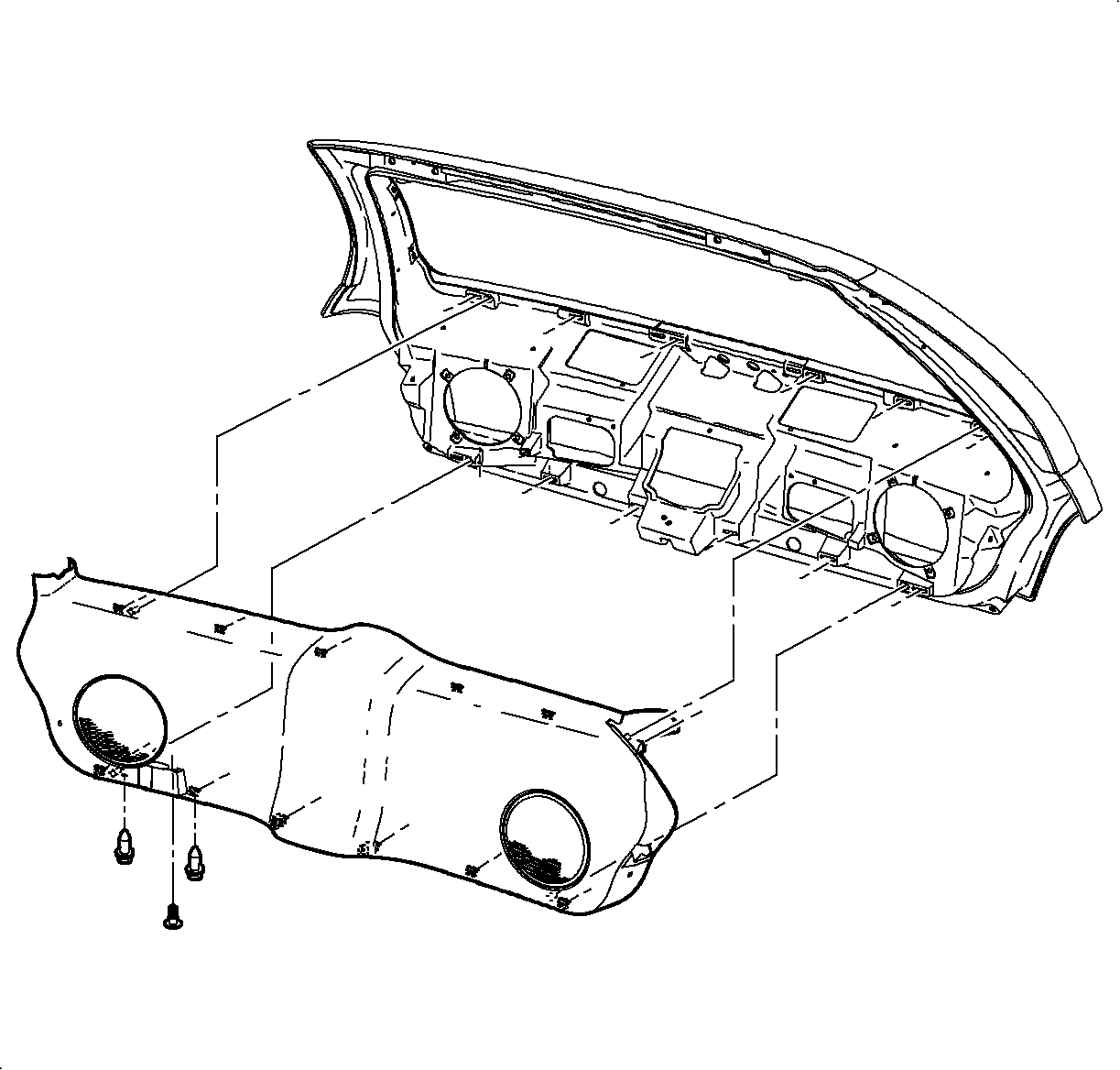
  3. Remove the lift gate inner lower panel. Refer to Liftgate Panel Assembly - Inner Lower in Interior Trim.

  4. Object Number: 867084  Size: SH
    Click here for detailed picture of above image.
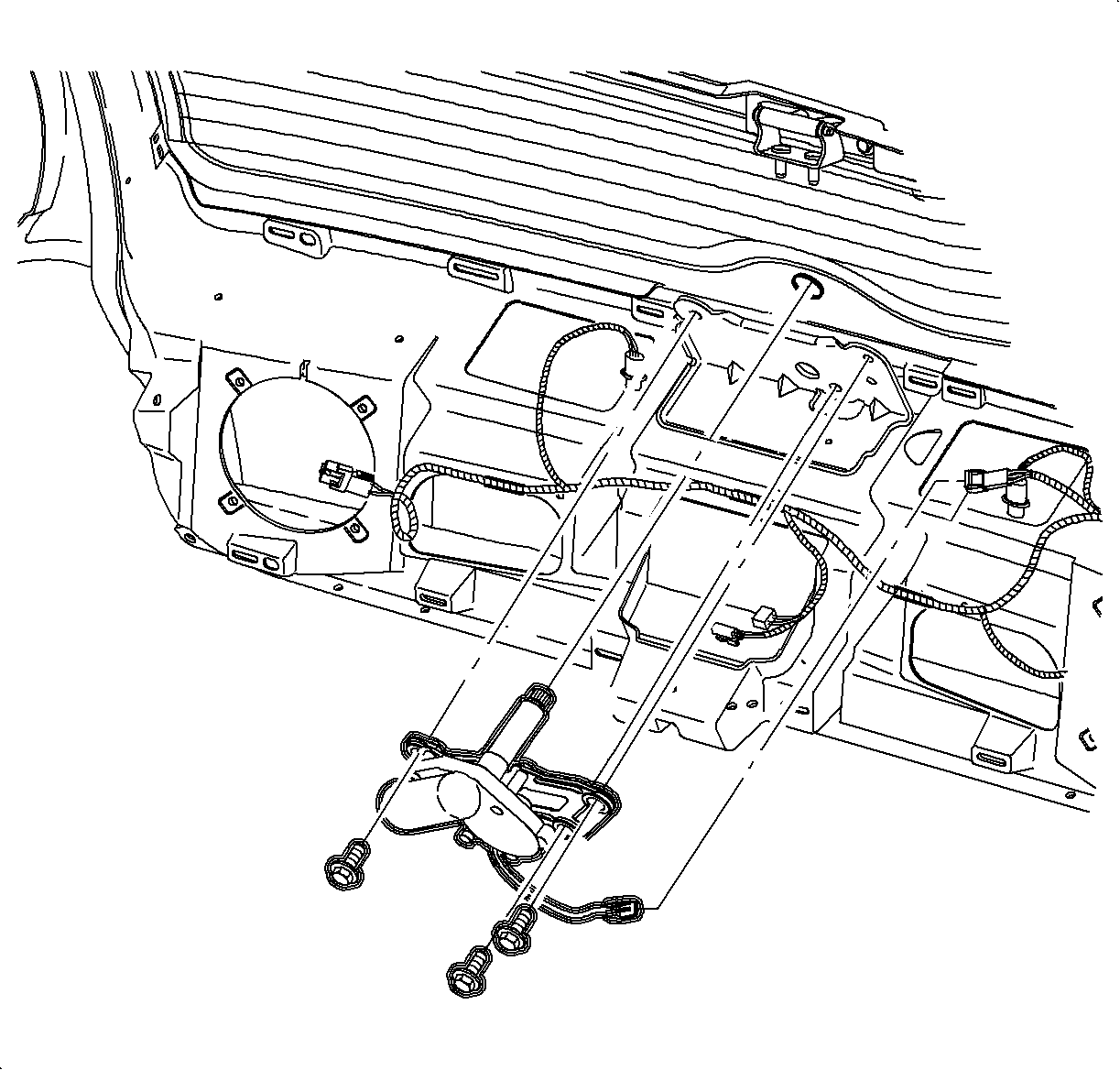
  5. Disengage the electrical connection from the wiper module.
  6. Remove the wiper module fasteners and remove the wiper module.
Installation Procedure

    Notice

    Refer to Fastener Notice in Cautions and Notices.

    Object Number: 867084  Size: SH
    Click here for detailed picture of above image.
  1. Install the wiper module with the fasteners.
  2. Tighten

    Tighten the rear wiper module attachment nuts to 12 N·m (9 lb in).

  3. Connect the electrical harness.

  4. Object Number: 867066  Size: SH
    Click here for detailed picture of above image.
  5. Install the lift gate inner lower panel. Refer to Liftgate Panel Assembly - Inner Lower in Interior Trim.
  6. Object Number: 867600  Size: SH
    Click here for detailed picture of above image.

    Important

    Before installing the wiper arm, cycle the motor to ensure it is in the park position.

  7. Install the rear wiper arm. Refer to Wiper Arm Replacement - Rear .
  8. Inspect the wiper system for proper operation.
  Document ID# 874843
1998 Saturn SL2/SC2/SW2