Document ID# 869149
1998 Saturn SL2/SC2/SW2
 

Fascia Replacement - Front Bumper Sedan/Wagon

richpin06a Front Bumper Removal

Removal Procedure

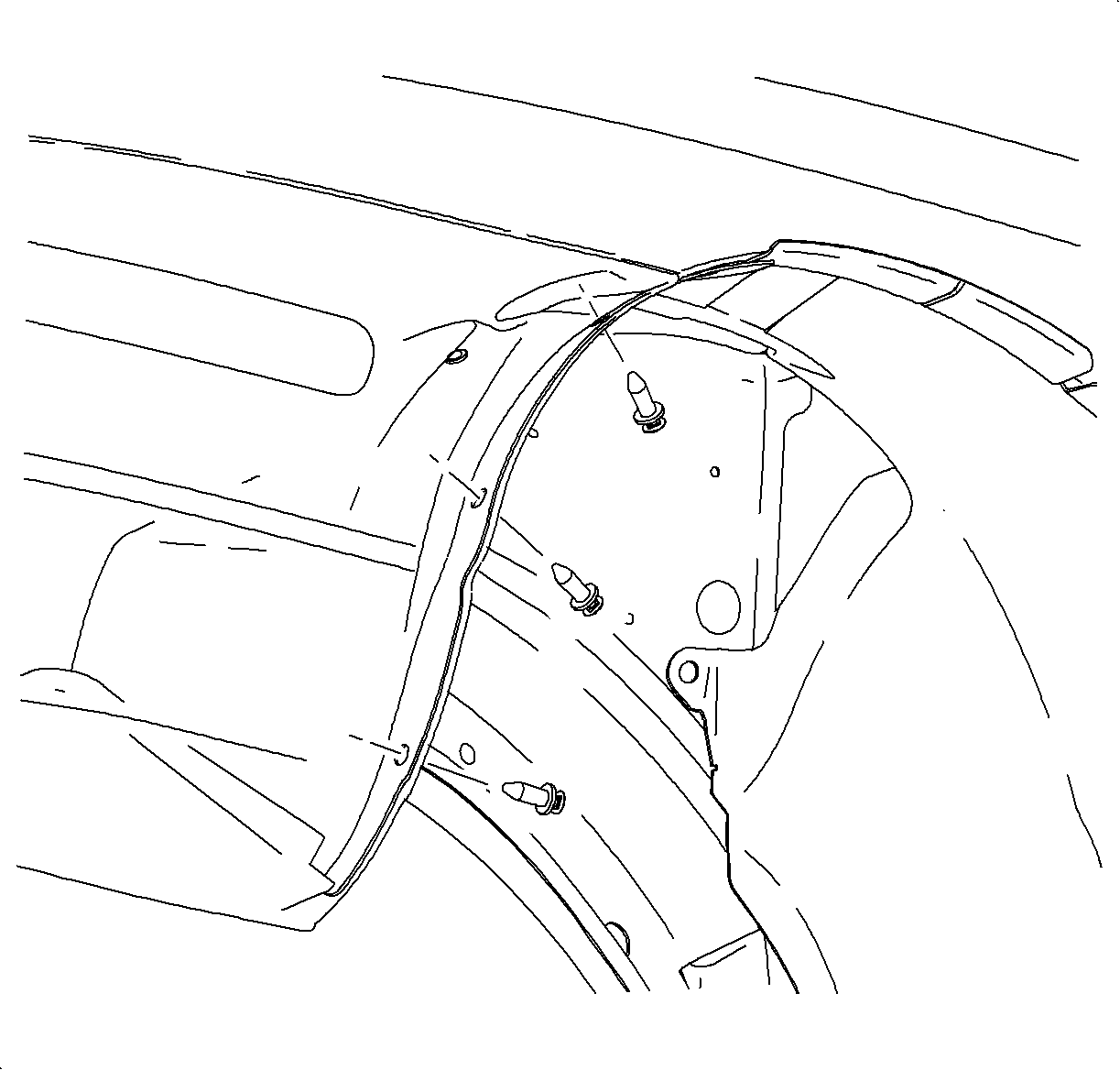
    Object Number: 867286  Size: SH
    Click here for detailed picture of above image.
  1. Remove the push retainers from the front of the front wheelhouse panel.

  2. Object Number: 867369  Size: SH
    Click here for detailed picture of above image.
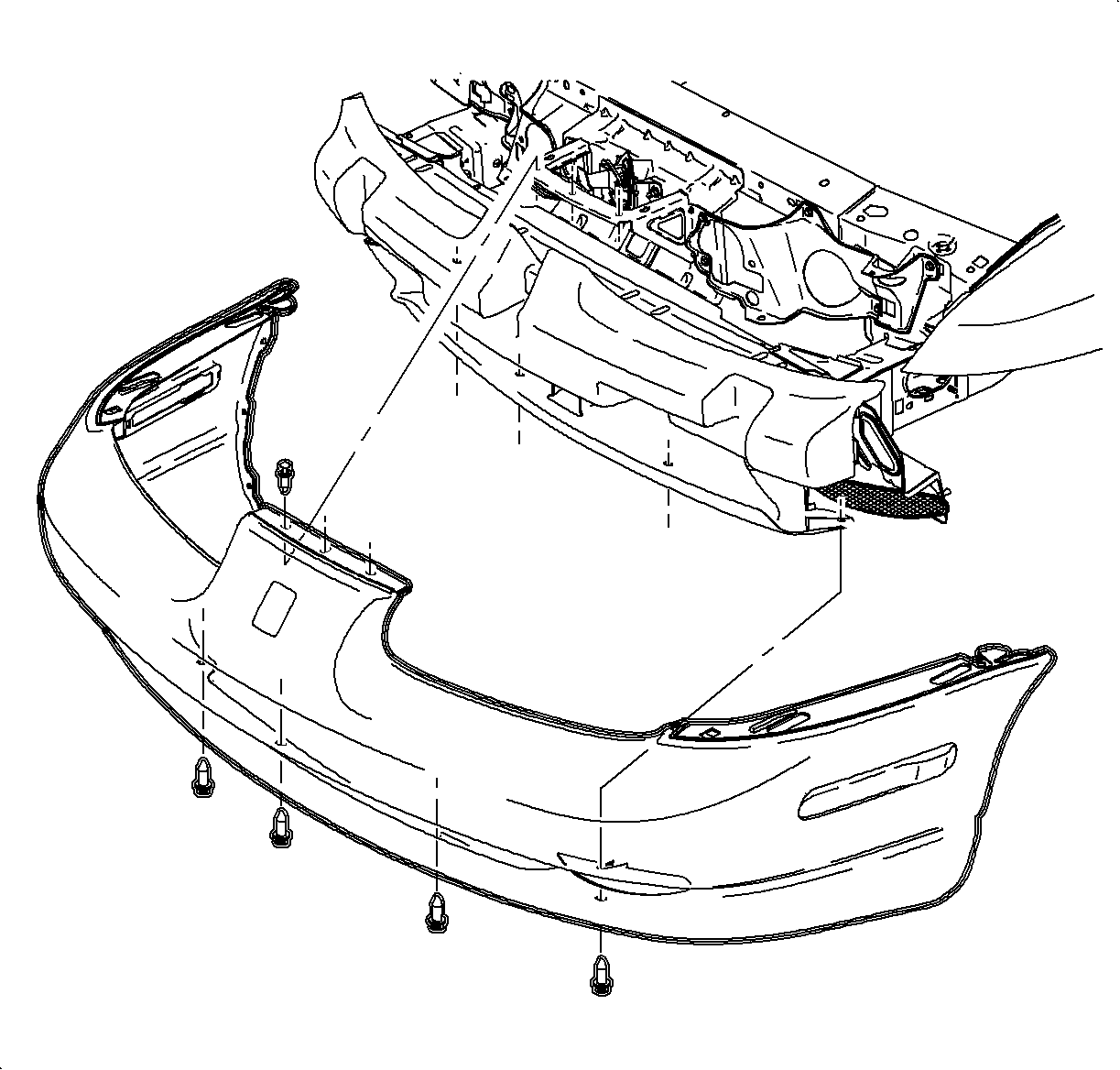
  3. Remove the lower front and the middle front plastic retainers.
  4. Remove the upper front plastic retainers.

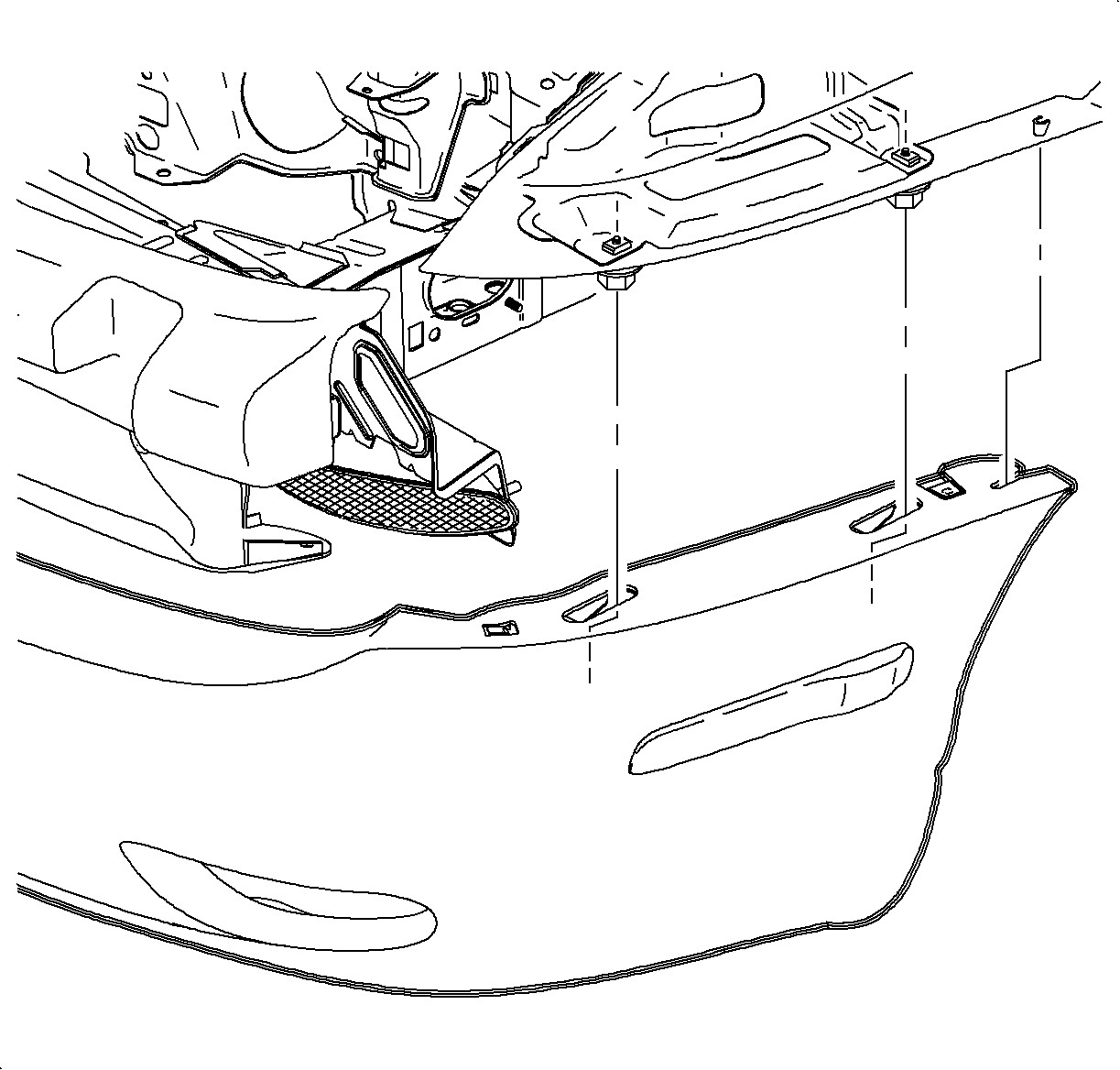
  5. Object Number: 867391  Size: SH
    Click here for detailed picture of above image.
  6. Slide the front fascia forward.
  7. Disconnect the side marker lamp sockets from the lamp housings.
  8. Remove the front fascia.
Installation Procedure

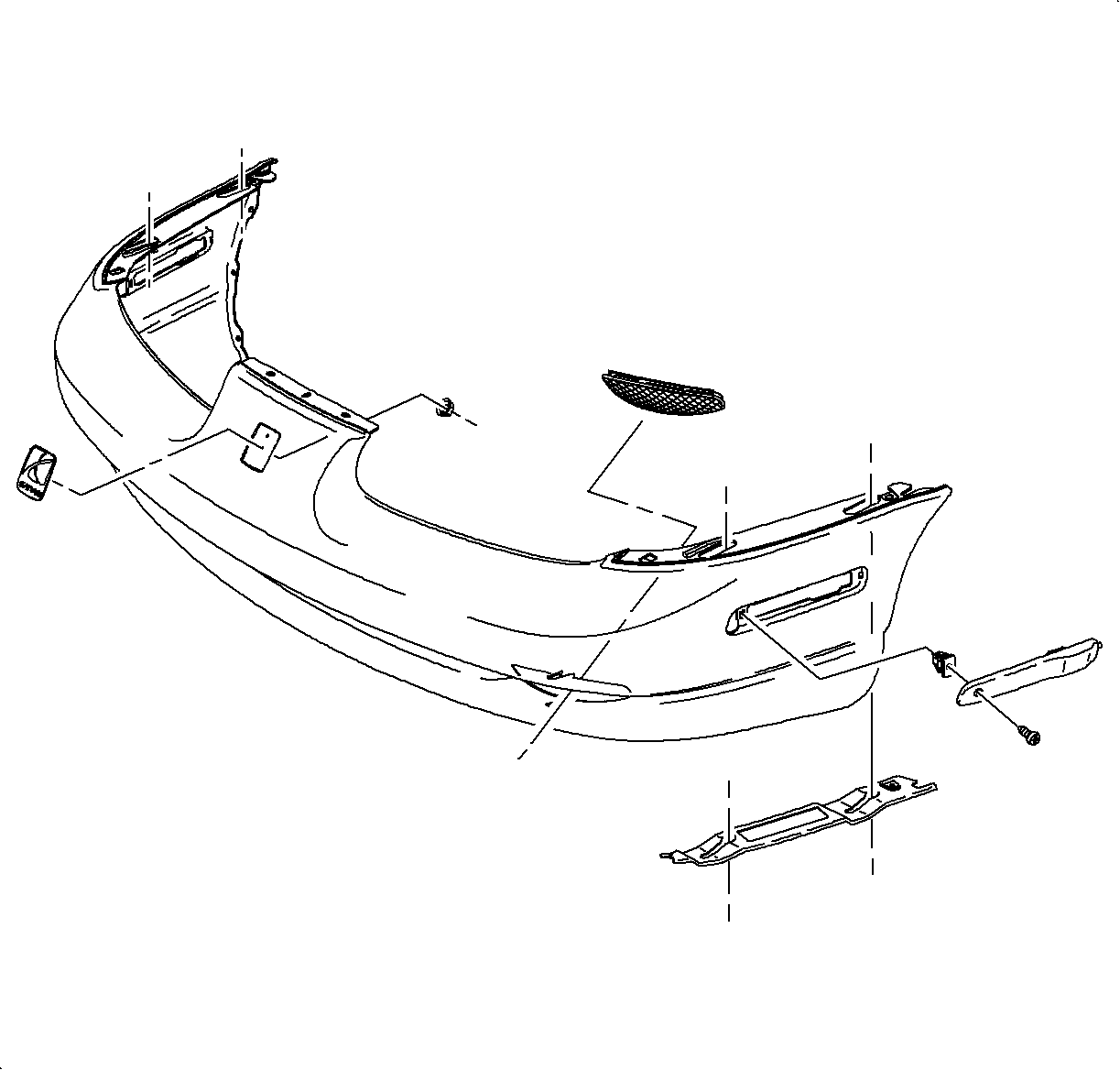
    Object Number: 867280  Size: SH
    Click here for detailed picture of above image.
  1. If installing a new fascia, transfer the side marker lamps, fascia brackets, fog-lamp grilles (if SL2 or SW2 is not equipped with fog lamps) and the emblem.

  2. Object Number: 867369  Size: SH
    Click here for detailed picture of above image.
  3. Install the front fascia assembly to the vehicle by positioning the fascia over the front bumper fascia energy absorber.
  4. Install the side marker lamp sockets to the lamp housings.

  5. Object Number: 867391  Size: SH
    Click here for detailed picture of above image.
  6. Install the fascia ends over the shoulder bolts extending down from the front fender upper support bracket assembly. The holes in the fascia are slotted to allow for installation without removing the shoulder bolts. The front fascia lower support plate should be on the lower side of the fascia.

  7. Object Number: 867286  Size: SH
    Click here for detailed picture of above image.
  8. Install the retainers, the front fascia to the front wheelhouse panel.
  9. Install the upper front plastic retainers.
  10. Install the lower front and the middle front plastic retainers.

  Document ID# 869149
1998 Saturn SL2/SC2/SW2