Document ID# 1222774
1998 Saturn SL2/SC2/SW2
 

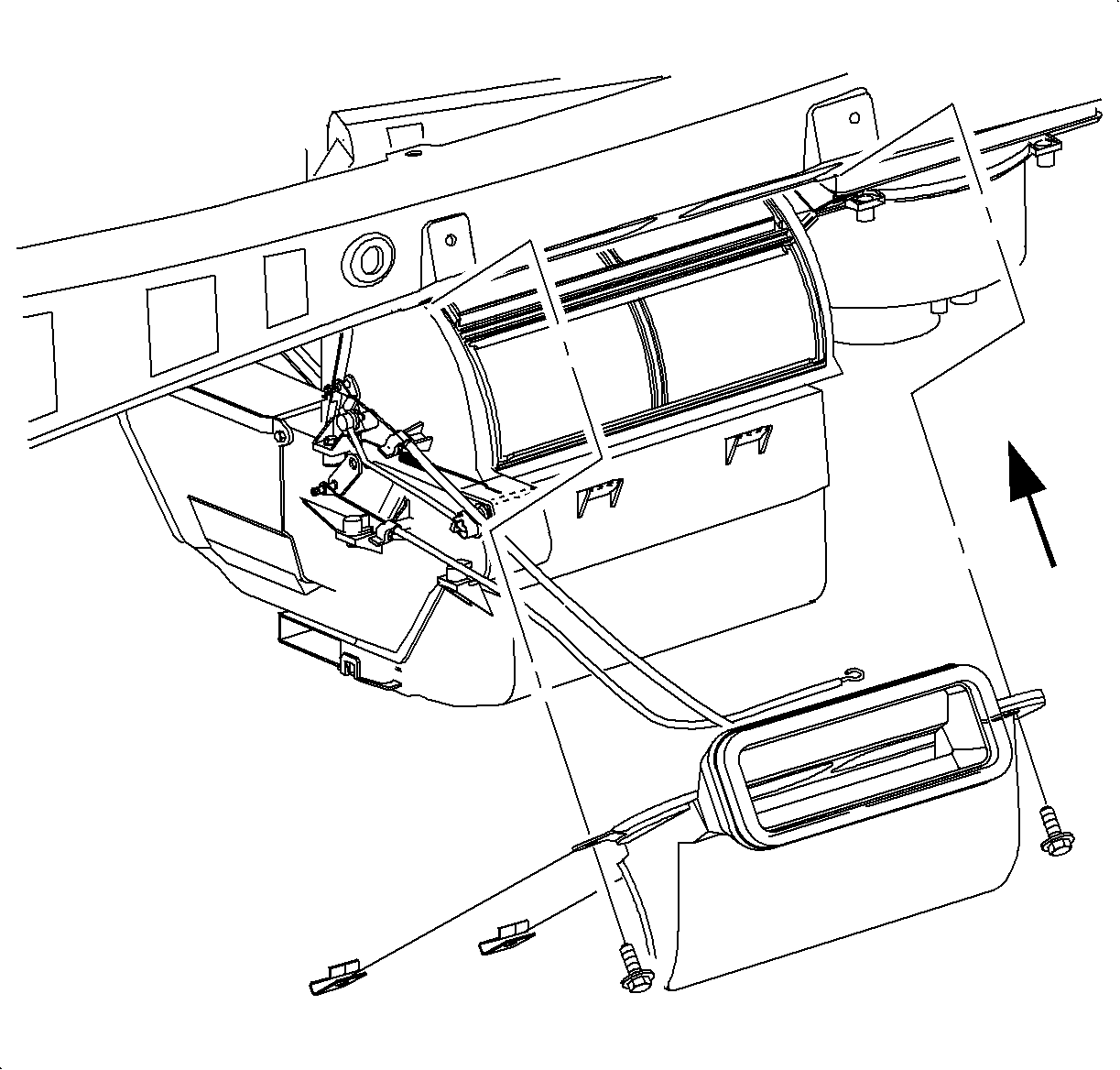
Air Outlet Replacement - Center Floor

Removal Procedure

    Object Number: 906891  Size: SH
    Click here for detailed picture of above image.
  1. Disable the SIR system. Refer to Disabling the SIR System in SIR.
  2. Remove the instrument panel.
  3. Remove the screws and the center air outlet duct.
Installation Procedure

    Notice

    Refer to Fastener Notice in Cautions and Notices.


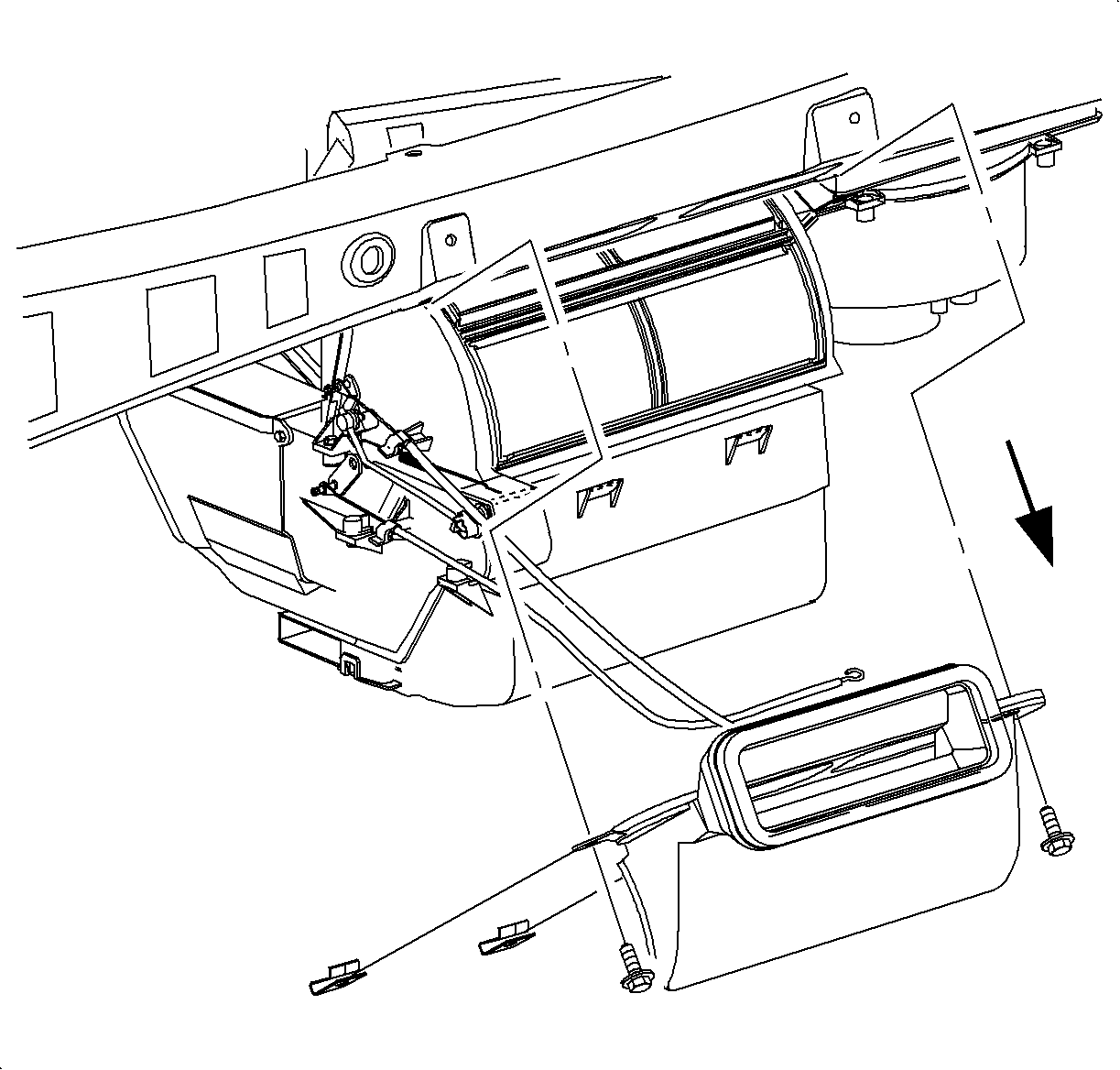
    Object Number: 906894  Size: SH
    Click here for detailed picture of above image.
  1. Install the center air outlet duct and screws.
  2. Tighten

    Tighten the center air outlet duct screws to 10 N·m (89 lb in).

    Important

    Make sure that the right plastic mounting tab is between the knee beam and the mounting bracket.
  3. Install the instrument panel.
  4. Enable the SIR system. Refer to Enabling the SIR System in SIR.

  Document ID# 1222774
1998 Saturn SL2/SC2/SW2