Document ID# 1225235
1998 Saturn SL2/SC2/SW2
 

Cylinder and Camshaft Inspection DOHC

Tools Required

SA9179NE Dial Indicator

Inspection Procedure

    Object Number: 906028  Size: SH
    Click here for detailed picture of above image.
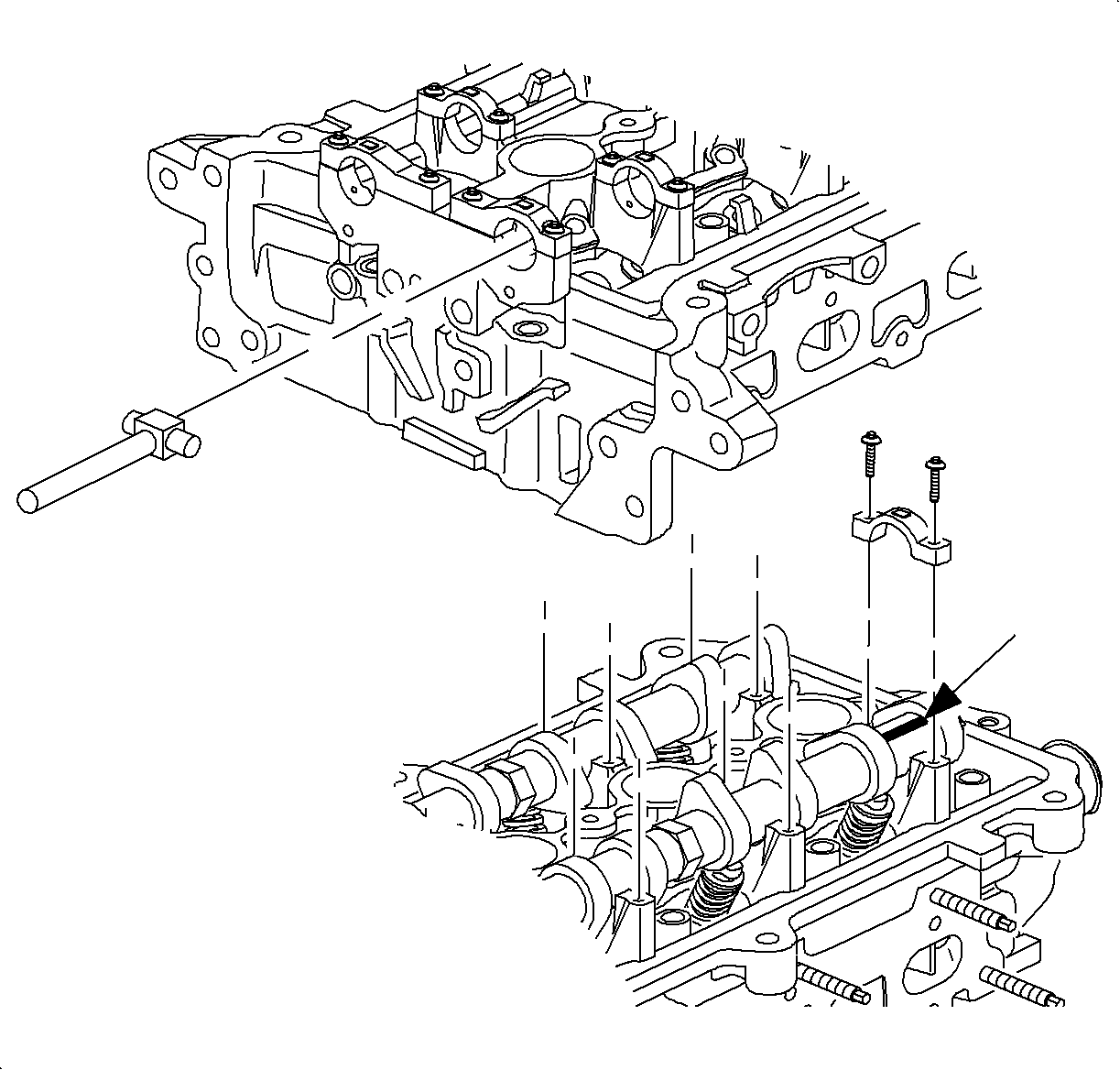
  1. Install the camshaft and bearing caps. Refer to Cylinder Head Assemble for additional detail.
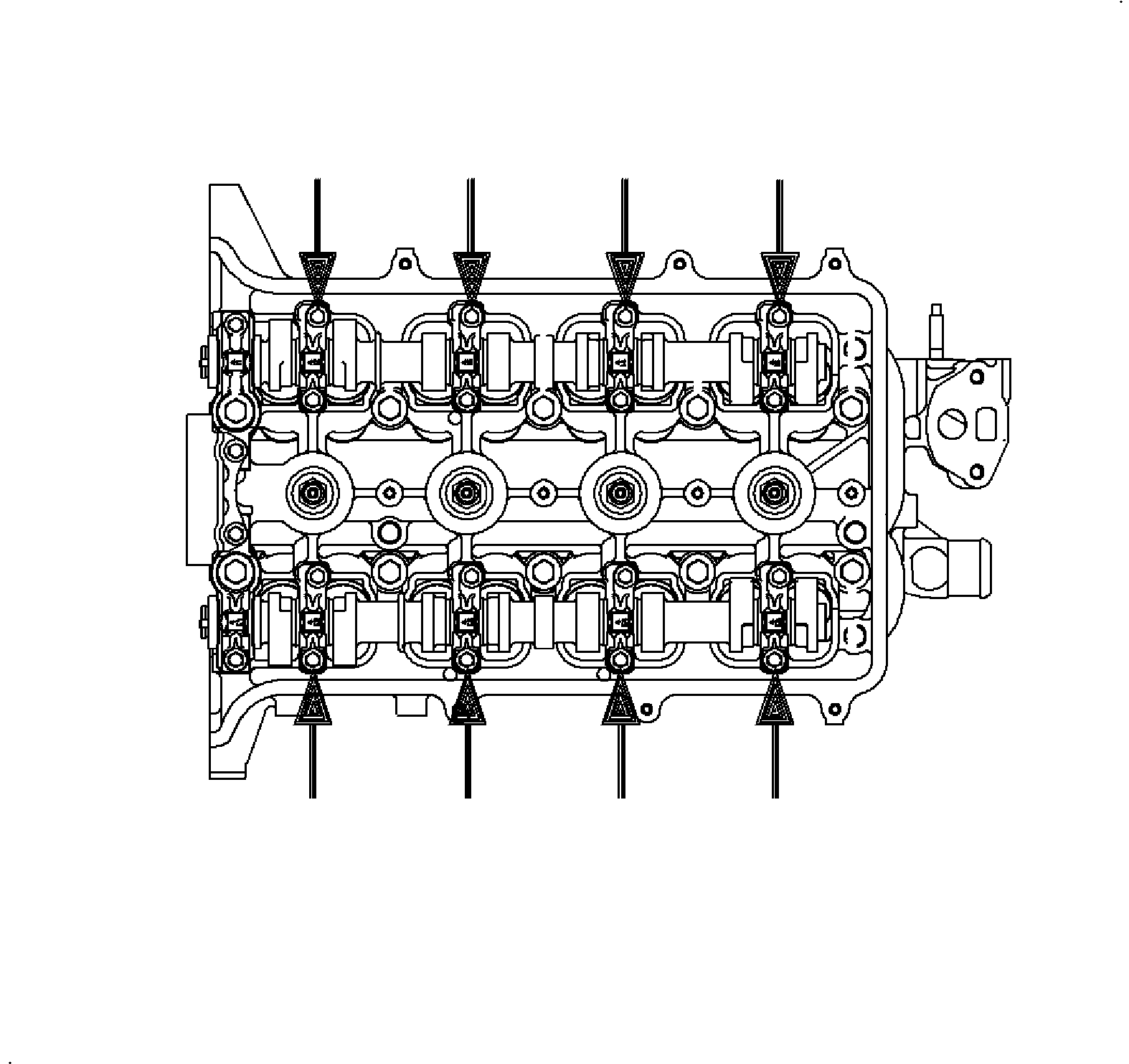
    1. Oil the camshaft journals and install the camshaft. Install the bearing caps with the arrows on the caps pointed toward the camshaft sprockets, front of the cylinder head.
    2. Important

      Bolt threads should be lightly oiled prior to installation. The holes must be clean and free from oil and debris.

    3. The bolts must be pulled down uniformly.
    4. Tighten

      Tighten camshaft bearing cap-to-head (LL0) to 14 N·m (10 lb in).
    5. The camshaft should rotate freely. If the camshaft binds, check for burrs in the cylinder head and caps journals.

    Object Number: 906035  Size: SH
    Click here for detailed picture of above image.
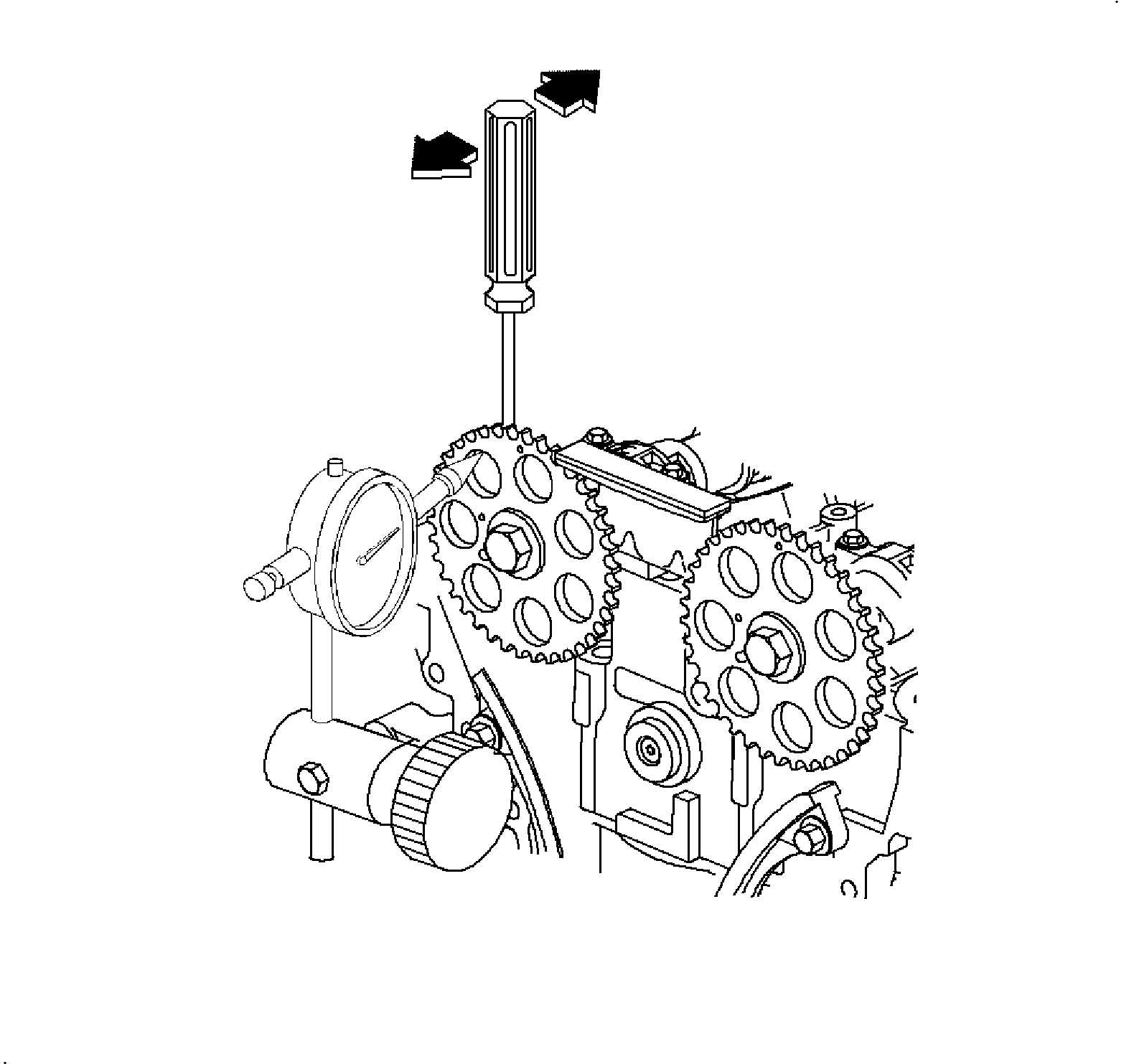
  2. Measure the camshaft thrust, or end play. Using a SA9179NE or equivalent, measure the thrust clearance while moving each camshaft back and forth. If clearance is greater than maximum, replace the cylinder head or camshaft.
  3. Specifications
  4. Remove the camshafts from the cylinder head:
    1. Remove the bearing caps.
    2. Remove each camshaft.

    Object Number: 903379  Size: SH
    Click here for detailed picture of above image.
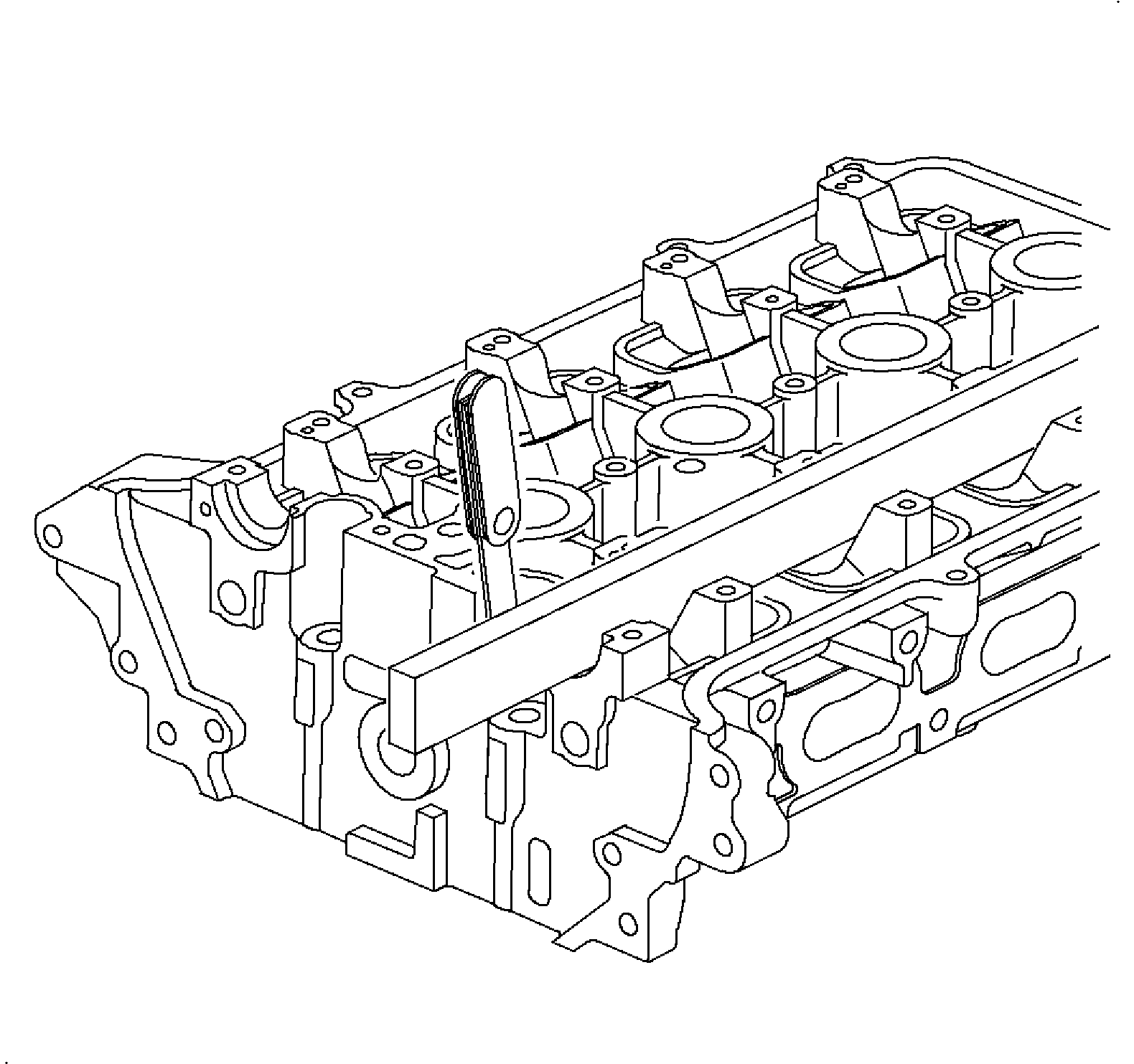
  5. Inspect the camshaft bore for flatness. Using a precision straight edge and feeler gage, measure the surfaces contacting the camshaft for warpage. If warpage is greater than the maximum, replace the cylinder head.
  6. Specifications
    Object Number: 876883  Size: SH
    Click here for detailed picture of above image.
  7. Inspect the camshaft:
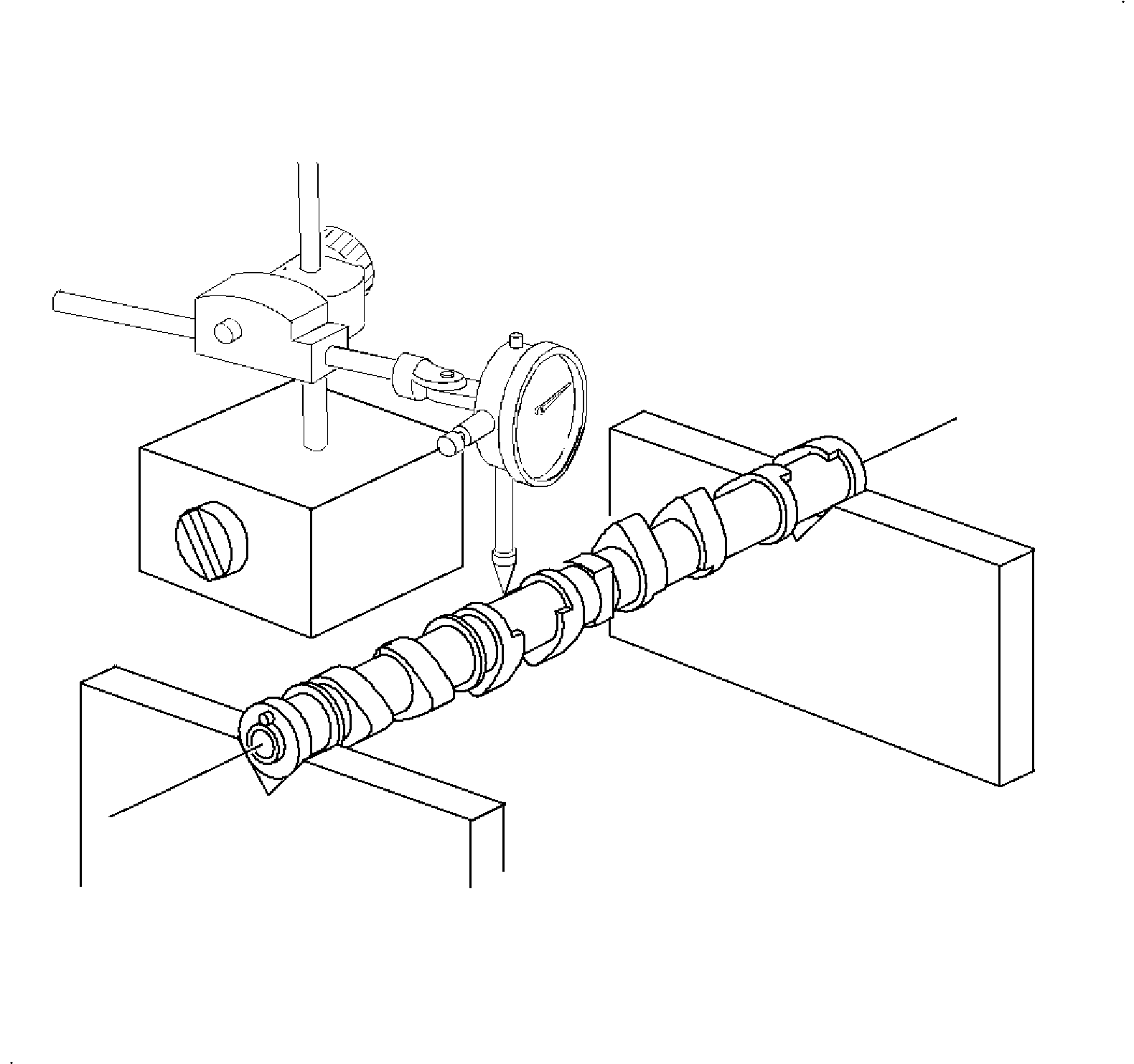
  8. Place the camshaft ends in V-blocks and, using a SA9179NE , or equivalent, measure the total runout at the center journal. If the runout is greater than maximum, replace the camshaft.
  9. Specifications
    Object Number: 876889  Size: SH
    Click here for detailed picture of above image.
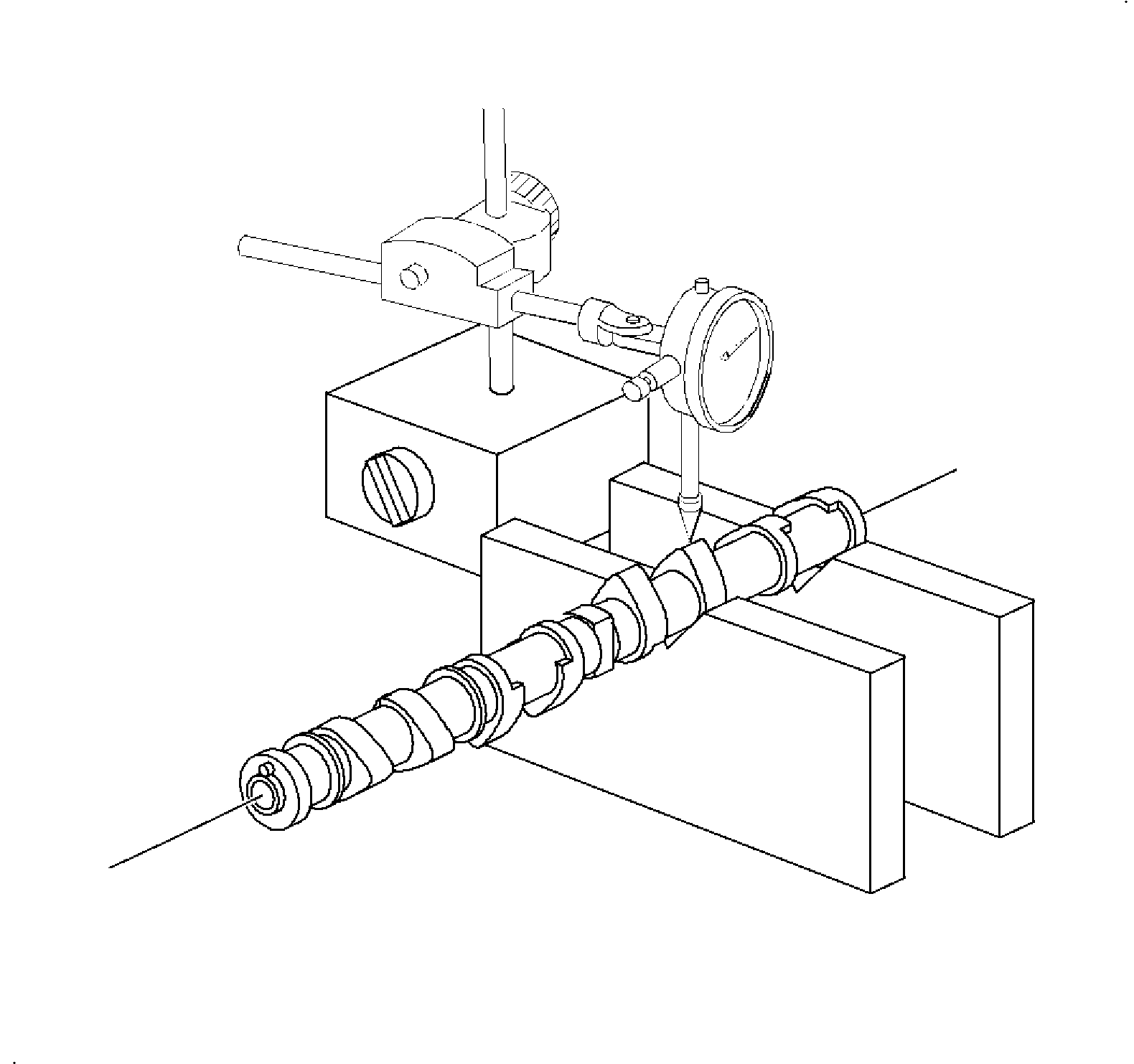
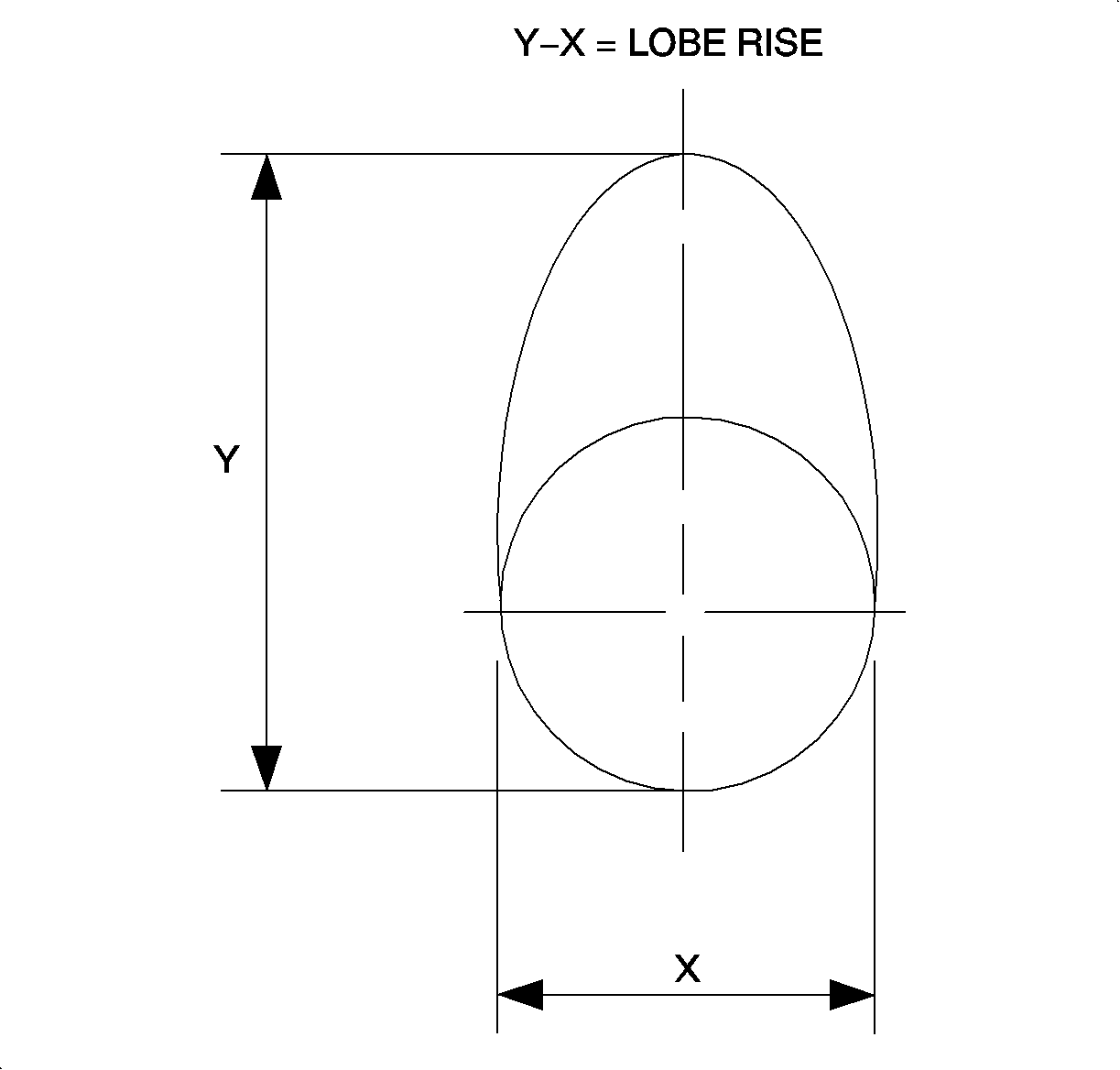
  10. Using a dial indicator, measure the cam lobe lift/rise. Place the camshaft in V-blocks located next to the lobe being measured.

  11. Object Number: 874410  Size: SH
    Click here for detailed picture of above image.
  12. If the cam lobe lift/rise is less than minimum, replace the camshaft.
  13. Specifications
    Object Number: 876896  Size: SH
    Click here for detailed picture of above image.
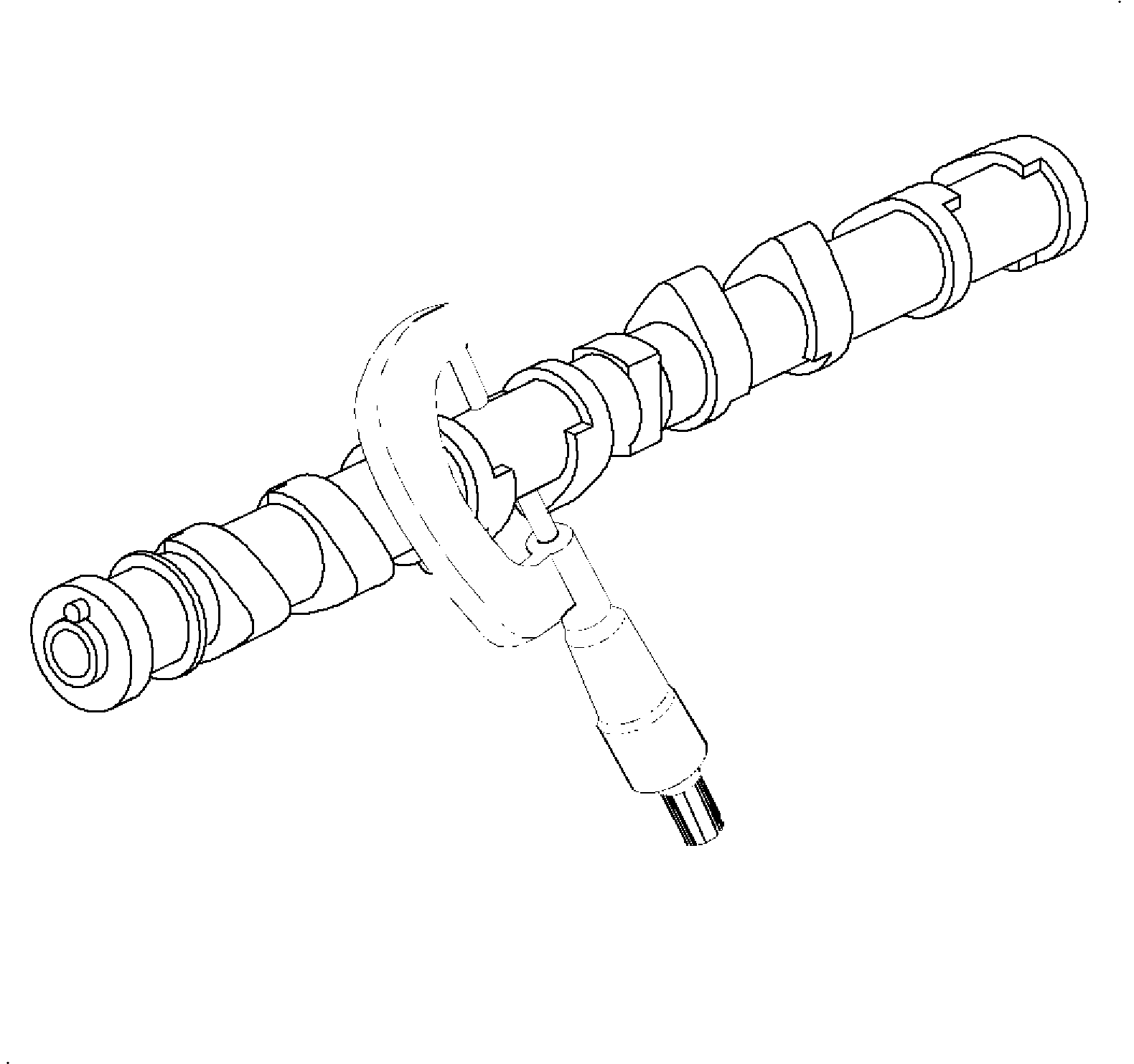
  14. Using a micrometer, measure the journal diameter.
  15. Specifications
    Object Number: 871187  Size: SH
    Click here for detailed picture of above image.
  16. Install the camshaft bearing caps. Using an inside micrometer, measure the housing bore diameter.
  17. Specifications

    Important

    Plastigage®, or equivalent can be used to measure the bearing clearance.

  18. Subtract the journal diameter measurement from the housing bore diameter measurement. If the clearance is greater than the maximum, replace the camshaft and/or cylinder head.
  19. Specifications

  Document ID# 1225235
1998 Saturn SL2/SC2/SW2