Document ID# 889584
1998 Saturn SL2/SC2/SW2
 

Accelerator Controls Cable Replacement Right Hand Drive

Removal Procedure

    Object Number: 872201  Size: SH
    Click here for detailed picture of above image.
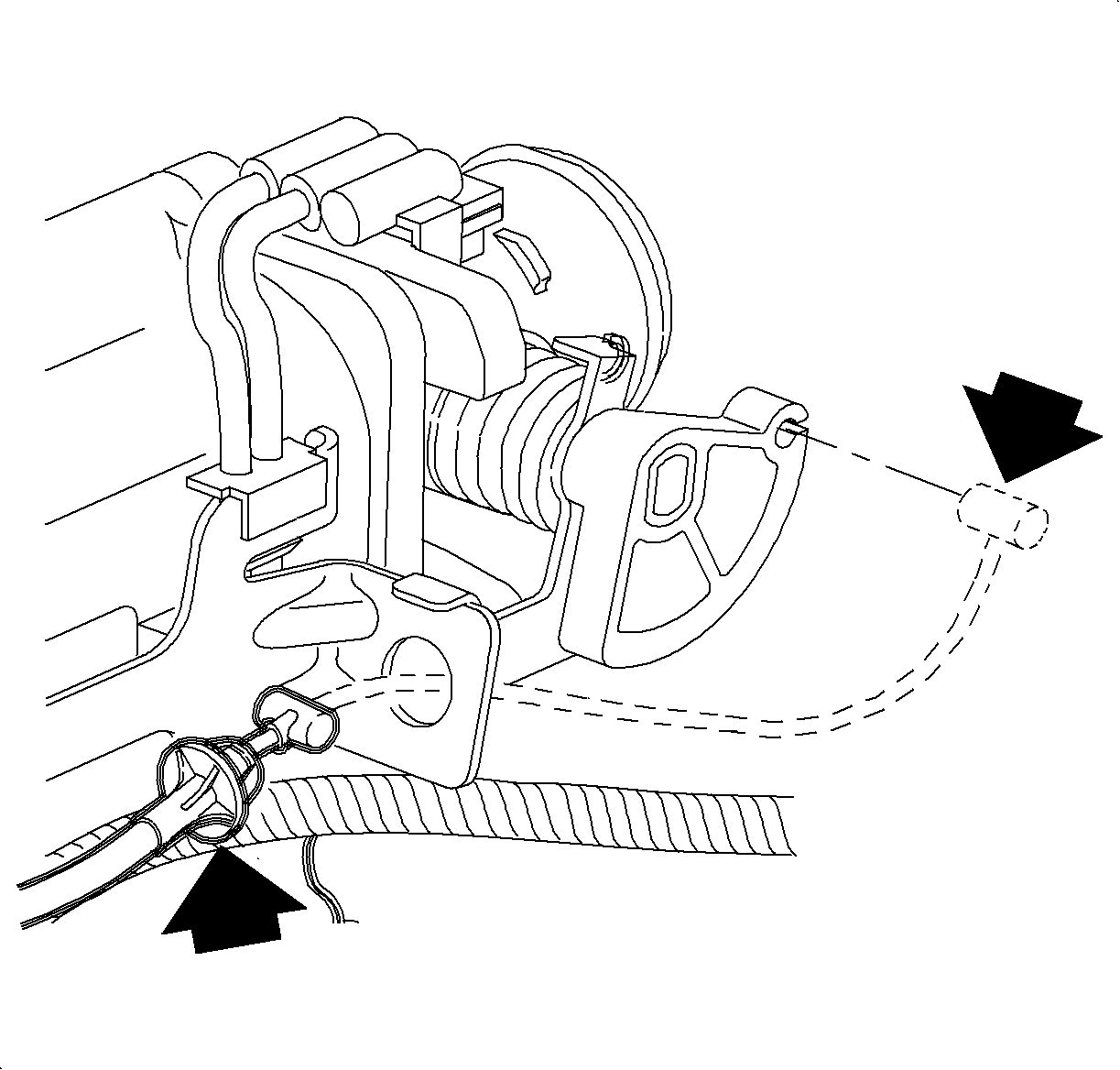
  1. Remove the positive crankcase ventilation (PCV) valve from the cam cover and rotate it up and away from the throttle cable.

  2. Object Number: 873419  Size: SH
    Click here for detailed picture of above image.
  3. Release the accelerator control cable from the throttle lever.
  4. Release the cable retainer locking tangs from the accelerator control cable bracket.
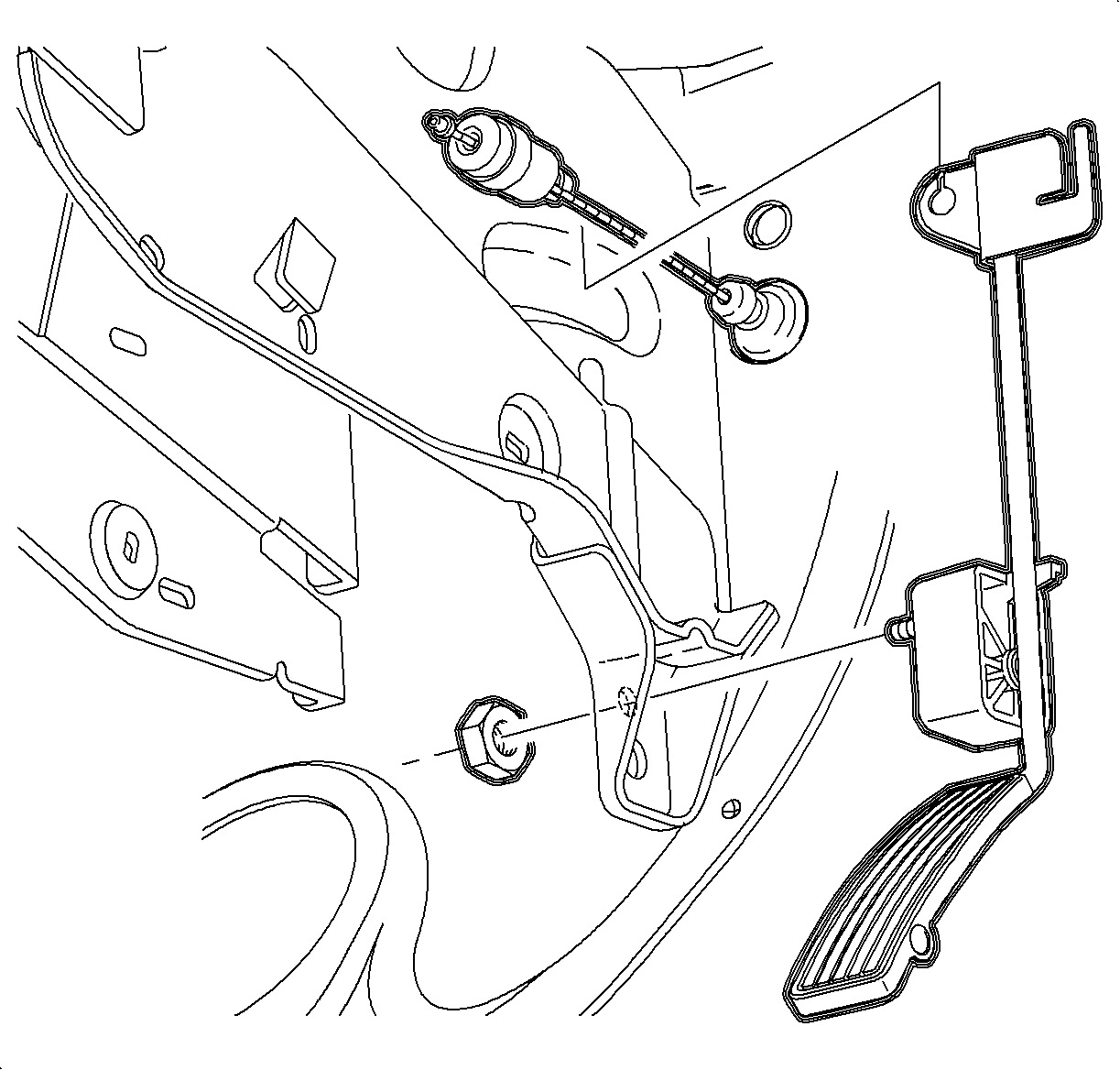
  5. Release the accelerator control cable from the accelerator pedal assembly.

  6. Object Number: 873422  Size: SH
    Click here for detailed picture of above image.
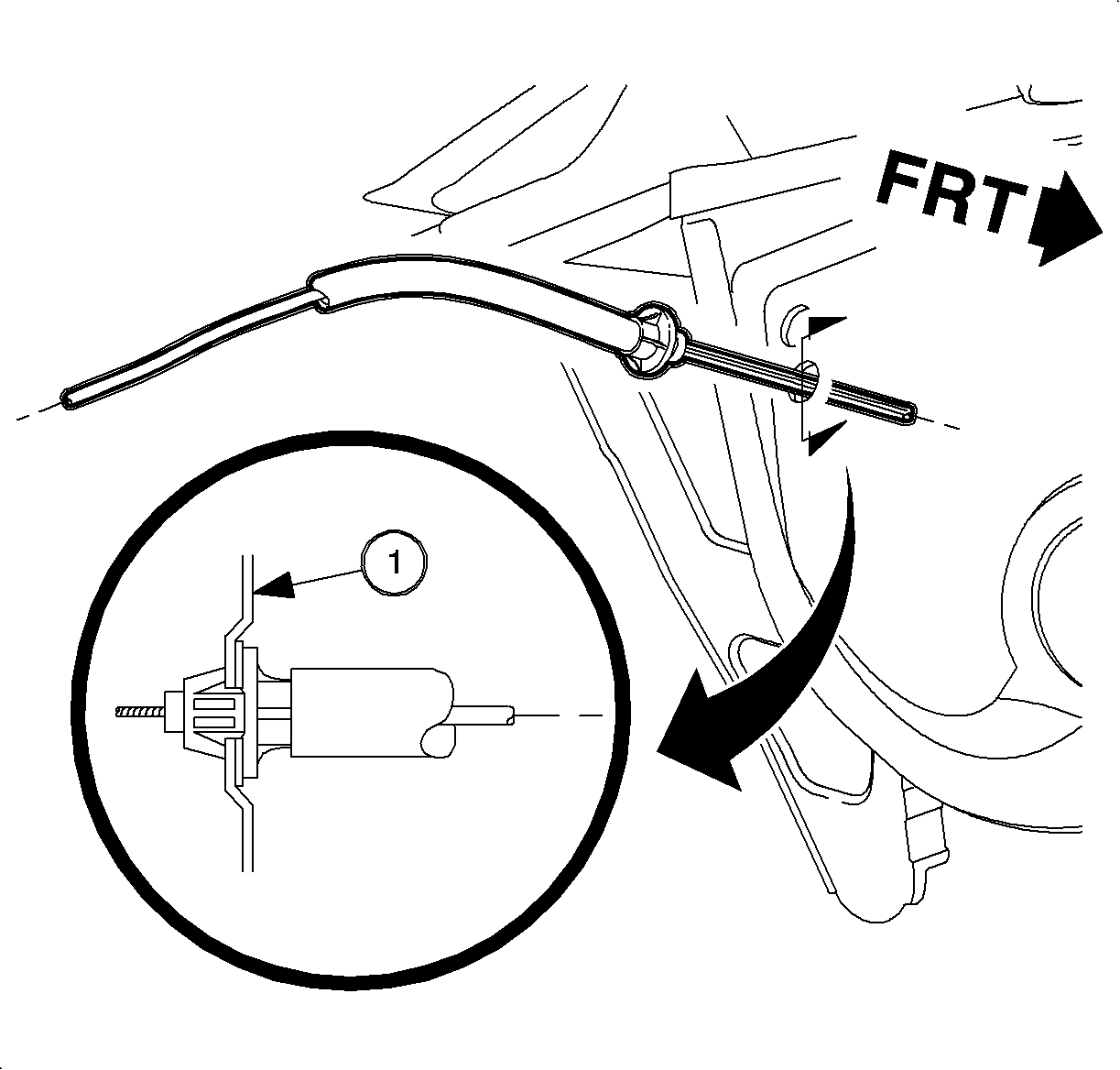
  7. Release the cable retainer locking tangs from the dash panel. Use a wrench to aid in depressing the throttle cable retaining tabs.

  8. Object Number: 873220  Size: SH
    Click here for detailed picture of above image.
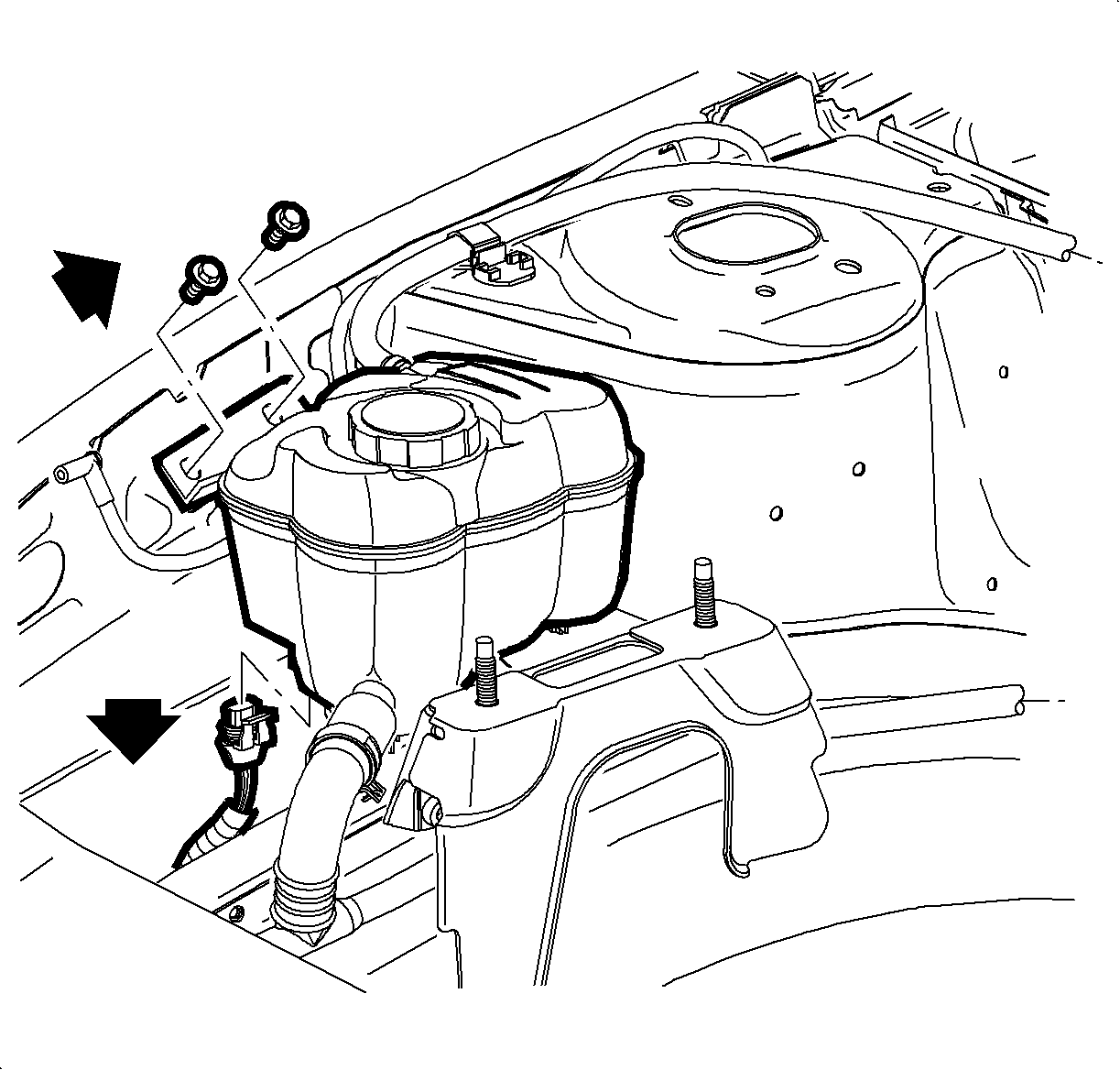
  9. Remove both coolant surge tank retainer screws.
  10. Move the windshield washer fluid bottle off to the side.
  11. Lift the coolant surge tank up and out of its locating holes and disconnect the electrical harness from the low coolant sensor.

  12. Object Number: 873428  Size: SH
    Click here for detailed picture of above image.
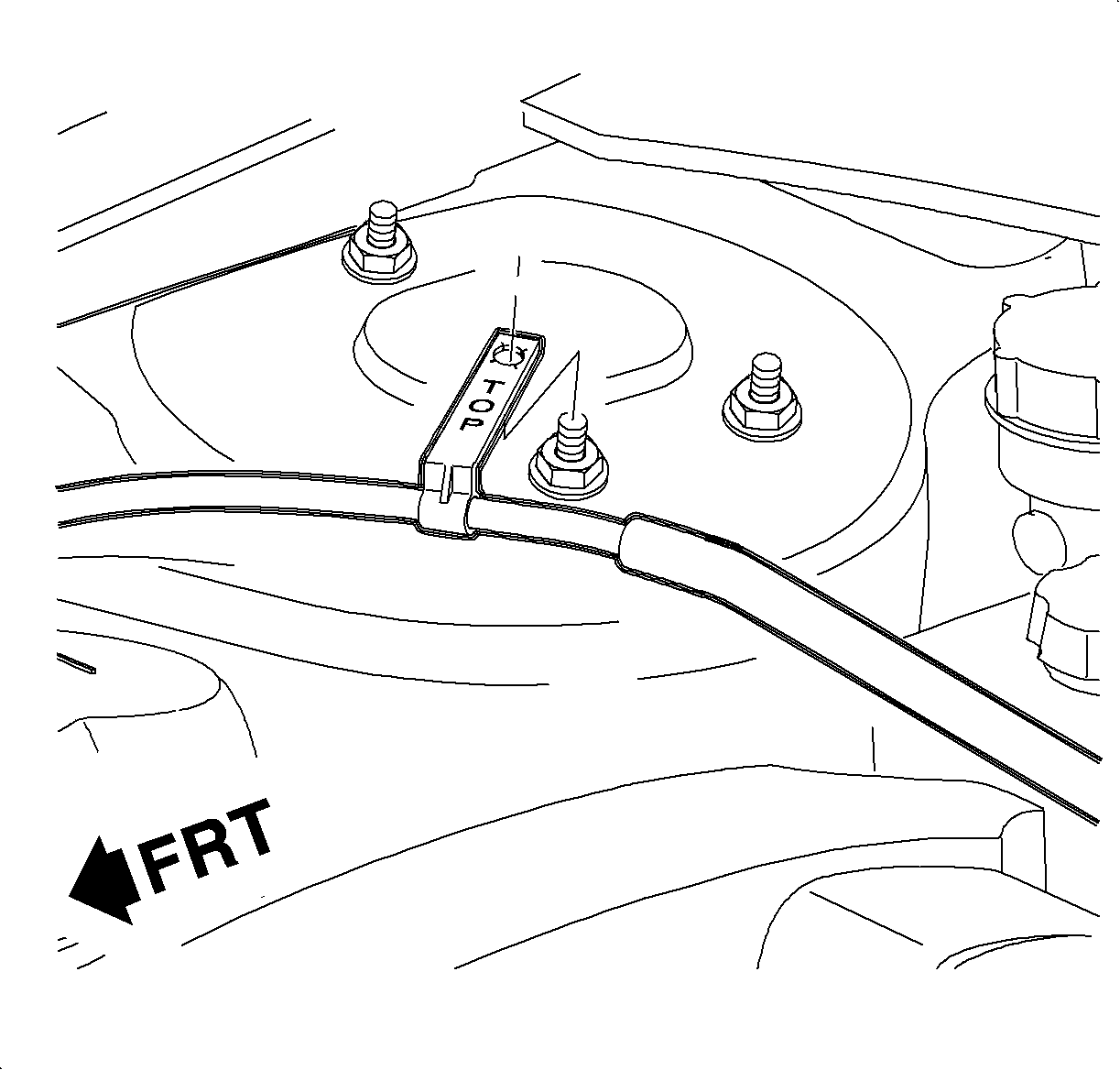
  13. Remove the accelerator cable retaining clip from the right front suspension strut attachment bolt.
  14. Remove the retaining clip at the right strut tower, replacement accelerator cable assembly is supplied with a new retainer clip.
  15. Remove the cable from the vehicle.
Installation Procedure

    Object Number: 873425  Size: MF
    Click here for detailed picture of above image.

    Important

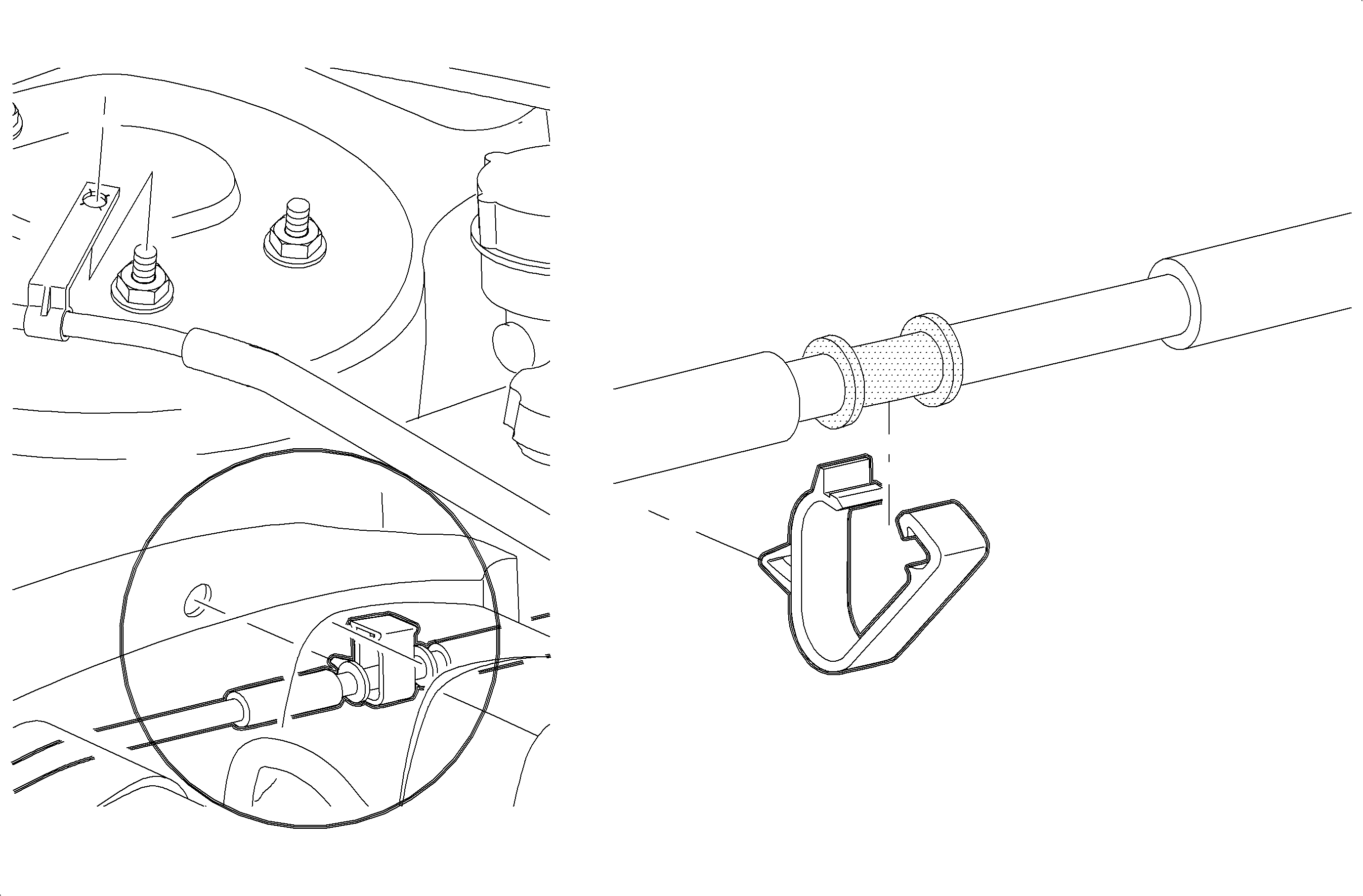
    Ensure the cable is located in the lower retaining clip on the strut tower between the locating shoulders on the cable AND the upper retaining clip on the cable is oriented on installation so the TOP, molded on the clip, is visible.

  1. Route the cable through the front of dash from the outside in, alongside the right strut tower, under the coolant surge tank, attach the integral retainer clip at the strut attachment bolt, and over to the throttle body bracket.
  2. Object Number: 877227  Size: SH
    Click here for detailed picture of above image.
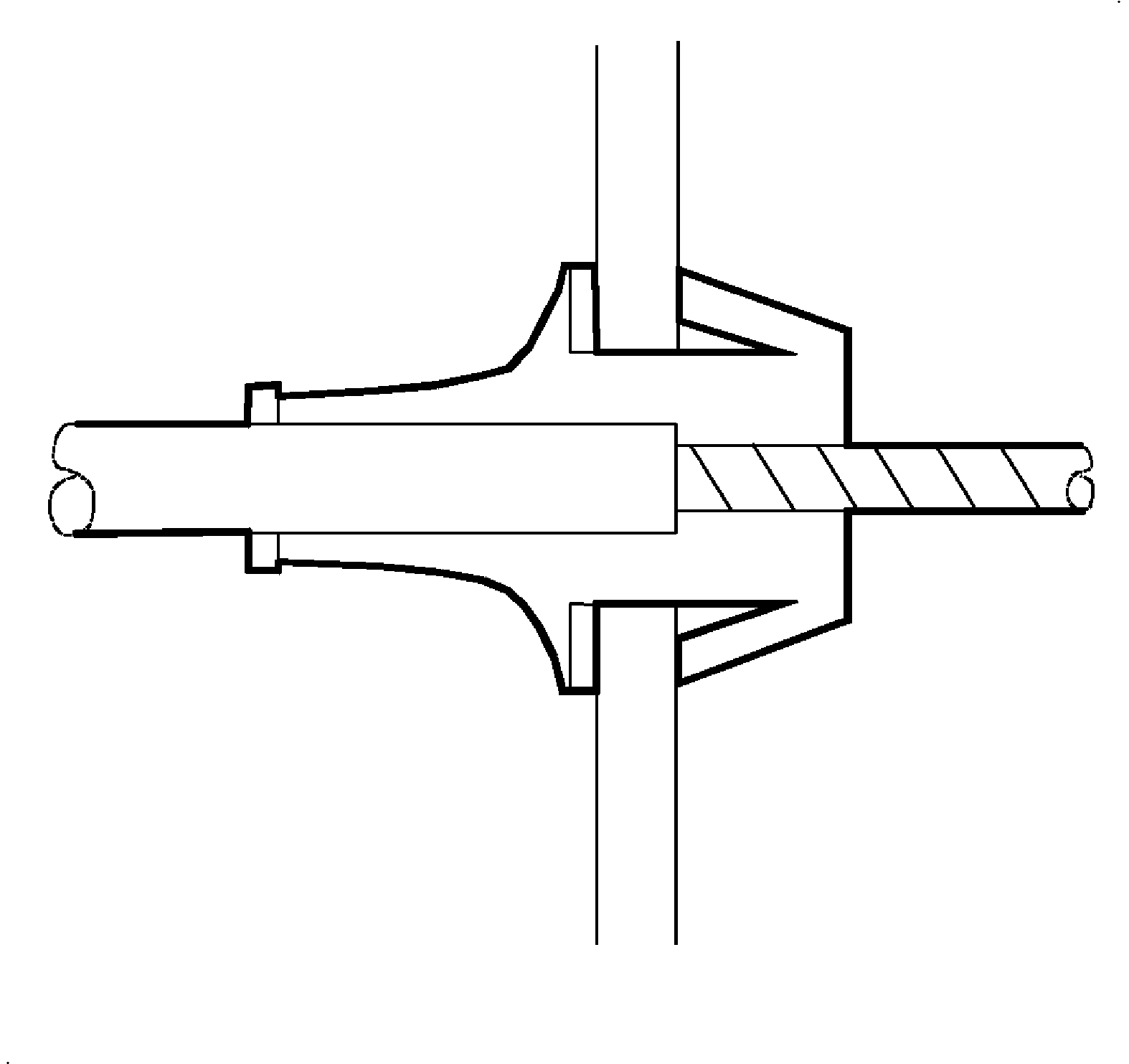
  3. Push the cable through the front of dash to engage the tangs.
  4. Notice

    Whenever a throttle cable assembly is installed, make sure the locking tangs are engaged to the front of dash and the seal is properly installed. The cable should be installed so that the tangs are in a horizontal position to provide optimum sealing. Pull on the cable to ensure the tangs are engaged.

  5. Connect the electrical harness to the low coolant sensor on the coolant surge tank.
  6. Locate the surge tank to its mount location assuring that the throttle cable is properly routed under and around the tank.
  7. Notice

    Refer to Fastener Notice in Cautions and Notices.

  8. Install surge tank resonator screws.
  9. Tighten

    Tighten the surge tank attachment bolts to 5 N·m (44 lb in).

  10. Install the windshield washer bottle and the 2 retaining screws.
  11. Tighten

    Tighten the washer bottle attachment bolt to 4 N·m (35 lb in).

    Object Number: 872201  Size: SH
    Click here for detailed picture of above image.
  12. Install the accelerator cable to the throttle body support bracket assuring that the locking tangs engage.
  13. Install the positive crankcase ventilation (PCV) valve to the cam cover.
  14. Connect the accelerator cable to the throttle lever.
  15. Object Number: 873419  Size: SH
    Click here for detailed picture of above image.
  16. Connect accelerator control cable to accelerator pedal assembly.
  17. Check accelerator control assembly for binding.
  Document ID# 889584
1998 Saturn SL2/SC2/SW2