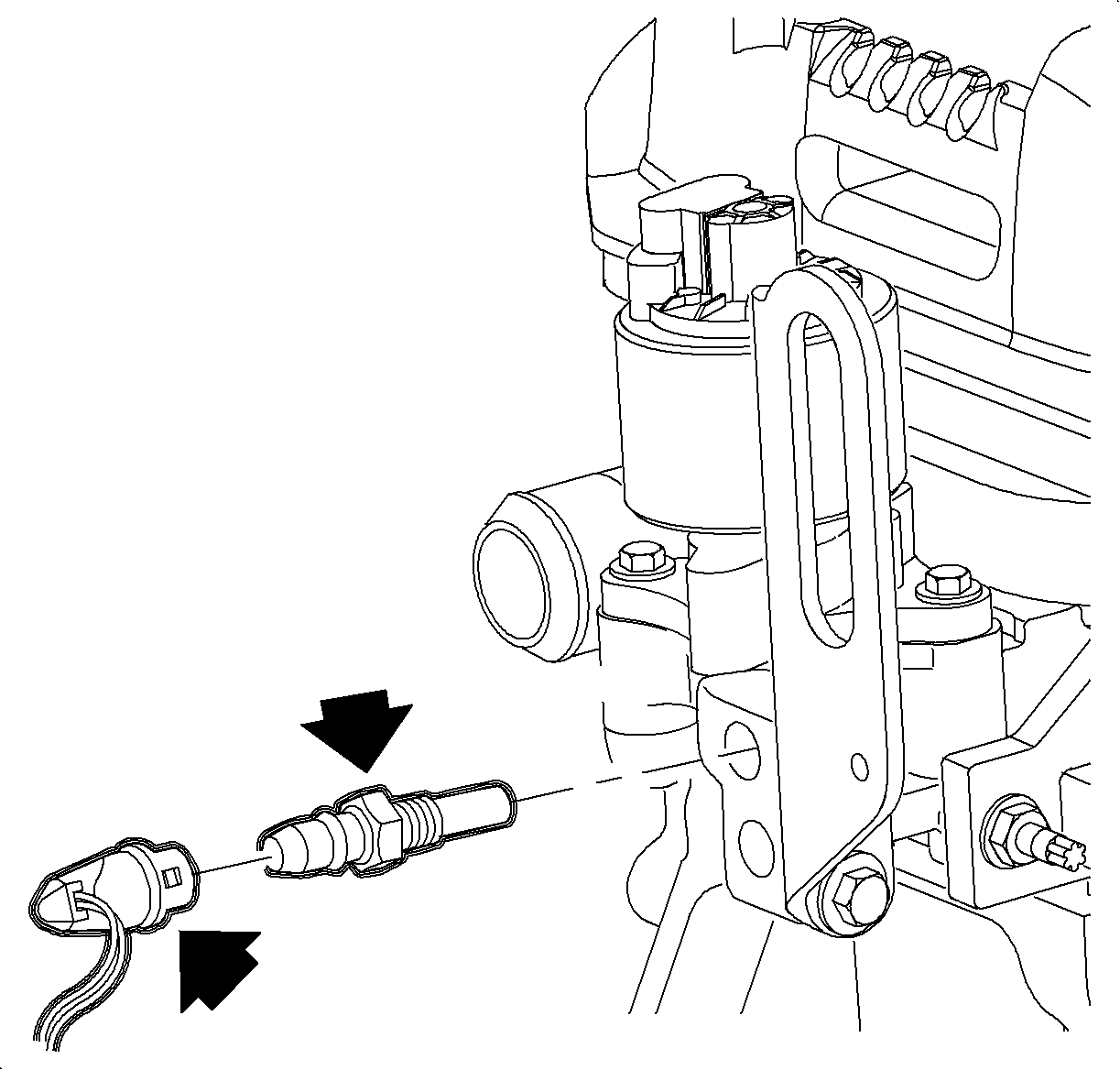
Engine Coolant Temperature (ECT) Sensor Replacement
For reference
Engine Coolant Temperature Sensor (pics) by SaturnFan dwebb210
richpin06a Engine Coolant Temperature Sensor Remove and Replace
VIDEO
richpin06a Engine Coolant Temperature Sensor Connector Replacement (updated)
VIDEO
Computer Connector as Replacment Coolant Temp Connector
VIDEO
Removal Procedure
Turn the ignition OFF.
Important The engine coolant must be drained below the level of the engine coolant temperature
(ECT) sensor.
Remove the air induction tubing from the throttle body to the air cleaner.
Disconnect the engine coolant temperature (ECT) sensor harness connector.
Important The connector must be removed by squeezing the slides. Apply pressure to the
sides gently with pliers. Do not pull on the wires.
Remove the ECT sensor using a deep-well socket.
Installation Procedure
Important Tap out the sensor mounting hole in the engine head to remove the thread sealant
residue. Clean any sealant residue from the old sensor and apply RTV sealant to the
threads if the old sensor is going to be reused.
Apply thread sealant Saturn P/N 21485277 (LOCTITE 242® Threadlocker
or equivalent) to the sensor threads.
Notice Refer to Fastener Notice
Install the ECT sensor.
Tighten Tighten the coolant temperature sensor to 8 N·m (71 lb in).
Connect the ECT sensor harness connector. Push in the connector until
a click is heard and pull back to confirm a positive engagement.
Install the air induction tubing from the throttle body to the air cleaner.
Fill the engine coolant to the proper level.
Check for leaks.