Brake Rotor Replacement - Rear
Removal Procedure

Caution
Ensure that the vehicle is properly supported and squarely positioned.
To help avoid personal injury when a vehicle is on a hoist, provide additional support
for the vehicle on the opposite end from which the components are being removed.
- Raise vehicle on
hoist.
- Remove wheel corresponding to rotor being removed.
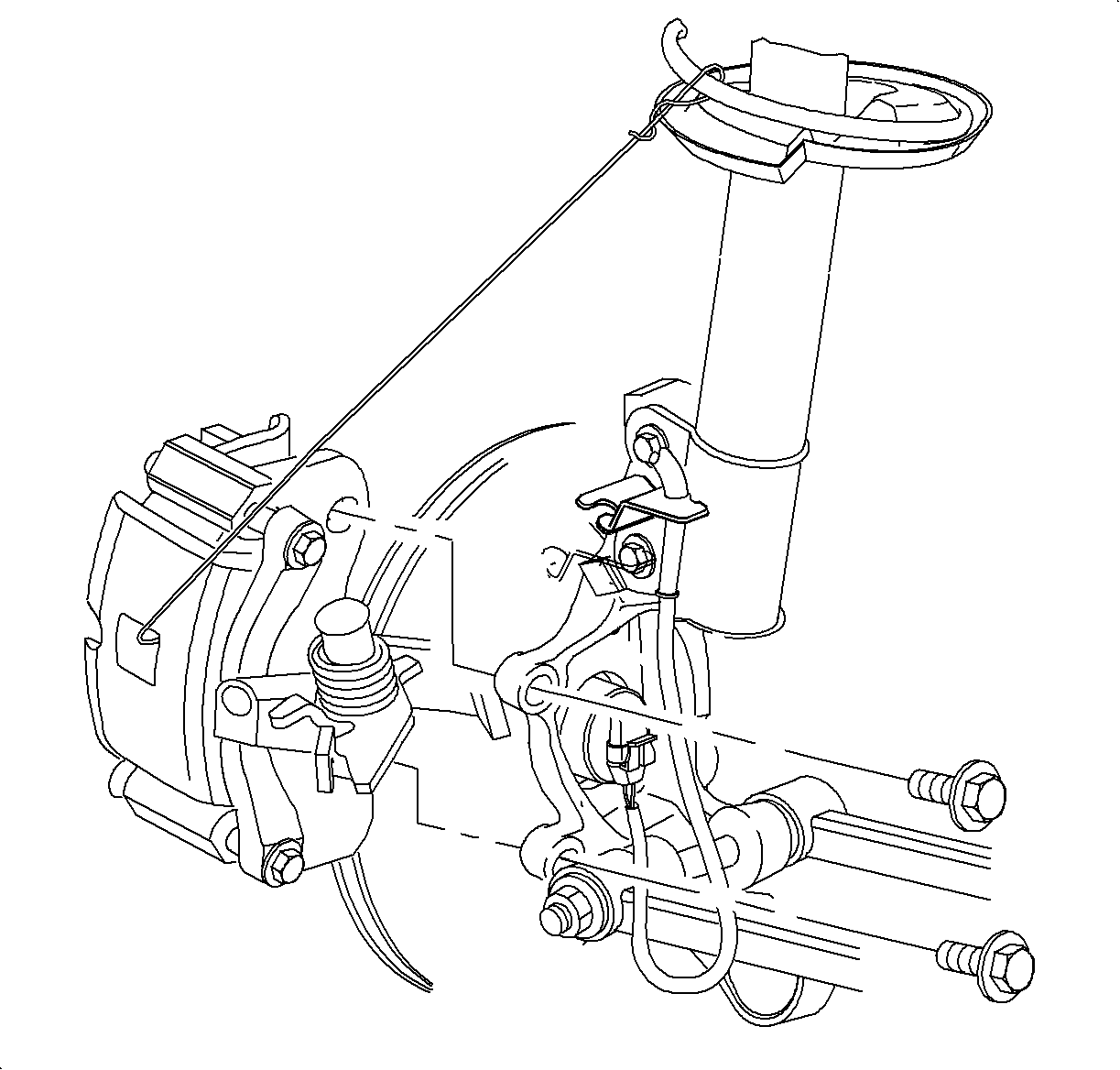
- Remove two caliper support to knuckle mounting bolts.
- Suspend (using mechanic's wire) the caliper assembly by the strut spring,
clear of the knuckle.
- Remove rotor from hub.
Thickness
- New - 11.0 mm (.430 in.)
- Minimum after Turning - 9.3 mm (.370 in.)
- Discard - 9.0 mm (.350 in.)
Installation Procedure
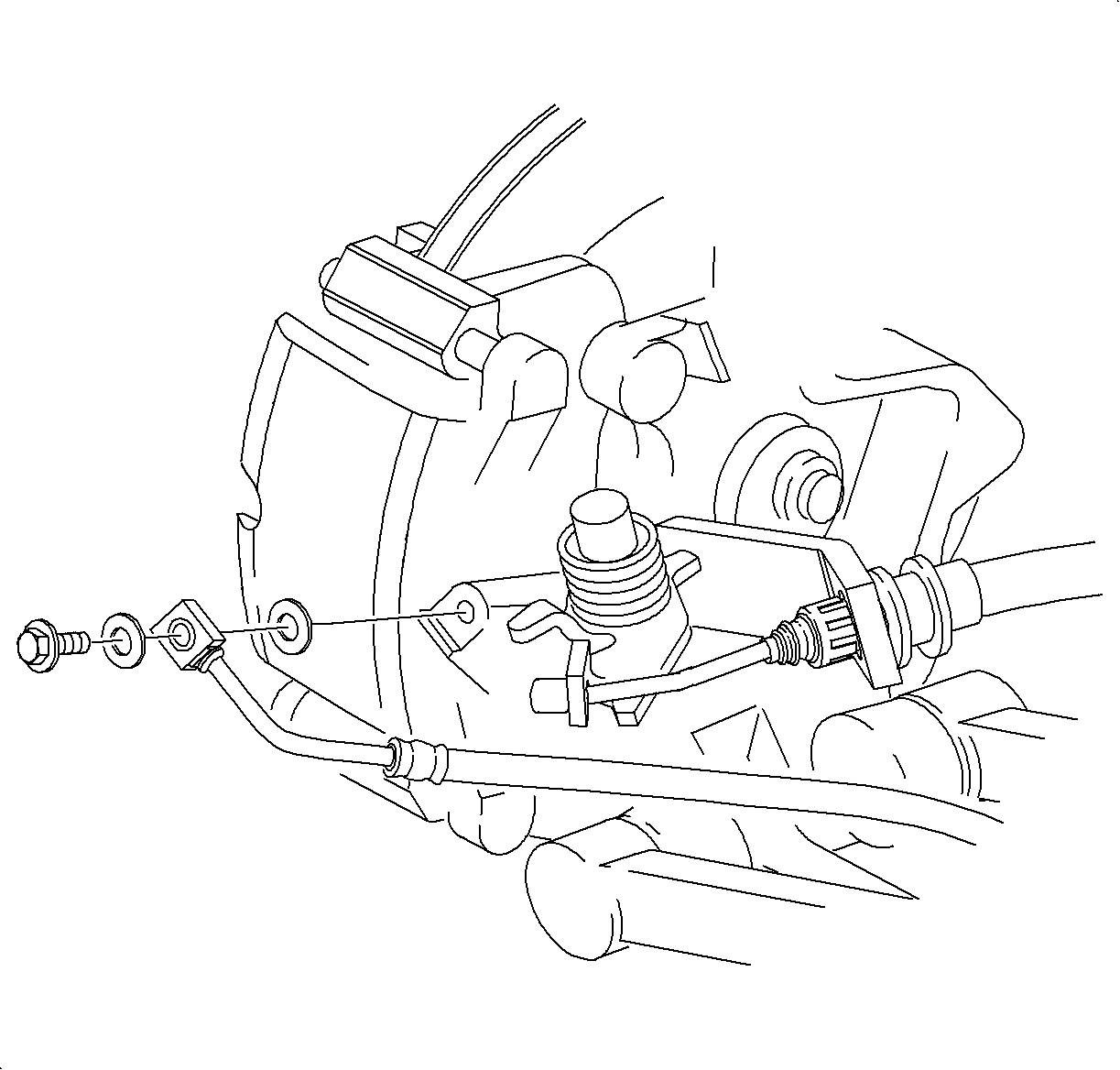
- Install brake rotor.
- Install caliper assembly onto knuckle with two knuckle to caliper support
fasteners.
TightenTighten Fasteners to: 85 N·m (63 lb ft)
- Position piston indention slots as shown.
Notice
Before installing wheels, remove rust or corrosion from wheel mounting surfaces
and brake rotors/drums. Failure to do so can cause wheel nuts to loosen in service.
- Position wheel onto hub.
- Install wheel nuts and tighten in a crisscross pattern. Repeat tightening
pattern to be sure torque is correct.
TightenTighten Wheel Nuts to: 140 N·m (103 lb ft)
- Lower vehicle from hoist.