Document ID# 881009
1998 Saturn SL2/SC2/SW2
 

Fascia Replacement - Rear Bumper Sedan

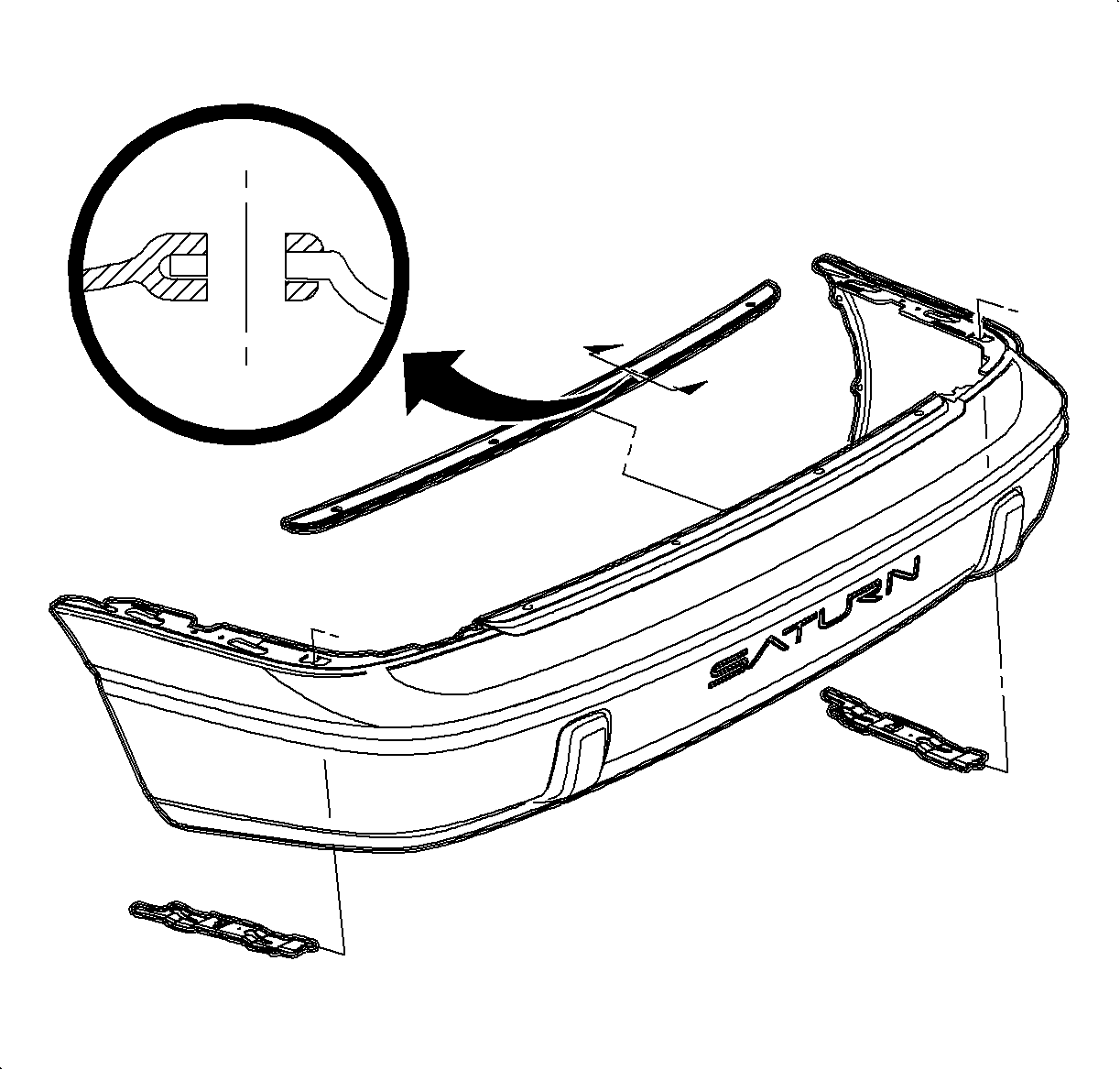
richpin06a Rear Bumper Fascia Removal

Removal Procedure

    Object Number: 867303  Size: SH
    Click here for detailed picture of above image.
  1. Raise the rear compartment lid.
  2. Remove the plastic retainers from the rear bumper filler.
  3. Remove the plastic retainers, rear fascia bottom to fascia support brackets.
  4. Remove the plastic retainers, wheelhouse liners to rear fascia.
  5. Remove the fascia by sliding it rearward.
  6. If replacing the fascia, transfer the following items:
Installation

    Object Number: 864397  Size: SH
    Click here for detailed picture of above image.
  1. Install the fascia over the bumper sub-assembly. Engage the fascia ends (key slots) over the shoulder bolts extending down from the quarter panel and pushing the fascia forward to lock the fascia to the quarter panels.
  2. Install the plastic retainers in wheelhouse liner to fascia ends.
  3. Install the plastic retainers, rear fascia bottom to the fascia support brackets.
  4. Align the bumper filler and install the plastic retainers.
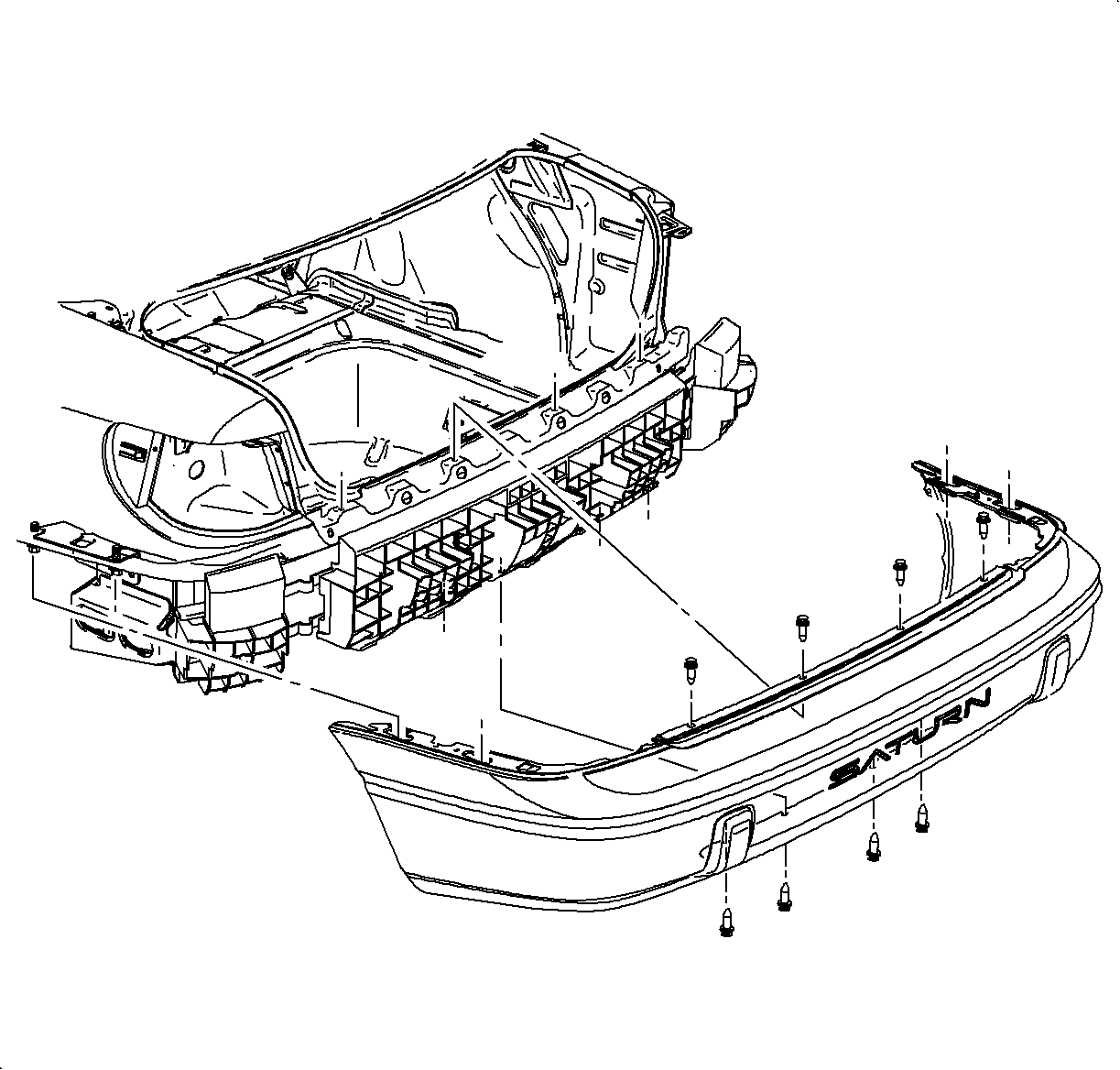
  5. Close the rear compartment lid.

  Document ID# 881009
1998 Saturn SL2/SC2/SW2