Document ID# 882141
1998 Saturn SL2/SC2/SW2
 

Quarter Panel Replacement - Bolt On Coupe

Removal Procedure

    Object Number: 865861  Size: SH
    Click here for detailed picture of above image.
  1. Remove the rear fascia. Refer to Fascia Replacement - Rear Bumper in Bumpers.

  2. Object Number: 866814  Size: SH
    Click here for detailed picture of above image.
  3. Remove the rear wheelhouse panel from the quarter panel being removed. Refer to Wheelhouse Liner Panel Replacement - Rear .

  4. Object Number: 866388  Size: SH
    Click here for detailed picture of above image.
  5. Remove the tail lamp. Refer to Tail Lamp Replacement in Lighting Systems.

  6. Object Number: 866940  Size: SH
    Click here for detailed picture of above image.
  7. Remove the rocker panel cover. Refer to Molding Replacement - Rocker Panel in Exterior Trim.

  8. Object Number: 866931  Size: SH
    Click here for detailed picture of above image.
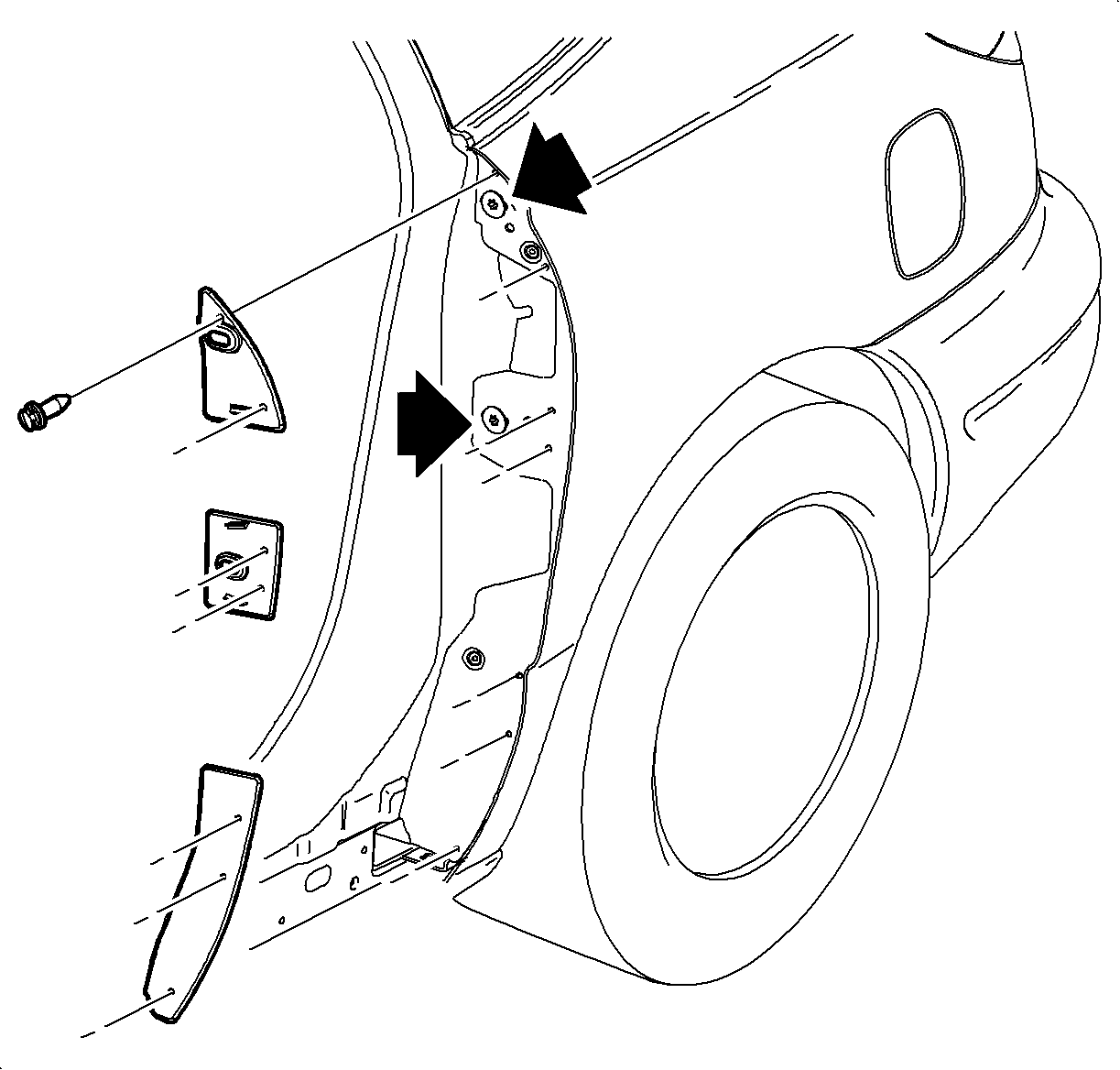
  9. If removing the left quarter, open the fuel door and remove the pushpins from the upper, center, and lower appliques attached to the quarter panel.
  10. Remove the retaining bolts behind the closeout pieces from the quarter panel.
  11. Close the door.

  12. Object Number: 865426  Size: LH
    Click here for detailed picture of above image.
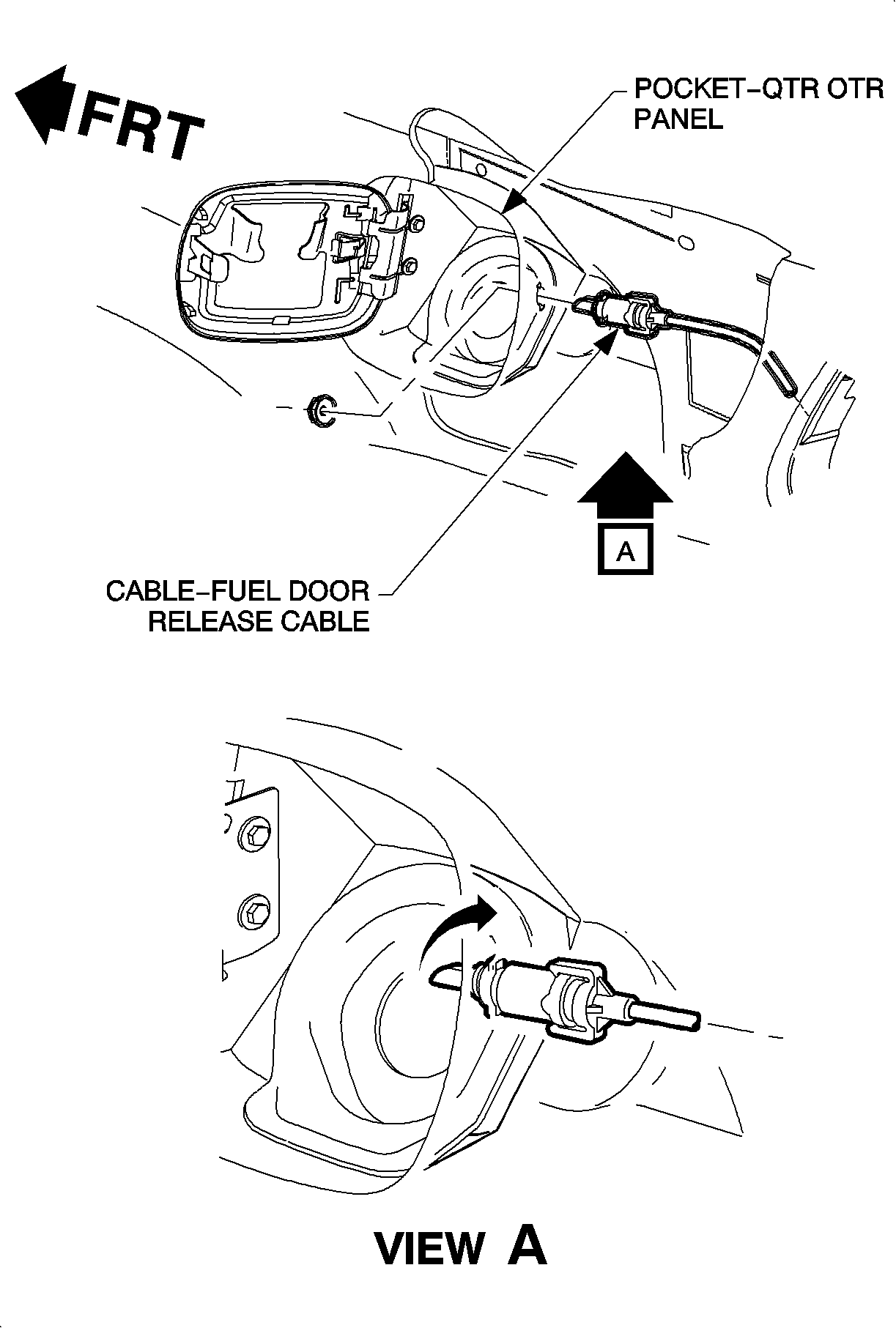
  13. If removing the left quarter panel, open the fuel door and remove the latch retainer nut.
  14. Reach through the tail lamp opening to remove the cable from the fill pocket by twisting 1/4 turn clockwise.
  15. Remove the plastic fastener from the safety strap on the fuel cap.
  16. Remove the fuel cap.
  17. Remove the rubber surrounding the fuel inlet pipe and replace the cap.

  18. Object Number: 866935  Size: SH
    Click here for detailed picture of above image.
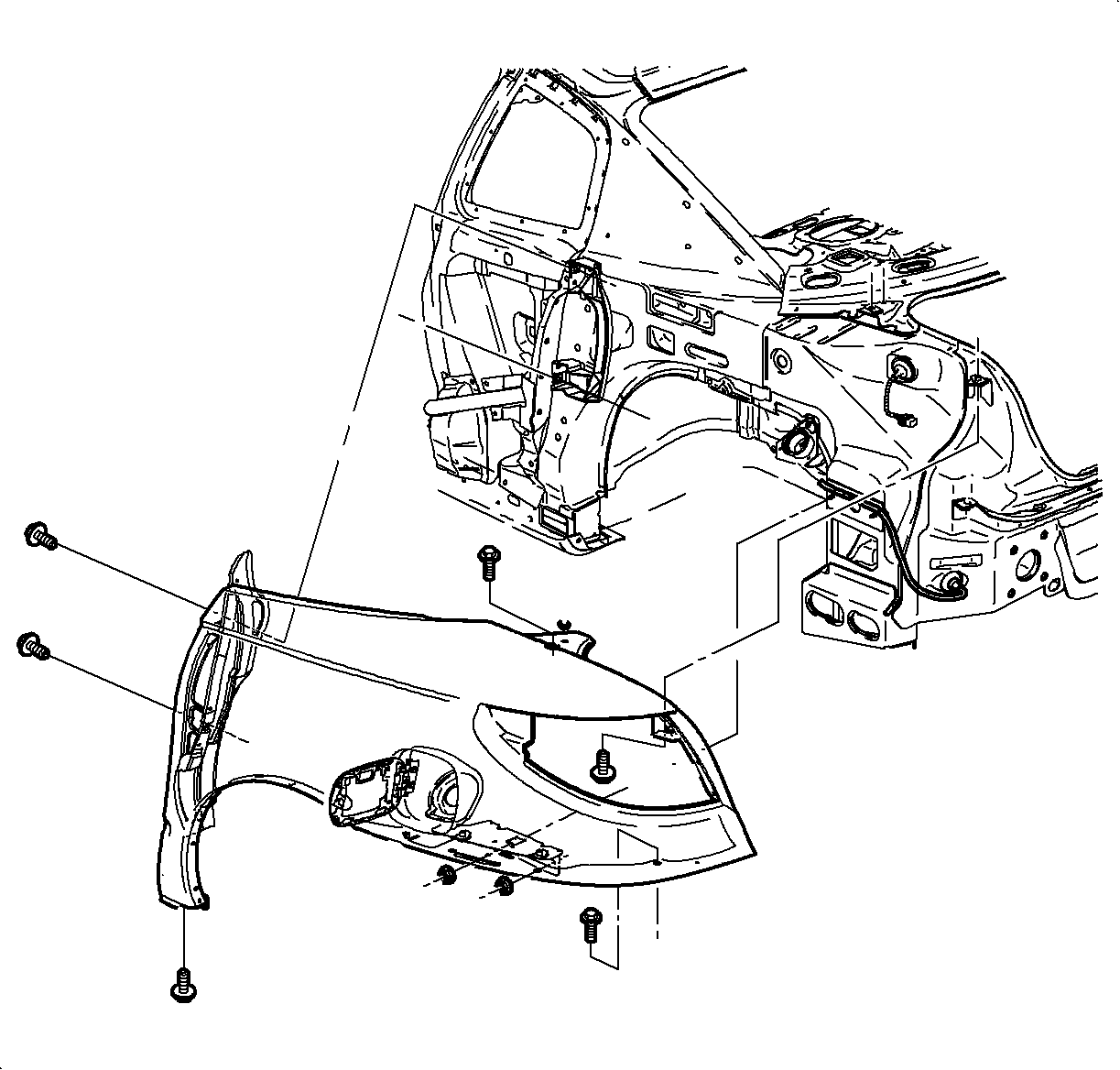
  19. Remove the rear quarter attaching bolts behind and underneath the inside tail lamp opening.
  20. Remove the retaining attaching bolts from the quarter panel.
  21. With all of the bolts removed, pull out the rear of the quarter panel to disconnect the attaching clip from the side window encapsulated molding.
  22. Remove the quarter panel.
Installation Procedure

    Object Number: 866935  Size: SH
    Click here for detailed picture of above image.
  1. If replacing the outer quarter panel, transfer the fascia support discs and the retaining clips.
  2. Position the quarter panel to the body. Position the rear, the top, then the front.
  3. Secure the attaching clip located under the side window encapsulated molding.
  4. Object Number: 881954  Size: SH
    Click here for detailed picture of above image.
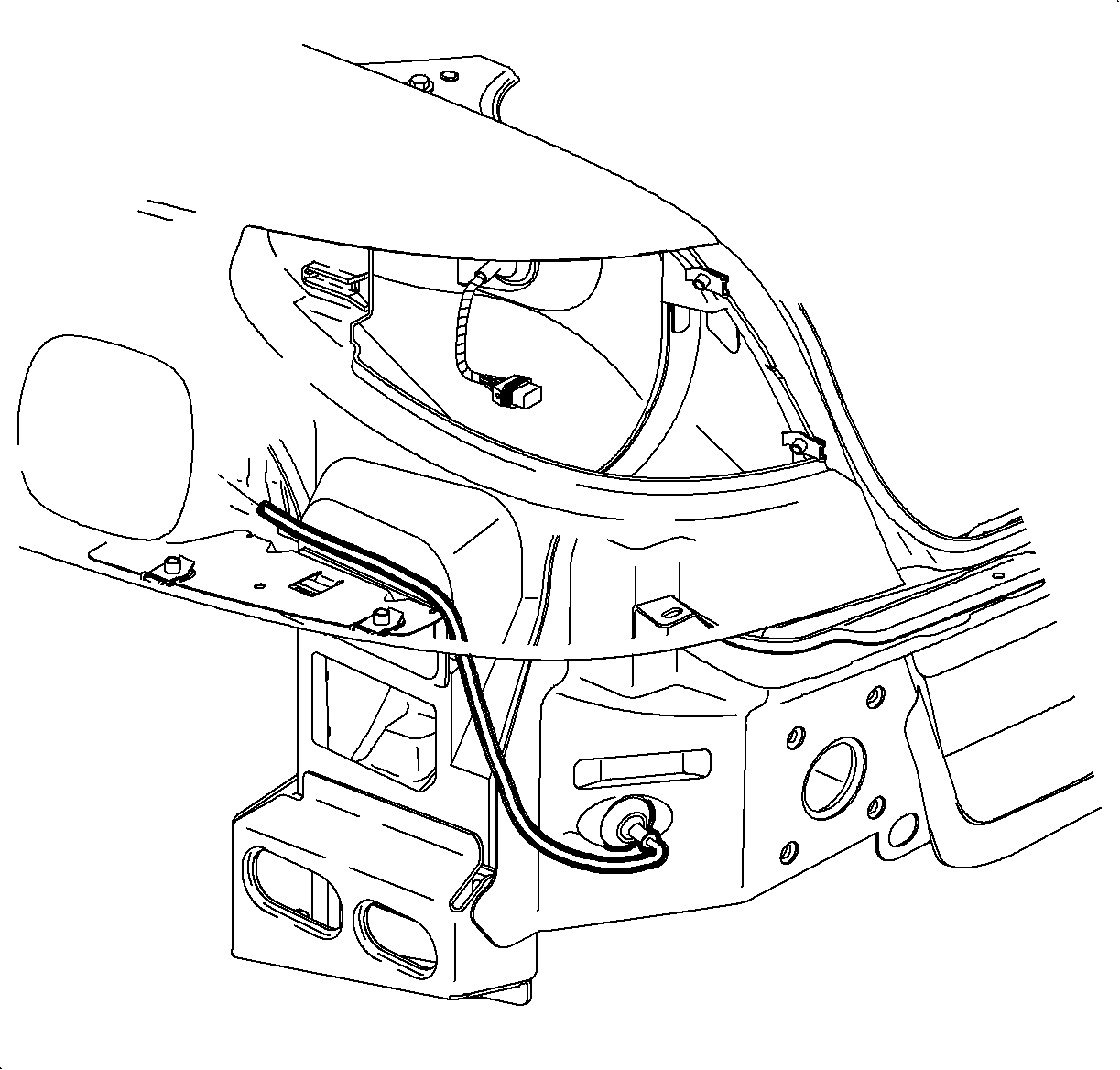
  5. If iinstalling the left quarter panel, install the fuel fill door release latch and twist 1/4 turn counterclockwise and install the latch retainer nut. Route the latch as shown in the illustration.

  6. Object Number: 866935  Size: SH
    Click here for detailed picture of above image.
  7. Install the quarter panel bolts loosely.
  8. Notice

    Refer to Fastener Notice in Cautions and Notices.

  9. If installing the left quarter, open the rear door and install the retaining bolts.
  10. Tighten

    Tighten the rear quarter panel attachment bolts (Coupe) to 9 N·m (80 lb in).

  11. Align the quarter panel with the compartment lid and tighten the bolts.
  12. Tighten

    Tighten the rear quarter panel attachment bolts (Coupe) to 9 N·m (80 lb in).

  13. Align the quarter panel with the rear door and tighten the bolts.
  14. Tighten

    Tighten the rear quarter panel attachment bolts (Coupe) to 9 N·m (80 lb in).

  15. Close the lid and the door.

  16. Object Number: 866931  Size: SH
    Click here for detailed picture of above image.
  17. If installing the left quarter panel, open the rear door and install the upper, center, and lower appliques to the quarter panel with pushpins.
  18. Object Number: 866864  Size: SH
    Click here for detailed picture of above image.
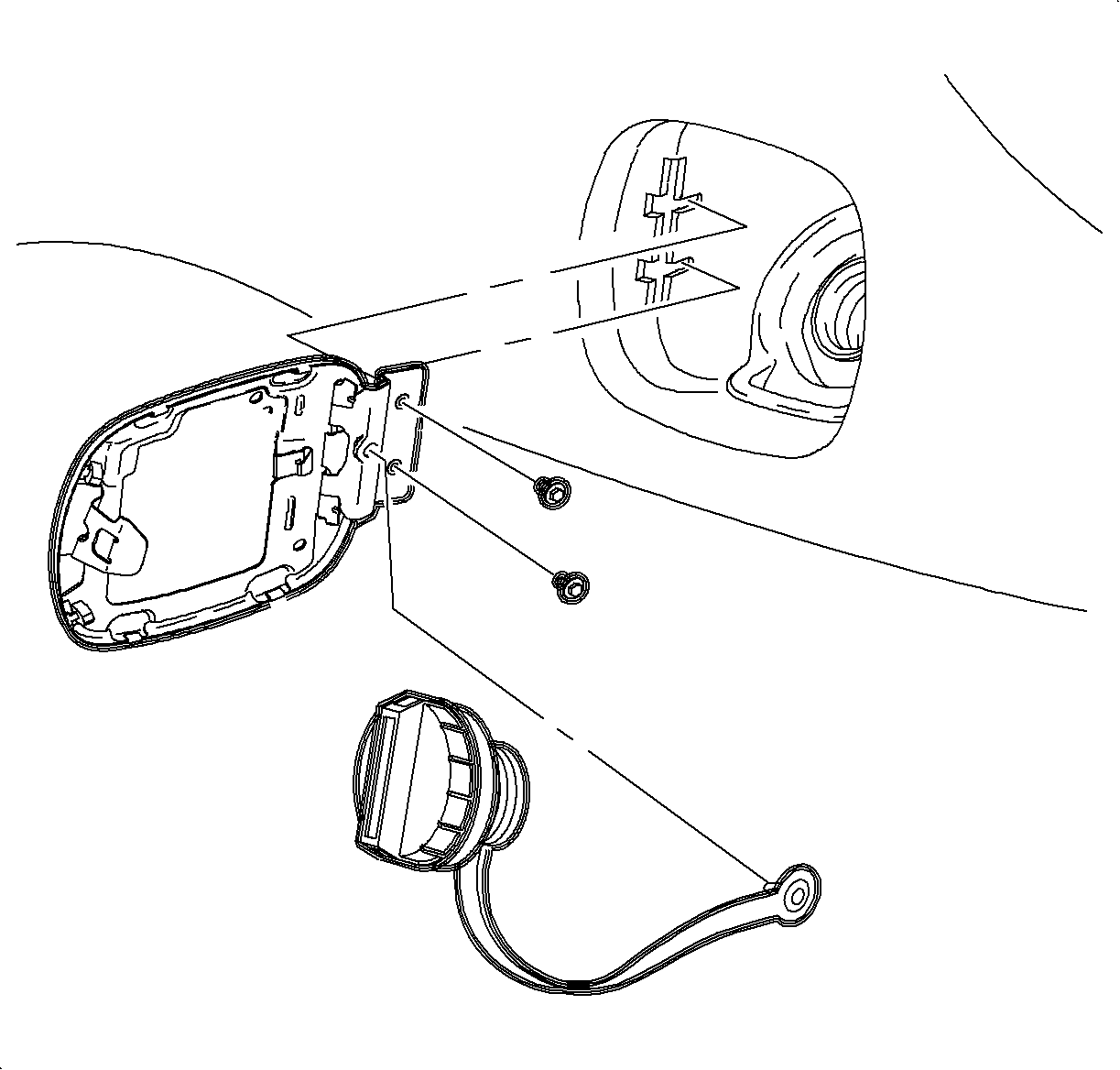
  19. If installing the left quarter, install the fuel door.
  20. Remove the fuel cap.
  21. Install the rubber surrounding the fuel inlet pipe.
  22. Install the fuel cap.
  23. Install the pushpin to the safety strap on the fuel cap.
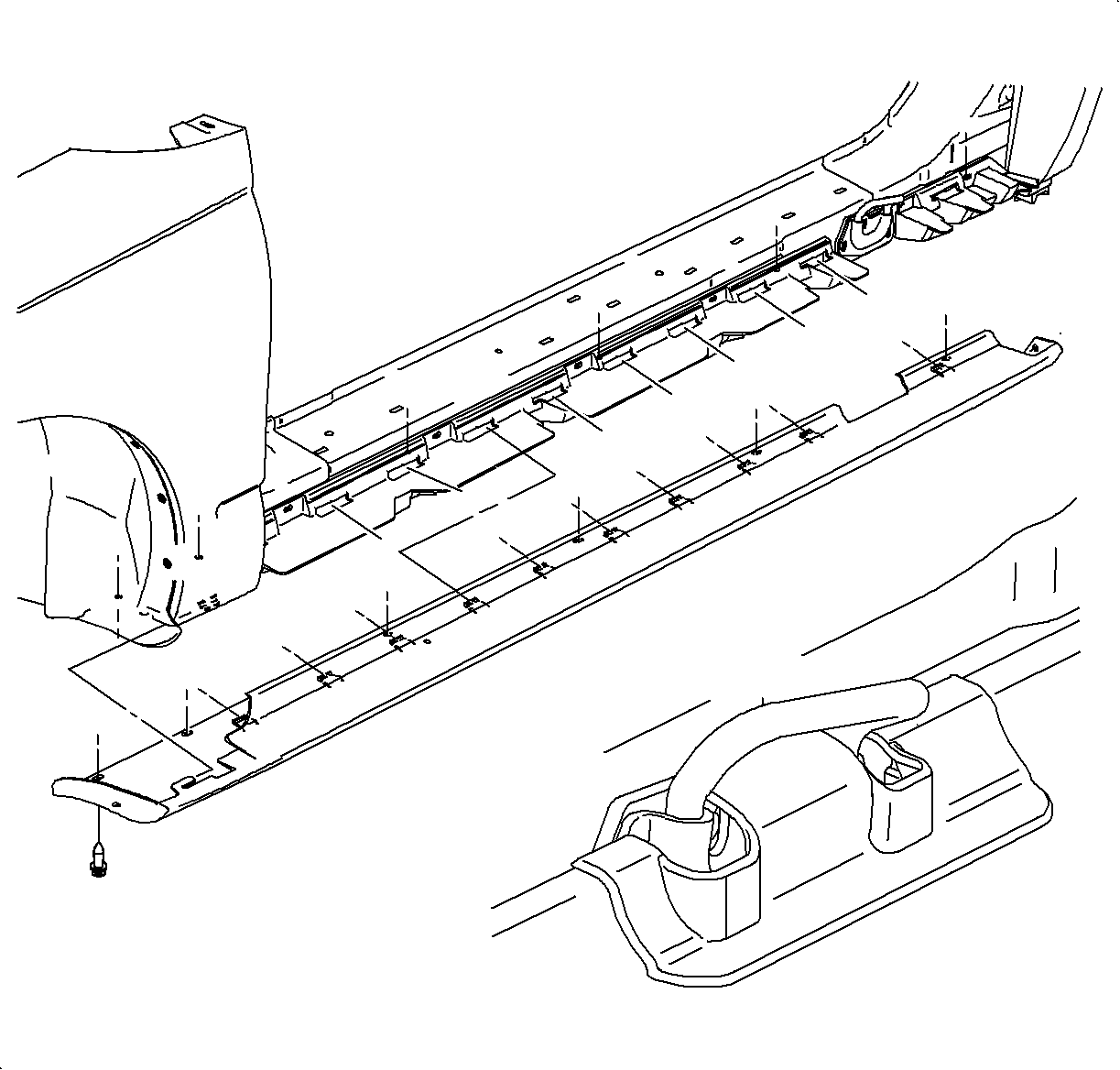
  24. Object Number: 866940  Size: SH
    Click here for detailed picture of above image.
  25. Install the rocker panel cover. Refer to Molding Replacement - Rocker Panel in Exterior Trim.
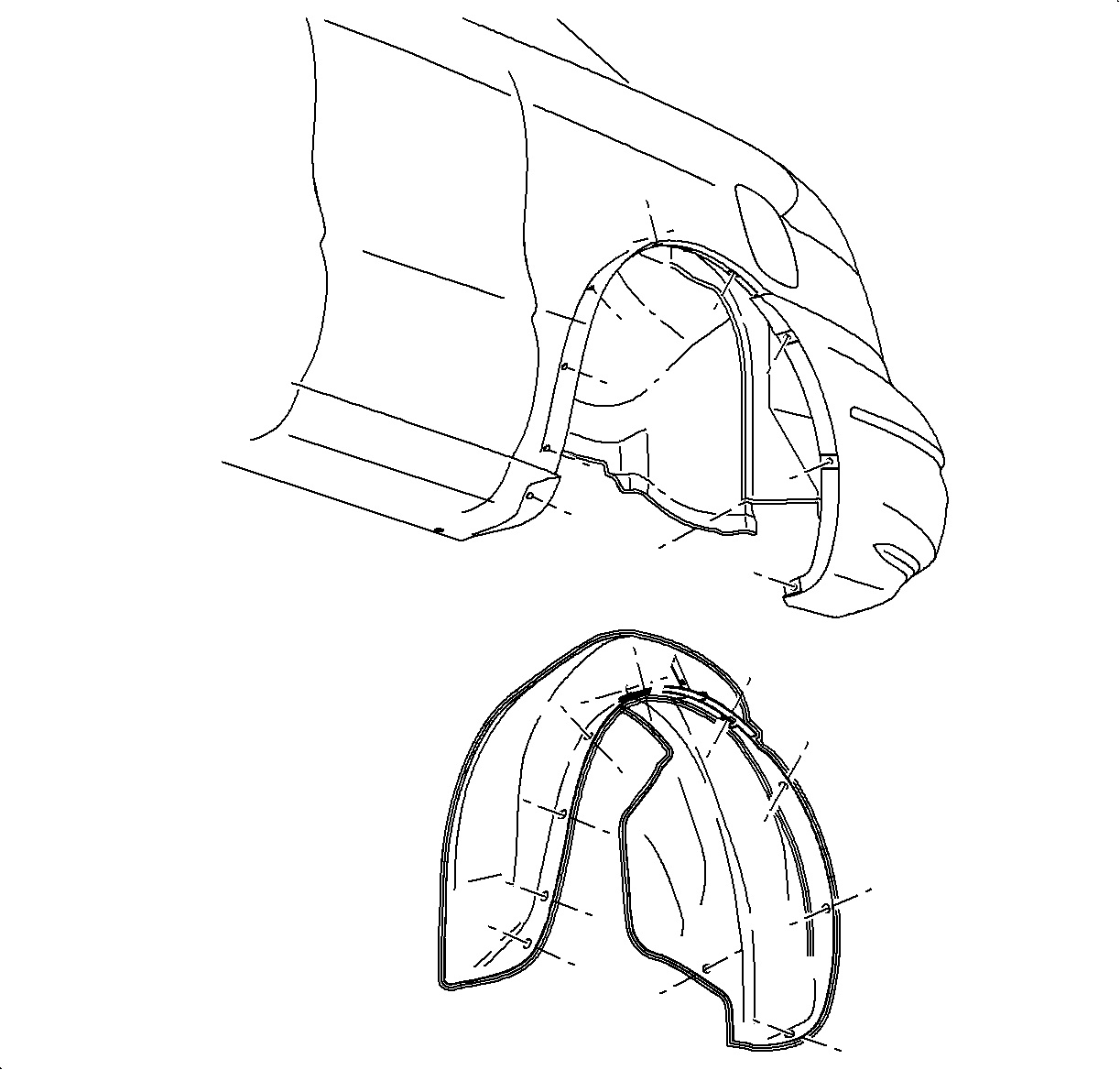
  26. Object Number: 866814  Size: SH
    Click here for detailed picture of above image.
  27. Install the inner wheelhouse panel. Refer to Wheelhouse Liner Panel Replacement - Rear .
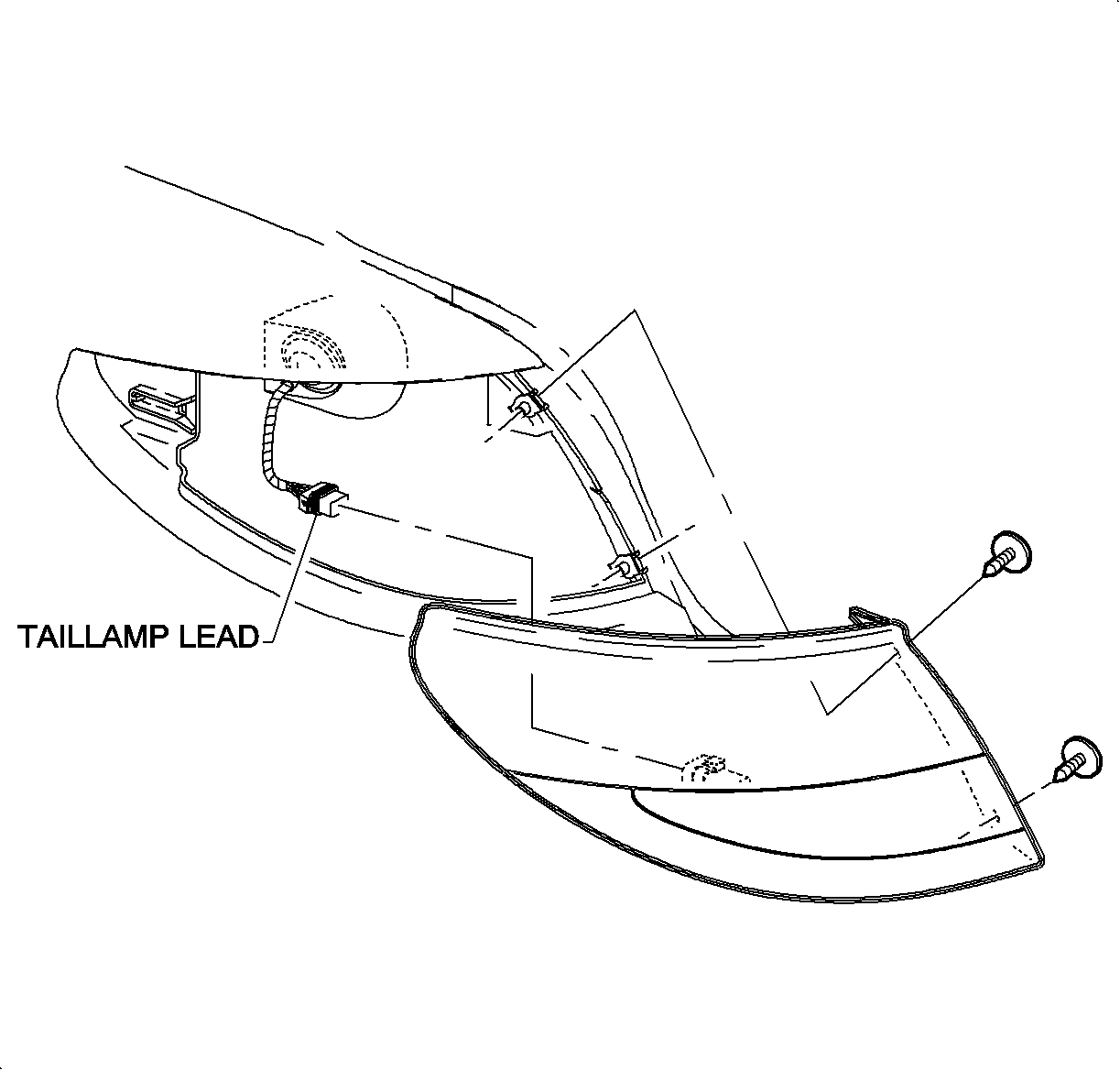
  28. Object Number: 866388  Size: SH
    Click here for detailed picture of above image.
  29. Install the tail lamp. Refer to Tail Lamp Replacement in Lighting Systems.
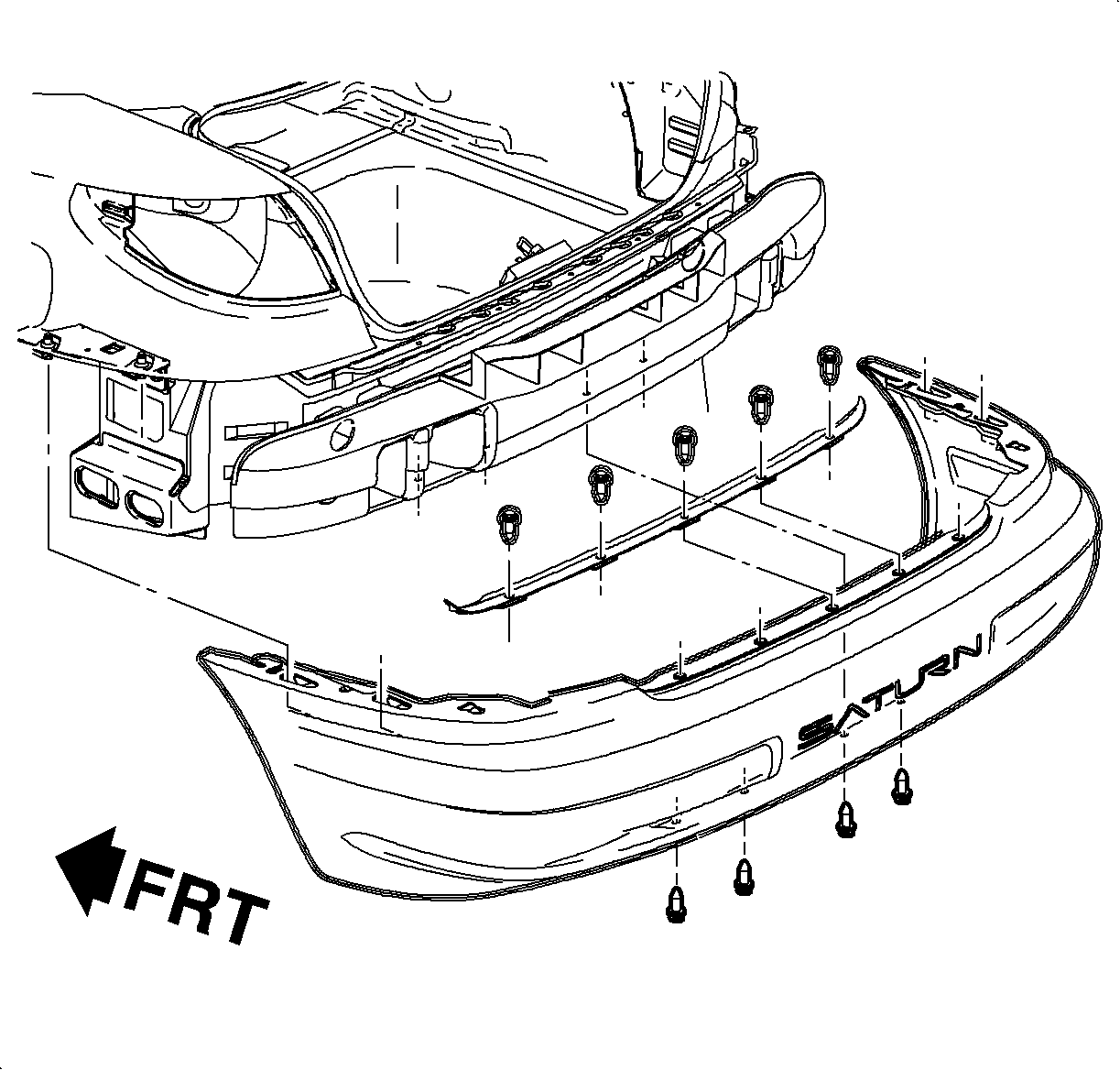
  30. Object Number: 865861  Size: SH
    Click here for detailed picture of above image.
  31. Install the rear fascia. Refer to Fascia Replacement - Rear Bumper in Bumpers.
  32. Inspect for gaps to the decklid, the rear fascia, and the rear of the door.
  Document ID# 882141
1998 Saturn SL2/SC2/SW2