Document ID# 869968
1998 Saturn SL2/SC2/SW2
 

License Bracket Replacement - Front Sedan/Wagon

Removal Procedure

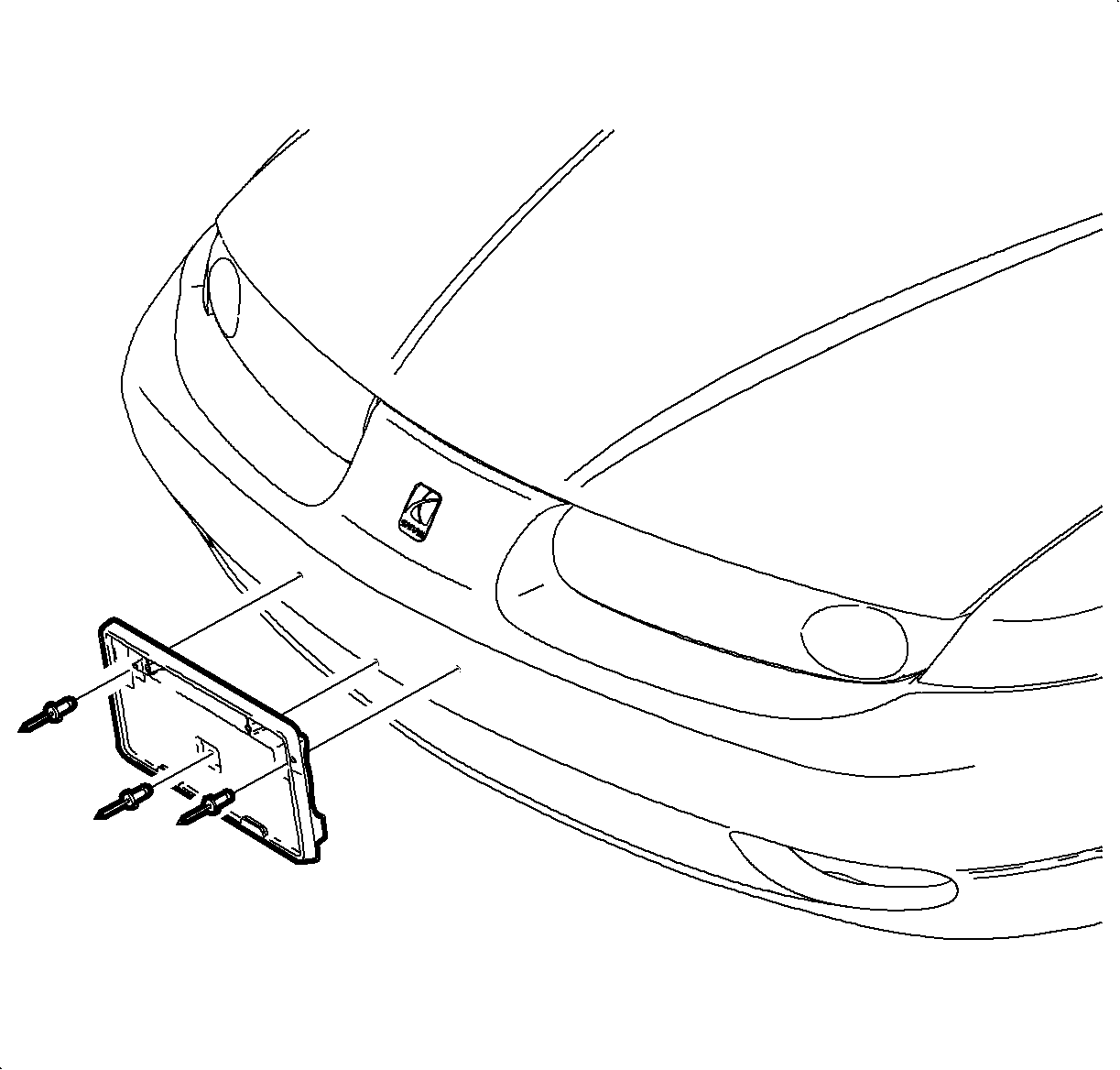
    Object Number: 865725  Size: SH
    Click here for detailed picture of above image.
  1. Remove the license plate screws and the license plate.
  2. Remove the rivets attaching the license plate bracket to the front fascia.
Installation Procedure
  1. Position the license plate bracket to the front fascia and install the fasteners.
  2. Important

    If this is a first time installation, drill 6 mm (0.24 in) hole at dimple on centerline of the lower fascia. Position the bracket to the fascia and install the bottom fastener. Drill two top holes and install the fasteners.

  3. Install the license plate to the bracket with screws.
  Document ID# 869968
1998 Saturn SL2/SC2/SW2