Document ID# 876292
1998 Saturn SL2/SC2/SW2
 

Seat Cushion Cover/Pad/Frame Replacement - Front

Removal Procedure

    Object Number: 868124  Size: SH
    Click here for detailed picture of above image.
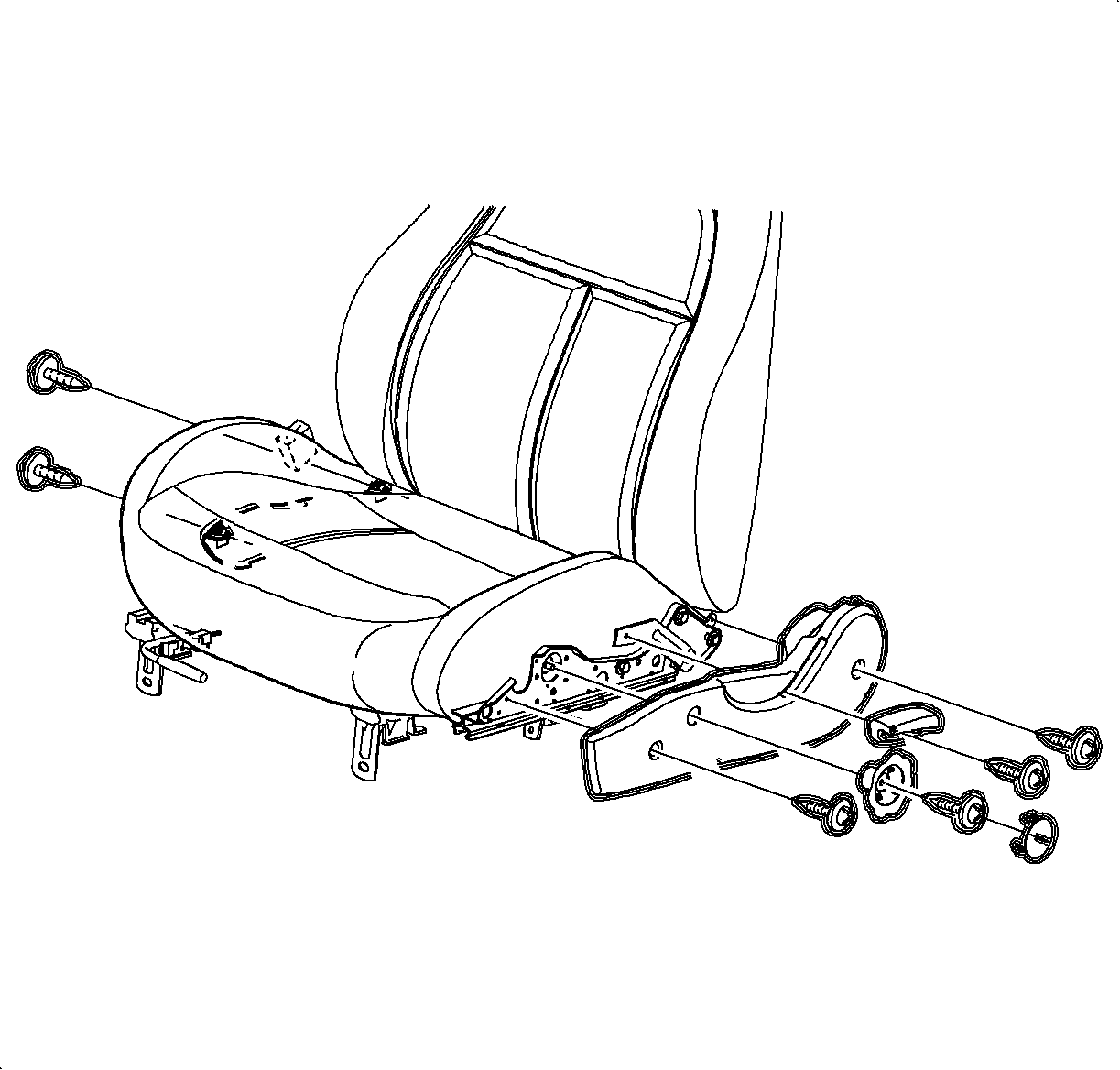
  1. Remove the seat from the vehicle. Refer to Seat Replacement - Front Bucket .
  2. Remove the recliner handle.
  3. Remove the seat adjuster side cover.
  4. Disengage the seat back cover J-strip at the bottom of the seat cover.

  5. Object Number: 866904  Size: SH
    Click here for detailed picture of above image.
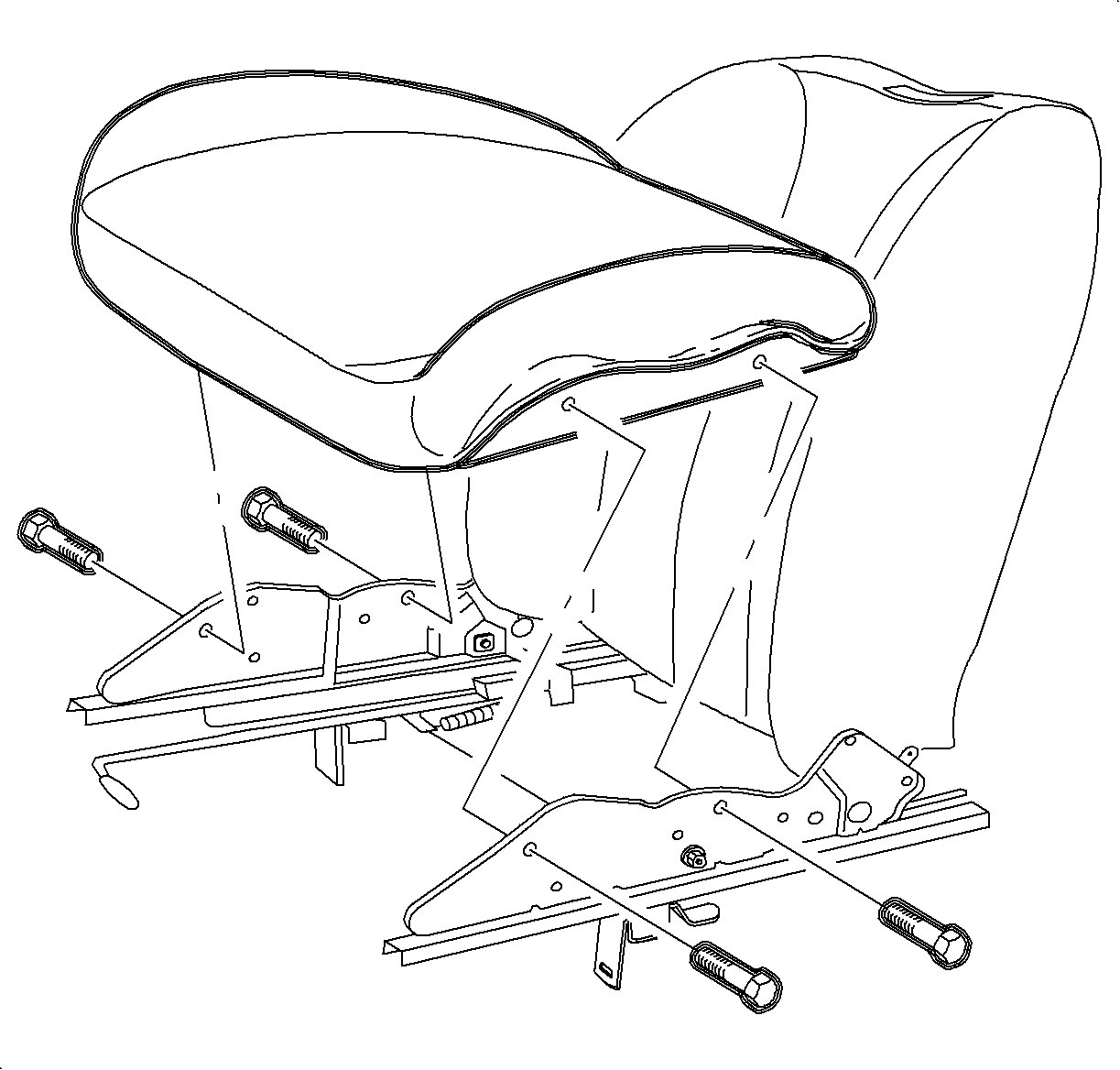
  6. Remove the bolts and remove the seat cushion/cover assembly.

  7. Object Number: 866884  Size: SH
    Click here for detailed picture of above image.
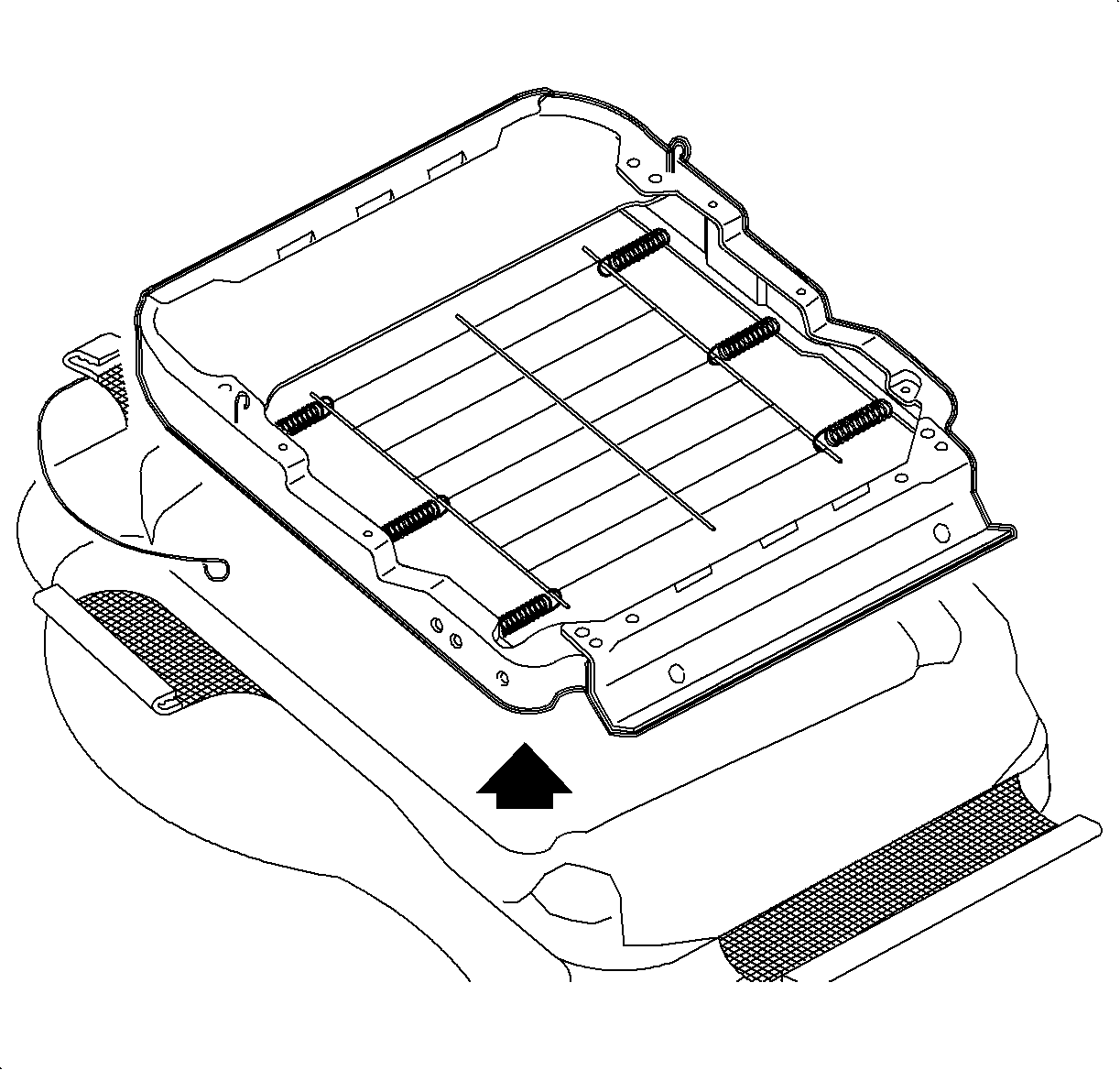
  8. Disengage all the seat cover J-strips. Remove the cushion/cover assembly from the frame.
Installation Procedure

    Object Number: 866904  Size: SH
    Click here for detailed picture of above image.
  1. Install the cushion/cover assembly over the seat frame. Engage all the seat cover J-strips to the seat frame except the rear.
  2. Notice

    Refer to Fastener Notice in Cautions and Notices.

  3. Install the seat cushion assembly to the adjusters.
  4. Tighten

    Tighten the front seat adjuster-to-seat bolts to 27 N·m (20 lb ft).

    Object Number: 859205  Size: SH
    Click here for detailed picture of above image.
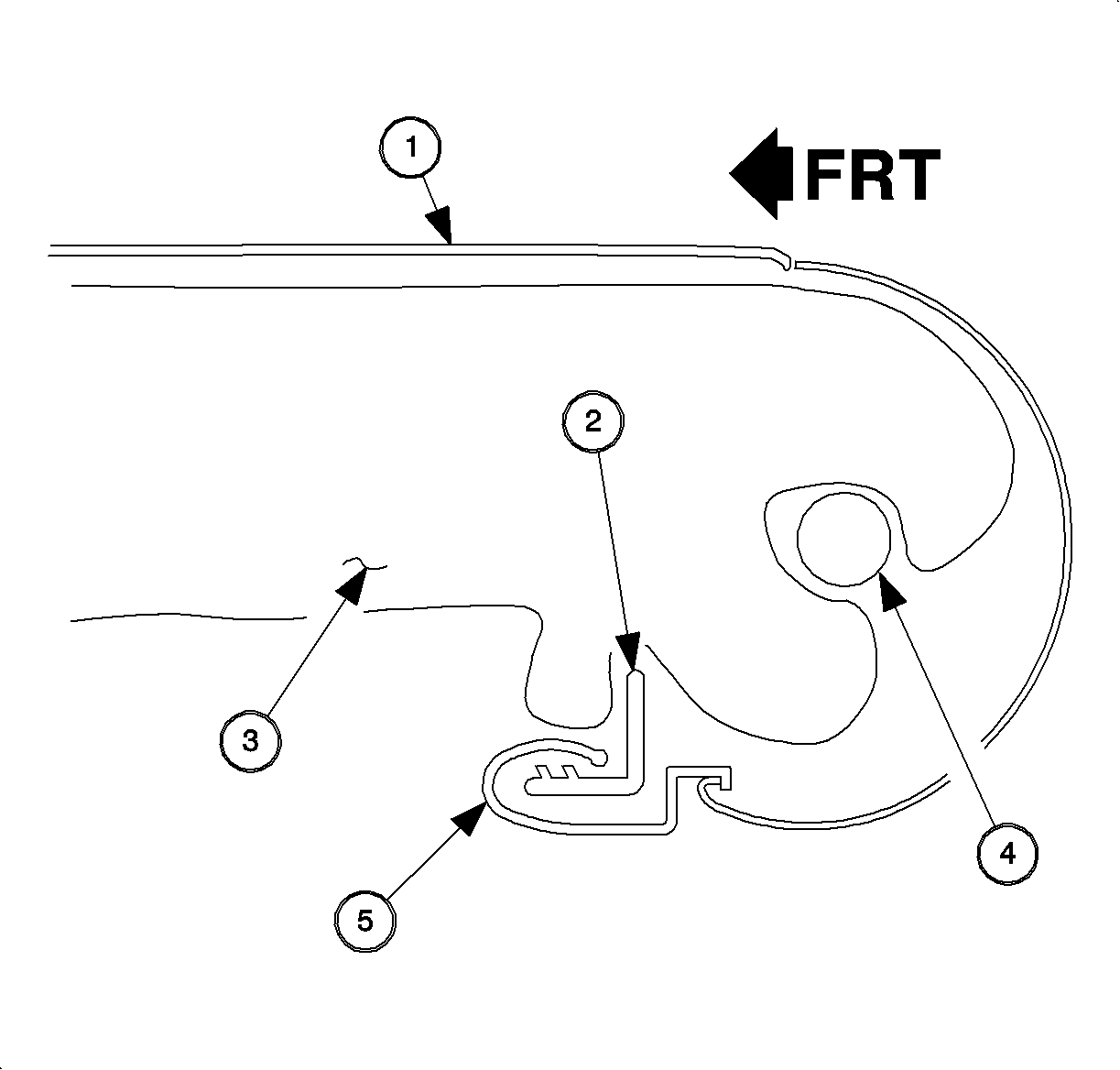
  5. Wrap the seat cushion cover rear flap to cover up the recliner cross tube and engage the seat cushion cover rear J-strip to seat cushion frame. Refer to the following:

  6. Object Number: 868124  Size: SH
    Click here for detailed picture of above image.
  7. Install the seat adjuster side cover.
  8. Tighten

    Tighten the seat side cover fasteners to 2.5 N·m (22 lb in).

  9. Install the recliner handle.
  10. Tighten

    Tighten the recliner handle fastener to 3 N·m (27 lb in).

  11. Install the seat into the vehicle. Refer to Seat Replacement - Front Bucket .
  Document ID# 876292
1998 Saturn SL2/SC2/SW2