Document ID# 1212645
1998 Saturn SL2/SC2/SW2
 

Control Assembly Replacement LHD HVAC Controller

Removal Procedure

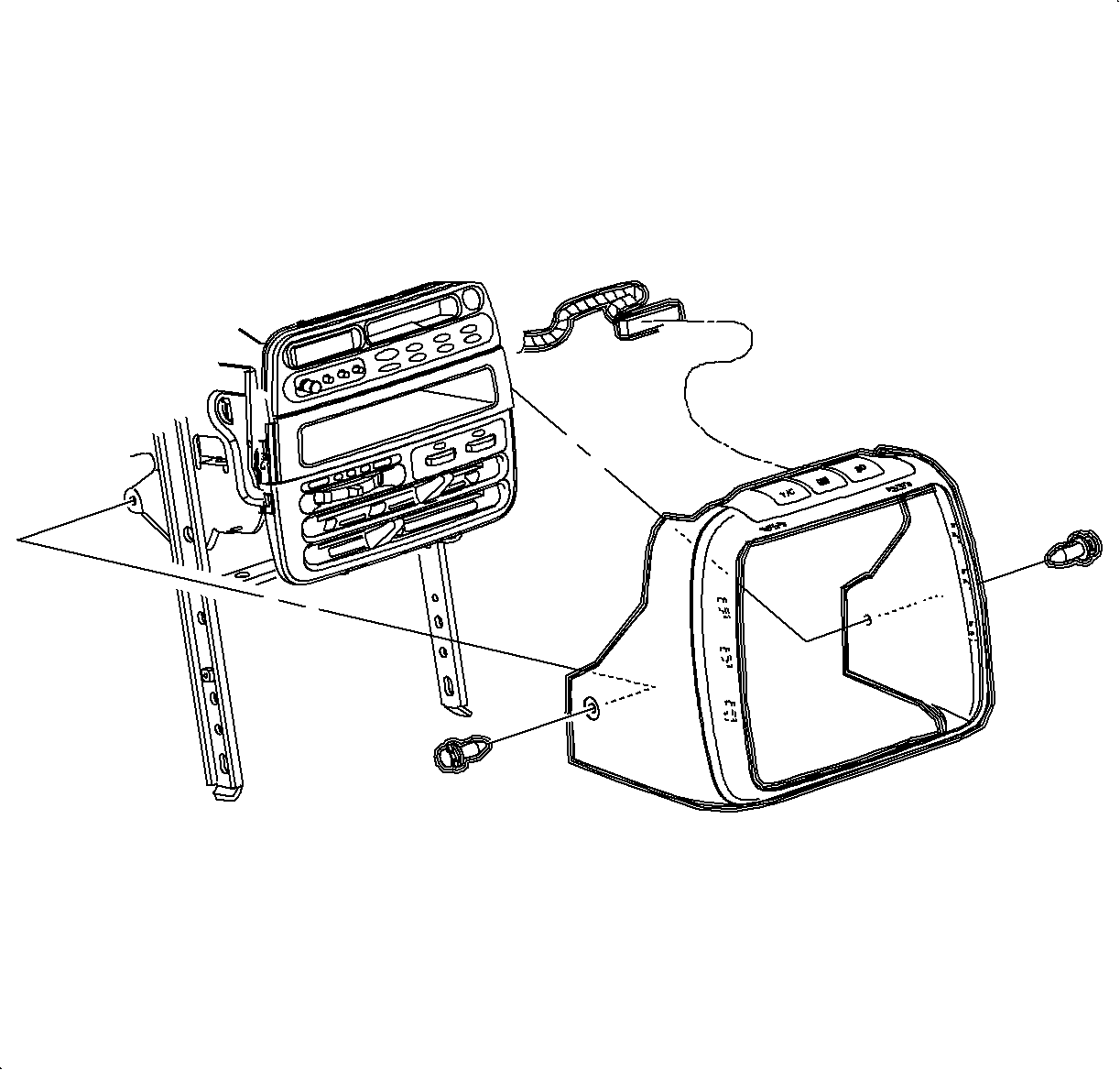
    Object Number: 881349  Size: SH
    Click here for detailed picture of above image.
  1. Depress the center pins inward to release radio/HVAC controller cover push pin fasteners.
  2. Important

    Do not push center pins through fasteners.

  3. Remove the fasteners and pull radio/HVAC controller cover rearward.
  4. Disconnect the traction control/fog lamps/rear defog electrical connector if equipped.

  5. Object Number: 877964  Size: SH
    Click here for detailed picture of above image.
  6. Remove the radio screws.
  7. Push the spring clips in through D-holes on both sides of the radio brace.
  8. Pull the radio out slightly to access the rear of the radio

  9. Object Number: 877967  Size: SH
    Click here for detailed picture of above image.
  10. Disconnect the electrical connector and antenna.
  11. Remove the radio.

  12. Object Number: 1200114  Size: SH
    Click here for detailed picture of above image.
  13. Disconnect the blower switch, A/C-Recirc and lighting and electrical connectors. Remove electrical harness clip from module boss.

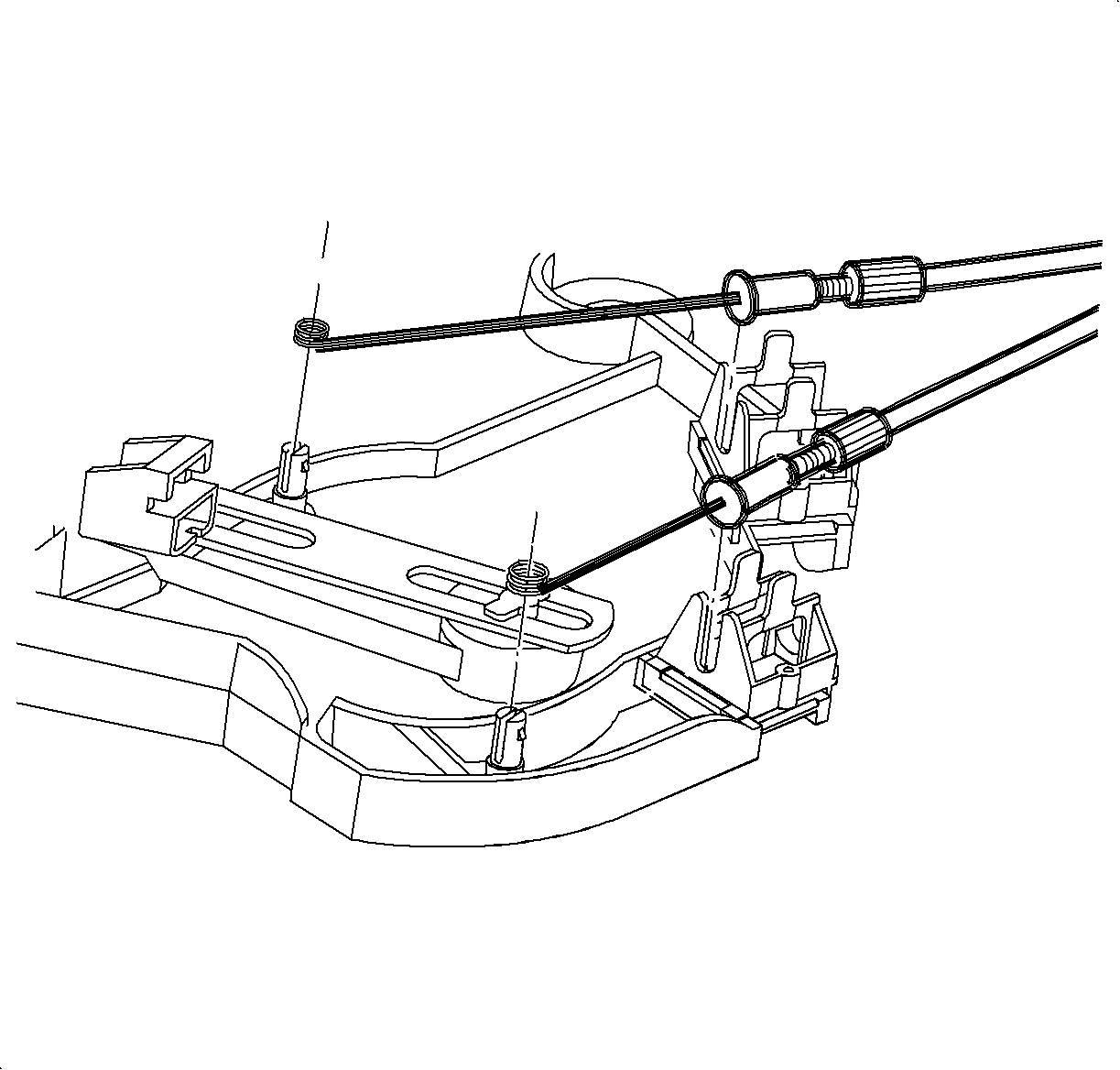
  14. Object Number: 903907  Size: SH
    Click here for detailed picture of above image.
  15. Remove the temperature and mode cables from HVAC controller by squeezing lock tabs together while pulling cable housing straight up.
  16. Remove the cables from pins by pulling straight up.
  17. (Service cables shown in illustration.
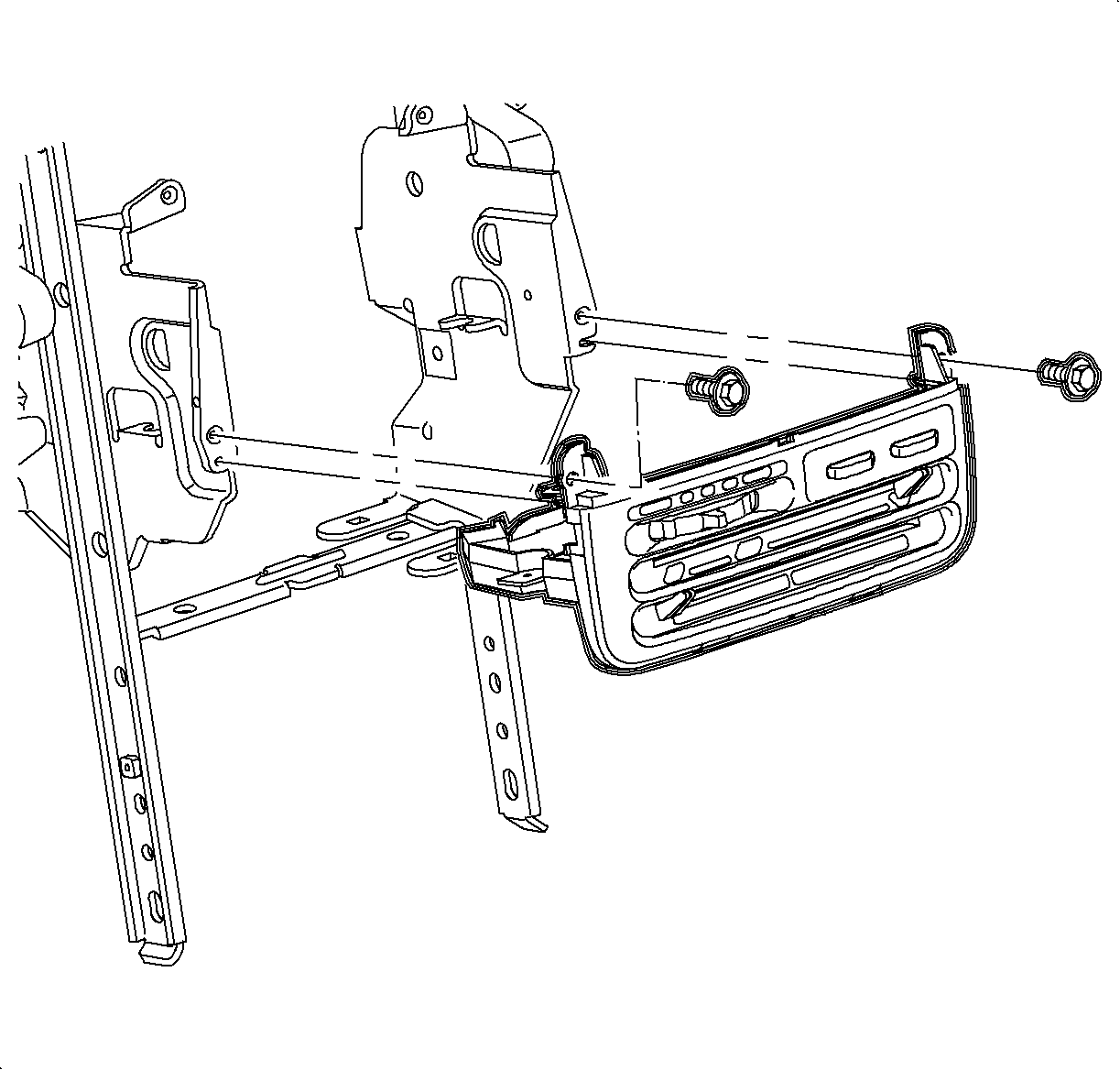
    Object Number: 903908  Size: SH
    Click here for detailed picture of above image.
  18. Remove the screws and HVAC controller.
Installation Procedure

    Object Number: 903908  Size: SH
    Click here for detailed picture of above image.
  1. Install the HVAC controller.
  2. Install and tighten the screws.
  3. Tighten

    Tighten to 2.5 N·m (22 lbs in)


    Object Number: 903907  Size: SH
    Click here for detailed picture of above image.
  4. Install the temperature and mode cables over the pins.
  5. Cable Identification:
  6. Install the cable housings into the channel and push down to lock.
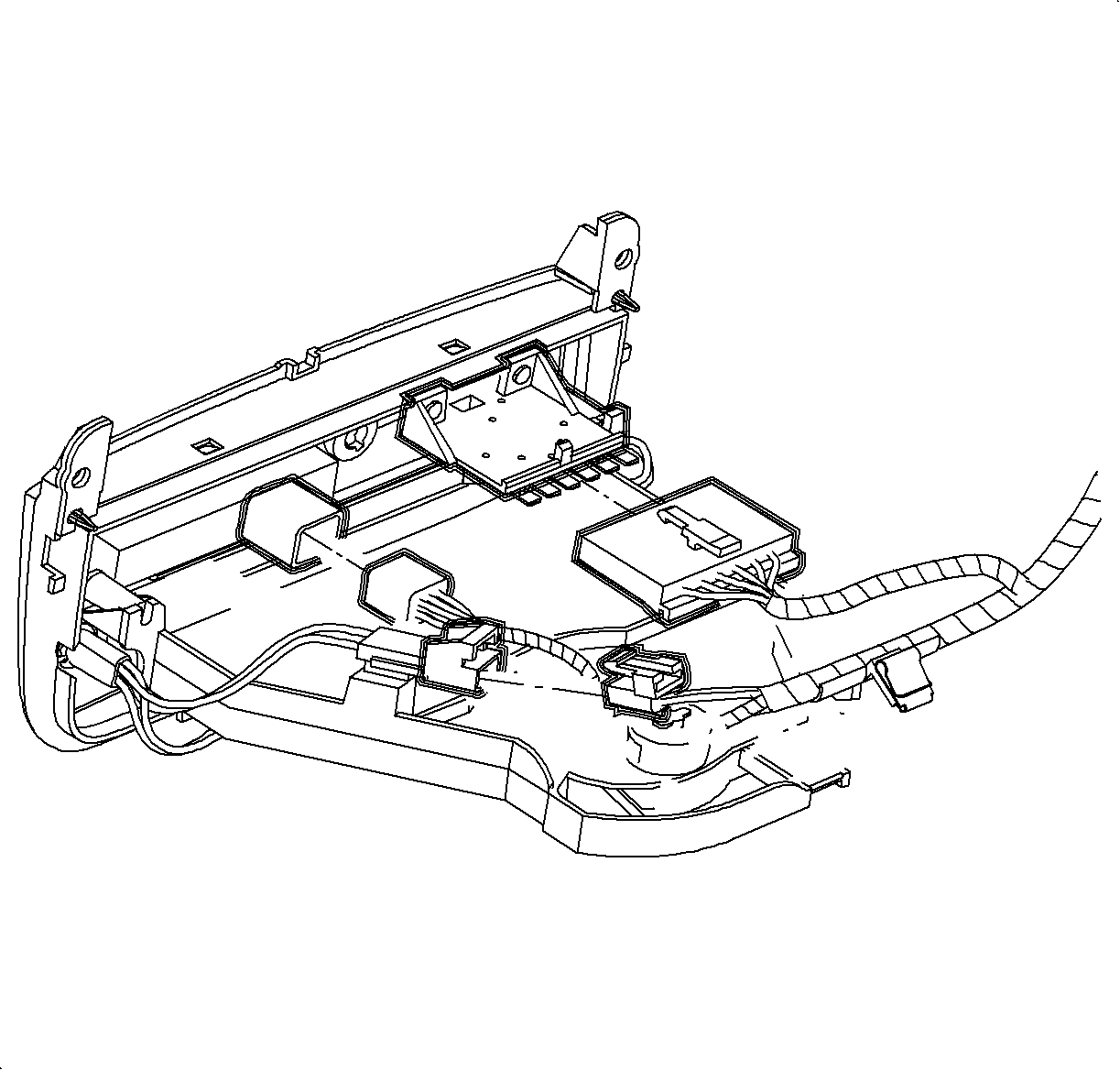
  7. Object Number: 1200114  Size: SH
    Click here for detailed picture of above image.
  8. Connect the blower switch, A/C-Recirc and lighting electrical connectors.
  9. Important

    Make sure wiring harnesses do not interfere with control lever movement.

  10. Install the electrical harness clip to module boss.
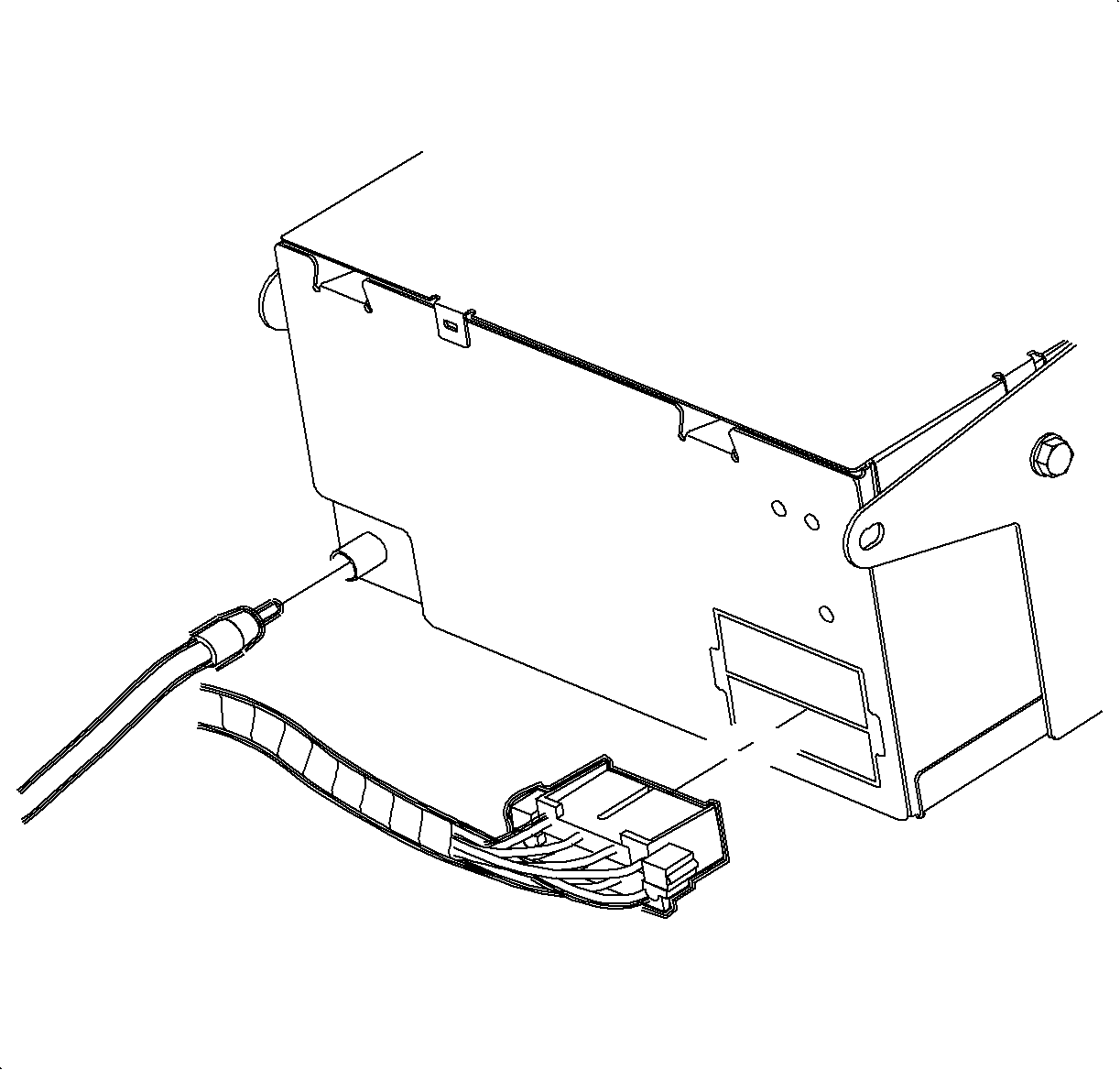
  11. Object Number: 877967  Size: SH
    Click here for detailed picture of above image.
  12. Connect the electrical connector and antenna to the radio.
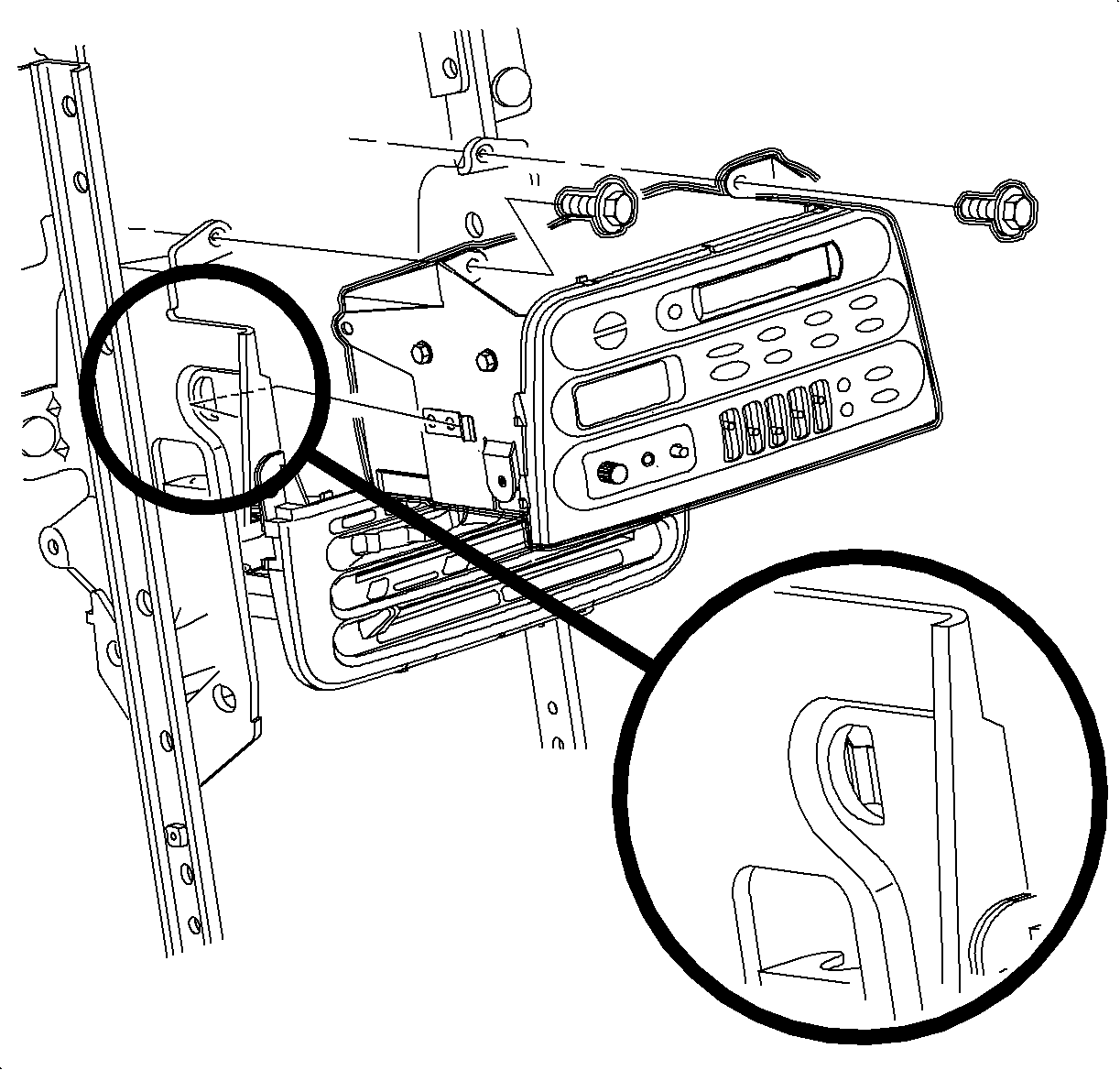
  13. Object Number: 877964  Size: SH
    Click here for detailed picture of above image.
  14. Install the radio.
  15. Important

    Make sure the spring clips are seated in D-holes on both sides.

  16. Install and tighten the screws.
  17. Tighten

    Tighten to 2.5 N·m (22 lbs in)


    Object Number: 881349  Size: SH
    Click here for detailed picture of above image.
  18. Connect the traction control/fog lamp/rear defog electrical connector, if equipped.
  19. Install the radio/HVAC controller cover. Push in at clip locations.
  20. Install the push pins and lock.

  Document ID# 1212645
1998 Saturn SL2/SC2/SW2