Document ID# 878088
1998 Saturn SL2/SC2/SW2
 

Garnish Molding Replacement - Wheelhouse Wagon

Removal Procedure

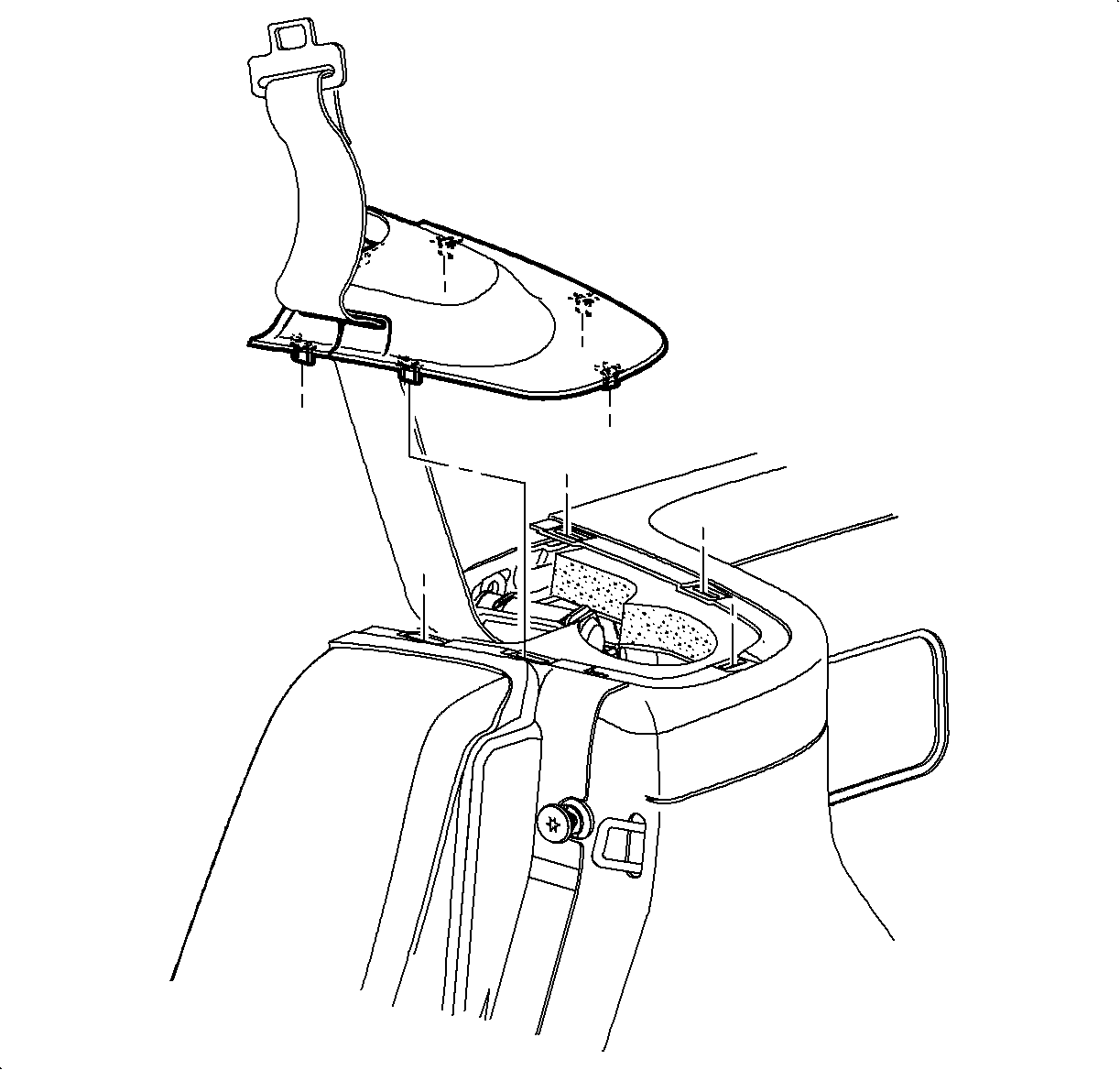
    Object Number: 867214  Size: SH
    Click here for detailed picture of above image.
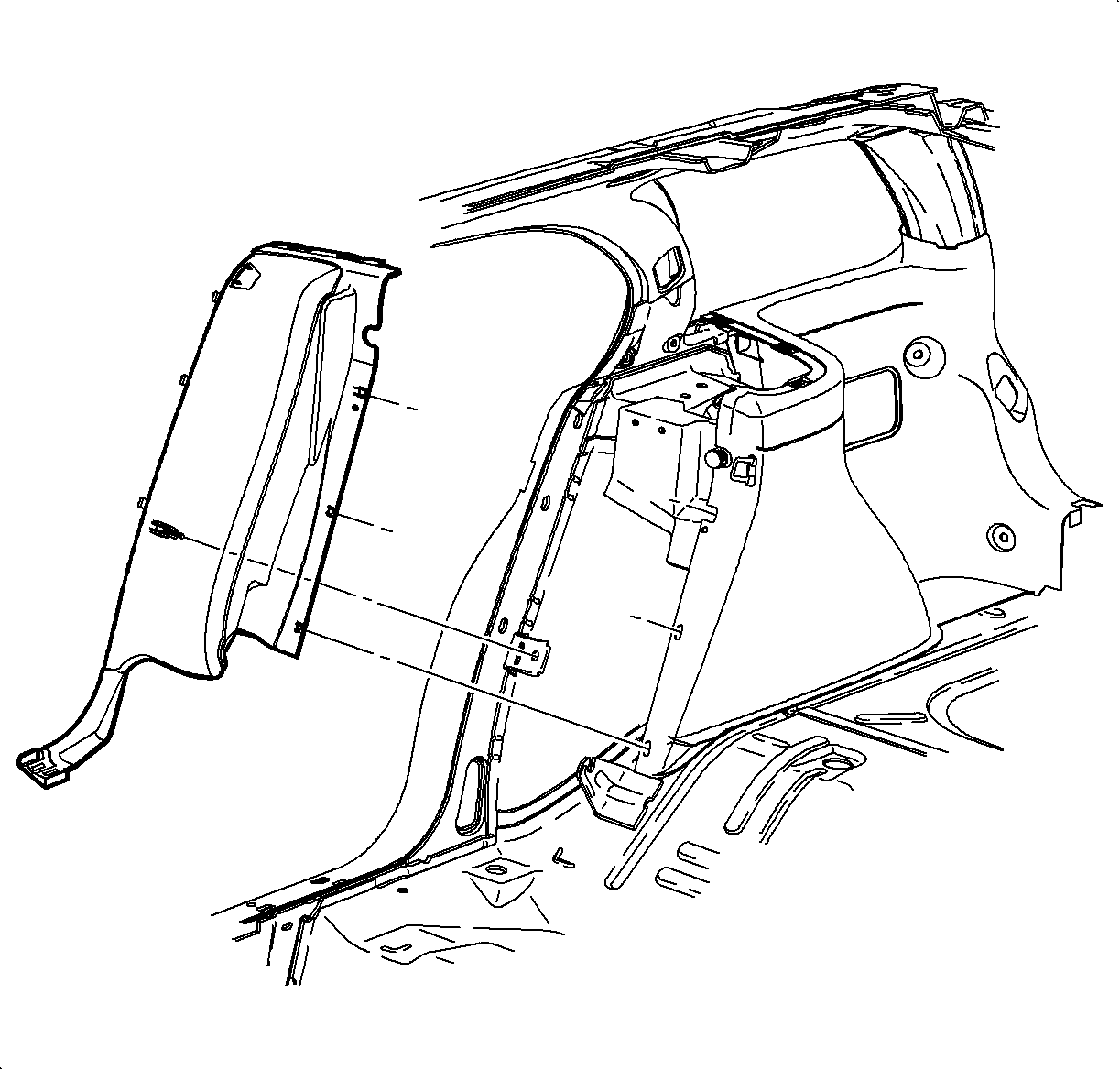
  1. Remove the rear wheelhouse trim finish panel by pulling up to disengage the clips. Slip the shoulder belt out of trim finish panel at the slit in the cover.

  2. Object Number: 867227  Size: SH
    Click here for detailed picture of above image.
  3. Remove the body lock pillar molding. Refer to Trim Finish Molding Replacement - Body Lock Pillar Lower .

  4. Object Number: 866919  Size: SH
    Click here for detailed picture of above image.
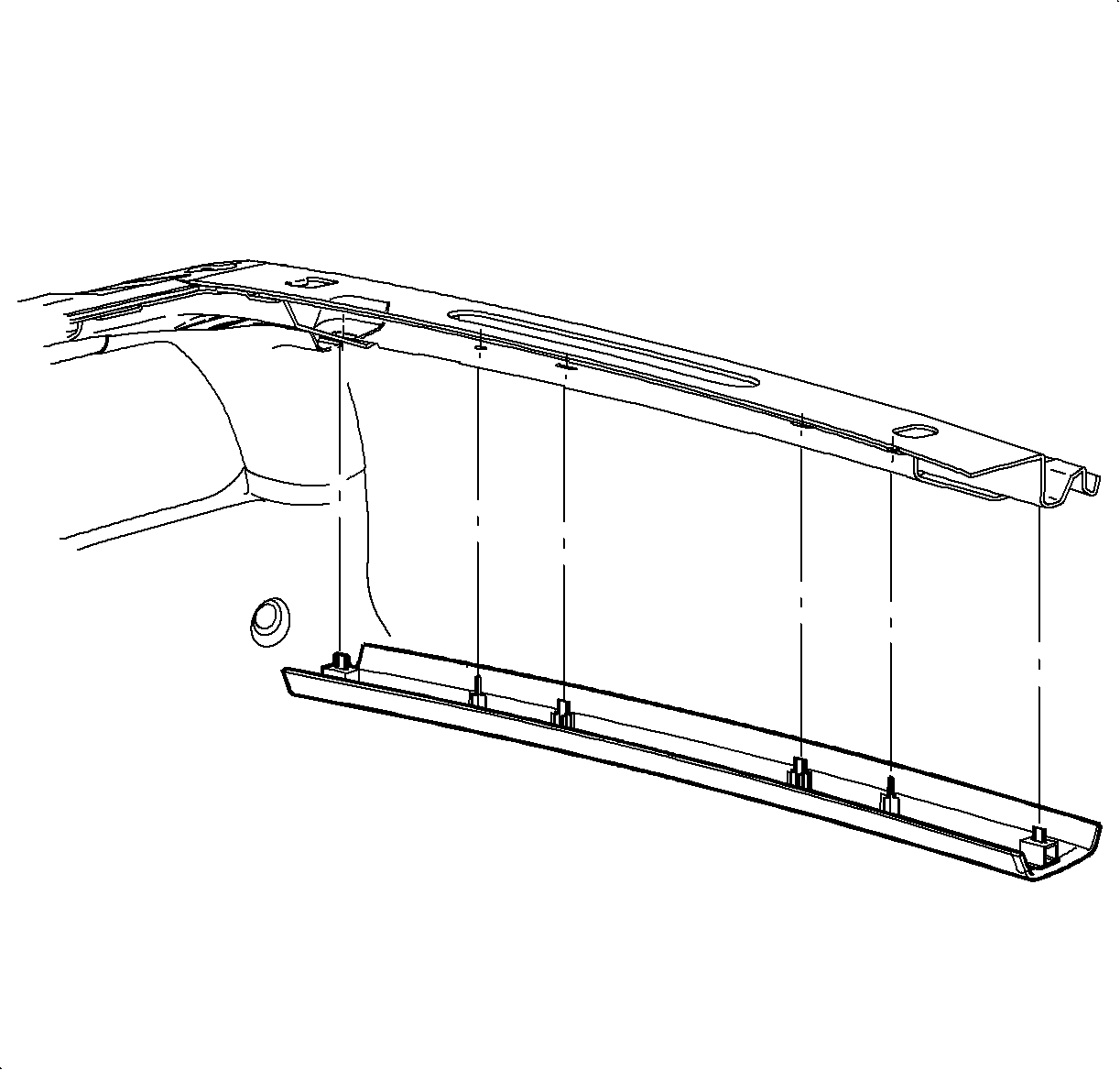
  5. Remove the headliner rear header trim panel assembly by pulling at the clip locations to disengage the clips.

  6. Object Number: 867189  Size: SH
    Click here for detailed picture of above image.
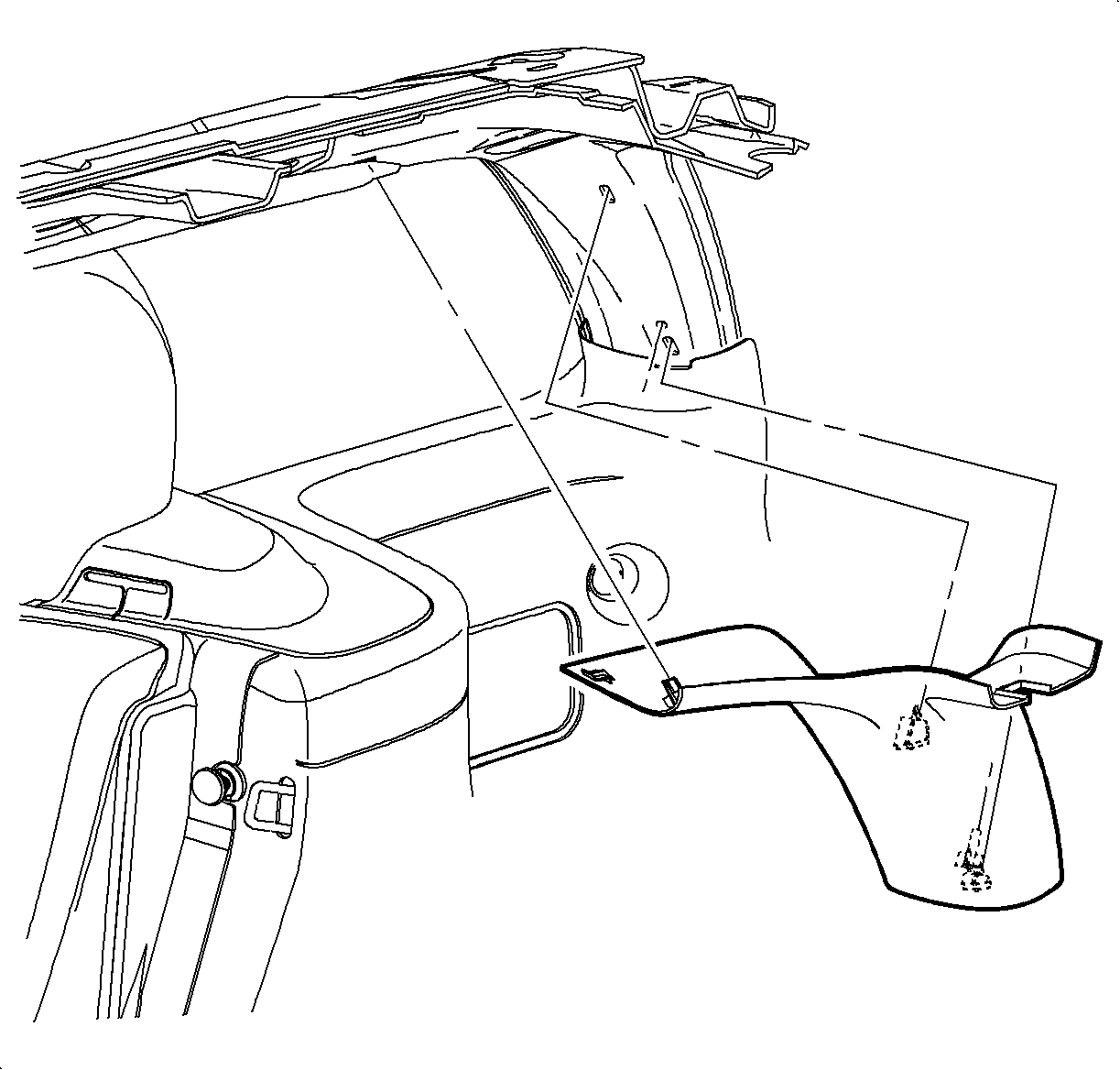
  7. Remove the corner upper garnish molding by pulling at the clip locations to disengage the clips.

  8. Object Number: 867203  Size: SH
    Click here for detailed picture of above image.
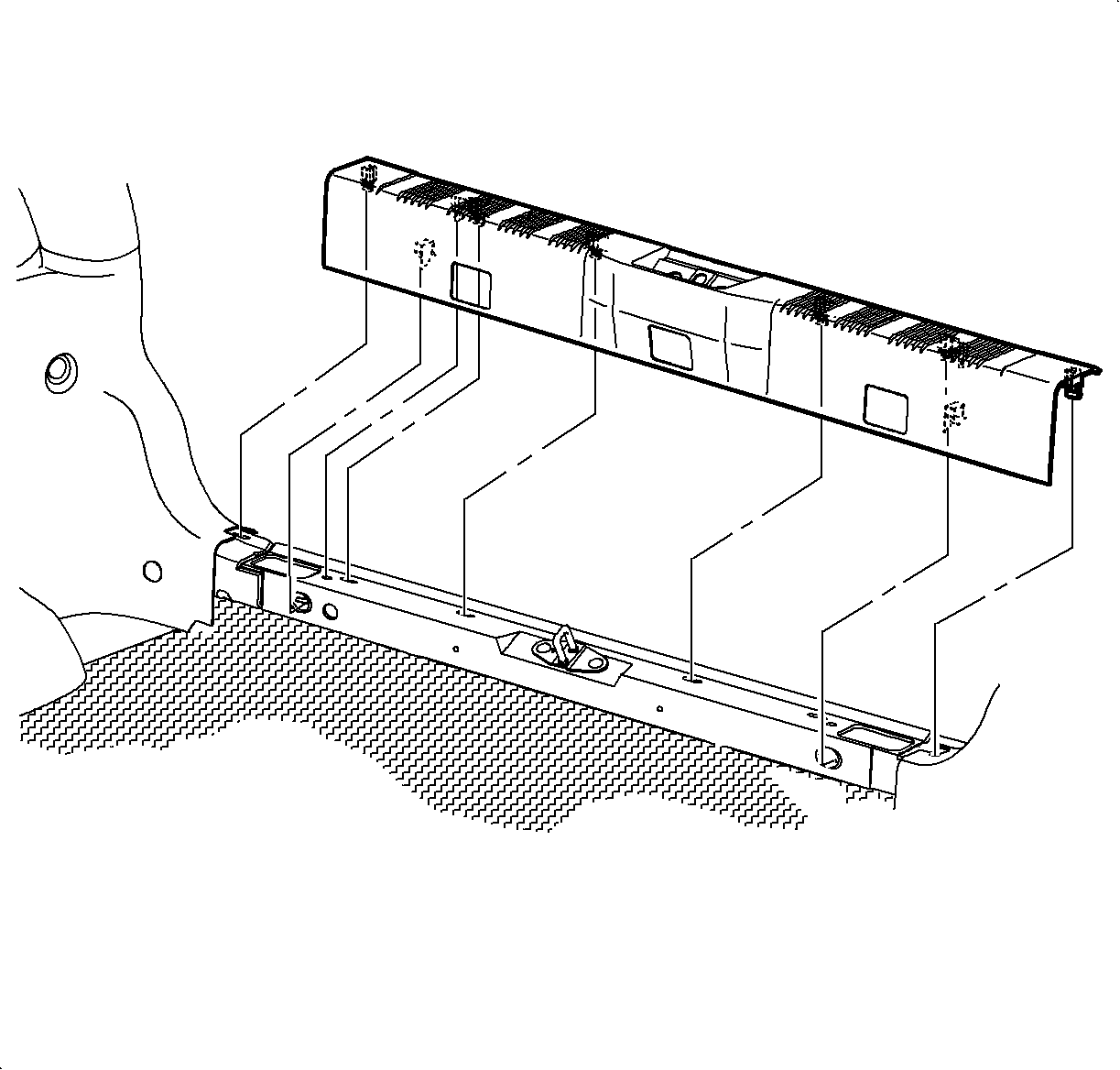
  9. Remove the rear end trim finish panel by pulling to disengage the clips.

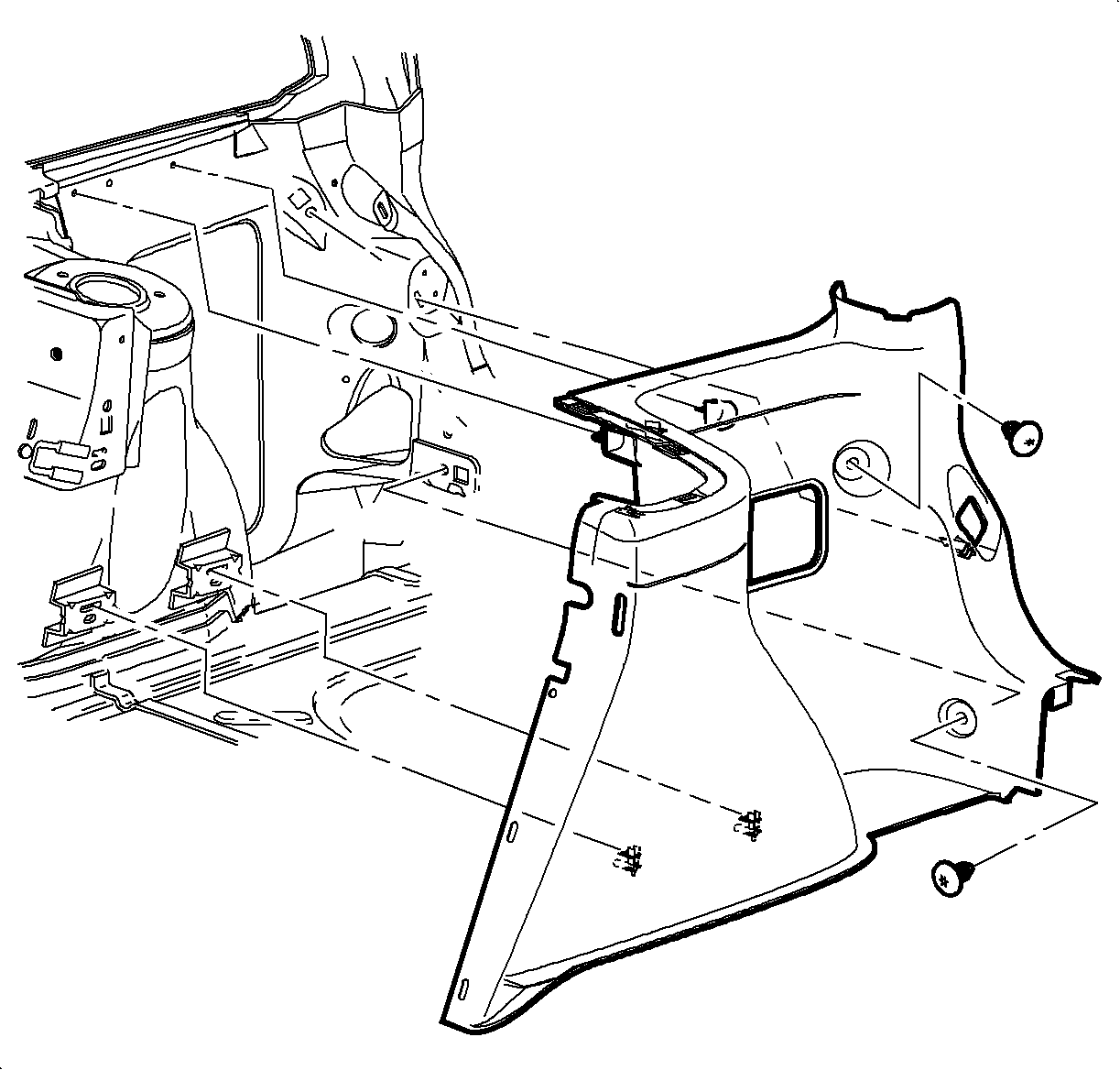
  10. Object Number: 867219  Size: SH
    Click here for detailed picture of above image.
  11. Remove the rear cargo net retainers by twisting in a counterclockwise direction.
  12. Remove the wheelhouse garnish molding by pulling at the clip locations to disengage the clips.
Installation Procedure

    Object Number: 867203  Size: SH
    Click here for detailed picture of above image.
  1. Position the wheelhouse garnish molding to the vehicle by pushing at the attaching clip locations to engage the clips.
  2. Install the cargo cover net retainers by twisting clockwise.
  3. Install the rear end trim finish panel by pushing at the clip locations to engage the attaching clips.

  4. Object Number: 867189  Size: SH
    Click here for detailed picture of above image.
  5. Position the corner upper garnish molding to the vehicle. Push at the attaching clip locations to engage the clips.

  6. Object Number: 866919  Size: SH
    Click here for detailed picture of above image.
  7. Install the headliner rear header trim panel by pushing at the clip locations to engage the attaching clips.

  8. Object Number: 867227  Size: SH
    Click here for detailed picture of above image.
  9. Install the body lock pillar molding. Refer to Trim Finish Molding Replacement - Body Lock Pillar Lower .

  10. Object Number: 867214  Size: SH
    Click here for detailed picture of above image.
  11. Route the shoulder belt into the rear wheelhouse trim finish panel at the slit. Position the rear wheelhouse trim finish panel to the vehicle. Push at the attaching clip locations to engage the clips. Check to make sure the shoulder belt is not twisted and operates properly.
  Document ID# 878088
1998 Saturn SL2/SC2/SW2