Document ID# 877161
1998 Saturn SL2/SC2/SW2
 

Latch Replacement - Rear Door Upper (Coupe)

Removal Procedure

    Object Number: 868576  Size: SH
    Click here for detailed picture of above image.
  1. Remove the upper trim panel. Refer to Trim Panel Replacement - Upper Extension .

  2. Object Number: 859237  Size: SH
    Click here for detailed picture of above image.
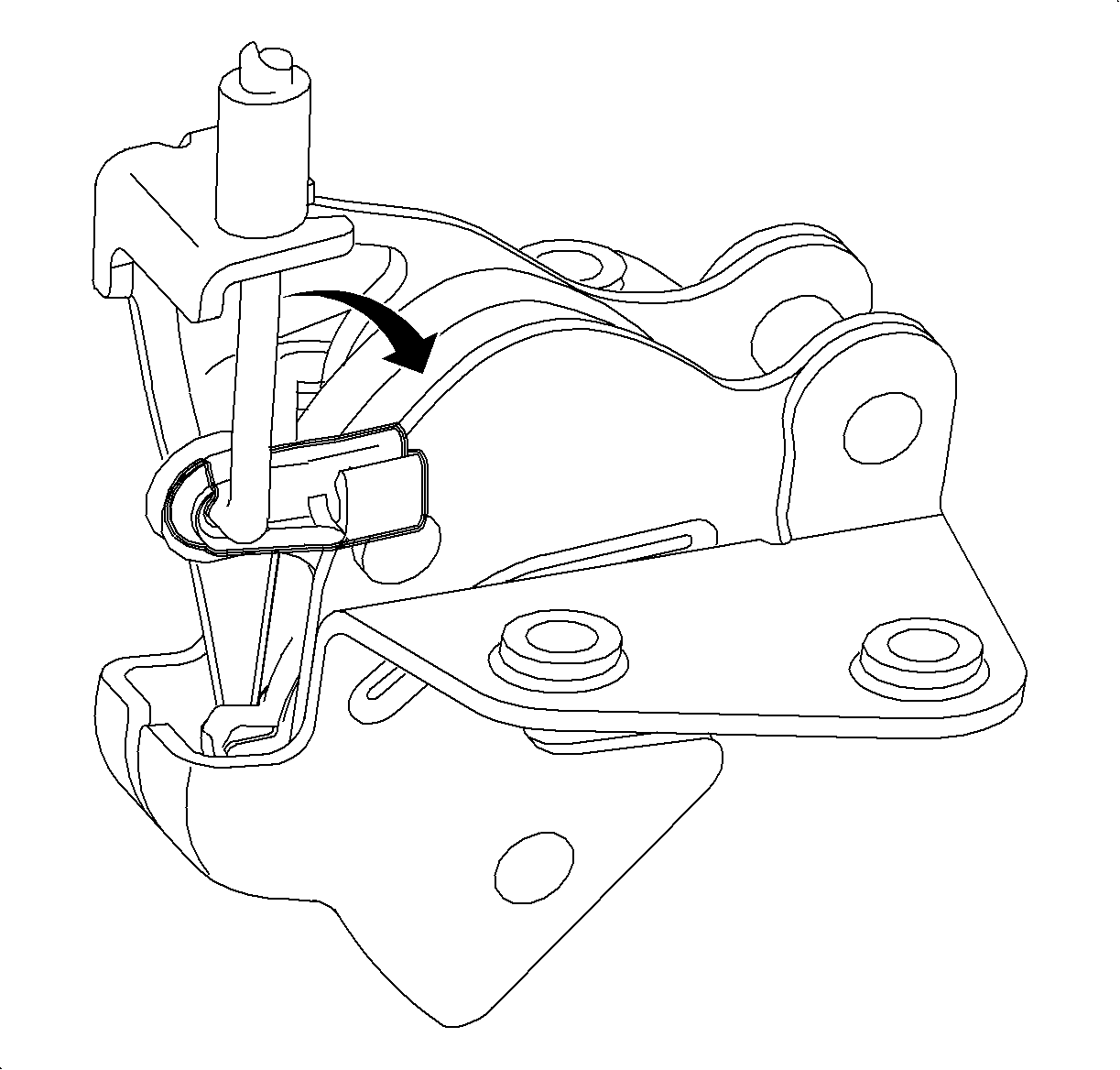
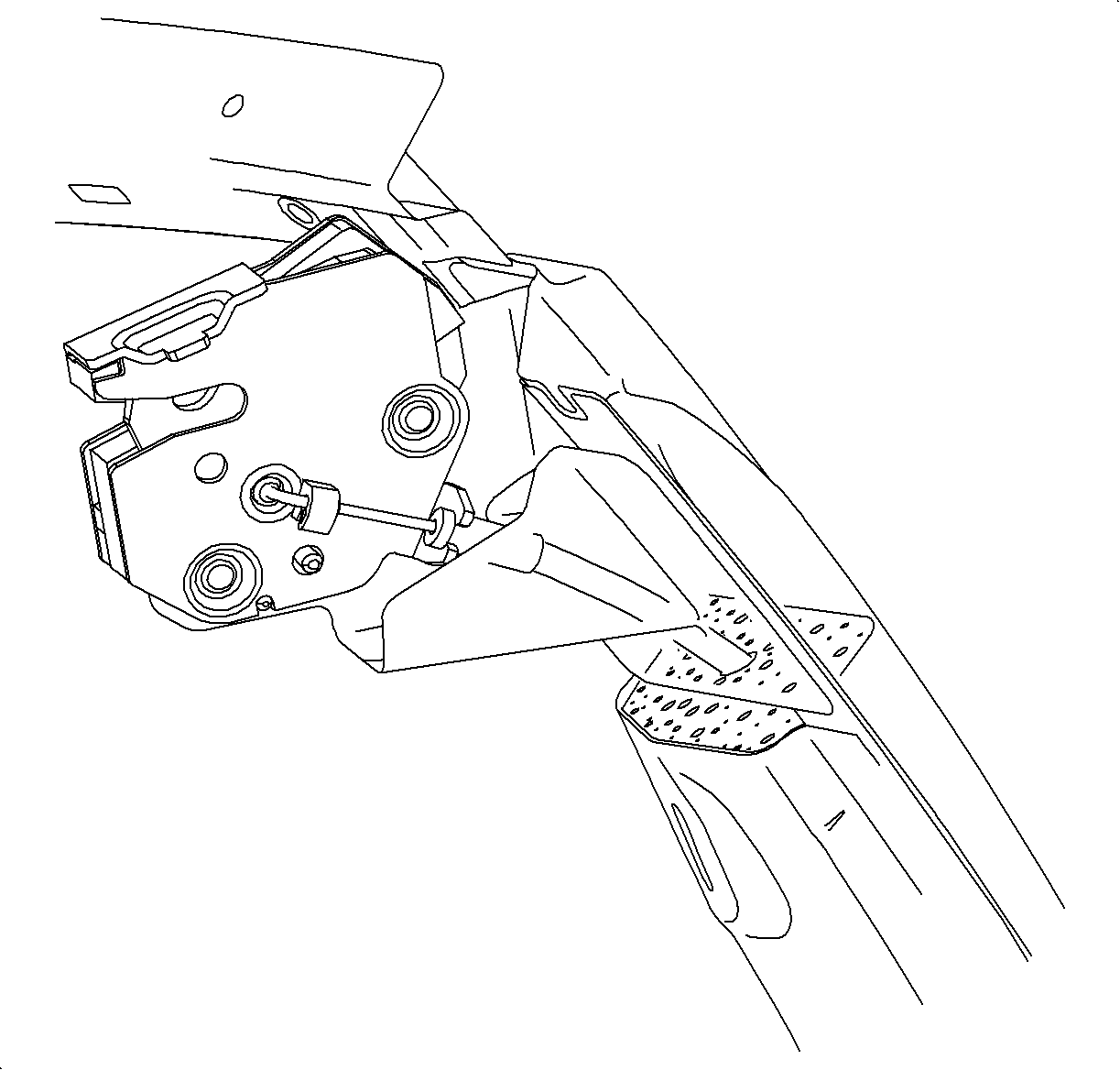
  3. Disengage the plastic clip from the cable by rotating the clip away from the cable.

  4. Object Number: 868032  Size: SH
    Click here for detailed picture of above image.
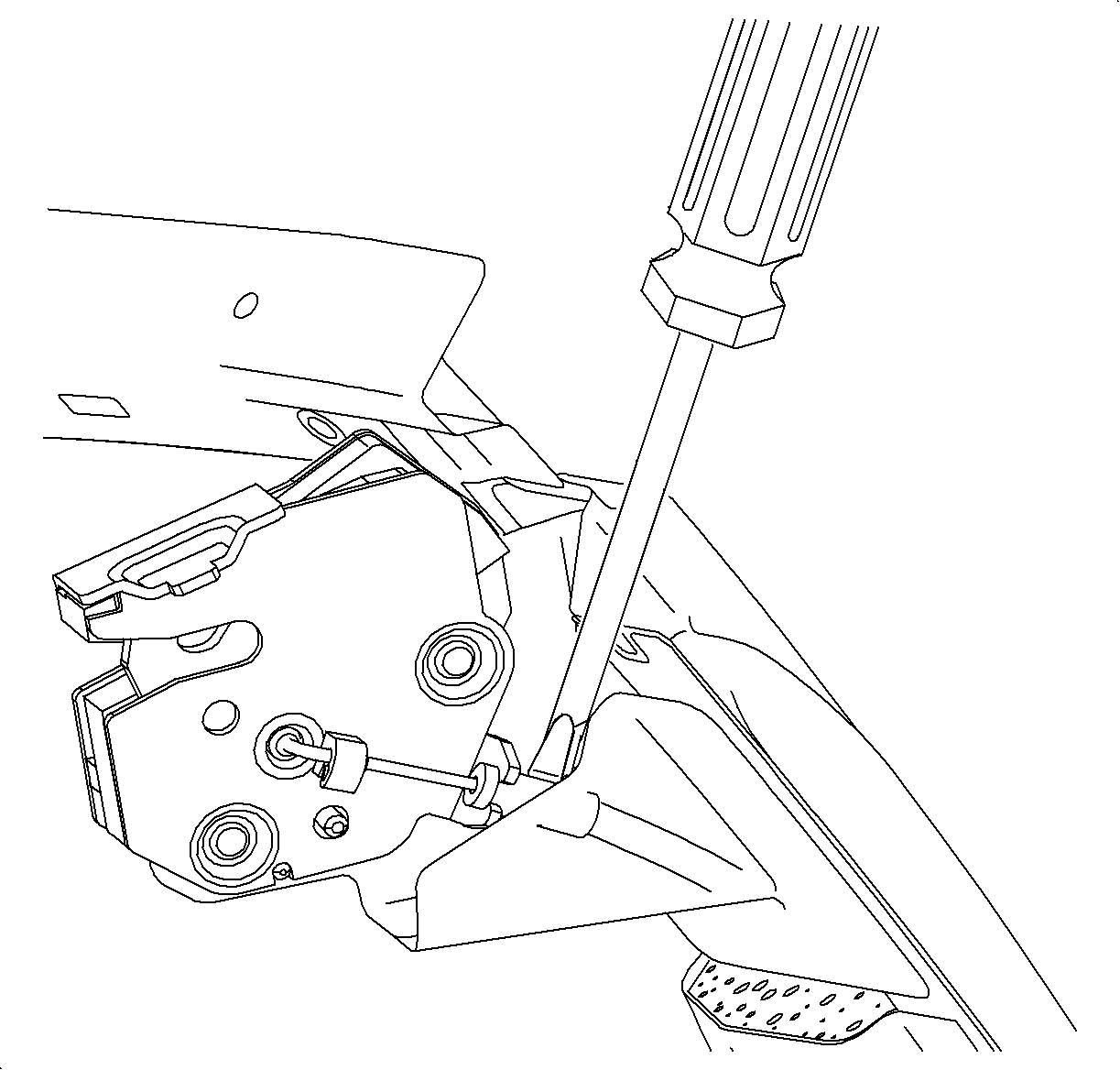
  5. Remove the cable from the bracket on the latch by prying with a screwdriver while the latch is installed to the door.

  6. Object Number: 868043  Size: SH
    Click here for detailed picture of above image.
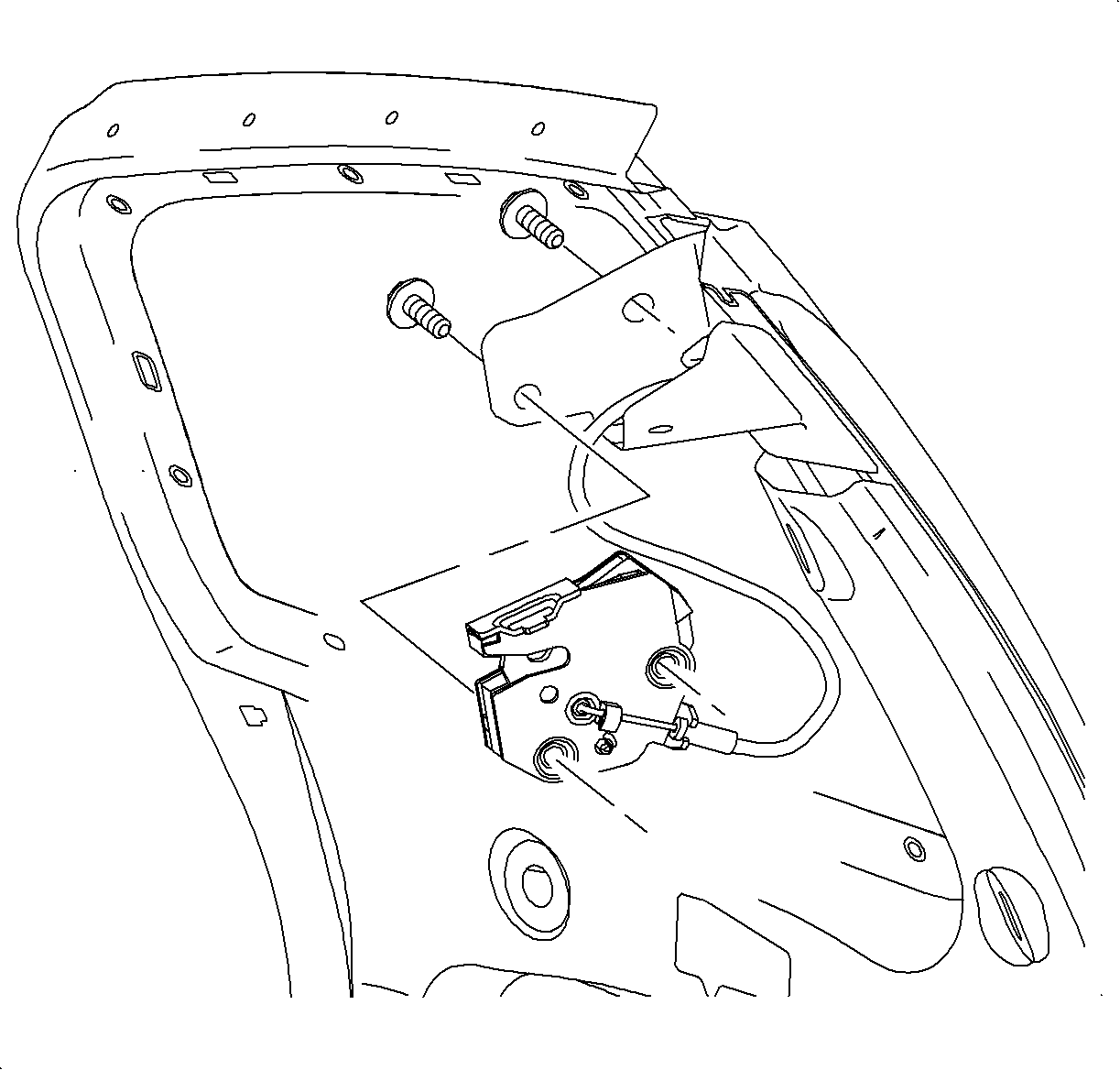
  7. Remove the latch fasteners and remove the latch.
Installation Procedure

    Object Number: 859213  Size: SH
    Click here for detailed picture of above image.
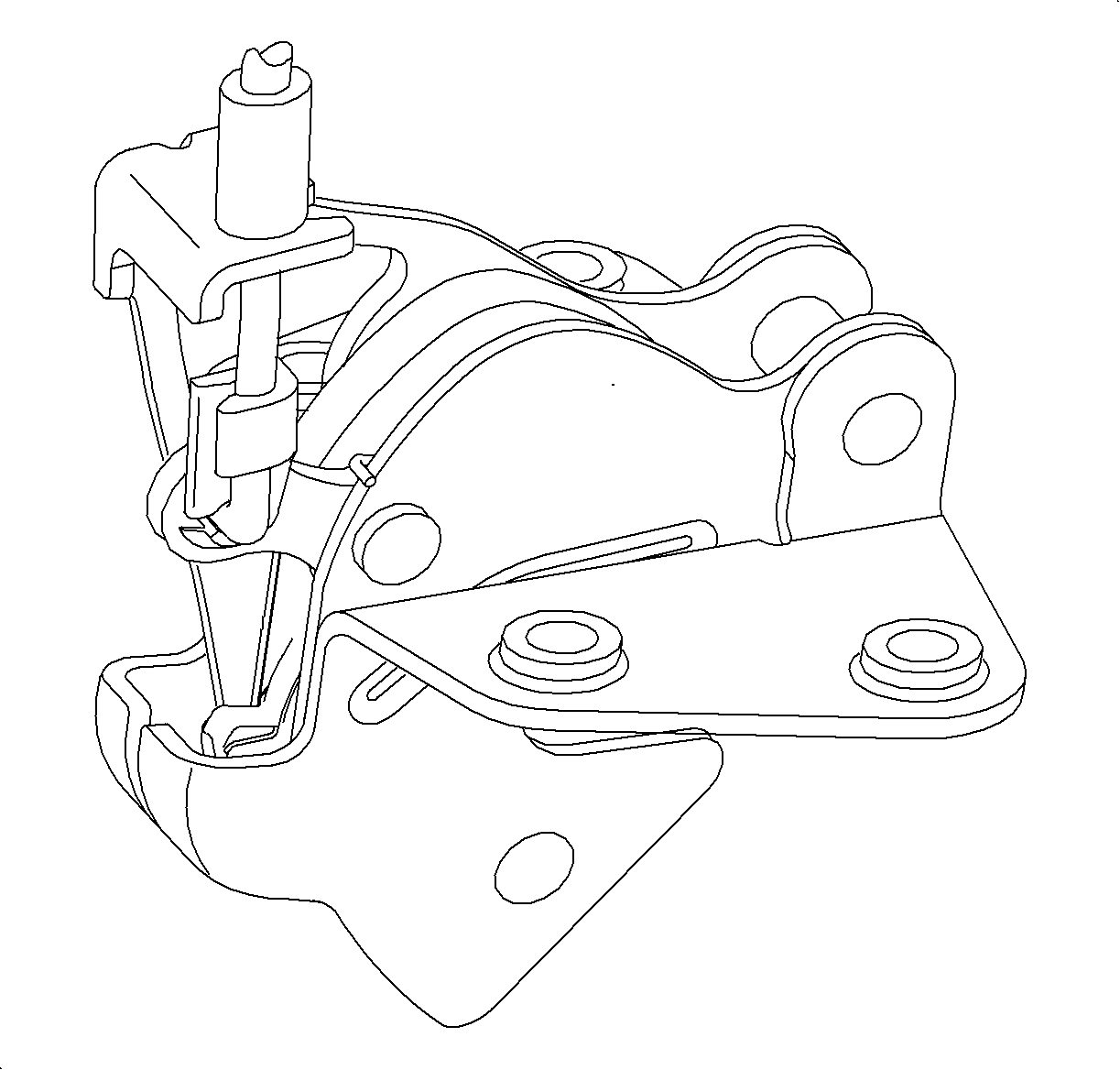
  1. Install the cable to the latch by engaging the plastic clip and then pressing the cable into the bracket on the latch.

  2. Object Number: 868048  Size: SH
    Click here for detailed picture of above image.
  3. Apply Loctite 242® threadlocker, or equivalent, to the latch fasteners.
  4. Notice

    Refer to Fastener Notice in Cautions and Notices.

  5. Install the latch to the door.
  6. Tighten

    Tighten the rear door upper latch bolts (Coupe) to 24 N·m (18 lb ft).
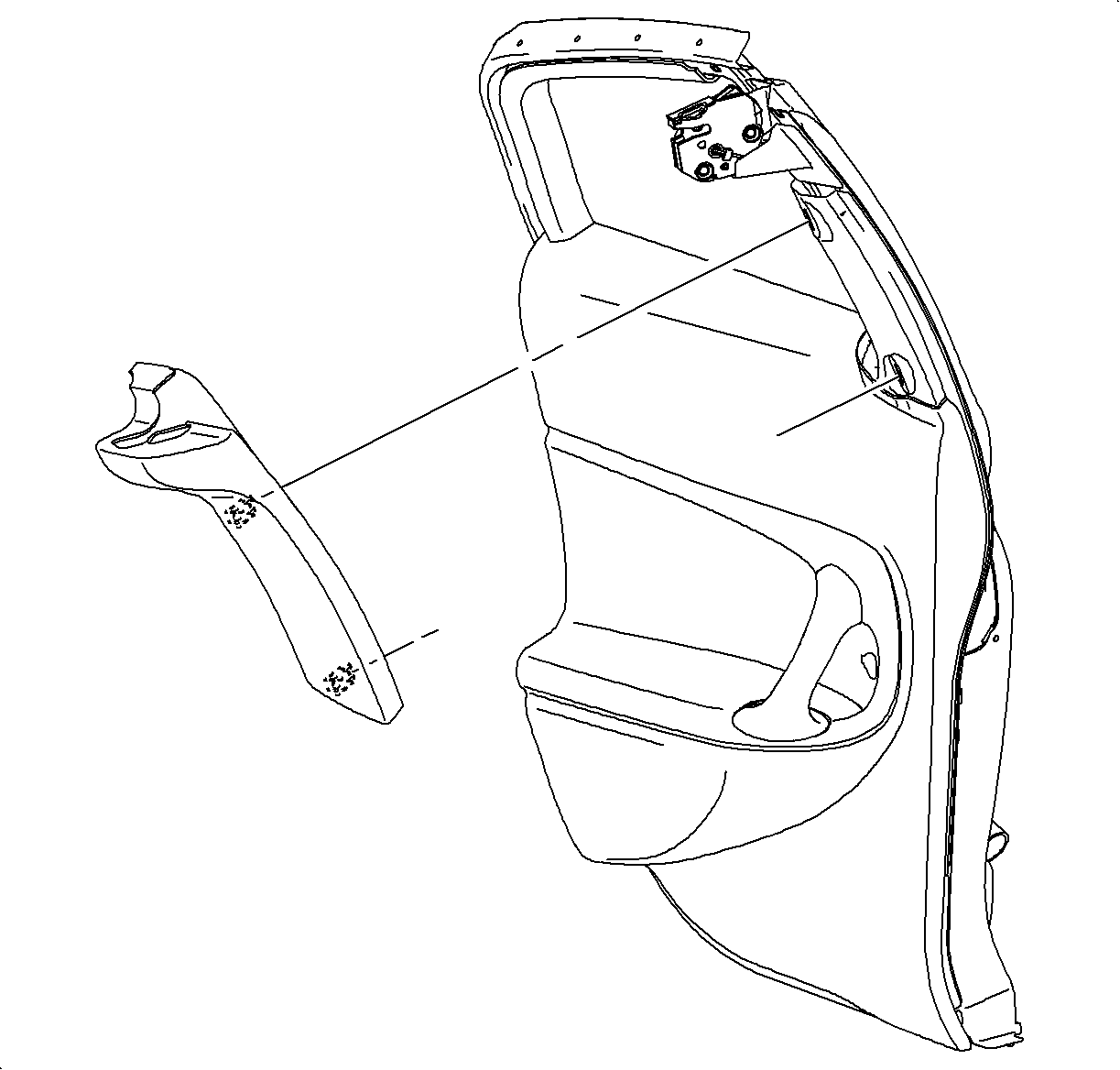

    Object Number: 868576  Size: SH
    Click here for detailed picture of above image.
  7. Install the upper trim panel. Refer to Trim Panel Replacement - Upper Extension .
  8. Check the operation. Both the upper and lower latches must release prior to the rear door handle reaching the end of its travel. There is no adjustment in the cables.

  Document ID# 877161
1998 Saturn SL2/SC2/SW2