Shift Lock Control Module Replacement
Removal Procedure

- Disable the SIR System. Refer to
Disabling the SIR System
in the SIR section.
- Turn ignition to Off.
- Remove console. Refer to
Console Replacement
in the Instrument Panel, Gages and Console.
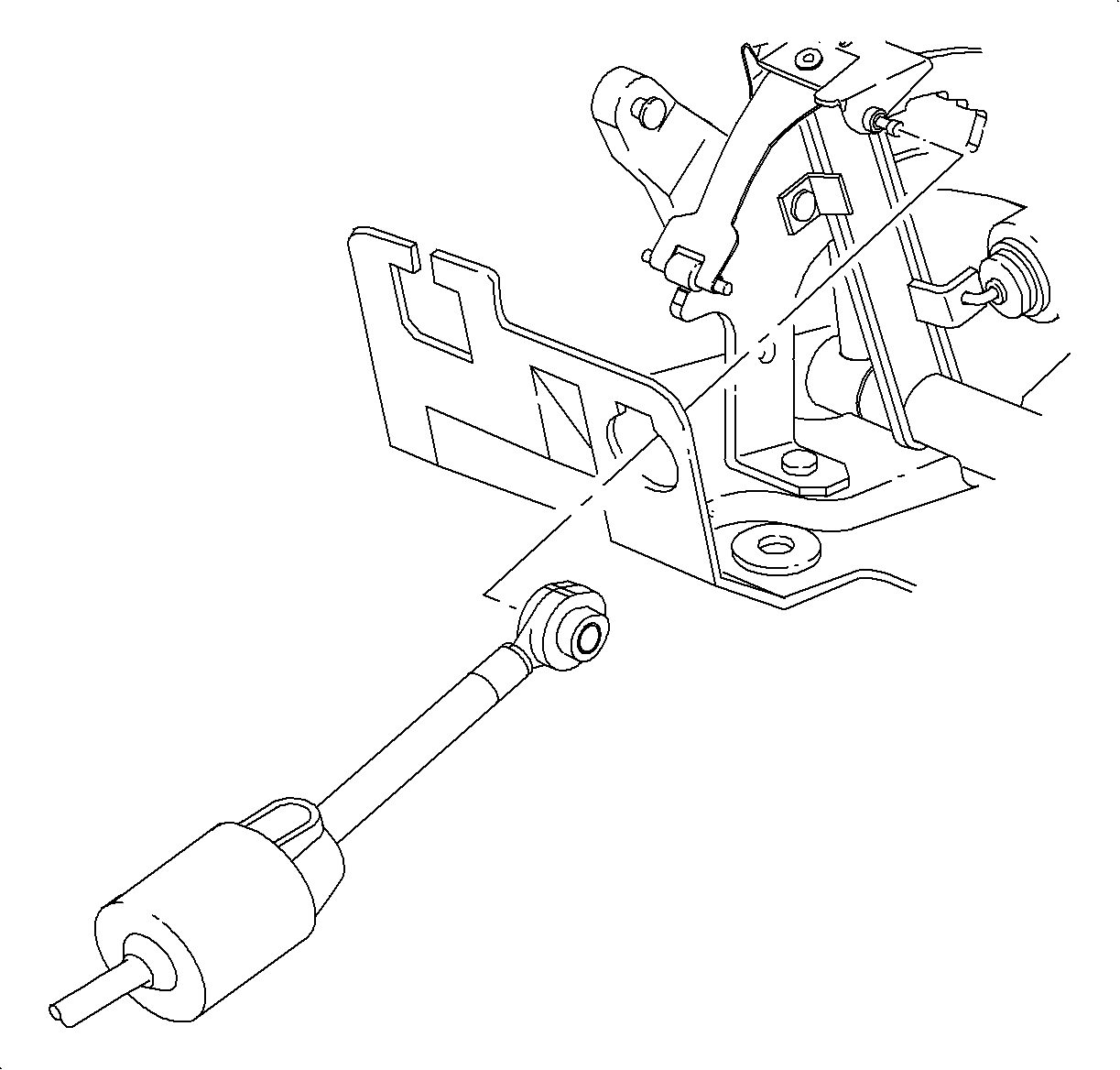
- Using a screwdriver disconnect control cable from control base assembly
lever.
- Depress the 2 tabs on control cable assembly and remove.
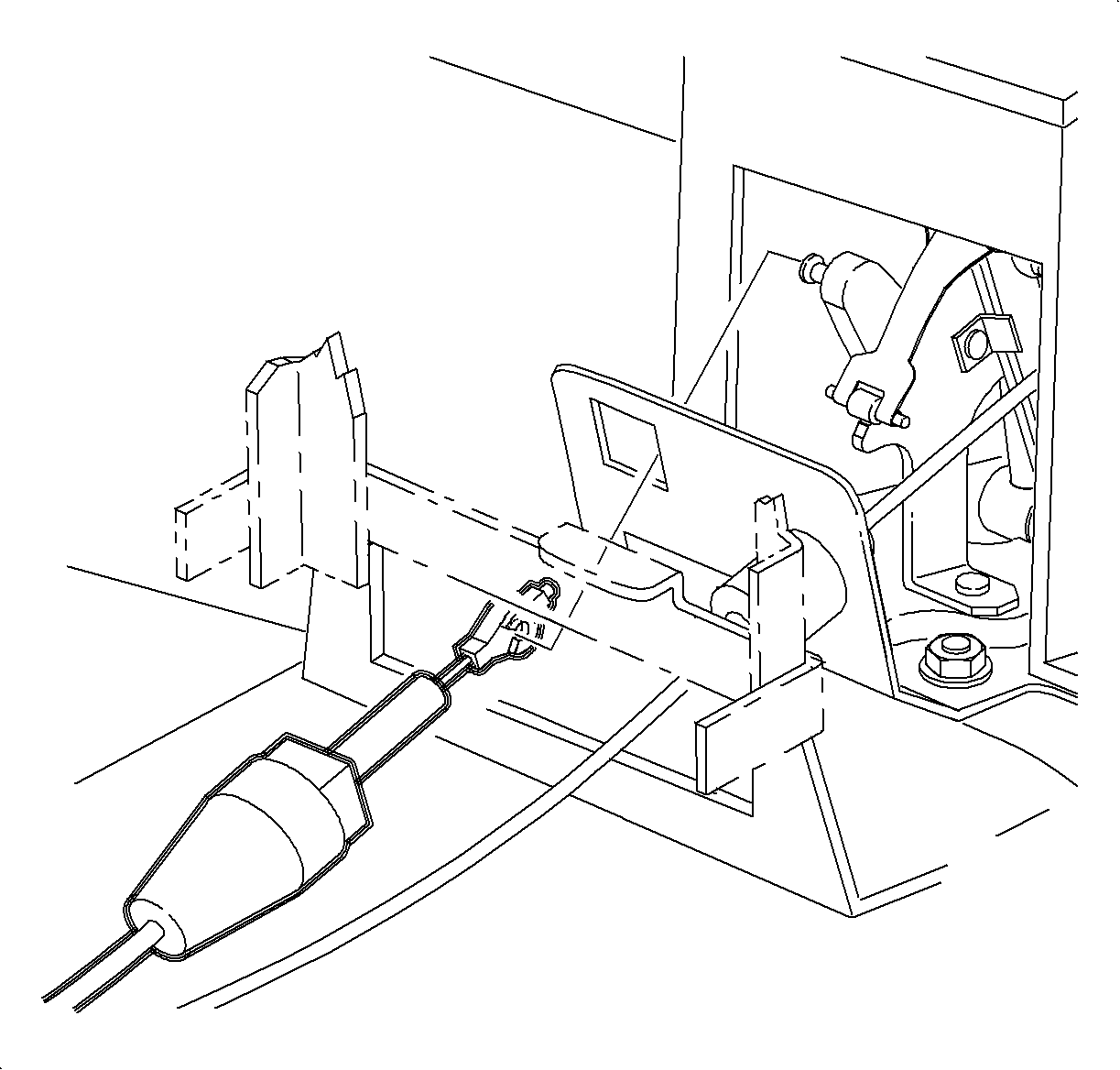
- Disconnect park lock cable assembly from control base assembly.
- Depress the two tabs on the end fitting of park lock cable assembly and
remove from control base assembly.
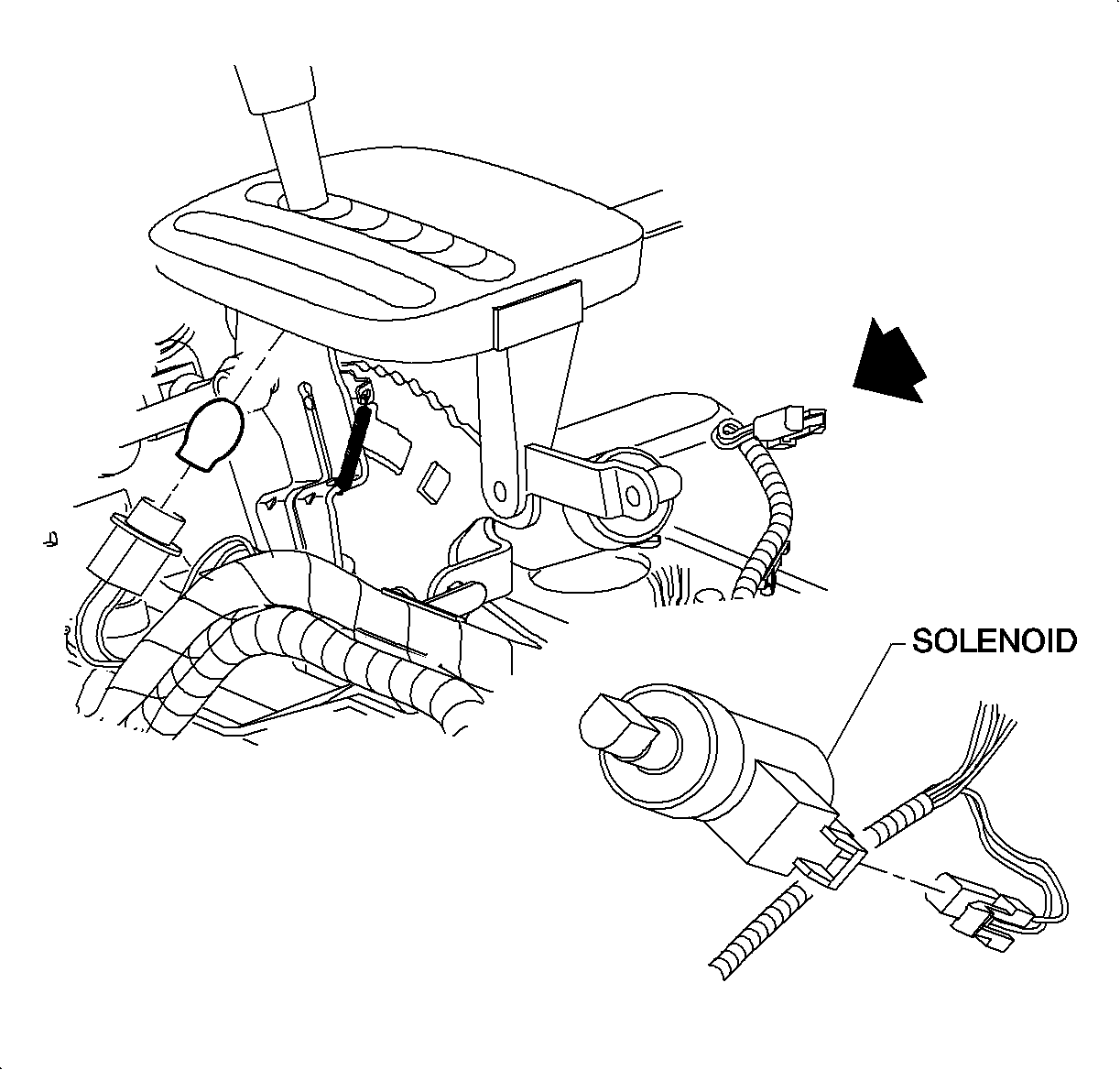
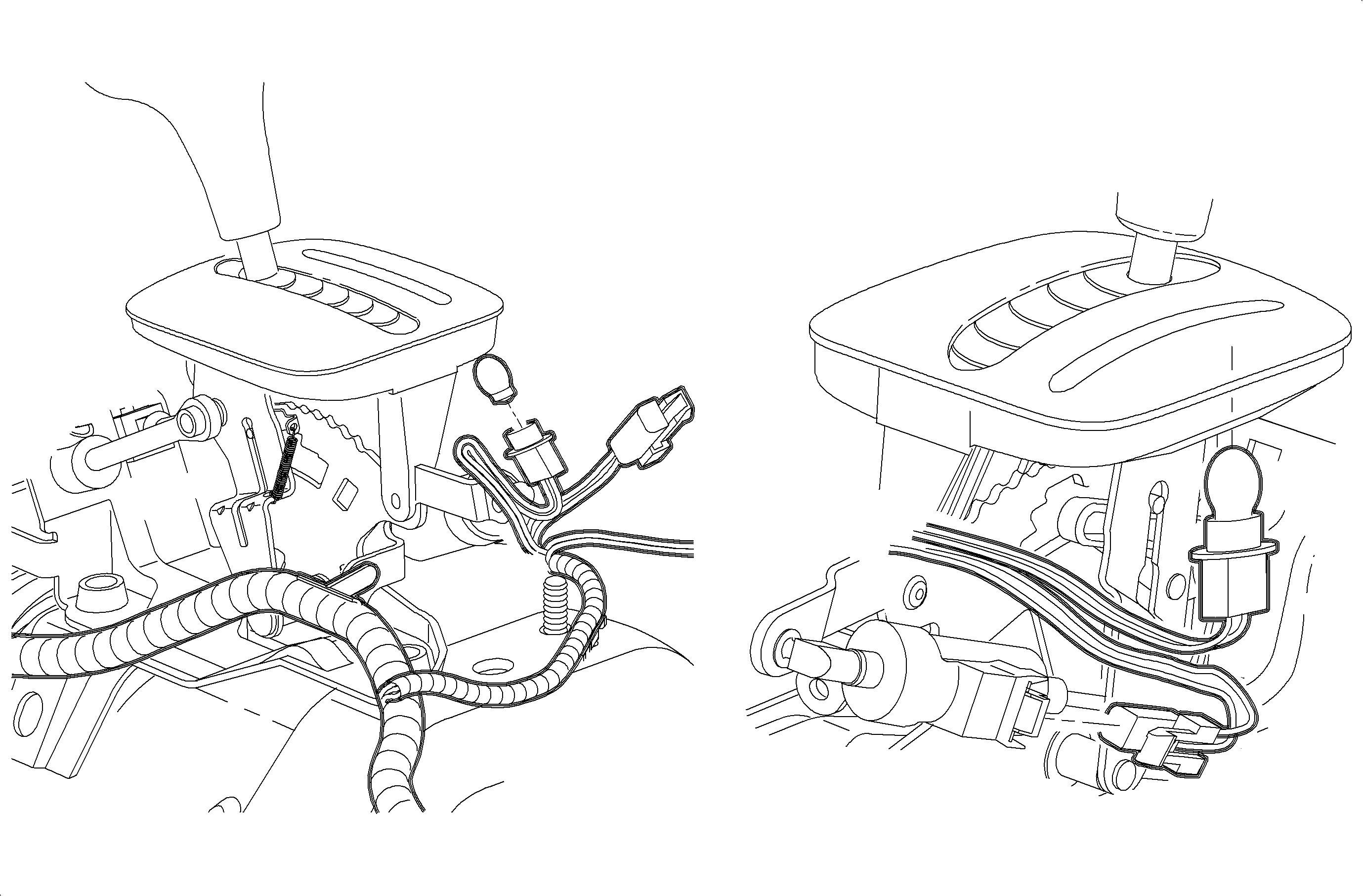
Important
For step 8, LHD illustration shown first,
RHD Domestic illustration shown second.
- Disconnect brake transaxle shift interlock (BTSI) harness connector.
(LHD shown, RHD shown below)
- Remove control indicator assembly (PRND32) bulb.
- Disconnect 2 wiring harness retainers from control base assembly.
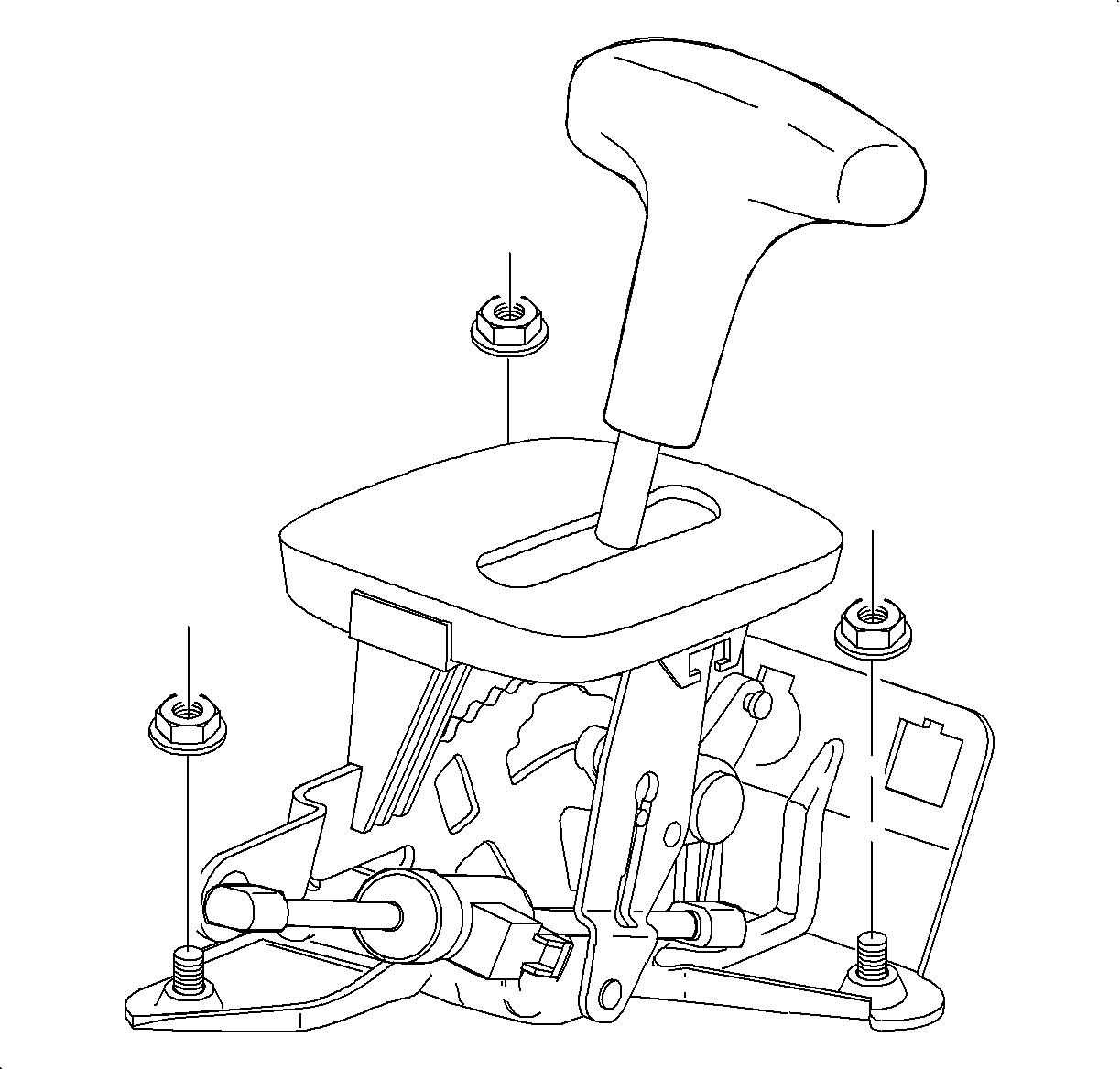
- Remove 3 control
base assembly to floorpan nuts and remove assembly.
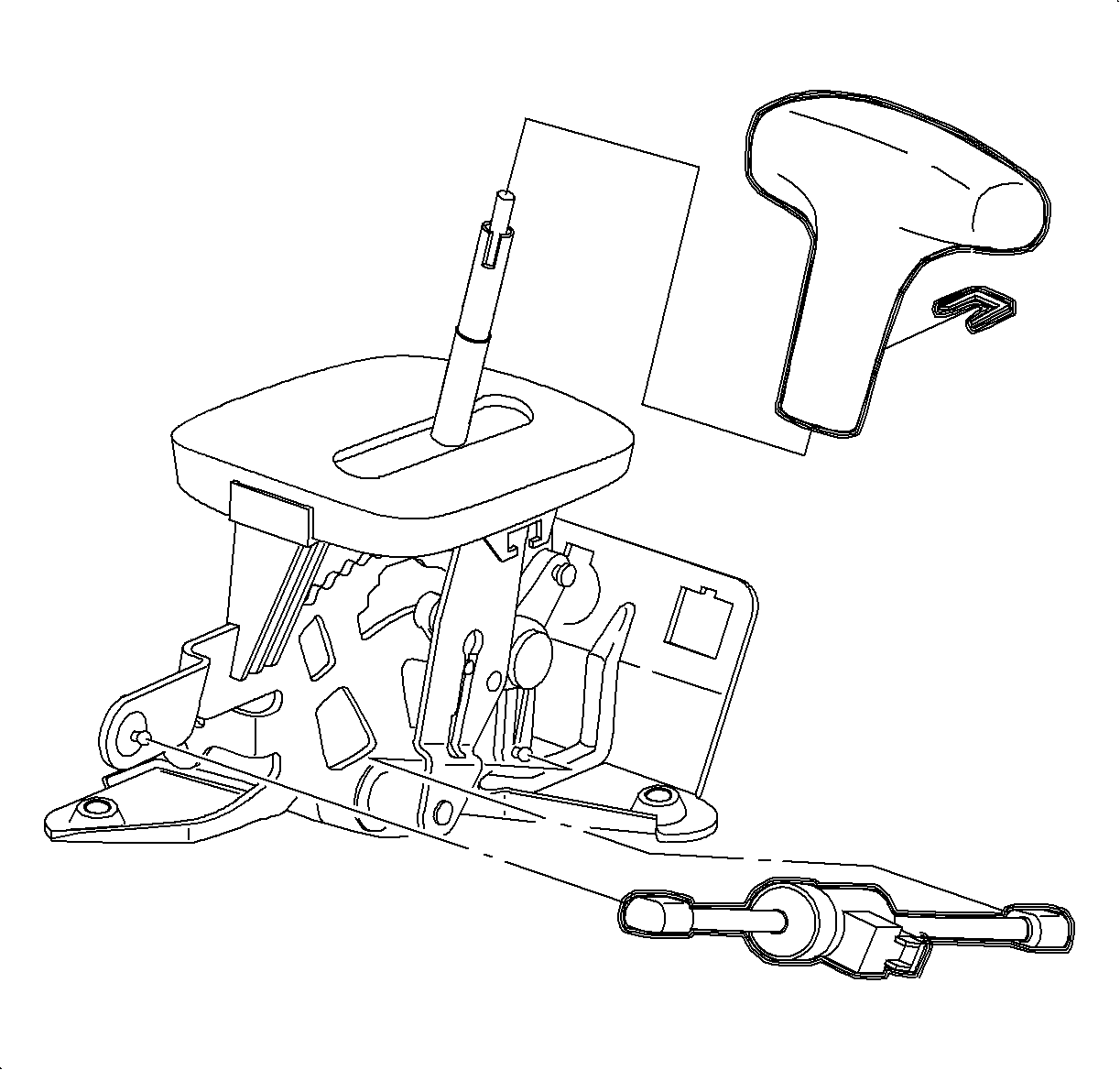
- With control base assembly out of vehicle, use a screwdriver to disconnect the
BTSI solenoid plastic retainers and remove BTSI solenoid from control base assembly.
- Using a screwdriver, remove control lever knob assembly retainer. Remove
control lever knob assembly.
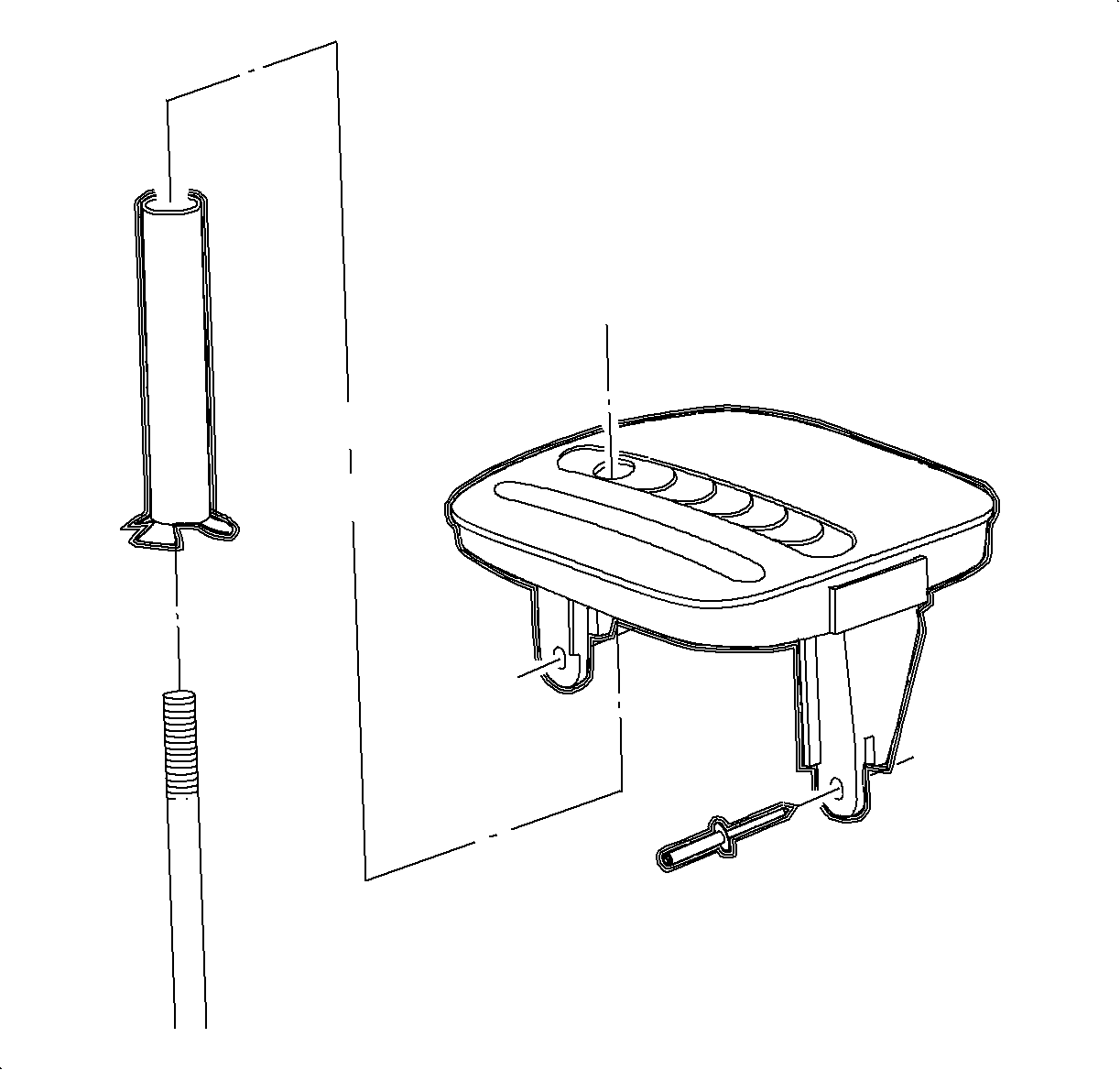
- Using a 4.75 mm (3/16 in) drill bit, drill out 2 control
indicator assembly (PRND32) rivets attaching the control indicator assembly to the
control shift assembly.
- Remove control indicator assembly (PRND32) from control base assembly
and remove the old rivets.
- Remove the control tube.
Installation Procedure
- Install control tube on new control base assembly.
- Position control indicator assembly (PRND32) on control base assembly
and install 2 shift indicator pop rivets with a rivet gun.
- Install BTSI solenoid into control base assembly. Connect 2 plastic retainers
to control base assembly.
- Install control lever knob assembly and retainer.
- Position control
base assembly in vehicle and install 3 nuts.
TightenTighten Control Base Assembly Nuts to 25 N·m (19 lb ft)
Important
For step 6, LHD illustration shown first,
RHD Domestic illustration shown second.
- Install the control indicator assembly (PRND32) bulb. LHD shown here, RHD shown
below.
- Connect BTSI harness connector.
- Connect two wiring harness retainers to control base assembly.
- Install the park lock cable assembly into the control base assembly by completely
seating two tabs.
- Connect park lock cable assembly to control base assembly lever.
- Install control cable assembly into control base assembly by completely seating
two tabs.
- Connect control cable assembly to control base assembly lever, and adjust
control cable. Refer to Control Cable Adjustment procedure in this section.
- Check adjustment of park lock cable assembly. Refer to Park Lock Cable
Adjustment procedures in this service manual.
- Install console. Refer to
Console Replacement
in Instrument
Panel, Gages, and Console.
- Enable the SIR system. Refer to
Enabling the SIR System
in
SIR.