Document ID# 1204586
1998 Saturn SL2/SC2/SW2
 

Park Brake Lever Assembly Replacement

For Reference

Replacing Parking Brake Handle Assembly by SATURNFAN RalliArt16

richpin06a Parking Brake Handle Repair

Removal Procedure

    Object Number: 872210  Size: SH
    Click here for detailed picture of above image.
  1. Disable the SIR System. Refer to Disabling the SIR System in SIR.
  2. Remove the console. Refer to Console Replacement in Instrument Panel, Gages and Console.
  3. Remove the electrical connector from the park brake switch.
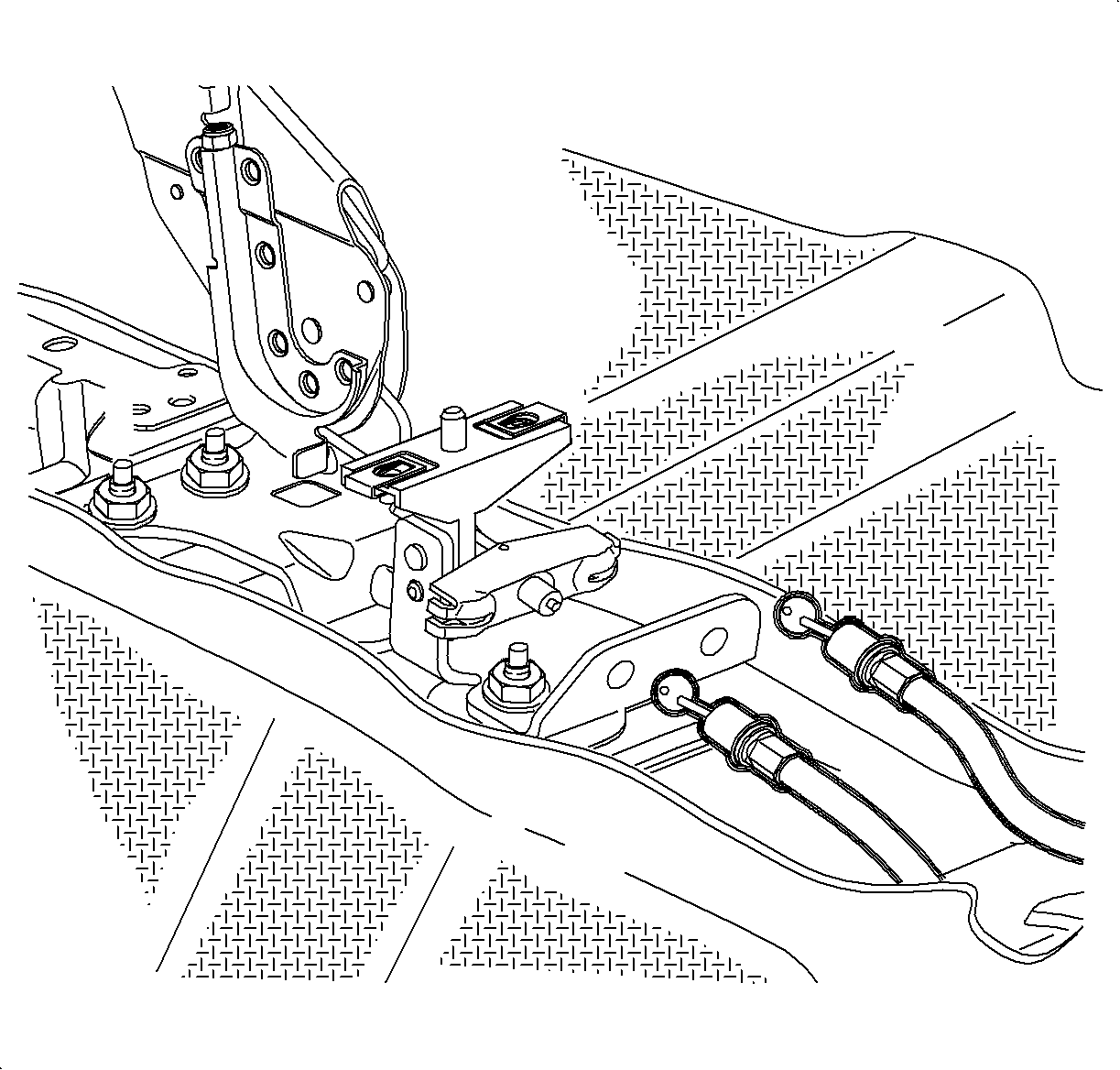
  4. Remove the park brake adjuster nut.
  5. Remove the rear park brake cables from the equalizer and pull them away from the park brake base.
  6. Remove the front park brake equalizer/cable assembly from the park brake lever.
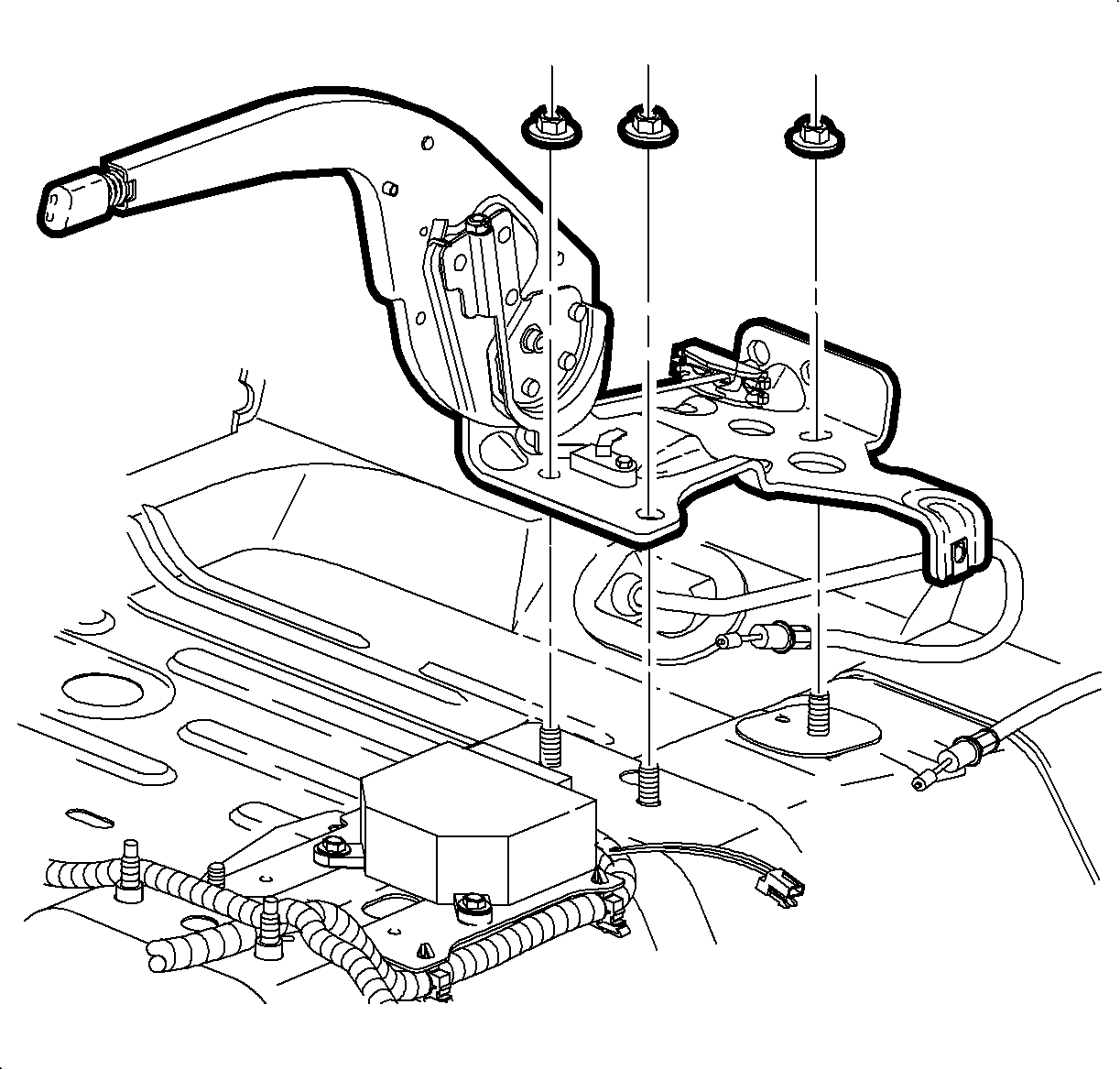
  7. Remove the park brake-to-floor retaining fasteners.
  8. Remove the SDM ground terminal and wire from park brake lever assembly floor plan stud.

  9. Object Number: 872207  Size: SH
    Click here for detailed picture of above image.

    Notice

    Do not contact the SIR System's sensing and diagnostic module (SDM) when installing park brake lever assembly into vehicle.

  10. Remove the park brake lever assembly from the floor.
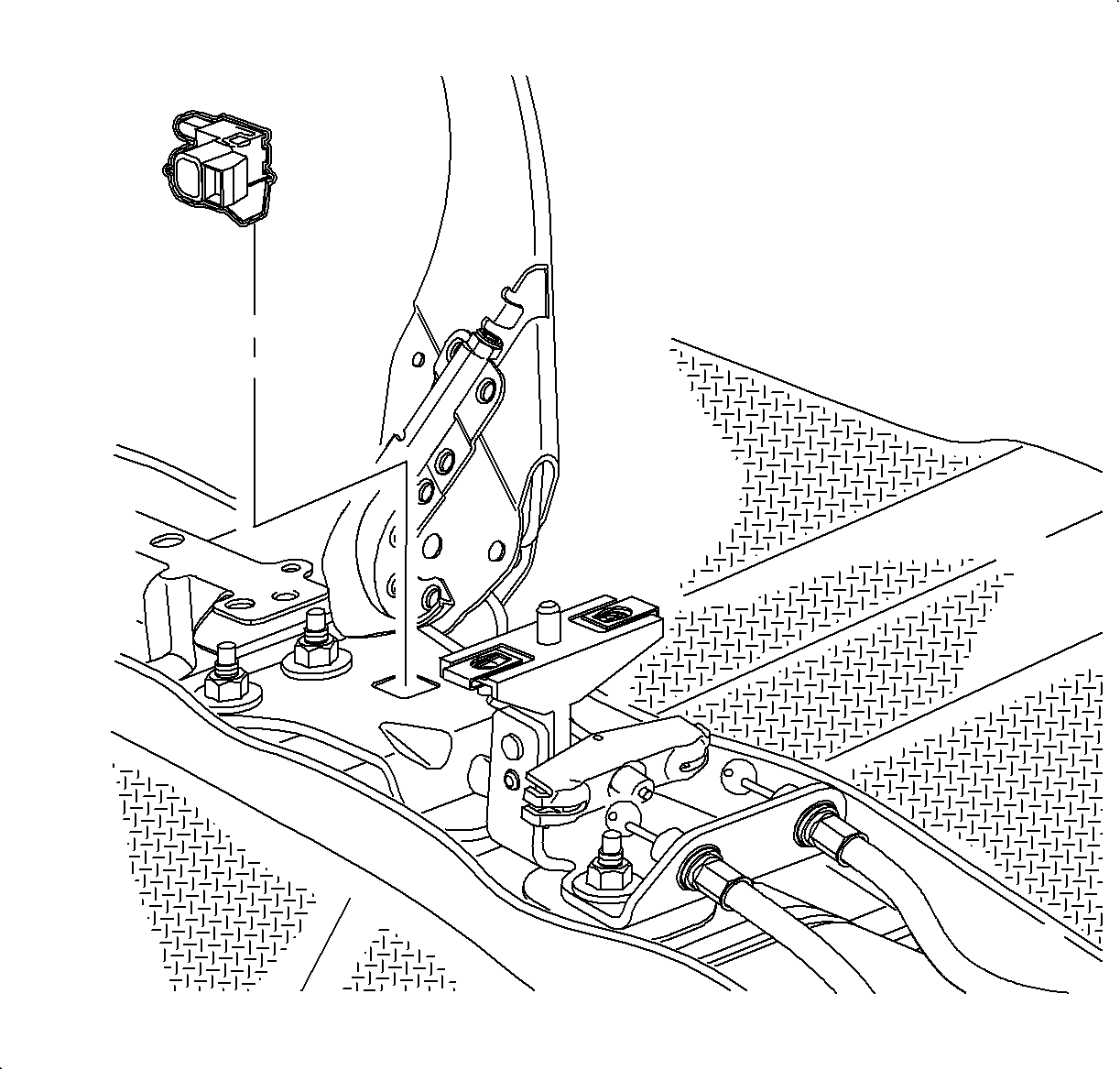
  11. Remove indicator switch by squeesing in and pushing up retaining tabs at underside of park brake lever assembly.
  12. Remove the 3 U-nuts from the park brake lever assembly. Save the nuts to use on the new assembly.
Installation Procedure

    Notice

    Refer to Fastener Notice in Cautions and Notices.


    Object Number: 904858  Size: SH
    Click here for detailed picture of above image.

    Notice

    Do not contact the SIR System's sensing and diagnostic module (SDM) when installing park brake lever assembly into vehicle.

  1. Install the park brake lever assembly onto the floor. Install SDM ground wire terminal over left front floor pan stud. Install the park brake lever assembly fasteners.
  2. Tighten

    Tighten the park brake lever assembly-to-floor fasteners to 25 N·m (18 lb ft).

  3. Install the 3 U-nuts onto the park brake lever assembly.

  4. Object Number: 904857  Size: SH
    Click here for detailed picture of above image.
  5. Install indicator switch by pulling park brake lever up and pushing switch tabs into slot until secure.
  6. Connect the park brake switch electrical connector.
  7. Route rear park brake cables into park brake base and install into equalizer.
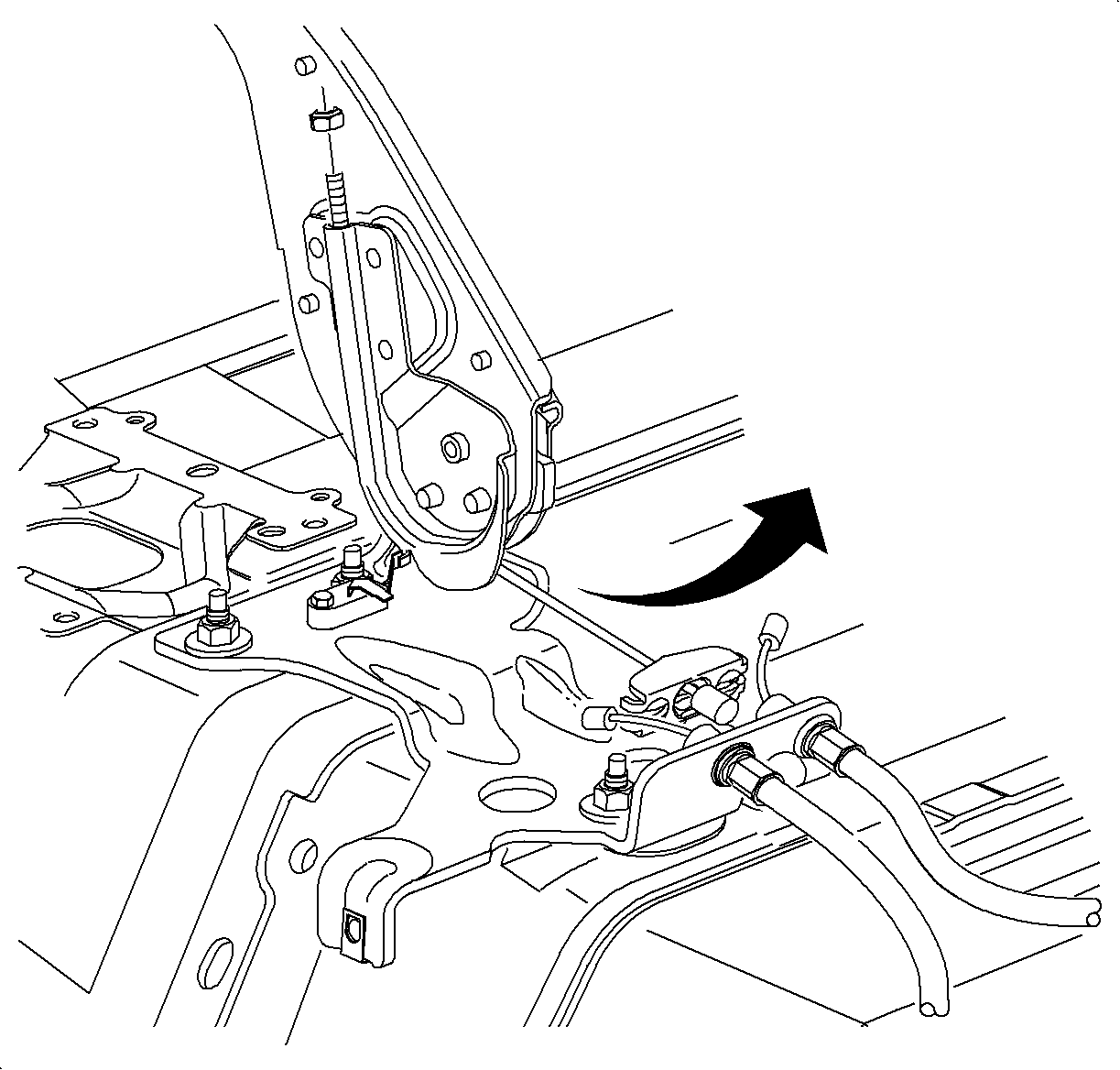
  8. Adjust the park brake. Refer to Park Brake Adjustment .
  9. Install the console. Refer to Console Replacement in Instrument Panel, Gages and Console.
  10. Enable the SIR System. Refer to Enabling the SIR System in SIR.

  Document ID# 1204586
1998 Saturn SL2/SC2/SW2