Document ID# 1197875
1998 Saturn SL2/SC2/SW2
 

Instrument Panel (I/P) Air Outlet Ducts Replacement

    Removal Procedure
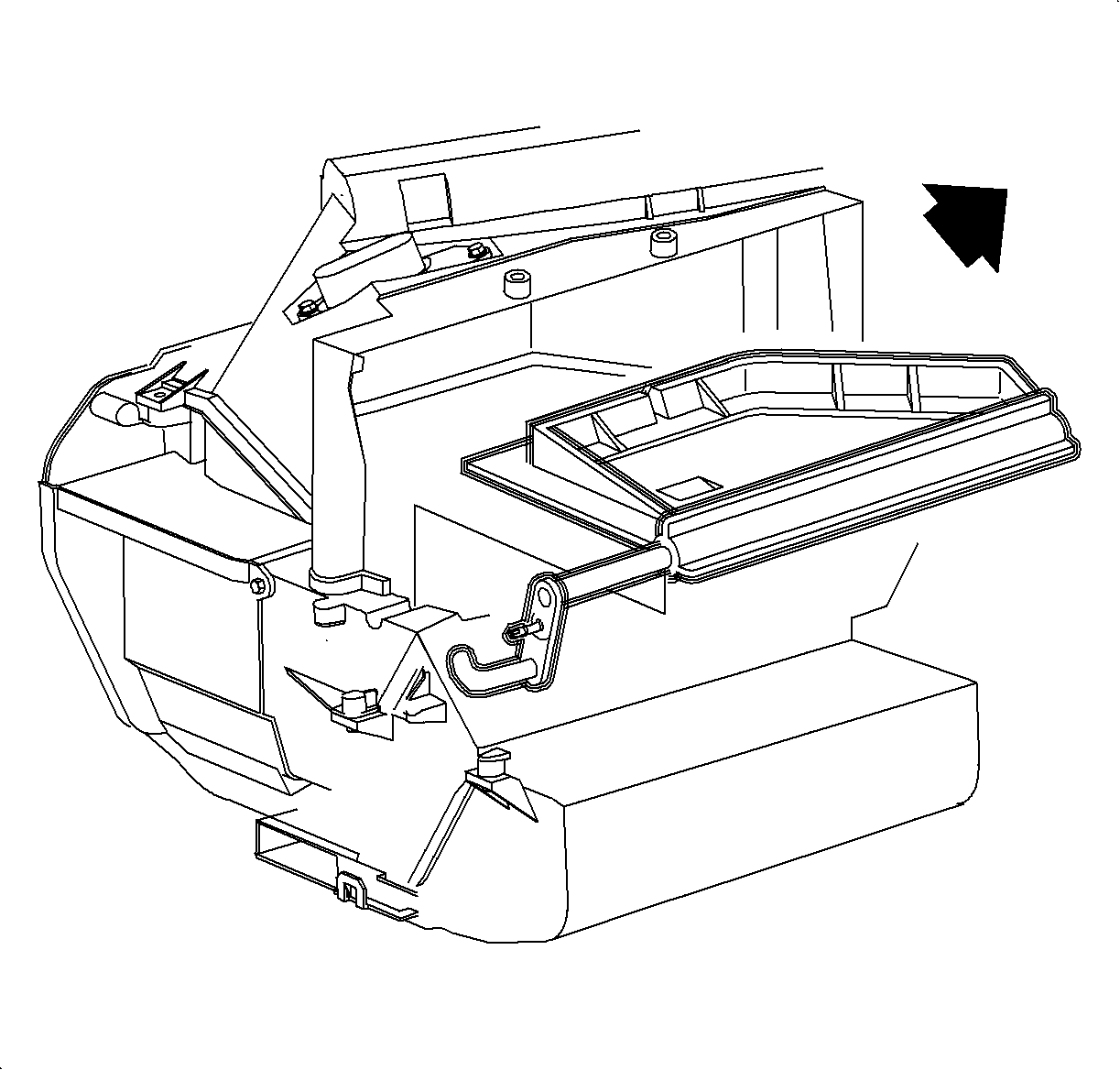
    Object Number: 861046  Size: SH
    Click here for detailed picture of above image.
  1. Disable the SIR system. Refer to Disabling the SIR System in SIR.
  2. Remove the HVAC module. Refer to HVAC Module Assembly Replacement .
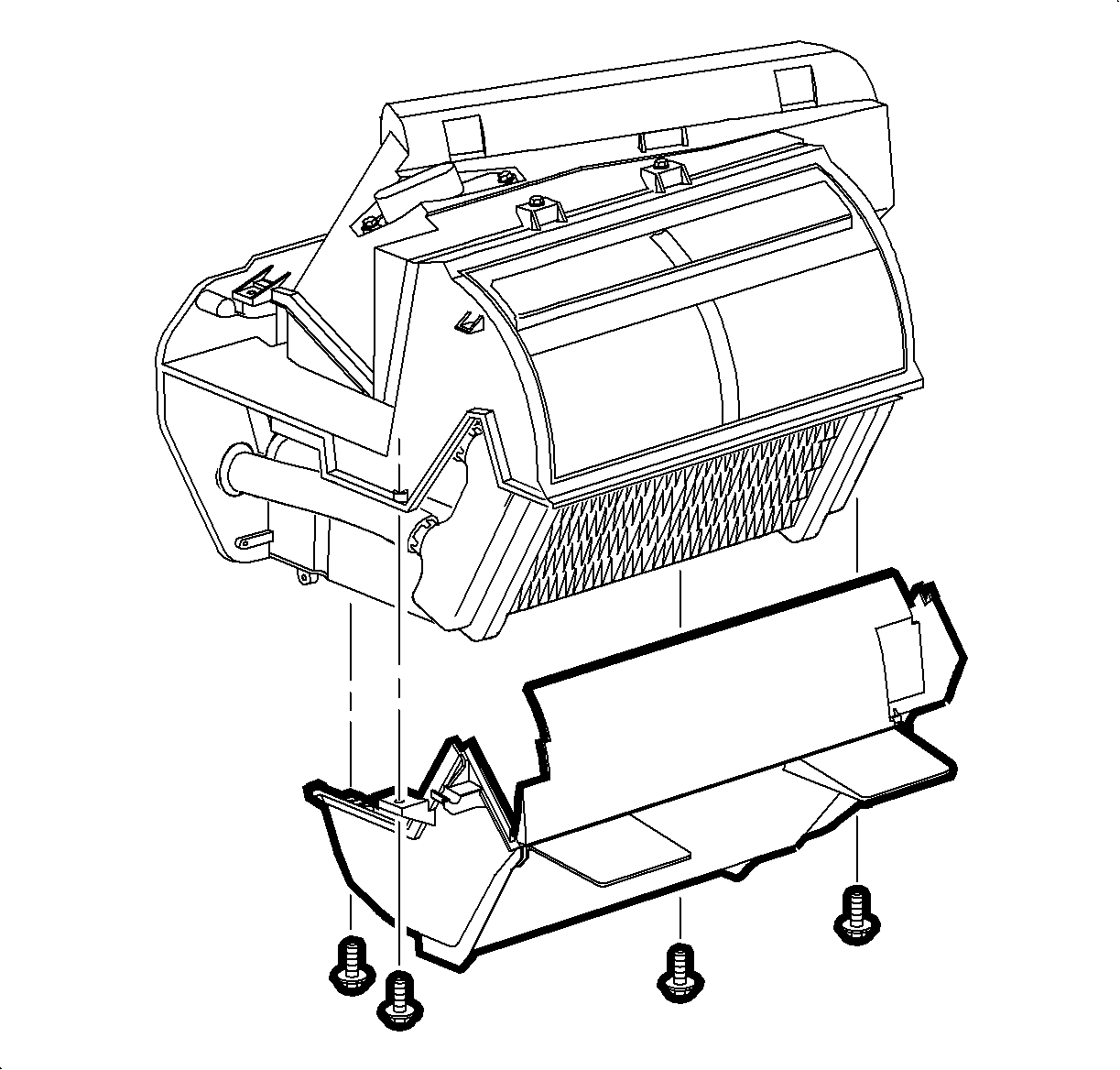
  3. Remove the screws and remove the heater core cover.

  4. Object Number: 860393  Size: SH
    Click here for detailed picture of above image.
  5. Remove the screws and carefully slide the mode valve assembly to the right past the HVAC module and remove.

  6. Object Number: 859829  Size: SH
    Click here for detailed picture of above image.
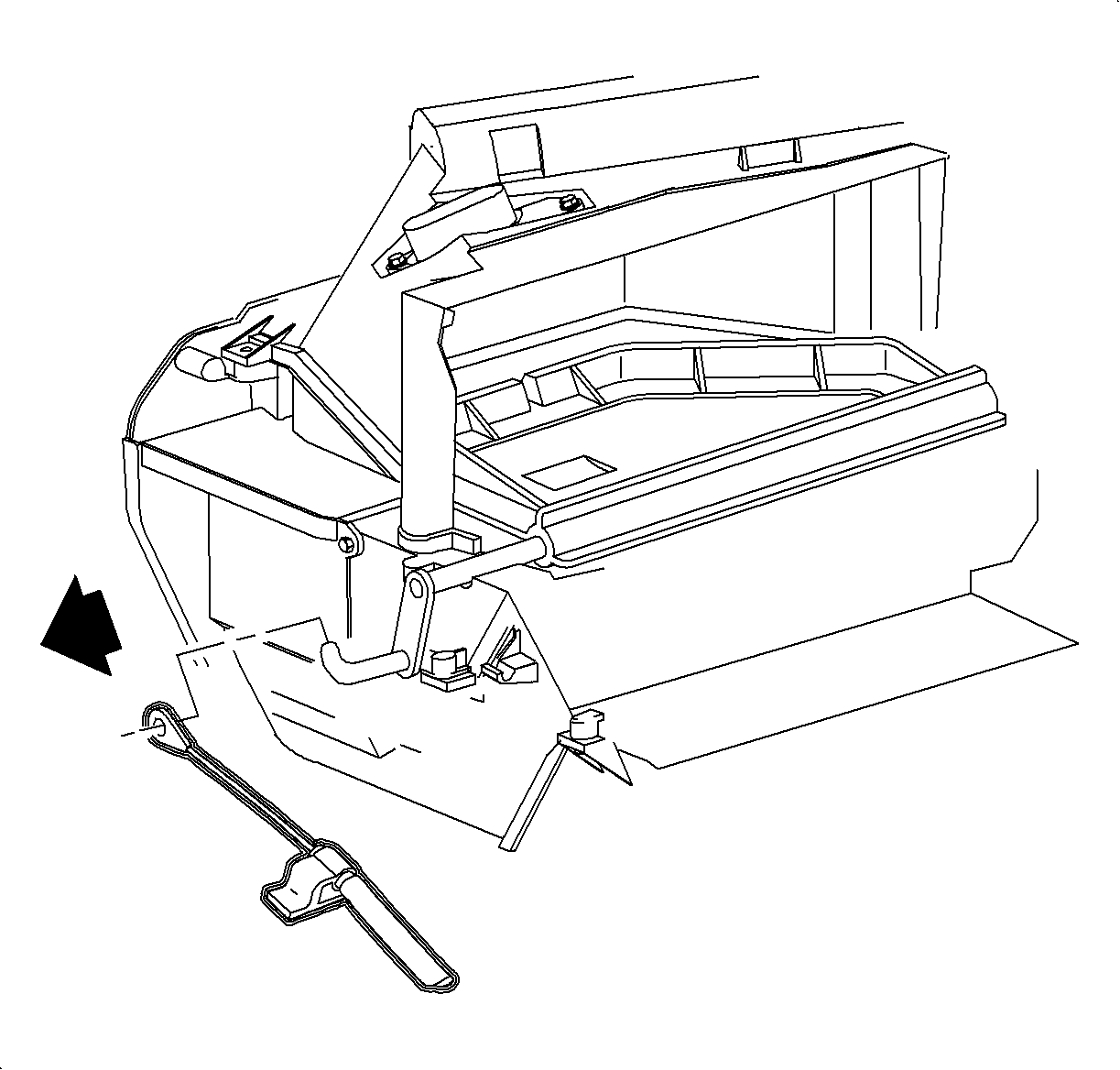
  7. Release the temperature cable hold down clip by carefully lifting up on the plastic tab, while pushing down on the cable housing.
  8. Slide the cable off the temperature door hook.

  9. Object Number: 859830  Size: SH
    Click here for detailed picture of above image.
  10. Pull the temperature door out of the left pivot and remove.
    Installation Procedure
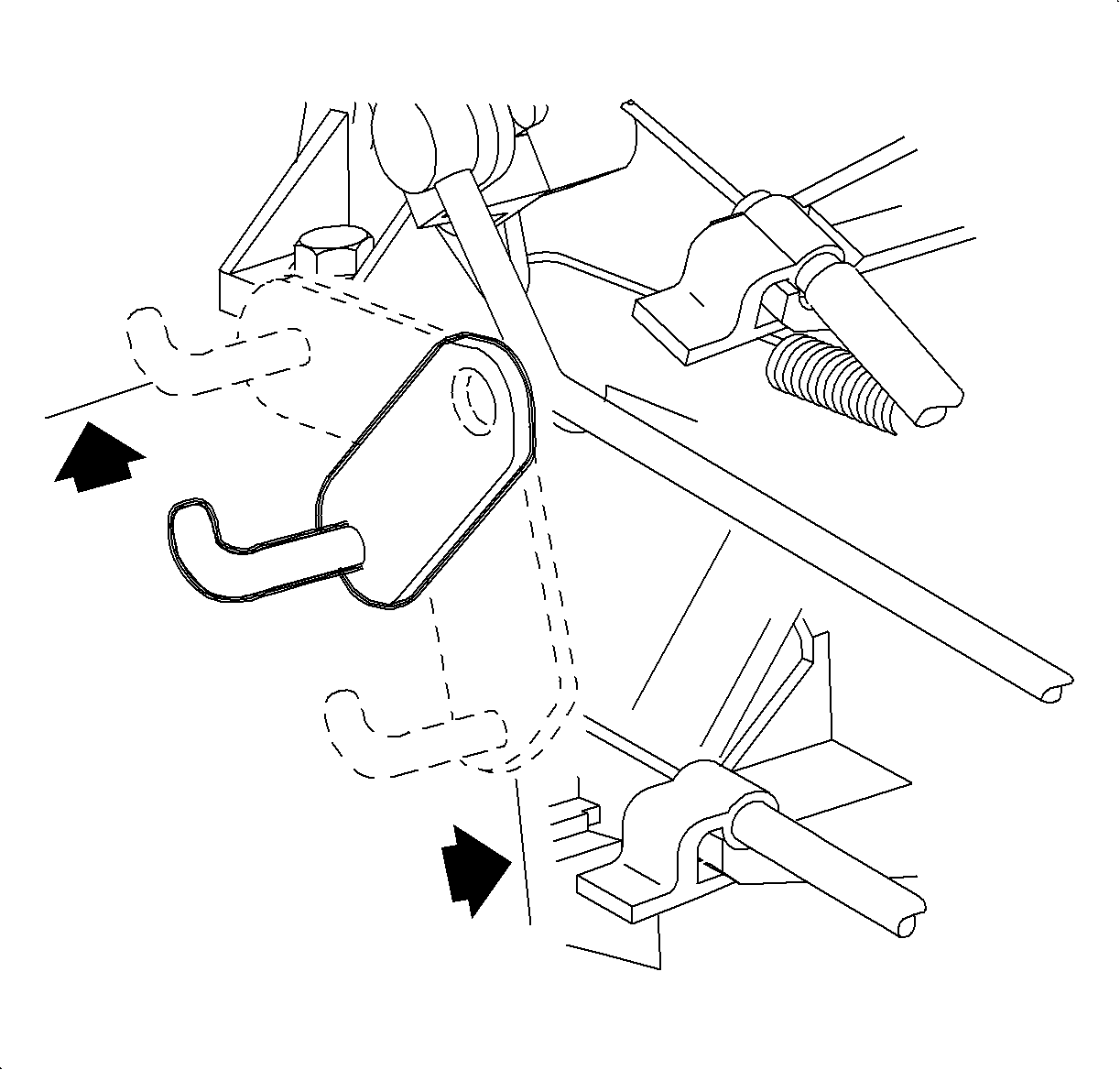
    Object Number: 860166  Size: SH
    Click here for detailed picture of above image.
  1. Slide the temperature door into the right pivot and snap the left side into place.
  2. Rotate the temperature valve in both directions to make sure the seal is making contact.
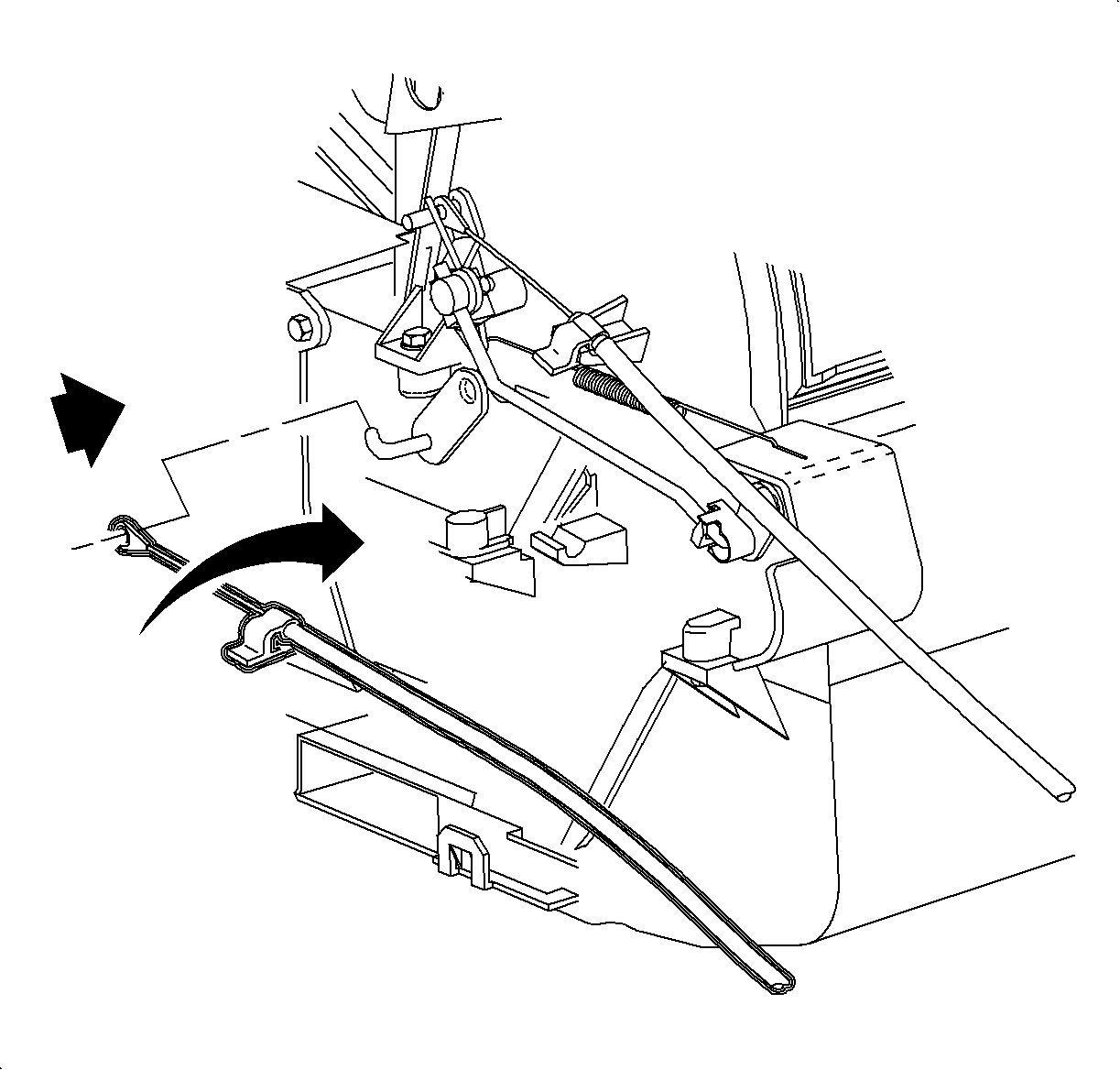
  3. Object Number: 859652  Size: SH
    Click here for detailed picture of above image.
  4. Install the temperature cable over the temperature door hook.
  5. Install the temperature cable hold down clip over the temperature cable holder.
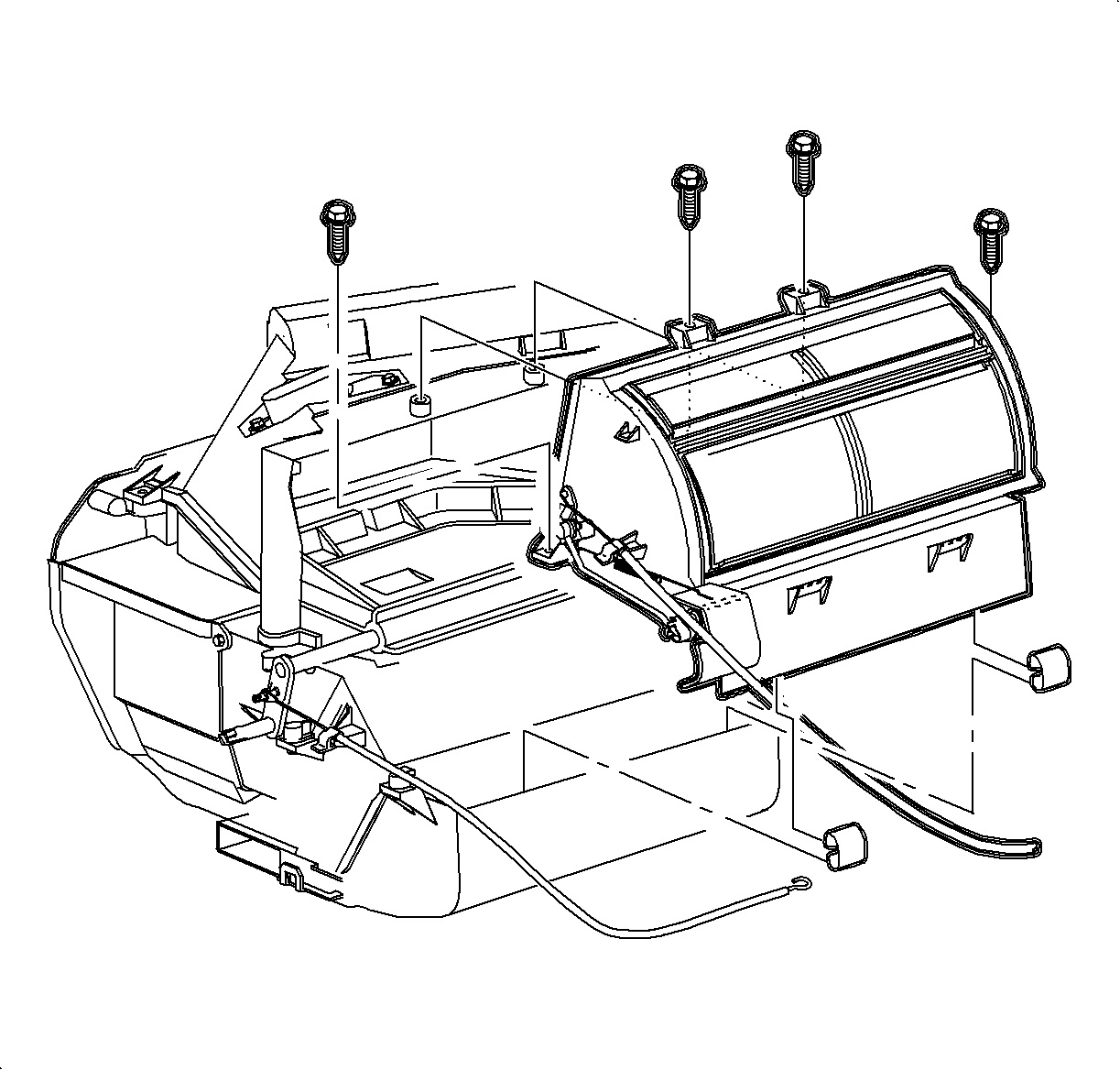
  6. Object Number: 860393  Size: SH
    Click here for detailed picture of above image.

    Notice

    Make sure all tongue and groove parts fit properly before tightening screws to avoid case damage.

    Important

    To properly seat the mode valve assembly, the valve must be in the center air position.

  7. Install the mode valve assembly and screws.
  8. Notice

    Refer to Fastener Notice in Cautions and Notices.

    Object Number: 861046  Size: SH
    Click here for detailed picture of above image.
  9. Install the heater core cover and the screws on the HVAC module.
  10. Tighten

    Tighten the lower heater core cover screws to 1.7 N·m (15 lb in).

  11. Install the HVAC module. Refer to HVAC Module Assembly Replacement .
  12. Enable the SIR system. Refer to Enabling the SIR System in SIR.
  Document ID# 1197875
1998 Saturn SL2/SC2/SW2