Document ID# 1215967
1998 Saturn SL2/SC2/SW2
 

HVAC Module Assembly Replacement RHDD Bench Overhaul

Removal Procedure

    Object Number: 904525  Size: SH
    Click here for detailed picture of above image.
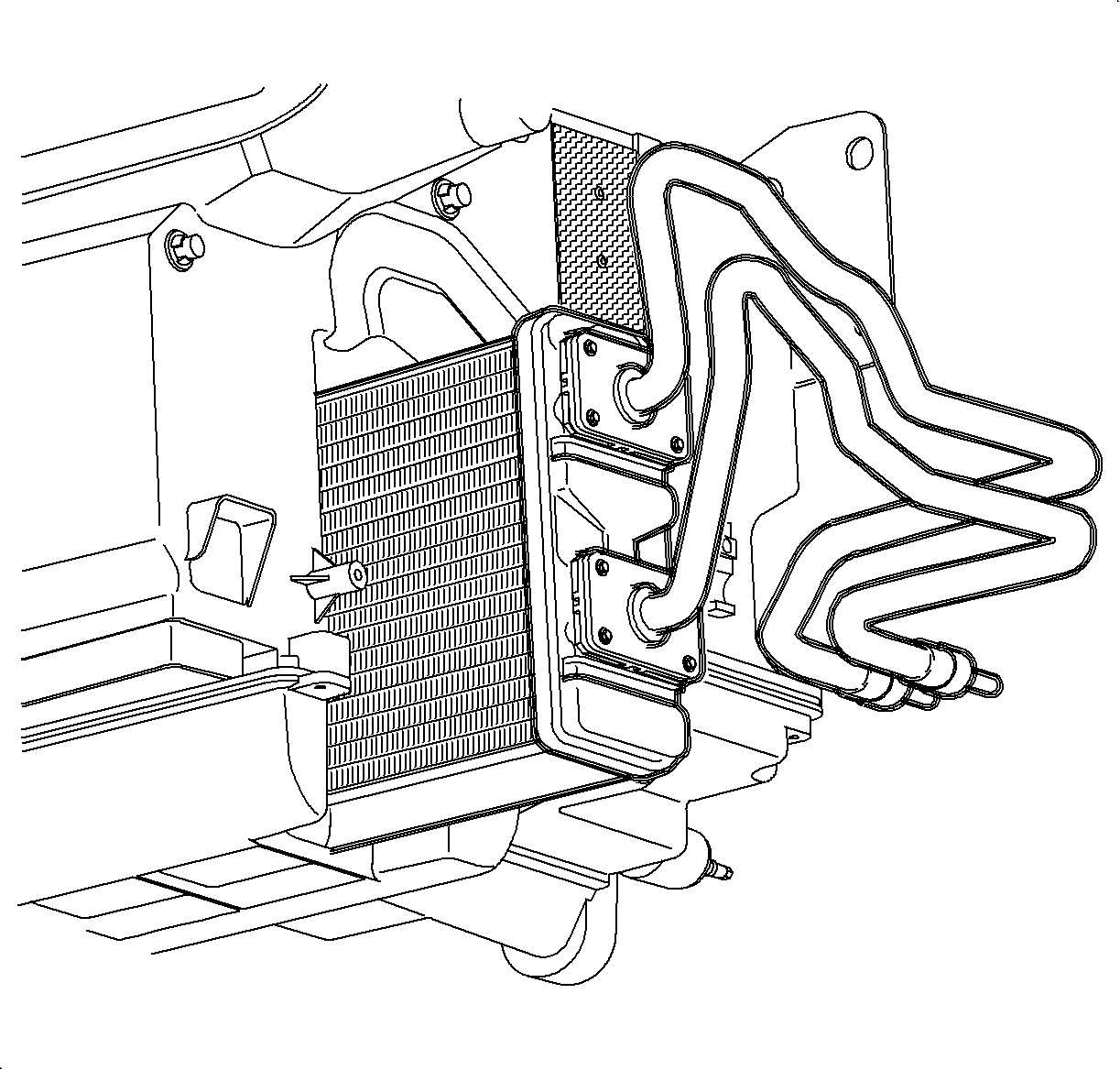
  1. Remove the pipe cover screws and remove the pipe cover.

  2. Object Number: 860690  Size: SH
    Click here for detailed picture of above image.
  3. Remove the pipe support plate screws and remove the support plate.

  4. Object Number: 860714  Size: SH
    Click here for detailed picture of above image.

    Important

    Be careful not to spill any residual coolant from the heater core when removing.

  5. Remove the heater core assembly from the module case.

  6. Object Number: 860681  Size: SH
    Click here for detailed picture of above image.
  7. Remove the left module mounting bracket screws and remove the mounting bracket.

  8. Object Number: 860623  Size: MF
    Click here for detailed picture of above image.
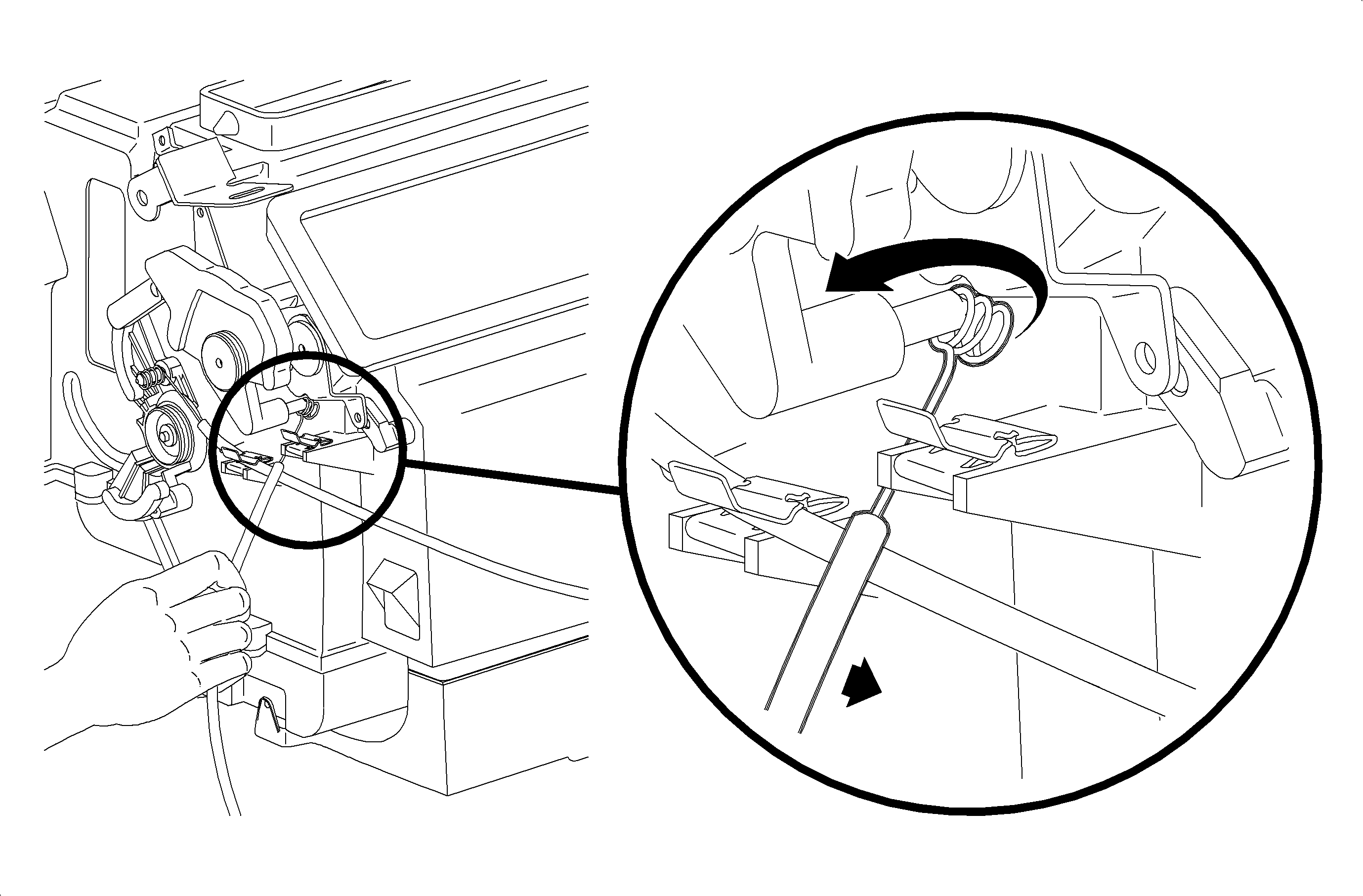
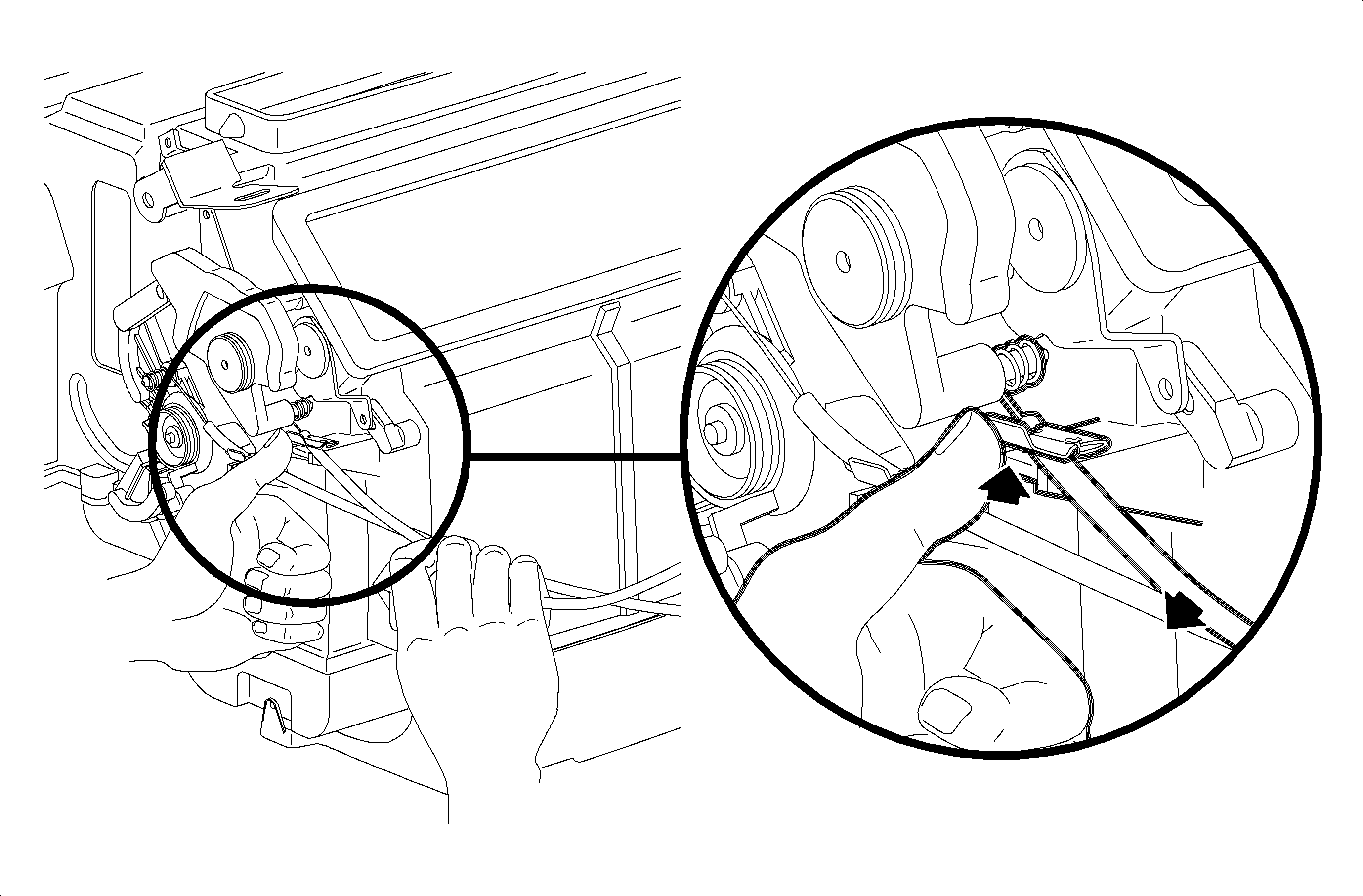
  9. Release the temperature cable from the retainer clip by pushing upward on the upper tab of the clip while pulling outward on the cable housing.

  10. Object Number: 860634  Size: MF
    Click here for detailed picture of above image.
  11. Remove the temperature cable circular push-on retainer.
  12. Remove the temperature cable from the temperature cam.

  13. Object Number: 860675  Size: SH
    Click here for detailed picture of above image.
  14. Use a small flat-bladed screwdriver to gently pry back the upper mix lever center tab and pull the upper mix lever off the shaft.

  15. Object Number: 860660  Size: SH
    Click here for detailed picture of above image.
  16. Remove the temperature cam screw and washer and remove the cam.

  17. Object Number: 860664  Size: SH
    Click here for detailed picture of above image.
  18. Use a small flat-bladed screwdriver to gently pry back the lower mix lever center tab and pull the lower lever off the shaft.

  19. Object Number: 860472  Size: MF
    Click here for detailed picture of above image.
  20. Remove the mode cable from the retainer clip by pressing upward on the upper tab while pulling outward on the cable housing.

  21. Object Number: 860667  Size: SH
    Click here for detailed picture of above image.
  22. Remove the mode cam screw and washer and pull the cam outward to disengage the mode cable eyelet.

  23. Object Number: 860671  Size: SH
    Click here for detailed picture of above image.
  24. Remove the defroster door sub-lever screw and washer and remove the lever.

  25. Object Number: 860629  Size: SH
    Click here for detailed picture of above image.
  26. Remove the heater door sub-lever screw and washer and remove the lever.

  27. Object Number: 860754  Size: SH
    Click here for detailed picture of above image.
  28. Using a small flat-bladed screwdriver, gently pry back center tabs and pull the defroster lever, vent lever, and heater lever off of the shaft.

  29. Object Number: 860756  Size: SH
    Click here for detailed picture of above image.
  30. Remove the lower case screws and remove the lower case.

  31. Object Number: 860725  Size: SH
    Click here for detailed picture of above image.
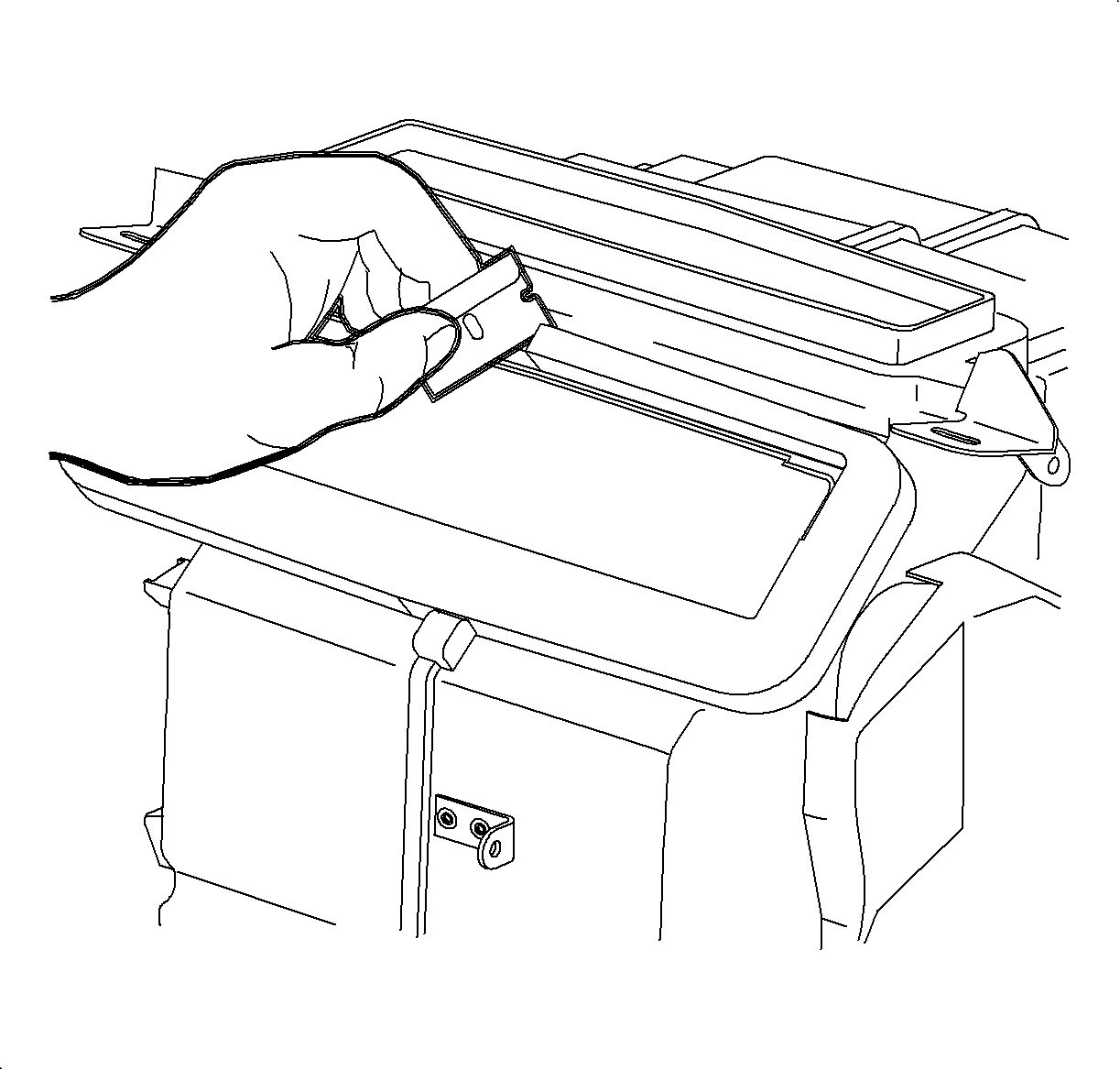
  32. Use a razor blade to carefully cut the defroster and vent foam seals at the centerline.

  33. Object Number: 860759  Size: MH
    Click here for detailed picture of above image.

    Important

    One screw is located in the deep cavity to the right of the mix cam.

  34. Remove the case screws and lift straight up to separate the 2 halves of the case.

  35. Object Number: 904586  Size: SH
    Click here for detailed picture of above image.
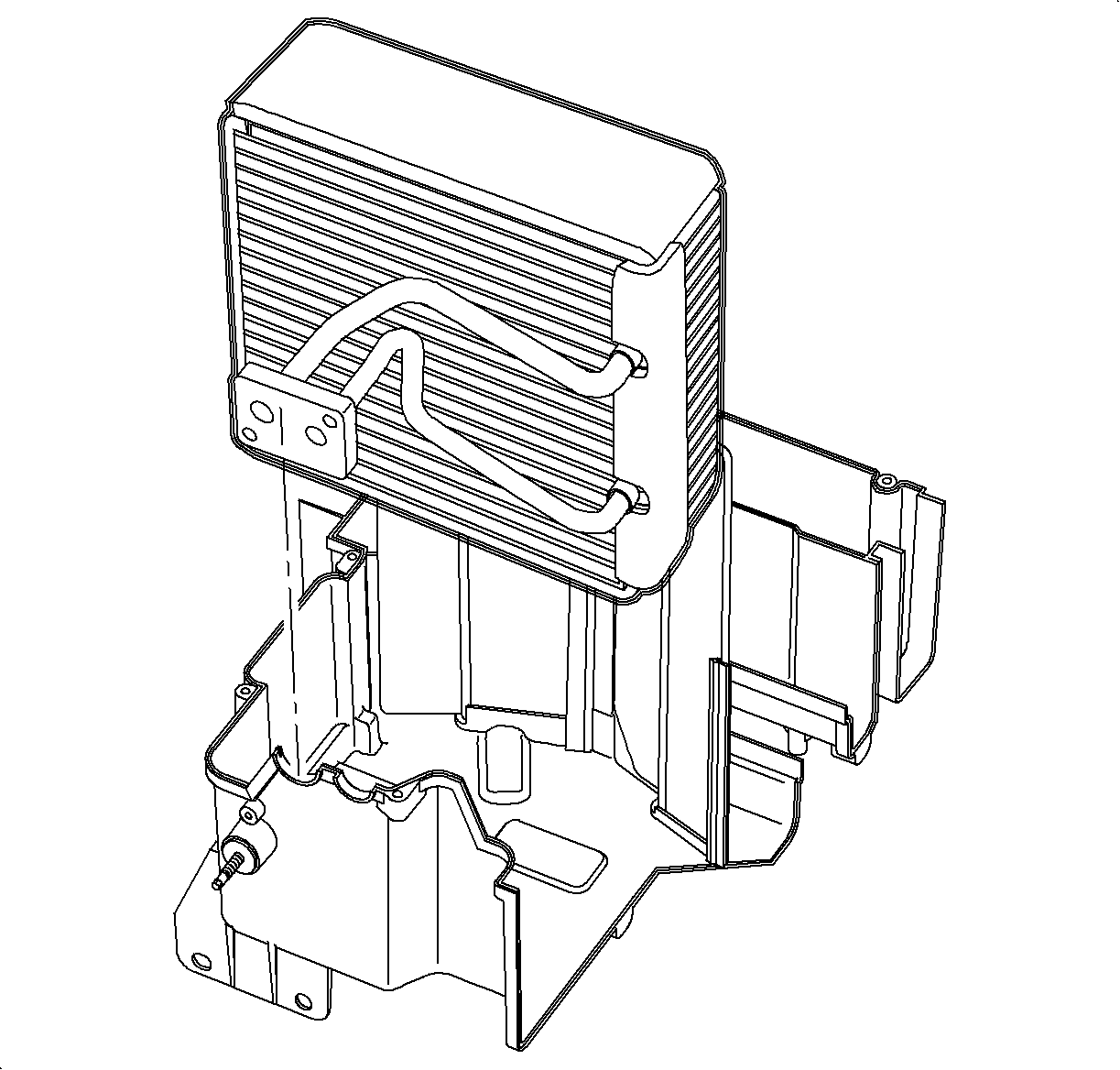
  36. Remove the evaporator core.
Installation Procedure

    Object Number: 904586  Size: SH
    Click here for detailed picture of above image.

    Important

    When installing a new evaporator core, 67 ml (2.25 oz) of PAG oil must be added to the core. Replace the evaporator pipe cover before installing core.

  1. Install the evaporator core into the right side or the HVAC module case.
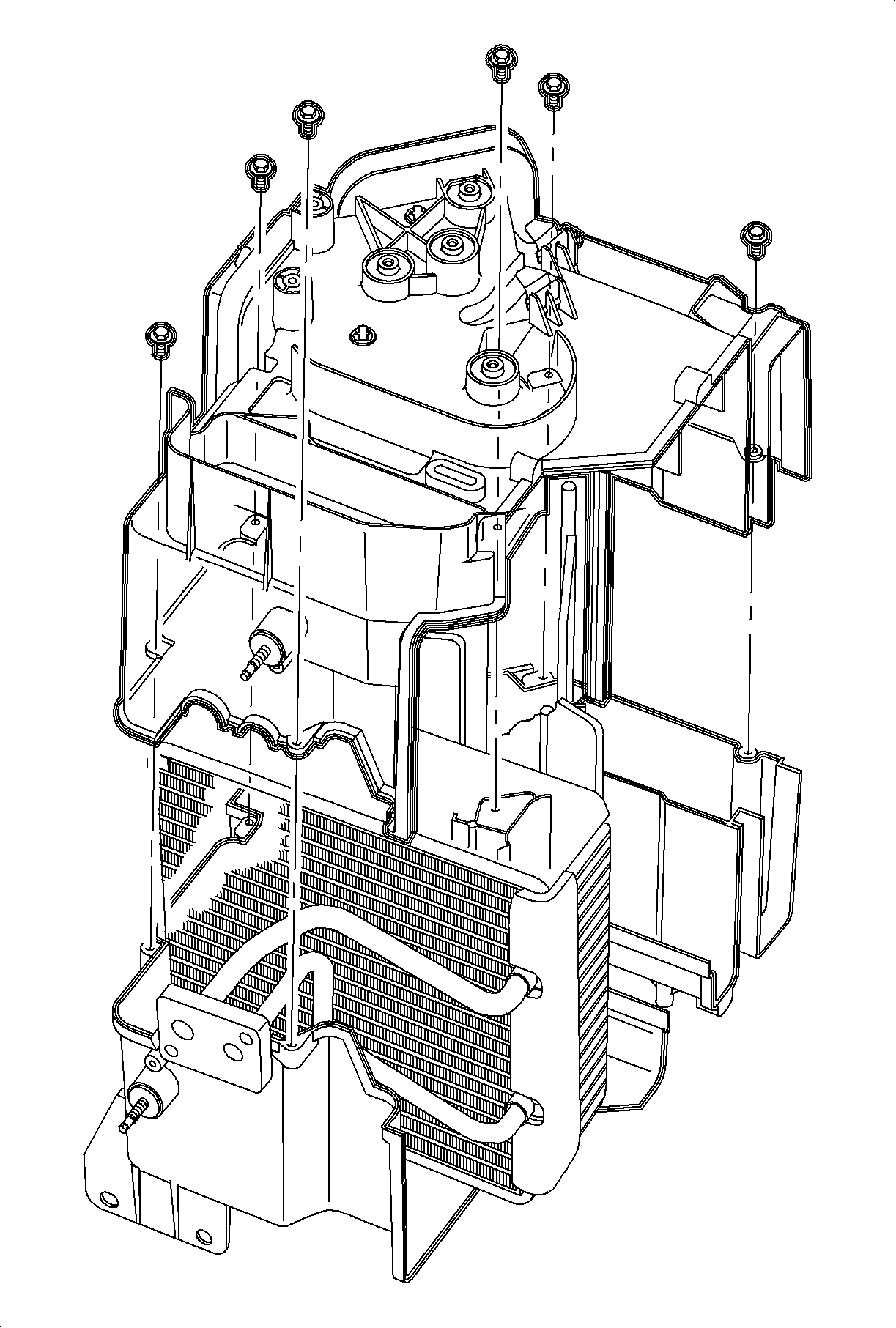
  2. Object Number: 860759  Size: MH
    Click here for detailed picture of above image.

    Important

  3. Install the left half of the HVAC module case cover core and align the door shafts with the openings. Press the halves together until seated.
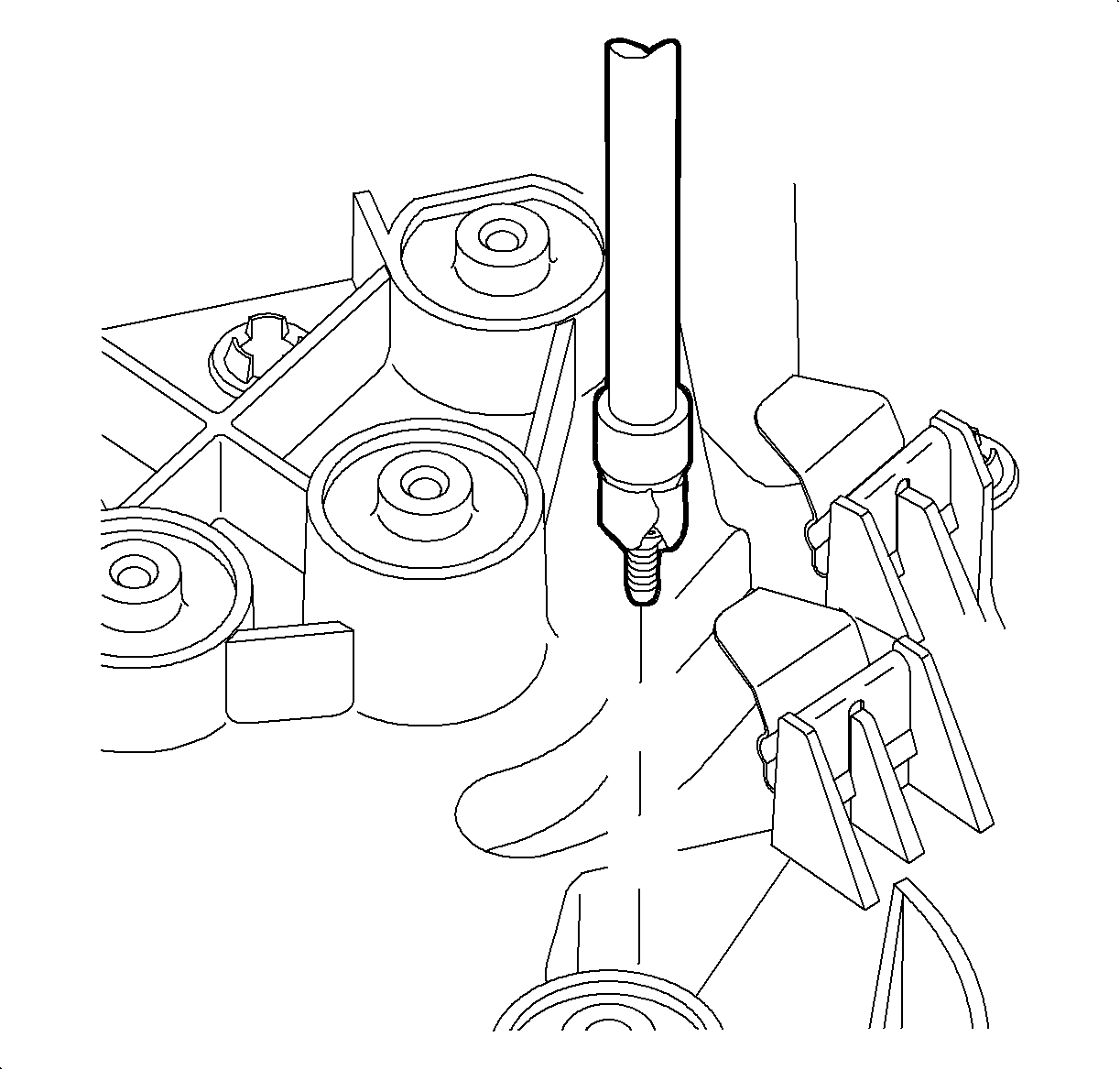
  4. Object Number: 860763  Size: SH
    Click here for detailed picture of above image.
  5. Install the case screws. When installing center screw, use a piece of tape to hold the screw to the socket until the threads are started.
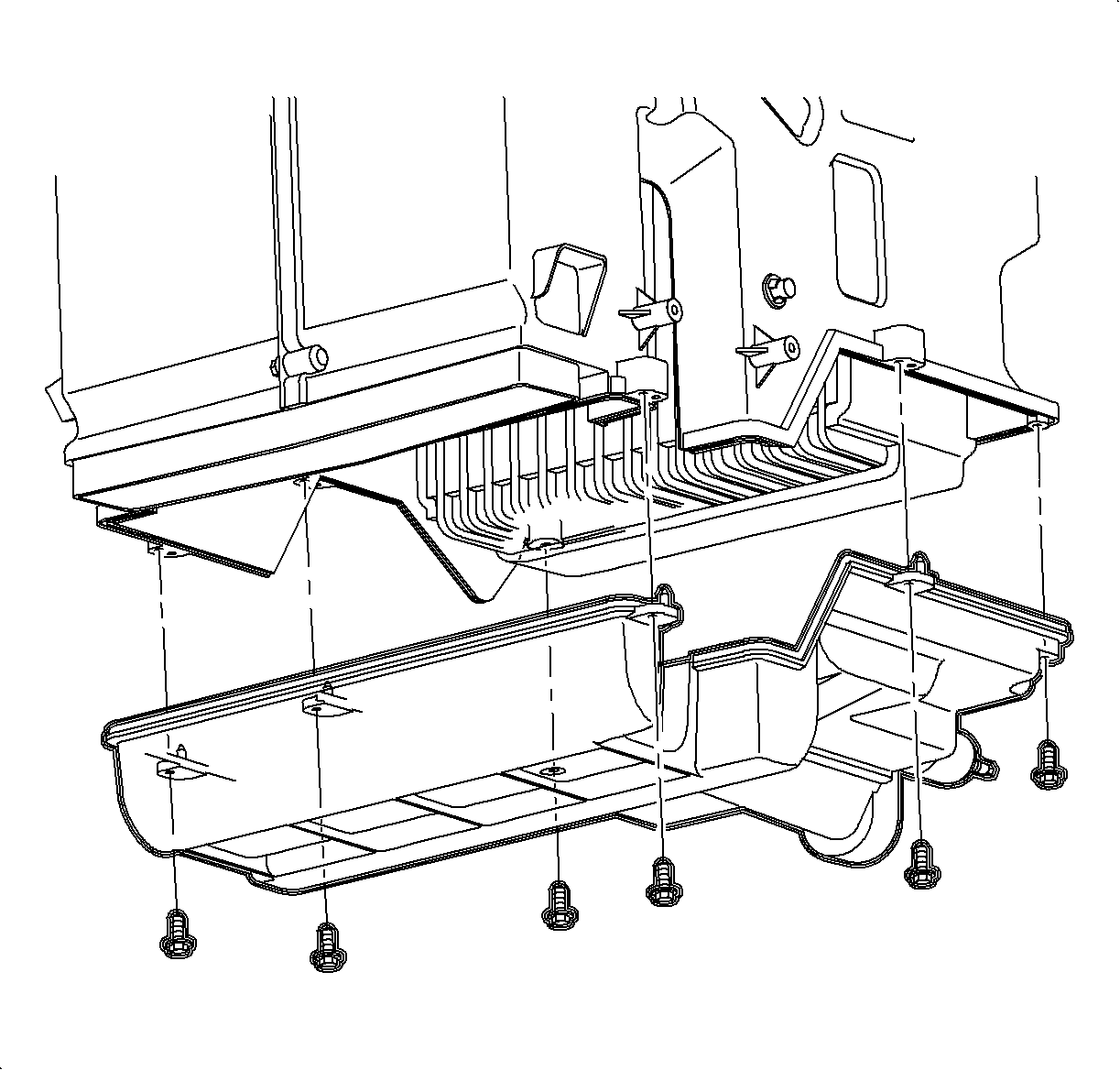
  6. Object Number: 860756  Size: SH
    Click here for detailed picture of above image.

    Important

    When properly seated, module case tongue and groove seal will fit together snugly.

  7. Install the lower case.
  8. Install the lower case screws.

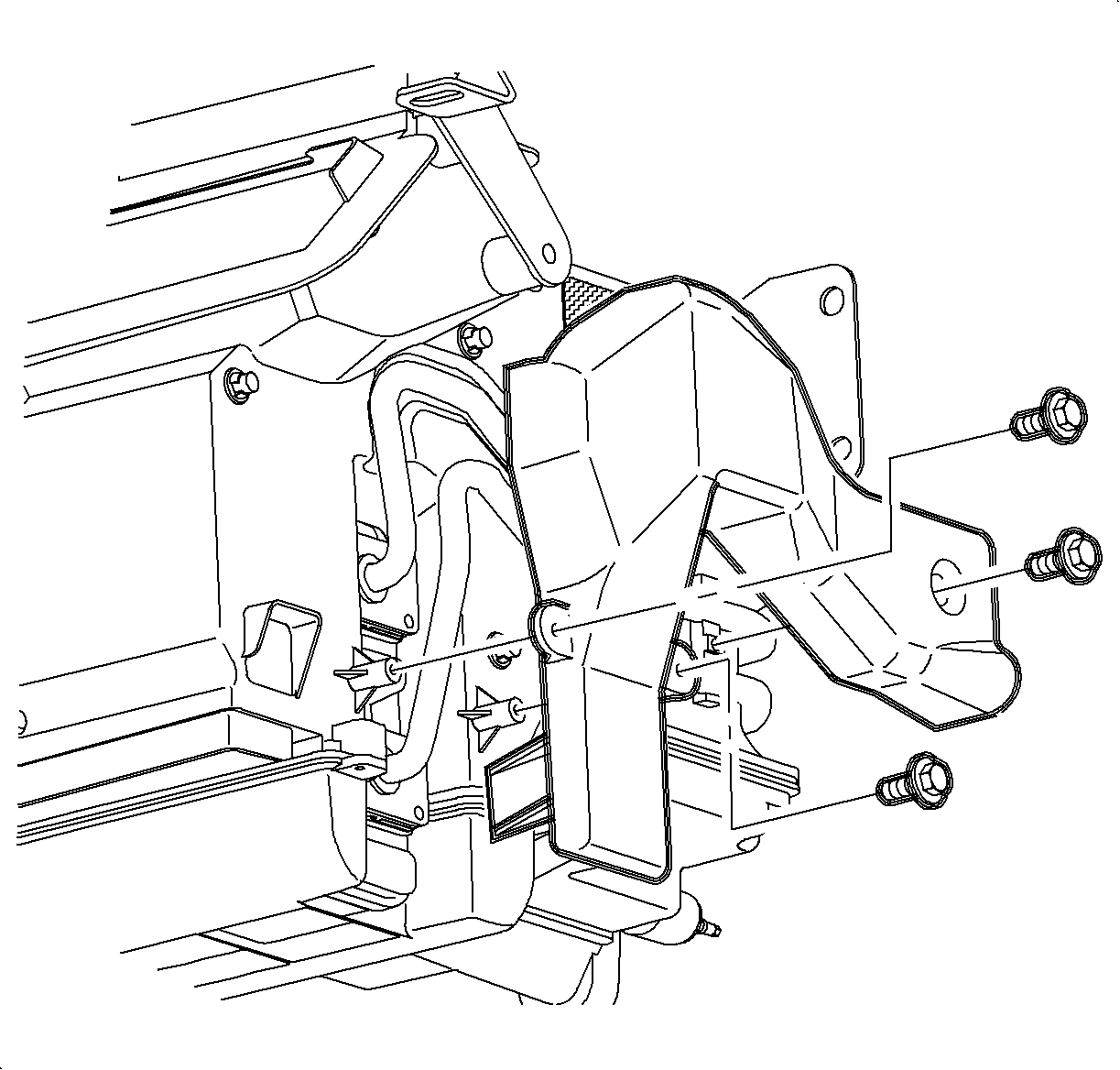
  9. Object Number: 904527  Size: SH
    Click here for detailed picture of above image.
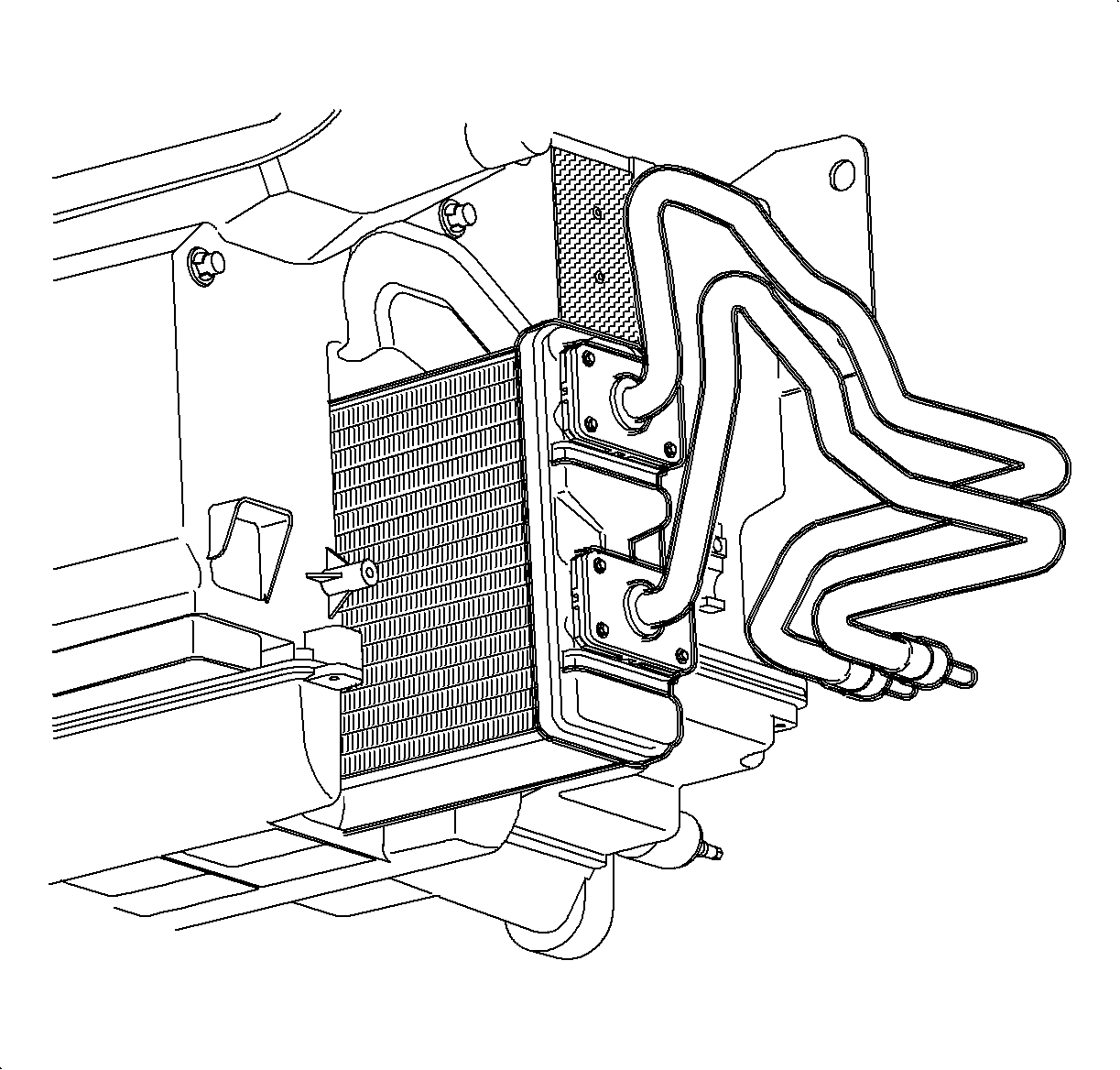
  10. Install the heater core assembly. Press the core into the HVAC module case until the pipes contact the pipe cover attachment boss.
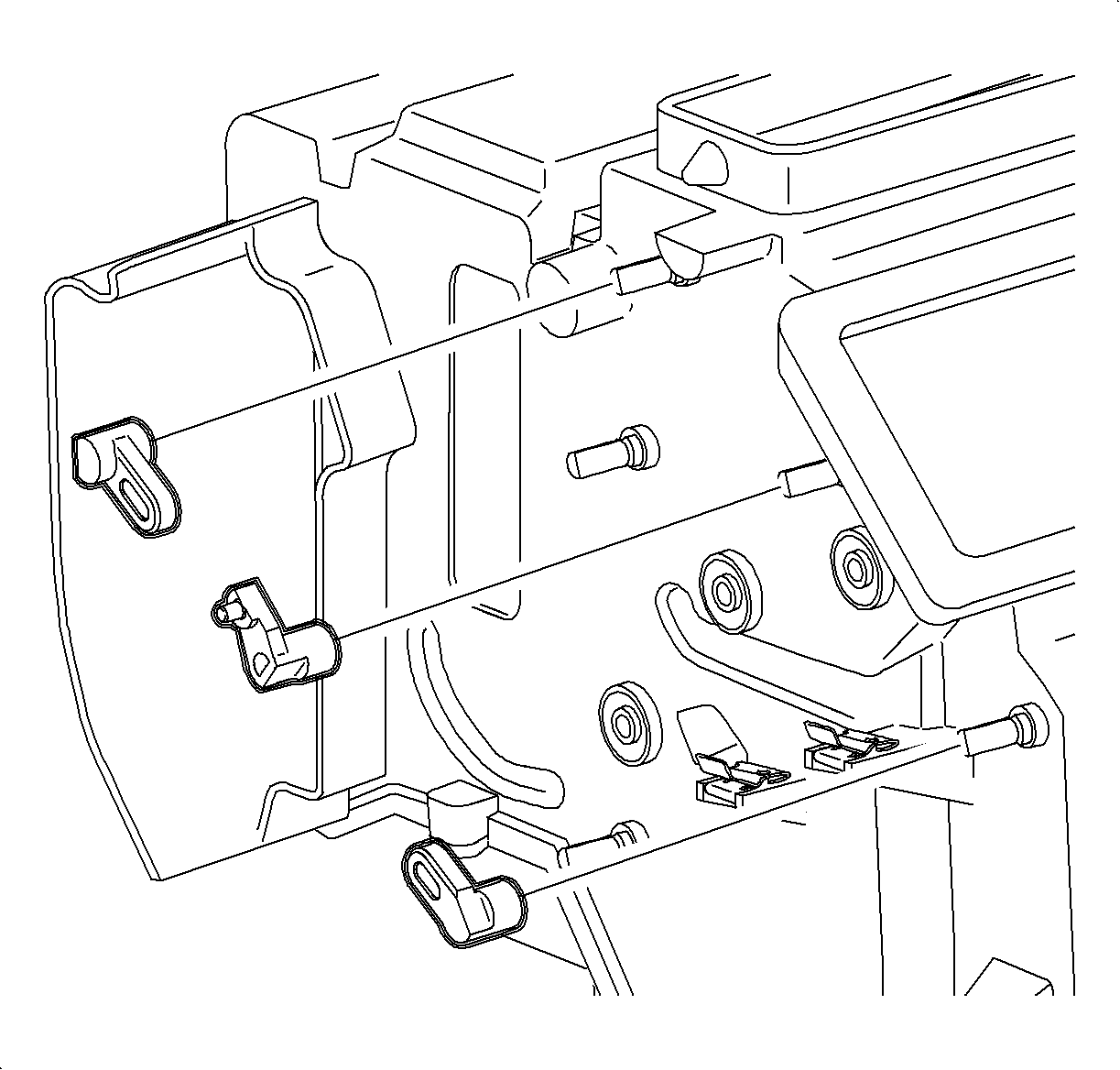
  11. Object Number: 904525  Size: SH
    Click here for detailed picture of above image.
  12. Install the heater core pipe cover and screws.
  13. Object Number: 860754  Size: SH
    Click here for detailed picture of above image.

    Important

    All plastic cam levers have molded in part names and numbers. Refer to the cam illustration chart for part location information. All levers must be installed with the retention tang outward. Applying pressure to the opposite end of the door shaft may aid in seating the tang into the shaft.

  14. Install the defroster lever labeled DEF onto the defroster door shaft until the tang seats into the shaft notch.
  15. Install the vent lever labeled VENT 1301 onto the vent door shaft until the tang seats into the shaft notch.
  16. Install the heater lever labeled VENT 1401 onto the heater door shaft until the tang seats into the shaft notch.
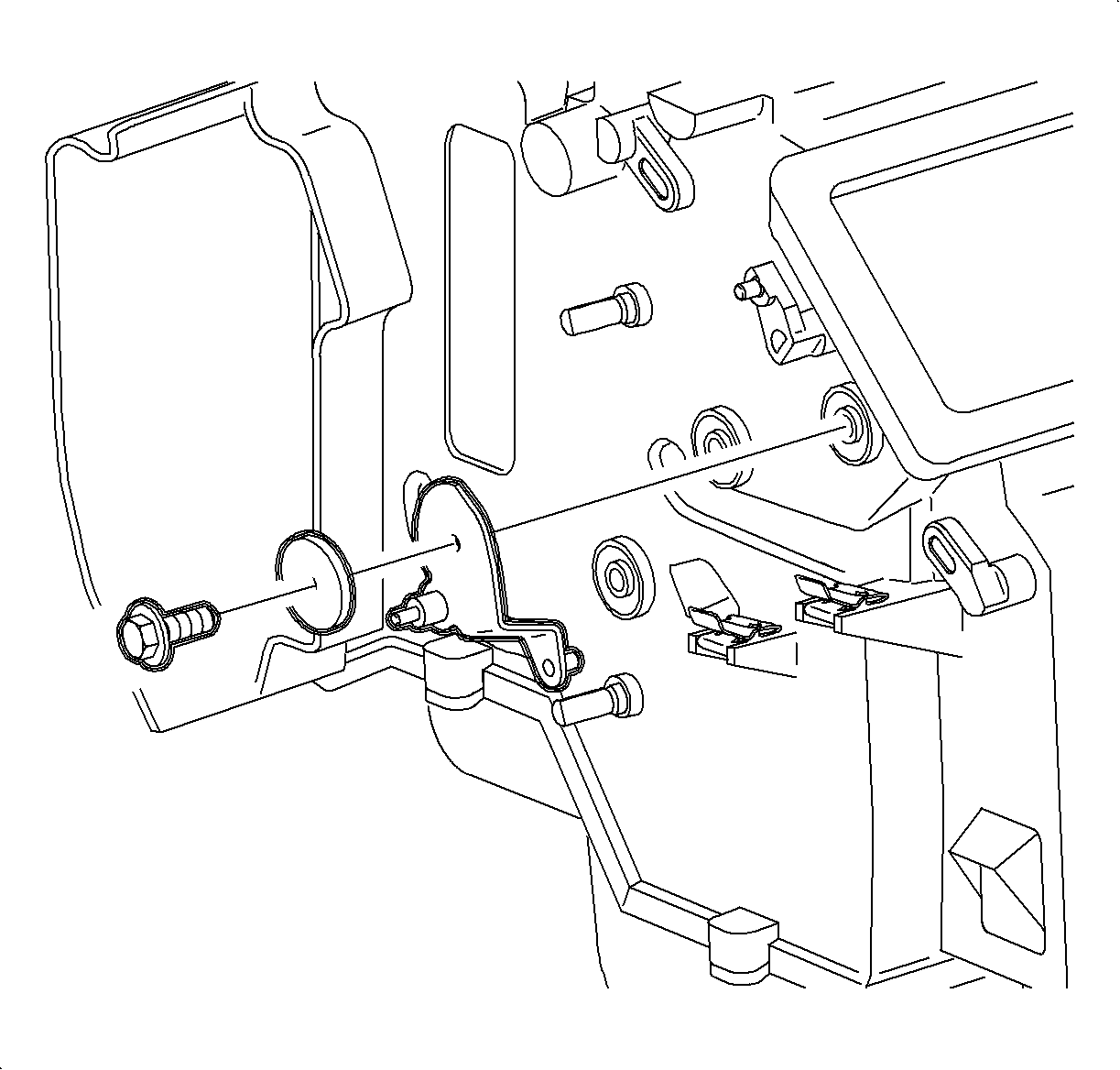
  17. Object Number: 860629  Size: SH
    Click here for detailed picture of above image.
  18. Position the metal heater sub-lever on the module boss with the pin set into the heater door lever.
  19. Install the heater sub-lever washer and screw.
  20. Rotate the heater sub-lever to verify the smooth operation of the levers and heater door.
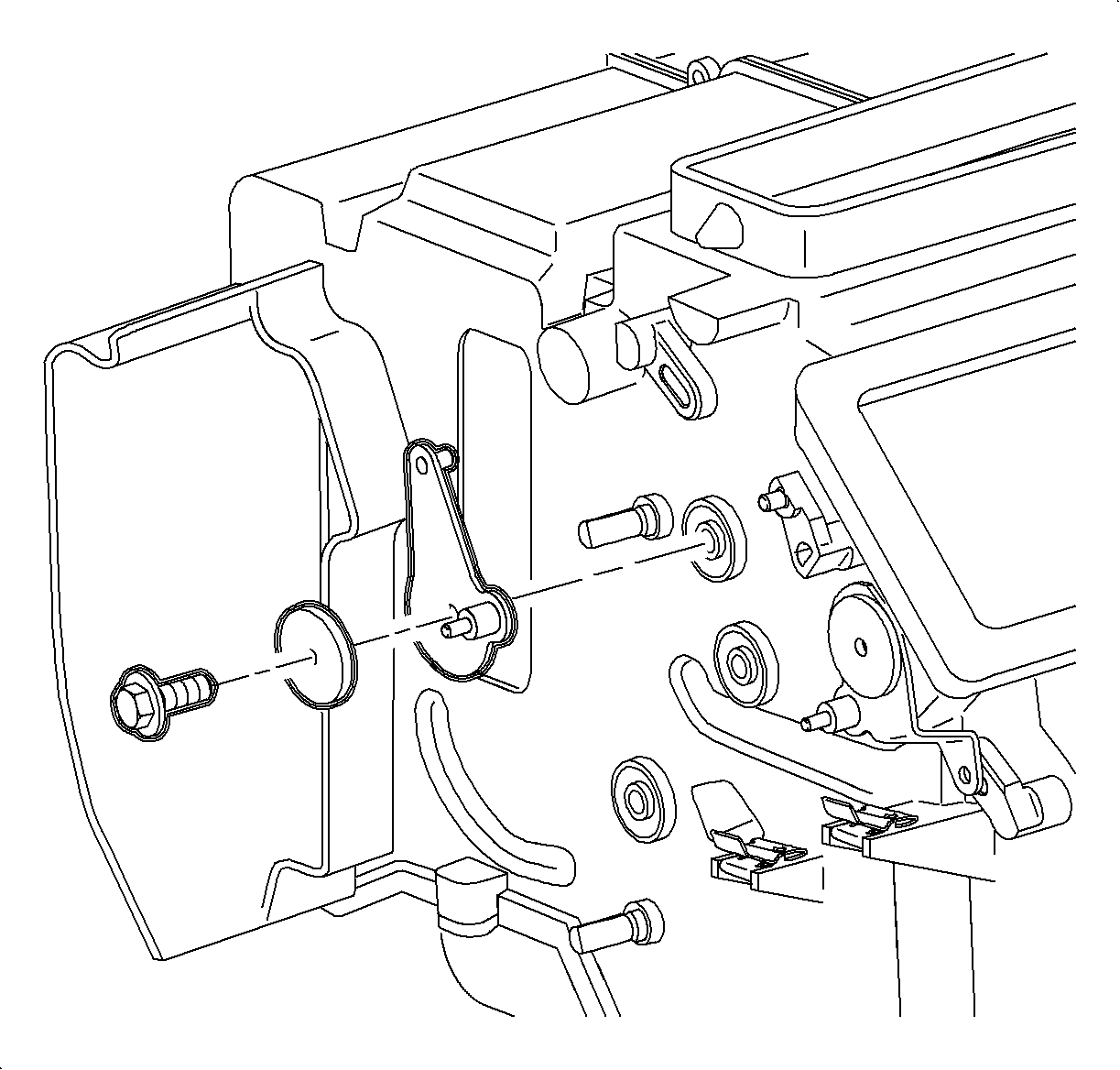
  21. Object Number: 860671  Size: SH
    Click here for detailed picture of above image.
  22. Position the metal defroster sub-lever on the module boss with the pins set into the defroster door lever.
  23. Install the defroster sub-lever washer and screw.
  24. Rotate the defroster sub-lever to verify the smooth operation of the lever and defroster door.
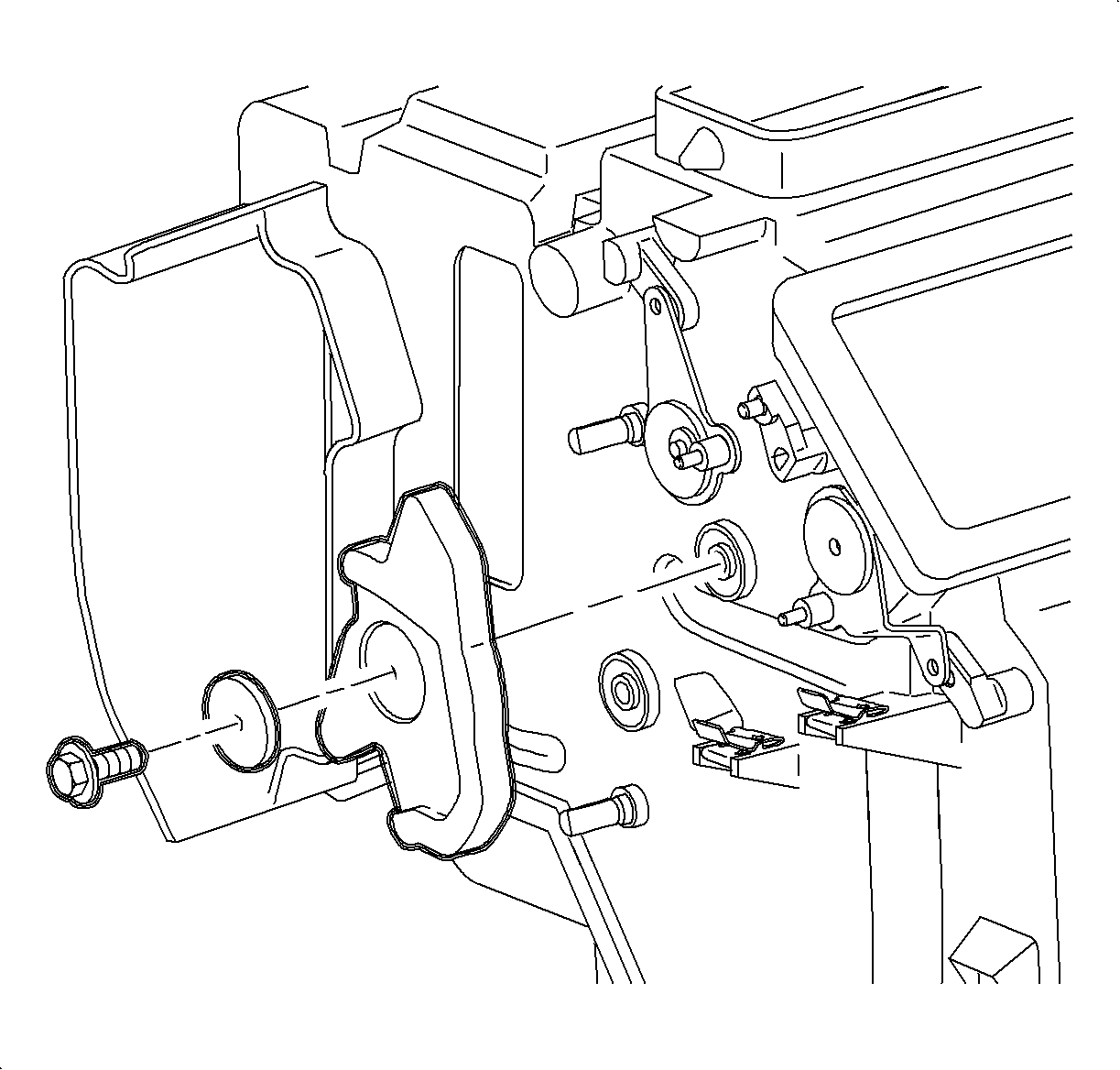
  25. Object Number: 860667  Size: SH
    Click here for detailed picture of above image.
  26. Install the mode cam on the center boss. Align the defroster sub-lever, vent lever, and heater sub-lever so that each pin is the proper mode cam track.
  27. Install the mode cam washer and screw.
  28. Rotate the mode cam to verify the smooth operation of all doors, levers, and sub-levers.
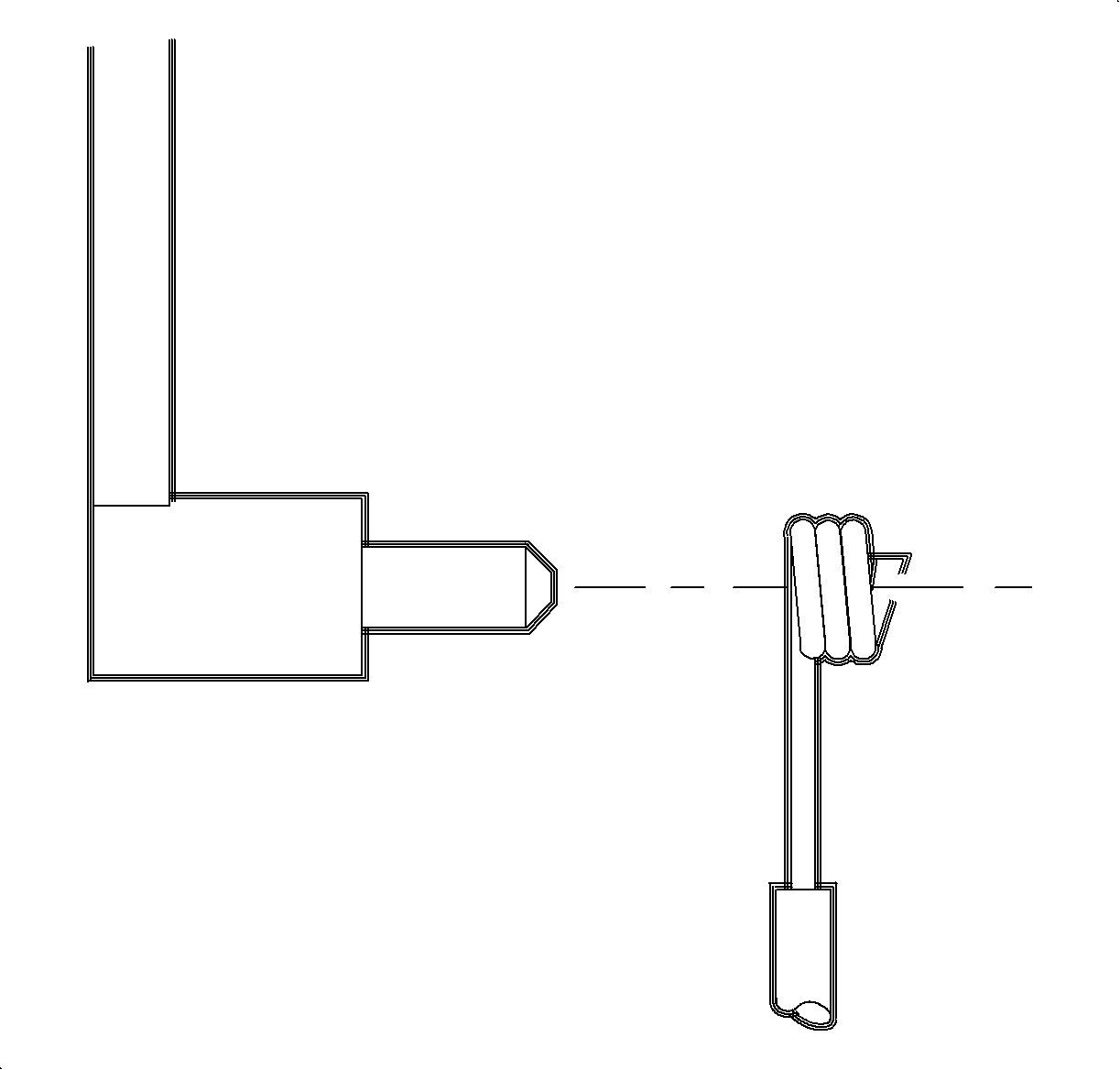
  29. Object Number: 860599  Size: SH
    Click here for detailed picture of above image.

    Important

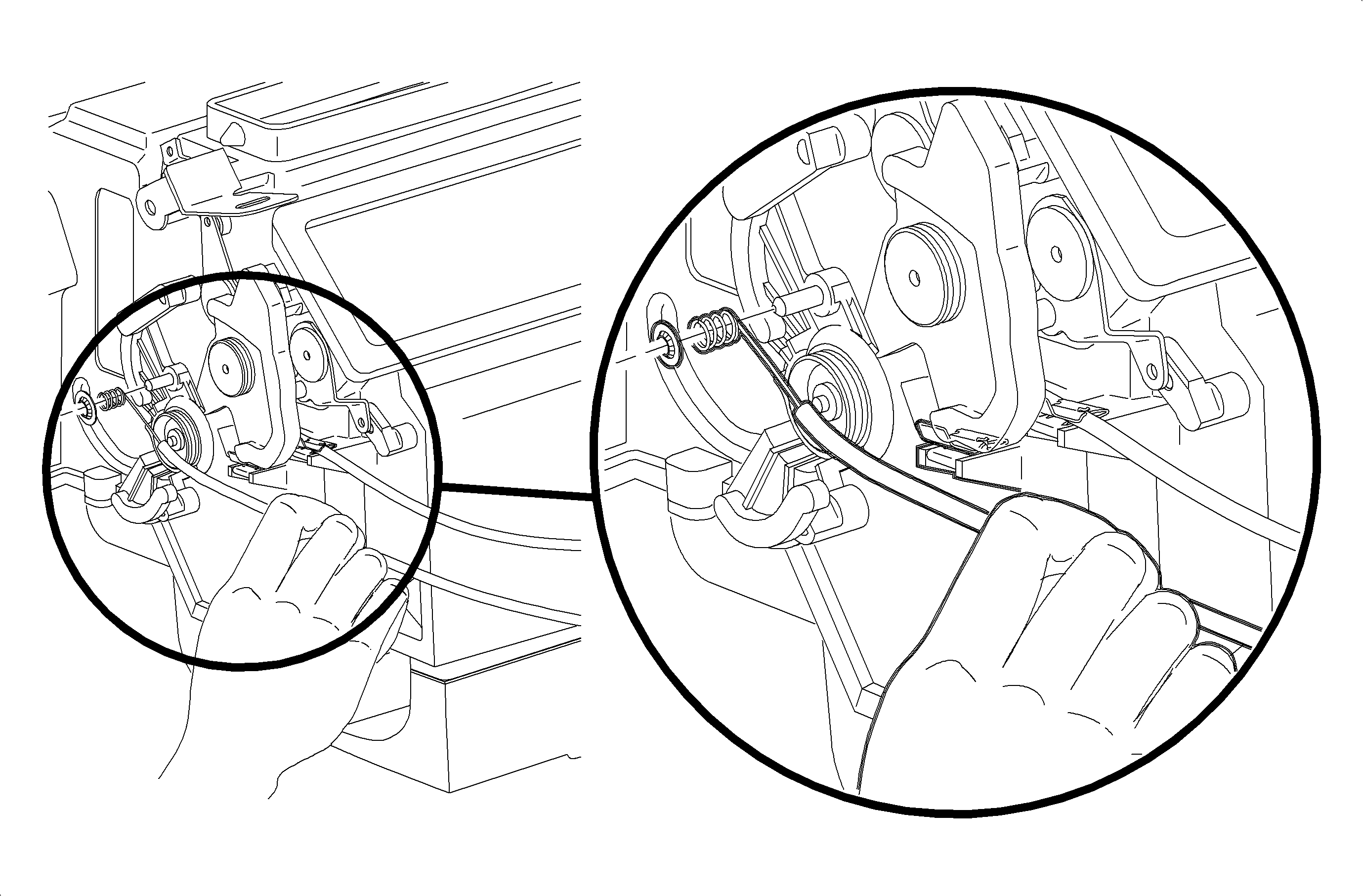
    Install the mode cable with the wire eyelet wrap as shown.

  30. Install the mode cable.

  31. Object Number: 860615  Size: MF
    Click here for detailed picture of above image.

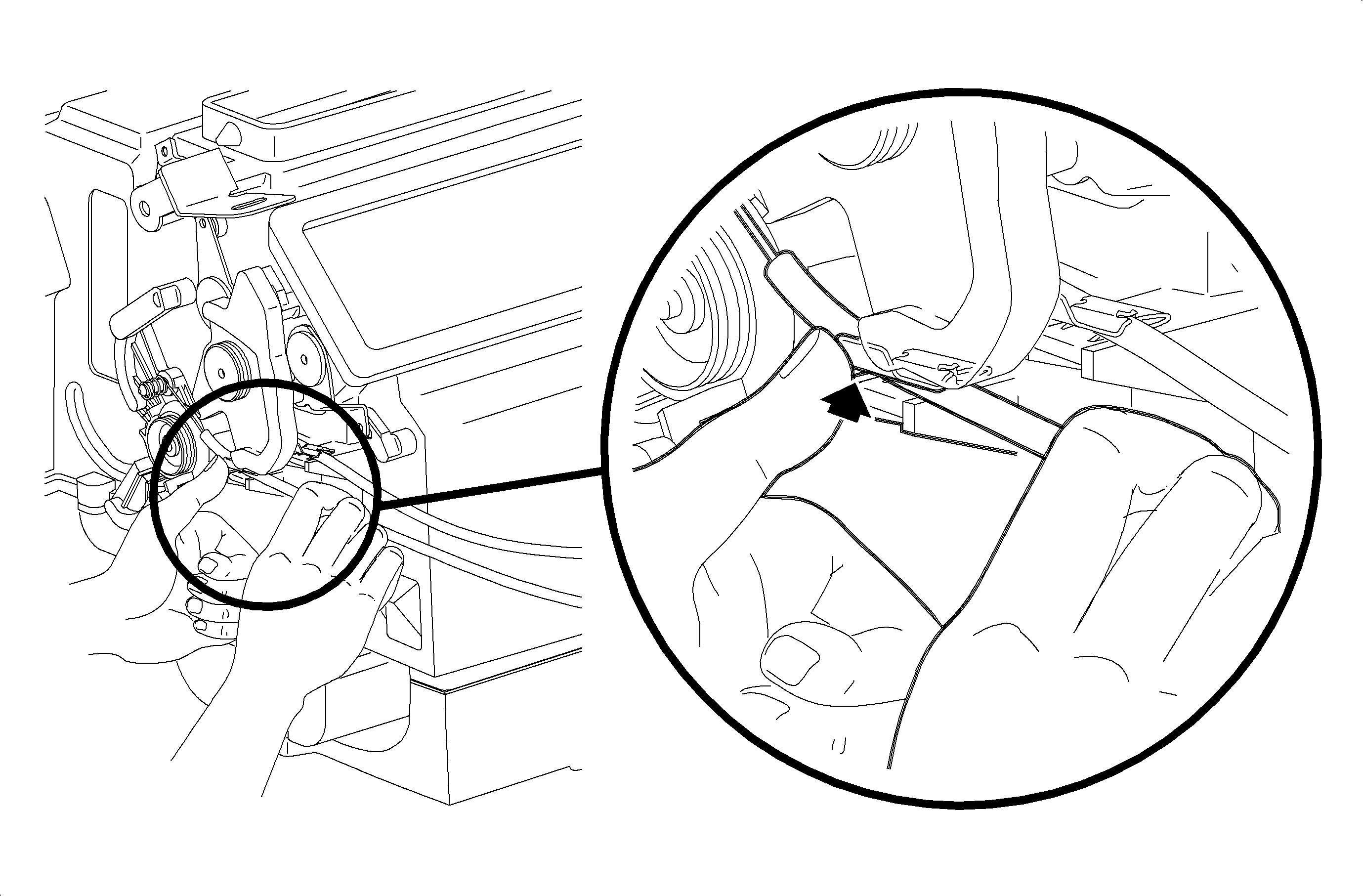
    Important

    Do not install the mode cable housing into the retainer at this time.

  32. Install the mode cable eyelet between the mode cam pin and module case and rotate onto the mode cam pin.
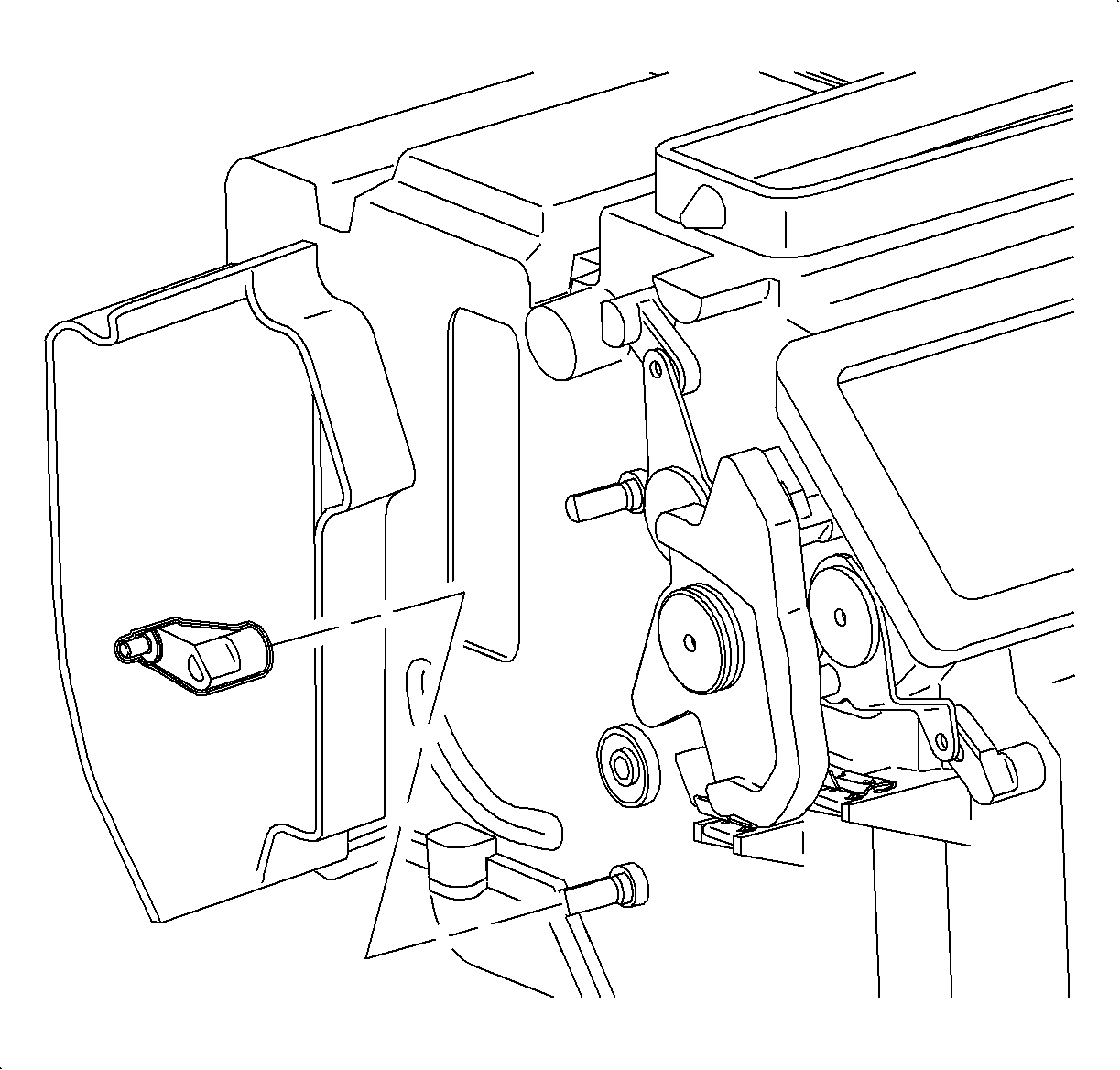
  33. Object Number: 860664  Size: SH
    Click here for detailed picture of above image.
  34. Install the lever labeled HOT onto the lower mix cam door shaft until the tang seats into the shaft notch.
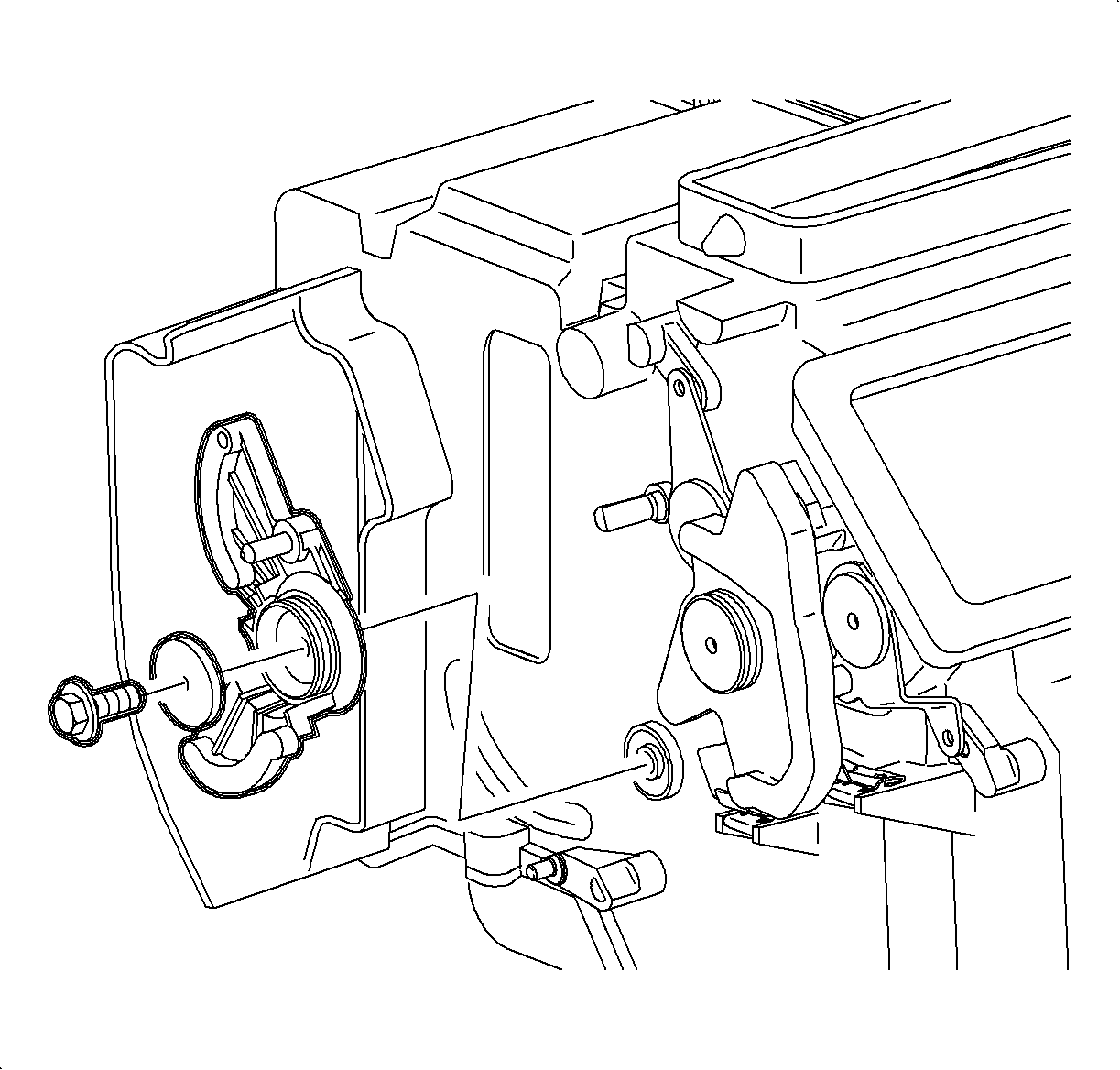
  35. Object Number: 860660  Size: SH
    Click here for detailed picture of above image.
  36. Install the temperature cam ensuring that the lower mix lever pin is in the cam lower track.
  37. Install the temperature cam washer and screw.
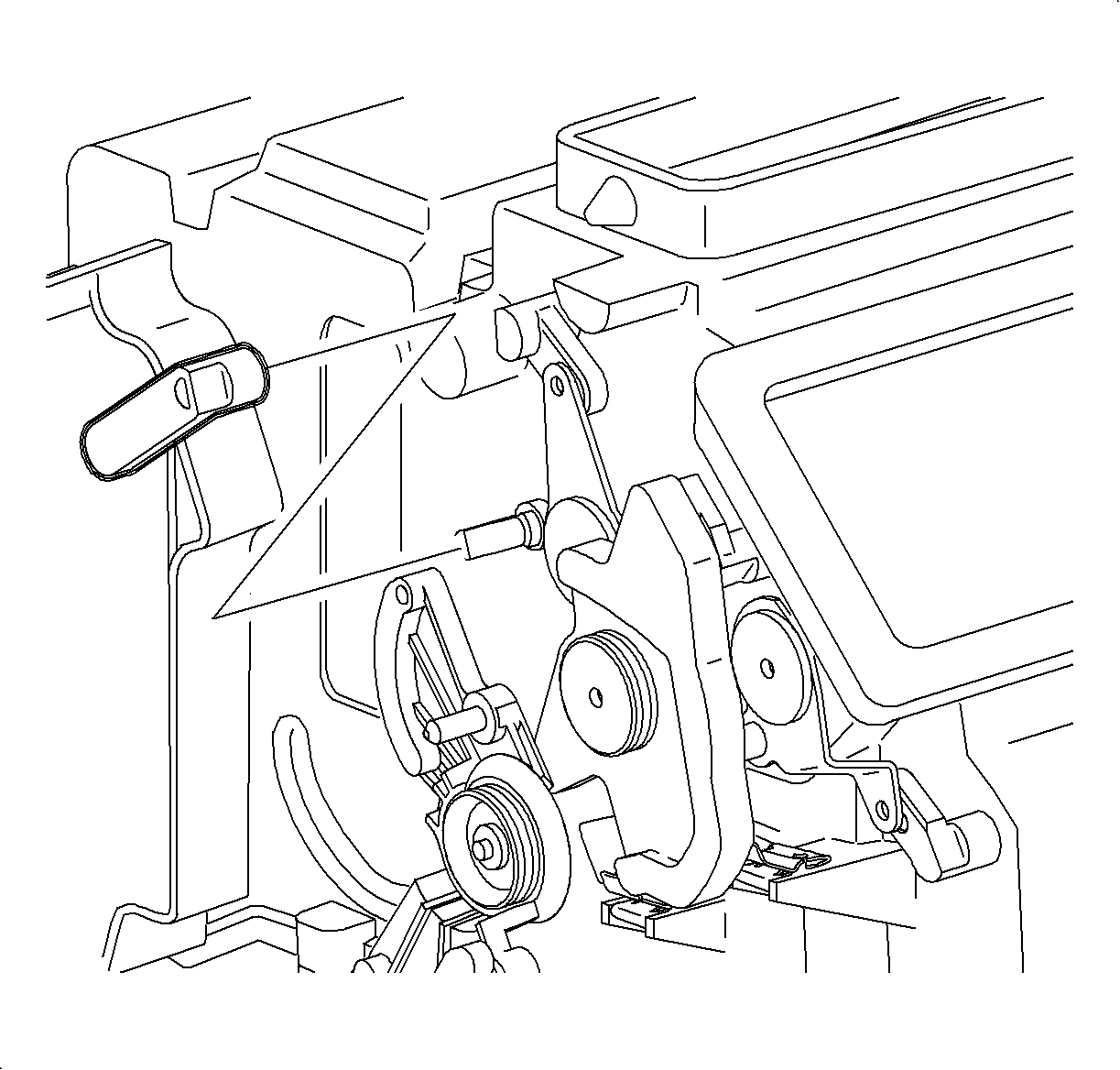
  38. Object Number: 860675  Size: SH
    Click here for detailed picture of above image.
  39. Position the lever labeled COOL onto the upper mix cam door shaft so that the pin will be in the upper temperature cam track when seated. Press down until the tang seats into the shaft notch.
  40. Rotate the temperature cam to verify the smooth operation of both doors.
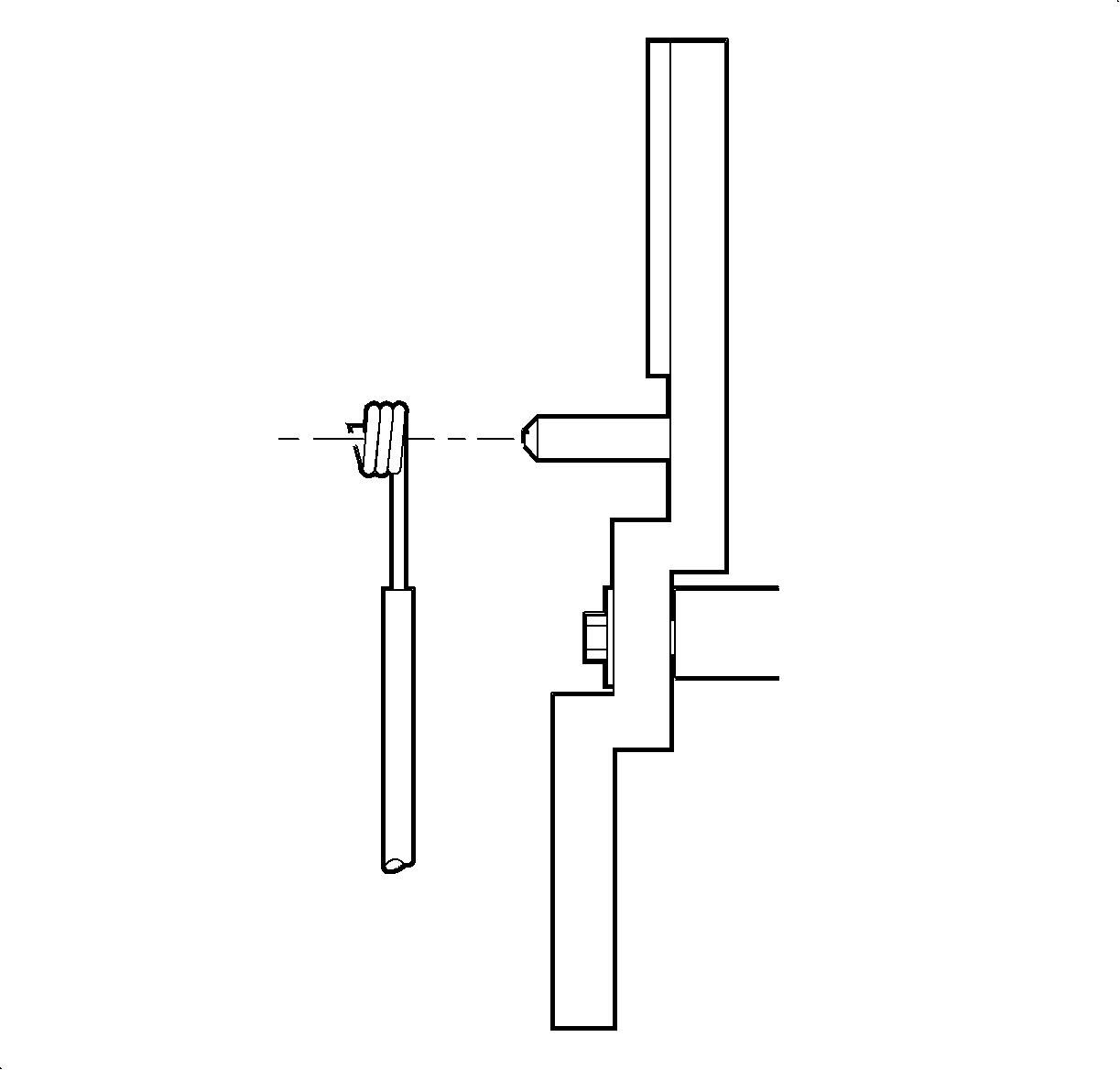
  41. Object Number: 860488  Size: SH
    Click here for detailed picture of above image.

    Important

    Install the temperature cable with the wire eyelet wrap as shown.

  42. Install the temperature cable.

  43. Object Number: 860634  Size: MF
    Click here for detailed picture of above image.

    Important

    Do not install the temperature cable housing into the retainer at this time.

  44. Install the temperature cable on the temperature cam pin and install the circular push-on retainer.
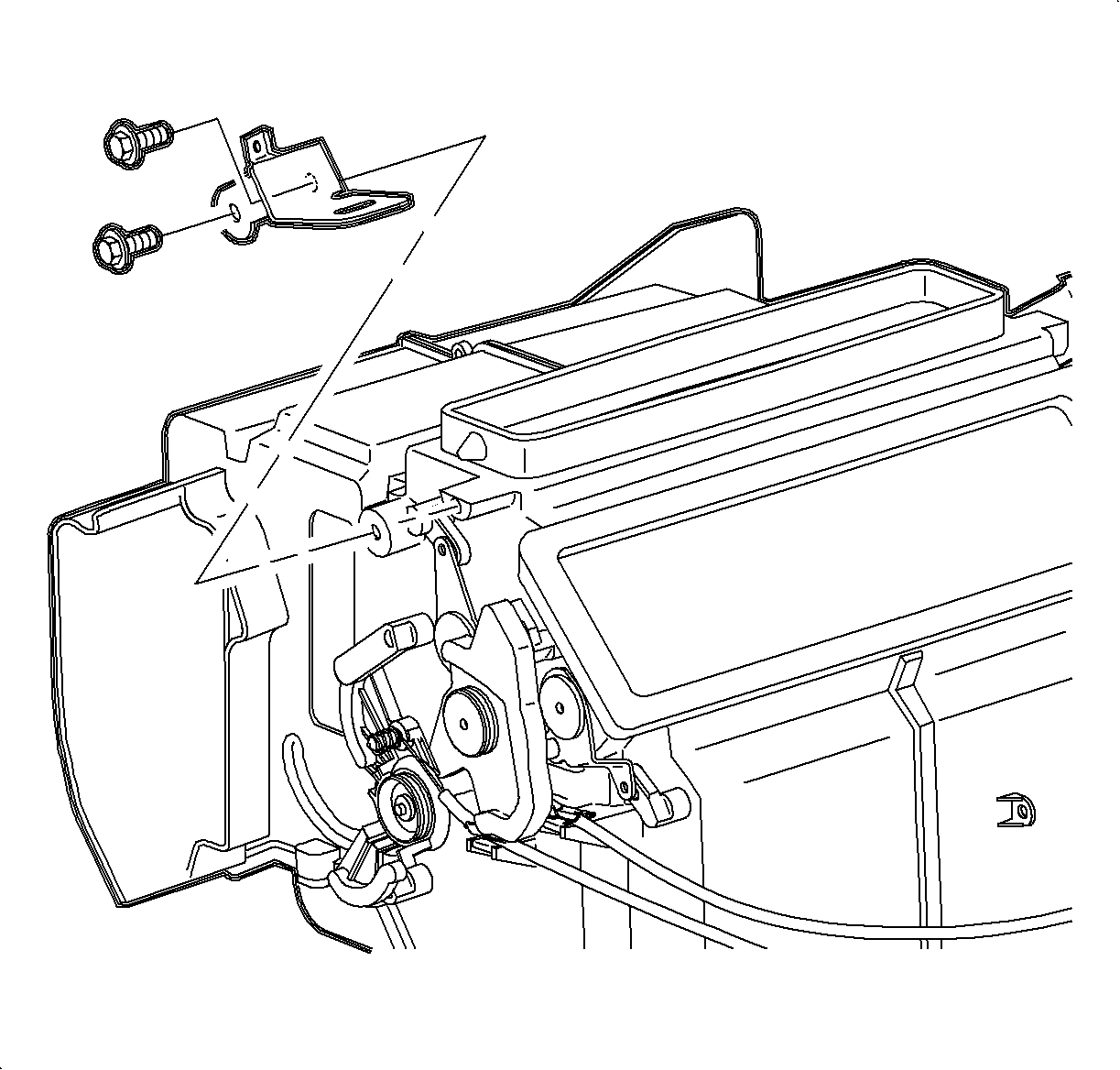
  45. Object Number: 860681  Size: SH
    Click here for detailed picture of above image.
  46. Install the left module mounting bracket and screws.
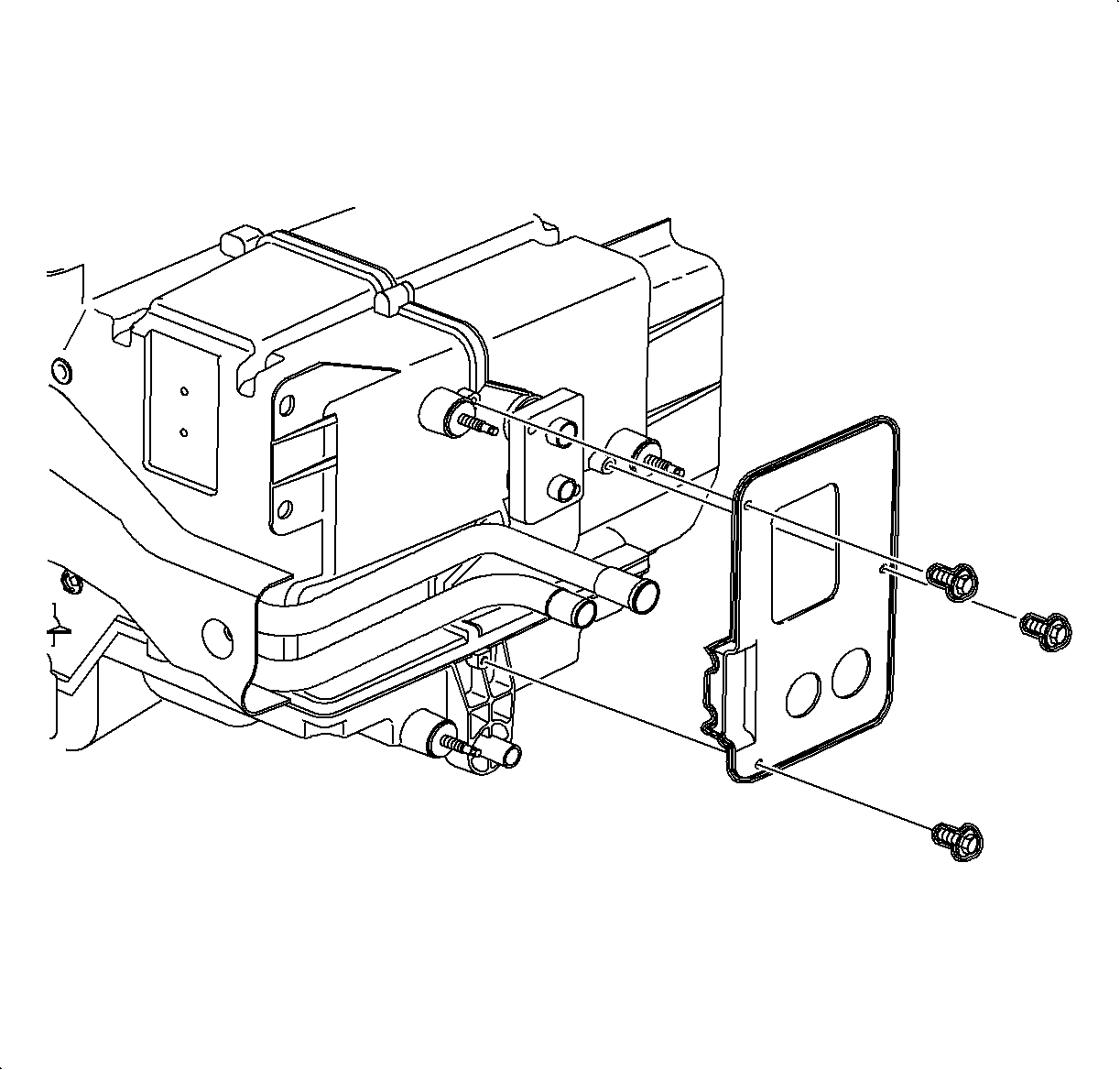
  47. Object Number: 860690  Size: SH
    Click here for detailed picture of above image.
  48. Install the pipe support plate screws.
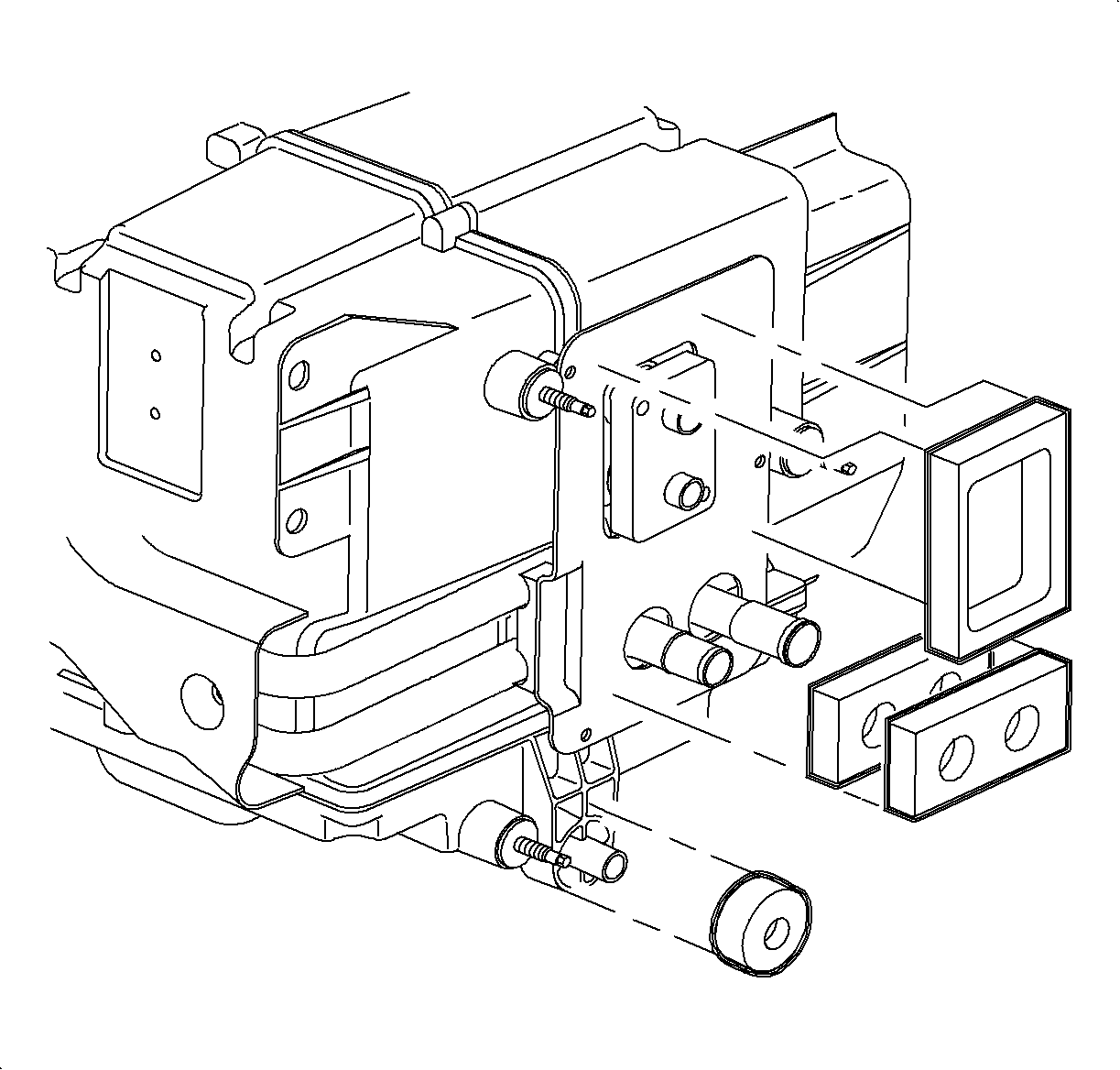
  49. Object Number: 860736  Size: SH
    Click here for detailed picture of above image.

    Important

    The heater core pipe seal consists of 2 seals installed back-to-back.

  50. Install the evaporator block seal, heater core pipe seal, and drain tube seal.
  Document ID# 1215967
1998 Saturn SL2/SC2/SW2