Document ID# 886010
1998 Saturn SL2/SC2/SW2
Shift Control Boot Replacement
Removal Procedure
Disable the SIR system. Refer to
Enabling the SIR System
.
Remove the console. Refer to
Console Replacement
.
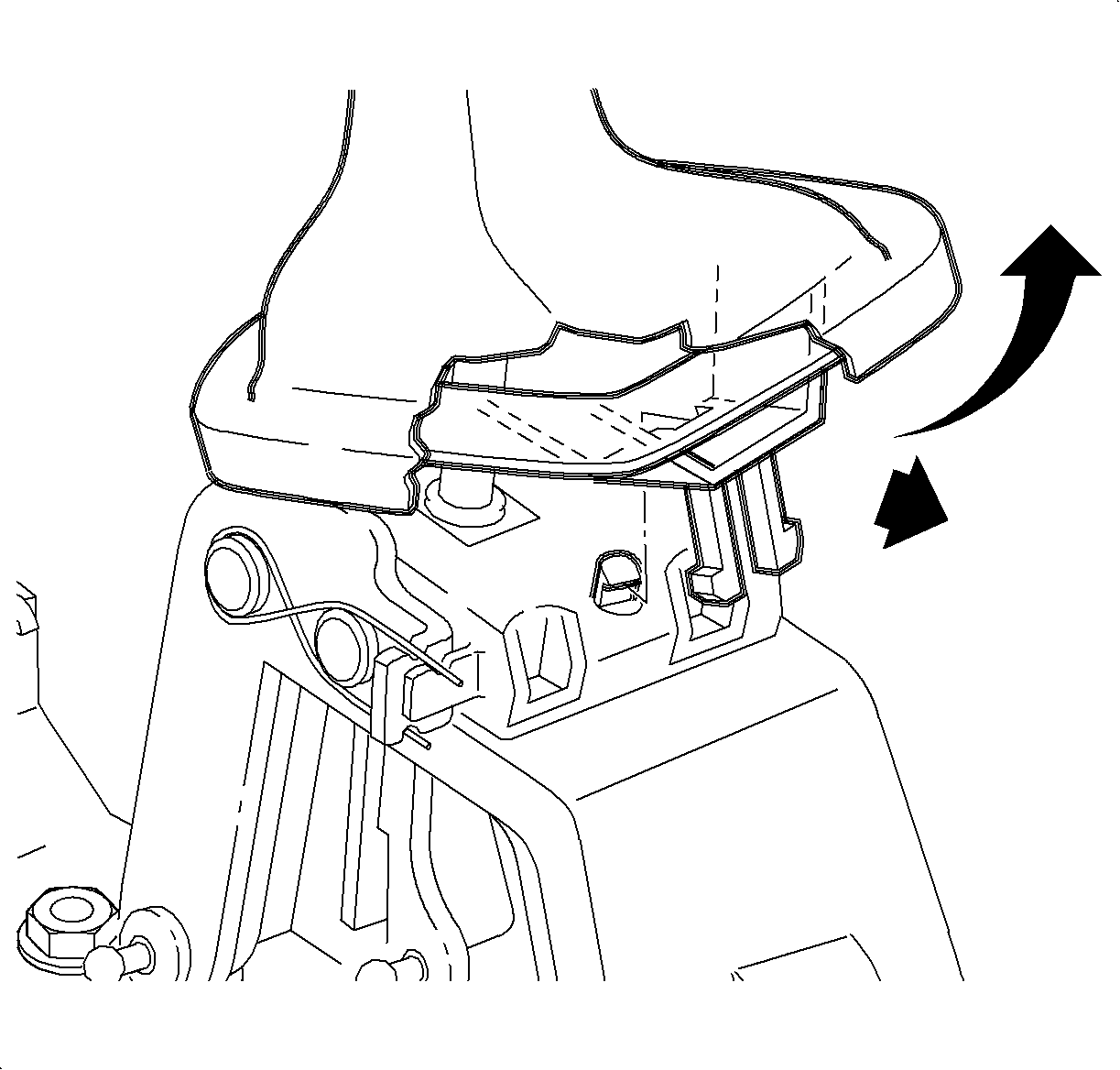
Unclip the boot assembly from the plastic retainer in the rear of the shifter control assembly by pulling rearward and upward on the boot.
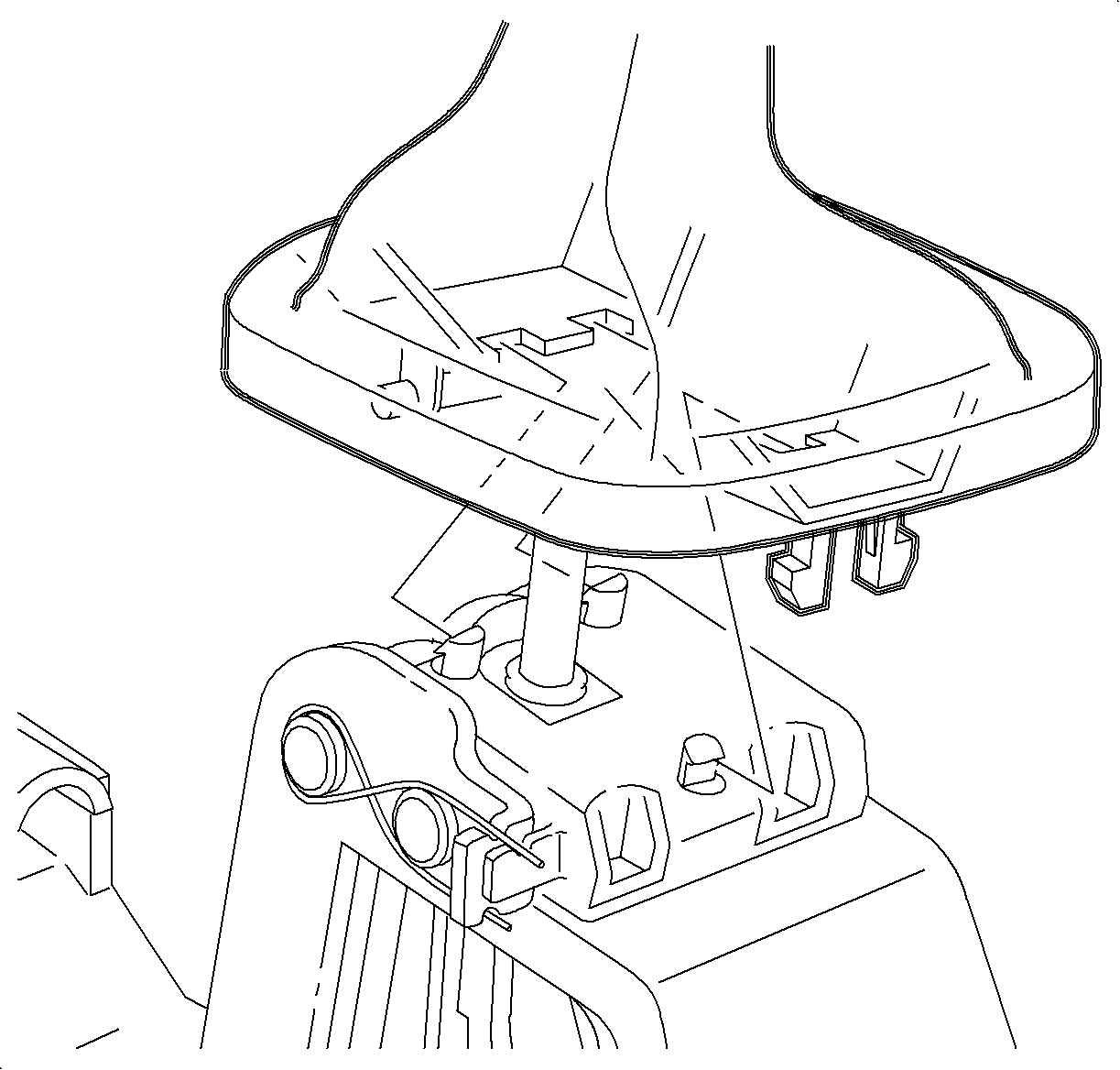
Unclip the boot assembly from the two plastic retainers in the front of the shifter control assembly and remove the boot.
Installation Procedure
Place the boot on the shifter control assembly and clip the two plastic retainers in the front of the shifter control assembly.
Clip the boot assembly onto the plastic retainer in the rear of the shifter control assembly.
Install the console. Refer to
Console Replacement
.
Enable the SIR system. Refer to
Enabling the SIR System
.
Document ID# 886010
1998 Saturn SL2/SC2/SW2