Document ID# 872343
1998 Saturn SL2/SC2/SW2
 

Park Brake Warning Lamp Switch Replacement

Removal Procedure

    Object Number: 872174  Size: SH
    Click here for detailed picture of above image.
  1. Disable the SIR System. Refer to Disabling the SIR System in SIR.
  2. Remove the console. Refer to Console Replacement in Instrument Panel, Gages and Console.
  3. Disconnect the park brake switch electrical connector.
  4. Remove the park brake switch screw, and remove the switch.
Installation Procedure

    Notice

    Refer to Fastener Notice in Cautions and Notices.

  1. Pull the park brake lever up; place the park brake switch into position. Secure it by installing the park brake switch screw.
  2. Tighten

    Tighten the park brake switch screw to 4 N·m (35 lb in).
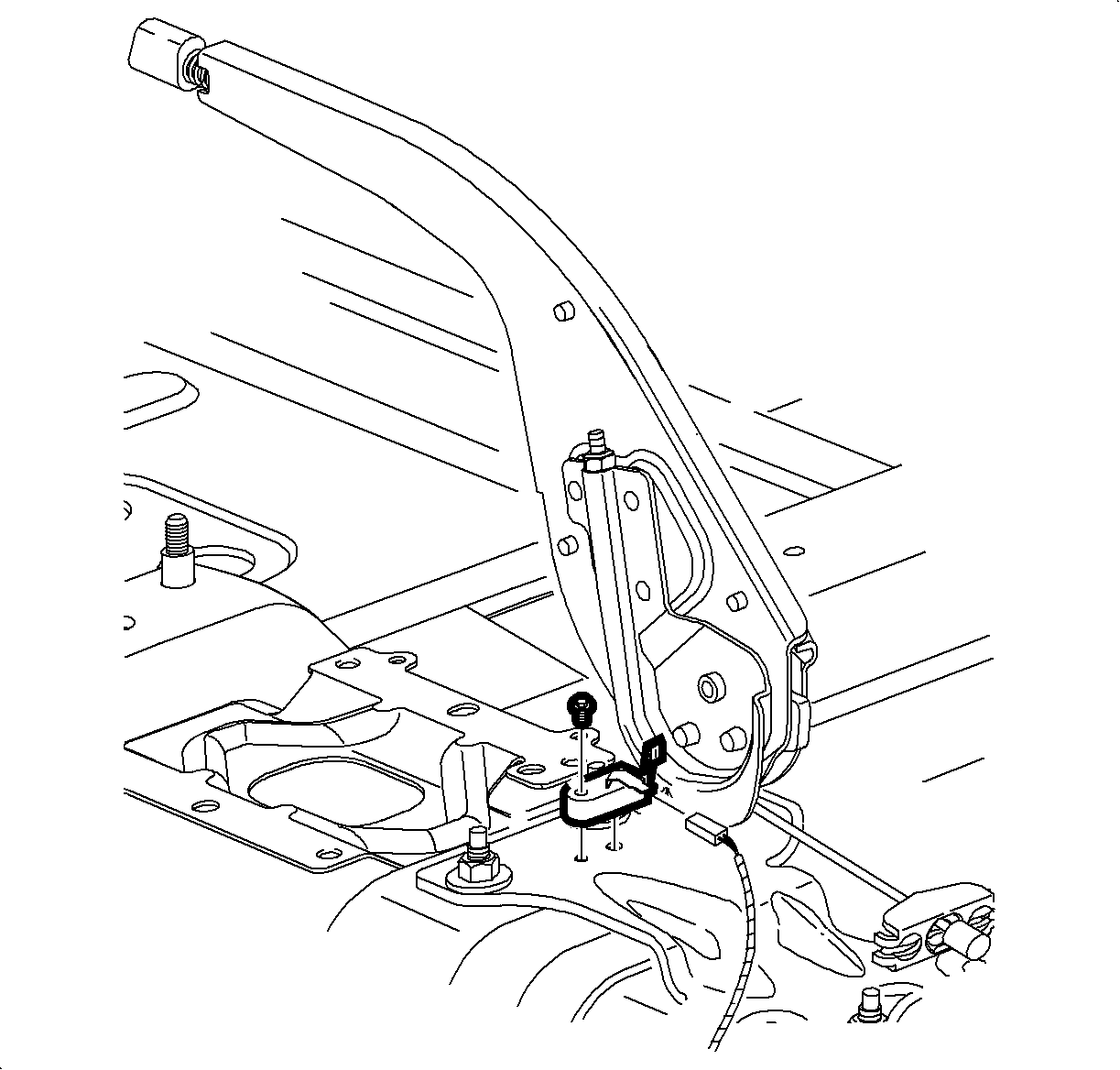
  3. Connect the park brake indicator switch electrical connector.
  4. Install the console. Refer to Console Replacement in Instrument Panel, Gages and Console.
  5. Enable the SIR System. Refer to Enabling the SIR System in SIR.

  Document ID# 872343
1998 Saturn SL2/SC2/SW2