Document ID# 868888
1998 Saturn SL2/SC2/SW2
 

Body Side Stationary Window Replacement

Removal Procedure

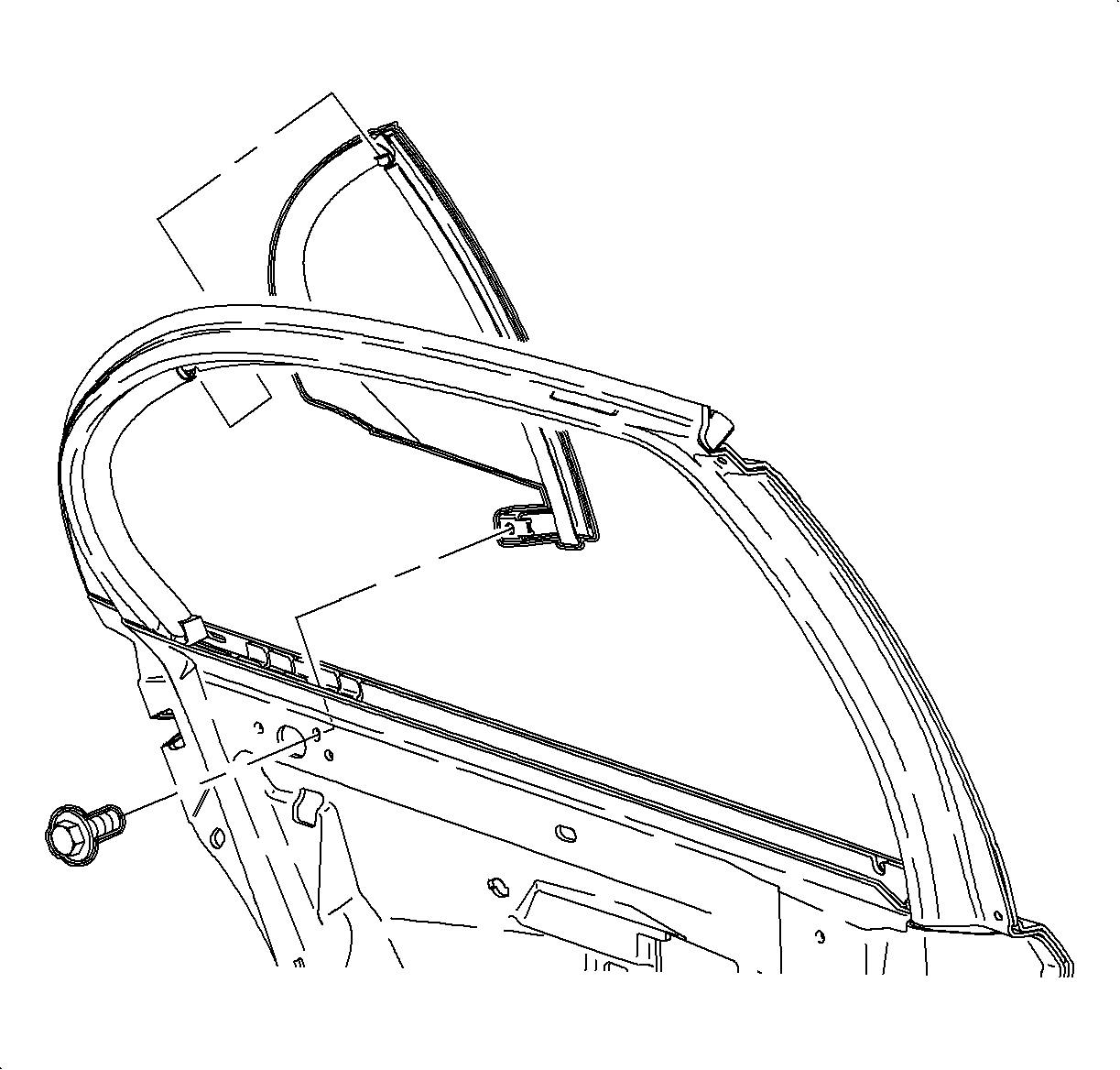
    Object Number: 861000  Size: SH
    Click here for detailed picture of above image.
  1. Remove the rear door trim panel. Refer to Trim Panel Insert Replacement - Rear Door in Doors.
  2. Partially remove the upper door frame inner seal at the location of the stationary window.
  3. Peel back the water deflector at bolt access hole and remove the bolt from the stationary window.
  4. Remove the stationary window.
Installation Procedure

    Notice

    Refer to Title not found in Cautions and Notices.

  1. Install the stationary glass and fasten with the bolt.
  2. Tighten

    Tighten the rear side door stationary window fastener to 11 N·m (97 lb in).
  3. Replace the water deflector at the access hole location.
  4. Install the upper door frame inner seal, sliding it down around the window.
  5. Install the rear door trim panel. Refer to Trim Panel Insert Replacement - Rear Door in Doors.

  Document ID# 868888
1998 Saturn SL2/SC2/SW2