Document ID# 880012
1998 Saturn SL2/SC2/SW2
 

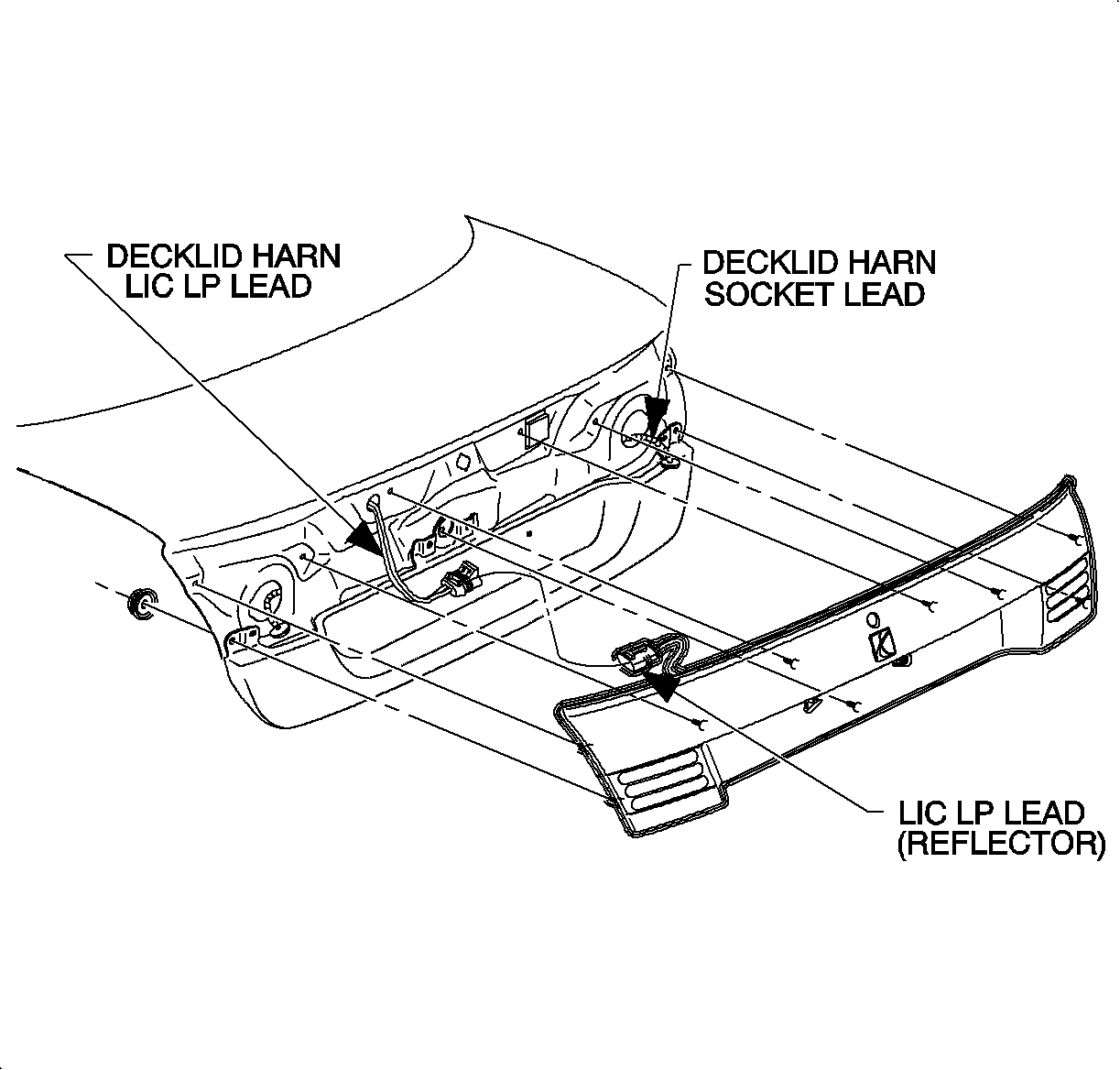
Compartment Lid Center Reflex - Rear

Removal Procedure

    Object Number: 869240  Size: SH
    Click here for detailed picture of above image.
  1. Remove the rear license plate.
  2. Open the rear compartment lid.
  3. Disconnect the back-up lamp sockets from the reflex.
  4. Remove the reflex attaching nuts underside of the rear compartment lid.
  5. Remove the reflex by raising the reflex upward from the compartment lid.
  6. Disconnect the license plate lamp harness from the rear compartment lid harness.
Installation Procedure

    Object Number: 869240  Size: SH
    Click here for detailed picture of above image.
  1. Connect the license plate lamp harness to the rear compartment lid harness and the back-up lamp sockets to the reflex.
  2. Position the reflex to the compartment lid. Visually inspect that the reflex is properly positioned to the rear compartment lid.
  3. Notice

    Refer to Fastener Notice in Cautions and Notices.

  4. Install the reflex attaching nuts.
  5. Tighten

    Tighten the rear center reflex nuts to 5 N·m (43 lb in).
  6. Close the compartment lid and install the license plate.

  Document ID# 880012
1998 Saturn SL2/SC2/SW2