Document ID# 1229897
1998 Saturn SL2/SC2/SW2
 

Instrument Panel (I/P) Assembly Replacement Left Hand Drive

Removal Procedure

    Important

    Record the preset radio stations and clock time. Disconnect the negative battery cable.

  1. Disable the SIR System. Refer to Disabling the SIR System.

  2. Object Number: 903726  Size: SH
    Click here for detailed picture of above image.
  3. Remove the screws and carefully pull the right and left end cap assemblies outward at the clip locations.

  4. Object Number: 905220  Size: SH
    Click here for detailed picture of above image.
  5. Remove the screws and remove the arm rest, if equipped.

  6. Object Number: 904104  Size: SH
    Click here for detailed picture of above image.
  7. Lift the parking brake lever.
  8. Remove the screw.
  9. Remove the parking brake cover by lifting straight off the lever.

  10. Object Number: 903885  Size: SH
    Click here for detailed picture of above image.
  11. Move the shifter to neutral. Remove the ashtray fro the cup holder by lifting straight out.
  12. Remove the cup holder from the console by pulling upwards starting at the rear edge.

  13. Object Number: 903988  Size: SH
    Click here for detailed picture of above image.
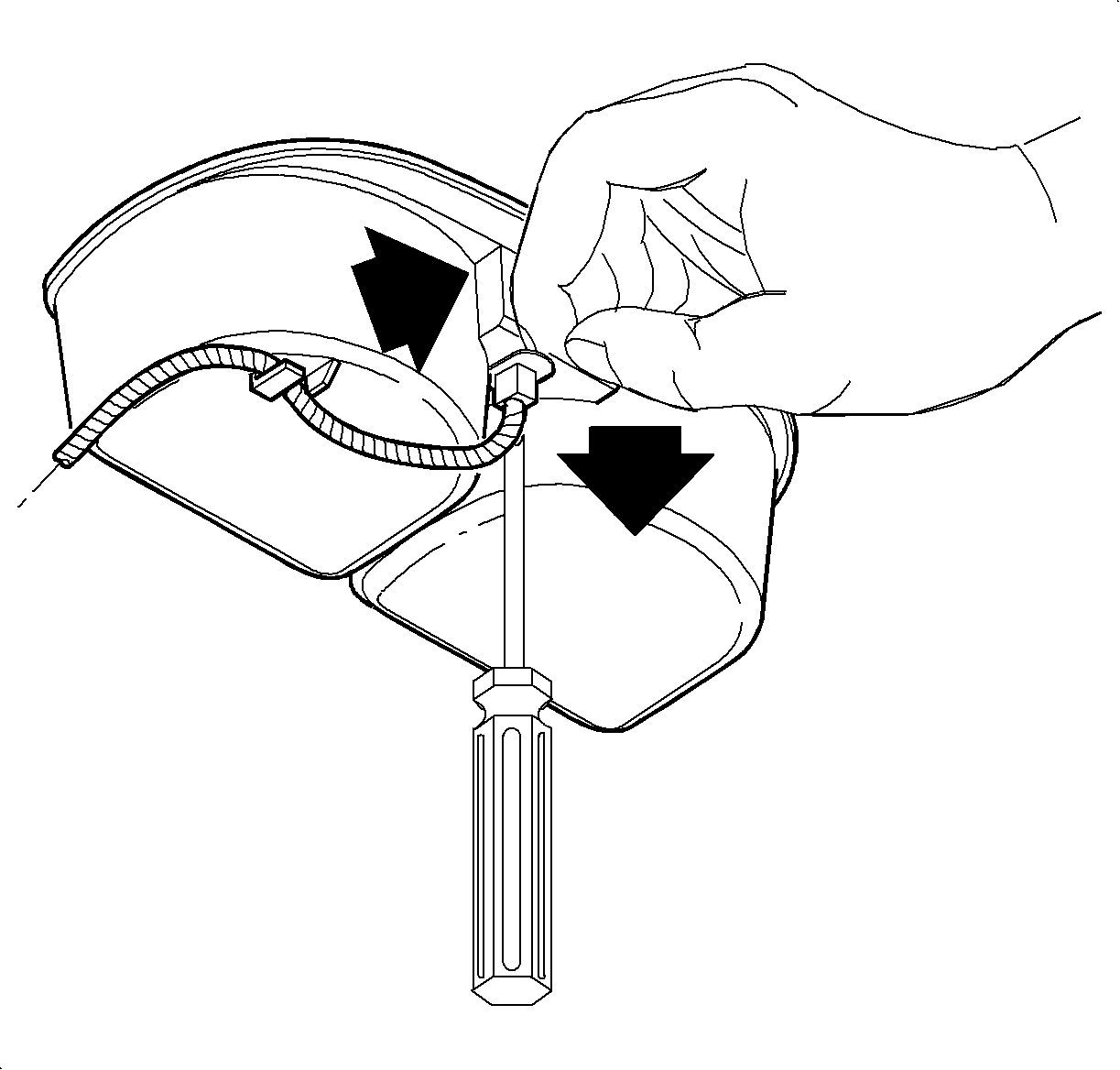
  14. Remove the ashtray bulb socket by lifting the tab while sliding the socket forward. Then pull the socket straight out.
  15. Remove the wiring harness from the cup holder.

  16. Object Number: 903887  Size: SH
    Click here for detailed picture of above image.
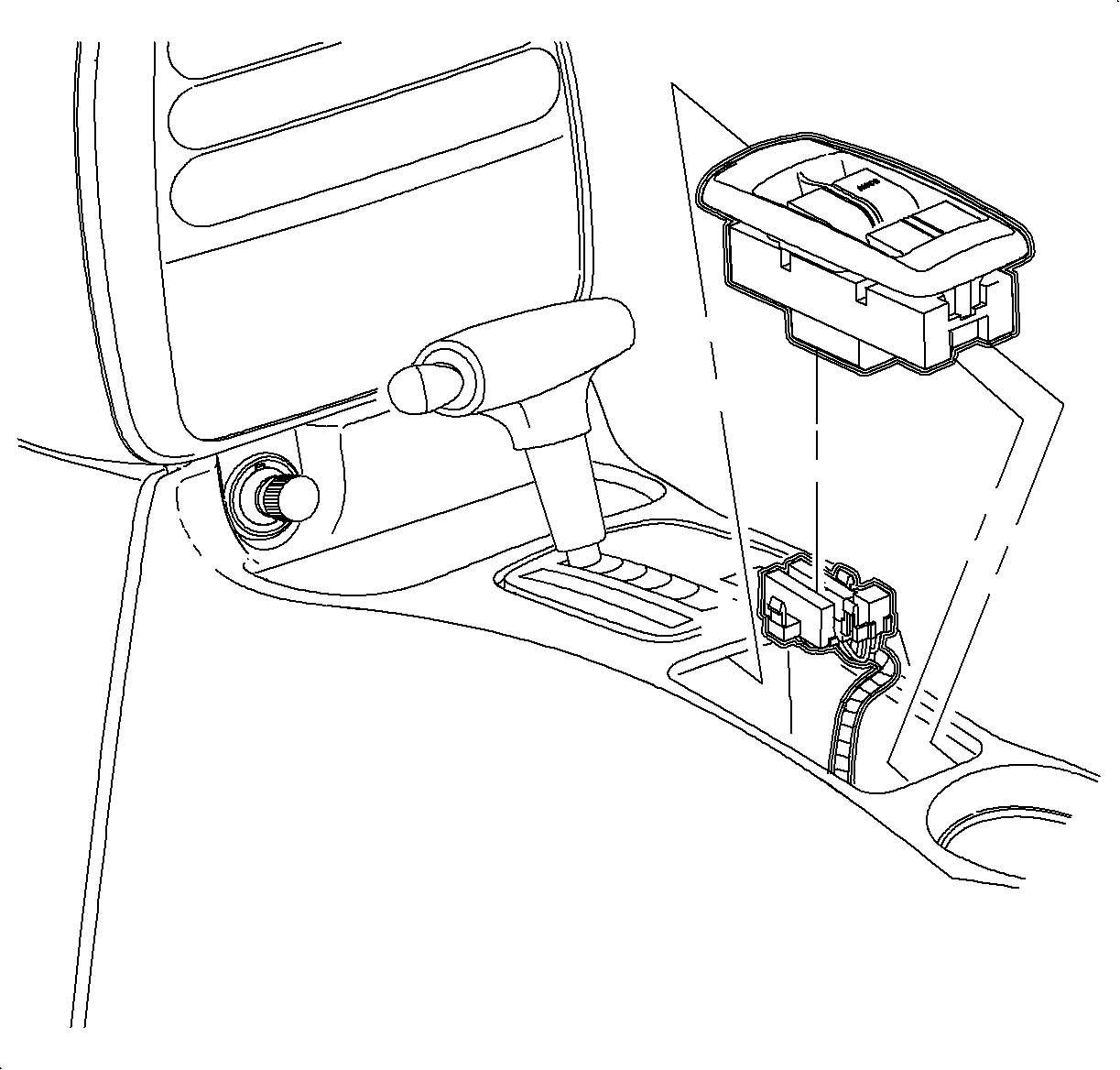
  17. Remove the window/mirror switch, if equipped, by sliding the switch forward then lifting at the rear edge.
  18. Disconnect the electrical connectors.

  19. Object Number: 903985  Size: SH
    Click here for detailed picture of above image.
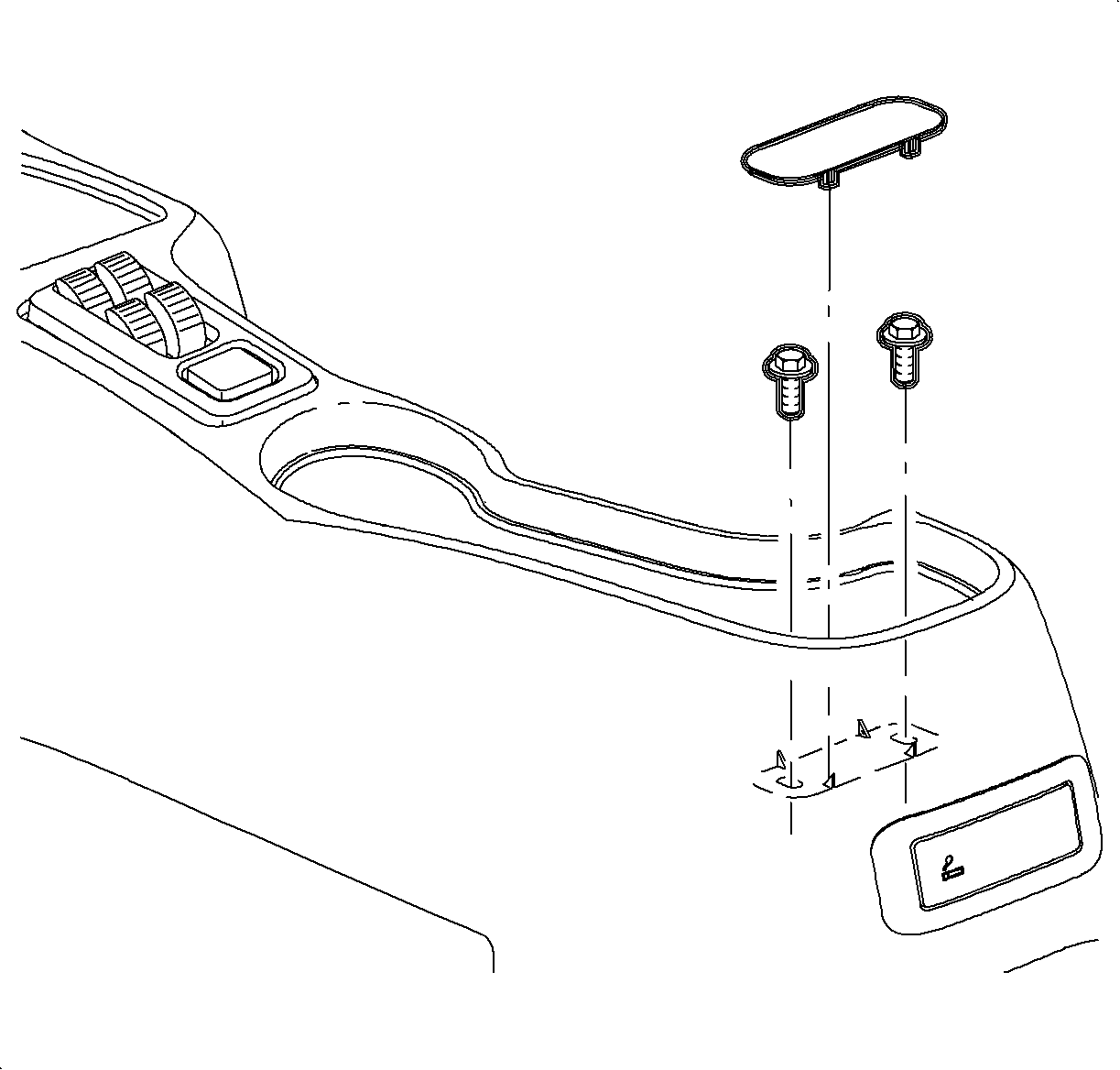
  20. If the vehicle does not have an arm rest, remove the rear screw cover by lifting at the cut out.
  21. Remove the rear console screws.

  22. Object Number: 878799  Size: SH
    Click here for detailed picture of above image.
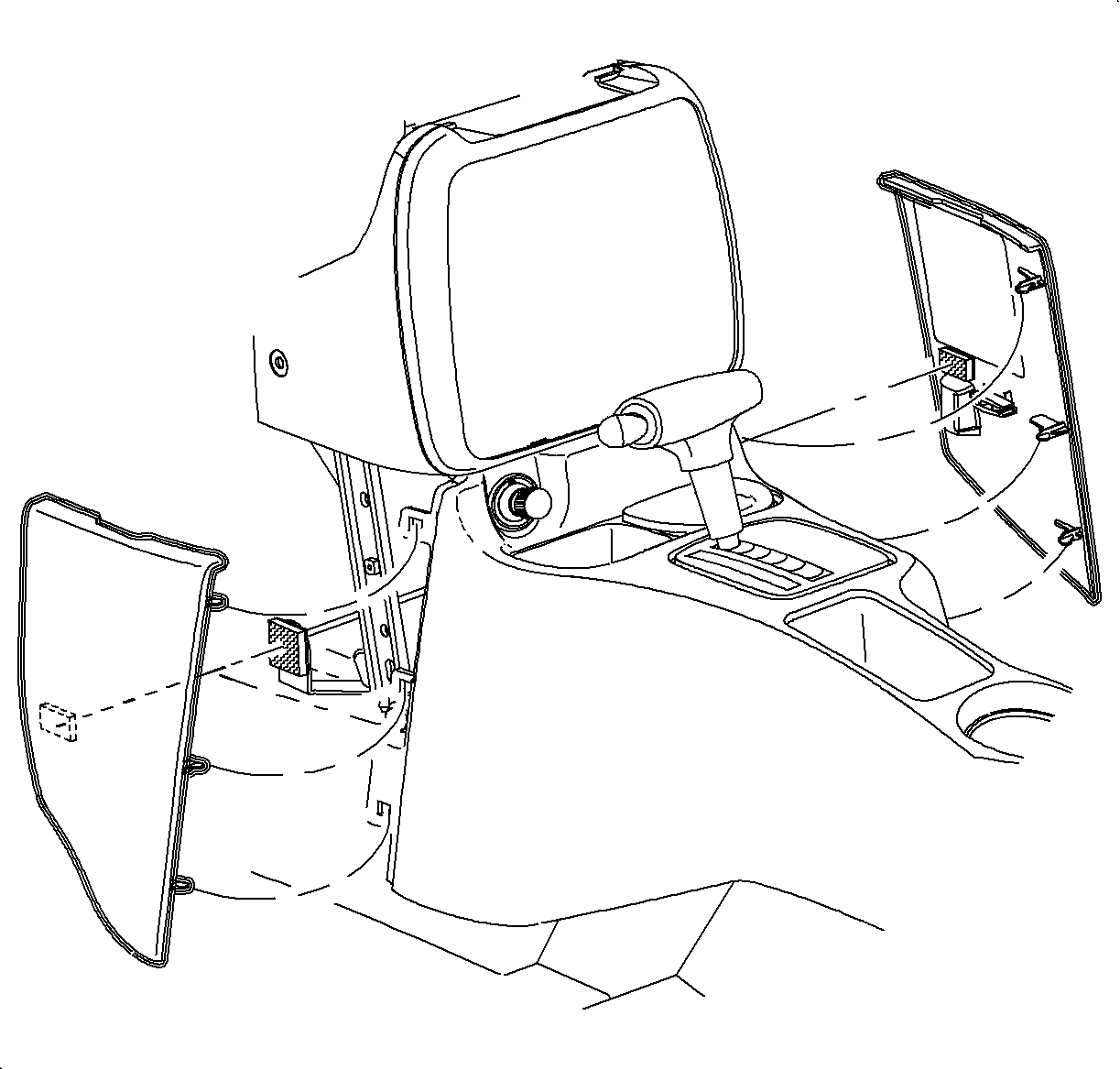
  23. Remove the left and right lower trim panel extensions by pulling outward at dual lock location. Then rotate the panels outward to disengage the hinges from the console.

  24. Object Number: 903286  Size: SH
    Click here for detailed picture of above image.
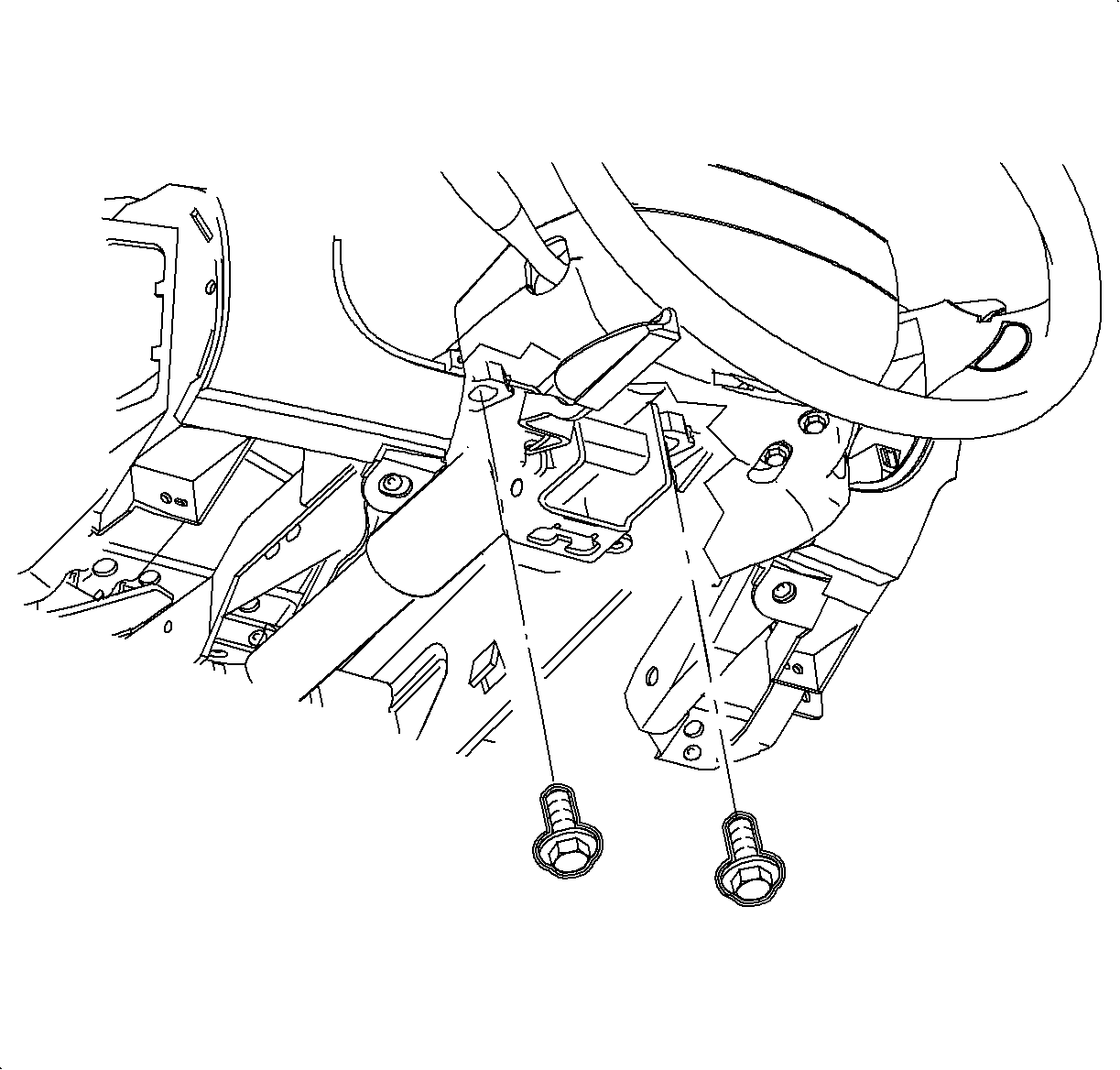
  25. Remove the front console screws.
  26. Move the console rearward.
  27. Disconnect the cigarette lighter electrical connector.
  28. Remove the bulb socket from the cigarette lighter by rotating clockwise and pulling straight out.

  29. Object Number: 903992  Size: SH
    Click here for detailed picture of above image.
  30. On automatic transmission equipped vehicles, tape shifter button in to clear shift opening.
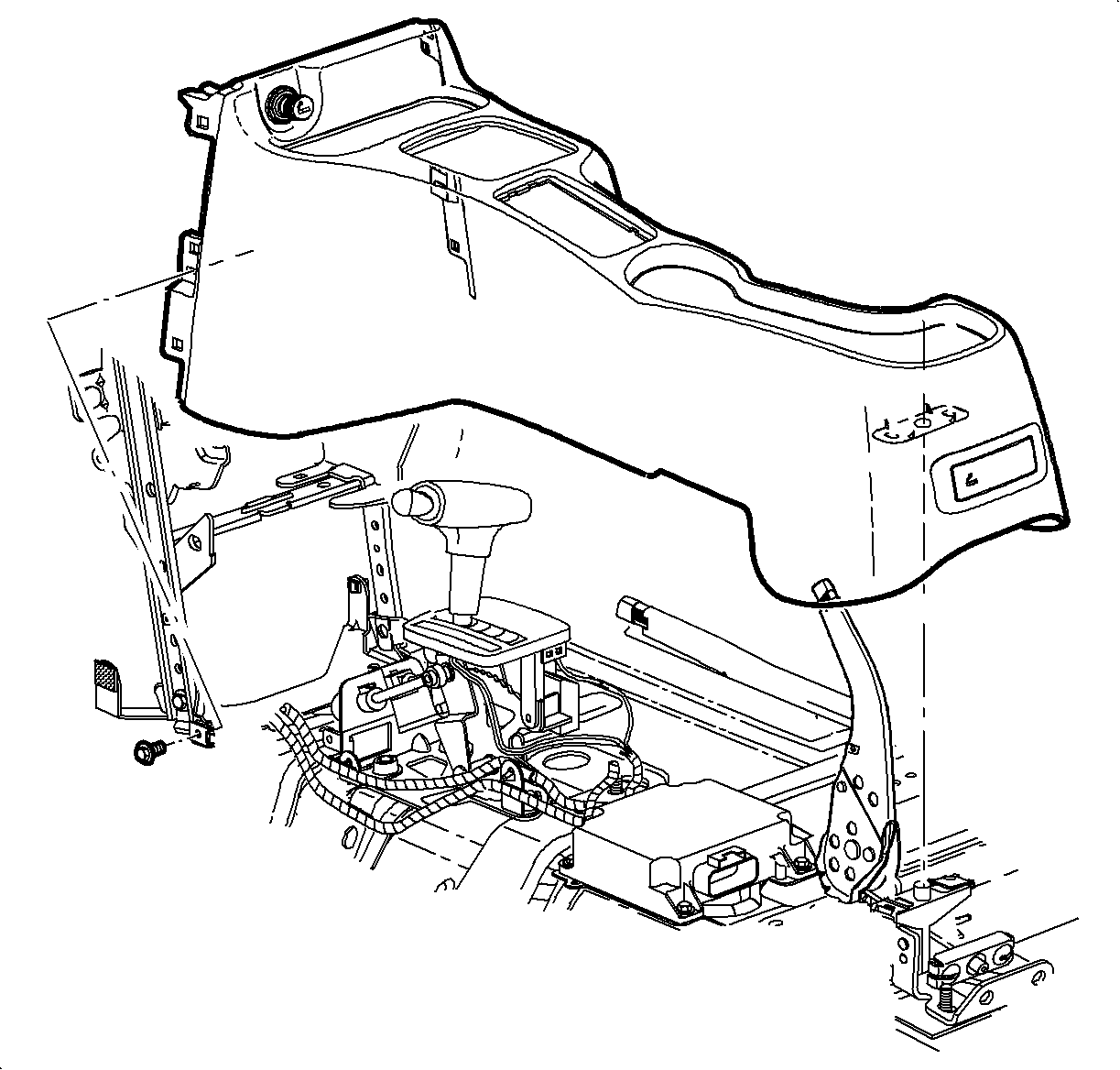
  31. Lift console at the rear. Slide the console rearward and lift it straight up to remove.

  32. Object Number: 881349  Size: SH
    Click here for detailed picture of above image.
  33. Press the center pins inward to release the radio/HVAC controller cover push pin fasteners.
  34. Important

    Do not push the center pins through the fasteners.

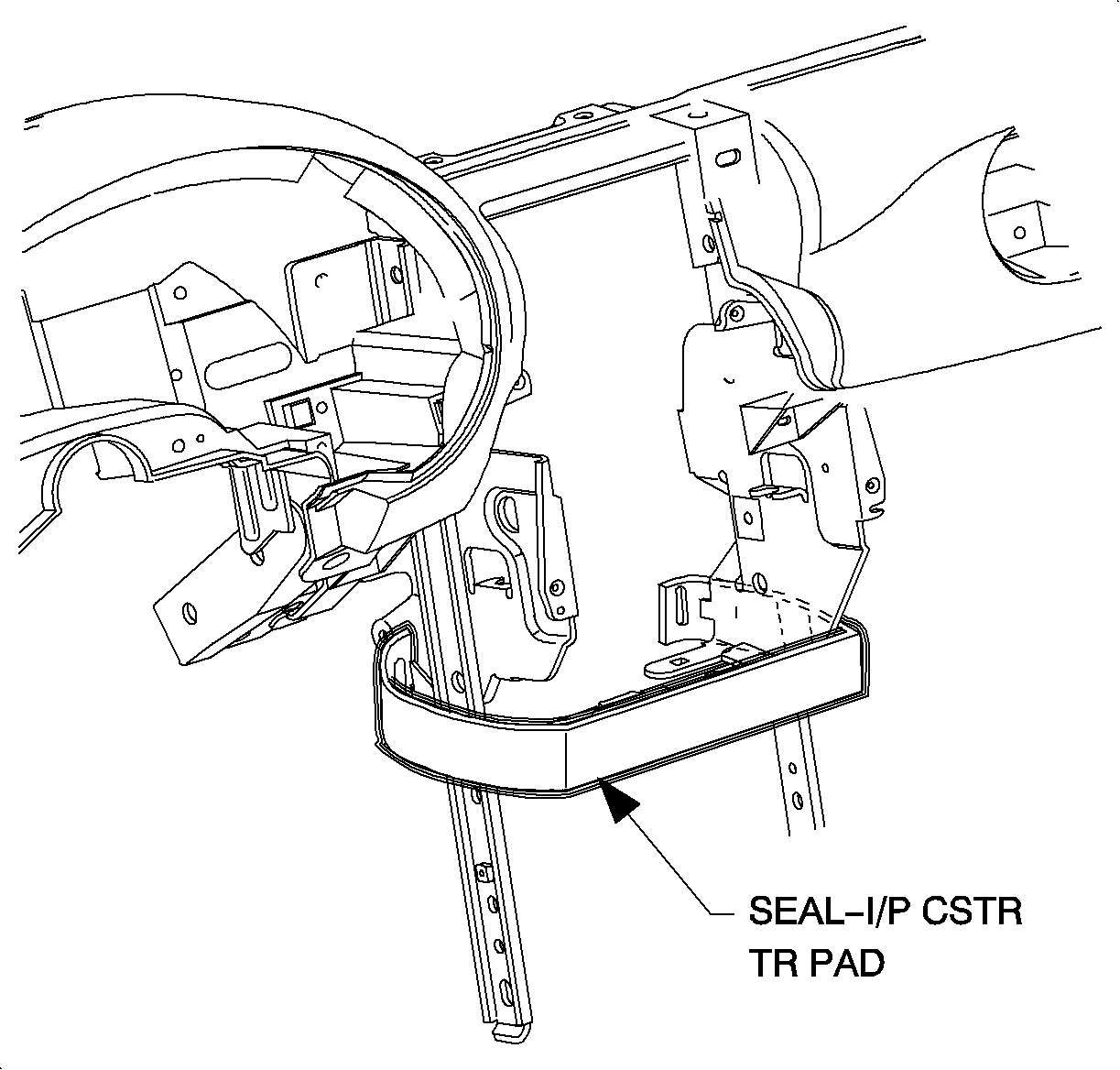
  35. Remove the fasteners and pull the radio/HVAC controller cover rearward.
  36. Disconnect the traction control/fog lamp/rear defog electrical connector if equipped.

  37. Object Number: 903396  Size: SH
    Click here for detailed picture of above image.
  38. Remove the radio screws.
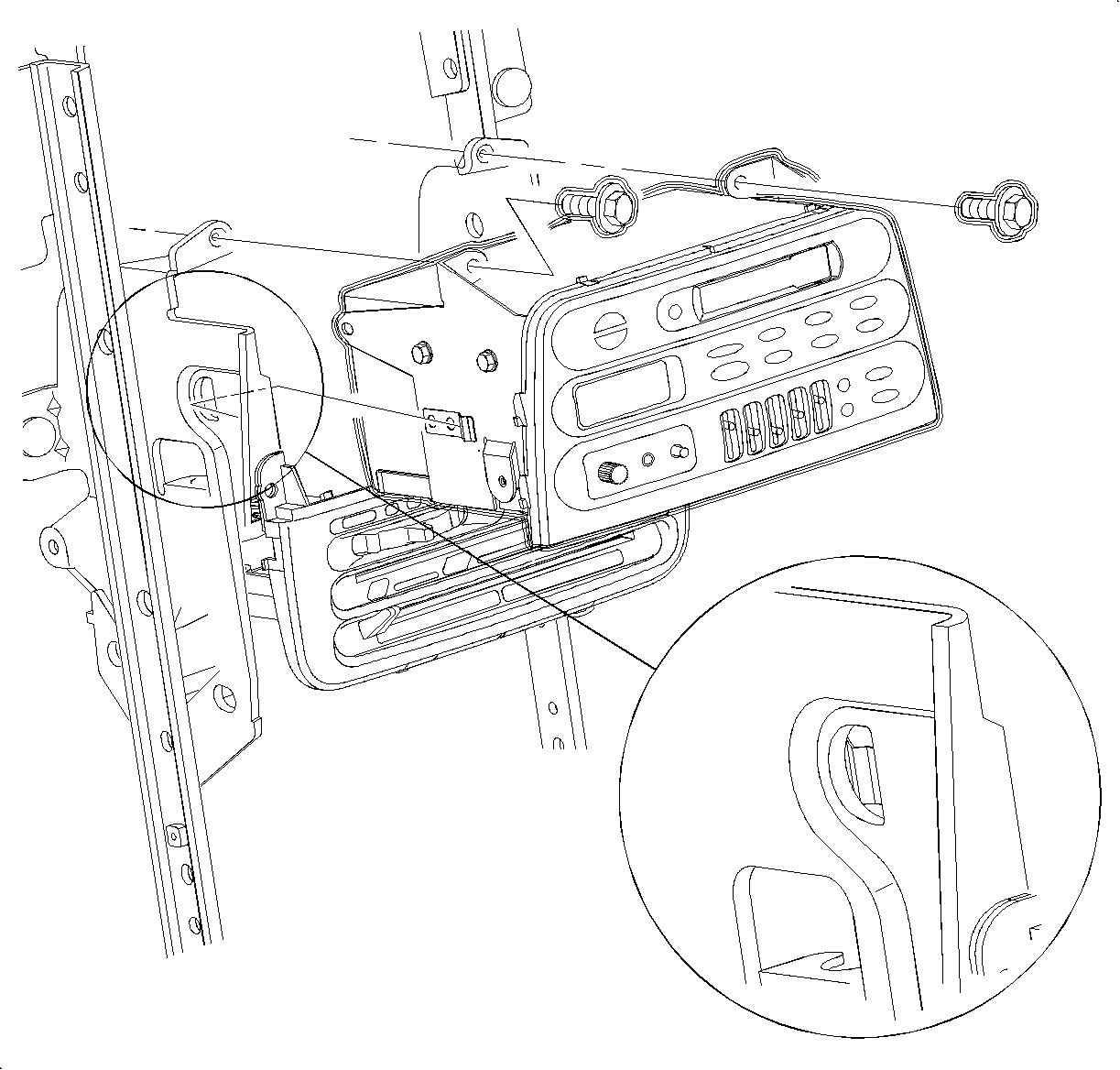
  39. Push the spring clip in through the D-holes on both sides of the radio brace.
  40. Pull the radio out slightly to access the rear of the radio.

  41. Object Number: 903535  Size: SH
    Click here for detailed picture of above image.
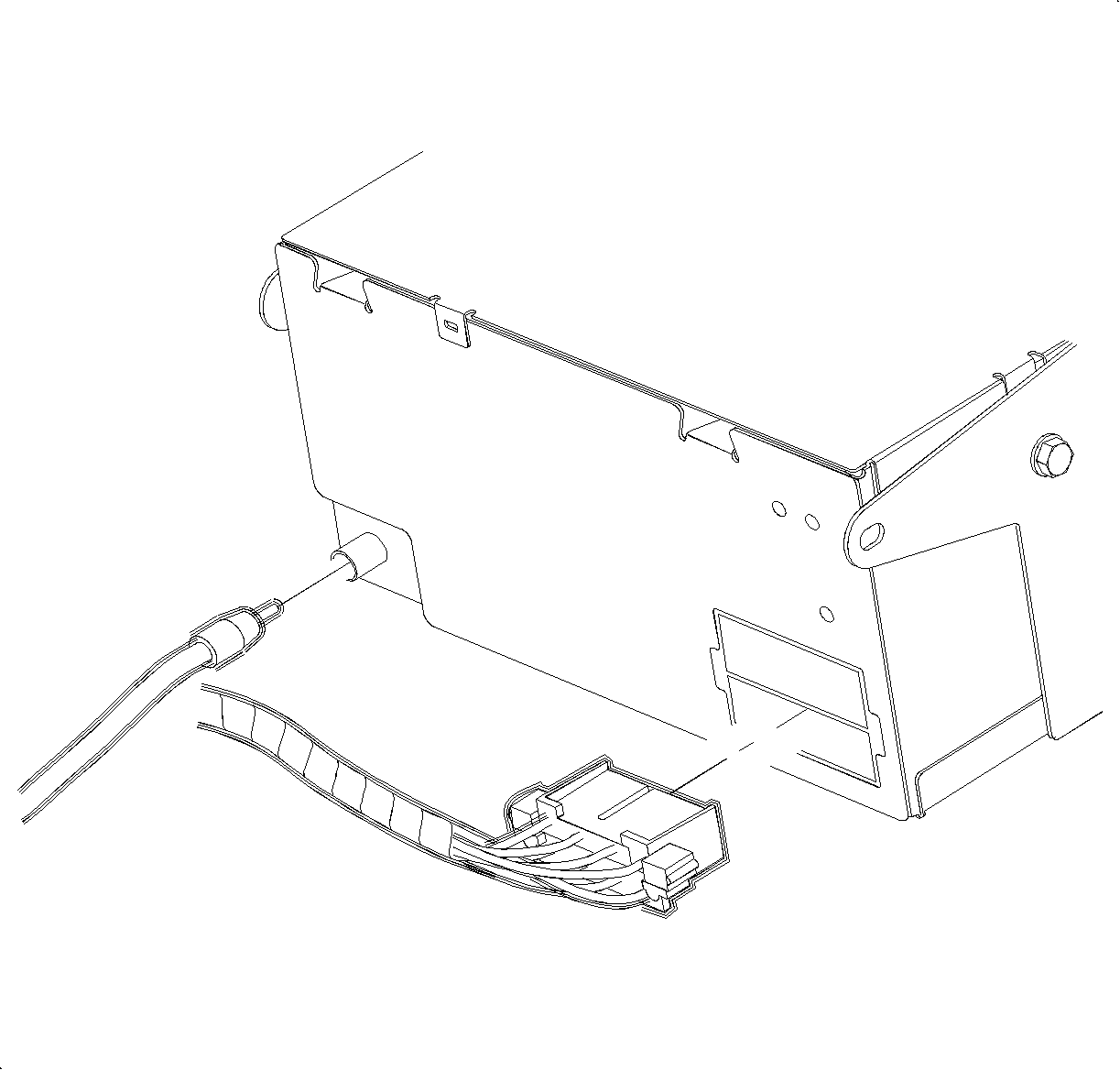
  42. Disconnect the electrical connector and the antenna.
  43. Remove the radio.

  44. Object Number: 1200114  Size: SH
    Click here for detailed picture of above image.
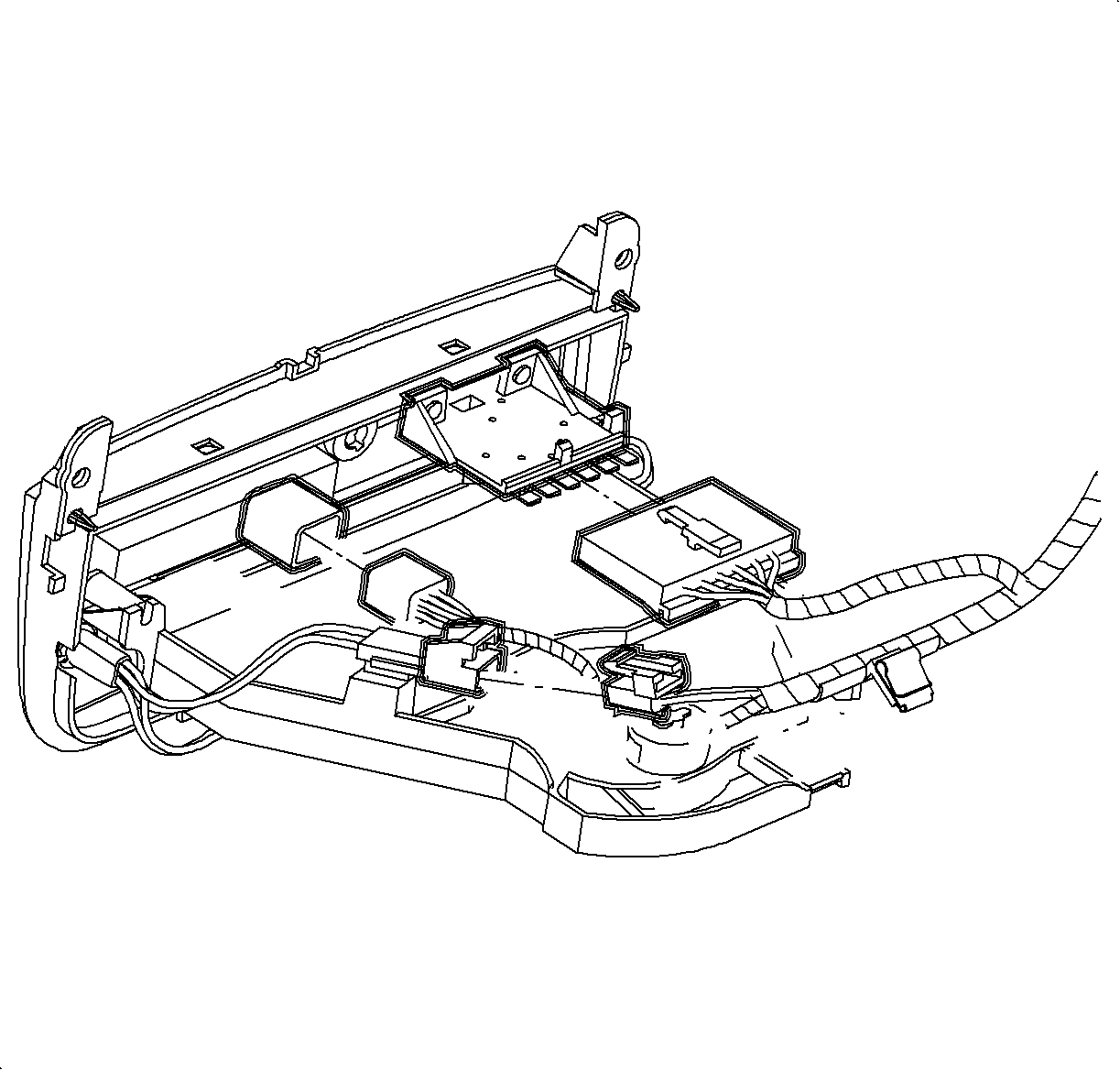
  45. Disconnect the blower switch, A/C-Recirc and lighting electrical connectors.

  46. Object Number: 903907  Size: SH
    Click here for detailed picture of above image.
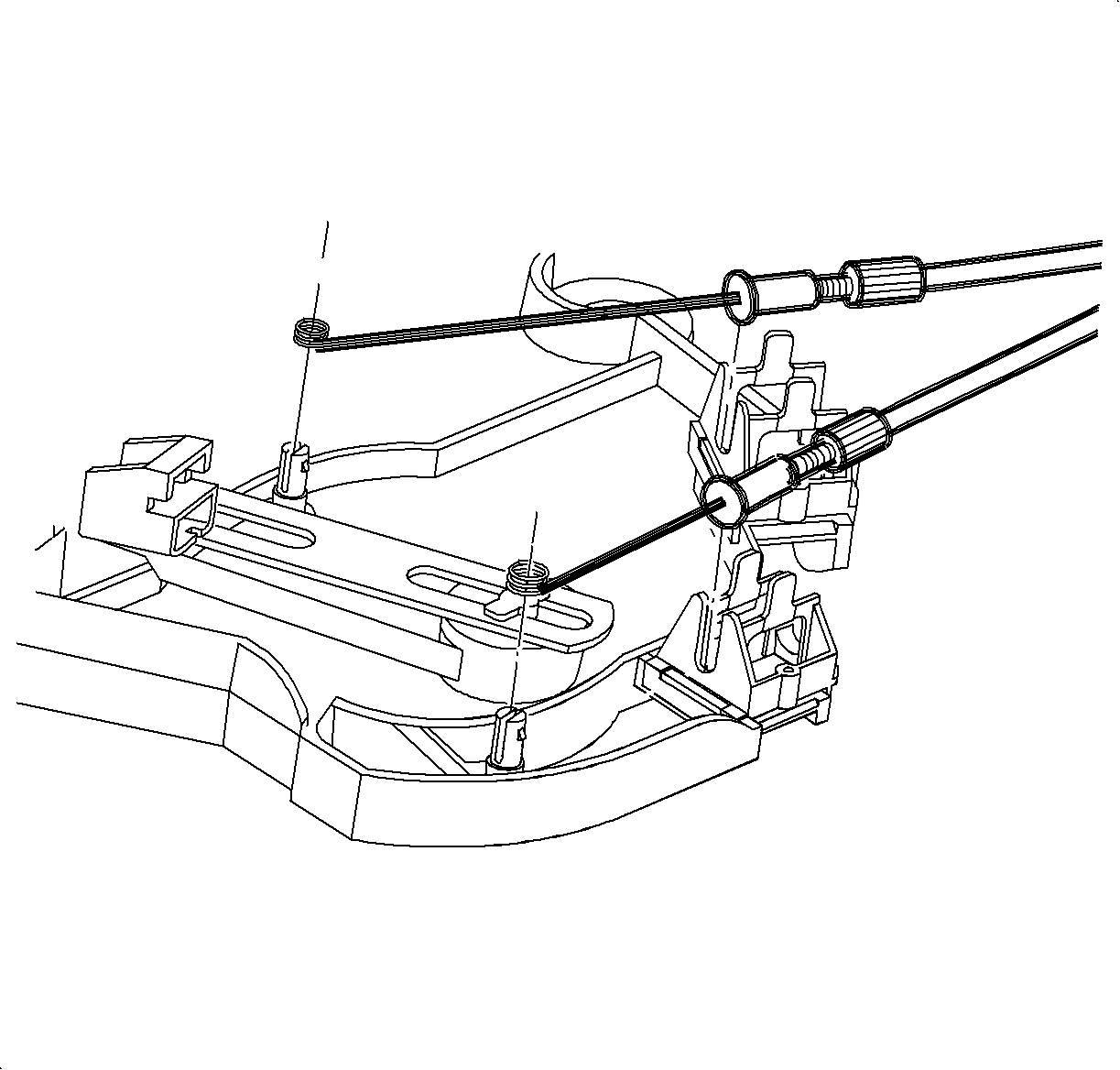
  47. Remove the temperature and mode cables from the HVAC control by squeezing the lock tabs together while pulling the cable housing straight up.
  48. Remove the cables from the pins by pulling straight up.

  49. Object Number: 903908  Size: SH
    Click here for detailed picture of above image.
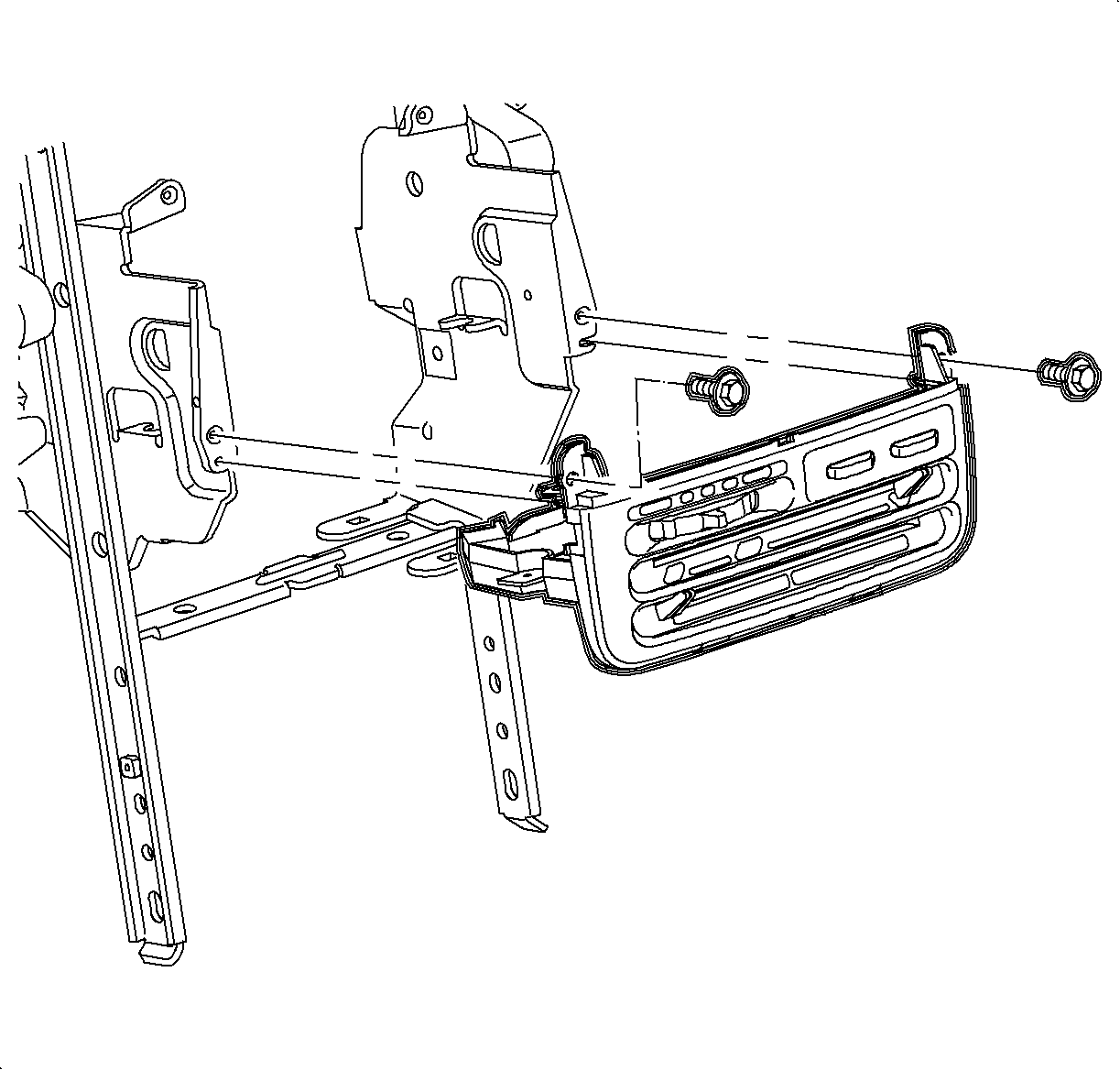
  50. Remove the screws and the HVAC controller.

  51. Object Number: 903717  Size: SH
    Click here for detailed picture of above image.
  52. Remove the closeout seal by releasing it from the tabs.

  53. Object Number: 903644  Size: SH
    Click here for detailed picture of above image.
  54. Remove the screw and ground the wire from the H-bracket.
  55. Remove the wiring harness from the H-bracket.

  56. Object Number: 882260  Size: SH
    Click here for detailed picture of above image.
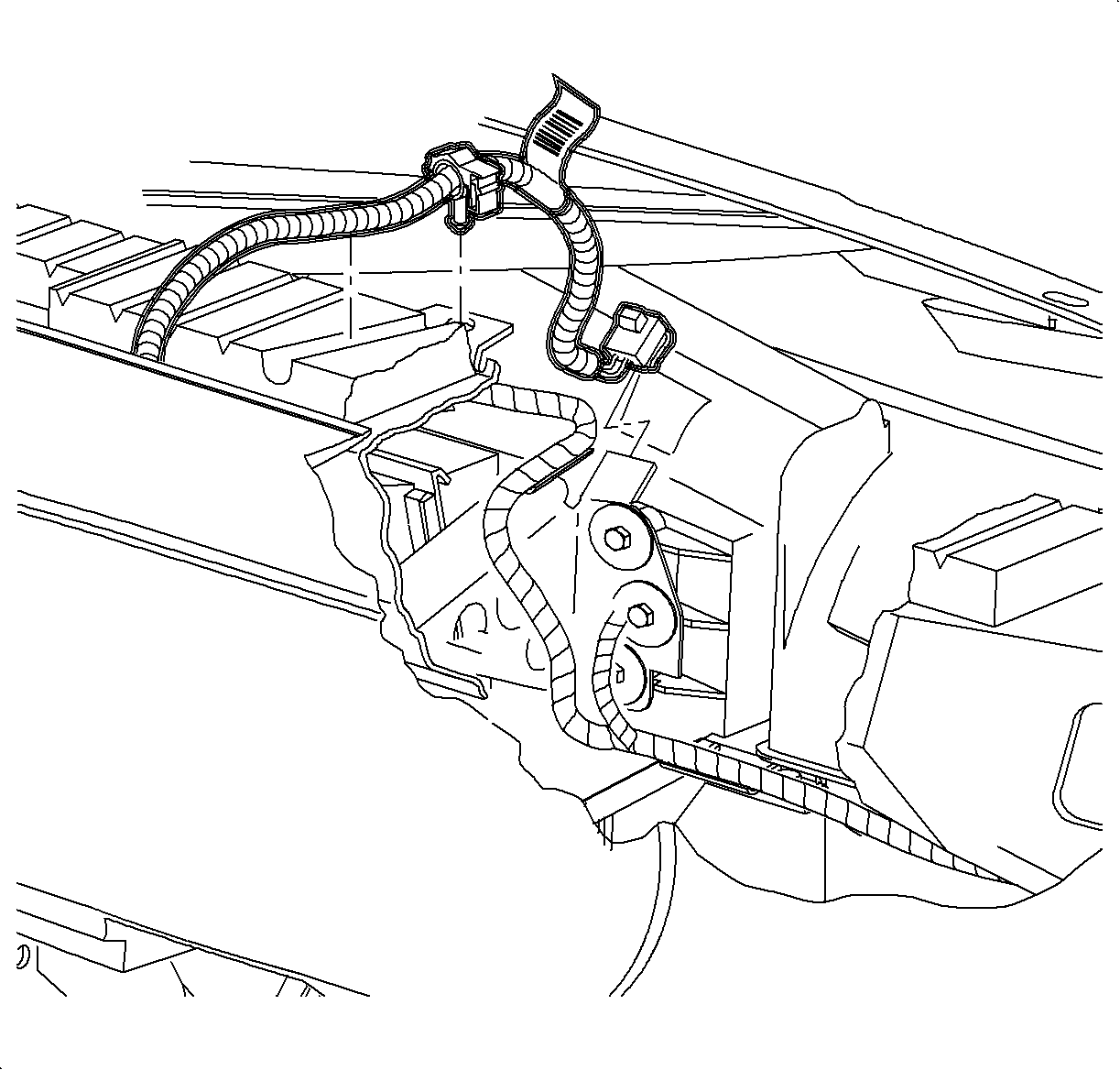
  57. Remove the screw and disconnect the rear electrical connector from the instrument panel junction block.

  58. Object Number: 903647  Size: SH
    Click here for detailed picture of above image.
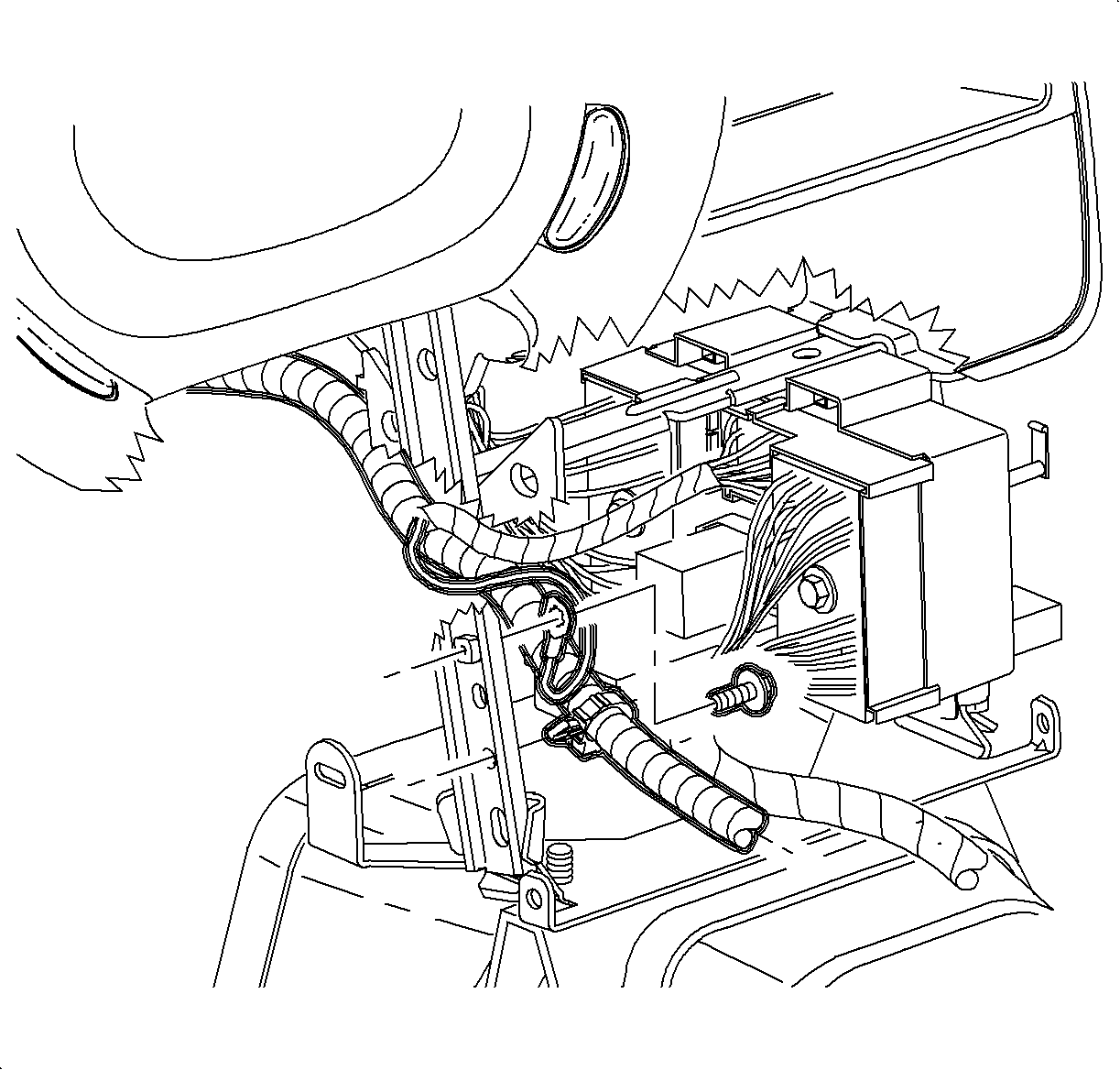
  59. Remove the instrument panel junction block screw.
  60. Insert a small flat-blade screwdriver from the passenger side, to release the lock tabs on the instrument panel junction block and slide off of the mounting pads.
  61. Feed the instrument panel junction block through the H-bracket towards the front of the car.

  62. Object Number: 903842  Size: SH
    Click here for detailed picture of above image.
  63. Remove the bolts from the H-bracket.

  64. Object Number: 878779  Size: SH
    Click here for detailed picture of above image.
  65. Remove the screws from the data link connector (DLC) and the steering column filler panel.

  66. Object Number: 866299  Size: SH
    Click here for detailed picture of above image.
  67. Remove the hood release cable from the lever by releasing the cable housing, then rotating the cable downward to cutout.
  68. Remove the steering column filler panel.

  69. Object Number: 903713  Size: SH
    Click here for detailed picture of above image.
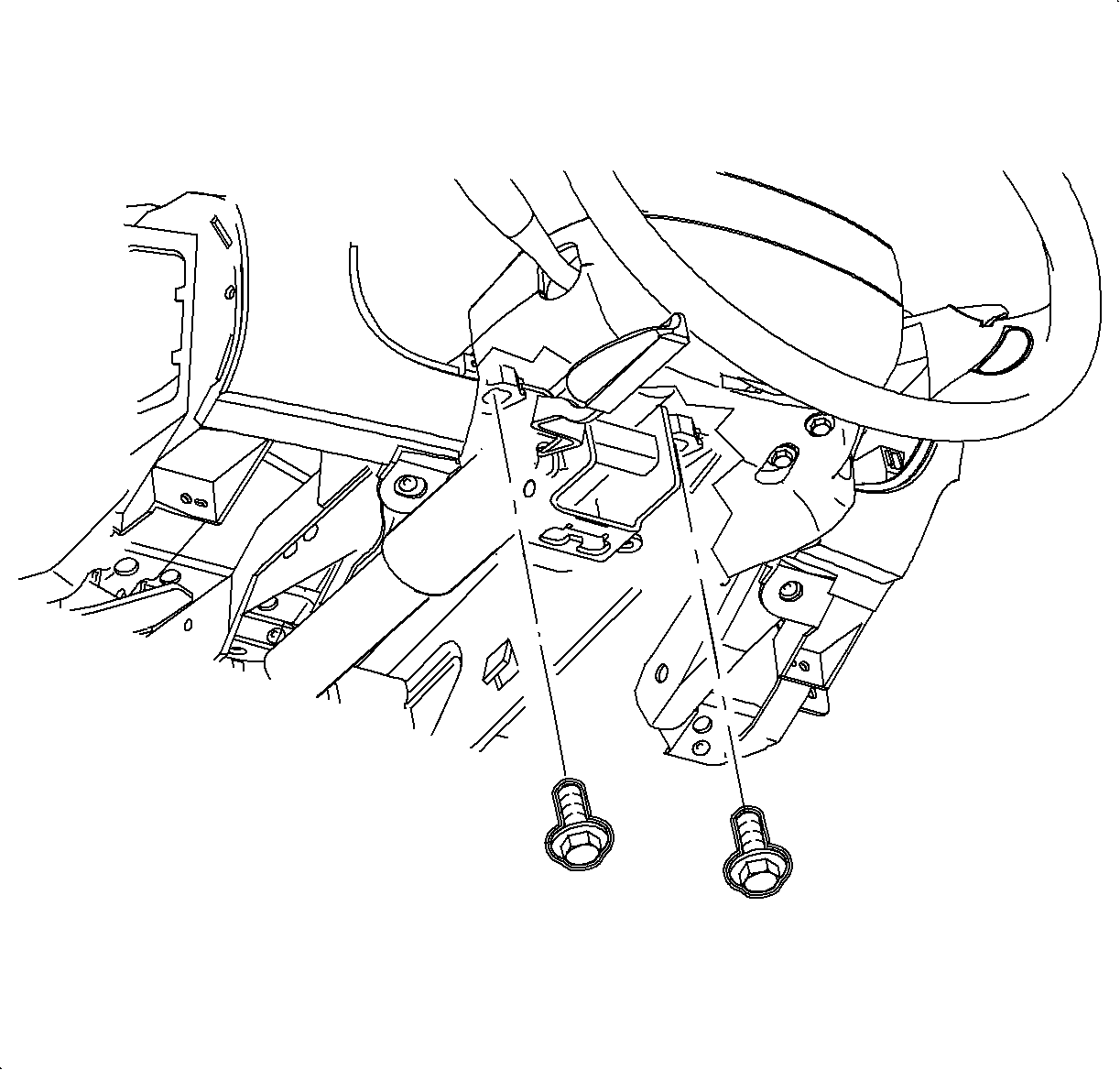
  70. Disconnect the ignition switch electrical connector at the right steering column bolt.
  71. Remove the steering column bolts and lower the column on the front seat.

  72. Object Number: 904866  Size: SH
    Click here for detailed picture of above image.
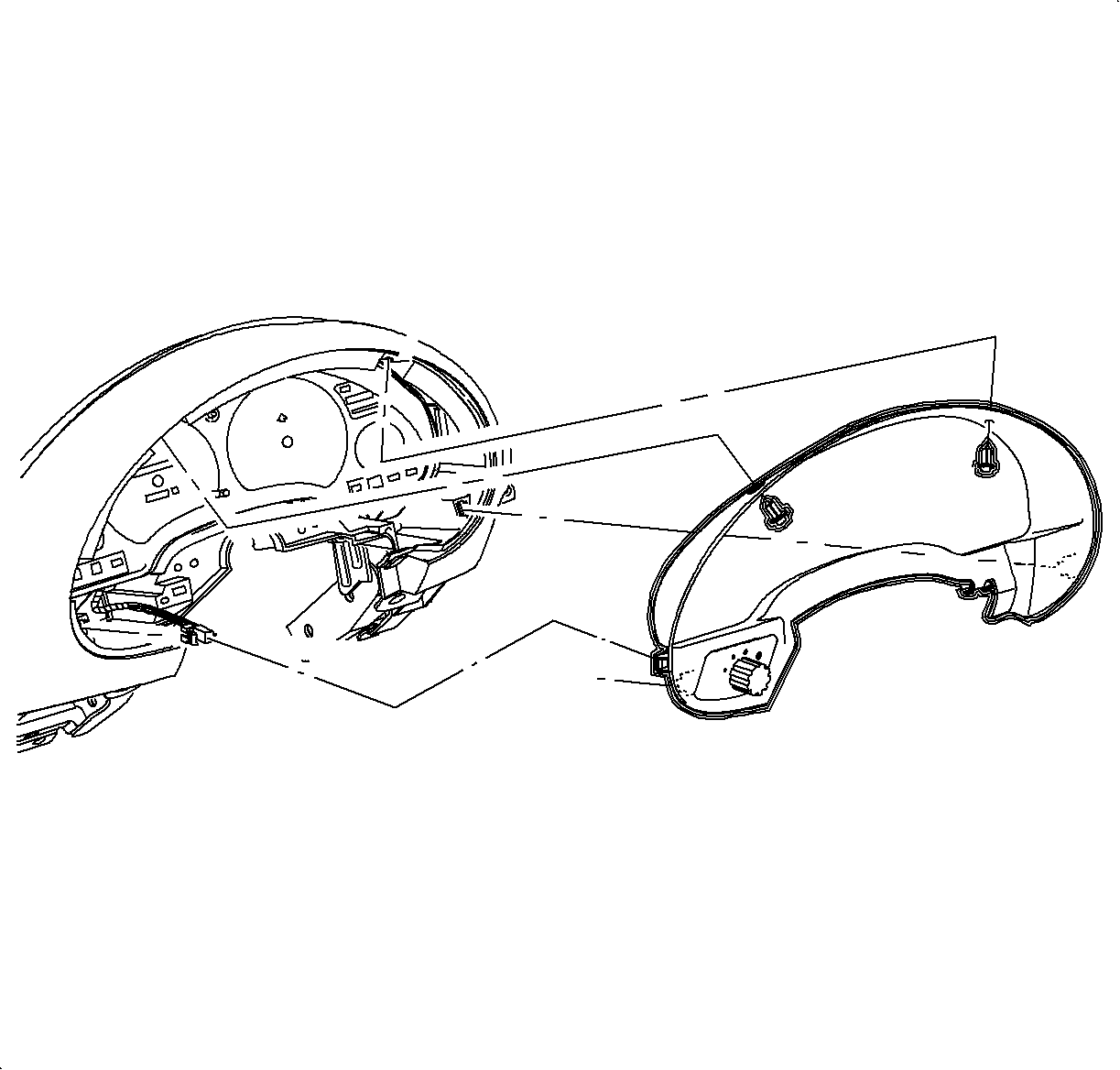
  73. Remove the fasteners and pull the instrument cluster trim bezel rearward at the clip locations.
  74. Disconnect the electrical connector from the instrument panel dimmer switch.

  75. Object Number: 904867  Size: SH
    Click here for detailed picture of above image.
  76. Remove the connector position assurance (CPA) devices and disconnect the electrical connector from the instrument cluster by squeezing the tabs on each side of the connector.

  77. Object Number: 904869  Size: SH
    Click here for detailed picture of above image.
  78. Remove the front and rear instrument cluster screws.
  79. Remove the instrument cluster.

  80. Object Number: 904870  Size: SH
    Click here for detailed picture of above image.
  81. Remove the dimmer switch wiring harness from the instrument panel reinforcement.
  82. Feed the connector through the reinforcement towards the front of the car.

  83. Object Number: 903854  Size: SH
    Click here for detailed picture of above image.
  84. Remove the passenger side air bag harness from the cross car beam and the energy absorber.

  85. Object Number: 878745  Size: SH
    Click here for detailed picture of above image.
  86. Remove the glove box door stops by rotating them 90 degrees and let the door hang down.
  87. Remove the screws from the glove box compartment and the striker.
  88. Remove the glove box assembly by pulling rearward at the clip location.

  89. Object Number: 903641  Size: SH
    Click here for detailed picture of above image.
  90. Disconnect the antenna cable at the lower right side of the instrument panel reinforcement.

  91. Object Number: 1226470  Size: SH
    Click here for detailed picture of above image.
  92. Remove the screws and the passenger side air bag.

  93. Object Number: 1200155  Size: SH
    Click here for detailed picture of above image.

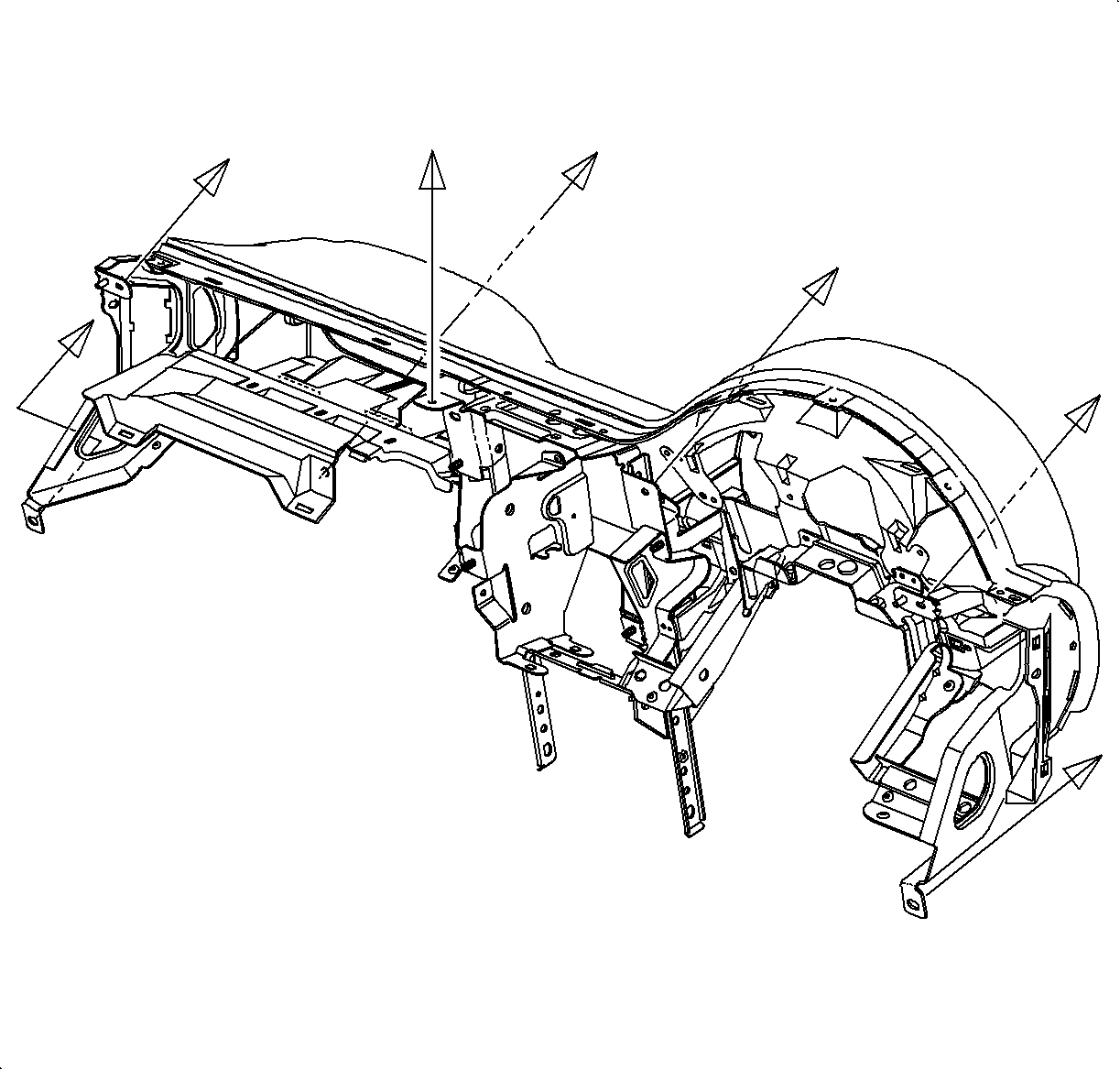
    Important

    Use the illustration to determine the fastener location and the direction of removal.

  94. Remove the instrument panel fasteners.

  95. Object Number: 1200184  Size: MF
    Click here for detailed picture of above image.

    Important

    Be sure to place I/P on a clean surface.

  96. Remove the nut, screws and instrument panel pad/reinforcement assembly.

  97. Object Number: 1226477  Size: SH
    Click here for detailed picture of above image.
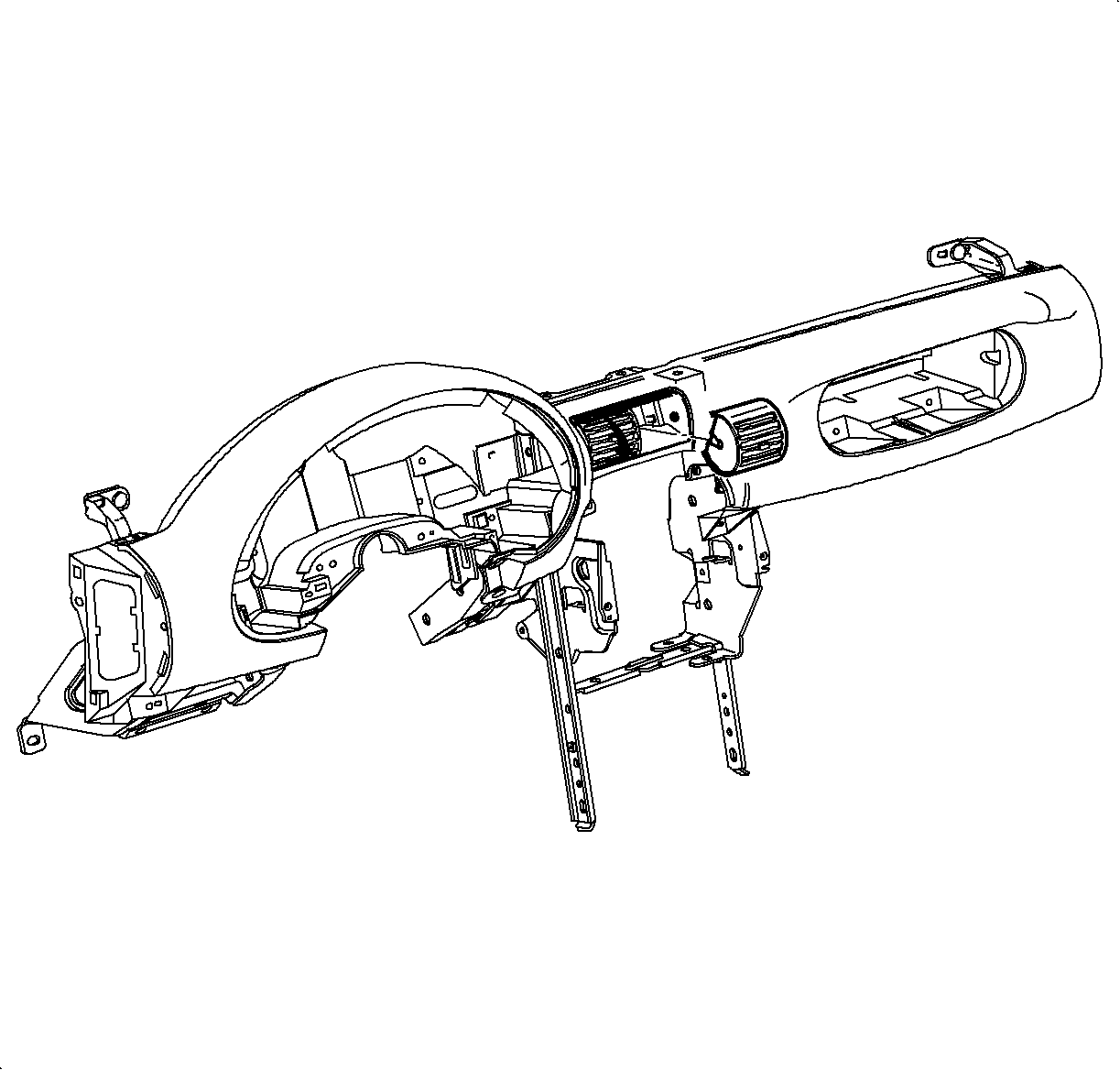
  98. Rotate the center outlets down.
  99. Push at the top of the outlets through the back side.
  100. Remove the outlets.

  101. Object Number: 1226495  Size: SH
    Click here for detailed picture of above image.
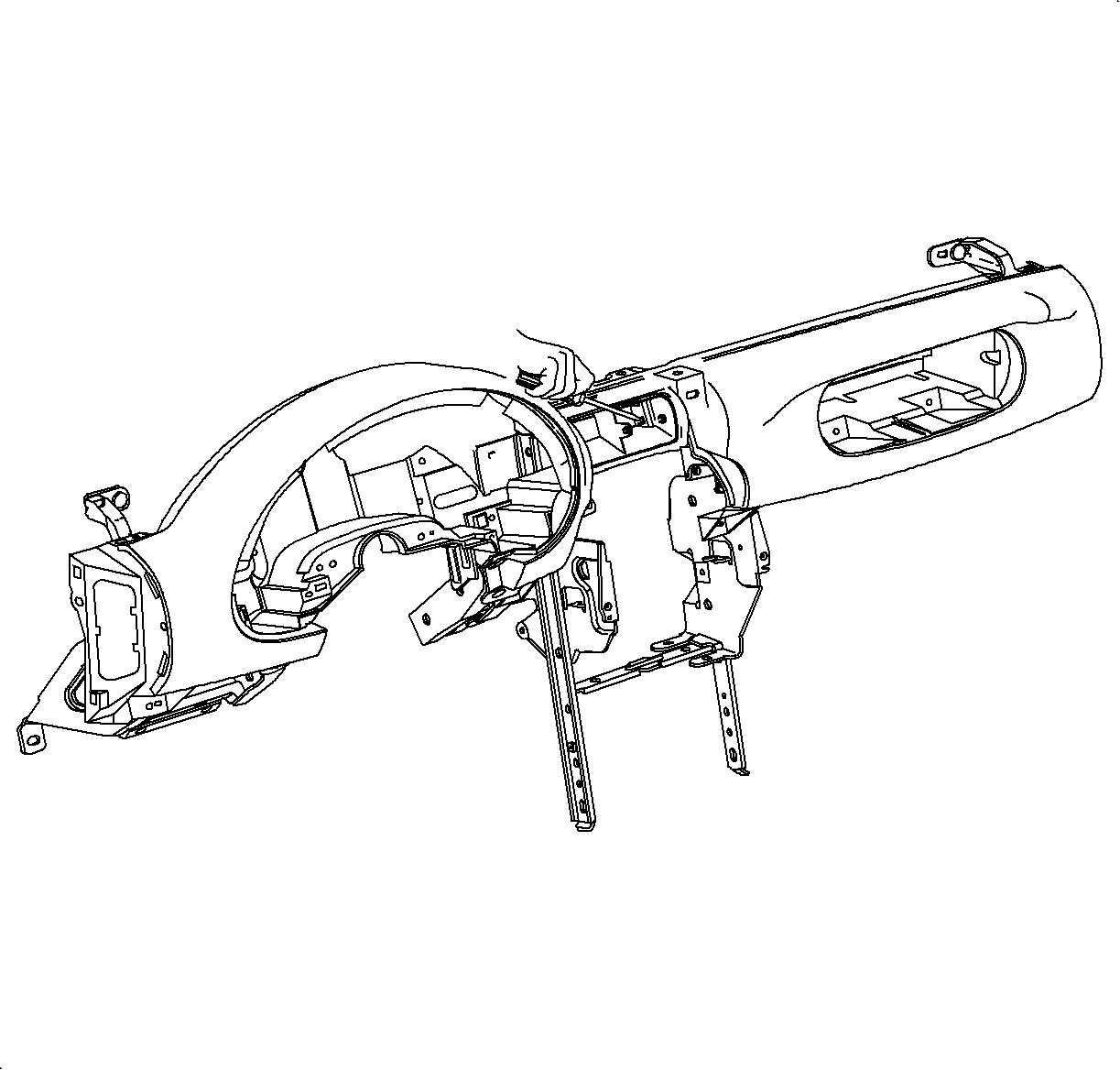
  102. Use a small flat-blade screw driver to disengage the lock tabs on both sides of the center outlet housing while pulling the housing rearward.
  103. Remove the housing.
Installation Procedure

    Object Number: 1226492  Size: SH
    Click here for detailed picture of above image.
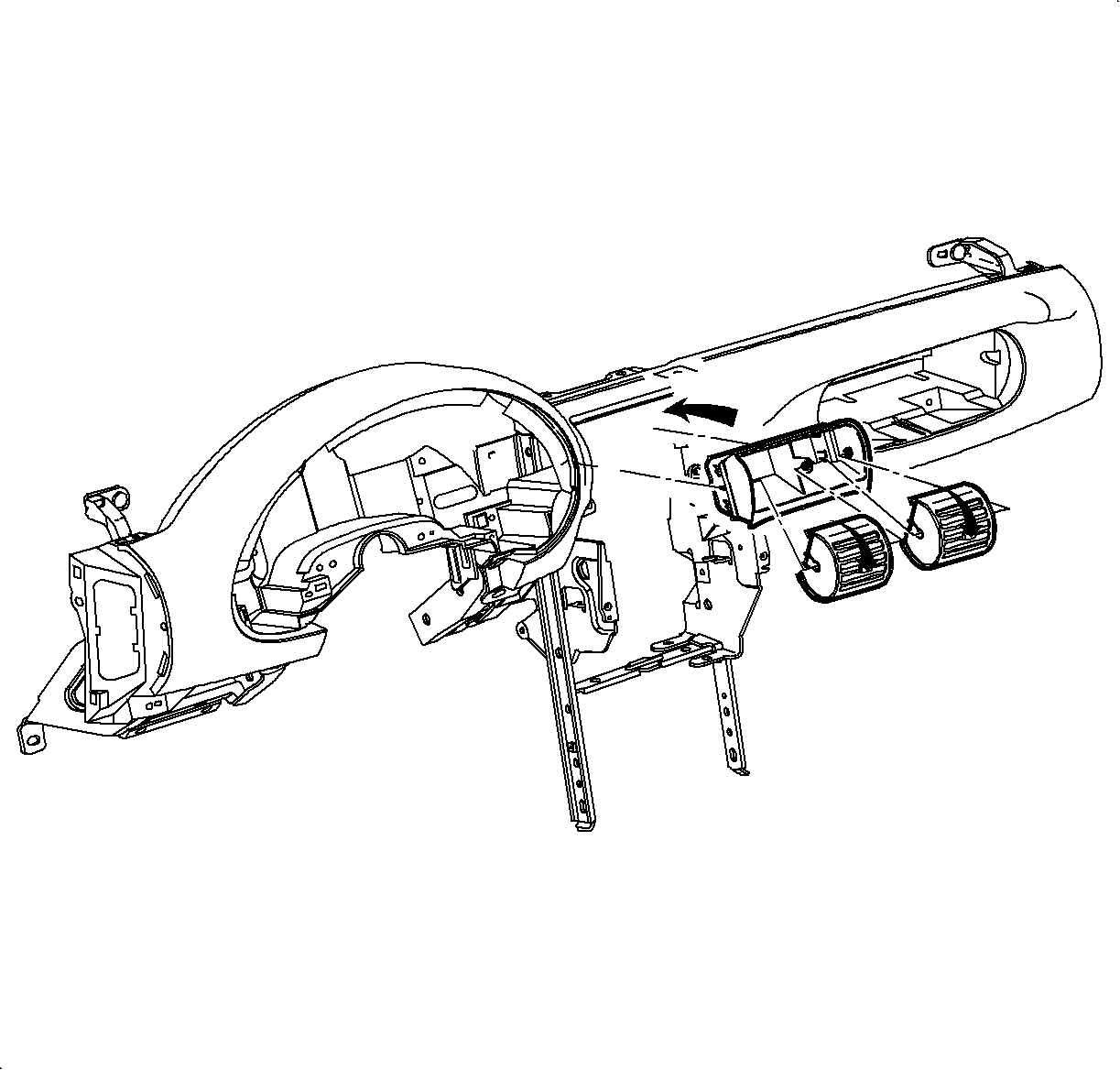
  1. Install the center outlet housing into the opening in the instrument panel retainer. Push in until the tabs are flush with the sides of the housing.
  2. Important

    Small pivot pins are in the center of the housing. Large pivot pins are on the sides of the housing.

  3. Rotate the center outlets down and snap into the housing.
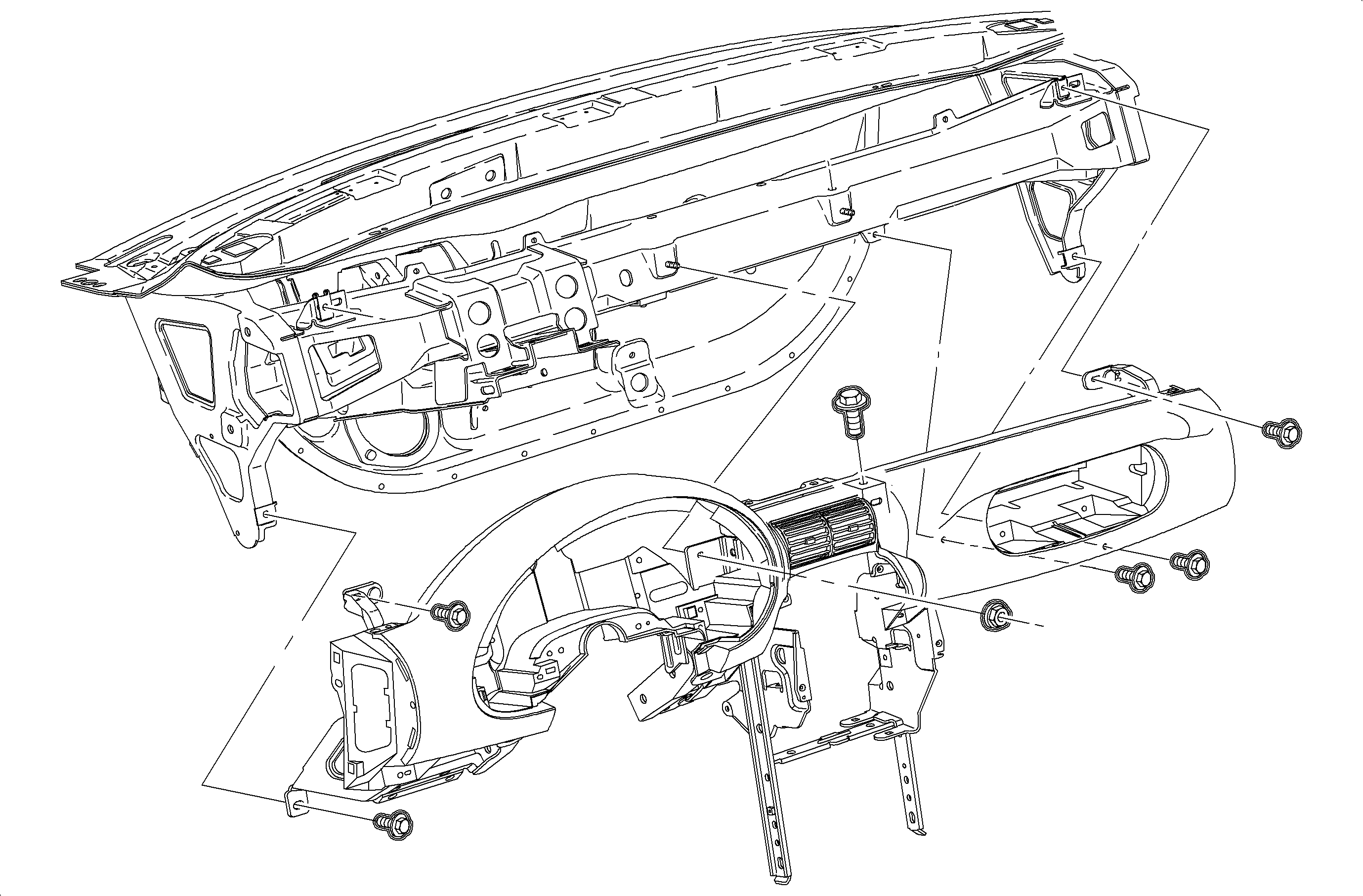
  4. Object Number: 1200184  Size: MF
    Click here for detailed picture of above image.
  5. Install the instrument panel pad/reinforcement assembly.
  6. Notice

    Refer to Fastener Notice in Cautions and Notices.

    Important

    Make sure the wiring harnesses and the instrument panel junction block are in position.

  7. Install and tighten the nut and the bolts.
  8. Tighten

    Tighten the nut and bolts to 10 N·m (89 lb in).
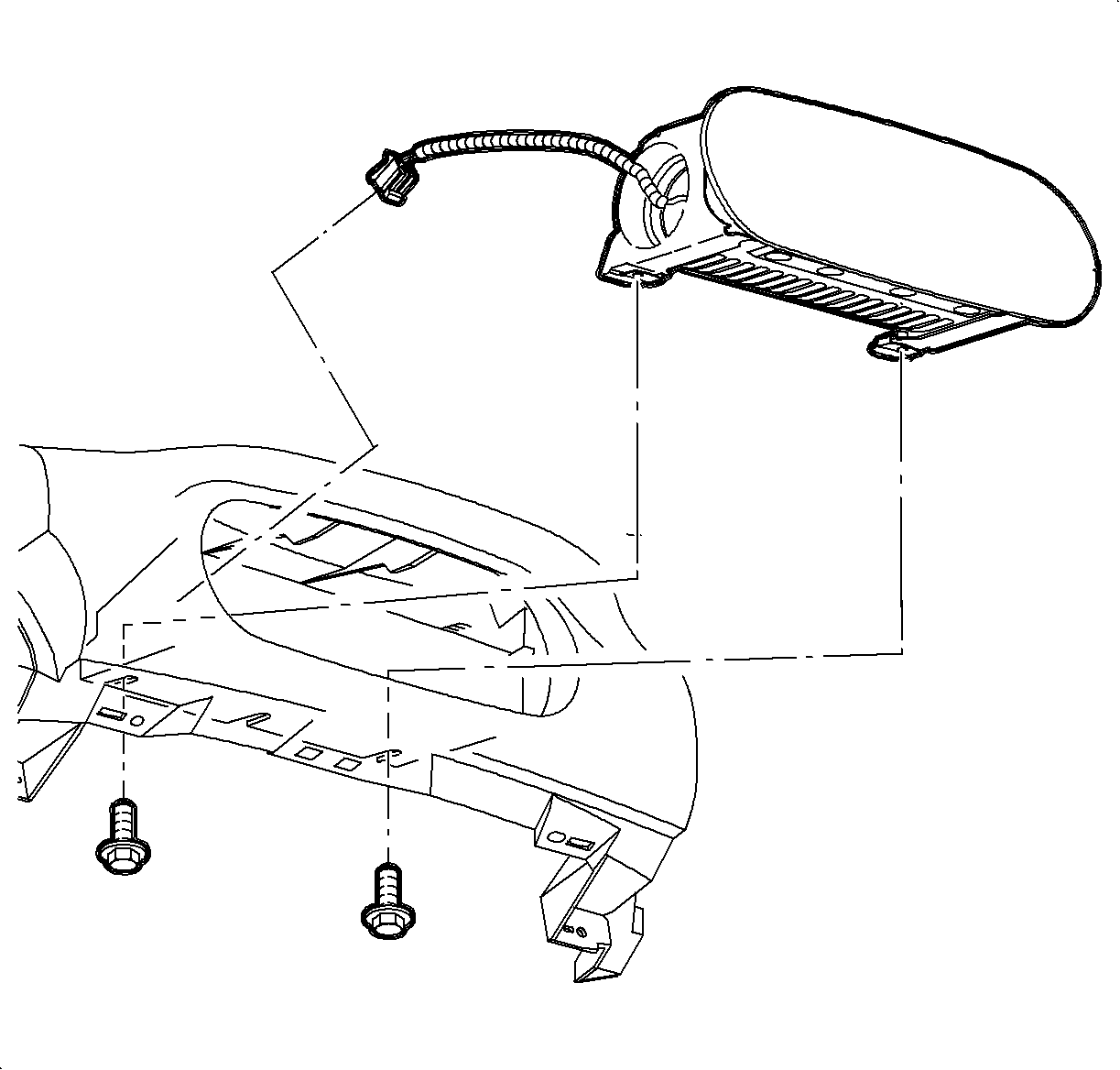

    Object Number: 1226470  Size: SH
    Click here for detailed picture of above image.
  9. Install the passenger side air bag. Feed the wiring harness into position.
  10. Install and tighten the screws.
  11. Tighten

    Tighten the screws to 10 N·m (89 lb in).
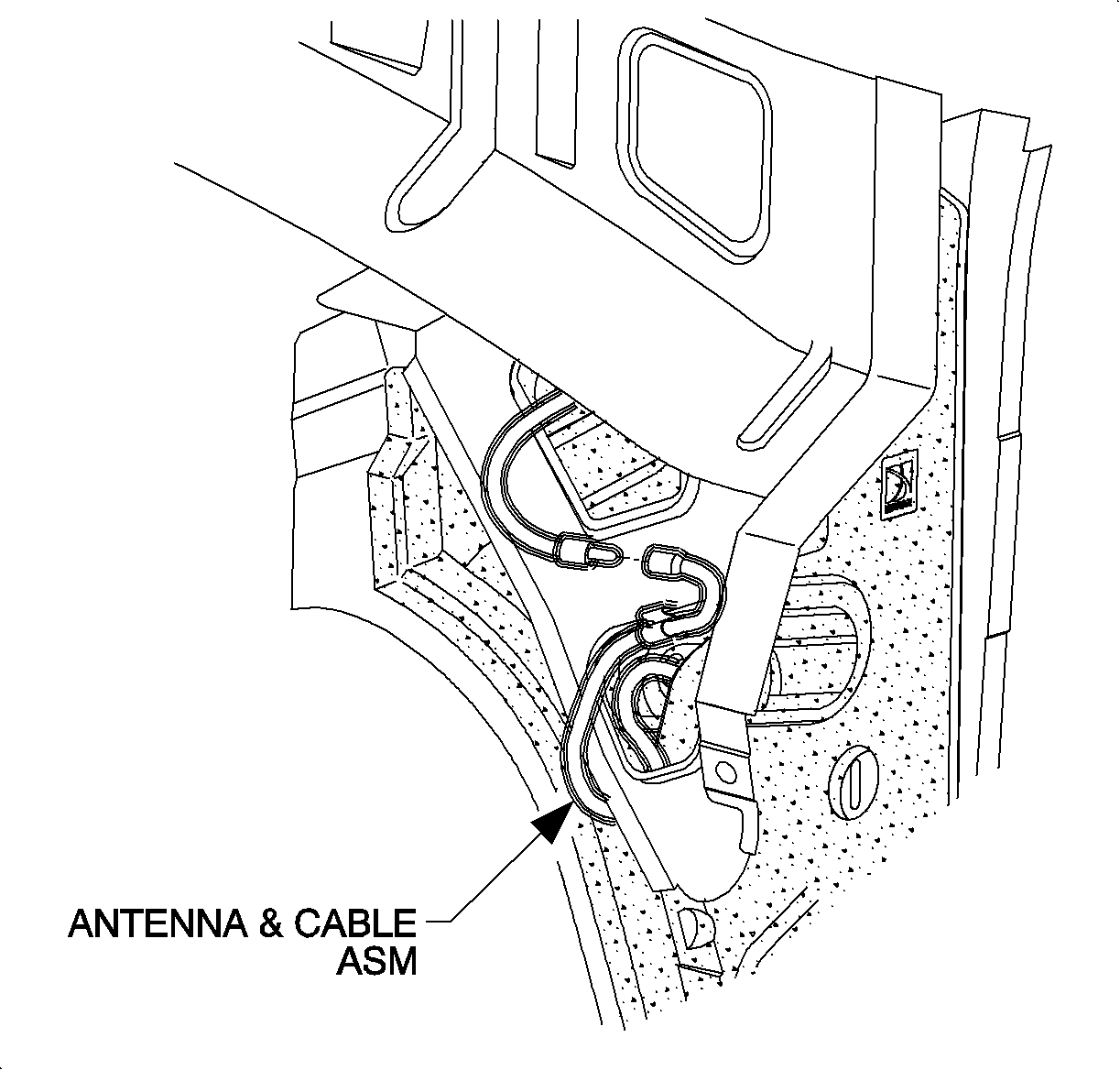

    Object Number: 903641  Size: SH
    Click here for detailed picture of above image.
  12. Connect the antenna cable at the lower right side of the instrument panel reinforcement.
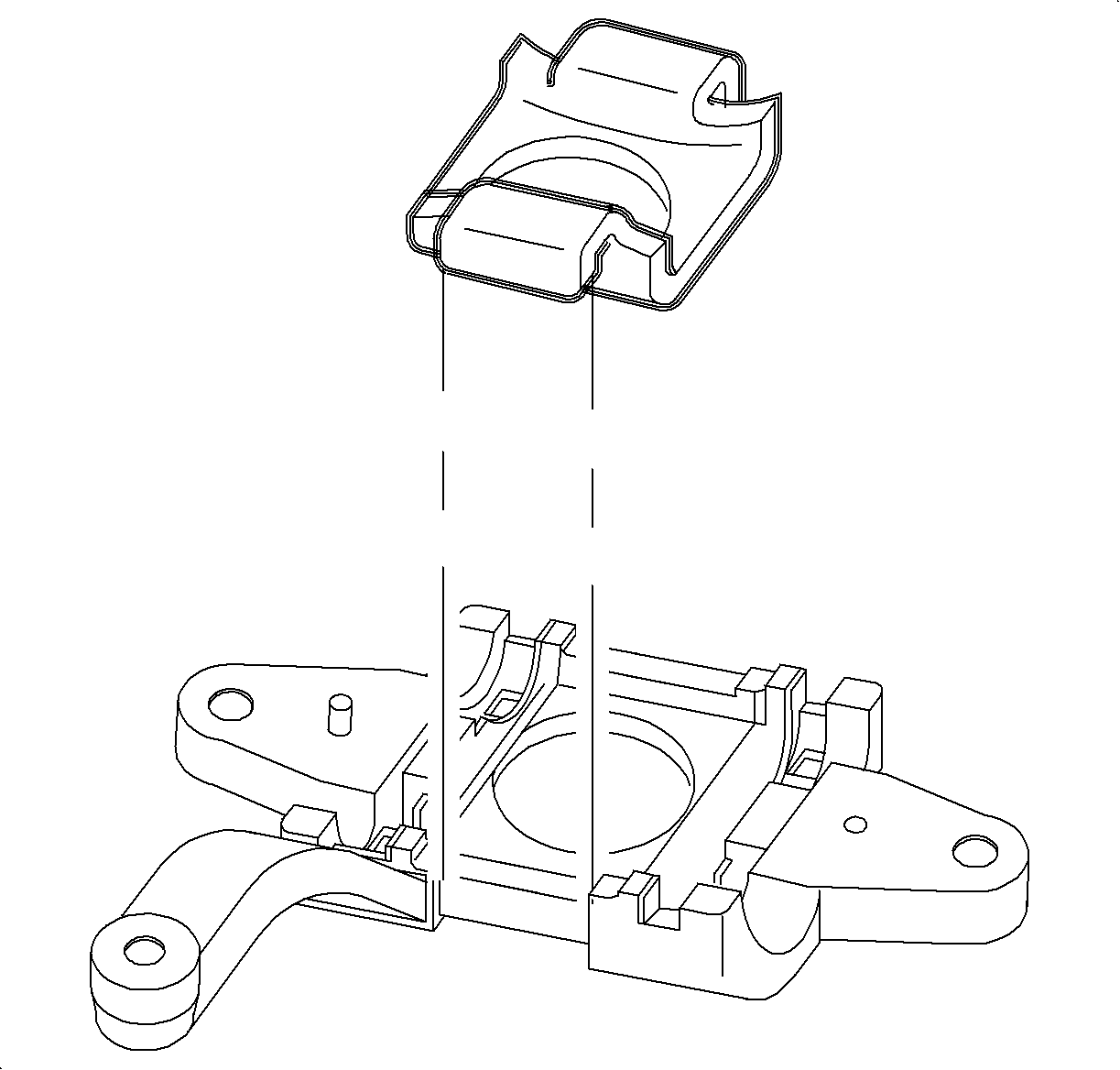
  13. Object Number: 878745  Size: SH
    Click here for detailed picture of above image.
  14. Install the glove box and snap in at the clip locations.
  15. Install and tighten the screws.
  16. Tighten

    Tighten the screws to 2.2 N·m (20 lb in).

  17. Install the glove box door stops.
  18. Adjust the striker as necessary.

  19. Object Number: 903854  Size: SH
    Click here for detailed picture of above image.
  20. Install the passenger side air bag harness to the energy absorber and the cross-car beam.
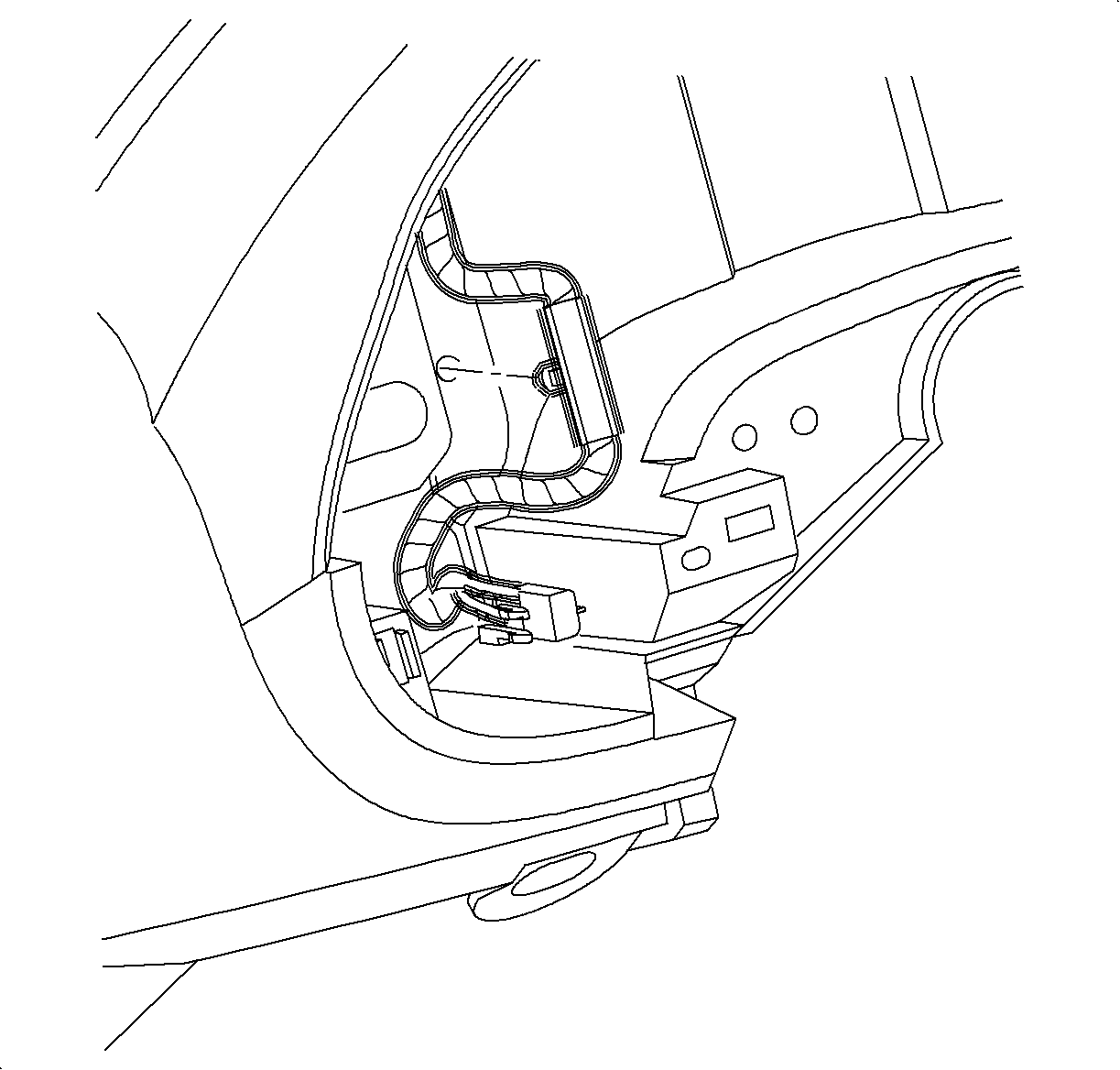
  21. Object Number: 904870  Size: SH
    Click here for detailed picture of above image.
  22. Install the dimmer switch wiring harness to the instrument panel reinforcement.
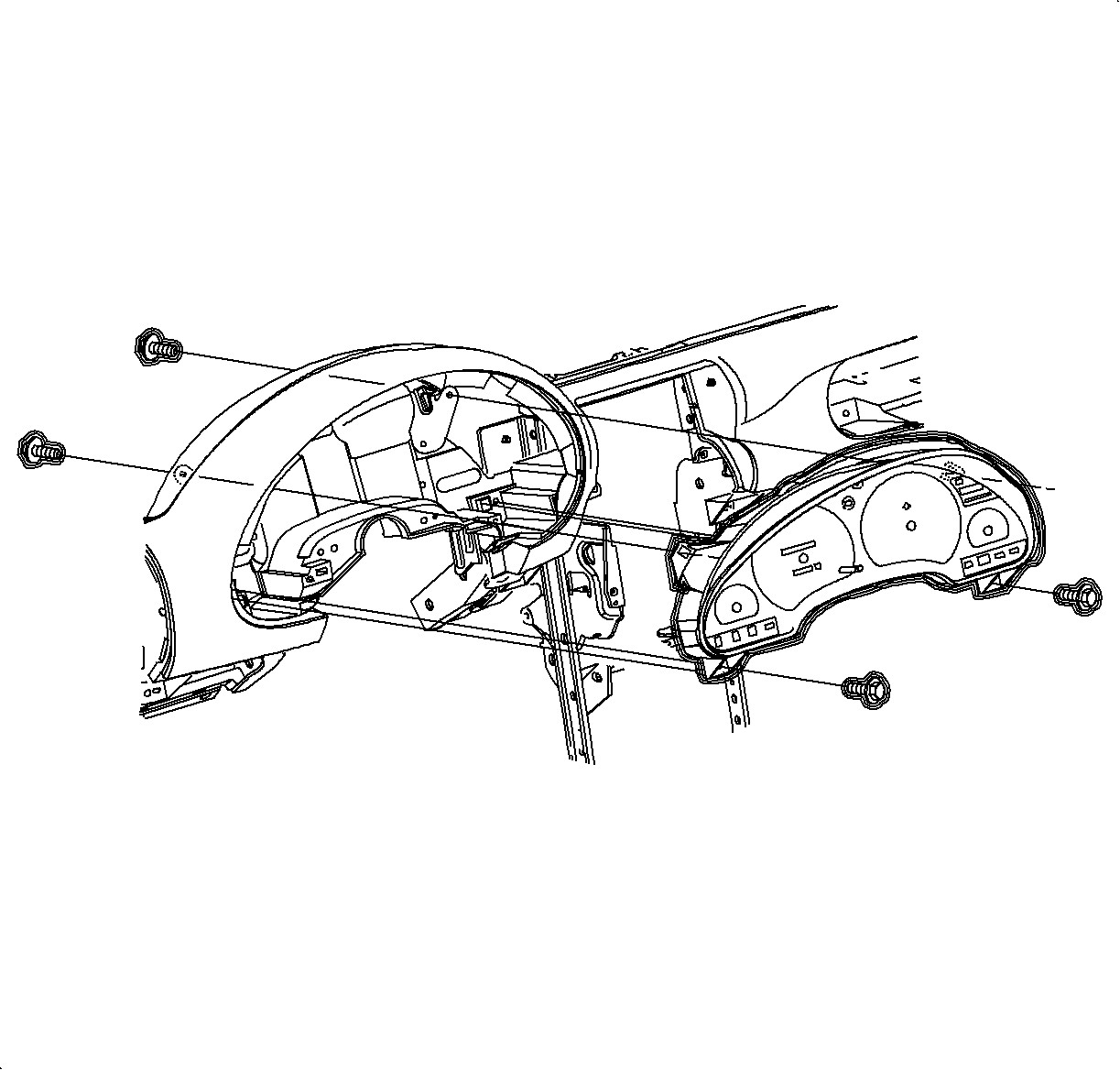
  23. Object Number: 904869  Size: SH
    Click here for detailed picture of above image.
  24. Install the instrument cluster.
  25. Install and tighten the screws.
  26. Tighten

    Tighten the screws to 3 N·m (26 lb in).
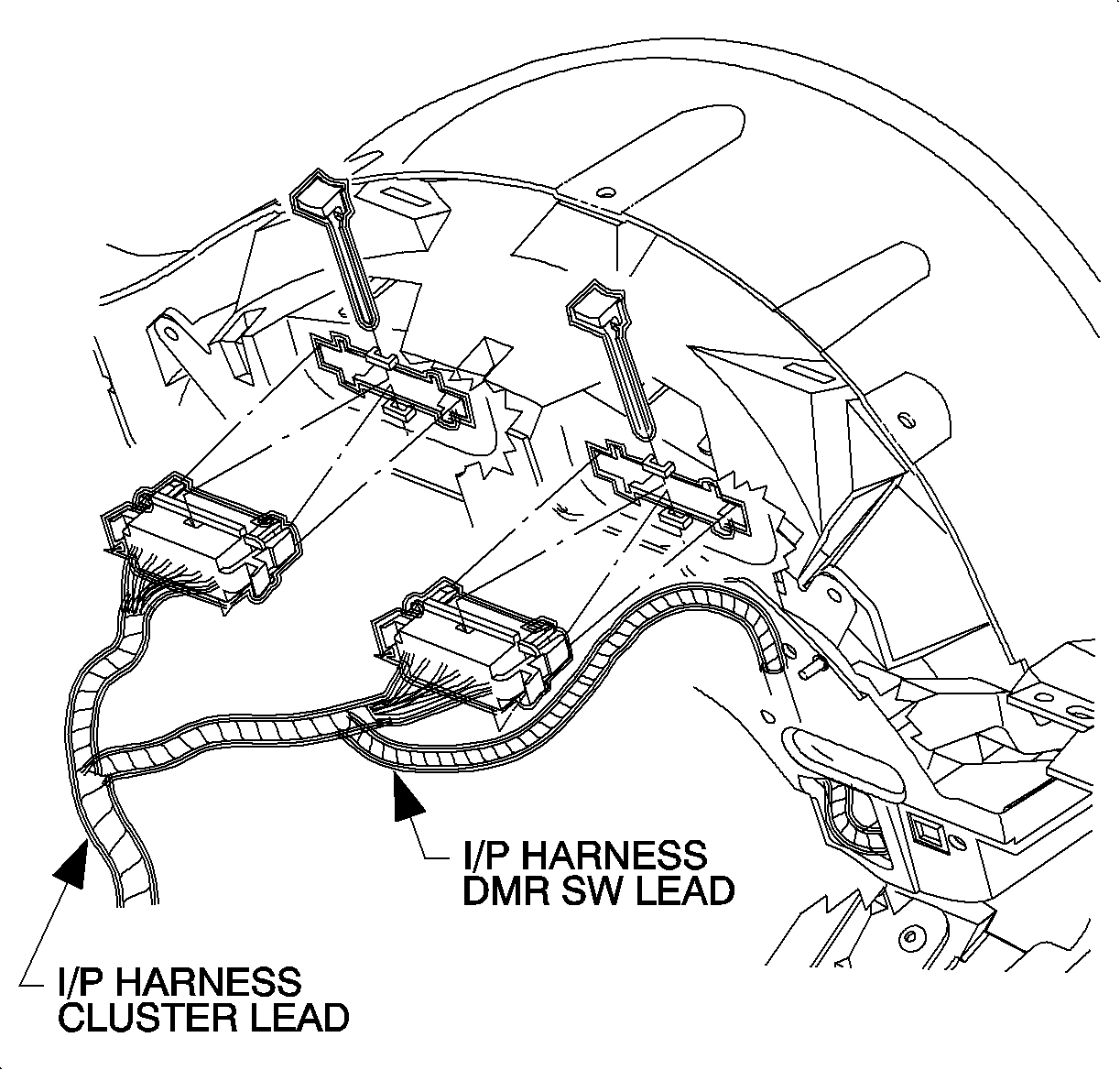

    Object Number: 904867  Size: SH
    Click here for detailed picture of above image.
  27. Connect the electrical connectors to the instrument cluster.
  28. Install the CPA.

  29. Object Number: 904866  Size: SH
    Click here for detailed picture of above image.
  30. Connect the electrical connector to the dimmer switch.
  31. Install the instrument cluster trim bezel. Push in at the clip locations.
  32. Install the push pin fasteners.

  33. Object Number: 903724  Size: SH
    Click here for detailed picture of above image.
  34. Raise the steering column into position.
  35. Install and tighten the bolts.
  36. Tighten

    Tighten the bolts to 35 N·m (26 lb ft).

  37. Connect the ignition switch to the electrical connector at the right steering column bolt.
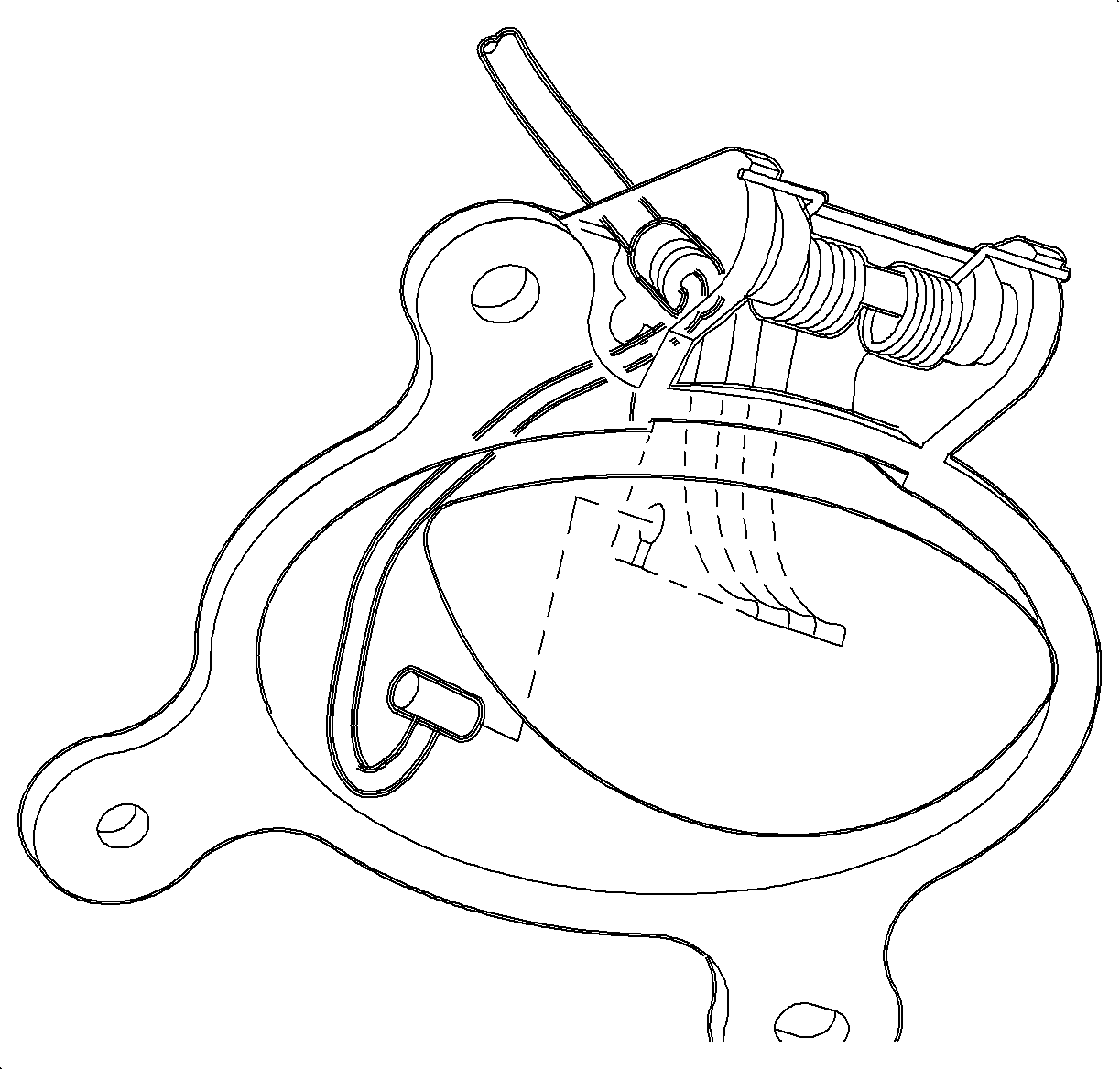
  38. Object Number: 866299  Size: SH
    Click here for detailed picture of above image.
  39. Route the hood release cable through the I/P and then install the release cable to the lever.
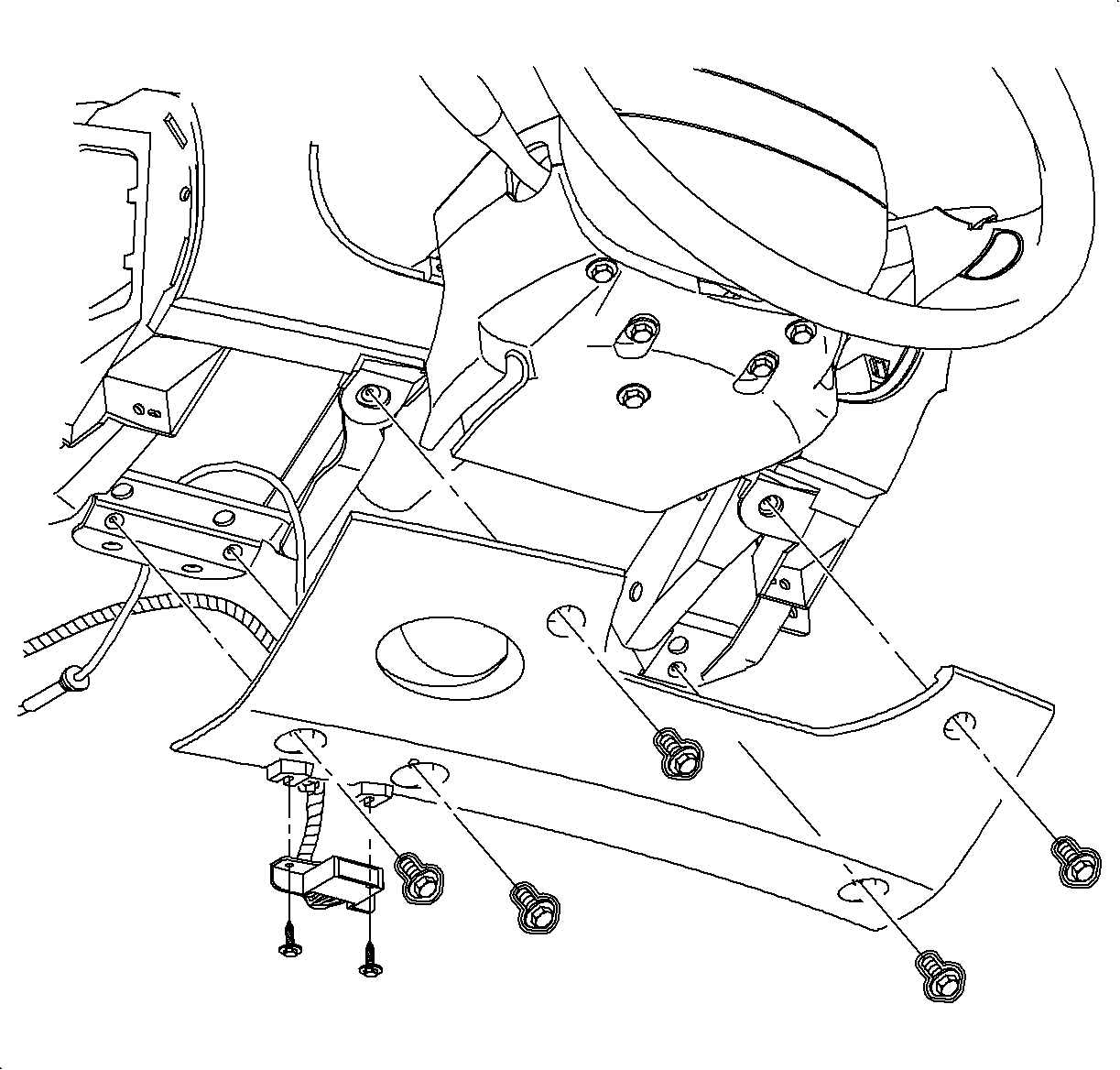
  40. Object Number: 878779  Size: SH
    Click here for detailed picture of above image.
  41. Install the steering column filler panel and the DLC.
  42. Install and tighten the screws.
  43. Tighten

    Tighten the screws to 2.2 N·m (20 lb in).
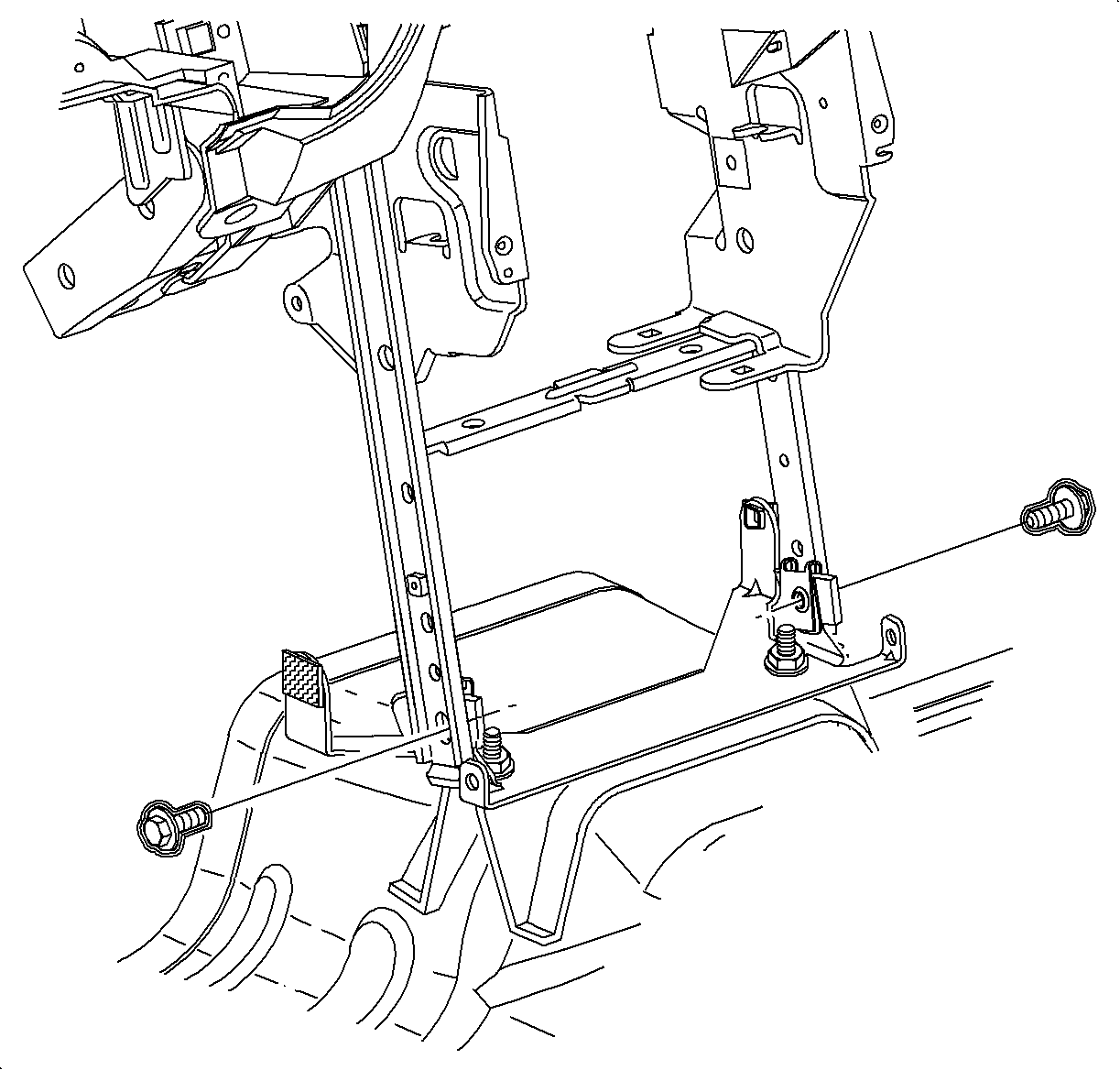

    Object Number: 903842  Size: SH
    Click here for detailed picture of above image.
  44. Install and tighten the bolts into the H-bracket.
  45. Tighten

    Tighten the bolts to 25 N·m (19 lb ft).
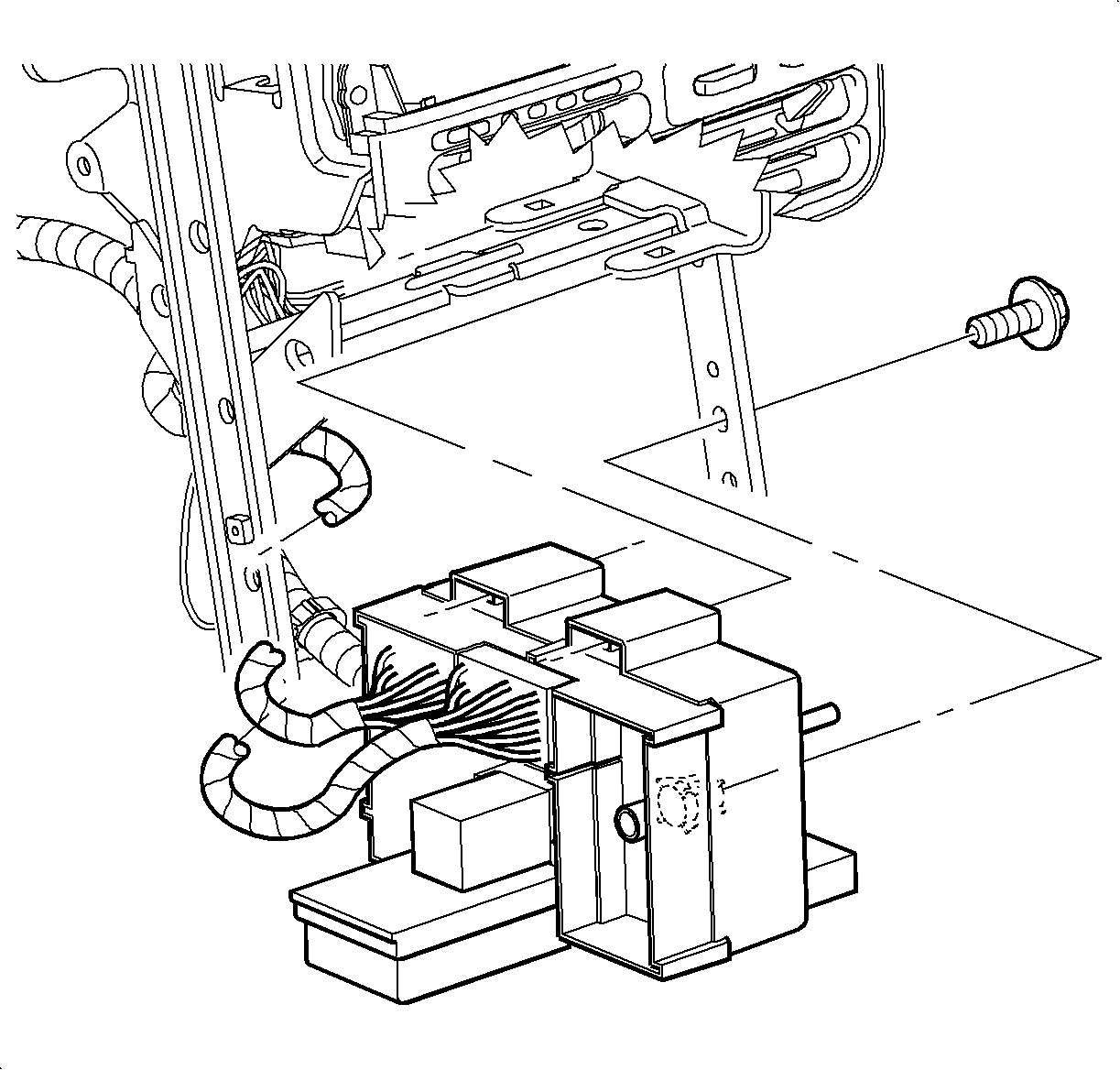

    Object Number: 903647  Size: SH
    Click here for detailed picture of above image.
  46. Feed the instrument panel junction block through the H-bracket towards the rear of the car.
  47. Slide the instrument panel junction block on the mounting pads to the lock the tabs.
  48. Install and tighten the instrument panel junction block screw.
  49. Tighten

    Tighten the screw to 2.2 N·m (20 lb in).
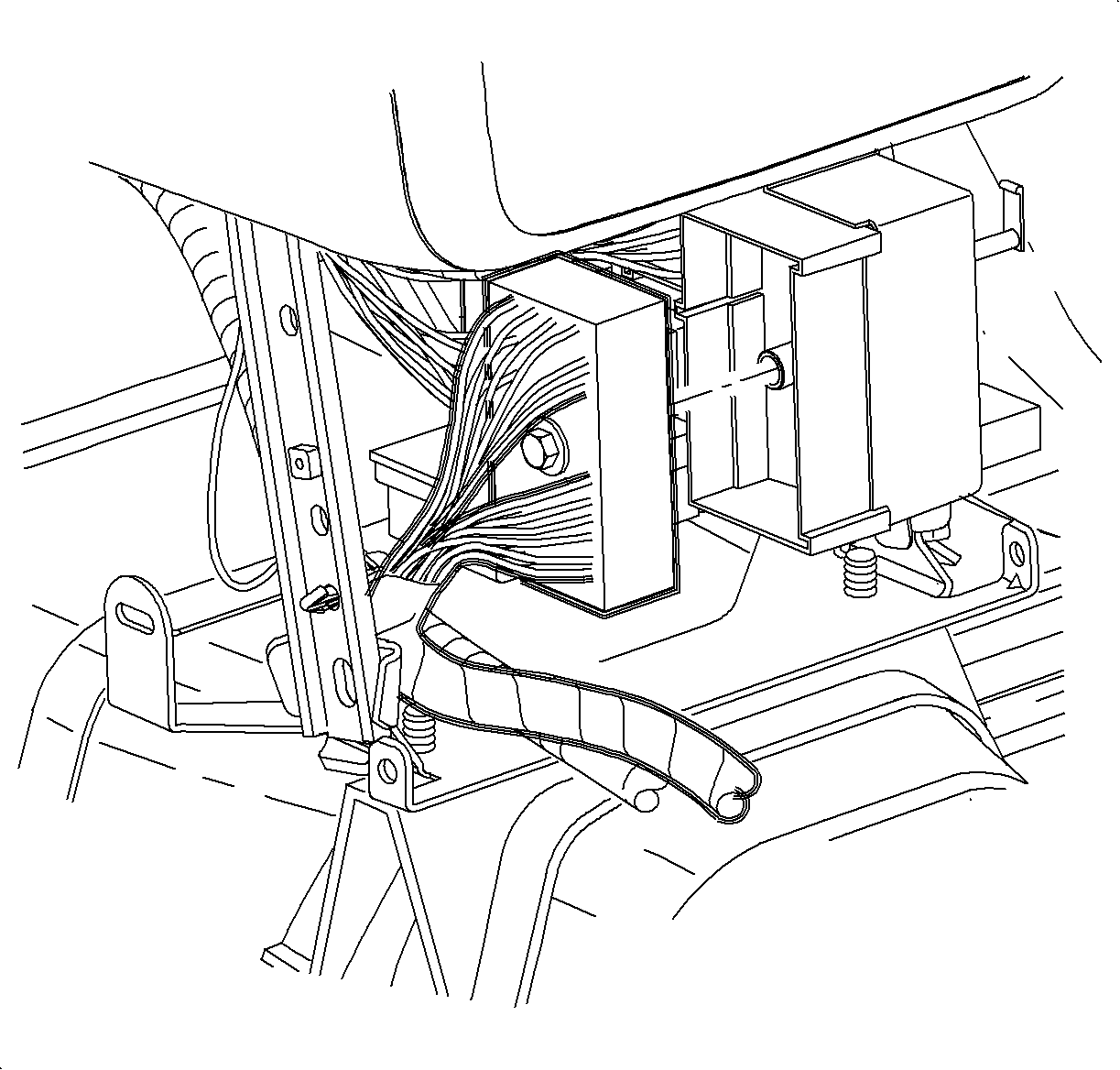

    Object Number: 882260  Size: SH
    Click here for detailed picture of above image.
  50. Connect the rear electrical connector to the instrument panel junction block.
  51. Tighten the screw.

  52. Object Number: 903644  Size: SH
    Click here for detailed picture of above image.
  53. Install the wiring harness, ground wire and the screw to the H-bracket.
  54. Tighten the screw.

  55. Object Number: 903717  Size: SH
    Click here for detailed picture of above image.

    Important

    Make sure the tabs engage the closeout seal holes on both sides.

  56. Install the closeout seal.

  57. Object Number: 903908  Size: SH
    Click here for detailed picture of above image.
  58. Install HVAC control.
  59. Install and tighten the screws.
  60. Tighten

    Tighten the screws to 2.5 N·m (22 lb in).

    Object Number: 903907  Size: SH
    Click here for detailed picture of above image.
  61. Install the temperature and the mode cables over the pins.
  62. Install the cable housings into the channel and push down to lock.
  63. Object Number: 1200114  Size: SH
    Click here for detailed picture of above image.
  64. Connect blower switch, A/C-Recirc and lighting electrical connectors.
  65. Object Number: 903535  Size: SH
    Click here for detailed picture of above image.
  66. Connect the electrical connector and the antenna to the radio.
  67. Object Number: 903396  Size: SH
    Click here for detailed picture of above image.

    Important

    Make sure the spring clips are seated in the D-holes on both sides.

  68. Install the radio
  69. Install and tighten the screws.
  70. Tighten

    Tighten the screws to 2.5 N·m (22 lb in).
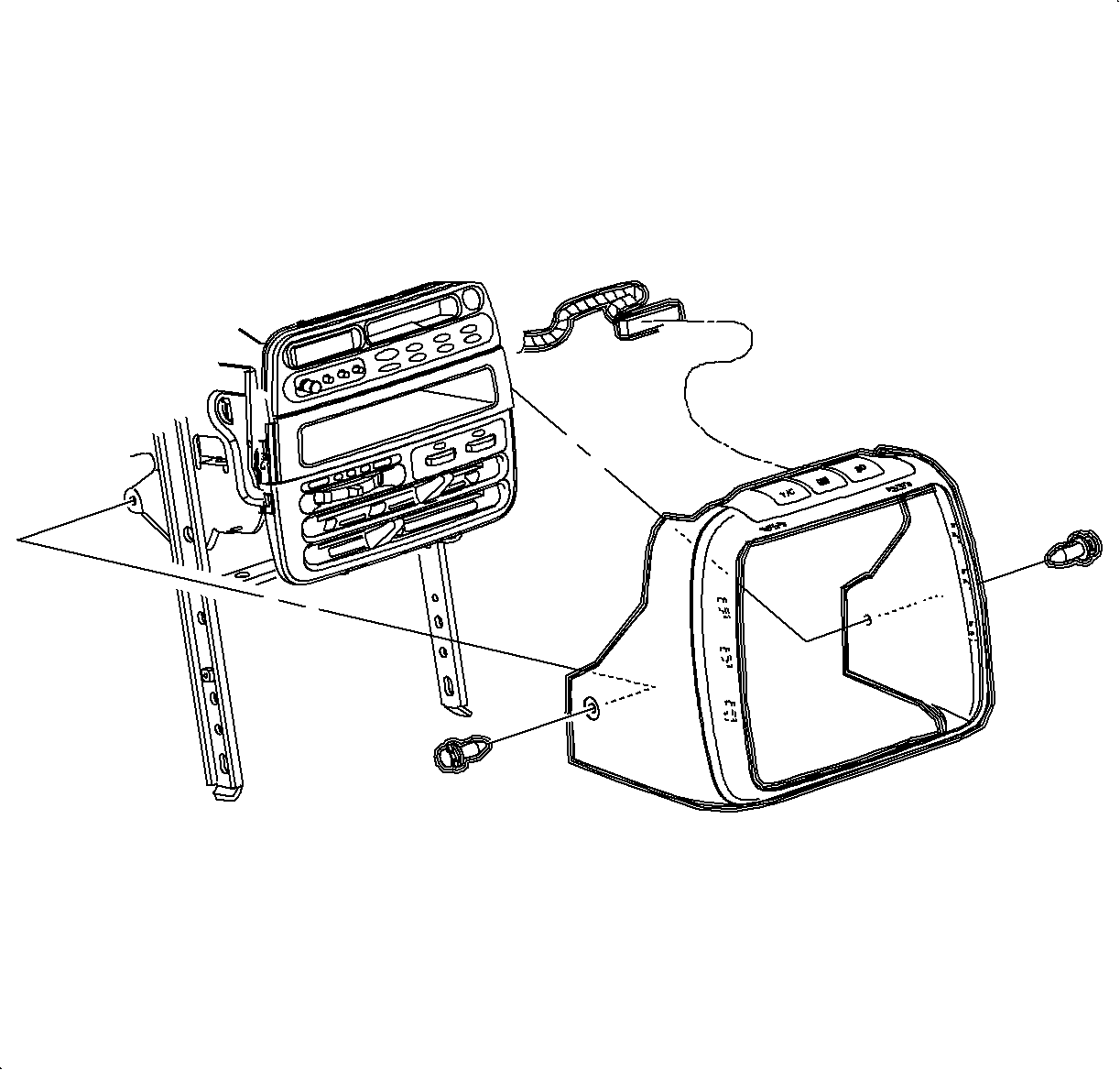

    Object Number: 881349  Size: SH
    Click here for detailed picture of above image.
  71. Connect traction control/fog lamp/rear defog electrical connector, if equipped.
  72. Install radio/HVAC control cover. Push in at the clip locations.
  73. Install the push pins and the lock.

  74. Object Number: 903992  Size: SH
    Click here for detailed picture of above image.
  75. Place the shifter in neutral.
  76. Important

    Make sure to place window/mirror and ashtray light connectors through the console opening into position.

  77. Lower the front of the console over the shifter.
  78. Lower the rear of the console over the parking brake lever onto the rear mounting pad.
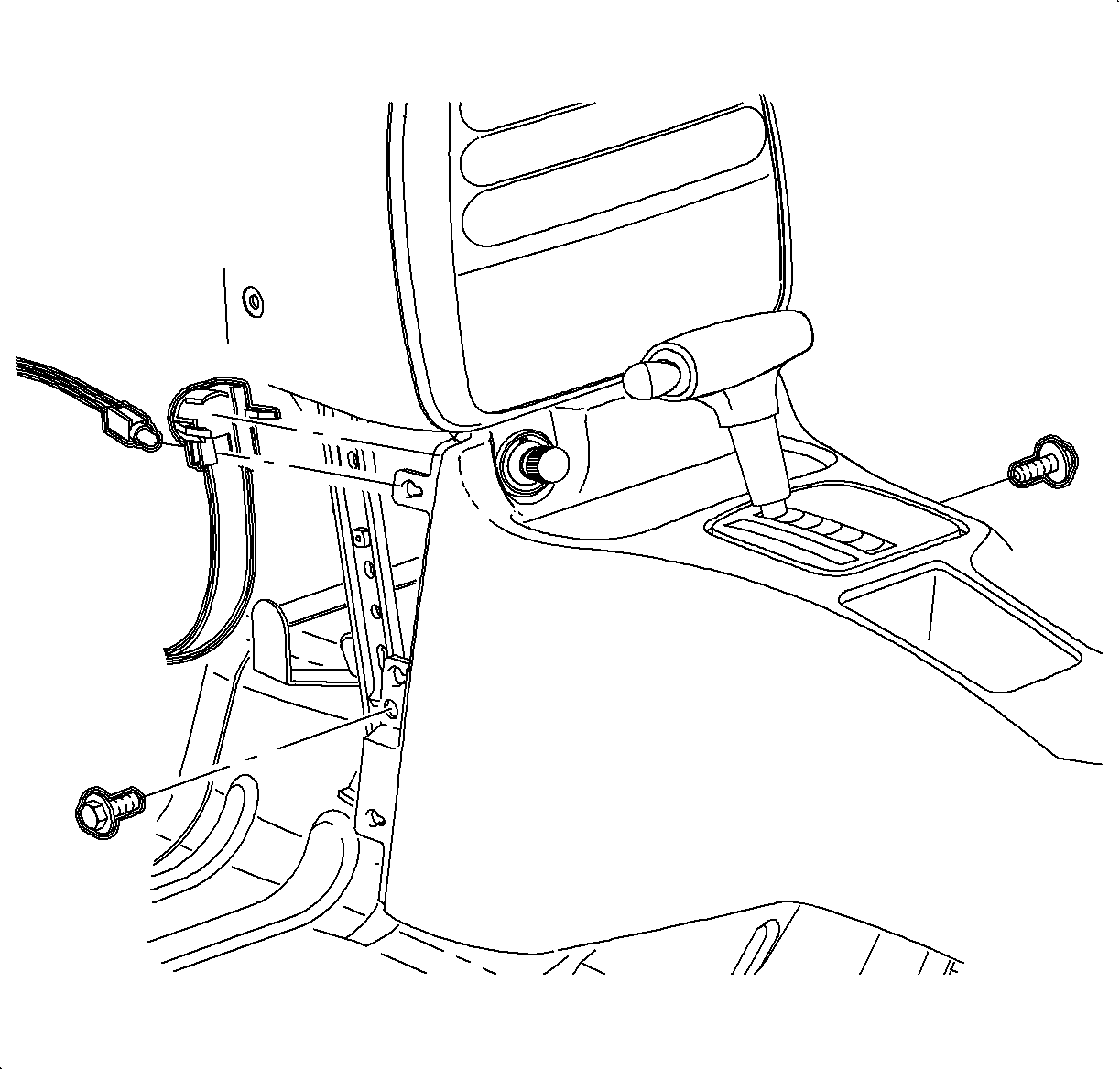
  79. Object Number: 903286  Size: SH
    Click here for detailed picture of above image.
  80. Move console rearward.
  81. Install the cigarette lighter bulb through the opening and rotate it counterclockwise.
  82. Connect the cigarette lighter electrical connector.
  83. Important

    Make sure upper tabs on front of console engage sheet metal on lower I/P brace.

  84. Move console forward into position.
  85. Install and tighten front console screws.
  86. Tighten

    Tighten the screws to 1.2 N·m (11 lb in).

  87. Install the left and right lower trim panel extensions by inserting hinges into the console openings. Then rotate the closed and push in at dual lock locations.
  88. For vehicles without console armrest:

  89. Object Number: 903887  Size: SH
    Click here for detailed picture of above image.
  90. Connect window/mirror switch electrical connectors.
  91. Install the window/mirror switch by inserting front edge into opening. Then push rear edge down into position.
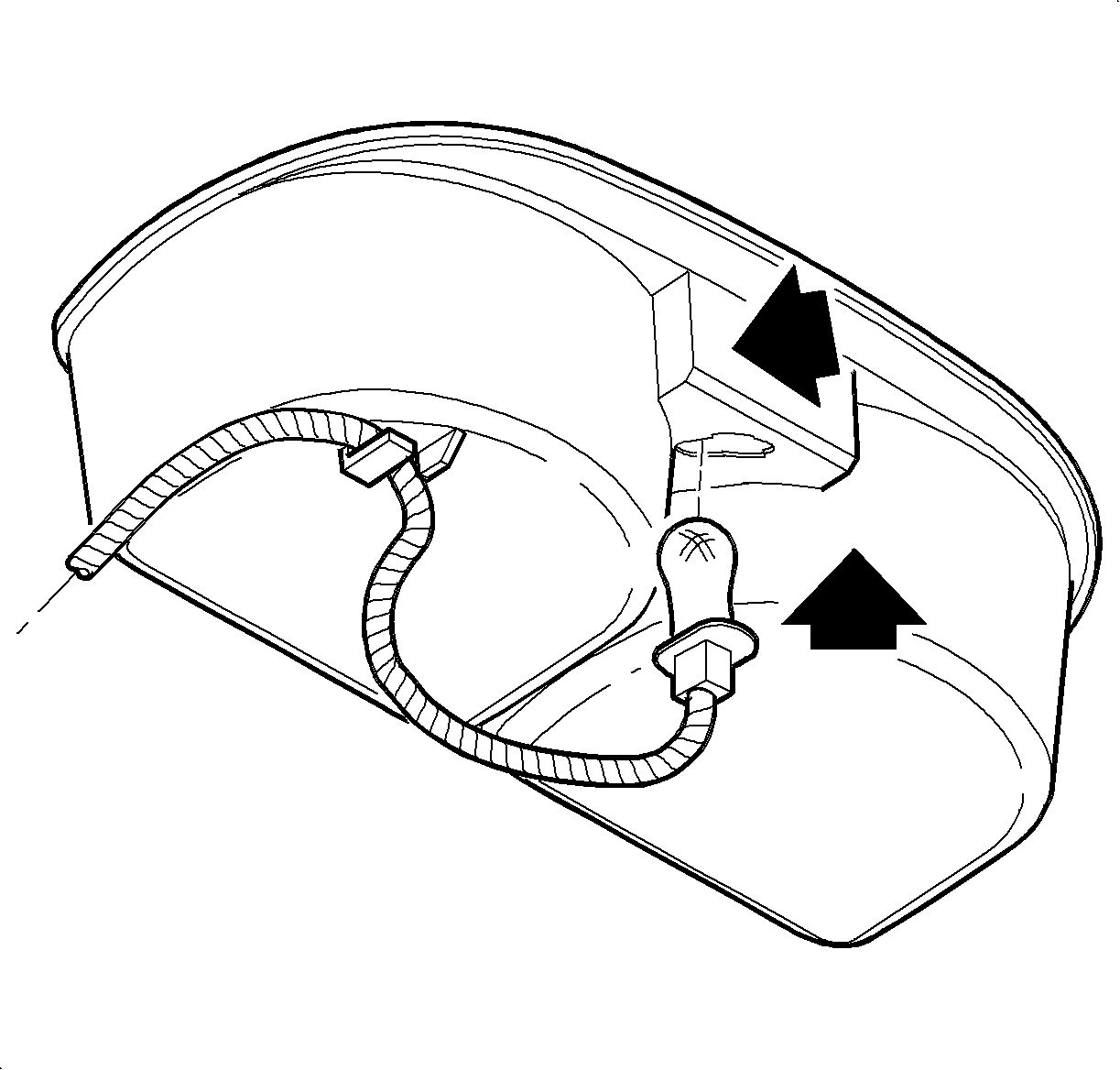
  92. Object Number: 903990  Size: SH
    Click here for detailed picture of above image.
  93. Insert the bulb through the opening until the bulb socket is flush with the cup holder. Push the socket down to engage the lock tab.
  94. Install the wiring harness to the cup holder.
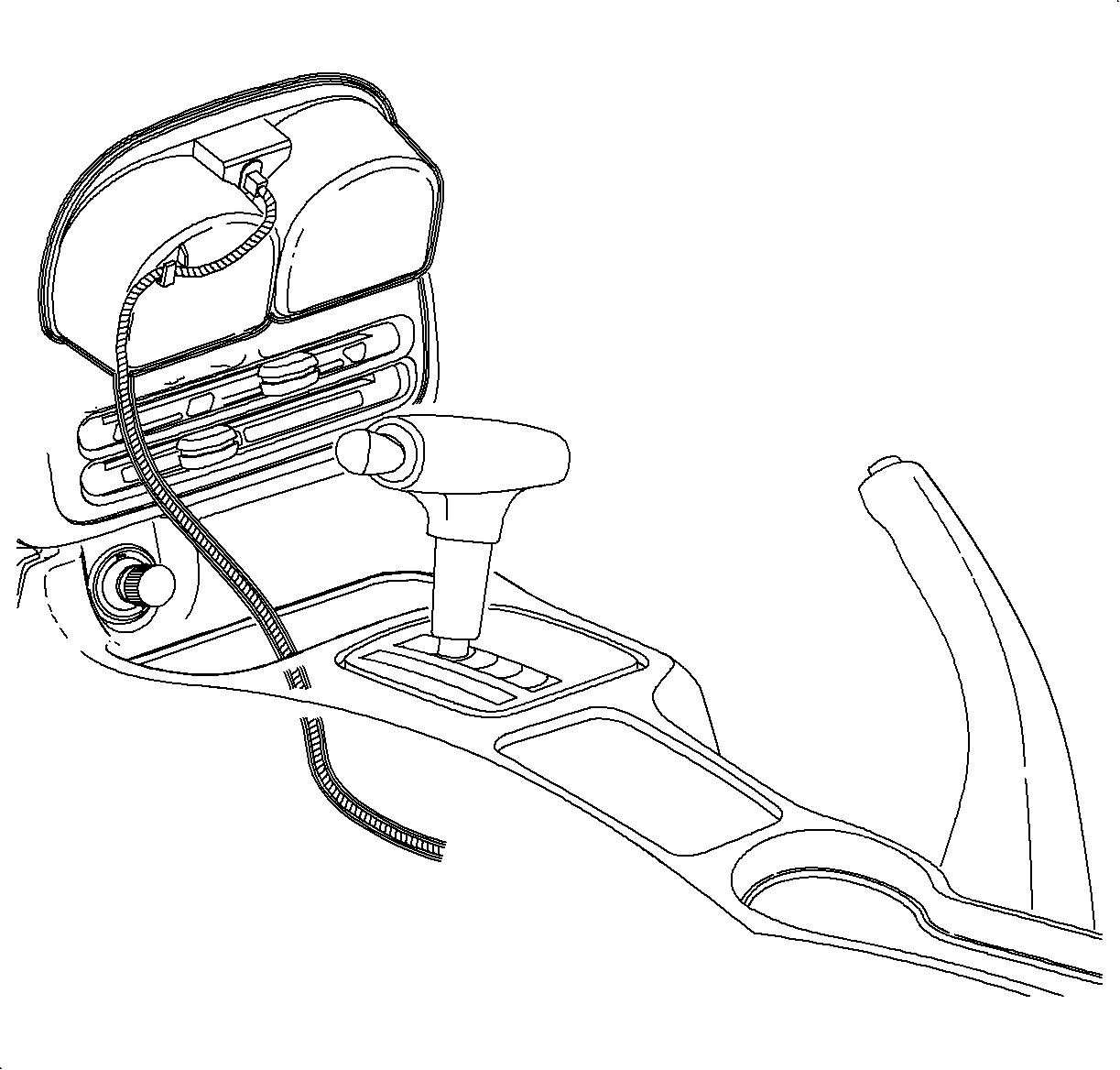
  95. Object Number: 903885  Size: SH
    Click here for detailed picture of above image.
  96. Install cupholder by inserting through console opening and pushing straight down.
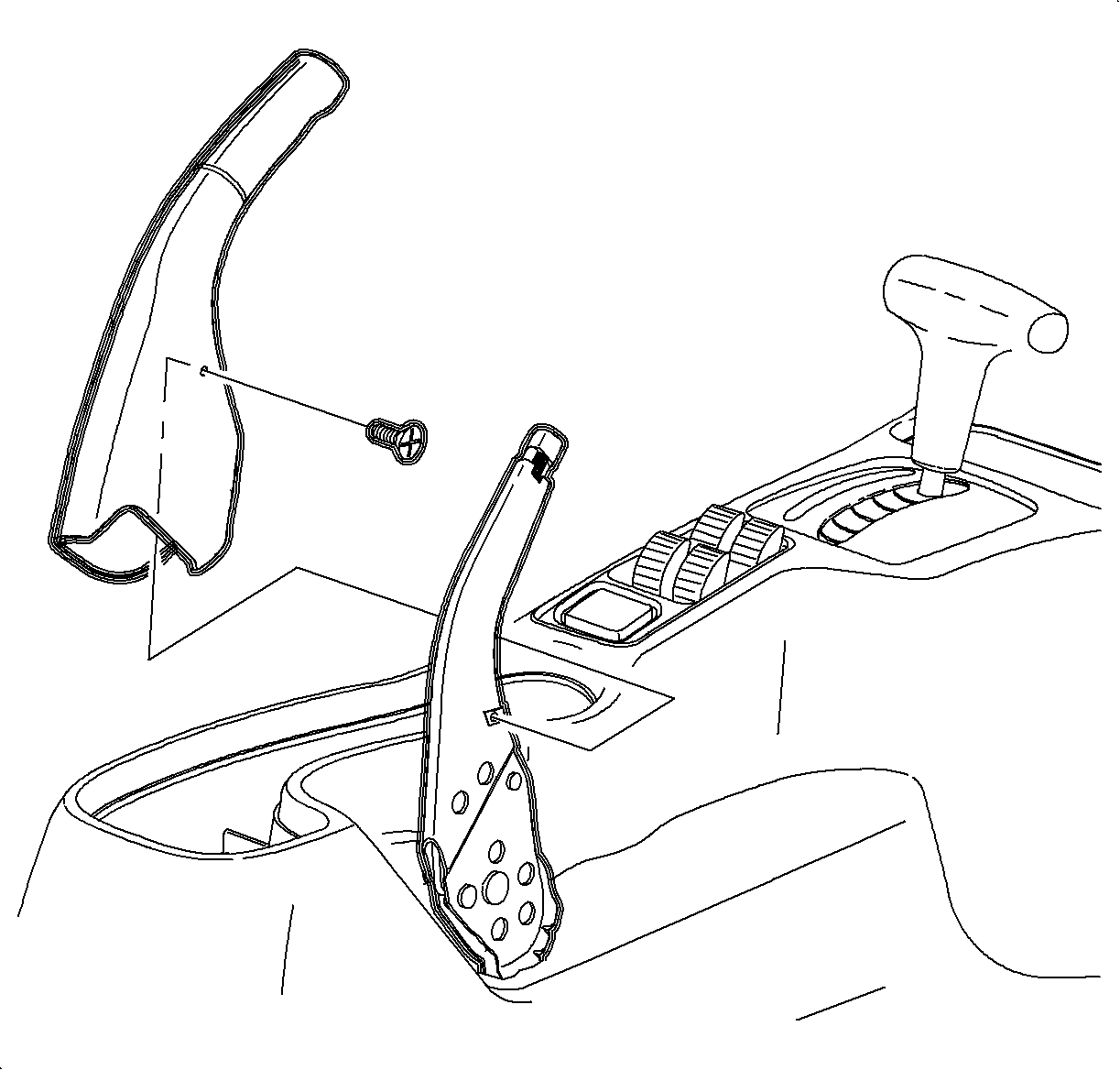
  97. Object Number: 904104  Size: SH
    Click here for detailed picture of above image.
  98. Install parking brake cover over lever.
  99. Notice

    Do not overtighten screw or it may pull through cover.

  100. Install and tighten screw.
  101. Tighten

    Tighten the screws to 1.6 N·m(14 lb in).
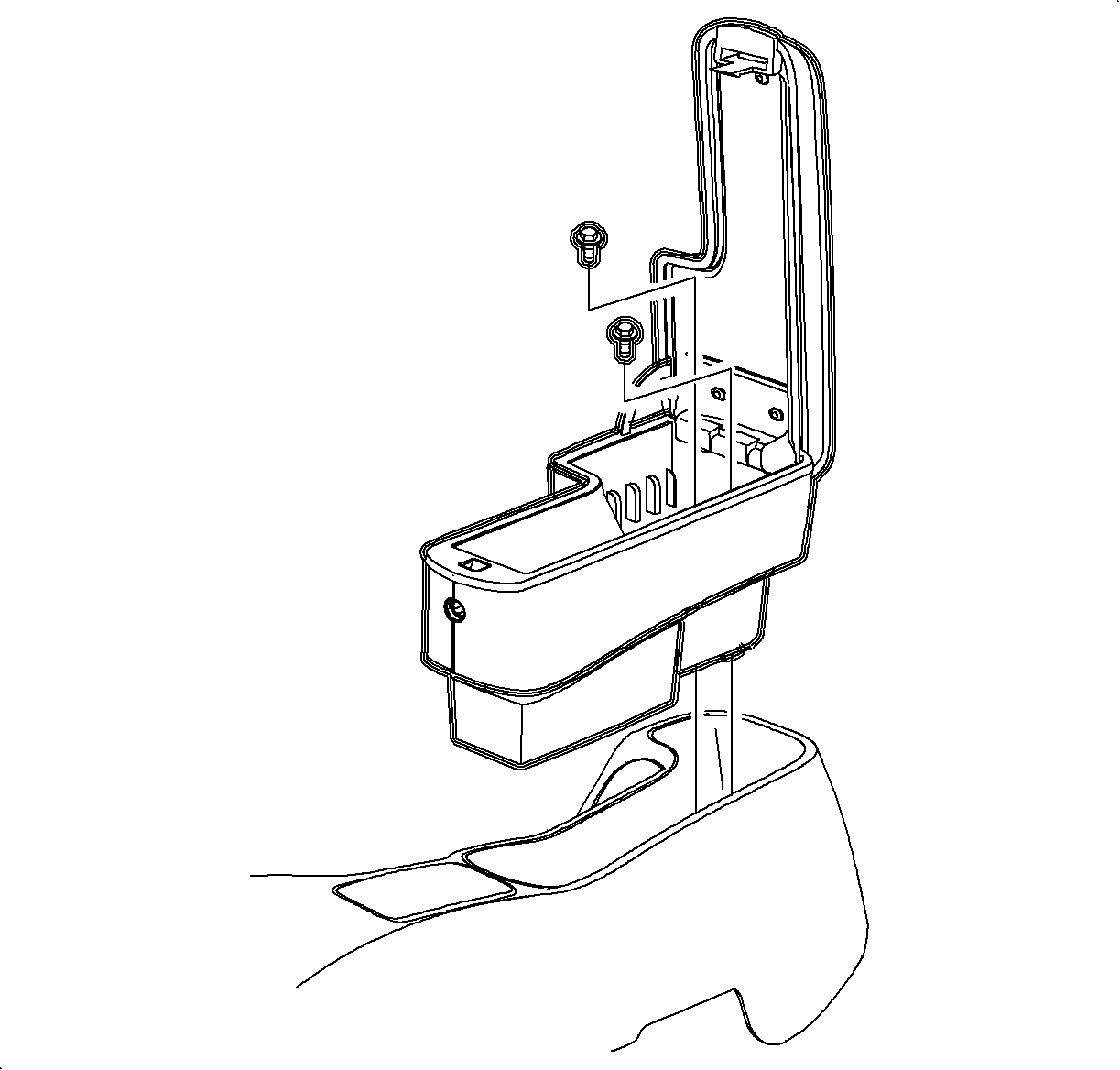

    Object Number: 905220  Size: SH
    Click here for detailed picture of above image.
  102. Install arm rest unit into console, if equipped. Install and tighten screws.
  103. Tighten

    Tighten the screws to 1.6 N·m(14 lb in).
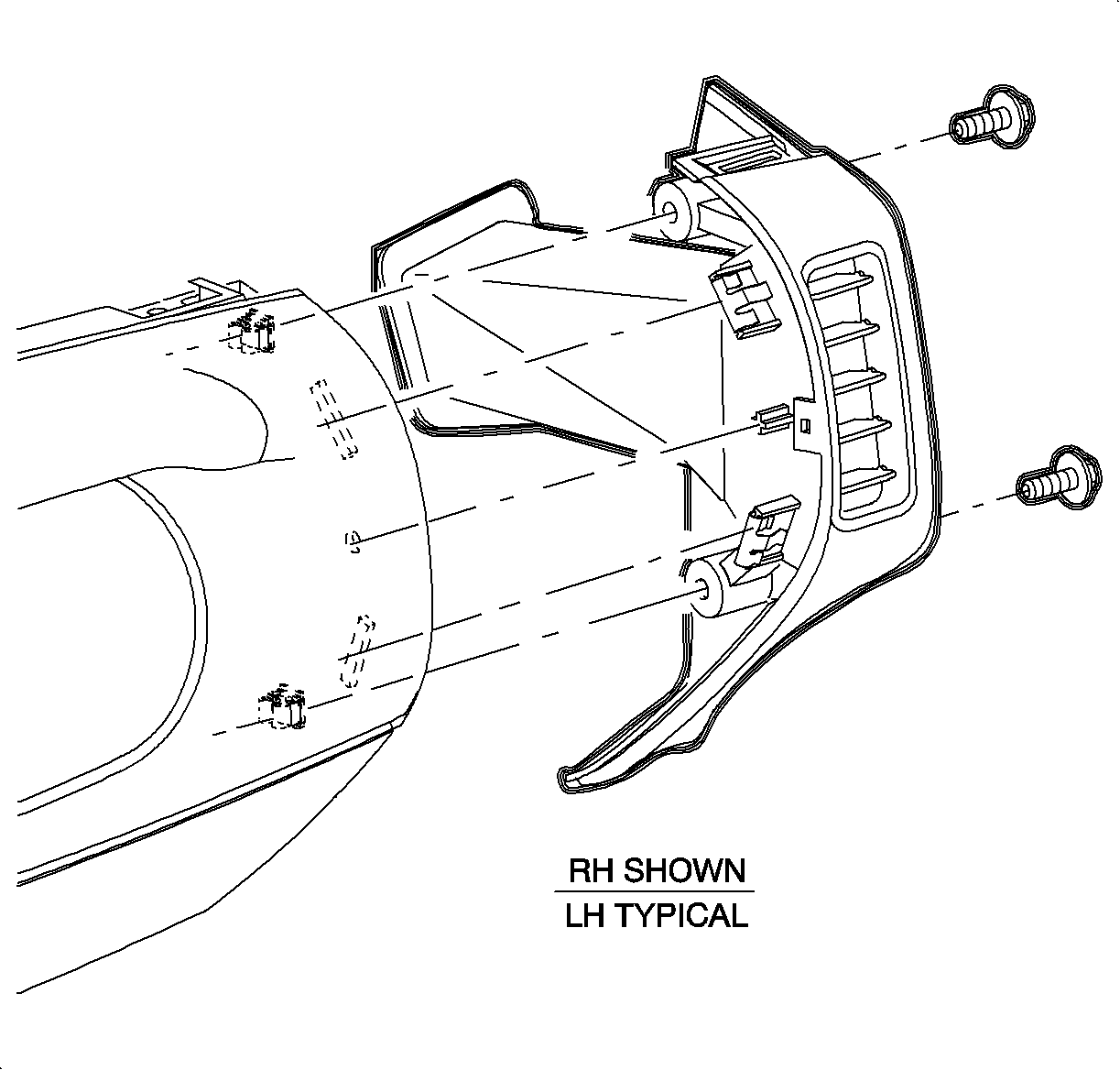

    Object Number: 903726  Size: SH
    Click here for detailed picture of above image.
  104. Install right and left end cap assemblies.
  105. Install and tighten screws.
  106. Tighten

    Tighten the screws to 2.2 N·m(20 lb in).

  107. Enable the SIR System.

  Document ID# 1229897
1998 Saturn SL2/SC2/SW2