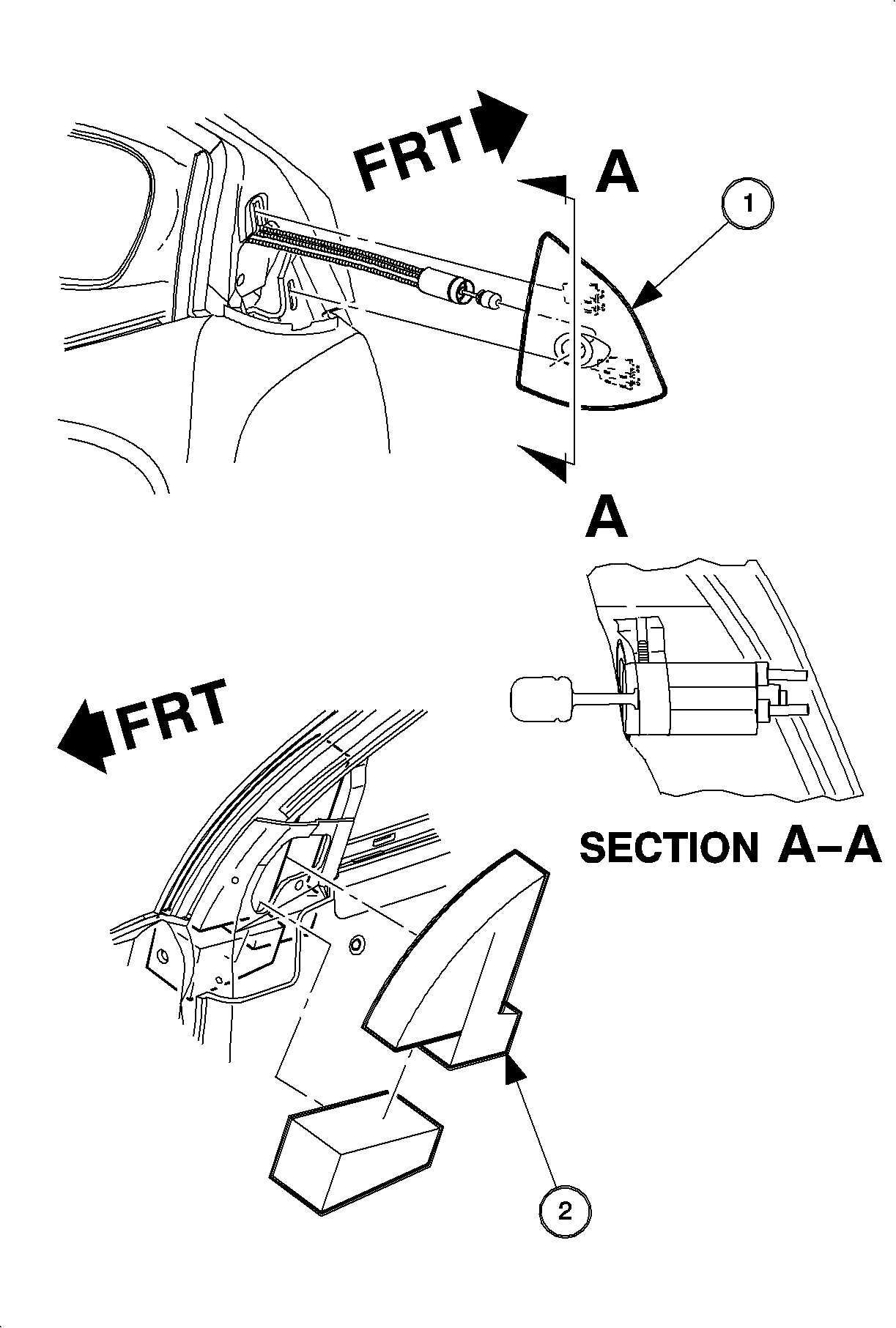
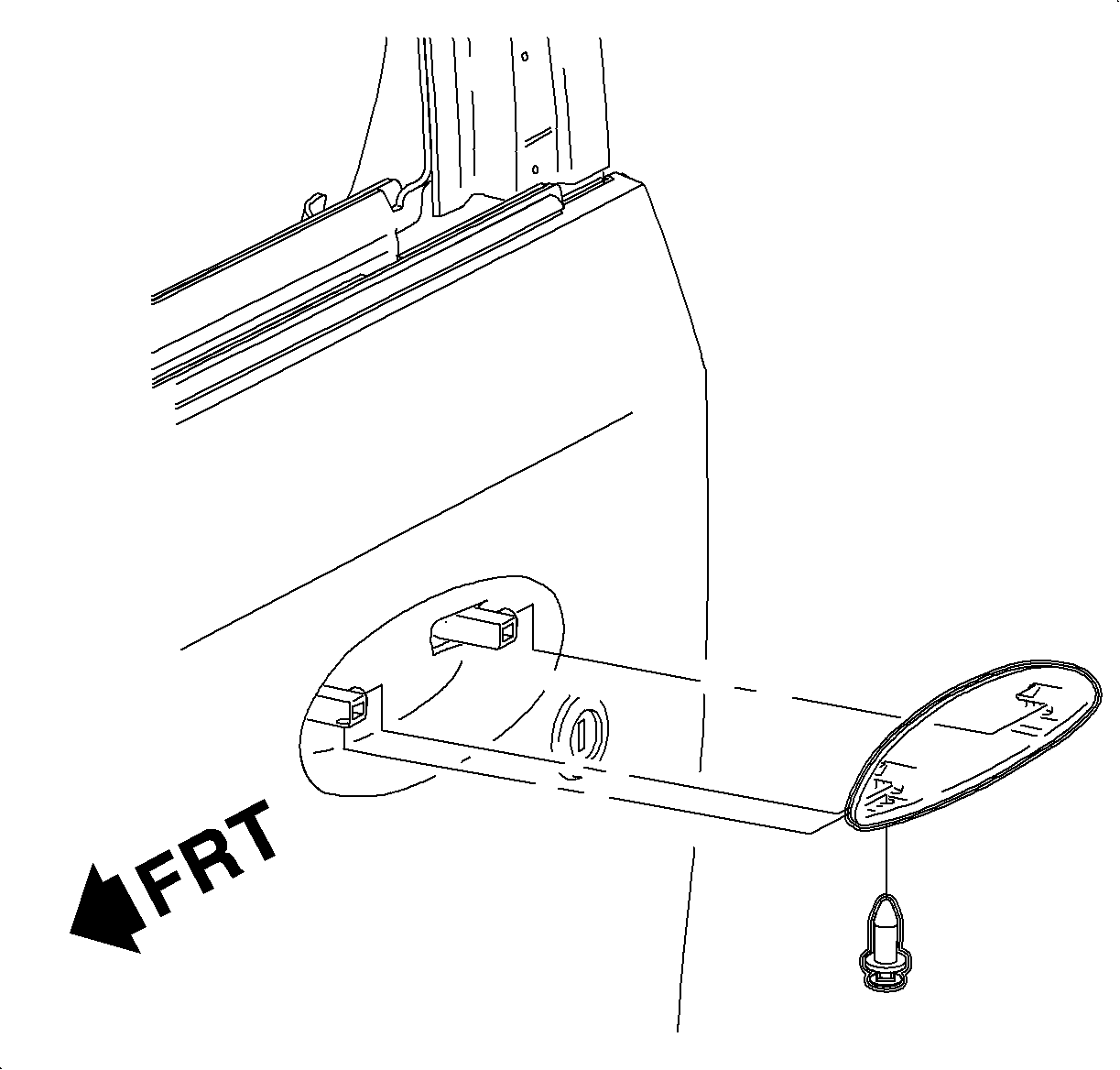
Remove the mirror trim panel. Gently pull the panel outward to disengage.
Mirror trim panel.
Mirror insulator (right side shown, left typical).
On the driver's side, loosen the set screw and disconnect the cable from
the trim panel.
Remove the trim panel.
Remove the foam filler from the mirror reinforcement area.
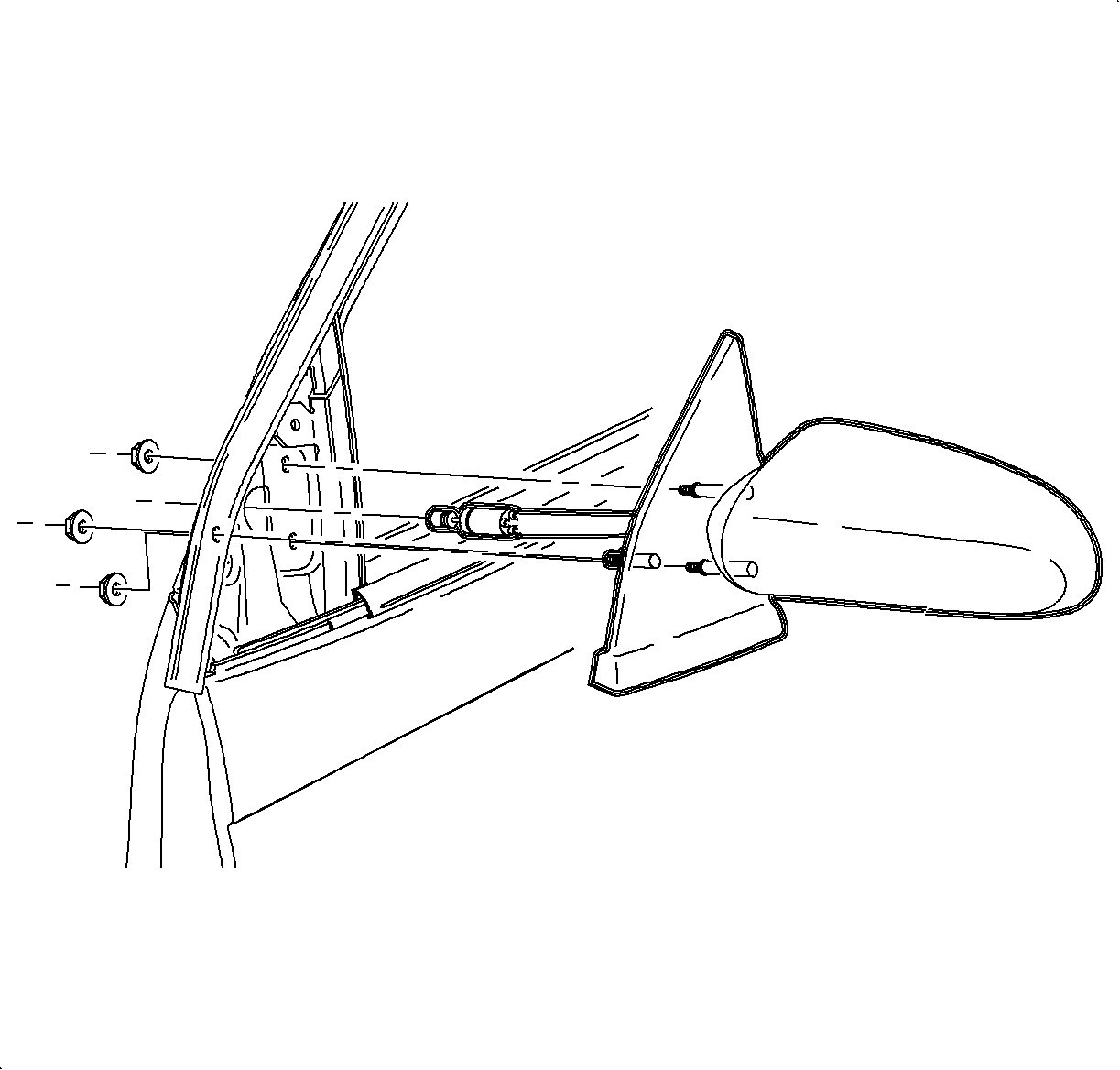
On the passenger side power mirror, disconnect the harness connector.
Remove the nuts from the mirror assembly and remove the mirror and seal.
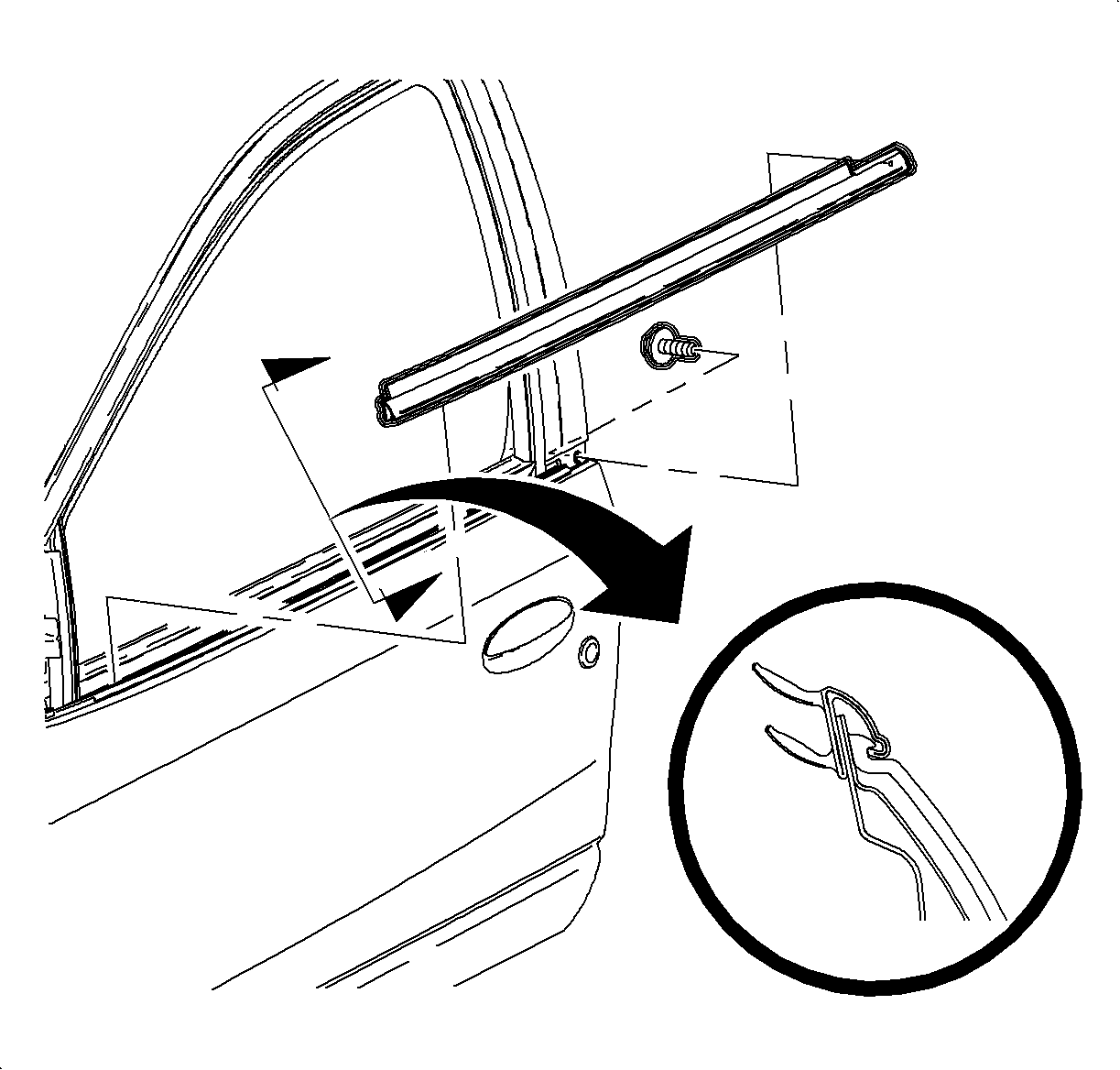
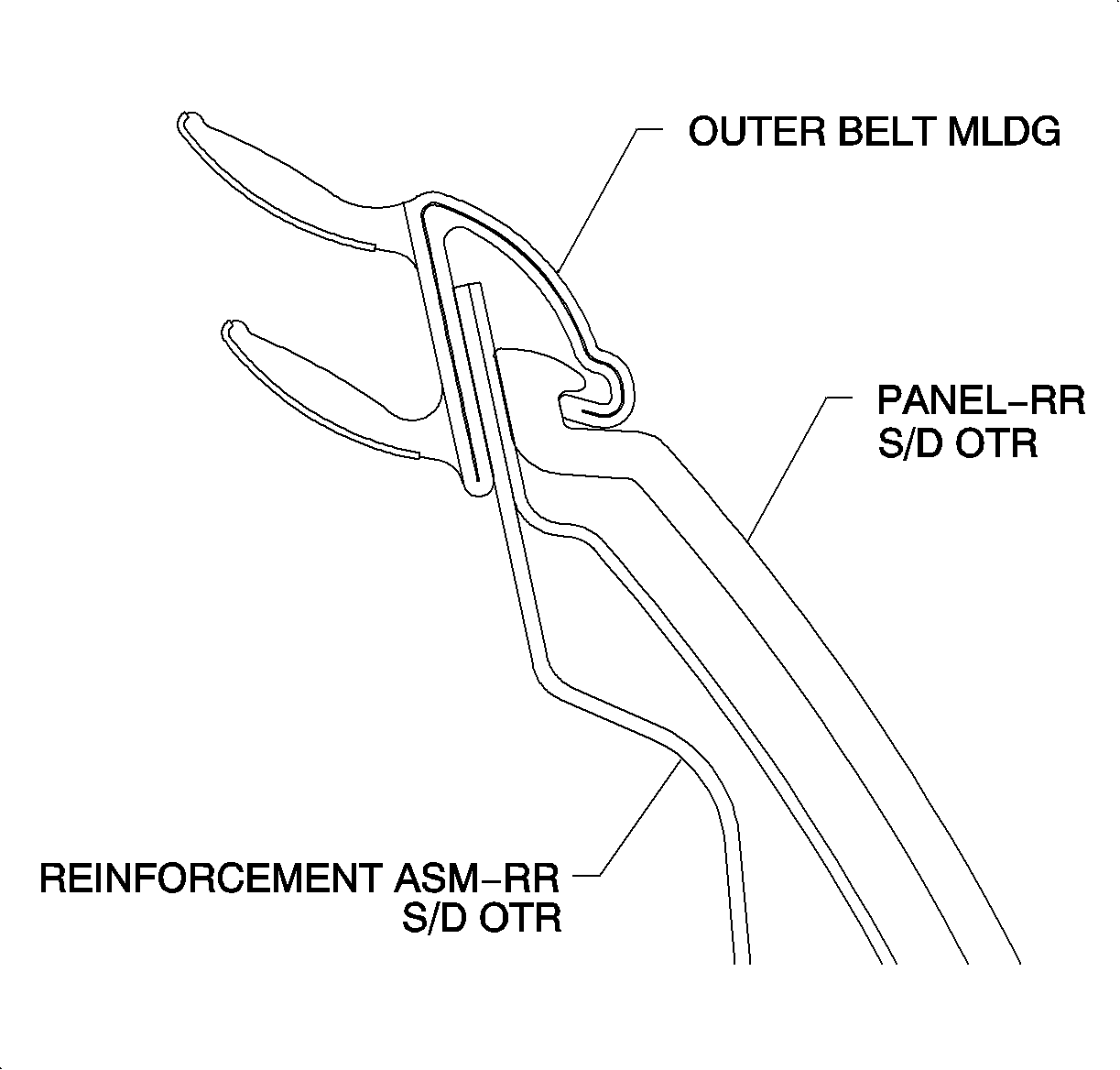
Remove the retaining screw and the rear of the outer seal strip.
Disengage the outer seal strip by pulling up at the rear end and lifting.
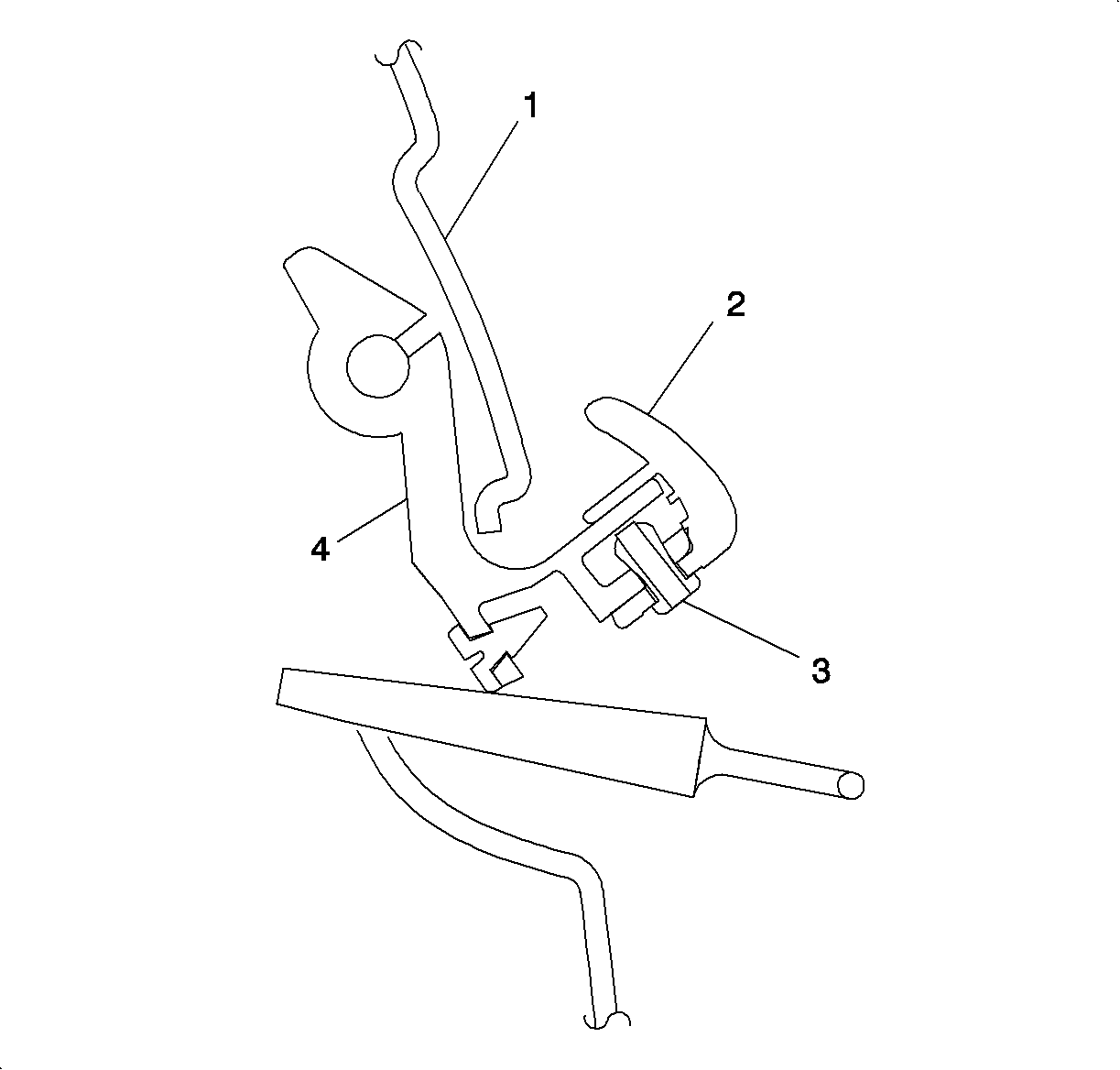
Use of a putty knife with a blade covered with tape may be needed to gently pry the
sealing strip from the flange. Remove the seal.
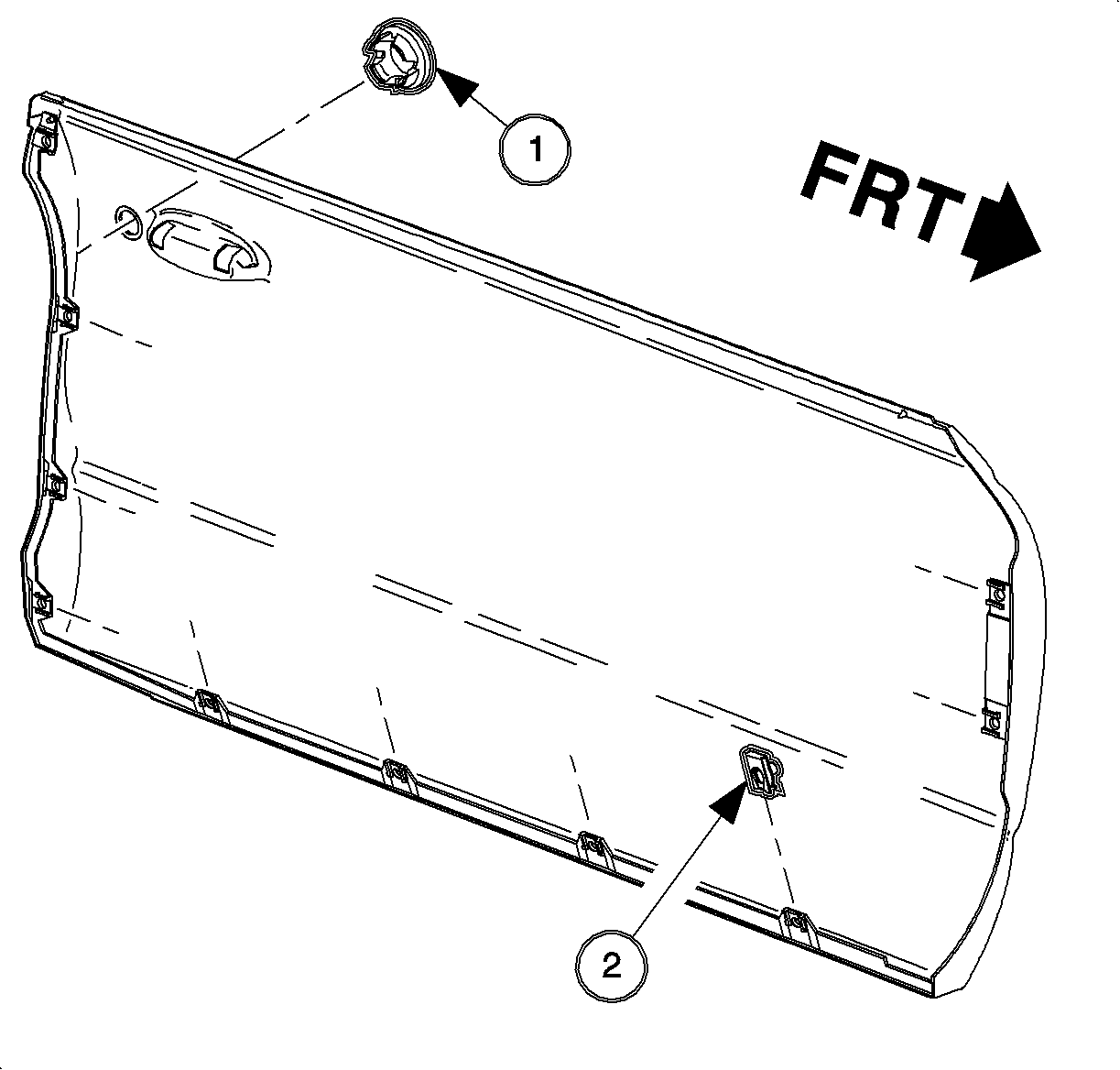
Pry the center
part of the plastic retainer of the outer handle out. Pull the retainer out of the
handle.
Slide the handle off of the pivot assembly and remove the handle.
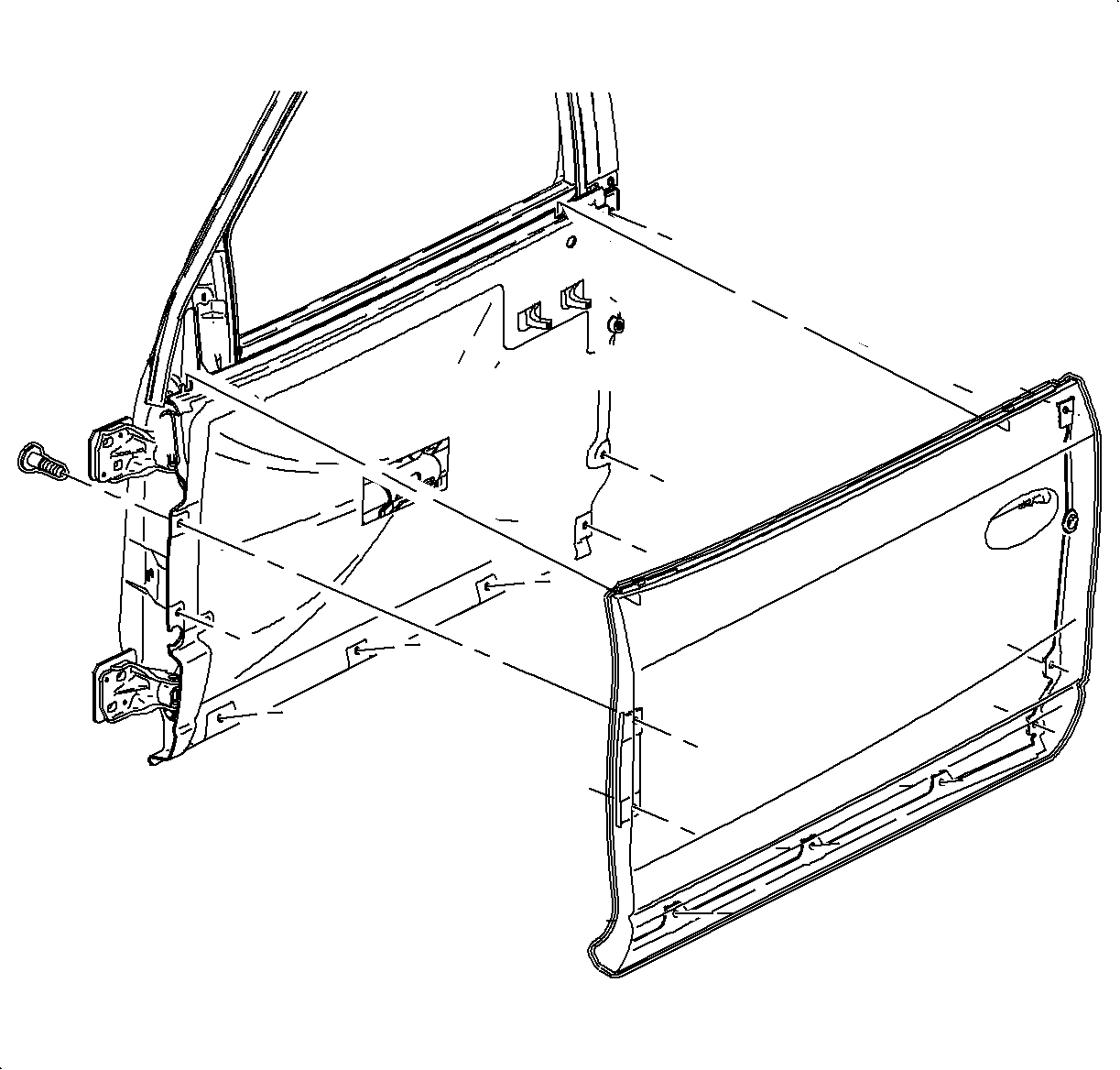
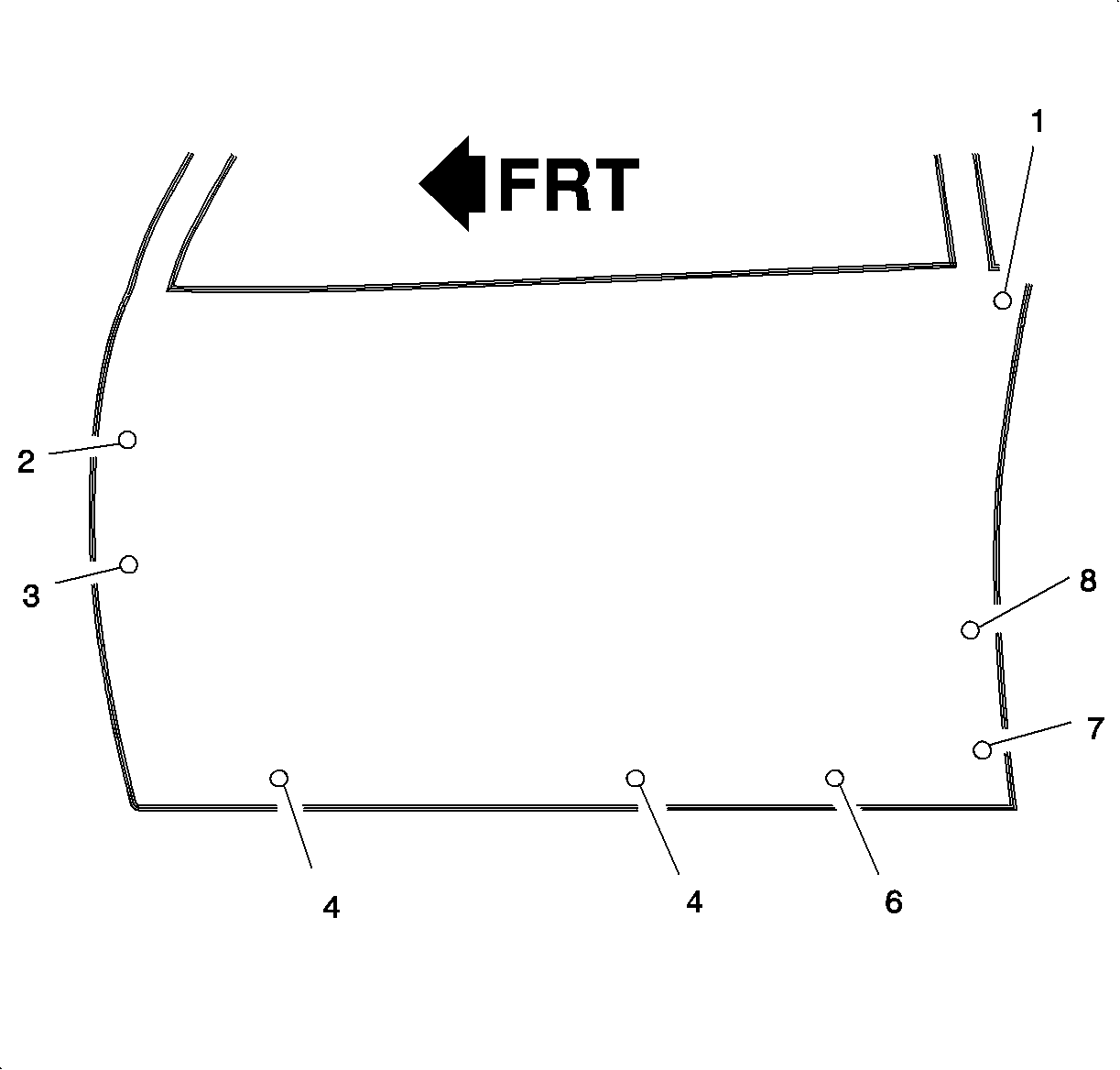
Remove the door panel screws and remove the door panel.
Apply Loctite 242® Threadlocker, or equivalent, to the fasteners before
installation.
Install the fasteners and tighten in the designated sequence.
Tighten
Tighten the outer door panel fasteners (use Threadlock) to 6 N·m
(53 lb in).
Install the door handle by lifting the pivot assembly and sliding the handle
on the pivot.
Install the plastic
retainer.
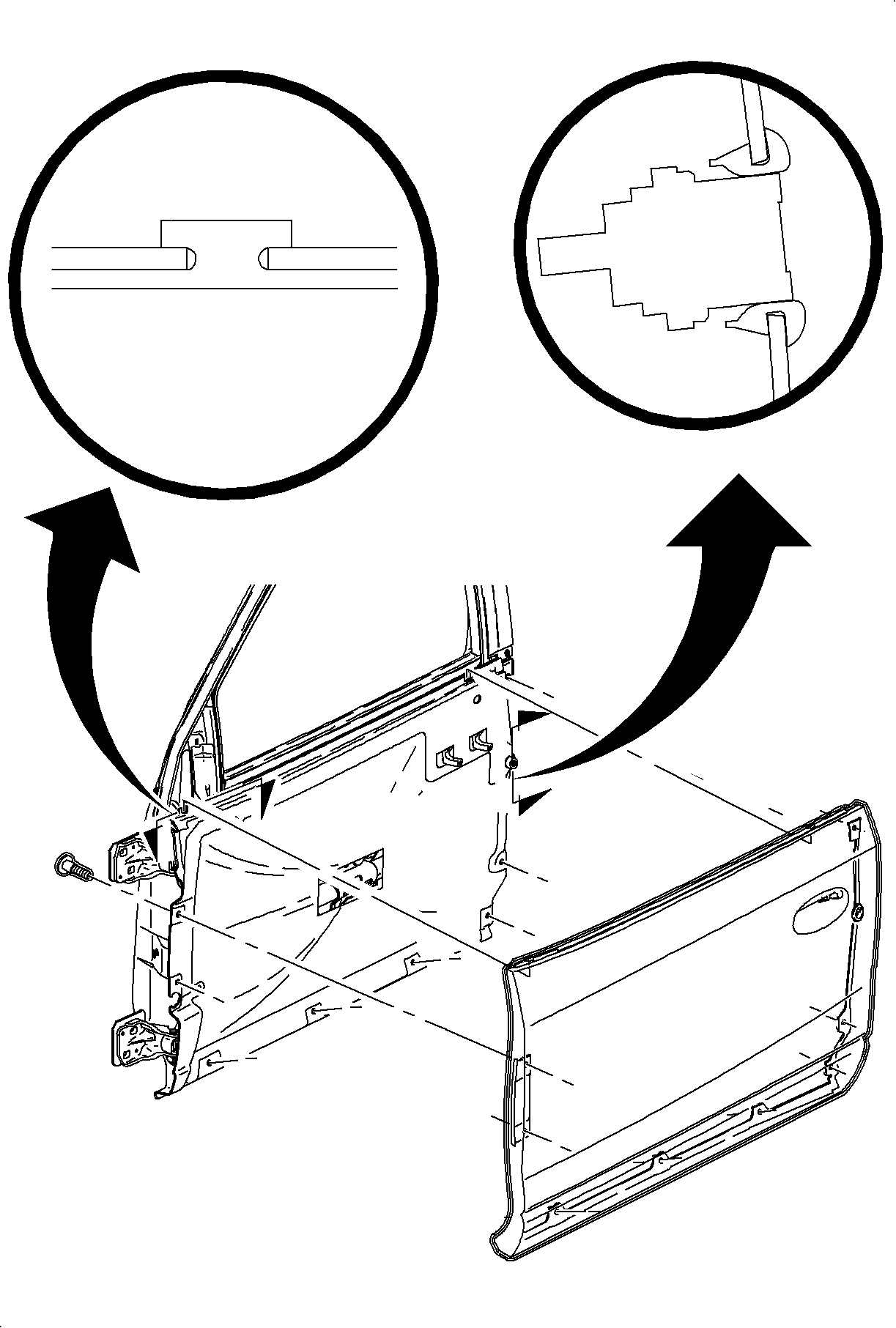
Install the outer sealing strip by aligning the location tab at the rear of
the sealing strip with the slot in the door panel. Working from the rear forward,
push the seal strip down onto the flange until fully seated. Install the retaining
screw.
Check the seal
on the mirror assembly for proper location.
Install the mirror assembly to the door. Install the nuts and tighten.
Tighten
Tighten the outside rear view mirror nuts to 10 N·m (89 lb in).
If equipped with a passenger side power mirror, connect the harness connector
and install the connector position assurance (CPA) retainer.
Install the foam filler in the mirror patch area.
On the driver's side, install the mirror cable into the trim panel and
tighten the set screw.
Mirror trim panel.
Mirror insulator (right side shown, left typical).
Tighten
Tighten the power mirror motor screws to 3 N·m (27 lb in).
Install the trim panel to the door frame. Push to seat.