Rear Side Door Frame Panel Replacement
Removal Procedure
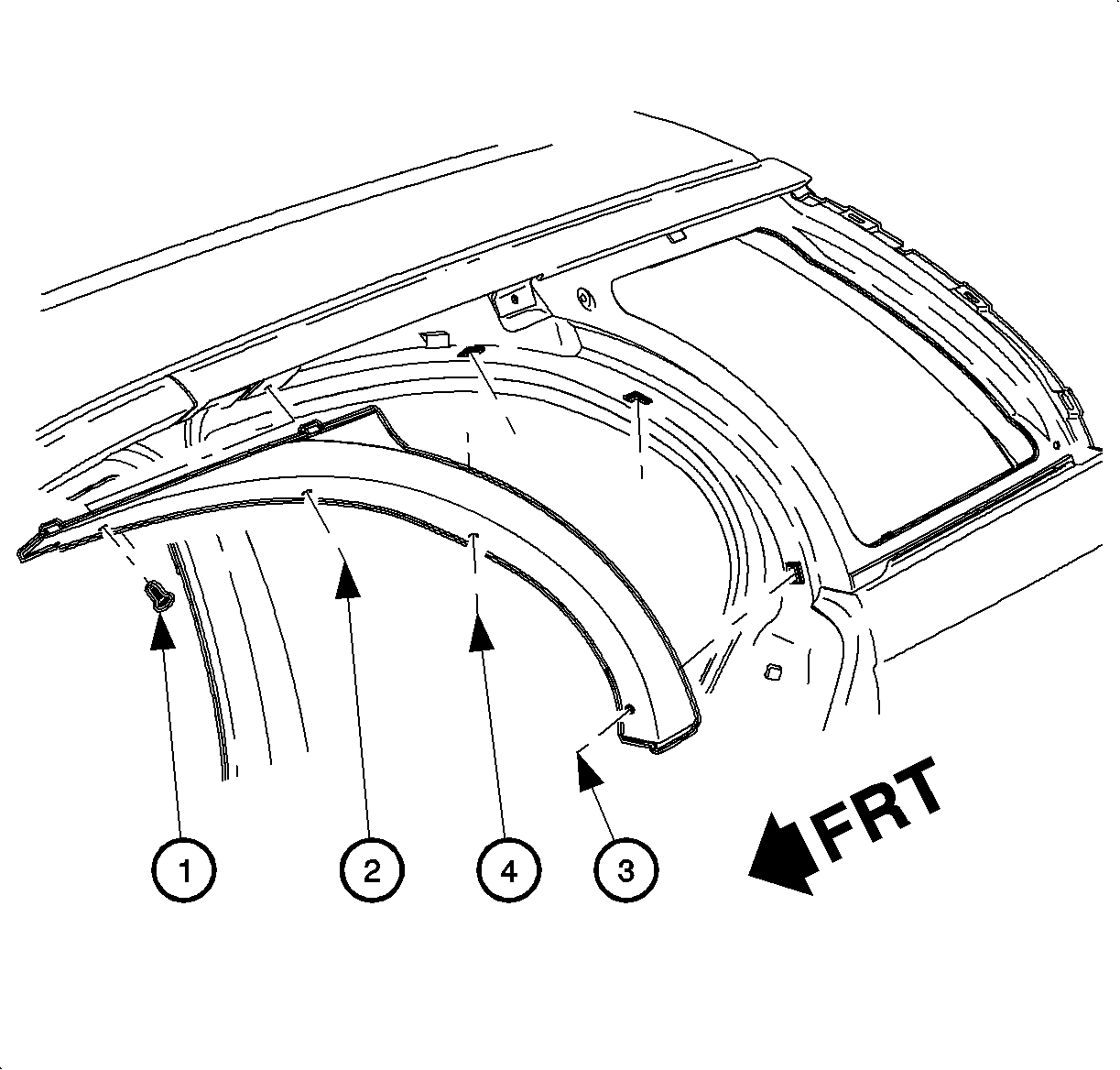

- Remove 4 retaining screws from the rear side door frame rear panel.
- Drop the front of the panel to disengage the tabs from the roof side outer
rear panel.
- Pull the rear side door frame rear panel upward to disengage from the
quarter panel.
Installation Procedure
- Install the rear of the rear side door frame rear panel into the rear quarter
panel.
- Engage the tabs at the top of the panel to the slots in the roof side
outer rear panel.
Notice
Refer to Fastener Notice in Cautions and Notices.
- Install the 4 retaining screws. Tighten in the sequence shown.
TightenTighten the rear side door frame rear panel fasteners to 1.5 N·m
(13 lb in).