Seat Cushion Replacement - Front
Removal Procedure
Important
LHD shown; RHD similar
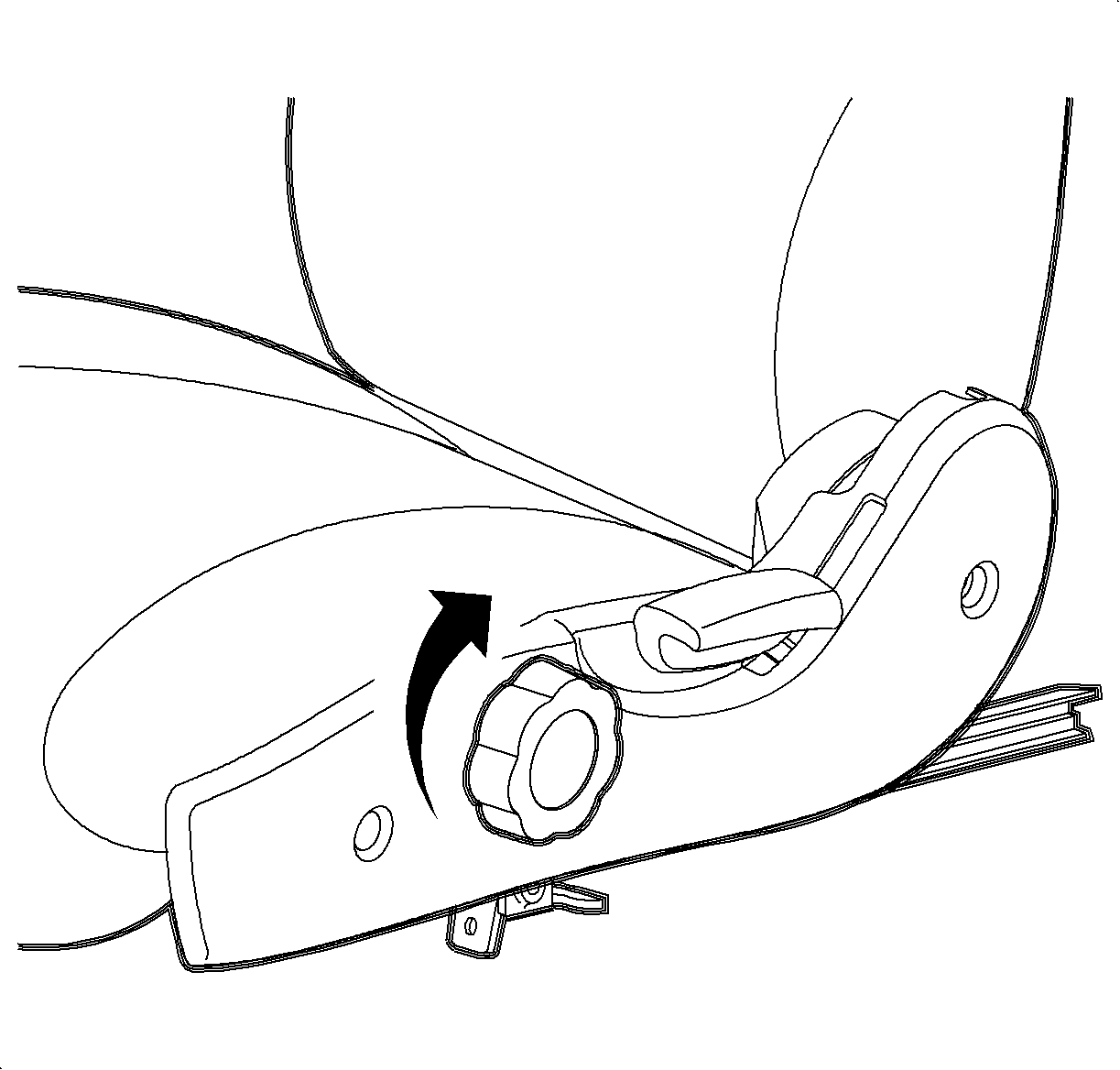

- Remove the seat from the vehicle. Refer to
Seat Replacement - Front Bucket
.
- On the driver's seat, rotate the seat riser knob to the full up position.
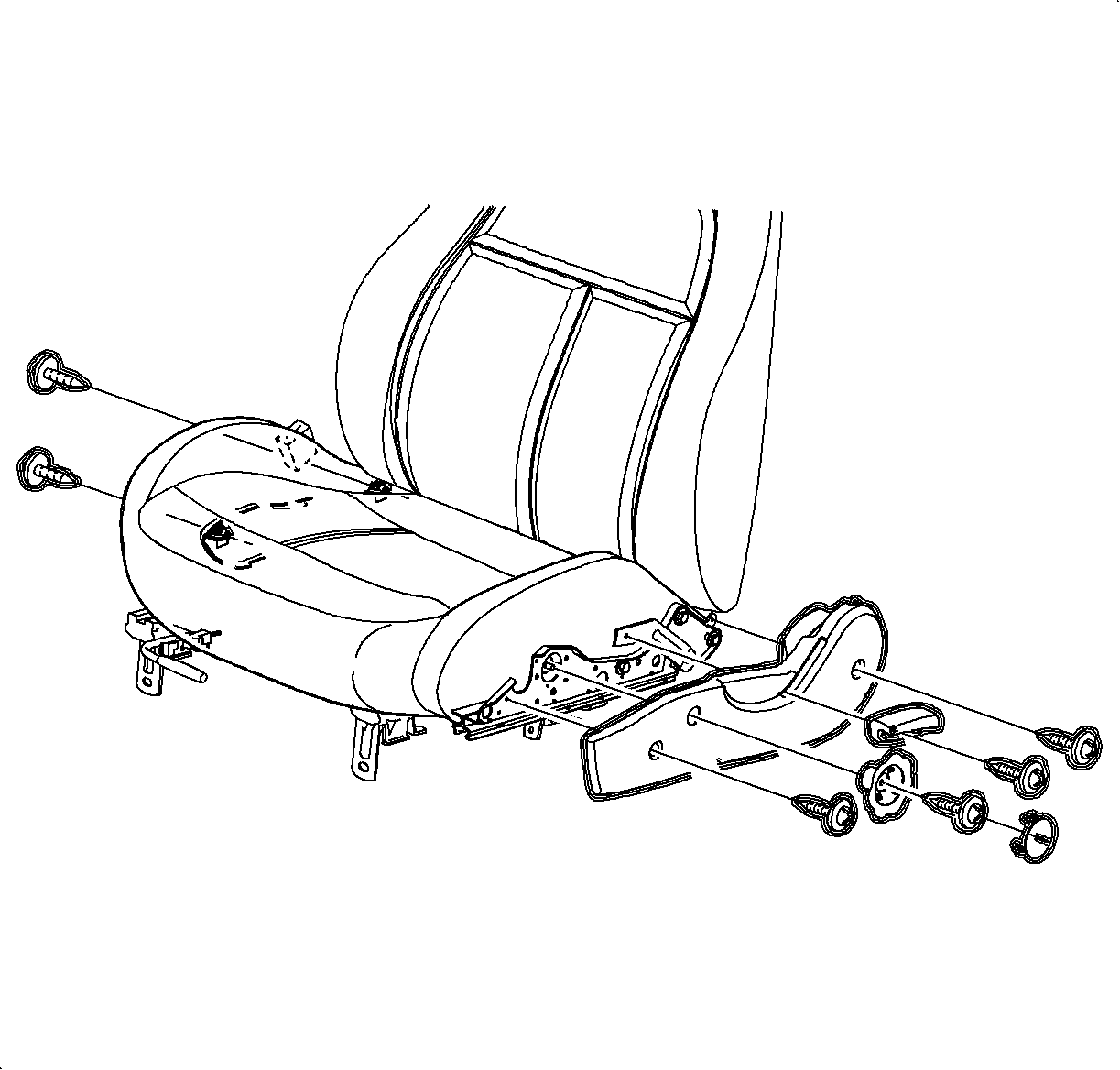
- Remove the recliner handle.
- On driver's side, remove the seat riser knob cover and fastener.
- Remove the seat adjuster side covers.
- On driver's side, install riser knob without screw. Lower the cushion.
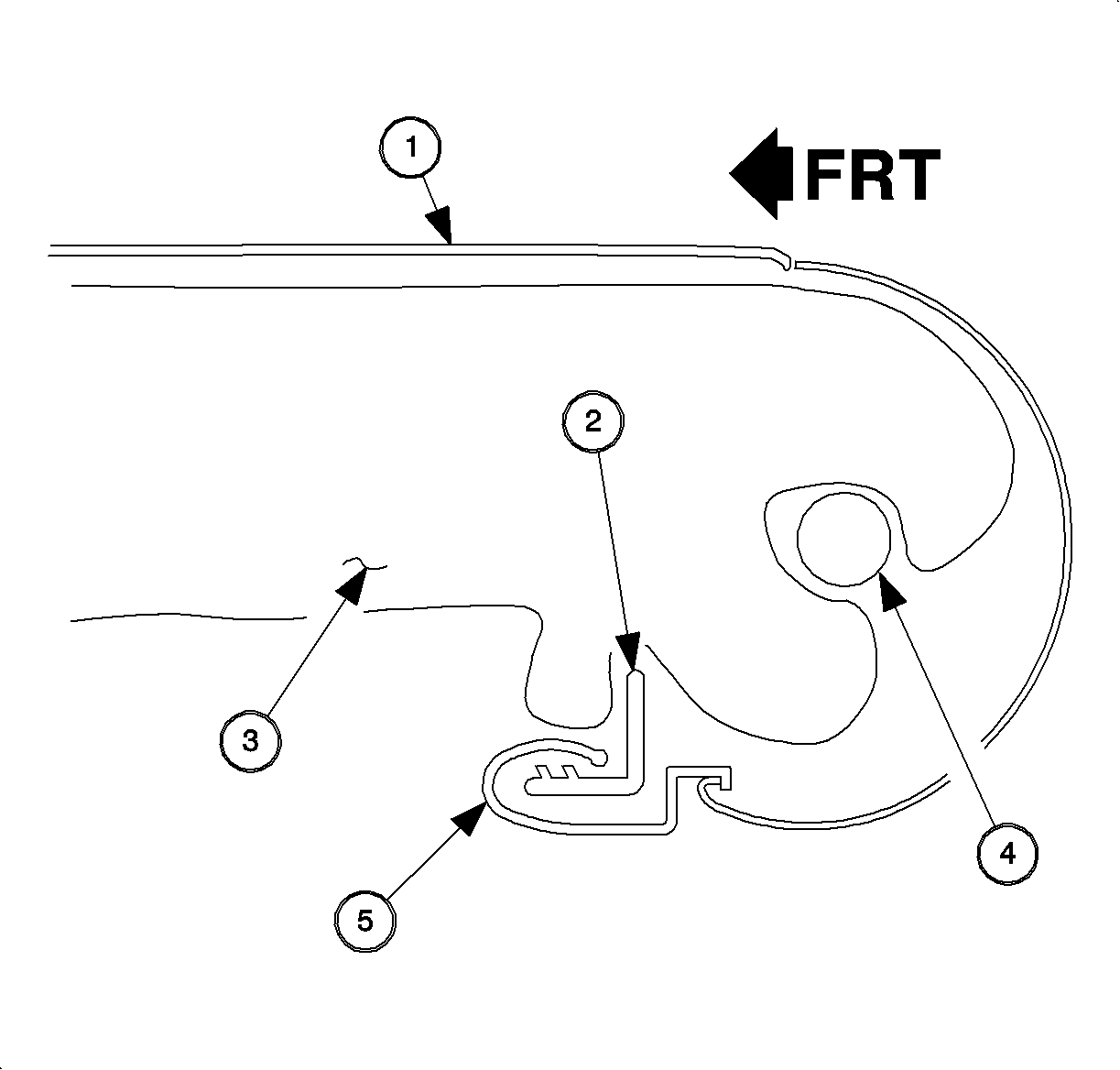
- Disengage
the rear J-strip.
- Seat Cover (1)
- Cushion Frame (2)
- Foam Pad (3)
- Cross Tube (4)
- Seat Cover J-Strip (5)
- On the driver's side, raise the seat cushion and remove the riser knob.
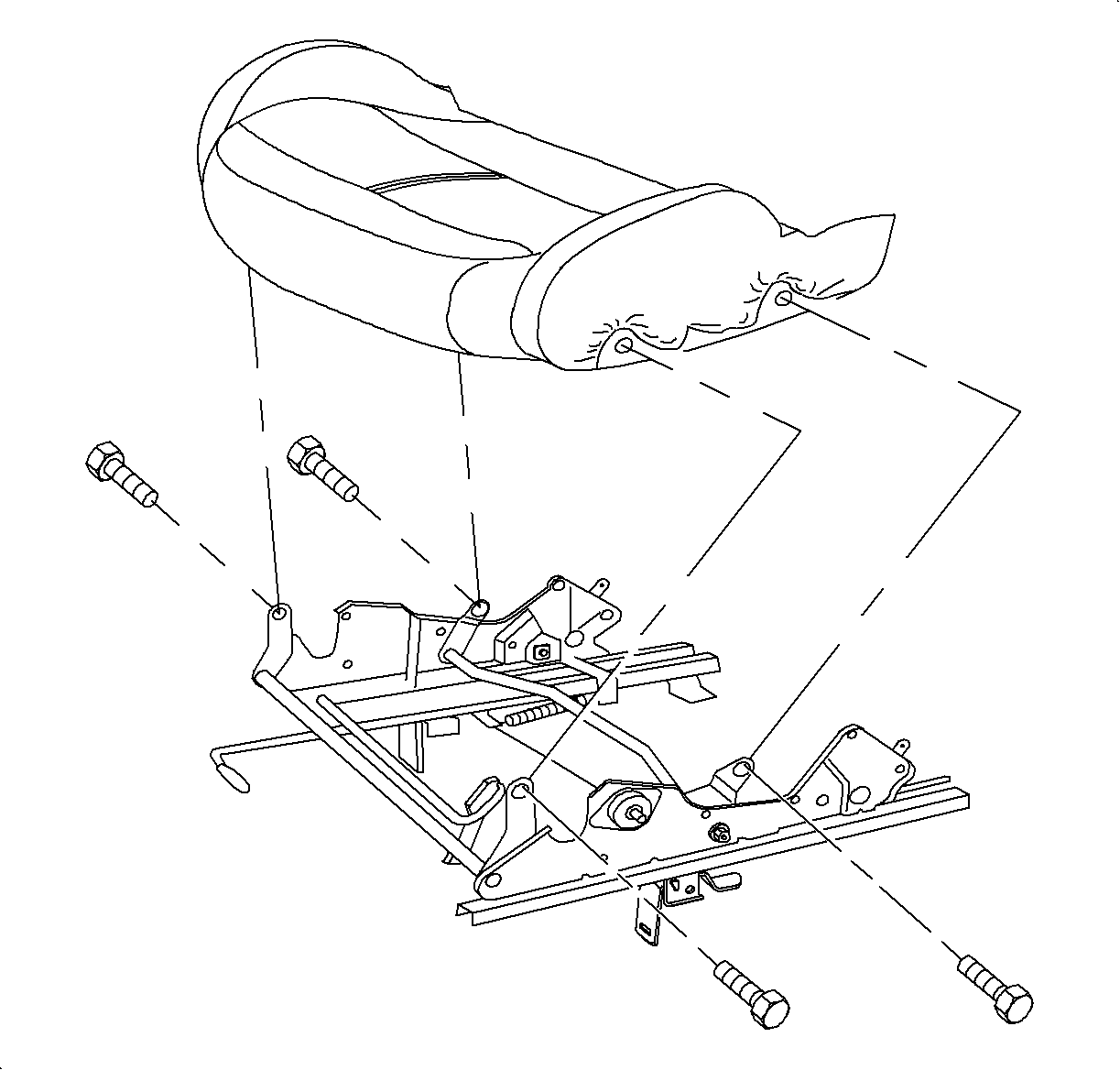
- Remove the bolts
at the sides of the seat cushion and remove the seat cushion.
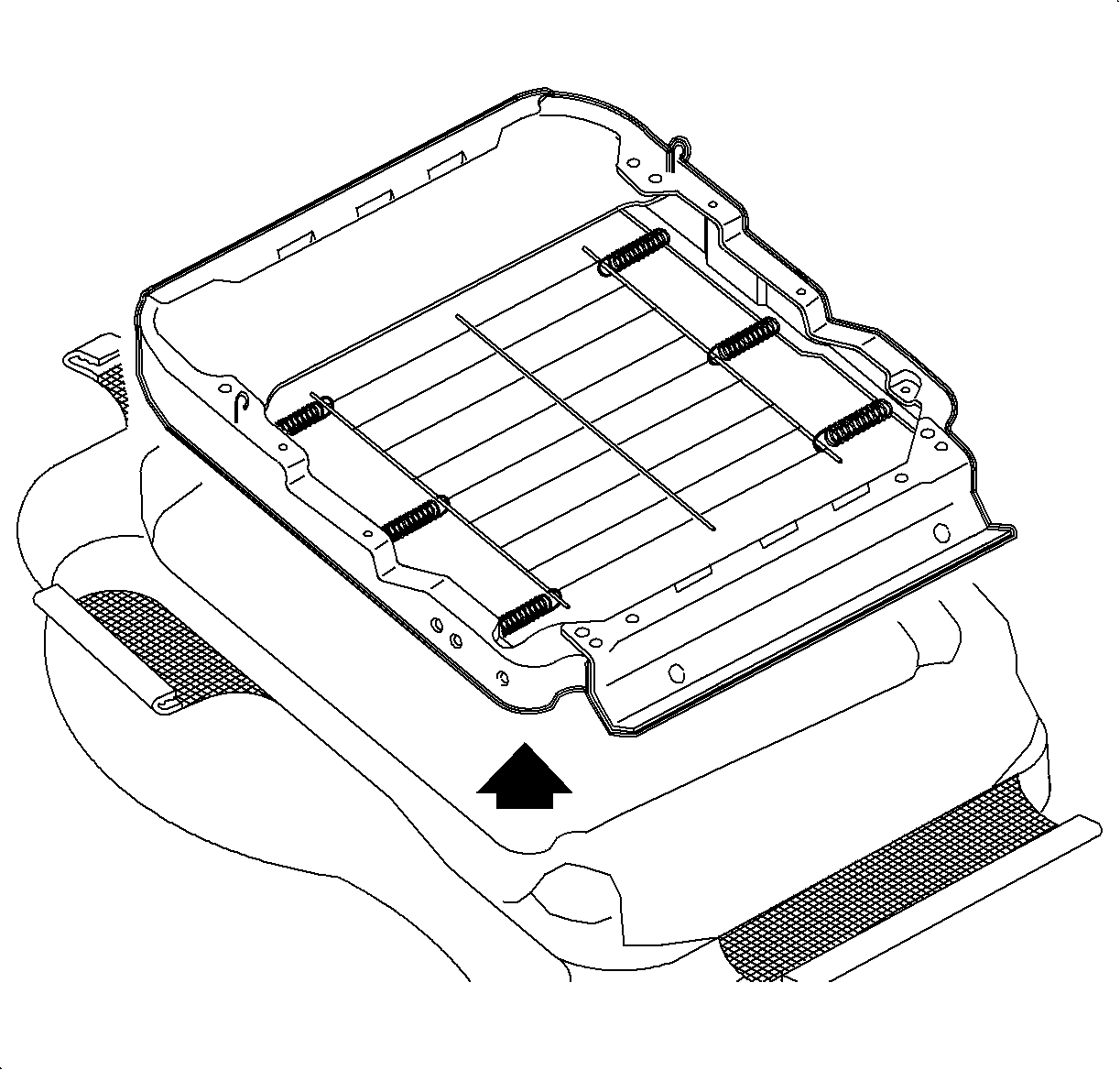
- Disengage the remaining seat cover J-strips and 2 push fasteners.
- Remove the seat cushion frame.
- Pull up on the cover to expose the hog rings (1) and/or separate the Velcro®.
Remove the cover.
Installation Procedure
Important
LHD shown; RHD similar.
- Transfer the listing wires to the new cover.
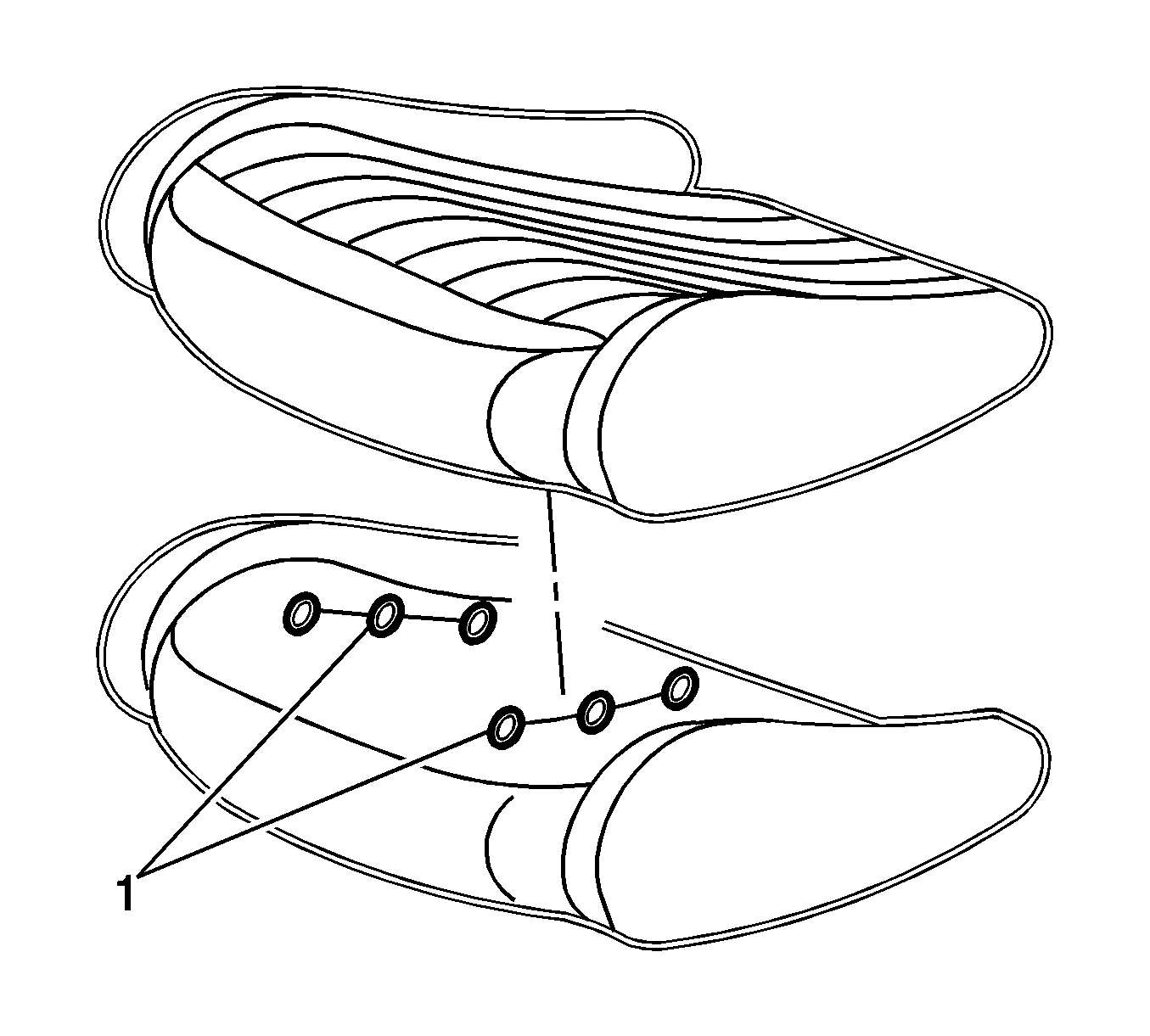
- Install the seat cover over the pad.
- Install the hog rings (1) around each seat cover listing wire and the
seat foam listing wire.
- Check the fit of the cover and pull on the cover where necessary to remove
the wrinkles. Attach the push fasteners.
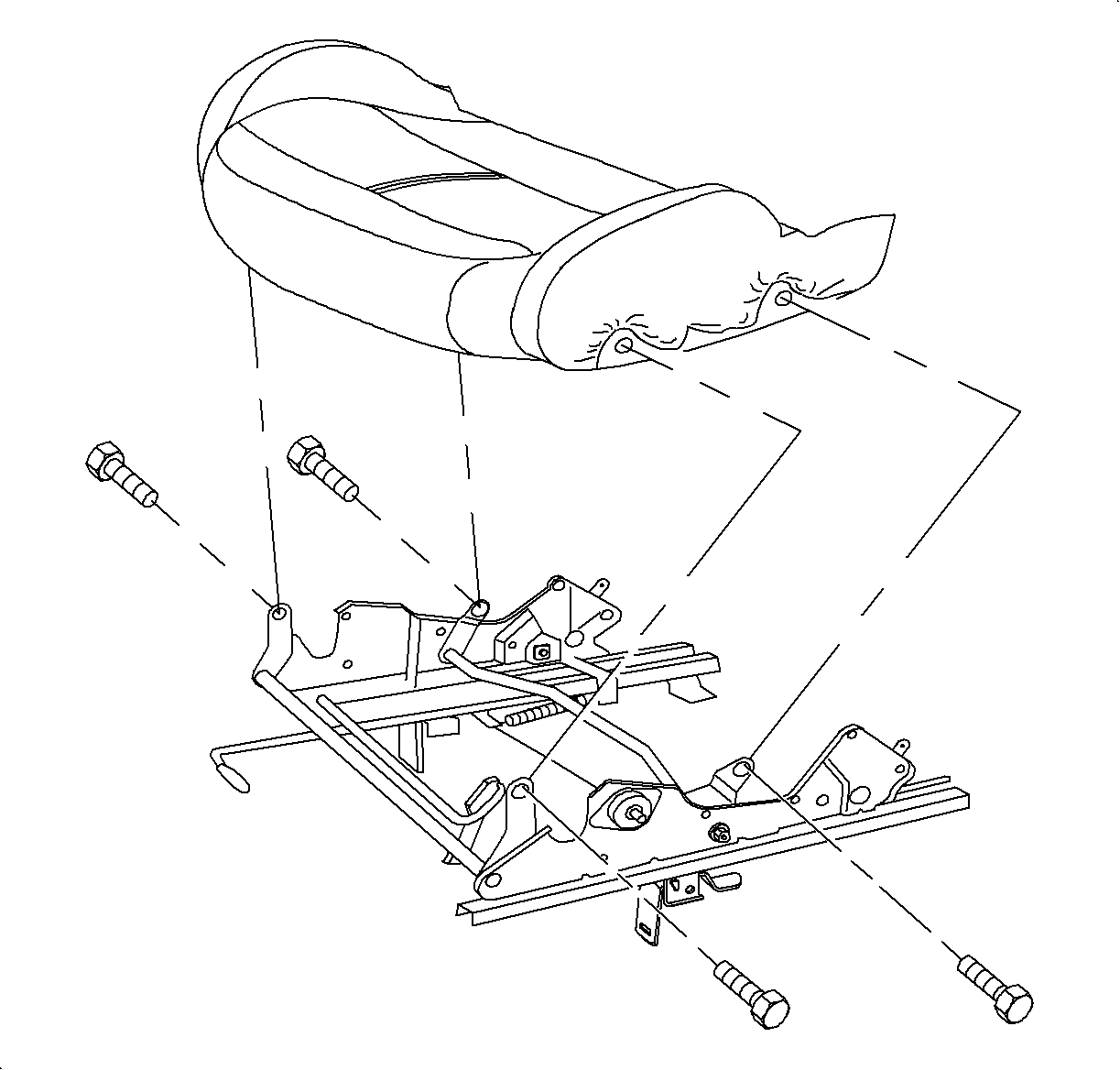
- Install the seat cushion assembly to the seat adjuster.
TightenTighten the seat adjuster to 27 N·m
(20 lb ft).
- On the driver's side, install the riser knob without the screw, lower
the seat cushion and remove the riser knob.
- Wrap
the seat cushion cover rear flap to the cover up recliner cross tube and engage the
seat cushion cover rear J-strip to seat cushion frame.
- Seat Cover (1)
- Cushion Frame (2)
- Foam Pad (3)
- Cross Tube (4)
- Seat Cover J-Strip (5)
- Install the seat adjuster side covers.
- Install the recliner handle.
- On the driver's side, install the seat riser knob.
- Install the seat into the vehicle. Refer to
Seat Replacement - Front Bucket