Temperature Control Cable Replacement LHD
Removal Procedure
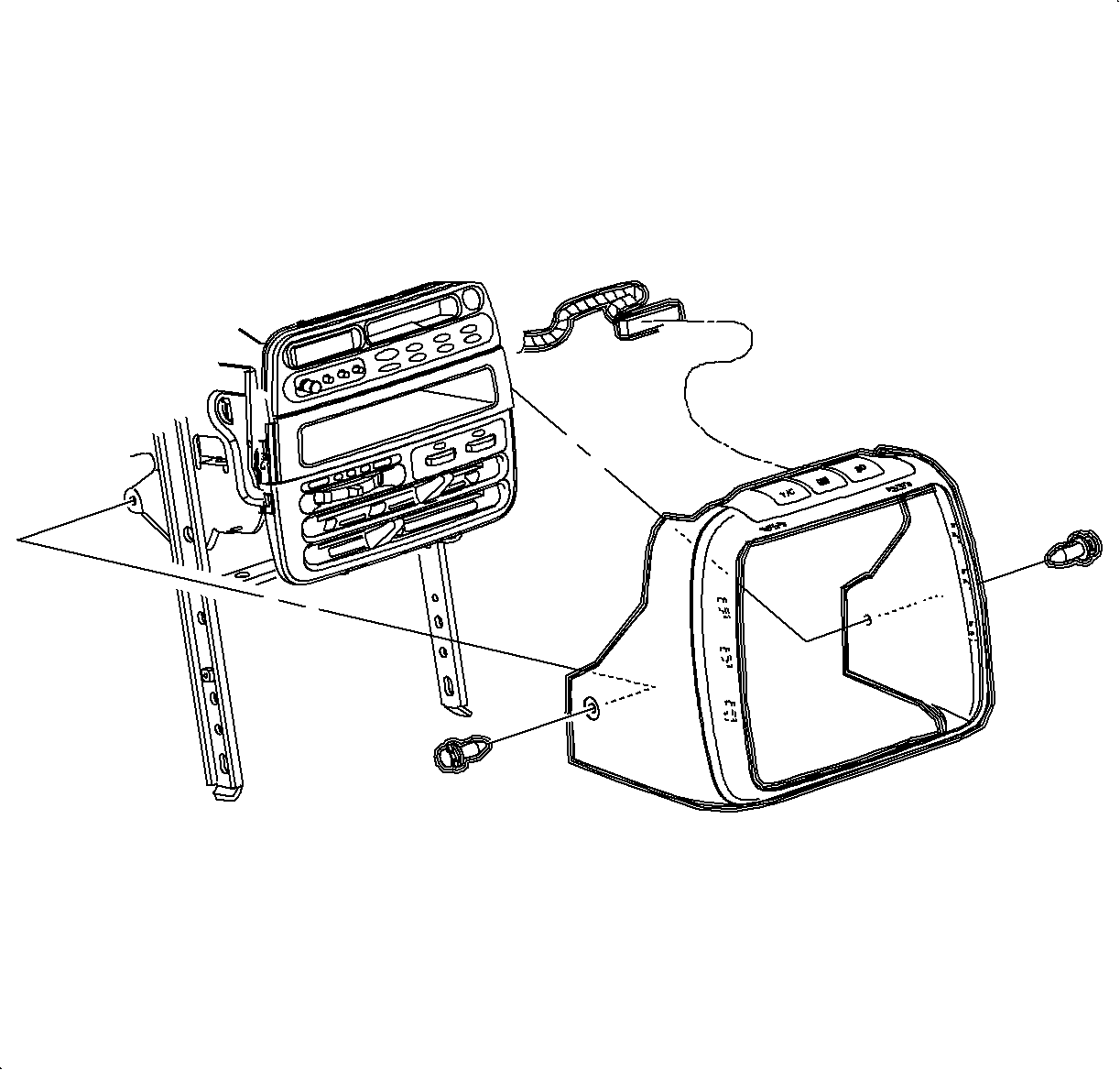

- Depress the center pins inward to release radio/HVAC controller cover push pin
fasteners.
Important
Do not push center pins through the fasteners.
- Remove the fasteners and pull the radio/HVAC controller cover rearward.
- Disconnect the traction control/fog lamp/rear defog electrical connector
if equipped.
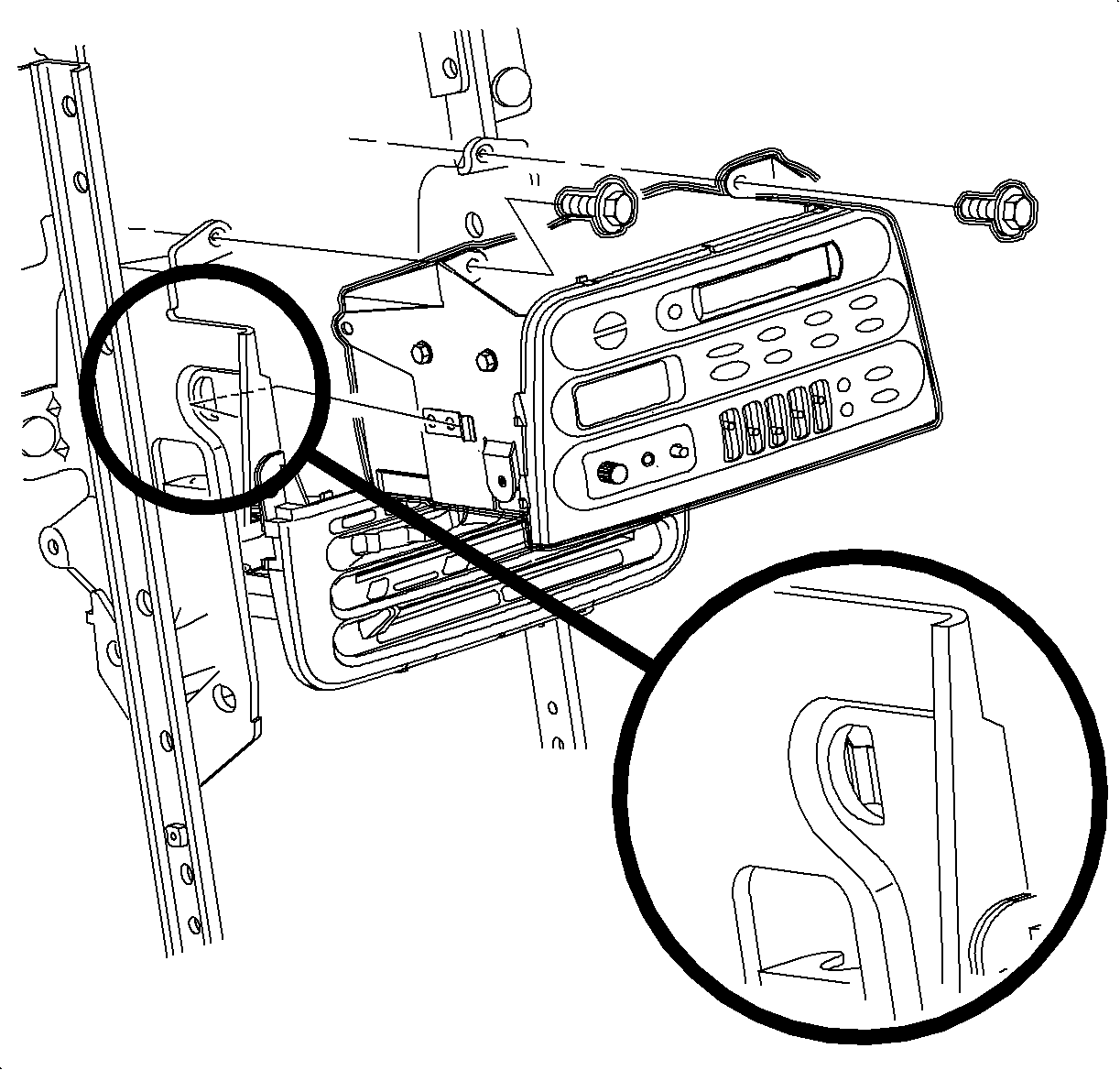
- Remove
the radio screws.
- Push the spring clips in through D-holes on both sides of the radio brace.
- Pull the radio out slightly to access the rear of radio.
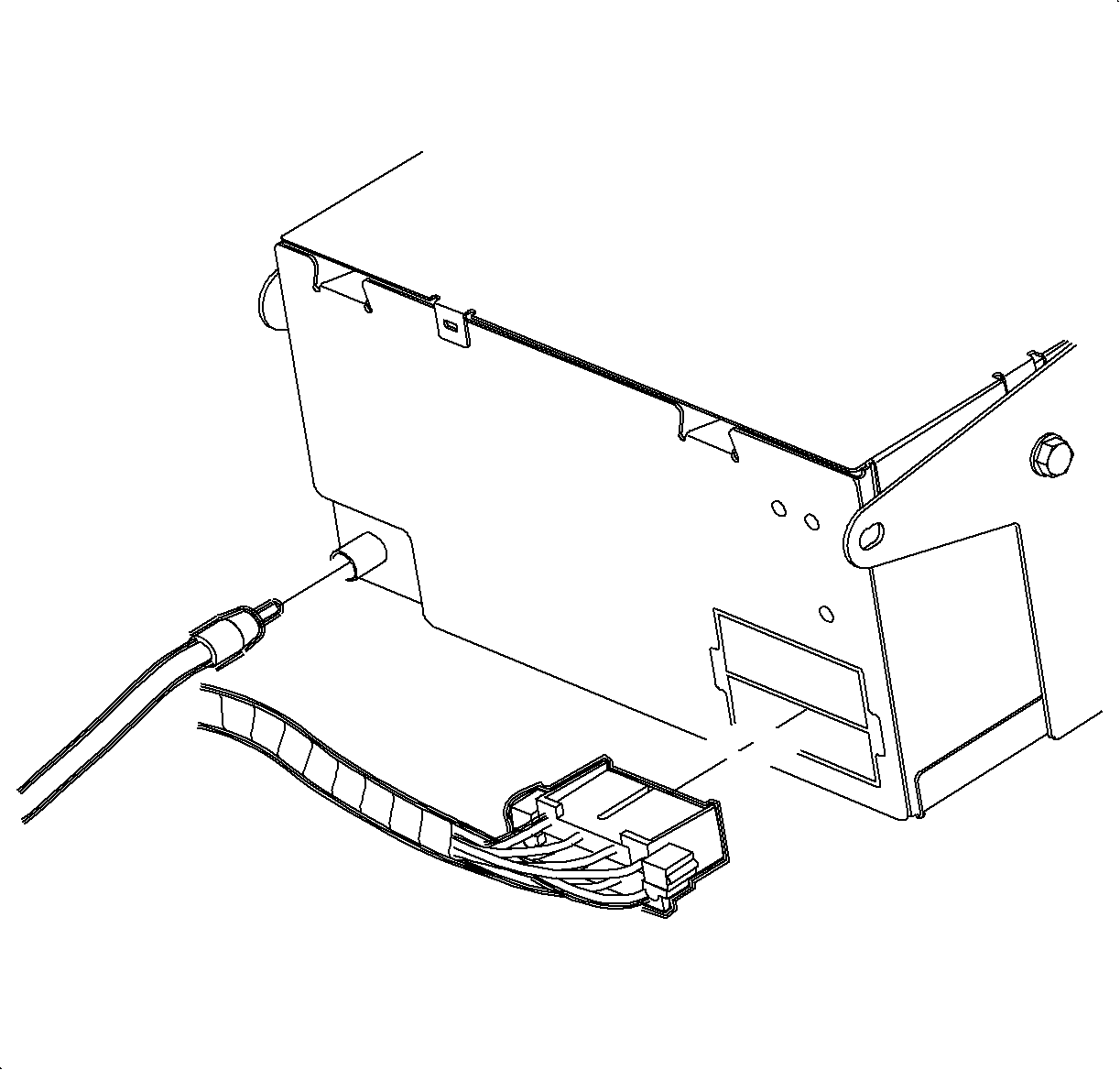
- Disconnect the electrical connector and
antenna.
- Remove the radio
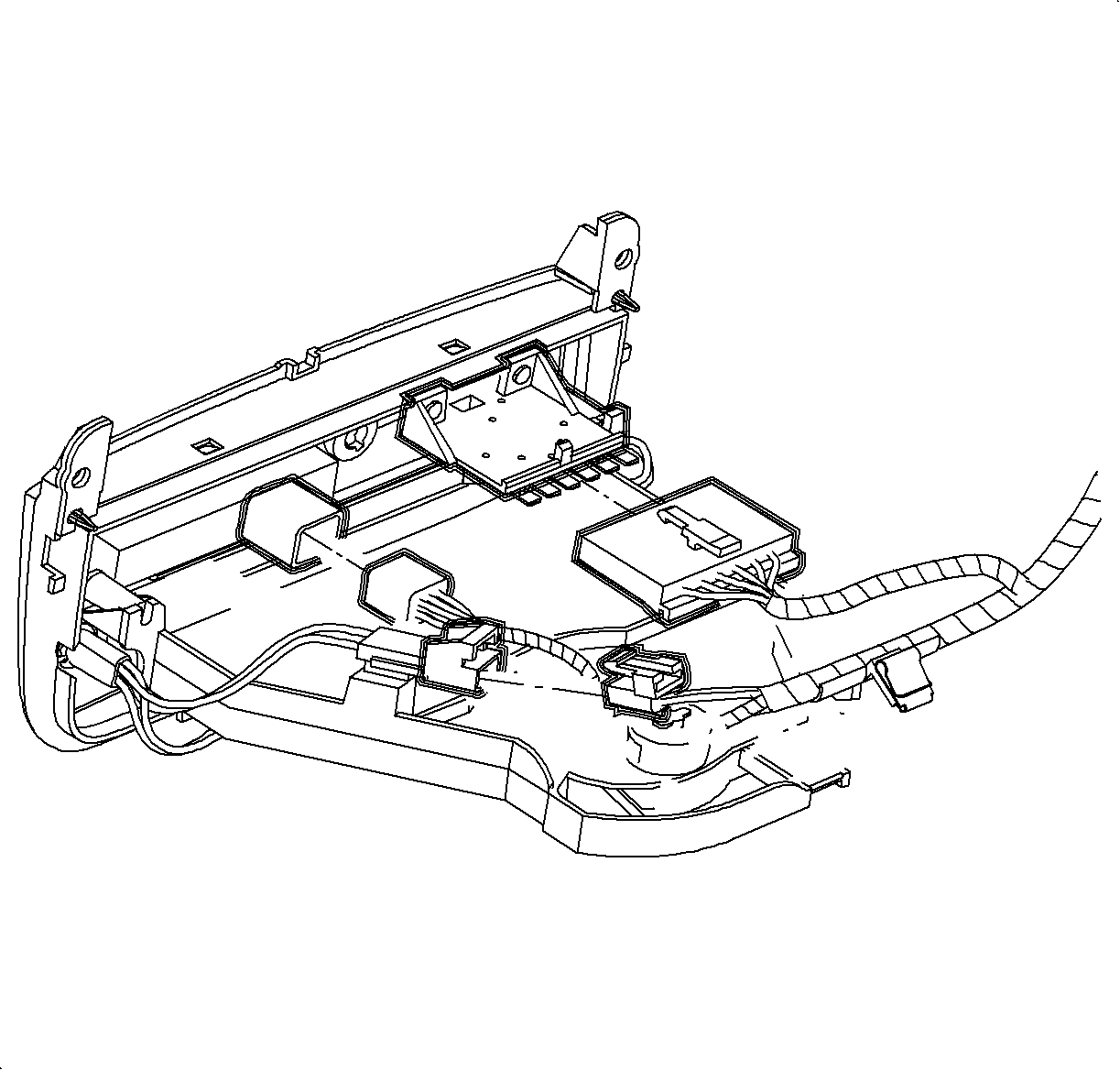
- Disconnect the blower switch, A/C-Recirc and lighting
electrical connectors. Remove the electrical harness clip from module boss.
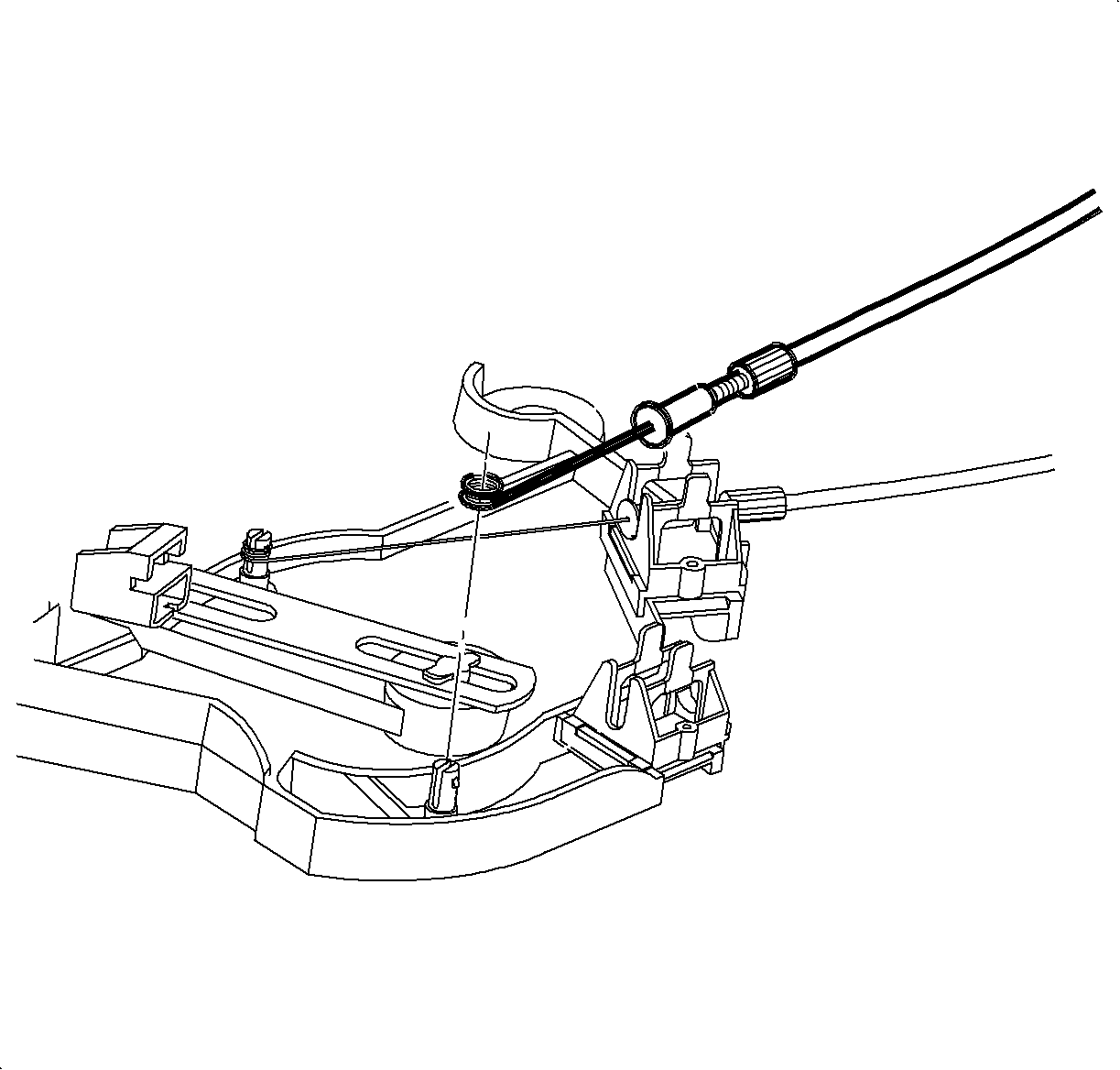
- Remove the temperature cable from HVAC control by squeezing lock tabs together
while pulling cable housing straight up.
- Remove cable from pin by pulling straight up. (Service cable shown in
illustration.)
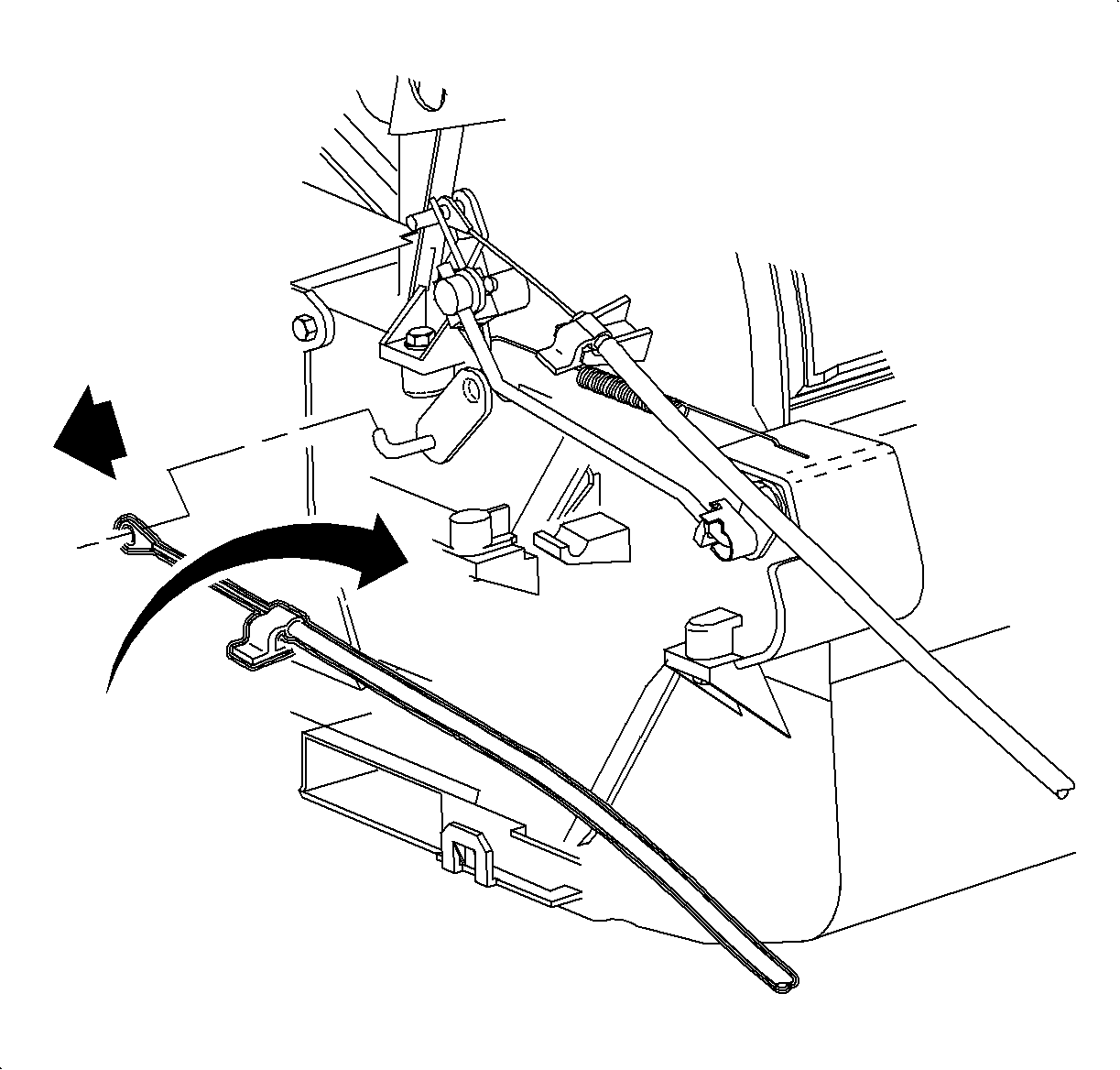
- Reach under the dash and release temperature cable hold down clip by carefully
pushing up on the plastic tab while pushing down on top of the cable.
- Slide the cable off of the temperature door hook.
- Remove the temperature cable. (Service linkage shown in illustration.)
Installation Procedure
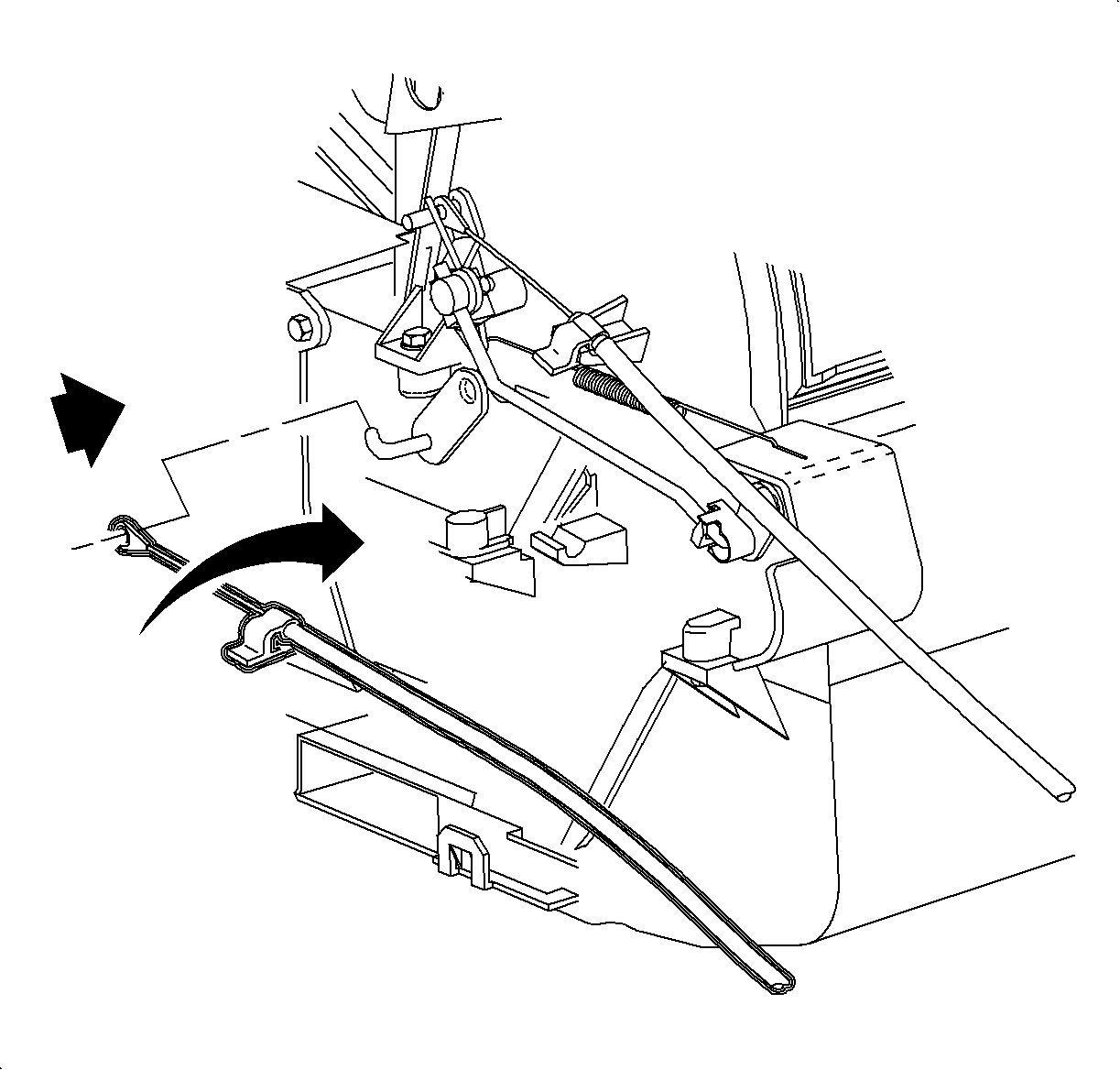
- Install the temperature cable over the temperature door hook.
- Snap the temperature cable hold down clip over the temperature cable holder.
- Install the temperature cable over the pin.
- Install the temperature cable housing into the channel and push down to
lock.
- Connect the blower switch, A/C-Recirc
and lighting electrical connectors.
Important
Make sure wiring harnesses do not interfere
with control lever movement.
- Install the electrical harness clip to module boss.
- Connect the electrical connector and antenna
to radio.
- Install
the radio
Important
Make sure the springs are seated in D-holes
on both sides
- Install and tighten the screws
Tighten Tighten to 2.5 N·m (22 lbs in)
- Connect the traction control/fog lamp/rear defog electrical connector, if equipped.
- Install the radio/HVAC controller cover. Push in at the clip locations
- Install the push pins and lock.