Document ID# 881330
1998 Saturn SL2/SC2/SW2
 

Output Shaft Speed Sensor Replacement

richpin06a Differential Pin Inspection and VSS removal

Removal Procedure

    Caution

    Ensure that the vehicle is properly supported and squarely positioned. To help avoid personal injury when a vehicle is on a hoist, provide additional support for the vehicle on the opposite end from which the components are being removed.


    Object Number: 862911  Size: SH
    Click here for detailed picture of above image.
  1. Position the vehicle on the hoist and ensure the ignition is OFF.
  2. Notice

    Refer to Vehicle Lifting Caution in Cautions and Notices.

  3. Raise the vehicle.
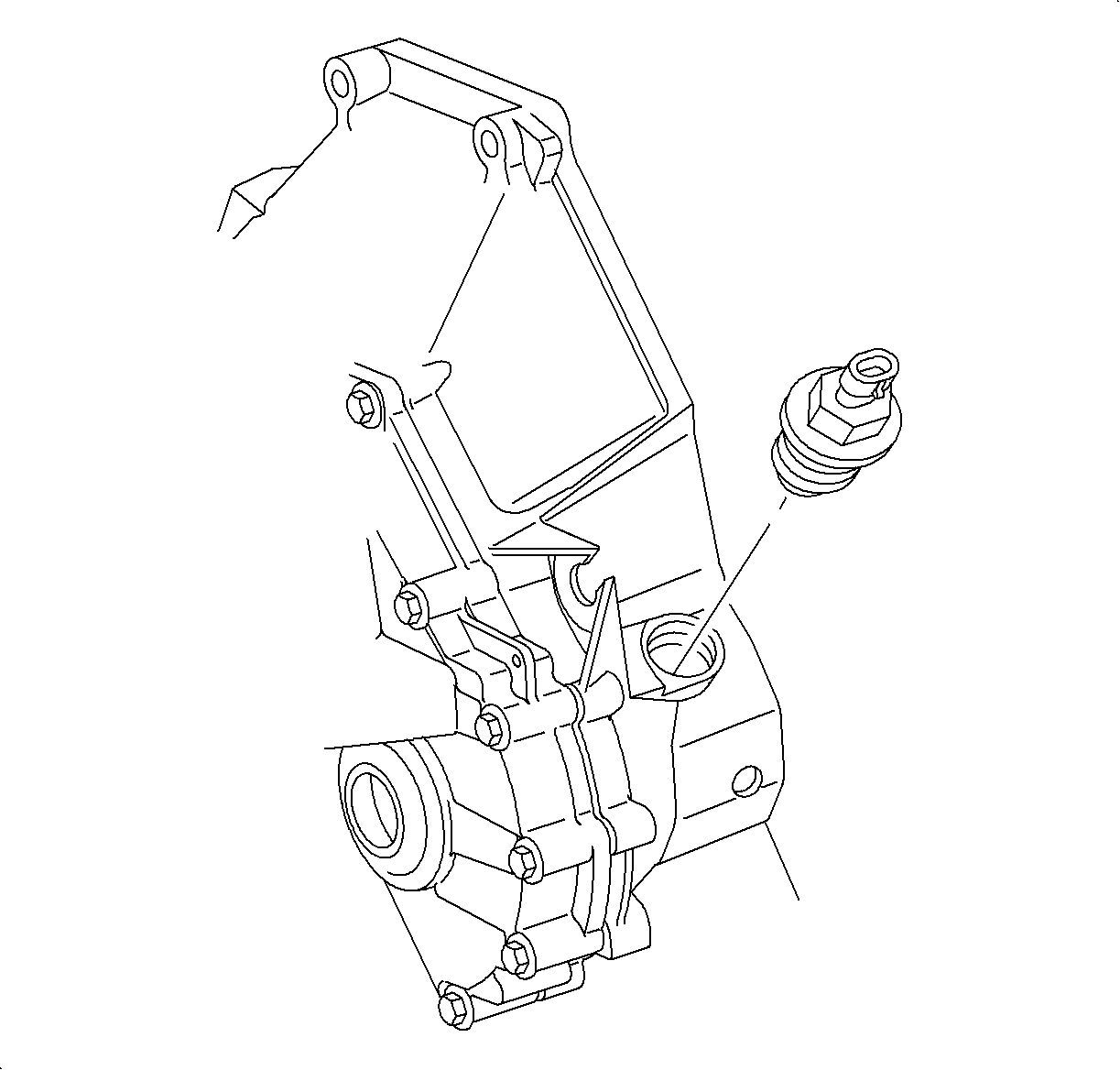
  4. Disconnect the output speed sensor (OSS) harness connector and remove the sensor.
Installation Procedure

    Notice

    Refer to Fastener Notice in Cautions and Notices.

    Important

  1. Install the OSS.
  2. Tighten

    Tighten the output speed sensor (OSS) to 26 N·m (19 lb ft).

  3. Connect the OSS harness connector. Push in the connector until a click is heard and pull back to confirm a positive engagement.
  4. Lower the vehicle.
  5. Check the transaxle fluid level.

  Document ID# 881330
1998 Saturn SL2/SC2/SW2